How to Fix Puppeteer on Azure Web Apps
Fix Chromium launch failures on Azure App Service by diagnosing missing Linux libraries and choosing managed Code or a custom container.
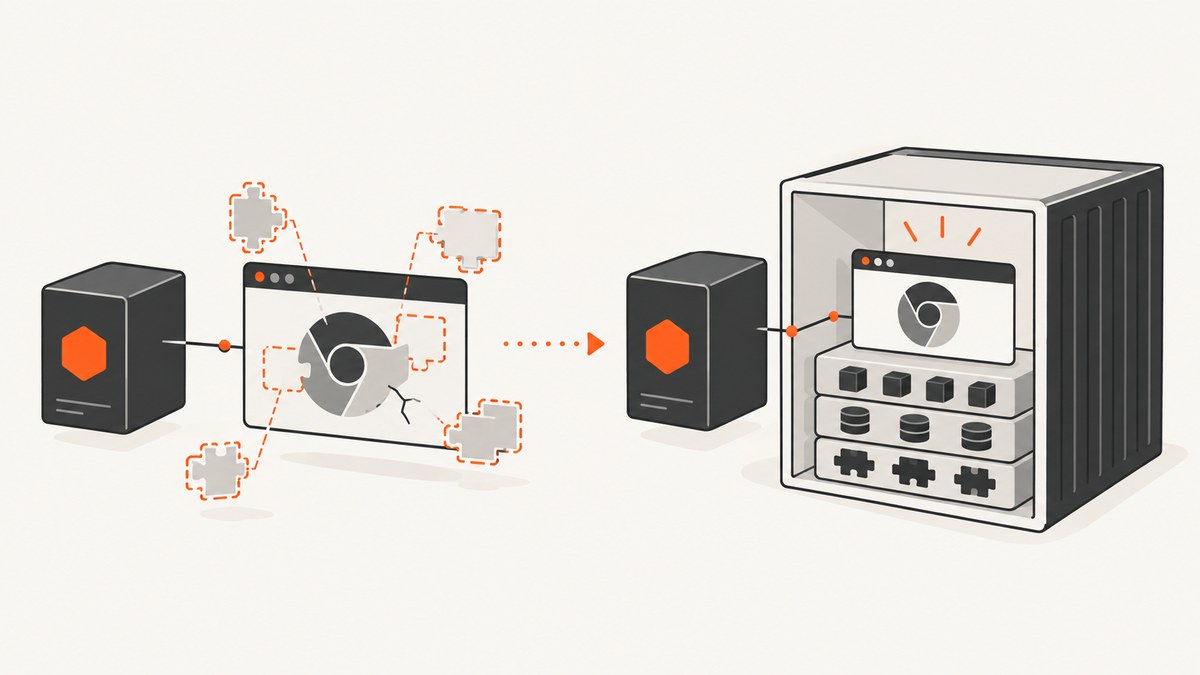
Short answer: if Puppeteer reports an error such as libnspr4.so: cannot open shared object file, Chromium is missing a native Linux dependency. An npm install can succeed while the browser still fails at launch. In Azure App Service Linux Code, the runtime is managed, so the application cannot add or modify operating-system packages. The practical fix described by a Microsoft Q&A moderator is to run Puppeteer in a custom Linux container hosted by App Service Web App for Containers or Azure Container Apps, and install Chromium’s dependencies in that image.
If you are using a custom container already, inspect the exact browser binary with ldd, install the unresolved libraries for your distribution, and verify the browser, Puppeteer version, sandbox configuration and container user. This guide covers both paths, including a complete Node.js example, diagnostics, deployment settings, security, reliability and cost considerations.
1. Understand what the error means
A typical failure looks like this:
Error: Failed to launch the browser process!
/tmp/chromium: error while loading shared libraries:
libnspr4.so: cannot open shared object file: No such file or directory

[...]
code: 127
Exit code 127 means the operating system could not start the executable. The missing file is a shared library, not an npm module. Chromium commonly needs NSS and NSPR libraries, GTK and GBM components, fonts, X11 libraries and other system packages. The precise package names depend on the Linux distribution and the Chrome or Chromium build.
Puppeteer’s official troubleshooting guide recommends checking the executable that your application actually launches:
ldd /path/to/chrome | grep notUse the real path printed by browserFetcher, your executablePath setting or the image’s Chrome installation. An empty result means the dynamic linker found all libraries for that binary; it does not prove that the sandbox, fonts, permissions or display configuration are correct.
2. Decide whether you are on Linux Code or a container
| Hosting mode | Operating-system control | What to do |
|---|---|---|
| App Service Linux Code | Azure supplies the managed runtime image. Your deployment installs application dependencies, not arbitrary OS packages. | Move the workload to a custom Linux container when Chromium needs libraries you cannot provide. |
| App Service Web App for Containers | You own the Dockerfile and package layer. | Install the libraries in the image, pin compatible browser versions, then deploy the image. |
| Azure Container Apps | You own the application container and its process configuration. | Use a browser-ready image or build one, then validate sandbox and process-init requirements on the selected environment. |
The exact missing-library question was answered by Microsoft External Staff moderator Praneeth Maddali on Microsoft Q&A (2026-02-19): “In Azure App Service (Linux – Code), this limitation is expected. The platform uses a managed Linux runtime, and OS-level packages cannot be installed or modified.” The same answer recommends container-based hosting when custom system libraries are required. Treat that as a support answer for the reported configuration, and verify the current Azure documentation for your chosen hosting mode.
Do not try to solve this with an npm postinstall script, a startup command containing apt-get, or a package added to package.json. Those actions do not turn a managed Code image into an operating-system image you control.
3. The reliable container approach
Step 1: Pin a browser and Puppeteer version
Keep the Puppeteer package and the browser it launches compatible. If you use Puppeteer’s downloaded browser, let the package manage it; if you install Chrome for Testing or Chromium yourself, set executablePath explicitly and document the version. Rebuild the image when either component receives security or compatibility updates.
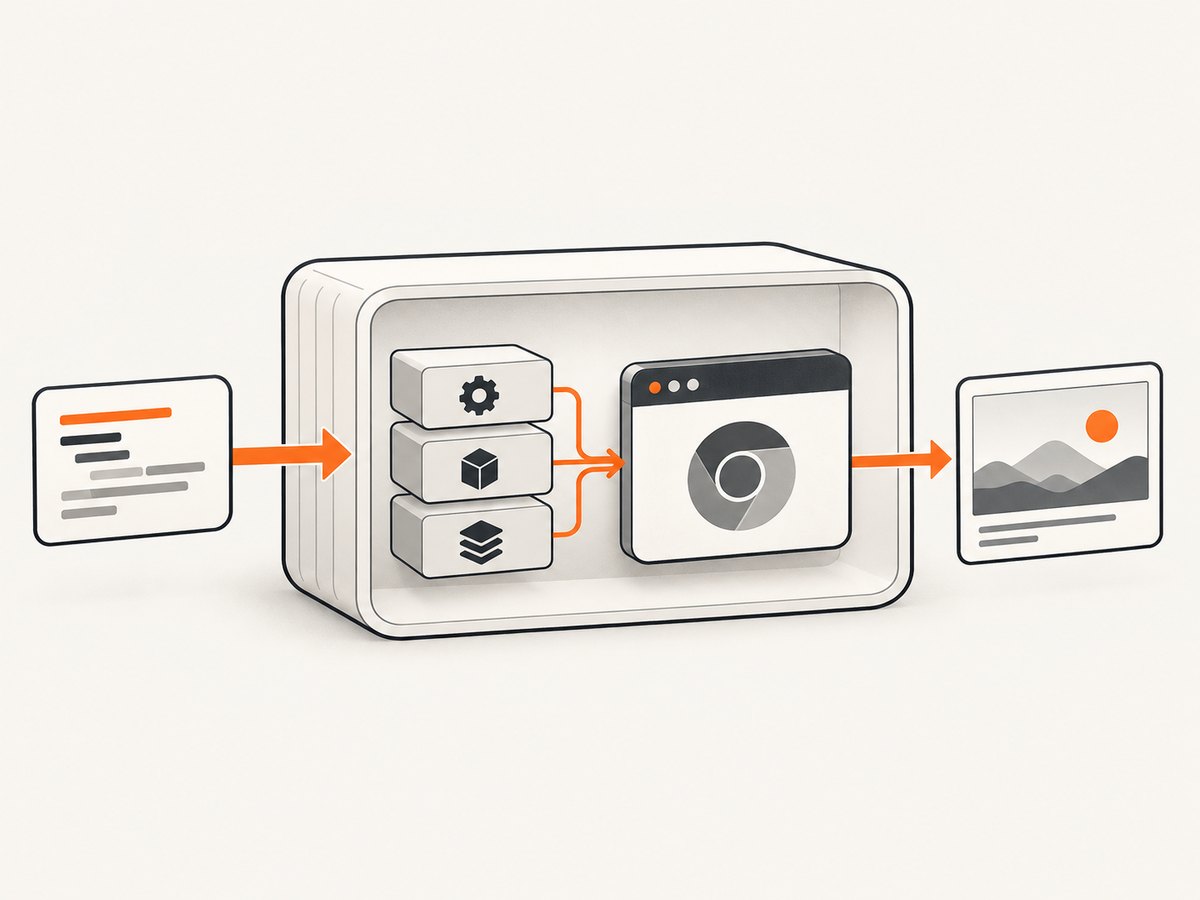
Step 2: Install distribution-specific dependencies
Here is a starting point for a Debian or Ubuntu based image. It is an example, not a guarantee for every browser release or Azure host. Compare it with the dependency list in the Puppeteer troubleshooting guide, then run ldd against your actual binary.
FROM node:22-bookworm-slim

ENV NODE_ENV=production
WORKDIR /app

# Chromium libraries, fonts and utilities. Recheck this list when versions change.
RUN apt-get update && apt-get install -y --no-install-recommends \
    ca-certificates \
    fonts-liberation \
    libasound2 \
    libatk-bridge2.0-0 \
    libatk1.0-0 \
    libc6 \
    libcairo2 \
    libcups2 \
    libdbus-1-3 \
    libdrm2 \
    libgbm1 \
    libglib2.0-0 \
    libgtk-3-0 \
    libnspr4 \
    libnss3 \
    libpango-1.0-0 \
    libx11-6 \
    libx11-xcb1 \
    libxcb1 \
    libxcomposite1 \
    libxdamage1 \
    libxext6 \
    libxfixes3 \
    libxrandr2 \
    xdg-utils \
    && rm -rf /var/lib/apt/lists/*

COPY package*.json ./
RUN npm ci --omit=dev
COPY . .

USER node
EXPOSE 8080
CMD ["node", "server.js"]
Package names vary. For example, a newer Debian release can rename or split a library, and an Alpine image uses different packages and a different C library. If apt-get cannot find a package, consult that distribution’s package index instead of copying a random list.
Step 3: Use a minimal, observable server
const express = require('express');
const puppeteer = require('puppeteer');

const app = express();
let browser;

async function getBrowser() {
  if (!browser) {
    browser = await puppeteer.launch({
      headless: true,
      // Do not add --no-sandbox by default. Configure a supported sandbox
      // and container user/capabilities for your hosting environment.
      args: ['--disable-dev-shm-usage']
    });
  }
  return browser;
}

app.get('/healthz', (_req, res) => res.send('ok'));

app.get('/shot', async (req, res) => {
  const target = req.query.url;
  if (!target) return res.status(400).send('url is required');

  let page;
  try {
    const b = await getBrowser();
    page = await b.newPage();
    await page.goto(target, {waitUntil: 'networkidle2', timeout: 45000});
    const png = await page.screenshot({fullPage: true});
    res.type('png').send(png);
  } catch (error) {
    console.error('capture failed', error);
    res.status(502).send('browser capture failed');
  } finally {
    if (page) await page.close().catch(() => {});
  }
});

const port = Number(process.env.PORT || 8080);
app.listen(port, '0.0.0.0', () => console.log(`listening on ${port}`));

async function shutdown() {
  if (browser) await browser.close().catch(() => {});
  process.exit(0);
}
process.on('SIGTERM', shutdown);
process.on('SIGINT', shutdown);
Azure App Service requires the process to listen on process.env.PORT. Bind to 0.0.0.0 in a container so the platform can reach the process. Set the startup command in App Service only if it is not already supplied by the image’s CMD.
Step 4: Build and inspect before deployment
docker build -t puppeteer-azure:local .
docker run --rm -p 8080:8080 puppeteer-azure:local
curl http://localhost:8080/healthz
curl --get 'http://localhost:8080/shot' --data-urlencode 'url=https://example.com' -o example.png
Inside the running image, locate the browser and run:
which chromium || which google-chrome || find / -name 'chrome' -type f 2>/dev/null
ldd /path/to/the/actual/browser | grep not
Use an init process when your host supports it (for example, Docker’s --init option or an equivalent entrypoint). Puppeteer notes that browser processes create children; proper reaping prevents abandoned processes and memory growth. Its Docker guide also documents sandbox-mode requirements such as the SYS_ADMIN capability. Verify how those requirements map to your Azure container host before copying the example unchanged.
4. Sandboxing and security
Chrome’s sandbox is a security boundary. Puppeteer strongly discourages launching with --no-sandbox. Instead, run as a non-root user and configure the container capabilities and sandbox expected by your browser image and hosting service. If a launch fails only after changing users, inspect permissions on the browser binary, its temporary directory and the user namespace configuration.
Do not expose an unrestricted screenshot endpoint to the public internet. Validate allowed schemes and hosts, add authentication and rate limits, and consider server-side request forgery controls. A screenshot service can otherwise be used to request internal metadata endpoints or private network addresses. These application controls are separate from the missing-library fix.
5. Azure deployment checklist
- Select a supported Node.js version and keep
package-lock.jsonwith the application. - For Code hosting, confirm that production dependencies are installed and that the configured startup command matches your app. Remember that this still cannot add native Chromium libraries.
- For a custom container, push the image to a registry App Service or Container Apps can pull, configure the image and port, and inspect deployment and application logs.
- Set
PORT-aware listening code and expose the same port in the image. - Run a health endpoint that does not launch a browser, then a separate authenticated browser smoke test.
- Record the browser executable path and run
lddduring image validation so a base-image update cannot silently remove a dependency.
Azure’s Node.js App Service guidance covers runtime selection, build automation, startup options, logs and production checks. The custom-container documentation is the setup reference for container hosting.
6. Troubleshooting common failures
| Symptom | Likely cause | Fix |
|---|---|---|
libnspr4.so or libnss3.so missing |
Native Chromium packages are absent. | On Code hosting, move to a custom container. In a container, install the distribution’s packages and re-run ldd. |
| Exit code 127 | The loader cannot start the executable. | Capture the full error and inspect the actual executable with ldd ... | grep not. |
| Browser downloads during deploy but will not launch | npm dependencies exist, but OS libraries, fonts or permissions do not. | Separate npm validation from image-level dependency validation. |
Running as root without --no-sandbox |
The container user and sandbox policy are incompatible. | Run as a supported non-root user and configure the sandbox. Avoid disabling it as a default workaround. |
| Works locally, times out in Azure | Navigation waits forever on third-party requests, resource limits or network policy. | Set an explicit navigation timeout, use a deliberate waitUntil policy, close pages in finally, and inspect container logs. |
| App Service reports an unhealthy app | The process is bound to localhost or the wrong port. | Listen on 0.0.0.0 and process.env.PORT; confirm the container port setting. |
| Memory rises after repeated captures | Pages or browsers are not closed, or zombie children accumulate. | Close every page, recycle the browser after a bounded number of jobs, and use an init process. |
| Fonts or non-Latin text are blank | The image has no suitable fonts. | Install the required font packages in the image and test representative pages. |
7. Performance, reliability and cost decisions
Launching one browser per request adds startup time and memory pressure. A long-lived browser with a new page per job usually reduces launch overhead, but it requires lifecycle management: close pages, cap concurrent jobs, recycle the browser after failures or a defined job count, and set navigation and overall request timeouts. Keep concurrency below the memory limit you observe for your selected container size; the cited sources do not establish a universal Azure performance number.
Full-page screenshots can trigger lazy-loaded images and long pages. Prefer a fixed viewport when a full document is unnecessary. Block unneeded resources only when the page remains representative. Cache results for stable URLs, and queue work when captures are bursty instead of allowing unbounded simultaneous Chromium tabs.
For reliability, pin the base image, Node version, Puppeteer package and browser version in source control. Rebuild deliberately to receive security fixes, and run a smoke test against pages that exercise fonts, redirects, cookies and JavaScript. Keep logs for the browser version, launch arguments, target URL host and failure class, while excluding secrets and sensitive page content.
There is no source-backed Azure plan price or performance comparison for this problem. Your cost is driven by the selected hosting resources, image builds and request volume; measure memory and execution time in your own workload before choosing a size.
8. Or skip the browser setup
If your goal is simply to obtain clean website screenshots, ScreenshotNeo provides a hosted website screenshot API and MCP server. One GET request returns PNG, JPEG, WebP or PDF, so your application does not need to package Chromium or Linux libraries.
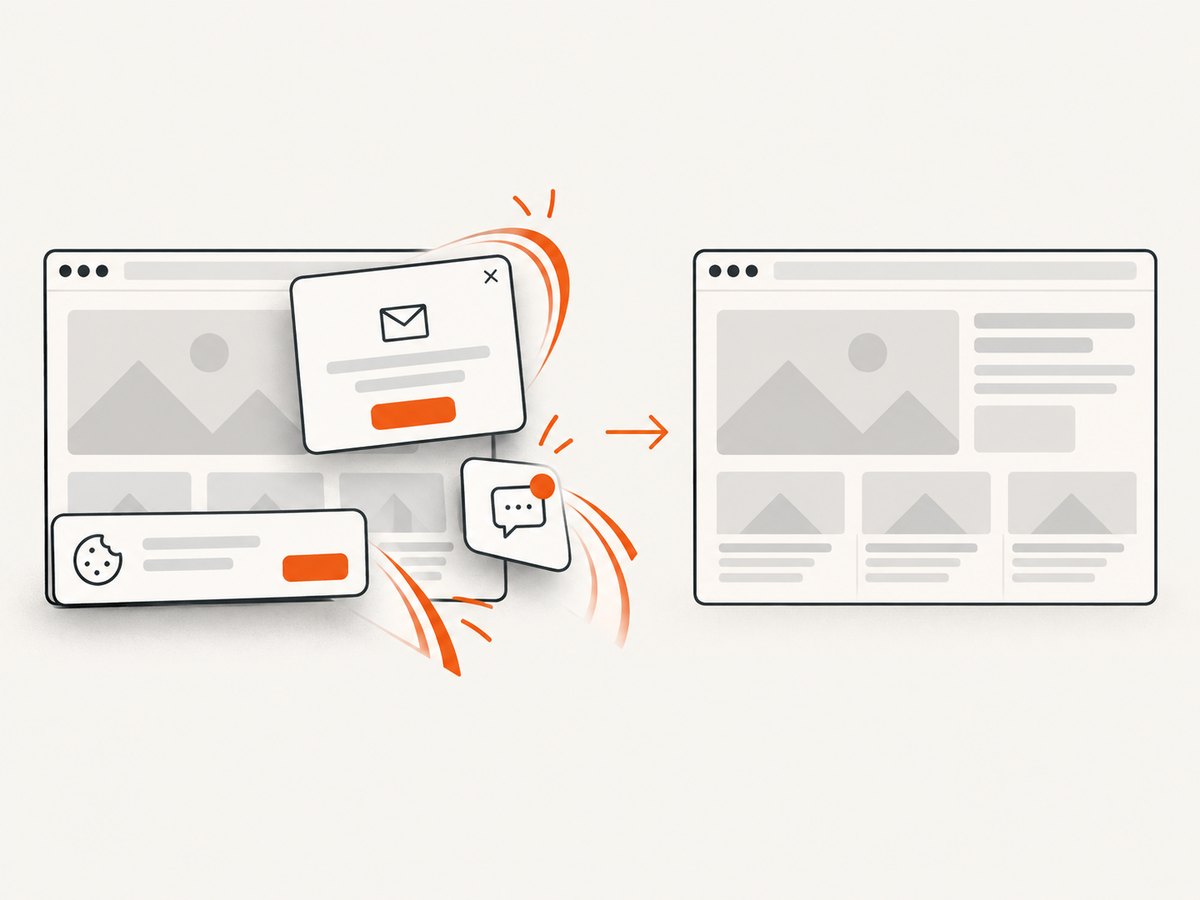
See the ScreenshotNeo documentation for all options. A minimal request is:
curl -G 'https://api.screenshotneo.com/v1/shot' \
  -d access_key=YOUR_API_KEY \
  --data-urlencode url=https://stripe.com \
  -o shot.webp
import requests
r = requests.get('https://api.screenshotneo.com/v1/shot', params={'access_key': 'YOUR_API_KEY', 'url': 'https://stripe.com'}, timeout=90)
open('shot.webp', 'wb').write(r.content)const q = new URLSearchParams({ access_key: 'YOUR_API_KEY', url: 'https://stripe.com' });
const res = await fetch(`https://api.screenshotneo.com/v1/shot?${q}`);Cookie banners, newsletter popups and chat widgets are removed before the shot. Bot checks, blank pages, timeouts, failed loads and cache hits are not billed, and response headers identify the page verdict and whether it was billed. Its MCP server lets Claude, Cursor and other MCP clients call take_screenshot, get_page_info and capture_pdf. The Free plan includes 1,000 screenshots per month with no card; paid plans start at $5 for 3,000 shots. Create a free ScreenshotNeo account.
9. FAQ
Can I install libnspr4 with npm?
No. It is an operating-system shared library. Install it in a container image or use a hosting mode that permits OS package control.
Does a successful npm install prove Puppeteer will work?
No. npm installs JavaScript packages; Chromium also needs native libraries, fonts, permissions and a usable sandbox.
Should I add --no-sandbox to make Azure work?
Do not use it as the default fix. Configure a supported sandbox, user and container capability, then investigate the specific launch error.
Is every Dockerfile from Puppeteer’s guide guaranteed to work on Azure?
No. Treat it as a starting point. Validate the image’s browser version, Linux distribution, sandbox requirements, process handling and Azure host behavior.
When is Linux Code still appropriate?
It is suitable when your Node application does not need custom native packages. Once Chromium requires libraries unavailable in the managed image, a custom container is the controllable option.


