How to Fix Puppeteer Font Issues
Fix missing glyphs, wrong fonts, and layout differences in Puppeteer across Docker, CI, Linux, and custom web fonts.

Short answer: Puppeteer can render a different font because Chrome only sees fonts installed in the operating system where it runs. Install the required font packages and a UTF-8 locale in the same Docker image or CI runner as Chrome, verify that every web font file and requested weight is reachable, wait for fonts to finish loading, and keep Puppeteer compatible with its Chrome for Testing or Chromium version. If the output still differs on Linux, investigate font hinting and rendering flags after coverage and loading are correct.
This guide covers local development, Debian and Alpine containers, CI, custom @font-face fonts, PDFs, screenshots, multilingual pages, and the errors that commonly appear when a desktop capture works but a server capture does not.
1. Identify what is actually running
Before changing CSS, record the complete capture environment. A font that exists on your Mac or Windows workstation is not automatically present in a Linux image, GitHub Actions runner, or serverless function.
- Operating system and base image, such as Debian, Ubuntu, or Alpine.
- Puppeteer version and whether it is
puppeteerorpuppeteer-core. - Browser name and version: Chrome for Testing, Chromium, or a system Chrome.
LANG,LC_ALL, and other locale variables.- Whether the run is local, Docker, CI, serverless, or a remote browser.
- The exact URL, viewport, device scale factor, and capture operation (
screenshotorpdf).
Log these values with the artifact. Two captures that use the same JavaScript can still differ when the browser build, font set, or locale changes.
2. Separate missing glyphs from a wrong typeface
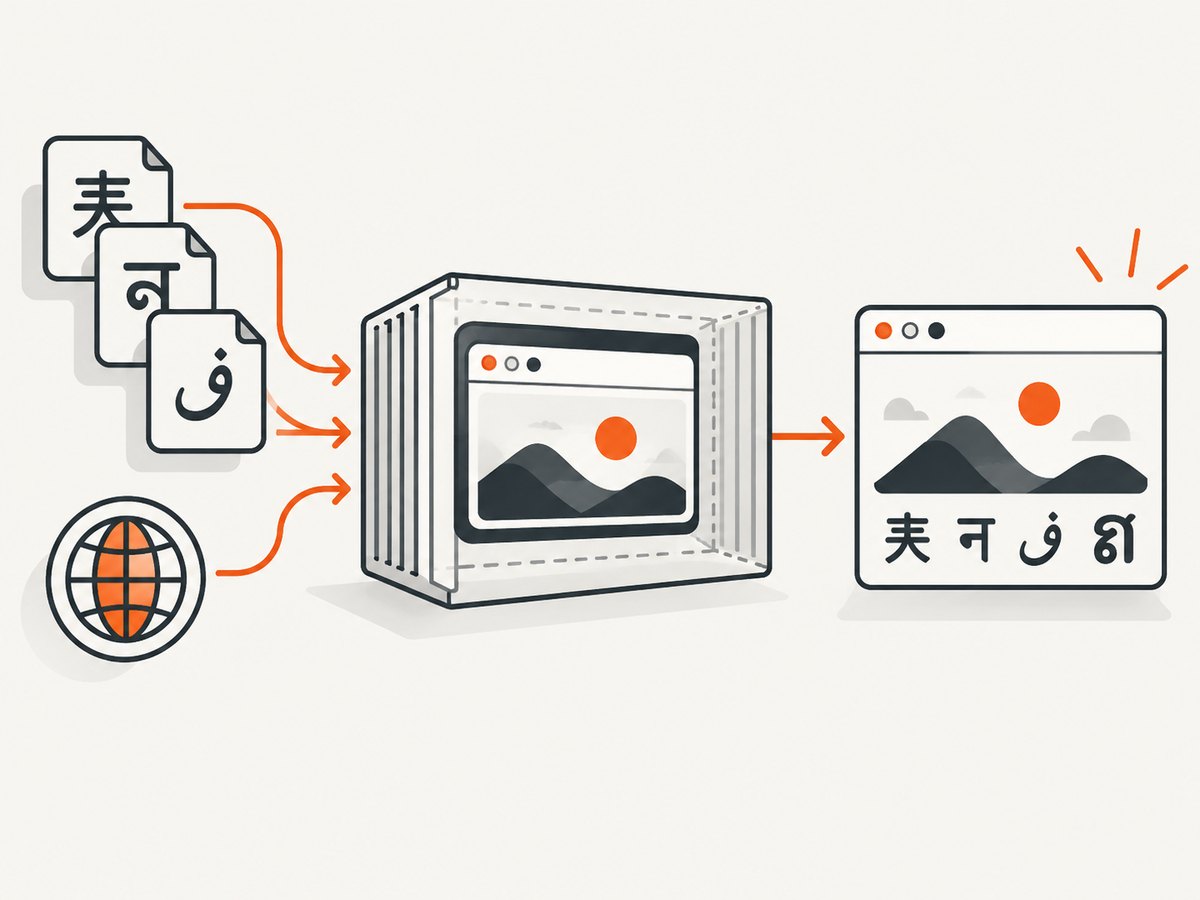
Render a specimen containing the exact scripts and symbols used by the page. Include ordinary Latin, accented characters, CJK, Arabic, Hebrew, Thai, mathematical symbols, and emoji when relevant. A square “tofu” box, an unexpected fallback face, or a missing symbol usually means that no installed font covers the code point.
const specimen = `Latin: The quick brown fox  À Ø ß
CJK: 中文 日本語 한국어
Arabic: العربية
Hebrew: עברית
Thai: ภาษาไทย
Symbols: ∑ → ✓ ©
Emoji: 😀 🧪 🚀`;

await page.setContent(`
  <meta charset="utf-8">
  <style>body { font-family: sans-serif; font-size: 32px; }</style>
  <div>${specimen}</div>
`);
await page.screenshot({path: 'font-specimen.png', fullPage: true});
Compare the result with a known-good desktop image. If only certain scripts fail, install a package that covers those scripts rather than assuming that a Latin font is universal.
3. Install fonts in the runtime image
Install fonts in the image that launches Chrome. Installing them on the host machine has no effect inside an already-built container. Puppeteer’s troubleshooting guidance lists fonts-liberation among Debian dependencies and gives additional packages for broad script coverage.
FROM node:20-bookworm

ENV LANG=en_US.UTF-8
ENV LC_ALL=en_US.UTF-8

RUN apt-get update \
  && apt-get install -y --no-install-recommends \
     chromium \
     fonts-liberation \
     fonts-ipafont-gothic \
     fonts-wqy-zenhei \
     fonts-thai-tlwg \
     fonts-kacst \
     fonts-freefont-ttf \
     locales \
  && sed -i '/en_US.UTF-8/s/^# //g' /etc/locale.gen \
  && locale-gen \
  && rm -rf /var/lib/apt/lists/*

WORKDIR /app
COPY package*.json ./
RUN npm ci
COPY . .
CMD ["node", "capture.js"]
The package names above follow the official example’s intent: Japanese, Chinese, Thai, Arabic, and broad fallback coverage, alongside Liberation fonts. Choose packages appropriate to your page and verify redistribution rights for any font files you add yourself.
Bundled application fonts
System packages are convenient for common scripts. For brand typefaces, bundle licensed files with the application or serve them from a controlled origin. Bundling makes the dependency explicit and reproducible, but you must have permission to redistribute the files. System installation affects every page in the image; bundling with @font-face limits the font to pages that request it.
4. Set a UTF-8 locale
A UTF-8 locale does not install fonts, but it prevents encoding and text-processing surprises. Set it in the image and confirm it at runtime.
console.log({
  lang: process.env.LANG,
  lcAll: process.env.LC_ALL,
  browser: await browser.version()
});
Use a UTF-8 locale appropriate to the distribution. The official Puppeteer Dockerfile sets LANG=en_US.UTF-8. If your base image does not contain locale data, install and generate it as part of the image build rather than trying to repair it during a capture.
5. Make custom web fonts load before capture
Installing a font package cannot fix a broken web font URL. Check that the browser process can reach the font, that the response is successful, and that the CSS declares the family, weight, and style accurately.

<style>
@font-face {
  font-family: "Acme Sans";
  src: url("https://static.example.com/fonts/acme-sans-regular.woff2") format("woff2");
  font-weight: 400;
  font-style: normal;
  font-display: block;
}
@font-face {
  font-family: "Acme Sans";
  src: url("https://static.example.com/fonts/acme-sans-bold.woff2") format("woff2");
  font-weight: 700;
  font-style: normal;
  font-display: block;
}
</style>
Every weight and style requested by your CSS needs a matching file or an intentional fallback. Installing only regular while the page requests 500, 600, 700, or italic can trigger synthetic styling or fallback rendering. Variable fonts also require the correct file and supported axis ranges.
Wait for the document and fonts
await page.goto(url, {waitUntil: 'networkidle0'});
await page.evaluate(async () => {
  await document.fonts.ready;
  await document.fonts.load('400 16px "Acme Sans"');
  await document.fonts.load('700 16px "Acme Sans"');
});
await page.screenshot({path: 'page.png', fullPage: true});
For single-page applications, also wait for the component that owns the text. Network idle alone may occur before a late route transition inserts content. A selector wait is often clearer:
await page.waitForSelector('[data-fonts-ready="true"]', {timeout: 30000});
await page.evaluate(() => document.fonts.ready);
Check the browser console and request failures while diagnosing:
page.on('requestfailed', request => {
  console.error('request failed', request.url(), request.failure());
});
page.on('console', message => console.log('browser:', message.text()));
Common causes include a wrong relative path, a blocked cross-origin request, a certificate problem, an authentication requirement, a server returning HTML instead of font bytes, and a content security policy that disallows the font origin.
6. Use a complete Puppeteer capture script
This runnable example records the environment, loads a page, waits for fonts, and creates both a screenshot and PDF.
import puppeteer from 'puppeteer';

const browser = await puppeteer.launch({
  headless: 'new',
  args: ['--no-sandbox', '--disable-setuid-sandbox']
});

try {
  console.log('browser:', await browser.version());
  const page = await browser.newPage();
  await page.setViewport({width: 1440, height: 900, deviceScaleFactor: 1});
  page.on('requestfailed', r => console.error('failed:', r.url(), r.failure()));
  await page.goto('https://example.com', {waitUntil: 'networkidle0', timeout: 60000});
  await page.evaluate(async () => {
    await document.fonts.ready;
    for (const face of document.fonts) {
      if (face.status !== 'loaded') await face.load();
    }
  });
  await page.screenshot({path: 'page.png', fullPage: true});
  await page.pdf({path: 'page.pdf', format: 'A4', printBackground: true});
} finally {
  await browser.close();
}
Use page.emulateMediaType('screen') when the PDF should use screen styles, or 'print' when print styles are intentional. Font problems can look like layout problems because a fallback face changes line breaks, element heights, and page breaks.
7. Keep Puppeteer and Chrome compatible
Puppeteer normally downloads a compatible Chrome for Testing build during installation. If install scripts are disabled, the browser may be absent and the run can fail with “Could not find Chrome (ver. …)”. Allow the supported browser download, or provide an explicit executable path to a browser version compatible with your Puppeteer release.
Record both versions in CI and rebuild the image when either changes. Avoid mixing a new Puppeteer package with an old system Chromium without checking compatibility. Pin your package lockfile and base image when reproducibility matters.
8. Alpine Linux needs special care
Alpine does not work out of the box for every Puppeteer and Chromium combination. Its musl-based userspace, package names, sandbox behavior, and Chromium build can differ from Debian. A successful local Debian capture is not evidence that an Alpine image has the same font coverage or browser compatibility.
- Use a Chromium package and Puppeteer version known to work together.
- Install the Alpine font packages needed for your scripts.
- Set a UTF-8 locale strategy supported by the image.
- Run the specimen test inside the final image, not during an intermediate build stage.
- If debugging consumes more time than the image saves, use a Debian-based image with documented dependencies.
9. Investigate Linux rendering differences last
When glyphs and web-font files are correct but spacing or antialiasing differs from macOS, Linux font hinting may be the remaining variable. Compare a baseline with Chromium’s --font-render-hinting=none flag:
const browser = await puppeteer.launch({
  headless: 'new',
  args: ['--font-render-hinting=none']
});
This flag is a workaround reported for an issue-specific case, not a universal fix. Keep the browser version and flag documented if you adopt it, because hinting changes can affect text sharpness and line metrics. Test representative pages at the output sizes you actually ship.
10. Troubleshooting checklist
| Symptom | Likely cause | Fix |
|---|---|---|
| Boxes or missing symbols | No installed font covers the script | Add a package or licensed font with the required glyph coverage; rerun the specimen. |
| Wrong font only in Docker | Font exists on the host, not in the image | Install it in the runtime image and rebuild without relying on host mounts. |
| Bold or italic looks wrong | Requested weight/style file is missing | Add each requested face, or change CSS to a weight you actually ship. |
| Custom font never appears | URL, CORS, CSP, certificate, or auth failure | Inspect failed requests and response headers from inside the browser environment. |
| Intermittent fallback | Capture occurs before fonts finish loading | Await document.fonts.ready and an application-ready selector. |
| PDF has different line breaks | Print CSS or fallback metrics | Choose the intended media type, wait for fonts, and compare computed styles. |
| “Could not find Chrome” | Blocked Puppeteer install script or missing executable | Allow the Chrome for Testing download or configure a compatible executable path. |
| Works on Debian, fails on Alpine | Incompatible Chromium, dependencies, or musl behavior | Align versions and packages, or use a supported Debian-based image. |
| Only Linux spacing differs | Font hinting or rasterization | Compare --font-render-hinting=none after all loading checks pass. |
11. Performance, reliability, and cost
Font installation increases image size and build time, but it removes runtime downloads and makes captures repeatable. Cache the Docker package layers and pin versions. Loading a large family with many scripts can increase browser memory; include only the coverage you need, while retaining fallbacks for user-generated text.
Wait conditions should be specific. A global long delay makes every capture slower, while a selector or font readiness check limits waiting to the page state you require. Use a bounded timeout so a broken font endpoint cannot hold a worker forever. For reliable PDFs, keep the same browser image across environments and archive a specimen artifact when dependencies change.
Font licensing is part of deployment cost. Confirm that your license permits bundling files into a container or serving them from your origin. Do not copy a desktop-installed commercial font into production without redistribution rights.
12. Or skip the browser setup
If your goal is a dependable screenshot or PDF rather than maintaining Chrome, fonts, locales, and container dependencies, ScreenshotNeo provides a website screenshot API and MCP server. It captures a URL with one request and supports PNG, JPEG, WebP, and PDF output.
Start with the ScreenshotNeo API documentation. A basic call is:
curl -G "https://api.screenshotneo.com/v1/shot" -d access_key=YOUR_API_KEY --data-urlencode url=https://stripe.com -o shot.webpimport requests
r = requests.get("https://api.screenshotneo.com/v1/shot", params={"access_key": "YOUR_API_KEY", "url": "https://stripe.com"}, timeout=90)
open("shot.webp", "wb").write(r.content)const q = new URLSearchParams({ access_key: 'YOUR_API_KEY', url: 'https://stripe.com' });
const res = await fetch(`https://api.screenshotneo.com/v1/shot?${q}`);ScreenshotNeo removes cookie and consent banners, newsletter popups, and chat widgets before capture. Bot checks, blank pages, timeouts, failed loads, and cache hits are not billed, and response headers identify the page verdict and billing status. Its MCP server exposes take_screenshot, get_page_info, and capture_pdf for Claude, Cursor, and other MCP clients. It also supports full-page and element captures, device presets, custom viewport and retina scale, PDF paper and page options, custom CSS and JavaScript, waits, request blocking, headers, cookies, user agents, authorization, timezone, geolocation, resizing, caching, signed links, asynchronous jobs, bulk capture, usage data, and an OpenAPI specification.
The Free plan includes 1,000 screenshots per month with no card. Paid plans start at $5 for 3,000 shots; every feature is available on every plan. Create a free ScreenshotNeo account and try the first 1,000 captures without a card.
FAQ
Does Puppeteer download fonts automatically?
No. Puppeteer downloads a compatible Chrome for Testing build, but page fonts and system font packages remain your responsibility.
Should I use a web font or install a system font?
Use a web font when the page owns a specific typeface and you can serve it reliably. Use system packages for broad fallback coverage and scripts shared across many pages. Many production images use both.
Why does document.fonts.ready not fix missing glyphs?
It waits for faces the page requested; it cannot create glyphs that are absent from the installed font set, repair an invalid URL, or bypass a blocked request.
Can a fallback font change a PDF’s pagination?
Yes. Different glyph widths and line heights change wrapping and therefore page breaks. Verify fonts before tuning print margins or page ranges.
What should I save for a future regression?
Save the container digest, OS and locale, Puppeteer and browser versions, font package list, specimen image, and the exact capture script. This makes a visual difference traceable to a dependency change.