How to Fix Puppeteer Hanging in Headless Mode
Find the exact Puppeteer phase that stopped, then fix launch, navigation, protocol, Chrome runtime, or shutdown problems with evidence.
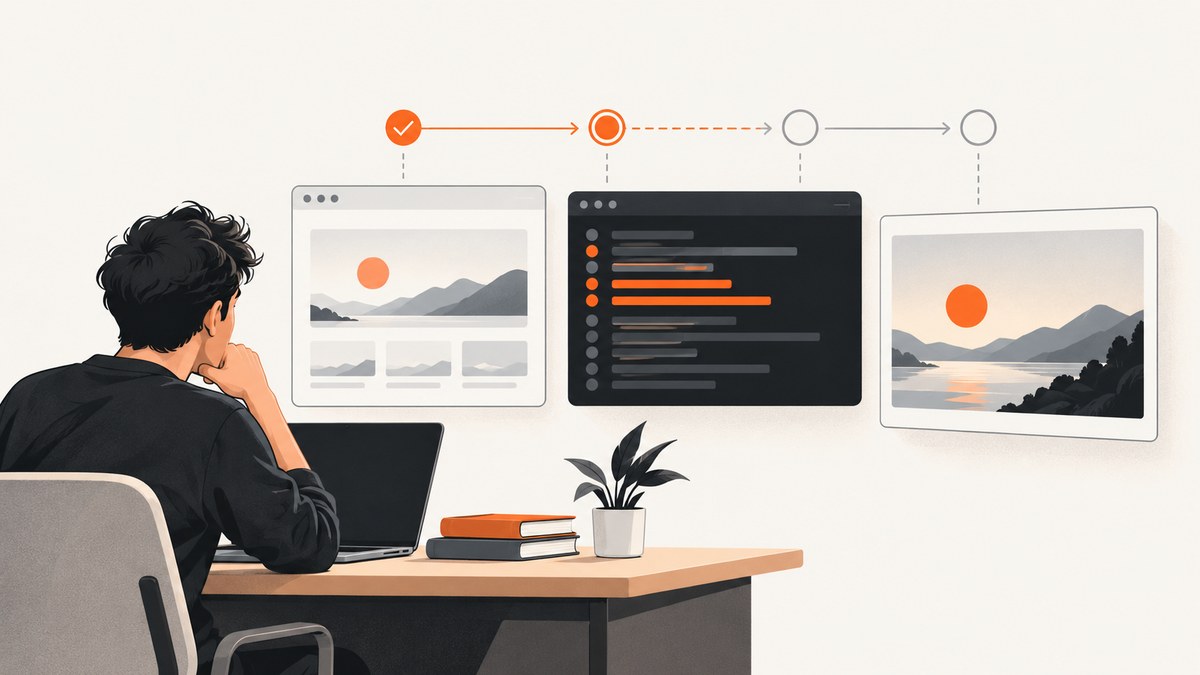
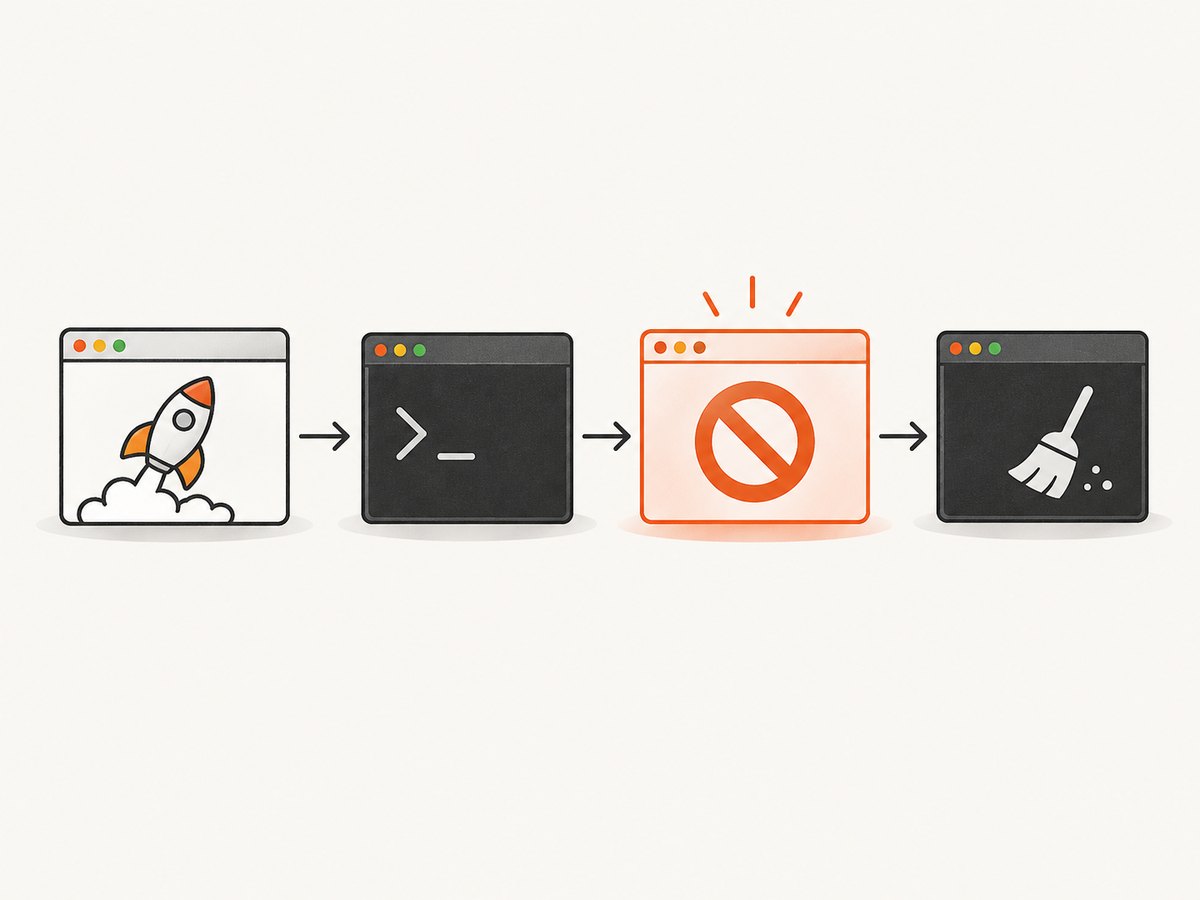
Puppeteer hanging in headless mode is a symptom, not a diagnosis. The process may be waiting for Chrome to start, a navigation event that never happens, a DevTools Protocol call that remains pending, or browser cleanup that did not finish. Start by identifying the last operation that completed. Then change one plausible cause at a time and keep the evidence from each run.
This guide covers Puppeteer 25.12.0 API behavior where the documentation provides a versioned value. The current launch() startup timeout is 30,000 milliseconds by default; changing it only changes how long startup waits, not why Chrome cannot start.
1. Mark the exact phase that hangs
Add ordinary logs and timestamps around every awaited boundary. Do not rely on a final “done” message: a missing message only tells you that some earlier await has not resolved.
const puppeteer = require('puppeteer');

const mark = (label) => console.log(new Date().toISOString(), label);

(async () => {
  let browser;
  try {
    mark('before launch');
    browser = await puppeteer.launch({ headless: true });
    mark('after launch');

    const page = await browser.newPage();
    mark('after newPage');

    await page.goto('https://example.com', {
      waitUntil: 'domcontentloaded',
      timeout: 30000
    });
    mark('after goto');

    await page.screenshot({ path: 'shot.png' });
    mark('after screenshot');
  } catch (error) {
    console.error(error);
  } finally {
    mark('before close');
    if (browser) await browser.close();
    mark('after close');
  }
})();
Use the last timestamp to classify the problem:
| Last completed step | Likely phase | Evidence to collect |
|---|---|---|
| Before launch | Browser startup | Chrome stderr, executable path, permissions, libraries, profile storage |
| After launch but before navigation | Page creation or setup | Pending protocol errors, browser logs, page event logs |
Before or during goto() |
Navigation | URL, wait condition, navigation timeout, network and console events |
| After the work but process stays alive | Cleanup or child processes | Close logs, process list, container init and signal handling |
2. Diagnose a launch that never returns
Expose Chrome’s output
Forward the browser process output while reproducing the issue:
const browser = await puppeteer.launch({
  headless: true,
  dumpio: true,
  timeout: 30000
});
dumpio: true often reveals an invalid executable, a missing shared library, a profile directory that is not writable, or a sandbox initialization failure. Confirm which browser Puppeteer selected and whether it is the browser bundled for your Puppeteer version. Puppeteer documents that the bundled browser is the supported combination; selecting an unrelated system browser is your responsibility.
For a controlled experiment, set a temporary user data directory that your process can write:
const browser = await puppeteer.launch({
  headless: true,
  userDataDir: '/tmp/puppeteer-profile'
});
Use a unique directory for concurrent jobs. Reusing one profile between processes can cause locks and corruption. In production, create the directory with the service account’s permissions and clean it after the browser closes.
Check Linux dependencies and the sandbox
Headless Chrome still needs system libraries. In a Linux image, inspect the Chrome binary’s unresolved dependencies with the diagnostic from Puppeteer’s troubleshooting guide:
ldd /path/to/chrome | grep notInstall the missing libraries using the package set for your distribution and the Chrome requirements for the image you actually deploy. Also check shared memory, temporary storage, file descriptor limits, and the identity running the process.
Do not make --no-sandbox your default CI fix. Chrome’s Linux sandbox protects the host from untrusted web content. Puppeteer’s guidance states: “Running without a sandbox is strongly discouraged. Consider configuring a sandbox instead.” If you absolutely trust every page and your environment cannot provide a supported sandbox, document the risk and isolate the workload before using:
const browser = await puppeteer.launch({
  headless: true,
  args: ['--no-sandbox', '--disable-setuid-sandbox']
});
Prefer a correctly configured sandbox, suitable user namespaces, and a runtime with the required permissions.
Separate startup timeout from all other timeouts
The timeout in launch() controls browser startup. Setting it to 0 disables that startup timeout; it does not repair a missing library or an executable that exits immediately. Keep a finite value in services so a failed worker does not wait forever, and log the value with each job.
3. Diagnose a hang on page.goto or waitForNavigation
Navigation waits are commonly misused. page.waitForNavigation() waits for a navigation caused by another action. Start both promises together so a fast navigation cannot occur before the wait is installed:
await Promise.all([
  page.waitForNavigation({
    waitUntil: 'domcontentloaded',
    timeout: 30000
  }),
  page.click('a.next')
]);
If the click opens a new tab, changes the URL through the History API, or only updates the DOM, a navigation wait may never resolve. For a same-document change, wait for a selector or URL instead:
await page.click('button.load-results');
await page.waitForSelector('.results', { timeout: 15000 });

await page.waitForFunction(
  () => location.pathname === '/results',
  { timeout: 15000 }
);
A History API or anchor navigation can resolve with a null response. That is documented behavior, not proof that Chrome stalled.
Choose a realistic wait condition
domcontentloaded: the HTML document is parsed; useful when scripts and images are not required.load: the load event fired, including many subresources.networkidle0ornetworkidle2: useful for app pages, but analytics, polling, sockets, and ads can keep activity alive indefinitely.
Set navigation timeouts specifically rather than increasing every timeout:
page.setDefaultNavigationTimeout(45000);
page.setDefaultTimeout(15000);
await page.goto(target, { waitUntil: 'domcontentloaded' });
If a site legitimately takes longer, increase the relevant value and record why. If the awaited event can never happen, a larger timeout only delays the failure.
4. Investigate pending asynchronous Puppeteer calls
When an operation other than navigation remains pending, inspect Puppeteer’s protocol diagnostics:
const pending = browser.debugInfo.pendingProtocolErrors;
console.dir(pending, { depth: null });
The returned errors and stack traces identify protocol calls and the code that triggered them. For deeper diagnosis, enable DevTools Protocol logging when starting Node:
NODE_DEBUG="puppeteer:*" node capture.jsProtocol logs can contain URLs, headers, cookies, or page data. Redact secrets before sharing them. Add page-level event listeners because browser-side console messages do not automatically appear in Node.js output:
page.on('console', msg => console.log('[page]', msg.type(), msg.text()));
page.on('pageerror', error => console.error('[pageerror]', error));
page.on('requestfailed', request => console.error('[requestfailed]', request.url(), request.failure()));
page.on('response', response => {
  if (response.status() >= 400) console.error('[http]', response.status(), response.url());
});
Look for an await whose precondition is false: a selector never appears, a frame was detached, a target closed, or an event listener is waiting on the wrong page.
5. Compare headless modes deliberately
In current Puppeteer, headless: true uses Chrome’s new headless mode. headless: 'shell' uses the separate chrome-headless-shell, formerly called old headless. The shell does not fully match regular Chrome and may be more performant for automation that does not need all Chrome features.
const browser = await puppeteer.launch({ headless: 'shell' });Use this as a comparison experiment, not a universal cure. Run the same URL and actions in both modes and compare the phase that stalls, output, console errors, and resource use. If only one mode fails, check feature compatibility before selecting it for production.
For a visible reproduction, temporarily use:
const browser = await puppeteer.launch({
  headless: false,
  slowMo: 50,
  dumpio: true
});
Headful success does not prove that headless is the root cause. It only gives you a useful comparison: viewport behavior, permissions, extensions, graphics, and timing may differ.
6. Containers, hosting, and process cleanup
Linux containers add failure modes that look like Puppeteer hangs:
- Chrome’s required libraries are absent from a minimal image.
- The profile or
/tmpis read-only or too small. - Shared memory is constrained, causing renderer instability.
- The container does not reap child processes.
- The host suspends, kills, or CPU-throttles the worker while Chrome is running.
Use an init process such as dumb-init where appropriate so zombie Chrome processes are reaped. Ensure your service forwards termination signals and always reaches a finally block:
let browser;
try {
  browser = await puppeteer.launch({ headless: true });
  const page = await browser.newPage();
  await page.goto(url, { waitUntil: 'domcontentloaded', timeout: 30000 });
  await page.screenshot({ path: output });
} finally {
  if (browser) await browser.close();
}
Close pages and browsers on success and failure. If the Node process still stays alive, inspect leftover Chrome processes, timers, sockets, and job queues. A browser that closed successfully should not leave a worker waiting on an unrelated handle.
7. A repeatable troubleshooting checklist
- Record Puppeteer, Node, Chrome, OS, container image, and executable path versions.
- Add timestamps before and after launch, page creation, every navigation/action, and close.
- Enable
dumpioand capture stderr. - Verify the bundled browser or intentionally tested executable.
- Check Linux dependencies, writable profile and temporary directories, shared memory, and process limits.
- Review the exact wait condition and pair
waitForNavigation()with its triggering action. - Set the timeout for the operation that can legitimately be slow.
- Inspect
browser.debugInfo.pendingProtocolErrorsand enable protocol logging for pending calls. - Compare local, CI, and container environments.
- Compare
headless: true,headless: 'shell', and a temporary headful run. - Restore security controls after experiments and close every resource.
Or skip the browser setup
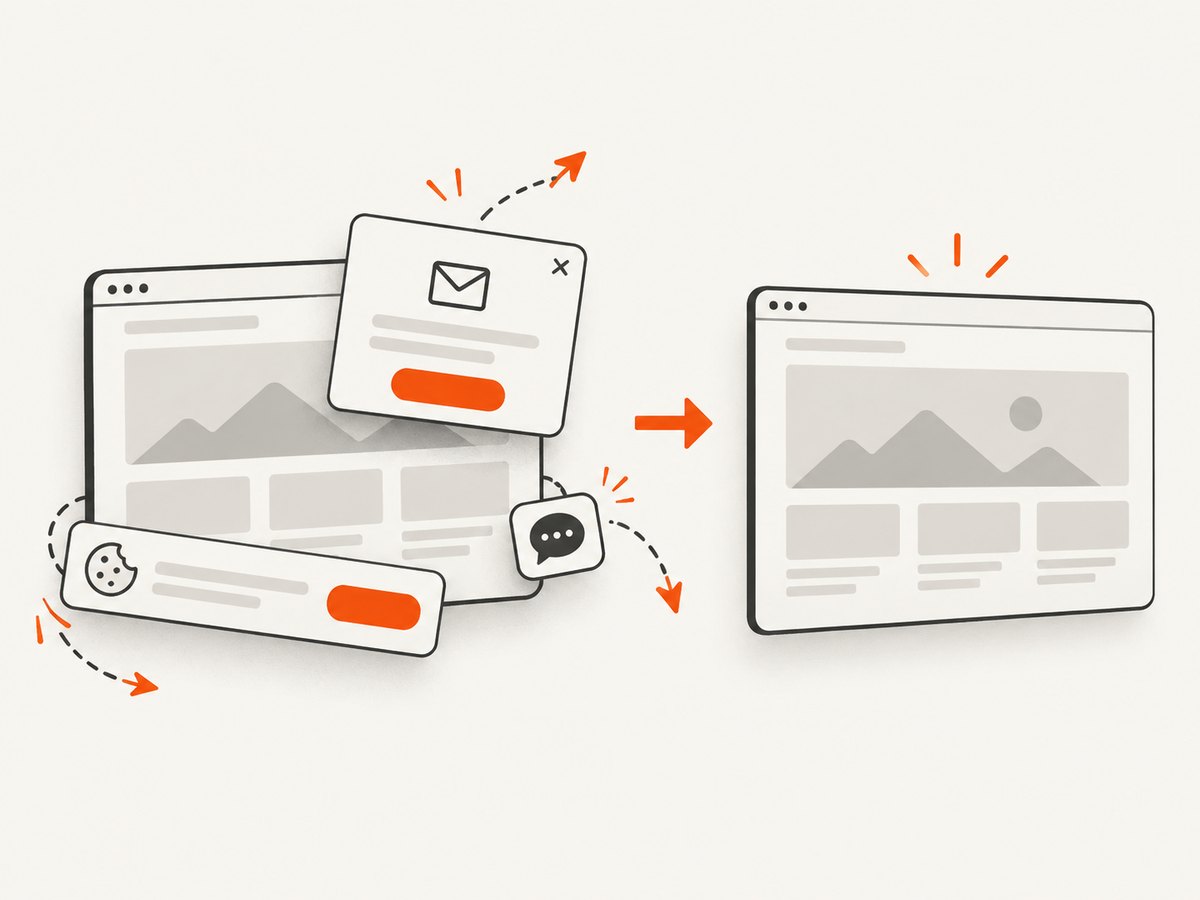
If your goal is a reliable website screenshot rather than browser automation itself, ScreenshotNeo removes the Chrome lifecycle from your application. One GET request returns a PNG, JPEG, WebP, or PDF. Before capture it accepts cookie and consent banners and removes more than 60 known consent platforms, newsletter popups, and chat widgets. Bot checks and CAPTCHAs, blank pages, timeouts, failed loads, and cache hits cost nothing; response headers report the page verdict and whether the shot was billed.
See the ScreenshotNeo API documentation for all options, including full-page lazy-image loading, CSS-element capture, dark mode, device presets, retina scale, PDF paper and margin settings, custom CSS and JavaScript, clicks, selector or network-idle waits, request blocking, headers, cookies, user agents, authorization, timezone, geolocation, transparent backgrounds, resizing, TTL caching, signed links, asynchronous jobs, webhooks, bulk capture, usage data, and the OpenAPI specification.
curl -G "https://api.screenshotneo.com/v1/shot" \
  -d access_key=YOUR_API_KEY \
  --data-urlencode url=https://stripe.com \
  -o shot.webp
import requests
r = requests.get(
"https://api.screenshotneo.com/v1/shot",
params={"access_key": "YOUR_API_KEY", "url": "https://stripe.com"},
timeout=90,
)
r.raise_for_status()
open("shot.webp", "wb").write(r.content)const q = new URLSearchParams({ access_key: 'YOUR_API_KEY', url: 'https://stripe.com' });
const res = await fetch(`https://api.screenshotneo.com/v1/shot?${q}`);ScreenshotNeo also provides an MCP server with take_screenshot, get_page_info, and capture_pdf for Claude, Cursor, and other MCP clients. The free plan includes 1,000 shots each month with no card; paid plans start at $5 for 3,000 shots. Create a free ScreenshotNeo account.
Performance, reliability, and cost notes
Keep one browser process alive for a controlled batch when startup is expensive, but create and close pages per job and isolate profiles when concurrency requires it. Limit concurrent tabs based on CPU and memory, and measure the phase timings you added earlier. Use the narrowest wait condition that represents “ready”; waiting for every network request can be slower and less reliable than waiting for a stable selector.
For reliability, pin compatible Puppeteer and browser versions, reproduce the deployment image locally, and preserve stderr and phase logs with each failed job. Retry only transient failures, with a bounded count and backoff. Do not retry deterministic selector errors forever. Treat bot checks, blank pages, timeouts, and failed loads as distinct outcomes so your queue and billing logic can react correctly.
For cost, browser startup and repeated retries consume compute even when no screenshot is produced. Reuse healthy browser workers, cap job duration, and stop work after a known terminal condition. With ScreenshotNeo, only clean shots are billed, while cache hits and the listed failed outcomes are free; inspect X-Page-Verdict and X-Billed in your accounting.
FAQ
Does increasing the timeout fix a Puppeteer hang?
Only when the operation is valid but slower than its current limit. Identify whether the limit belongs to launch, navigation, a selector wait, or another call before changing it.
Why does waitForNavigation return null?
History API and same-document navigations can resolve without a network response. Verify the URL or DOM state instead of treating null as a browser failure.
Should I always use –no-sandbox in Docker?
No. Configure a supported sandbox first. Disabling it reduces isolation and is discouraged for untrusted content.
When is headless:’shell’ useful?
It is a separate headless shell that may perform well for automation needing fewer full-Chrome features. Compare behavior and stability for your workload before adopting it.
How can I tell whether Chrome or my code is stuck?
Timestamp each await, enable browser stderr, inspect pending protocol errors, and log page console and request failures. The phase evidence usually identifies the owner of the wait.


