How to Fix Puppeteer Pages That Never Finish Loading
Find the pending Puppeteer promise, fix intercepted requests and navigation races, and choose a wait condition that matches your page.
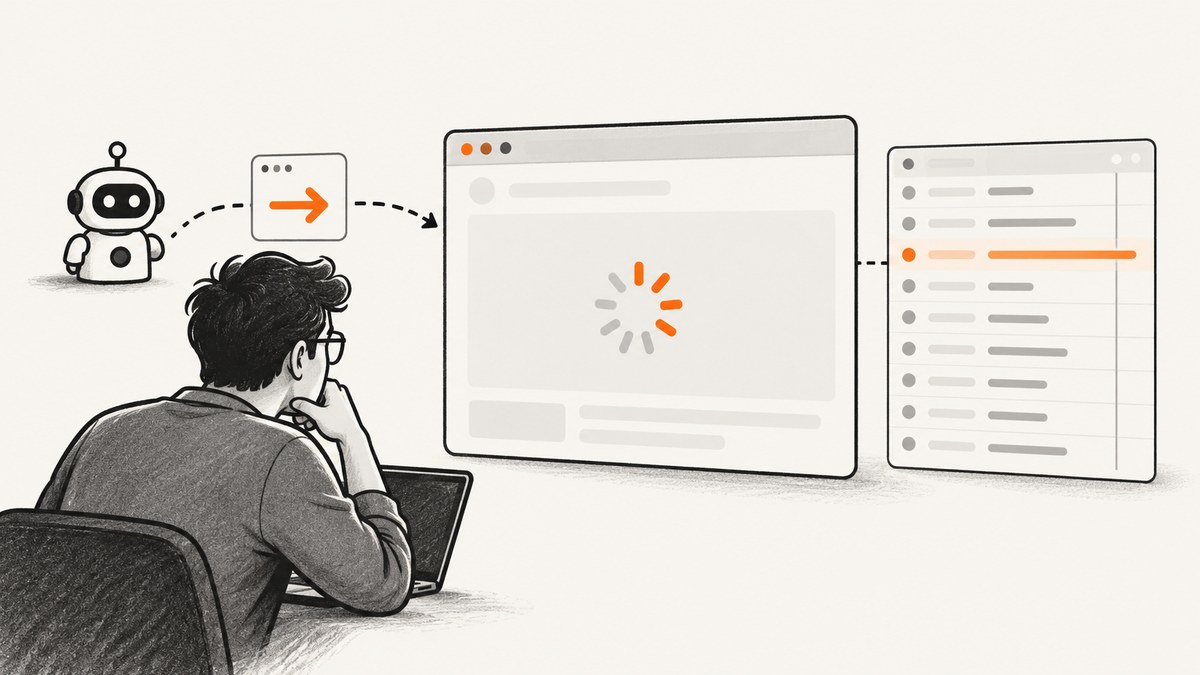
The fastest way to fix a Puppeteer page that never finishes loading is to identify which promise is still pending. It is usually one of four operations: page.goto(), page.waitForNavigation(), page.waitForNetworkIdle(), or a request-interception handler. Check request interception first. When interception is enabled, every request must be continued, fulfilled, aborted, or completed from cache. A branch that does nothing can leave the page waiting forever.
After that, check whether a click and navigation wait are racing, whether network idle is the wrong milestone for a JavaScript application, and whether the operation has a finite timeout. A longer timeout only delays the failure; it does not prove that the page is ready.
1. Identify the pending Puppeteer operation
Do not start by adding random delays. Add logging around each await and record whether the call times out or remains pending:
console.time('goto');
await page.goto('https://example.com', {
  waitUntil: 'domcontentloaded',
  timeout: 30_000,
});
console.timeEnd('goto');

console.time('selector');
await page.locator('main').wait();
console.timeEnd('selector');
Puppeteer exposes separate waits for navigation, network activity, and elements. There is no single universal “page complete” signal. The right fix depends on the condition your next step actually requires.
| Pending call | What it is waiting for | First thing to inspect |
|---|---|---|
goto() |
Navigation to reach its selected lifecycle event | Request interception, redirects, timeout, or a page that keeps loading resources |
waitForNavigation() |
A new URL or reload after an action | Whether the wait was armed before the click and whether the action uses History API navigation |
waitForNetworkIdle() |
Network activity to remain below the configured concurrency for the idle period | Analytics, polling, WebSockets, long requests, and whether network quiet is needed at all |
| Locator or selector wait | A particular element or condition | Selector correctness, visibility, frames, and application state |
| Request handler | Your handler to resolve an intercepted request | Every branch calling continue(), respond(), or abort() |
2. Fix request interception hangs first
If your code calls page.setRequestInterception(true), Puppeteer pauses each request until code resolves it. The official request interception guide states: “Puppeteer requires request.continue() to be called explicitly or the request will hang.” See the Puppeteer request interception guide.
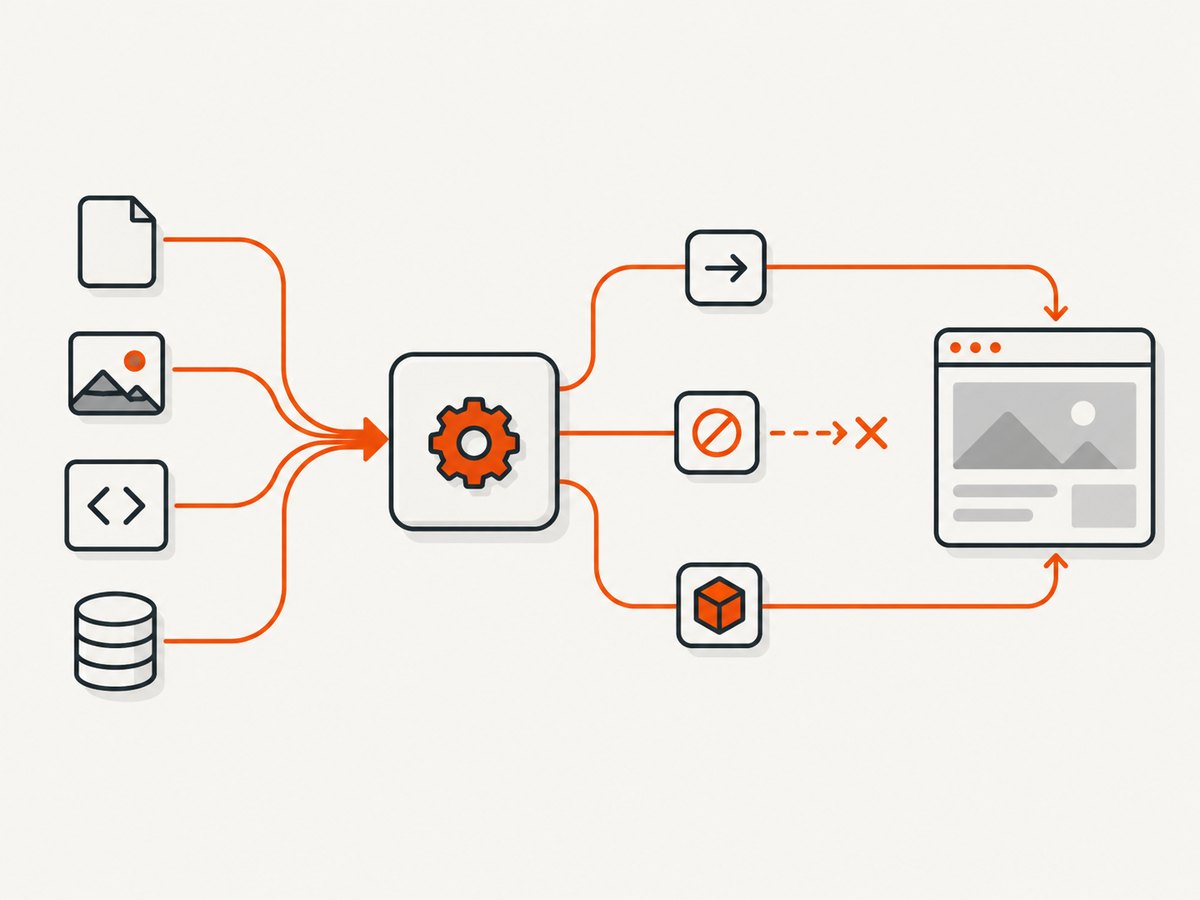
A safe allow-by-default handler looks like this:
await page.setRequestInterception(true);

page.on('request', request => {
  const type = request.resourceType();

  if (type === 'image' || type === 'font') {
    return request.abort();
  }

  return request.continue();
});
The common failure is an early return that never resolves the request:
// Hangs requests matching the condition.
page.on('request', request => {
  if (request.url().includes('/telemetry')) {
    return;
  }
  request.continue();
});
Resolve that branch explicitly:
page.on('request', request => {
  if (request.url().includes('/telemetry')) {
    return request.abort();
  }
  return request.continue();
});
Guard against multiple request listeners
Two listeners can observe the same intercepted request. A framework, plugin, or another part of your application may resolve it before your listener does. Calling a second resolution method can throw or produce confusing behavior. Check request.isInterceptResolutionHandled() immediately before resolving:
page.on('request', request => {
  if (request.isInterceptResolutionHandled()) return;

  if (request.resourceType() === 'image') {
    return request.abort();
  }

  return request.continue();
});
For asynchronous handlers, check again after every await. The state can change while your handler is waiting:
page.on('request', async request => {
  if (request.isInterceptResolutionHandled()) return;

  const shouldBlock = await shouldBlockRequest(request.url());

  // Another listener may have handled it during the await.
  if (request.isInterceptResolutionHandled()) return;

  return shouldBlock ? request.abort() : request.continue();
});
Keep the final guard and the resolution call together. Avoid doing additional asynchronous work between the last check and continue(), abort(), or respond().
3. Pair navigation waits with the action that triggers navigation
A click that navigates can win a race against a separately scheduled waitForNavigation(). Arm the wait and perform the action together with Promise.all, as shown in Puppeteer’s navigation documentation:
const [response] = await Promise.all([
  page.waitForNavigation({
    waitUntil: 'domcontentloaded',
    timeout: 30_000,
  }),
  page.click('a.my-link'),
]);

console.log('main response:', response?.status());
The problematic sequencing is:
await page.click('a.my-link');
await page.waitForNavigation();
The navigation may begin and finish before the second line starts listening. Use the Page.waitForNavigation API reference for the version installed in your project.
When a null response is normal
waitForNavigation() resolves with the main-resource response for a normal navigation. Anchor changes and History API navigation can resolve with null. That is a completed wait, not an indefinitely pending navigation. If your application changes views without a document reload, wait for the resulting element or state instead:
await Promise.all([
  page.waitForFunction(() => location.pathname === '/dashboard'),
  page.click('[data-testid="open-dashboard"]'),
]);

await page.locator('[data-testid="dashboard"]')
  .setTimeout(15_000)
  .wait();
4. Choose a wait condition that matches the work
waitUntil and network-idle waits describe specific browser conditions. They do not mean “the app is ready” in every site architecture.

| Wait | Use it when | Typical problem |
|---|---|---|
domcontentloaded |
You need the parsed document and can wait for application content separately | Data rendered after JavaScript is not available yet |
load |
You need the page’s load event and dependent resources | Third-party resources delay a milestone you do not need |
networkidle0 |
No active network connections is a real requirement | Polling, analytics, streaming, or WebSockets prevent idle forever |
networkidle2 |
At most two active connections is an adequate approximation | Background traffic still makes the timing unstable |
| Locator or function wait | A known element or state marks readiness | The selector does not represent loaded data or is inside another frame |
The current WaitForNetworkIdleOptions reference lists concurrency with a default of 0 and idleTime with a default of 500 milliseconds. Verify these defaults against your installed Puppeteer release.
await page.goto('https://example.com', {
  waitUntil: 'domcontentloaded',
  timeout: 30_000,
});

await page.locator('[data-testid="report-ready"]')
  .setTimeout(20_000)
  .wait();
This is often more reliable than waiting for a quiet network on an application that polls continuously. A function wait is useful when readiness is a value rather than an element:
await page.waitForFunction(
  () => window.app && window.app.state === 'ready',
  { timeout: 20_000 }
);
5. Set finite timeouts and capture useful diagnostics
Set a bound so a stalled operation fails with a visible error. setDefaultNavigationTimeout() affects navigation-related methods such as goto, reload, setContent, and waitForNavigation; see the API reference.
page.setDefaultNavigationTimeout(30_000);
page.setDefaultTimeout(15_000);

try {
  await page.goto(targetUrl, { waitUntil: 'domcontentloaded' });
} catch (error) {
  console.error({
    message: error.message,
    url: page.url(),
  });
  await page.screenshot({ path: 'timeout-debug.png', fullPage: true });
  throw error;
}
Do not disable timeouts while diagnosing. Increasing the value can be appropriate for a slow origin, but it only changes the maximum wait. It does not resolve an intercepted request or select the correct application milestone.
6. A complete diagnostic script
This script logs requests, blocks no resources, uses a finite navigation timeout, and waits for a concrete element. Replace the URL and selector with your target:
import puppeteer from 'puppeteer';

const browser = await puppeteer.launch({ headless: true });
const page = await browser.newPage();

page.on('requestfailed', request => {
  console.error('request failed', request.url(), request.failure()?.errorText);
});

page.on('response', response => {
  if (response.status() >= 400) {
    console.error('HTTP error', response.status(), response.url());
  }
});

page.setDefaultNavigationTimeout(30_000);
page.setDefaultTimeout(20_000);

try {
  console.time('navigation');
  await page.goto('https://example.com', {
    waitUntil: 'domcontentloaded',
  });
  console.timeEnd('navigation');

  await page.locator('main').wait();
  await page.screenshot({ path: 'page.png', fullPage: true });
} finally {
  await browser.close();
}
7. Troubleshooting checklist
“Navigation timeout exceeded”
- Confirm the target URL is reachable from the machine running Chromium.
- Check
requestfailedand HTTP error responses. - Inspect interception handlers for an unresolved branch.
- Try
domcontentloadedand then wait for the specific application element. - Increase the timeout only after confirming the operation is making progress.
waitForNetworkIdle() never resolves
- Look for polling, analytics, ads, WebSockets, or long-lived requests.
- Decide whether network quiet is actually required.
- Use a locator or function wait for the state your next action needs.
- If idle is required, configure
idleTimeandconcurrencydeliberately.
The click succeeded but waitForNavigation() hangs
- Use
Promise.allwith the wait created before the click. - Check whether the click changes history or an anchor instead of loading a document.
- Wait for a resulting element or URL when the application is a single-page app.
- Check that the selector targets the clickable element and that an overlay is not intercepting the click.
Requests stop after enabling interception
- Ensure every handler branch calls
continue,respond, orabort. - Guard with
isInterceptResolutionHandled()before and after asynchronous work. - Temporarily disable interception. If the page then loads, the handler is the likely cause.
The page is blank or content is missing
- Confirm the selector is in the main frame; inspect child frames if the content is embedded.
- Wait for the application state instead of only the document lifecycle event.
- Check console errors, failed requests, redirects, authentication, and bot checks.
- Capture a screenshot and HTML at the timeout to distinguish a real blank page from a selector problem.
8. Performance, reliability, and cost considerations
Use the least expensive wait that represents your requirement. Waiting for every resource can add latency when you only need a rendered heading. Blocking images and fonts can speed diagnostics, but do it only when those resources are irrelevant to the output. Reuse a browser process for multiple pages, close pages in a finally block, and keep navigation and locator timeouts finite.
For reliable production jobs, record the URL, selected wait condition, elapsed time, final page URL, failed requests, HTTP errors, and timeout message. Keep retries bounded and distinguish transient network failures from deterministic script errors such as unresolved interception. A retry cannot fix a handler that always returns without resolving a request.
Screenshot cost also depends on architecture. Running Chromium yourself means maintaining browser binaries, concurrency limits, proxy and cookie handling, and cleanup. A hosted screenshot endpoint can move those concerns out of the worker, but you still need to decide how to handle authentication, dynamic pages, and failed captures.
Or skip the browser setup
ScreenshotNeo provides a one-request website screenshot API and an MCP server. Cookie and consent banners are accepted and removed before the capture, along with more than 60 known consent platforms, newsletter popups, and chat widgets; each cleanup step can be turned off. Bot checks and CAPTCHAs, blank pages, timeouts, failed loads, and cache hits are not billed, and the response identifies the result with X-Page-Verdict and X-Billed headers.
Read the ScreenshotNeo API documentation for the full option list. The service supports full-page shots with lazy images loaded, element capture by CSS selector, dark mode, device presets and custom viewports, retina scale, PDF output, custom CSS and JavaScript, clicks, selector or network waits, request blocking, headers, cookies, user agents, authorization, timezone, geolocation, transparent backgrounds, resizing, TTL caching, signed links, asynchronous jobs, webhooks, bulk capture, usage reporting, and an OpenAPI specification.
cURL
curl -G "https://api.screenshotneo.com/v1/shot" \
  -d access_key=YOUR_API_KEY \
  --data-urlencode url=https://stripe.com \
  -o shot.webp
Python
import requests

r = requests.get(
    "https://api.screenshotneo.com/v1/shot",
    params={"access_key": "YOUR_API_KEY", "url": "https://stripe.com"},
    timeout=90,
)
open("shot.webp", "wb").write(r.content)
Node.js
const q = new URLSearchParams({
  access_key: 'YOUR_API_KEY',
  url: 'https://stripe.com'
});
const res = await fetch(`https://api.screenshotneo.com/v1/shot?${q}`);
ScreenshotNeo also has an MCP server with take_screenshot, get_page_info, and capture_pdf tools for Claude, Cursor, and other MCP clients. The Free plan includes 1,000 shots per month with no card; paid plans start at $5 for 3,000 shots. Create a free ScreenshotNeo account.
FAQ
Should I always use networkidle0?
No. Use it only when zero active connections for the idle period is the milestone your task needs. Polling and streaming applications often never meet it.
Can a longer timeout fix a stuck request?
No. It can accommodate a genuinely slow operation, but an unresolved intercepted request or incorrect wait condition will remain unresolved.
Why does waitForNavigation() return null?
Anchor changes and History API navigation can complete without a new main document response. Wait for the resulting URL, element, or application state.
Where should I look first in a production incident?
Log the pending method, timeout, current URL, failed requests, HTTP errors, interception status, and the exact wait condition. That evidence separates browser setup problems from site behavior and script races.


