How to Fix Overlapping PDF Table Headers in Puppeteer Docker Deployments
Diagnose overlapping or repeated table headers in Puppeteer PDFs by matching Docker’s Chromium, fonts, print CSS, and page geometry.

If PDF table headers overlap rows only in Docker, first reproduce the output with the exact Chromium binary, fonts, and PDF options inside the production image. page.pdf() renders with print CSS, and Docker can change Chromium’s renderer, fonts, and pagination. CSS such as thead { display: table-header-group; } and break-inside: avoid can help, but they do not guarantee correct pagination in every Chromium build or for every table shape.
Use this sequence: freeze the runtime, reduce the page to a minimal failing table, compare Puppeteer output with Chromium’s command-line PDF, normalize print geometry and font readiness, then simplify cross-page table structures. If exact output is mandatory, chunk the data into page-sized tables and test the pinned container in CI.
1. Record the exact runtime and PDF settings
Do not assume that matching Puppeteer versions means matching renderers. Record the container image and digest, Node.js version, Puppeteer version, Chromium version and path, operating system, installed fonts, and all PDF options. A Docker report reproduced overlapping headers with Alpine Linux Chromium 123.0.6312.122 and then reproduced it with Chromium’s own command-line printing. That points diagnosis toward the container’s browser and print pipeline, not just application code.
Capture this information from the failing deployment:
node --version
node -e "console.log(require('puppeteer/package.json').version)"
which chromium || which chromium-browser || which google-chrome
chromium --version || chromium-browser --version || google-chrome --version
cat /etc/os-release
Record the output together with the image digest and font packages. If production and local use different image tags, browser executables, or fonts, they are not controlled comparisons. Keep the known-good and failing environments available while narrowing the difference.
2. Make a minimal reproduction inside Docker
Copy the failing table’s structure and representative data into a small HTML fixture. Remove application scripts, unrelated layout, and dynamic content; preserve the CSS, row heights, long text, and any rowspan or colspan that may matter. Use a single semantic table with one header group and one body group. This establishes whether the failure is caused by a particular table shape or by the environment.
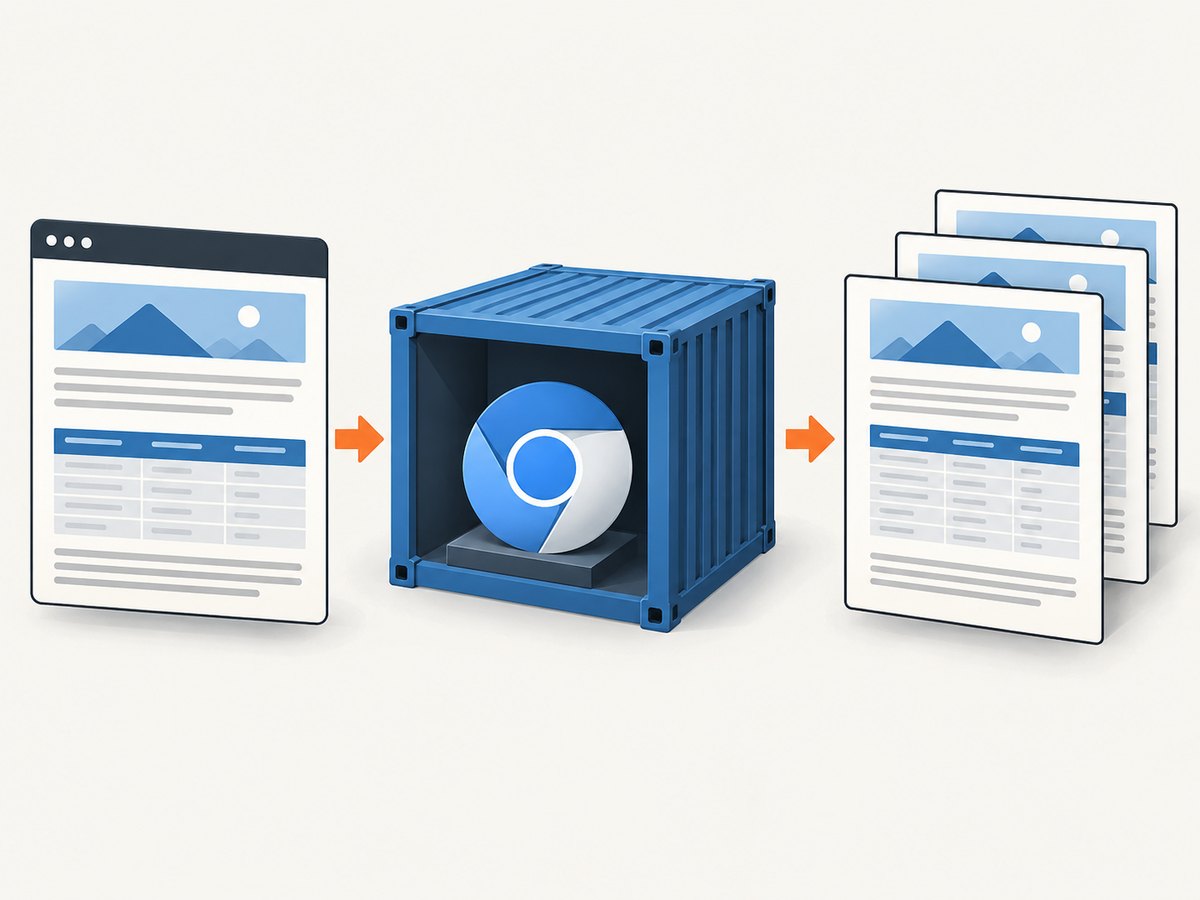
Run Puppeteer against the same HTML from within the production image. Then run the exact container’s Chromium directly:
chromium --headless --disable-gpu --no-sandbox \
  --print-to-pdf=/tmp/direct.pdf file:///tmp/table-fixture.html
Replace chromium with the executable actually installed in the image. Compare /tmp/direct.pdf with the PDF from Puppeteer. If both show the overlap, focus on Chromium build, fonts, print CSS, and geometry. If only Puppeteer’s result differs, compare its launch flags, page viewport/device scale settings, navigation and font readiness, emulated media, and PDF options.
3. Keep semantic table markup and add print rules
Repeated headers should be represented by a real <thead>, with data rows in <tbody>. Avoid drawing a faux header with absolutely positioned elements: such elements can be painted independently of table pagination and collide with content after a page break.
<table class="report">
  <thead>
    <tr><th>Item</th><th>Description</th><th>Amount</th></tr>
  </thead>
  <tbody>
    <tr><td>A-101</td><td>Example row</td><td>$12.00</td></tr>
    <!-- data rows -->
  </tbody>
</table>
@media print {
table {
width: 100%;
border-collapse: collapse;
}
thead { display: table-header-group; }
tbody { display: table-row-group; }
tr {
break-inside: avoid;
page-break-inside: avoid;
}
th, td { break-inside: avoid; }
}This is a mitigation, not a guarantee. Puppeteer issue #10020 documents a reproducible PDF case where table-header-group is ignored or repeated headers render incorrectly. Issue #6388 reports uneven borders and shifted styling around page breaks, especially with rowspans. If the same minimal fixture fails in your pinned Chromium build, further selector changes may not solve the renderer limitation.
4. Set the printable page rectangle explicitly
Paper size, margins, scale, CSS page rules, and font metrics determine how much content fits on each printed page and where a repeated header lands. Make these inputs explicit so local and container renders use the same printable rectangle. Puppeteer’s PDFOptions reference lists format, width, height, margin, scale, preferCSSPageSize, printBackground, displayHeaderFooter, and waitForFonts.
const pdfOptions = {
  format: 'A4',
  margin: { top: '18mm', right: '12mm', bottom: '18mm', left: '12mm' },
  scale: 1,
  preferCSSPageSize: true,
  printBackground: true,
  displayHeaderFooter: false,
  waitForFonts: true,
};

await page.pdf({ path: '/tmp/report.pdf', ...pdfOptions });
Use either a paper format or explicit dimensions intentionally. If the page declares a CSS page size, decide whether it should take precedence with preferCSSPageSize; do not let the CSS and API settings accidentally compete. Leave displayHeaderFooter off unless needed, because browser-generated page headers and footers consume page space. If you enable them, include that geometry in the reproduction.
page.pdf() uses the print CSS media type, as stated in the Puppeteer Page.pdf() API. That means @media print rules apply. Use page.emulateMediaType('screen') only when deliberately checking screen styling; it is not a general fix for PDF pagination. Keep the production print mode and CSS aligned when diagnosing the final PDF.
5. Make font loading and line wrapping deterministic
Font differences alter glyph widths, line wrapping, row heights, and therefore page breaks. A font substitution in a slim container can turn a row that fitted locally into a taller row in Docker, shifting the repeated header or pushing content across a break. Install and pin the fonts your report expects, and check that the browser can access them. Puppeteer’s guide says fonts are waited for by default when generating a PDF, but deterministic font files and readiness still matter in Docker.
await page.goto('file:///app/report.html', { waitUntil: 'networkidle0' });
await page.evaluate(async () => {
  await document.fonts.ready;
});

const pdf = await page.pdf({
  format: 'A4',
  margin: { top: '18mm', bottom: '18mm', left: '12mm', right: '12mm' },
  waitForFonts: true,
});
If the report loads web fonts or other assets, wait for the condition that means those assets are ready in your environment. Avoid treating a fixed delay as proof that every font loaded. Verify line wrapping in the container fixture as well as the generated PDF.
6. Handle rows that cannot safely split
break-inside: avoid asks the renderer to keep an element together when pagination permits. It cannot keep a row intact if the row is taller than the remaining printable area, or even taller than a whole page. Very long descriptions, large images, and multi-line cells can exceed that space. The renderer must split, move, or overflow content somehow, and results may vary.
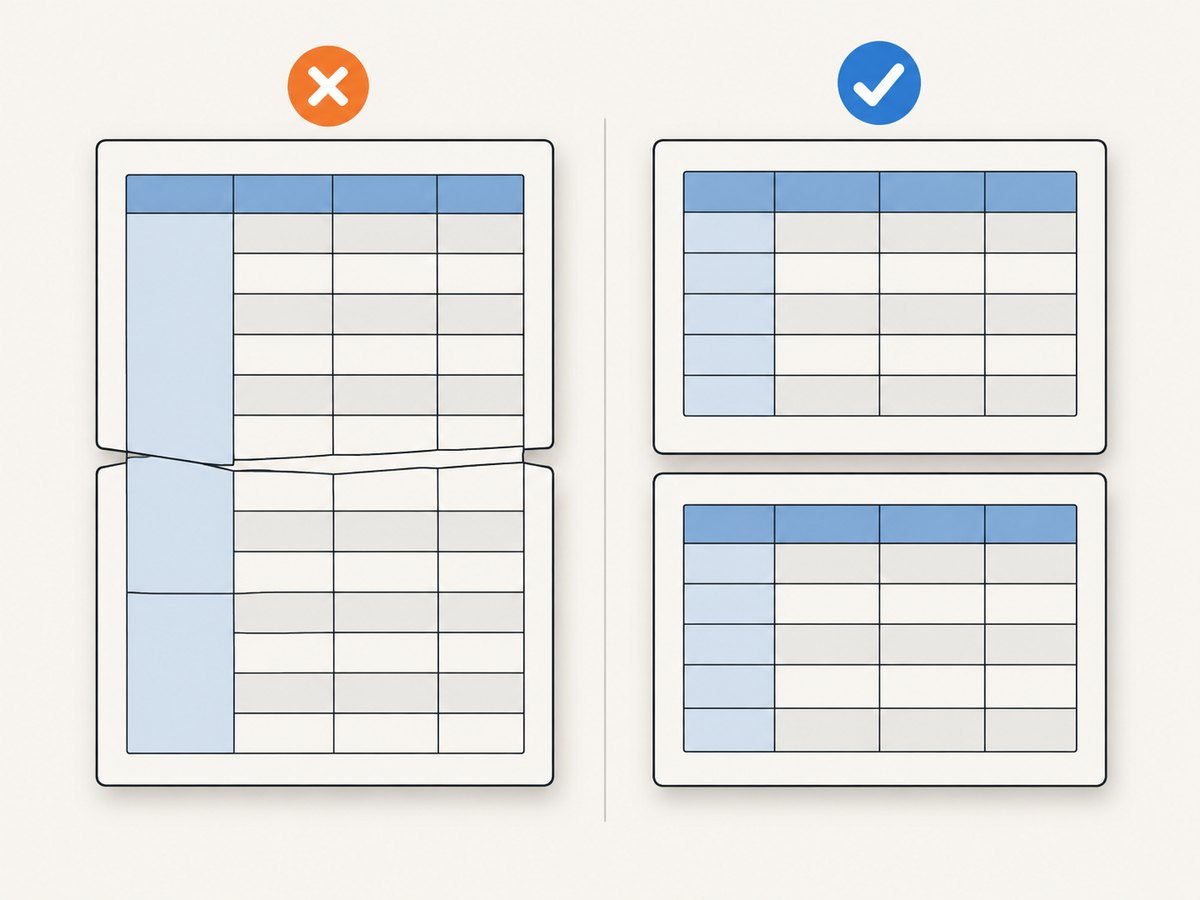
Cross-page rowspan is a particular trouble spot. A cell spanning rows across a page boundary can produce uneven borders, shifted vertical alignment, or styling that no longer tracks the intended row. Prefer designs that do not span page breaks. If a grouped value must be shown, repeat it on each row, or split the data into separate tables with an explicit header for each chunk.
- Measure or constrain unusually tall cells and images.
- Keep
rowspangroups within one page where the data model allows it. - Split long reports into page-sized sections or tables when layout must be predictable.
- Put an explicit header row at the start of each chunk rather than relying on automatic repetition if the renderer mishandles it.
7. Troubleshooting common symptoms
| Symptom | Likely cause | What to do |
|---|---|---|
| Works locally, overlaps in Docker | Different Chromium build, fonts, OS, or print pipeline | Run the minimal fixture with the container binary directly; compare versions, image digest, and font files. |
| Header is drawn over the first body rows | Repeated table header handling bug, invalid table structure, or header positioned outside table flow | Use semantic thead/tbody, remove absolute positioning, and reproduce against the exact Chromium build. Chunk the table if needed. |
Rows split despite break-inside: avoid |
Row does not fit in the remaining printable area or is taller than a page | Reduce row height or split the content into smaller rows or page-sized tables. |
| Borders or row colors shift at page breaks | Split rows or cross-page rowspans interact with table painting | Remove cross-page rowspans; simplify the fixture and chunk data with explicit headers. |
| Only some pages have the problem | Different content heights, font wrapping, image dimensions, or a specific rowspan near a break | Find the first failing page and inspect its preceding rows, loaded fonts, and exact content. |
| PDF page count or breaks vary between runs | Unstable fonts/assets, different PDF geometry, or non-deterministic content | Pin the browser and fonts, wait for assets, set explicit geometry, and remove time-dependent content. |
| CLI PDF differs from Puppeteer PDF | Different executable or flags, viewport/page setup, media emulation, or options | Use the same Chromium binary and compare input HTML, launch arguments, and print settings one by one. |
8. Build a regression check around the pinned image
Once the failure is fixed or worked around, keep the minimal fixture in the repository and render it in CI using the same pinned Docker image used for deployment. Compare at least page count and the visual output. A page count check catches some geometry changes but cannot detect a header painted over a row; include a visual review or image comparison that covers the page break and repeated header. Re-run the fixture when updating Puppeteer, Chromium, fonts, base image, or PDF options.
For strict report layouts, explicit page chunks are usually easier to reason about than asking automatic table pagination to handle every complex combination of long rows and rowspans. If maintaining Chromium and its fonts is operationally burdensome, evaluate a managed browser-class renderer against the same fixture and requirements. Confirm its behavior for your document before switching; renderer availability and suitability depend on your needs.
Or skip the browser setup
ScreenshotNeo is a website screenshot API and MCP server from ScreenshotNeo. Its screenshot endpoint is useful when the deliverable is a capture of a webpage; it is not a substitute for a Puppeteer workflow that must generate a paginated report PDF with table layout. The API returns a screenshot or PDF from a URL, and its docs cover request options.
curl -G "https://api.screenshotneo.com/v1/shot" \
  -d access_key=YOUR_API_KEY \
  --data-urlencode url=https://stripe.com \
  -o shot.webp
import requests
r = requests.get(
"https://api.screenshotneo.com/v1/shot",
params={"access_key": "YOUR_API_KEY", "url": "https://stripe.com"},
timeout=90,
)
open("shot.webp", "wb").write(r.content)const q = new URLSearchParams({ access_key: 'YOUR_API_KEY', url: 'https://stripe.com' });
const res = await fetch(`https://api.screenshotneo.com/v1/shot?${q}`);
if (!res.ok) throw new Error(`Screenshot request failed: ${res.status}`);
await Bun.write('shot.webp', res);Before capture, ScreenshotNeo accepts cookie or consent banners like a visitor and removes 60+ known consent platforms, newsletter popups, and chat widgets; each step can be turned off. Bot checks, blank pages, timeouts, failed loads, and cache hits cost nothing, with verdict and billing information in response headers. Its MCP server gives AI agents tools to take screenshots, get page information, and capture PDFs. The free plan includes 1,000 shots per month with no card; paid plans start at $5 for 3,000 shots, and every feature is on every plan.
Sign up free for 1,000 screenshots a month, with no card required.
FAQ
Should I use page.emulateMediaType('screen') to prevent overlap?
Usually not. page.pdf() uses print media; switching to screen intentionally changes which CSS applies. Diagnose and correct the print layout unless screen styling is specifically the desired PDF input.
Does waitForFonts solve Docker-only pagination bugs?
It helps ensure fonts are ready, but it cannot make font files identical across environments or fix a Chromium table pagination bug. Pin and verify the fonts as well as the browser.
Is repeated <thead> output guaranteed by Chromium?
No. The CSS is the semantic baseline, but documented Puppeteer reports show cases where repeated table headers are ignored or rendered incorrectly in PDF output.
What is the most deterministic workaround for a complex table?
Remove rowspans that cross pages and divide the data into page-sized tables with an explicit header in each chunk, then render the fixture in the pinned production image.


