How to Fix Puppeteer Protocol Error: Runtime.callFunctionOn Target Closed
Fix Puppeteer’s “Runtime.callFunctionOn: Target closed” by tracing teardown, unfinished promises, large transfers, and remote browser failures.
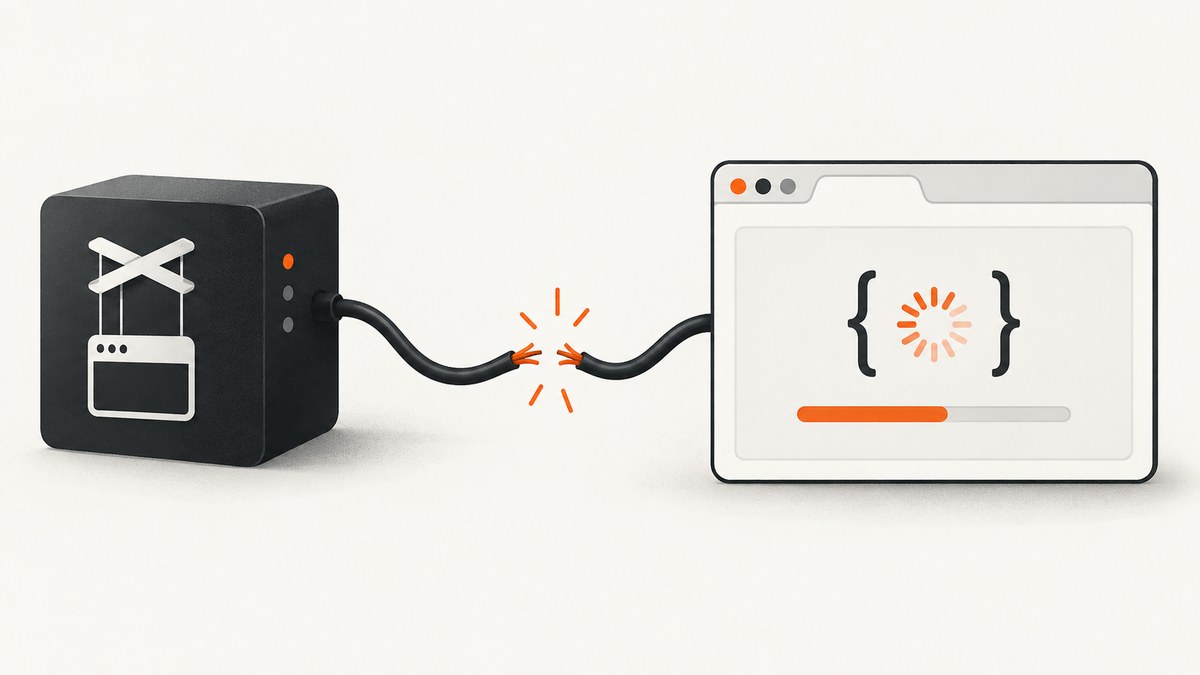
“Protocol error (Runtime.callFunctionOn): Target closed” means Puppeteer tried to use a page, execution context, browser target, or session that had already closed or become unavailable. The message does not identify one universal cause. Start by checking whether your code closes the page or browser while an asynchronous operation is still pending. Then investigate unusually large values crossing between Node.js and Chromium, and finally check remote-browser disconnects, timeouts, and process exits.
This guide gives a repeatable way to diagnose the error, runnable patterns for safe teardown, examples for Promise.race, large transfers, remote browsers, and a production checklist. The historical issue reports cited here come from different Puppeteer, Node.js, browser, and hosting versions, so treat them as diagnostic examples rather than guarantees about current releases.
What the error means
Puppeteer sends commands over the Chrome DevTools Protocol. Runtime.callFunctionOn is used when Puppeteer asks Chromium to run a function in a page execution context. “Target closed” means that context or its containing target was gone when the command ran or when its result was being delivered.
Possible targets include:
- A page closed by
page.close(). - A browser or incognito context closed during cleanup.
- A tab that crashed or was discarded by Chromium.
- A remote browser session that disconnected or timed out.
- An operation whose result was still being transferred when the target disappeared.
The fastest first check is lifecycle ordering: every navigation, selector wait, evaluation, content update, and data extraction that must finish should be awaited before the page or browser is closed. In Puppeteer issue #6610, an unawaited page.waitForSelector() remained in flight while the page was closed; a Puppeteer collaborator summarized the fix as: “You should await the calls before you close the page.” Issue #6610.
1. Find the teardown race
Search the code path for every page.close(), context.close(), browser.close(), test teardown hook, timeout handler, and error cleanup callback. Compare those lines with the operation named in the stack trace.

Unsafe pattern
const wait = page.waitForSelector('.ready');
await page.close();
await wait; // The target is already gone
Safe pattern
try {
  await page.goto('https://example.com', { waitUntil: 'domcontentloaded' });
  await page.waitForSelector('.ready', { timeout: 10_000 });
  const title = await page.title();
  console.log(title);
} finally {
  await page.close();
}
Put cleanup in finally, but do not use finally as a reason to close immediately after starting work. Await the work first, and make cleanup tolerant of a target that has already disappeared.
let browser;
try {
  browser = await puppeteer.launch({ headless: true });
  const page = await browser.newPage();
  await page.goto('https://example.com', { waitUntil: 'networkidle2' });
  await page.waitForSelector('h1');
  console.log(await page.$eval('h1', el => el.textContent));
} catch (error) {
  console.error('capture failed:', error);
  throw error;
} finally {
  if (browser) {
    try {
      await browser.close();
    } catch (closeError) {
      console.error('browser cleanup failed:', closeError);
    }
  }
}
2. Handle Promise.race without orphaning work
Promise.race resolves when the first promise settles. It does not cancel the losing promises. If the winner causes teardown, the losers can still call Puppeteer against a page that is closing.
Risky race
await Promise.race([
  page.waitForSelector('.dashboard'),
  page.waitForSelector('.error')
]);
await page.close();
Keep references to both operations and settle them before closing. You can use a shared timeout and inspect which condition won:
const dashboard = page.waitForSelector('.dashboard', { timeout: 15_000 })
  .then(() => 'dashboard')
  .catch(() => null);
const errorBox = page.waitForSelector('.error', { timeout: 15_000 })
  .then(() => 'error')
  .catch(() => null);

const winner = await Promise.race([dashboard, errorBox]);
const results = await Promise.allSettled([dashboard, errorBox]);

if (winner === 'dashboard') {
  console.log('ready');
} else if (winner === 'error') {
  throw new Error('page reported an error');
} else {
  throw new Error('neither state appeared');
}

await page.close();
For operations that support cancellation in your own code, use an AbortController and abort the losing branch. Puppeteer APIs do not all expose the same cancellation interface, so do not assume that aborting a wrapper cancels a browser-side command. At minimum, retain and handle the promises so late rejections do not run into teardown unexpectedly.
3. Check large evaluations and content transfers
Large payloads are a separate reported context, not a universal explanation. One report described returning about 115 MB of base64 data from page.evaluate; another involved a large generated table passed to page.setContent. See issue #3955 and issue #3683.
Inspect the size and shape of values crossing the browser-to-Node boundary when the failing call is page.evaluate, JSHandle.jsonValue(), page.setContent, or a similar operation.
Return only the data you need
// Avoid returning every image as base64.
const links = await page.$$eval('a', nodes => nodes.map(a => a.href));

// Prefer a compact summary over a complete DOM snapshot.
const summary = await page.evaluate(() => ({
  title: document.title,
  text: document.body.innerText.slice(0, 20_000)
}));
Reduce generated HTML, split a table into pages, or process records in batches. You can evaluate chunked transfer as a mitigation, but the cited reports do not establish an official maximum payload size or guarantee that chunking fixes every case. Log the approximate byte size before and after serialization so you can compare failing and successful runs.
4. Investigate a remote browser or disconnected session
In hosted setups, the browser service can terminate a job independently of your Node.js process. In one remote-browser report, service logs showed ECONNRESET, followed by a timed-out job and browser cleanup; the details were specific to that environment. See issue #5943.
Correlate timestamps from your application with:
- WebSocket or CDP disconnect events.
- Remote service timeout and job-cleanup messages.
- Browser process exit or crash logs.
- Container, VM, memory, and CPU pressure.
- Navigation and application-level timeout values.
Attach listeners early enough to capture the first failure:
browser.on('disconnected', () => {
  console.error('Puppeteer browser disconnected');
});

page.on('error', error => console.error('page crashed:', error));
page.on('close', () => console.error('page closed'));
A reconnect or retry should create a new page and normally a new browser session. Retrying the same closed target cannot succeed. Limit retries and record the original error so a persistent service failure is visible instead of becoming an infinite loop.
5. Make a minimal, versioned reproduction
Record the exact Puppeteer call that fails, its complete stack trace, the cleanup path, whether the call was awaited, approximate input and output size, and whether the browser is local or remote. Include Puppeteer, Node.js, Chromium, operating-system, and hosting versions. The cited examples span Puppeteer 1.11.0/Node.js 11.3.0, Puppeteer 3.2.0/Node.js 14.2.0, and Puppeteer 5.5.0/Node.js 14.15.0; those dates and configurations are historical clues, not current compatibility guidance.
Reduce the case to one URL and one operation:
const puppeteer = require('puppeteer');

(async () => {
  const browser = await puppeteer.launch({ headless: true });
  const page = await browser.newPage();
  try {
    await page.goto('https://example.com', { waitUntil: 'domcontentloaded' });
    const value = await page.evaluate(() => document.title);
    console.log(value);
  } finally {
    await browser.close();
  }
})();
Do not begin by adding random Chromium flags. The reports do not establish that a particular flag fixes this error generally. Change one variable at a time and preserve logs from the failing run.
Common errors and fixes
| Symptom | Likely cause | Action |
|---|---|---|
| Error appears immediately after cleanup | Unawaited navigation, selector wait, evaluation, or extraction | Await the operation before closing; move teardown into finally. |
Error follows Promise.race |
Losing promises continue after the winner | Track all promises, handle or cancel losers, then close the page. |
Failure is in page.evaluate with huge output |
Large serialization or transport workload | Return a smaller object, paginate, batch, or evaluate chunking. |
| Failure occurs only on a hosted browser | WebSocket reset, service timeout, browser exit, or job cleanup | Compare application and service logs; create a fresh session on retry. |
| Only one URL consistently fails | Page-specific crash, navigation, script, or resource behavior | Capture console, page-error, request-failed, and crash events; test the URL alone. |
| Error appears after a test timeout | Test runner closed the browser while test work remained | Await all test tasks and increase the test timeout only after fixing ordering. |
Performance, reliability, and cost considerations
Performance
- Use the narrowest wait condition that represents readiness.
networkidle2can delay pages with long-lived connections. - Extract compact fields instead of serializing complete DOM trees or binary assets.
- Reuse a browser process where appropriate, but create and close pages deliberately so one failed target does not poison unrelated work.
- Set explicit navigation, selector, and overall job timeouts and log each duration.
Reliability
- Make cleanup idempotent and tolerate a browser that already disconnected.
- Use bounded retries for transient remote disconnects; do not retry deterministic page errors forever.
- Store the URL, operation name, target state, versions, and timestamps with each failure.
- Separate browser-service failures from application lifecycle bugs in your incident notes.
Cost and operational load
Running Chromium yourself means managing browser binaries, concurrency, memory, timeouts, proxy and cookie configuration, and failure cleanup. If your goal is simply a reliable website screenshot, an API can remove that browser lifecycle from your application.
Or skip the browser setup
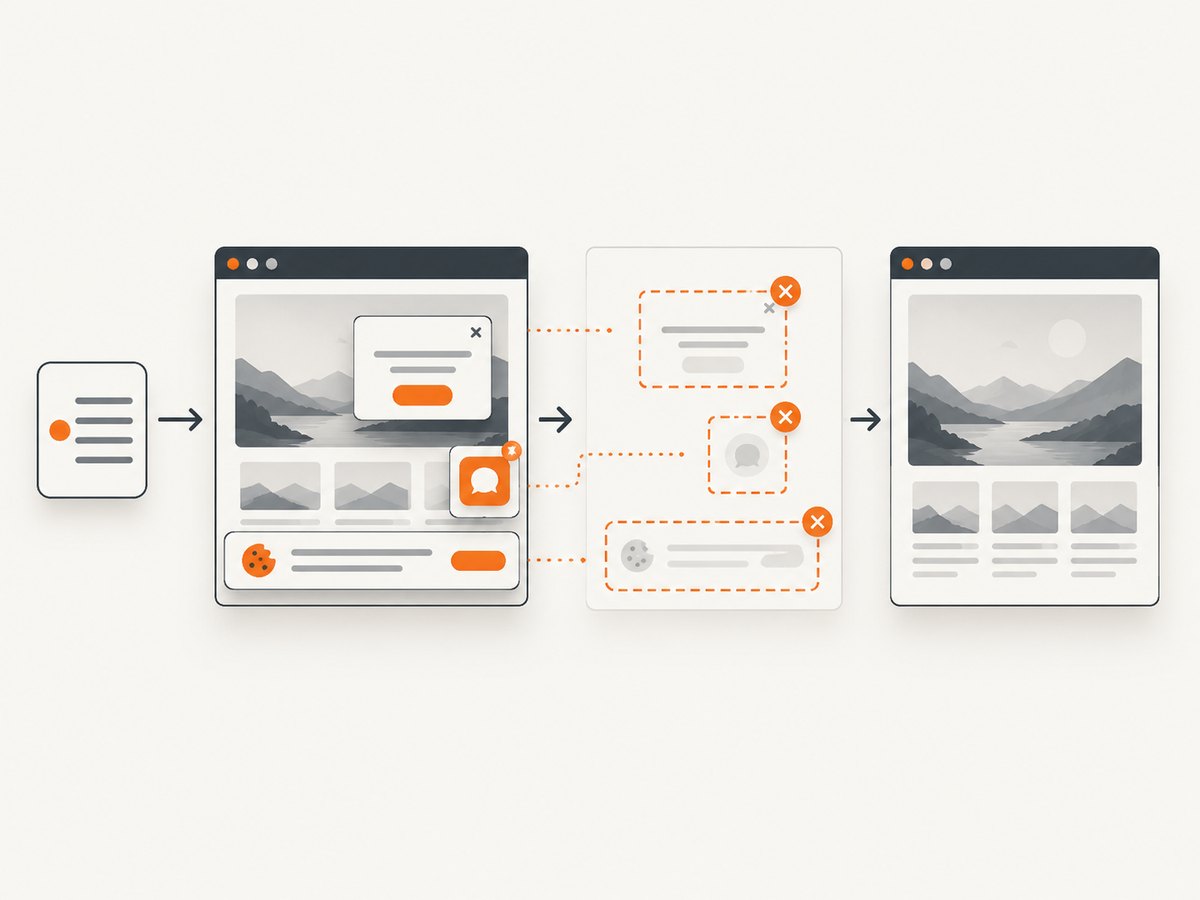
ScreenshotNeo provides a website screenshot API and MCP server. One GET request returns a PNG, JPEG, WebP, or PDF. Before capture it accepts cookie and consent banners like a visitor and removes more than 60 known consent platforms, newsletter popups, and chat widgets; each step can be turned off.
Only clean shots are billed. Bot checks or CAPTCHAs, blank pages, timeouts, failed loads, and cache hits cost nothing, and the response identifies the result with X-Page-Verdict and X-Billed headers. Its MCP server provides take_screenshot, get_page_info, and capture_pdf for Claude, Cursor, and other MCP clients.
cURL
curl -G "https://api.screenshotneo.com/v1/shot" \
  -d access_key=YOUR_API_KEY \
  --data-urlencode url=https://stripe.com \
  -o shot.webp
Python
import requests

r = requests.get(
    "https://api.screenshotneo.com/v1/shot",
    params={"access_key": "YOUR_API_KEY", "url": "https://stripe.com"},
    timeout=90,
)
r.raise_for_status()
open("shot.webp", "wb").write(r.content)
print(r.headers.get("X-Page-Verdict"), r.headers.get("X-Billed"))
Node.js
const q = new URLSearchParams({ access_key: 'YOUR_API_KEY', url: 'https://stripe.com' });
const res = await fetch(`https://api.screenshotneo.com/v1/shot?${q}`);
if (!res.ok) throw new Error(`Screenshot failed: ${res.status}`);
const bytes = Buffer.from(await res.arrayBuffer());
require('fs').writeFileSync('shot.webp', bytes);
console.log(res.headers.get('X-Page-Verdict'), res.headers.get('X-Billed'));
See the ScreenshotNeo API documentation for request options. It supports full-page capture with lazy images loaded, CSS-element capture, dark mode, 12 device presets or any viewport, retina scale, PDF paper size/margins/landscape/page ranges, HTML/CSS to image, custom CSS and JavaScript, clicks, selector or network-idle waits, blocking ads/trackers/requests/resource types, custom headers/cookies/user agent/Authorization, timezone and geolocation, transparent backgrounds, resizing, configurable caching, signed image links, async jobs with signed webhooks, bulk capture of 100 URLs per call, usage data, and an OpenAPI specification. Common parameter names used by other screenshot APIs also work when switching.
Plans include 1,000 screenshots per month free with no card; paid plans start at $5 for 3,000. Higher plans are Growth ($15/15,000), Pro ($39/60,000), Scale ($99/250,000), and Business ($249/1,000,000); yearly billing gives two months free, and every feature is on every plan.
Start with 1,000 free screenshots a month—no card required.
FAQ
Does “Target closed” always mean I called page.close()?
No. Chromium can crash, a remote service can disconnect, or a browser job can time out. Explicit teardown is the simplest first check, not a universal diagnosis.
Is 115 MB the Puppeteer payload limit?
No official maximum is established by the cited reports. The figure is one user’s report. Reduce and measure your own transfer instead of treating it as a hard limit.
Should I upgrade Puppeteer first?
Record versions and reproduce the failure first. Historical reports use different versions and configurations; changing versions without isolating lifecycle and transport conditions can hide the cause.
Can I safely ignore the error during cleanup?
Only if you have confirmed the requested work completed and the error is from an intentionally closed target. Otherwise it can represent a lost screenshot, incomplete extraction, or failed job.
When is an API preferable to Puppeteer?
Use an API when you need repeatable screenshots without maintaining Chromium sessions, popup and consent handling, remote-browser connectivity, and teardown code. ScreenshotNeo also lets AI agents capture pages through MCP.


