How to Fix Puppeteer Target Closed Errors on AWS Lambda
Diagnose Puppeteer Target closed errors on AWS Lambda with lifecycle checks, crash evidence, deployment comparisons, and practical fixes.
Direct answer
Target closed is a symptom, not one Lambda bug. The reliable fix is to identify the failing stage, then determine whether your code closed a page while asynchronous work was still running or whether Chromium crashed and took the target with it. Preserve the exact error string and stack trace. Await navigation, evaluation, screenshots, and PDF generation before any page.close(), browser.close(), handler return, timeout cleanup, or concurrent task cancellation.
AWS documents one lifecycle variant as Protocol error (Runtime.callFunctionOn): Target closed: network requests or other asynchronous work can continue after the page or browser closes. That explanation does not cover every error containing “Target closed.” A historical Lambda report shows a successful launch followed by Target.targetCrashed and failure at Target.createTarget, which is a different diagnostic path.
What the error means in each Lambda stage
| Failing operation | Event to investigate | First evidence |
|---|---|---|
puppeteer.launch() |
Chromium could not start, exited immediately, or the executable path is wrong. | stderr, executable path, architecture, runtime, launch arguments. |
browser.newPage() or Target.createTarget |
Browser launched, then crashed or disconnected. | Chromium exit/crash lines and Puppeteer debug logs. |
goto(), evaluate(), screenshot, or PDF |
The page closed while work was pending, or the target crashed during work. | Promise ordering, timeout, request logs, target-crash events. |
| Cleanup or handler return | A finally block, callback, or timeout closed the browser before another task finished. |
All concurrent promises and close timing. |

Step-by-step diagnostic workflow
1. Record the deployed environment
Write down the Node.js Lambda runtime and CPU architecture, Puppeteer and Puppeteer Core versions, Chromium package or layer version, executable path, headless mode, launch arguments, memory, timeout, and exact deployment artifact. Record whether the same versions work in a Lambda-like container. The 2025 Sparticuz Chromium report lists these dimensions for a PDF failure, but it does not establish a universal compatibility rule. Use Puppeteer’s maintained troubleshooting reference for setup investigation.
2. Keep the complete error intact
Do not reduce every failure to “Puppeteer broke.” Save the complete stack, including whether it says Runtime.callFunctionOn, Target.createTarget, Target.targetCrashed, timeout, or browser disconnect. The method name determines which branch to investigate.
3. Make asynchronous ownership explicit
Every operation that touches a page or browser must be awaited before cleanup. Avoid detached promises, forEach callbacks containing async work, and event handlers that outlive the request. Use one try/finally owner for the browser.
const puppeteer = require('puppeteer-core');

exports.handler = async (event) => {
  let browser;
  try {
    browser = await puppeteer.launch({
      executablePath: process.env.CHROMIUM_PATH,
      headless: true,
      args: ['--no-sandbox', '--disable-setuid-sandbox']
    });
    const page = await browser.newPage();
    await page.goto(event.url, {waitUntil: 'networkidle2', timeout: 45000});
    await page.screenshot({path: '/tmp/page.png', fullPage: true});
    return {statusCode: 200, body: 'captured'};
  } finally {
    if (browser) await browser.close();
  }
};
The ordering matters: navigation and screenshot settle before finally closes Chromium. Store output in durable storage rather than relying on /tmp after invocation.
4. Audit concurrency and cancellation
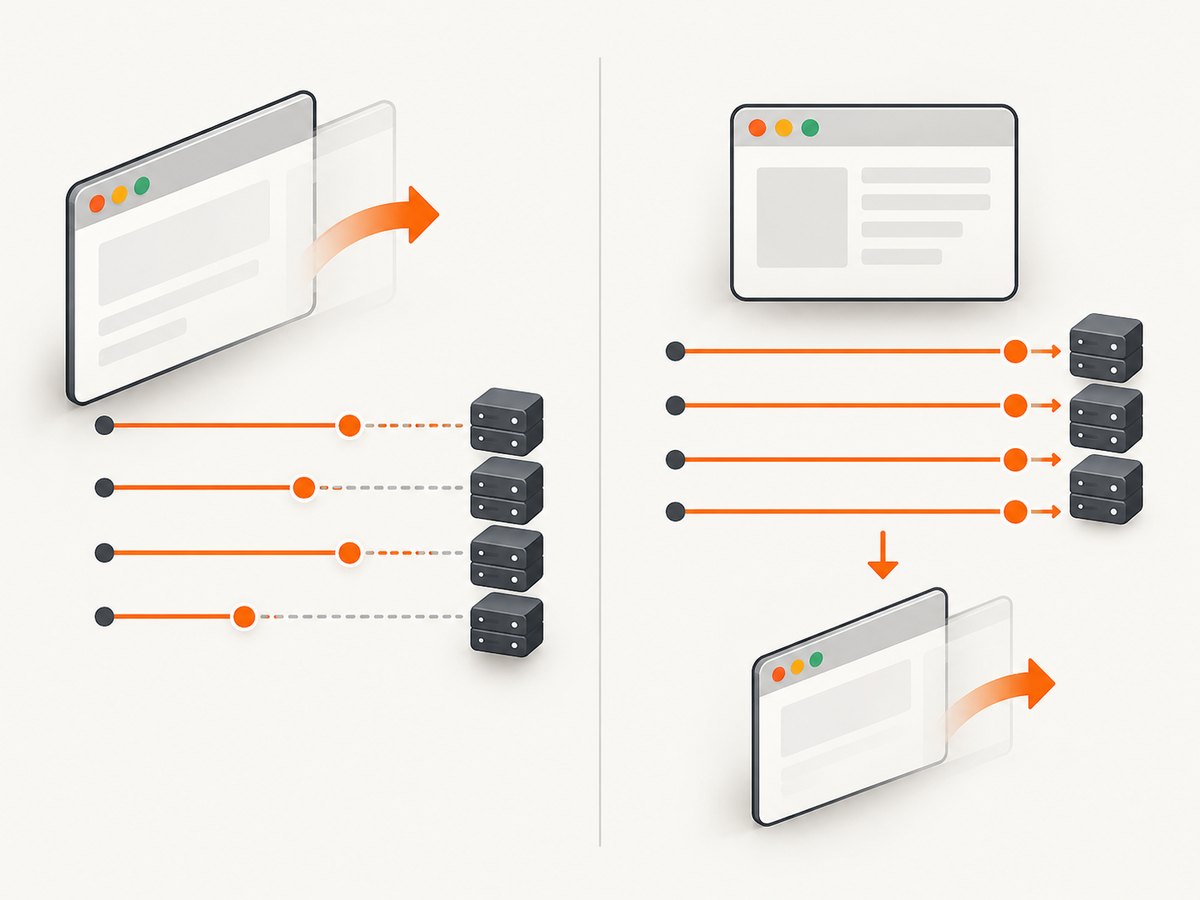
Replace detached tasks with an explicit Promise.all or a queue with bounded workers. If one task fails, decide whether other tasks must settle before closing the browser. A timeout created with Promise.race does not automatically cancel the original page operation.
const jobs = urls.map(async (url) => {
  const page = await browser.newPage();
  try {
    await page.goto(url, {waitUntil: 'domcontentloaded', timeout: 30000});
    return await page.screenshot({encoding: 'base64'});
  } finally {
    await page.close();
  }
});
const results = await Promise.all(jobs);
// browser.close() belongs after Promise.all settles
5. Determine whether Chromium exited or a target crashed
Enable Puppeteer debug logging for a diagnostic invocation and capture browser stderr. If launch passes and newPage() fails, look for an exit code, missing library, “failed to launch,” disconnect, or Target.targetCrashed. Puppeteer issue #6776 is a historical example: launch succeeded, then a target crashed and Target.createTarget failed. Its 2021 versions and 1 GB setting are not current recommendations.
6. Check Lambda settings against evidence
Review CloudWatch logs, duration, timeout, memory, and concurrency. AWS documents Lambda memory configuration, but the available evidence does not establish a minimum amount or show that adding memory fixes every Target closed error. Treat a memory change as a controlled experiment only when logs indicate resource pressure.
7. Change one variable and verify in Lambda
Change one relevant variable: lifecycle sequencing for a post-close error, or a confirmed runtime/browser mismatch for a startup crash. Deploy the same artifact, run the same URL and operation, and compare logs. Do not call a fix verified until it works in the target Lambda environment.
Launch and deployment checklist
- Use a Chromium binary built for the Lambda architecture and a path that exists in the deployed package or layer.
- Confirm the versions actually included in the artifact, not only those in
package.json. - Log runtime, architecture, executable path, headless mode, arguments, timeout, memory, and package versions once per cold start.
- Keep temporary files under
/tmpand remove large files between captures. - Do not copy Chrome flags from an unrelated example as a universal cure.
- Use bounded concurrency because each page consumes memory and file descriptors.
Common errors and fixes
| Message or symptom | Cause to test | Fix or next step |
|---|---|---|
Runtime.callFunctionOn: Target closed |
Network or evaluation work continued after close. | Await requests and evaluations; close only after they settle. See AWS guidance. |
Target.createTarget: Target closed from newPage() |
Browser or target crashed after launch. | Inspect stderr, crash events, executable path, architecture, and versions. |
Target.targetCrashed |
Chromium process or renderer exited. | Compare the deployed binary and launch options with the runtime. |
| Failure only during PDF | Browser/runtime issue or page closed during printing. | Await fonts, images, and scripts; capture the PDF stack and environment. The Sparticuz report is a case report, not a version guarantee. |
| Works locally, fails in Lambda | Different architecture, libraries, filesystem, timeout, or binary. | Log and compare every deployment dimension; test the packaged artifact in a Lambda-like environment. |
| Intermittent failures under load | Unbounded pages, memory pressure, or overlapping cleanup. | Bound concurrency and isolate one page per task before tuning resources. |
Performance, reliability, and cost
Browser startup is often the expensive part of a cold invocation. Reuse a browser only when pages are fully closed between tasks and crashes are detected and replaced. A warm browser is not a reason to share one page across concurrent jobs. Bound workers, use the smallest wait condition that satisfies the page, and set an explicit navigation timeout.
Reliability comes from observability and idempotence. Log a request ID, URL, stage, elapsed time, browser disconnect, and cleanup result. Write output to durable storage and retry only operations safe to repeat. Distinguish a transient page timeout from a deterministic missing binary. No benchmark or failure-rate statistic was identified in the supplied research, so choose memory, timeout, and concurrency from CloudWatch evidence.
Lambda cost depends on configured memory and execution duration. More memory can change CPU allocation, but the sources do not show that a particular setting resolves this error. Measure a controlled before-and-after experiment and include cold starts, retries, and artifact size.
Or skip the browser setup
If your goal is a dependable website image or PDF rather than maintaining Chromium in Lambda, ScreenshotNeo provides a GET screenshot API and MCP server. Before capture it accepts cookie or consent banners like a visitor and removes 60+ known consent platforms, newsletter popups, and chat widgets; each step can be disabled. Only clean shots are billed: bot checks/CAPTCHAs, blank pages, timeouts, failed loads, and cache hits cost nothing, with X-Page-Verdict and X-Billed response headers.
See the ScreenshotNeo API documentation for all options.
curl -G "https://api.screenshotneo.com/v1/shot" -d access_key=YOUR_API_KEY --data-urlencode url=https://stripe.com -o shot.webpimport requests
r = requests.get("https://api.screenshotneo.com/v1/shot", params={"access_key": "YOUR_API_KEY", "url": "https://stripe.com"}, timeout=90)
open("shot.webp", "wb").write(r.content)const q = new URLSearchParams({ access_key: 'YOUR_API_KEY', url: 'https://stripe.com' });
const res = await fetch(`https://api.screenshotneo.com/v1/shot?${q}`);
const bytes = Buffer.from(await res.arrayBuffer());
require('fs').writeFileSync('shot.webp', bytes);Options include full-page capture with lazy images loaded, CSS-element capture, dark mode, 12 device presets or any viewport, retina scale, PDF paper size/margins/landscape/page ranges, HTML/CSS to image, custom CSS and JavaScript, pre-capture clicks, hidden selectors, selector/delay/network-idle waits, ad/tracker/request/resource blocking, headers/cookies/user agent/Authorization, timezone and geolocation, transparent backgrounds, resizing, selectable-TTL caching, signed links, async jobs with signed webhooks, bulk capture of up to 100 URLs per call, a usage API, and an OpenAPI specification. Parameter names used by other screenshot APIs also work.
The MCP server exposes take_screenshot, get_page_info, and capture_pdf to Claude, Cursor, and other MCP clients. Plans include 1,000 shots per month free with no card; paid plans start at $5 for 3,000 shots, and every feature is on every plan. Create a free ScreenshotNeo account to try it.
FAQ
Does increasing Lambda memory fix Target closed?
Only if logs show resource pressure. AWS documents the setting, but the evidence does not establish a universal threshold.
Should I downgrade Puppeteer?
Do not downgrade blindly. Capture the exact runtime, architecture, Puppeteer, Chromium, path, and arguments, then change one confirmed compatibility variable.
Why does launch pass while newPage fails?
That sequence points toward a browser or renderer crash or disconnect. Inspect stderr and Target.targetCrashed evidence.
Can a retry hide the problem?
Yes. Retries can mask deterministic binary or lifecycle defects. Log each attempt and retry only when the operation is safe and evidence suggests a transient failure.


