How to Fix Puppeteer TypeScript Build Errors Involving ResourceType
Fix Puppeteer ResourceType errors with lowercase literals, aligned TypeScript and dependency versions, safe interception, and a browser-free API option.
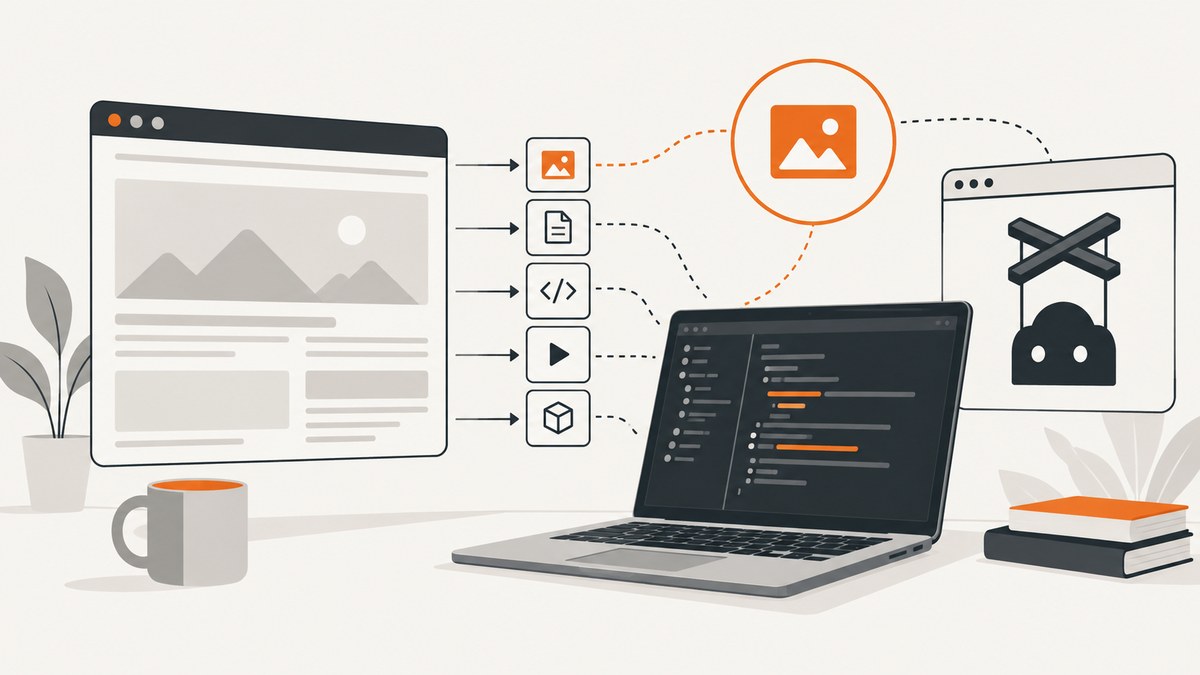
Use lowercase resource names, align Puppeteer and TypeScript versions, and rebuild from a clean dependency tree. Puppeteer defines ResourceType as Lowercase<Protocol.Network.ResourceType>, and HTTPRequest.resourceType() returns that type. A value such as 'Image' or 'IMAGE' therefore fails type checking; 'image' is correct.
When the diagnostic points into Puppeteer’s types.d.ts, the underlying problem is often toolchain alignment rather than your request handler. Current Puppeteer system requirements list TypeScript 5.0.1 or newer and recommend an ES2022-or-newer target when dependency declarations are type-checked. Duplicate puppeteer or puppeteer-core versions can produce the same symptom.
1. The immediate ResourceType fix
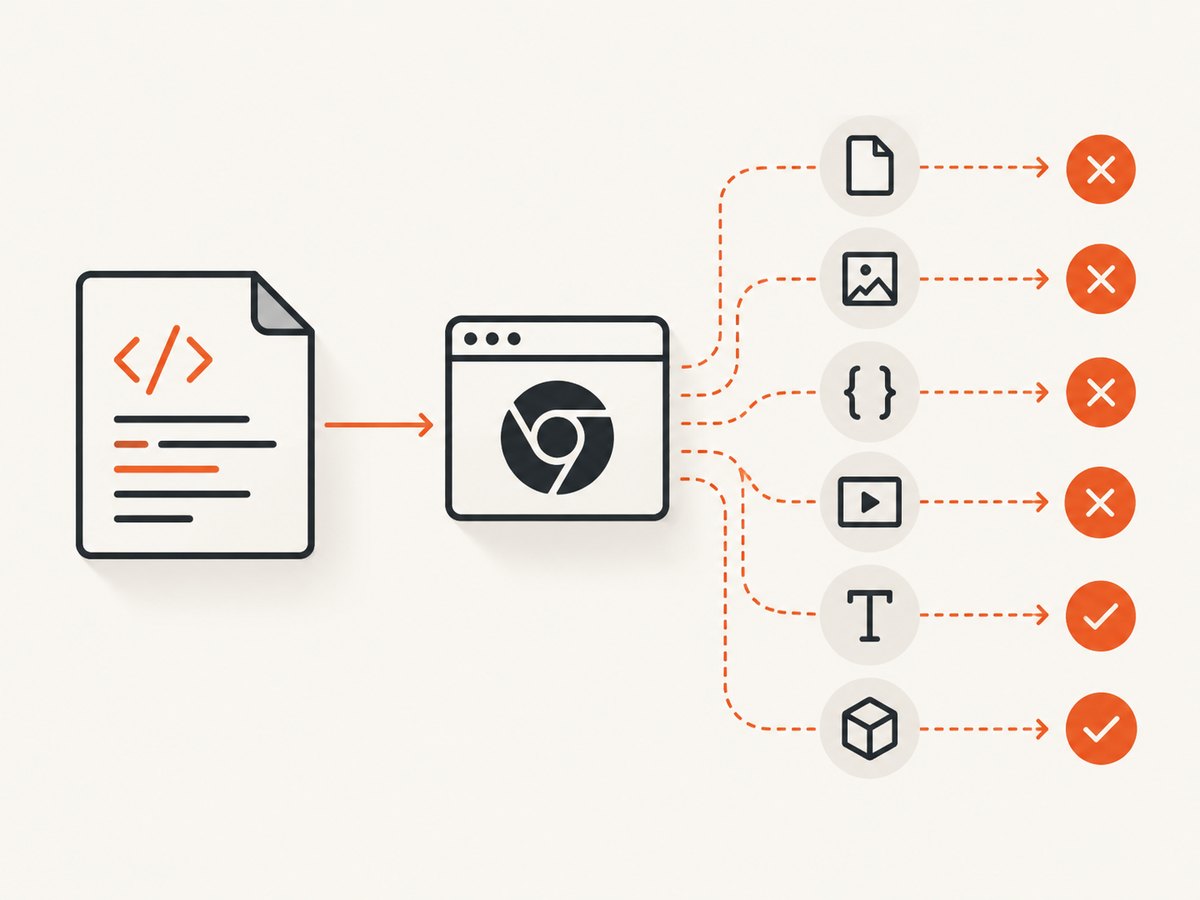
The official type is documented as Lowercase<Protocol.Network.ResourceType>. Use lowercase literals and keep the request parameter typed by Puppeteer (or let contextual typing infer it).
import puppeteer, {type HTTPRequest, type ResourceType} from 'puppeteer';

const blocked: ResourceType[] = ['image', 'media', 'font'];

const browser = await puppeteer.launch();
const page = await browser.newPage();

await page.setRequestInterception(true);
page.on('request', (request: HTTPRequest) => {
  if (blocked.includes(request.resourceType())) {
    void request.abort();
  } else {
    void request.continue();
  }
});

await page.goto('https://example.com', {waitUntil: 'networkidle2'});
await page.screenshot({path: 'example.png', fullPage: true});
await browser.close();
HTTPRequest.resourceType() returns ResourceType; it does not return an arbitrary string. The API’s documented categories include document, stylesheet, image, media, font, script, texttrack, xhr, fetch, eventsource, websocket, manifest, and other. Use the type exported by the version installed in your project instead of maintaining your own enum.
Common incorrect comparisons
// Type error: these are not ResourceType values
if (request.resourceType() === 'Image') { /* ... */ }
if (request.resourceType() === 'IMAGE') { /* ... */ }

// Correct
if (request.resourceType() === 'image') { /* ... */ }
2. Build a minimal, compatible TypeScript project
Start with one Puppeteer package. The puppeteer package downloads a compatible Chrome for Testing build during installation; puppeteer-core is for projects that manage their own browser. The distinction is described in the official installation guide.
npm install puppeteer
npm install --save-dev typescript @types/node
npx tsc --init
A modern Node project can use this tsconfig.json baseline:
{
  "compilerOptions": {
    "target": "ES2022",
    "module": "NodeNext",
    "moduleResolution": "NodeNext",
    "strict": true,
    "esModuleInterop": true,
    "skipLibCheck": false,
    "outDir": "dist"
  },
  "include": ["src"]
}
Current Puppeteer requirements specify TypeScript 5.0.1+ when TypeScript is used. If your compiler checks declarations in node_modules, use an ES2022 or newer target. Match the module settings to your package’s actual ESM or CommonJS configuration; changing module mode blindly can create a second set of import errors.
Compile a file such as src/capture.ts with:
npx tsc
node dist/capture.js
3. Diagnose errors reported inside Puppeteer declarations
- Read the first diagnostic. A capitalized resource literal is an application error. A failure in
node_modules/puppeteer/...points to declaration compatibility or duplicate packages. - Inspect the dependency graph.
npm ls puppeteer puppeteer-core typescriptLook for multiple Puppeteer lines, a direct puppeteer-core dependency that does not match Puppeteer’s bundled version, or an old TypeScript nested under another package.
- Align versions. Update Puppeteer and TypeScript together where practical, then update the lockfile. Do not mix types imported from separate dependency trees.
- Reinstall cleanly.
rm -rf node_modules
npm ci
npx tsc --noEmit
Use the equivalent frozen-lockfile command for pnpm or Yarn. A clean install makes sure the compiler sees the versions recorded in the lockfile rather than stale files.
When skipLibCheck is appropriate
"skipLibCheck": true suppresses errors inside dependency declaration files. It can unblock a legacy application while you plan an upgrade, but it may hide a genuinely incompatible type graph. Keep it as a containment measure and still remove duplicate packages and align TypeScript and Puppeteer.
4. Request interception rules that prevent runtime failures
Type-checking is only half the fix. Puppeteer requires interception to be enabled before calling abort(), continue(), or respond(). Once interception is enabled, every request stalls until it is resolved, completed from cache, continued, responded to, or aborted. The Page.setRequestInterception API documents this behavior.
await page.setRequestInterception(true);
page.on('request', request => {
  const type = request.resourceType();

  if (type === 'image' || type === 'font') {
    void request.abort();
    return;
  }

  void request.continue();
});
Always resolve every request. A handler that only aborts images and forgets the else branch can leave documents, scripts, stylesheets, analytics calls, and favicon requests waiting indefinitely. If multiple listeners are installed, ensure they do not both attempt to resolve the same request. For advanced interception, check whether a request is already handled before acting.
Blocking by a typed list
import {type ResourceType} from 'puppeteer';

const blocked: ReadonlySet<ResourceType> = new Set([
  'image', 'media', 'font'
]);

page.on('request', request => {
  const type = request.resourceType();
  void (blocked.has(type) ? request.abort() : request.continue());
});
This keeps the list checked by TypeScript. If a future Puppeteer release changes its protocol-derived categories, the compiler can reveal assumptions that need review.
5. Import and module-mode pitfalls
Use an import style consistent with your project:
// ESM / NodeNext
import puppeteer, {type HTTPRequest} from 'puppeteer';

// CommonJS projects with esModuleInterop enabled
import puppeteer = require('puppeteer');
Do not import an HTTPRequest type from an unrelated browser automation package and pass it to a Puppeteer listener. Similar names do not guarantee structurally compatible declarations. Letting the event callback be contextually typed is often safest:
page.on('request', request => {
  if (request.resourceType() === 'stylesheet') {
    void request.abort();
  } else {
    void request.continue();
  }
});
6. A complete runnable TypeScript example
The following program launches Puppeteer, blocks selected resource types, captures a page, and closes the browser even if navigation fails.
import puppeteer, {type ResourceType} from 'puppeteer';

const blocked: ResourceType[] = ['image', 'media', 'font'];

async function main() {
  const browser = await puppeteer.launch({headless: true});
  try {
    const page = await browser.newPage();
    await page.setRequestInterception(true);

    page.on('request', request => {
      const action = blocked.includes(request.resourceType())
        ? request.abort()
        : request.continue();
      void action;
    });

    await page.goto('https://example.com', {
      waitUntil: 'networkidle2',
      timeout: 30_000
    });
    await page.screenshot({path: 'example.webp', type: 'webp', fullPage: true});
  } finally {
    await browser.close();
  }
}

main().catch(error => {
  console.error(error);
  process.exitCode = 1;
});
7. Troubleshooting checklist
| Symptom | Cause | Fix |
|---|---|---|
'Image' is not assignable to ResourceType |
Resource names are case-sensitive lowercase literals. | Change to 'image', 'media', or another installed type. |
Error points into puppeteer/types.d.ts |
Old TypeScript, incompatible target, or duplicate dependency versions. | Use TypeScript 5.0.1+, target ES2022 when checking dependencies, inspect npm ls, then reinstall. |
Request is already handled |
Two listeners resolved one request. | Consolidate listeners or guard handling before aborting, continuing, or responding. |
| Navigation hangs after enabling interception | A request was never resolved. | Resolve every branch with continue, abort, or respond. |
request.abort is not a function or interception errors |
Interception was not enabled, or the object is not Puppeteer’s HTTPRequest. |
Call setRequestInterception(true) first and use Puppeteer’s event type. |
| Module import errors after upgrading | ESM/CommonJS settings do not match. | Align module, moduleResolution, package type, and import syntax. |
| Build passes locally but fails in CI | Different lockfile, Node, or TypeScript version. | Use the lockfile install command, print versions in CI, and avoid floating dependency ranges. |
8. Performance, reliability, and cost considerations
Aborting images, fonts, or media can reduce bandwidth and speed page loads, but it can also change layout, trigger fallback fonts, or remove content required by the application. Use interception only when the resulting page still represents the state you intend to capture. Prefer a specific allow/block list over broad URL matching.
Set an explicit navigation timeout and choose a wait condition that matches the page. networkidle2 can still be unsuitable for applications with long-lived connections; a selector wait or a controlled delay may be more reliable. Always close the browser in a finally block so failed captures do not leak processes.
Puppeteer downloads Chrome for Testing during installation. The installation guide reports an approximate download of 170 MB on macOS, 282 MB on Linux, and 280 MB on Windows. Cache that browser layer in CI when possible, while keeping the Puppeteer package and browser revision compatible.
9. Or skip the browser setup
ScreenshotNeo provides a website screenshot API and MCP server. A single GET request returns PNG, JPEG, WebP, or PDF output. The API accepts the URL and capture options without requiring you to install Chrome or maintain interception code.
See the ScreenshotNeo API documentation for the complete option list. The basic calls are:
curl -G "https://api.screenshotneo.com/v1/shot" -d access_key=YOUR_API_KEY --data-urlencode url=https://stripe.com -o shot.webpimport requests
r = requests.get("https://api.screenshotneo.com/v1/shot", params={"access_key": "YOUR_API_KEY", "url": "https://stripe.com"}, timeout=90)
open("shot.webp", "wb").write(r.content)const q = new URLSearchParams({ access_key: 'YOUR_API_KEY', url: 'https://stripe.com' });
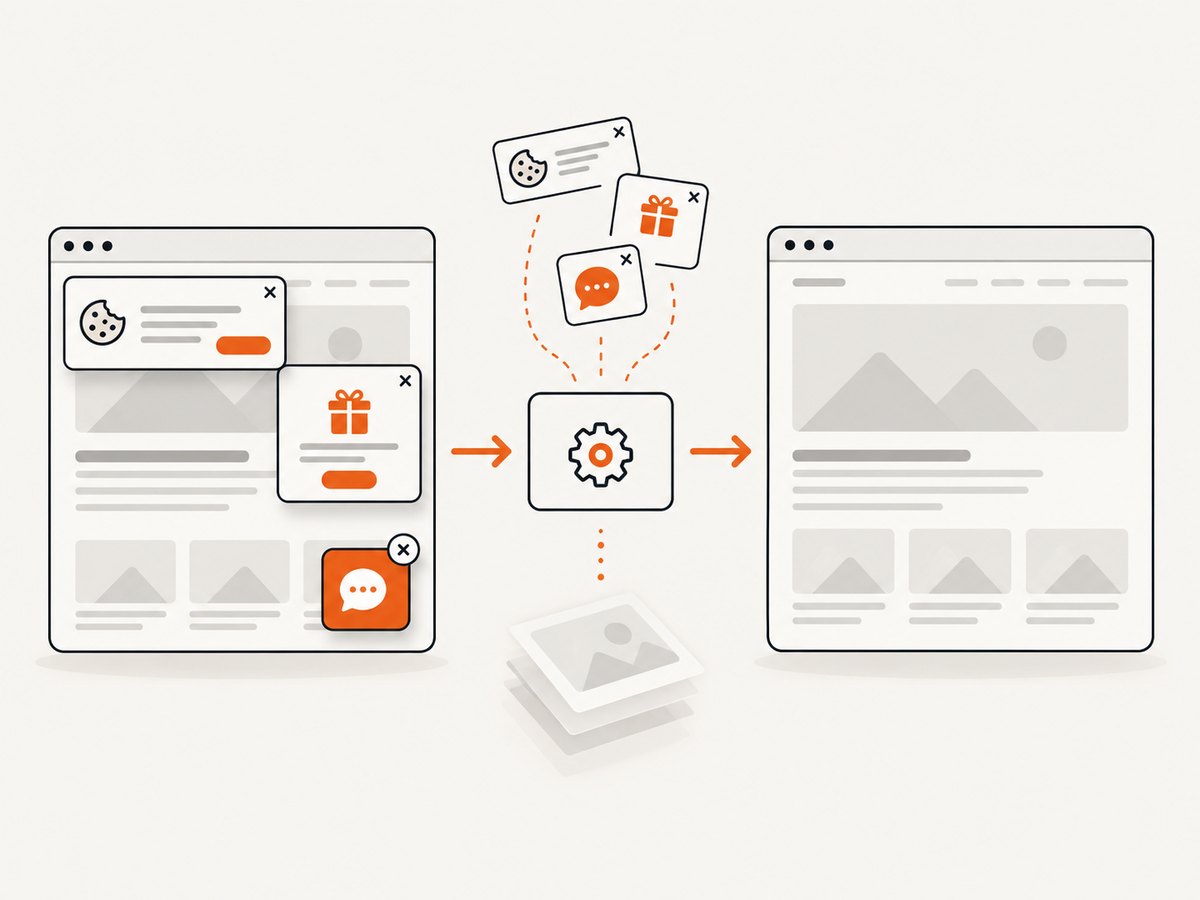
const res = await fetch(`https://api.screenshotneo.com/v1/shot?${q}`);ScreenshotNeo removes cookie and consent banners, newsletter popups, and chat widgets before capture. Bot checks, blank pages, timeouts, failed loads, and cache hits are not billed; response headers identify the page verdict and billing status. It also offers an MCP server with take_screenshot, get_page_info, and capture_pdf tools for Claude, Cursor, and other MCP clients.
Plans include 1,000 screenshots per month free with no card. Paid plans start at $5 for 3,000 shots; every feature is available on every plan. Create a free ScreenshotNeo account.
10. FAQ
Can I cast the value to a string?
You can, but casting hides type mistakes. Use lowercase typed literals or a typed ResourceType[] instead of as any.
Is puppeteer-core required?
No. Use puppeteer when you want its managed Chrome for Testing download. Use puppeteer-core when your deployment supplies and controls the browser.
Should I always enable skipLibCheck?
No. It is a temporary containment option for legacy projects. Version and dependency alignment provides a more reliable fix.
Why does the compiler mention ES2022?
Current Puppeteer requirements call for ES2022 or later when TypeScript checks dependency declarations. Your runtime and module configuration must also support the selected target.
Does interception affect cached requests?
Requests can complete from cache, but intercepted requests otherwise remain pending until Puppeteer resolves them. Keep handlers deterministic and resolve every event.


