How to Fix Pyppeteer Cookie Setting Issues
Fix Pyppeteer cookies that do not appear or persist. Check async calls, URL scope, browser contexts, verification, and common errors.

Most Pyppeteer cookie problems come down to five checks: await page.setCookie(), set the cookie against a valid HTTP(S) origin, provide a correct URL or domain/path scope, read it back for the same URL, and use the same page and browser context. If the page is still about:blank or uses a data: URL, Pyppeteer cannot infer a usable cookie URL.
Pyppeteer is an unofficial Python port of Puppeteer. Its cookie API is asynchronous, and its behavior depends on the page URL, cookie scope, browser context, and installed browser version. This guide gives you a minimal working example, a diagnostic sequence, edge-case explanations, complete runnable code, and fixes for common errors.
1. The minimal working example
Navigate to the target origin before setting the cookie, await the call, and verify it against that same origin.
import asyncio
from pyppeteer import launch

async def main():
    browser = await launch(headless=True)
    page = await browser.newPage()

    await page.goto('https://example.com/', {'waitUntil': 'domcontentloaded'})
    await page.setCookie({
        'name': 'session_hint',
        'value': 'example',
        'url': 'https://example.com/',
        'path': '/',
        'secure': True,
        'httpOnly': False,
        'sameSite': 'Lax',
    })

    cookies = await page.cookies('https://example.com/')
    print(cookies)

    await page.goto('https://example.com/', {'waitUntil': 'networkidle2'})
    print(await page.cookies('https://example.com/'))
    await browser.close()

asyncio.get_event_loop().run_until_complete(main())
The call must run inside an async flow because setCookie returns a coroutine. The cookie’s name and value are required. A URL is the simplest way to define its scope; domain and path can be used when you need more specific control.
2. A reliable diagnostic sequence
Step 1: Capture the exact URL before setting the cookie
print('before:', page.url)
await page.setCookie({
    'name': 'debug_cookie',
    'value': '1',
    'url': 'https://example.com/',
    'path': '/',
})
If the output is about:blank, navigate first or include an explicit cookie URL. Pyppeteer’s implementation rejects about:blank and data: when it cannot derive a valid cookie URL. This validation is visible in the Page.setCookie implementation.

Step 2: Await the operation
This is wrong:
page.setCookie({'name': 'flag', 'value': 'on'})This creates a coroutine but does not send the browser-protocol command. Use:
await page.setCookie({'name': 'flag', 'value': 'on', 'url': 'https://example.com/'})If you see a warning such as “coroutine was never awaited,” this is the cause.
Step 3: Give the cookie a valid scope
Use a complete URL when debugging:
await page.setCookie({
    'name': 'account_mode',
    'value': 'compact',
    'url': 'https://app.example.com/settings',
    'path': '/',
})
Alternatively, use a domain and path:
await page.setCookie({
    'name': 'account_mode',
    'value': 'compact',
    'domain': 'app.example.com',
    'path': '/',
})
The Pyppeteer API reference documents the supported fields, including expires, httpOnly, secure, session, and sameSite. Use Unix seconds for expires.
Step 4: Read the cookie for the URL it affects
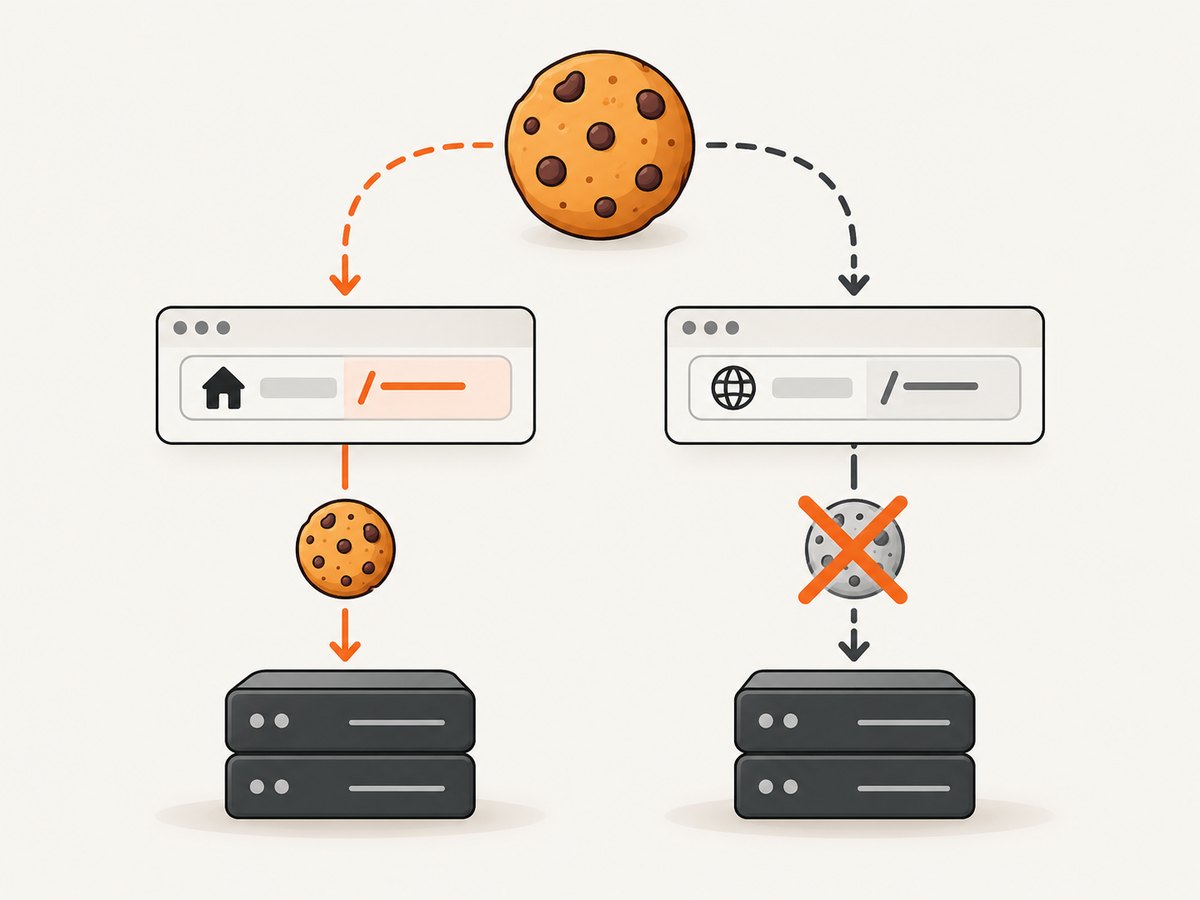
print(await page.cookies('https://app.example.com/settings'))Calling page.cookies() with no argument checks cookies for the current page URL. Passing one or more URLs filters the result to cookies that affect those URLs. A cookie set for app.example.com will not appear when you inspect www.example.com, and a cookie with path: '/account' will not apply to /checkout.
Step 5: Confirm page and browser-context identity
Browser contexts are independent sessions. A cookie set on a page in one context is not automatically available in another context. Keep the same page, or retain and reuse the context explicitly:
context = await browser.createIncognitoBrowserContext()
page = await context.newPage()
await page.goto('https://example.com/')
await page.setCookie({
    'name': 'context_cookie',
    'value': 'yes',
    'url': 'https://example.com/',
})
print(await page.cookies('https://example.com/'))
When debugging, print the page URL and avoid creating a second page or context until you have confirmed the cookie on the first one.
3. Cookie fields and scope rules
| Field | Purpose | Common mistake |
|---|---|---|
name |
Cookie key; required | Empty or misspelled key |
value |
Cookie value; required | Passing a non-string value without converting it |
url |
Defines origin, scheme, host and often path scope | Using an unrelated host or leaving it absent on about:blank |
domain |
Host scope, such as app.example.com |
Expecting a host-only cookie to work on a sibling subdomain |
path |
Path prefix where the cookie is sent | Checking / when the cookie is limited to /account |
secure |
Send only over HTTPS | Setting it while testing on plain HTTP |
httpOnly |
Prevents page JavaScript from reading it | Expecting document.cookie to show it |
sameSite |
Cross-site request policy: usually Lax, Strict or None |
Using None without the required secure HTTPS context |
expires |
Unix timestamp in seconds | Passing milliseconds or an already expired value |
For an initial diagnosis, use a host-local cookie with url, path: '/', and no unnecessary restrictions. Add secure, httpOnly, sameSite, expiry, and domain rules one at a time.
4. A complete debugging script
This script logs the URL, sets a cookie, reads it through the DevTools protocol, and checks the page-level API. It is useful when the cookie appears to vanish after navigation.
import asyncio
from pyppeteer import launch

TARGET = 'https://example.com/'

async def main():
    browser = await launch(headless=True)
    page = await browser.newPage()
    try:
        await page.goto(TARGET, {'waitUntil': 'domcontentloaded', 'timeout': 60000})
        print('page URL:', page.url)

        cookie = {
            'name': 'pyppeteer_debug',
            'value': 'present',
            'url': TARGET,
            'path': '/',
            'sameSite': 'Lax',
        }
        await page.setCookie(cookie)

        visible = await page.cookies(TARGET)
        print('page.cookies:', visible)

        protocol_cookies = await page._client.send('Network.getAllCookies')
        matches = [c for c in protocol_cookies['cookies']
                   if c['name'] == 'pyppeteer_debug']
        print('protocol matches:', matches)

        await page.reload({'waitUntil': 'domcontentloaded'})
        print('after reload:', await page.cookies(TARGET))
    finally:
        await browser.close()

asyncio.get_event_loop().run_until_complete(main())
The private client call is diagnostic only; prefer the public page.cookies() API in application code. If the protocol list contains the cookie but your application does not receive it, investigate scope, request domain, path, SameSite and Secure rules.
5. Common errors and fixes
“Cookie cannot be set on about:blank”
Cause: no usable HTTP origin exists. Fix: navigate first, or specify an explicit HTTP(S) url in the cookie dictionary.
“Cookie cannot be set on data:”
Cause: data URLs do not provide a normal network origin for cookie storage. Fix: serve the page from localhost or an HTTP(S) test origin and set the cookie there.
The cookie appears in the wrong page
Cause: the cookie was scoped to a different host or path. Fix: compare the cookie’s url/domain/path with the exact URL passed to page.cookies() and the request URL.
document.cookie is empty
Cause: the cookie may be httpOnly, scoped to another path, or blocked by origin rules. Fix: inspect it with await page.cookies(target_url). An HttpOnly cookie is intentionally invisible to page JavaScript.
The cookie exists, but the server does not behave differently
Cause: the request may target another subdomain, use a path outside the cookie scope, or be cross-site and restricted by SameSite. Fix: inspect the final request URL, cookie domain, path, Secure flag and SameSite value. Also verify that the server actually reads that cookie name.
The cookie disappears after creating a new page
Cause: the new page belongs to a different browser context, or application code clears state. Fix: reuse the original context and inspect cookies immediately before and after page creation and navigation.
Browser launch or protocol errors
Cause: an incompatible or missing Chromium executable, rather than a cookie-specific defect. The project README says Pyppeteer requires Python 3.8 or newer and may download Chromium on first use when no suitable Chrome binary is available. Record Python, Pyppeteer, and Chrome/Chromium versions, then reduce the report to one page, one cookie, and one navigation.
6. Navigation timing and persistence
Set cookies before the request that needs them. If you set a cookie after goto() has already loaded the application, reload or navigate again so the next request includes it.
await page.goto('https://example.com/login', {'waitUntil': 'domcontentloaded'})
await page.setCookie({
    'name': 'experiment',
    'value': 'variant-b',
    'url': 'https://example.com/',
    'path': '/',
})
await page.goto('https://example.com/dashboard', {'waitUntil': 'networkidle2'})
Do not confuse a browser-session cookie with a persistent cookie. Omitting expires creates a session cookie. It should remain available within that browser context until it is cleared or the context closes, but it is not intended to survive a new browser session.
7. Performance, reliability and safe debugging
- Reuse the browser: launching Chromium is expensive; create pages or contexts within one long-lived browser when your workload permits.
- Keep diagnostic output small: log cookie name, domain, path, Secure, SameSite and expiry, but avoid printing session values.
- Use explicit timeouts: navigation can hang independently of cookie storage. Set a navigation timeout and separate it from your cookie assertions.
- Make setup deterministic: navigate to a known origin, set cookies, verify them, then perform the target action.
- Expect site changes: application code can overwrite or delete cookies during navigation. Capture state immediately before and after the relevant request.
- Check versions: Pyppeteer is a port whose behavior can vary by installed release and bundled browser. Keep a reproducible environment and include versions in bug reports.
Cookie values can contain credentials or session tokens. Redact values in logs and never paste production tokens into a public issue.
8. Or skip the browser setup
If your actual goal is a clean screenshot rather than browser-state debugging, ScreenshotNeo provides a website screenshot API. The request returns PNG, JPEG, WebP or PDF output, while handling the browser setup for you.
See the ScreenshotNeo API documentation for all options. A minimal request is:
curl -G 'https://api.screenshotneo.com/v1/shot' -d access_key=YOUR_API_KEY --data-urlencode url=https://stripe.com -o shot.webpimport requests
r = requests.get('https://api.screenshotneo.com/v1/shot', params={'access_key': 'YOUR_API_KEY', 'url': 'https://stripe.com'}, timeout=90)
open('shot.webp', 'wb').write(r.content)const q = new URLSearchParams({ access_key: 'YOUR_API_KEY', url: 'https://stripe.com' });
const res = await fetch(`https://api.screenshotneo.com/v1/shot?${q}`);ScreenshotNeo accepts cookie and consent banners like a visitor, then removes more than 60 known consent platforms, newsletter popups and chat widgets before capture; each step can be turned off. Bot checks, blank pages, timeouts, failed loads and cache hits cost nothing, and response headers identify the page verdict and whether the shot was billed. It also provides an MCP server with take_screenshot, get_page_info and capture_pdf tools for Claude, Cursor and other MCP clients. The free plan includes 1,000 screenshots per month with no card; paid plans start at $5 for 3,000 shots.
Sign up for 1,000 free ScreenshotNeo screenshots a month with no card.
9. Frequently asked questions
Do I need to call page.setCookie() before page.goto()?
Only if you can provide a valid cookie URL or domain. For the simplest and most reliable flow, navigate to the origin first, set the cookie, then navigate to the page that needs it.
Why does page.cookies() return an empty list?
It checks the current URL by default. Pass the exact URL the cookie should affect and verify host and path scope.
Can I set a cookie on a data URL?
No. Use an HTTP(S) origin, including a local development server.
Why can the browser store a cookie that JavaScript cannot read?
An HttpOnly cookie is deliberately hidden from document.cookie. Inspect it through Pyppeteer’s cookie API instead.
What should I include in a bug report?
Include a minimal script, exact traceback, page URL at the time of setCookie, cookie fields with the value redacted, browser context details, and Python, Pyppeteer and Chromium versions.
10. Final checklist
- Use
await page.setCookie(...). - Never rely on
about:blankordata:as the cookie origin. - Provide
url, or correctdomainandpath. - Verify with
page.cookies(the_same_url). - Check Secure, HttpOnly, SameSite and expiry rules.
- Use the same page and browser context for setup and inspection.
- Reload or navigate after setting a cookie when the next request must include it.
- Record versions if the minimal example still fails.
These checks separate an unawaited coroutine, invalid origin, scope mismatch, isolated context and browser compatibility problem—the failure modes that account for most Pyppeteer cookie debugging sessions.


