How to Fix Pyppeteer Page PermissionErrors in Multiprocessing
Diagnose Pyppeteer PermissionErrors by layer, then apply safe multiprocessing patterns for Chromium, profiles, files, and requests.
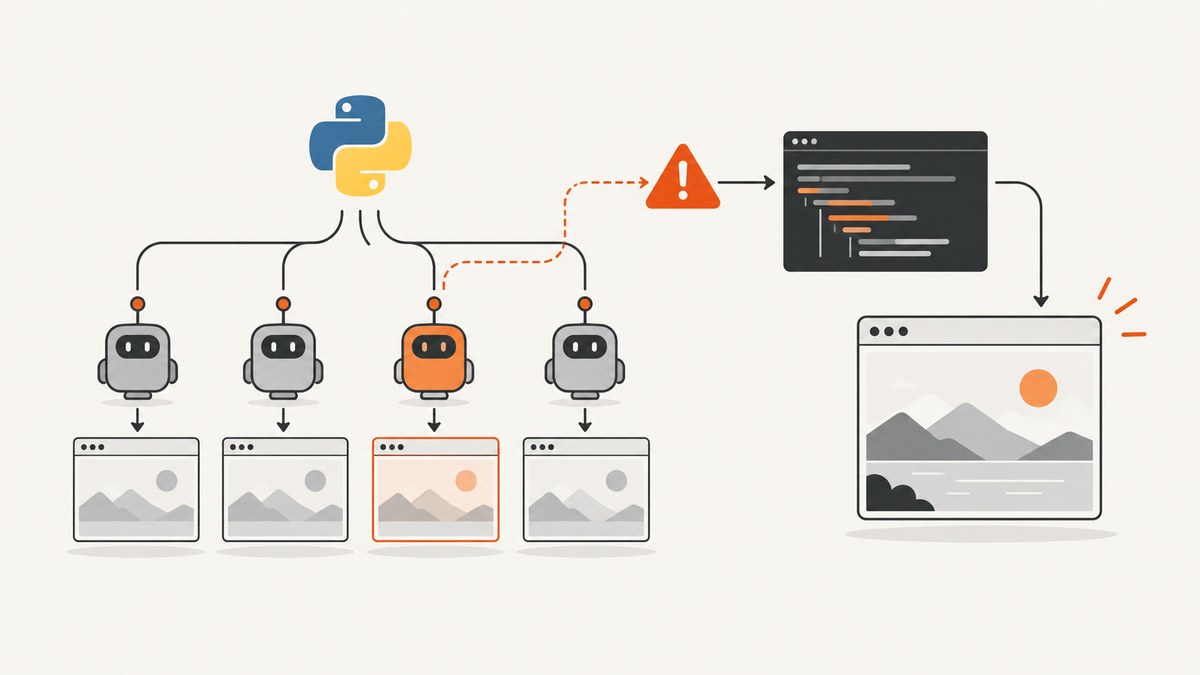
There is no single Pyppeteer multiprocessing permission fix. A PermissionError can come from Python process startup, Chromium launch, a profile or cache directory, a page navigation, a file operation, or a browser request. Capture the complete traceback and identify the exact failing call before changing code.
Pyppeteer also documents an accessdenied request-abort code meaning that access to a non-network resource was denied. That browser request code does not prove that a Python PermissionError has the same cause. See the Pyppeteer API reference and verify details against the package and Chromium versions installed in your environment.
1. Classify the failing layer first
Record these facts from the traceback and environment:
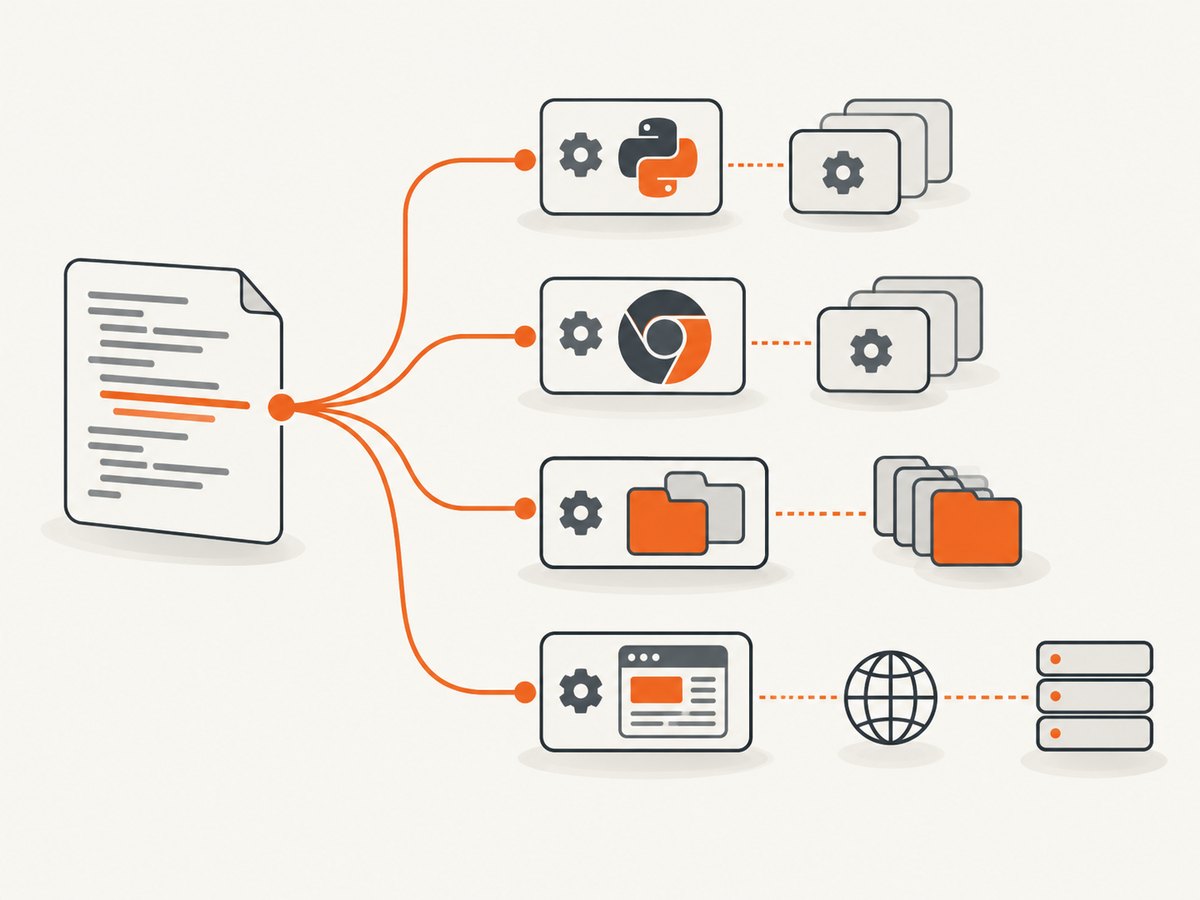
- The full exception text and stack trace.
- The exact call that fails: process creation,
launch(),newPage(), navigation, file/profile access, or request handling. - Python, Pyppeteer, Chromium, and operating-system versions.
- The multiprocessing start method:
spawn,forkserver, orfork. - The effective user, working directory, temporary directory, and permissions on the Chromium executable and profile path.
This separation matters because Python multiprocessing rules and browser request errors are different failure domains. Pyppeteer’s reference describes browser contexts, pages, and request-abort error codes; it does not establish a multiprocessing-specific page-permission remedy.
2. Make process startup safe
Python documents two requirements that commonly surface when using spawn or forkserver: process arguments must be picklable, and the main module must be safe to import without starting more processes. Put process creation behind a main guard and pass plain data, not live browser objects. Read the official multiprocessing documentation for the rules that apply to your Python version.
import asyncio
import multiprocessing as mp
from pathlib import Path


def worker(url: str) -> str:
    # Import inside the worker so each process owns its browser setup.
    from pyppeteer import launch

    async def capture() -> str:
        browser = await launch(
            headless=True,
            # Use a directory writable by this worker/container.
            userDataDir=str(Path('/tmp') / f'pyppeteer-profile-{mp.current_process().pid}'),
            args=['--no-sandbox']  # Only use this when your container policy requires it.
        )
        try:
            page = await browser.newPage()
            await page.goto(url, {'waitUntil': 'networkidle2', 'timeout': 60000})
            return await page.title()
        finally:
            await browser.close()

    return asyncio.run(capture())


def main() -> None:
    urls = ['https://example.com', 'https://www.python.org']
    ctx = mp.get_context('spawn')
    with ctx.Pool(processes=2) as pool:
        for url, title in zip(urls, pool.map(worker, urls)):
            print(url, title)


if __name__ == '__main__':
    main()
The worker receives a URL string and creates its own browser, page, and event loop. This is cautious ownership guidance: the supplied Pyppeteer sources do not guarantee that a live Page or browser connection can be shared between processes.
3. Do not pass live Pyppeteer objects between processes
A Page, Browser, event-loop object, transport, or coroutine is not a safe multiprocessing argument. Create these objects inside the process that uses them, and return serializable results such as strings, bytes, paths, or dictionaries.

If you need several pages in one worker, create one browser in that worker and open pages there. If you need process isolation, give each worker its own browser and profile directory. Never let two workers write the same Chromium user-data directory at the same time.
4. Check Chromium, executable, and profile permissions
- Confirm that the configured Chromium executable exists and is executable by the worker’s operating-system user.
- Check that the download/cache directory and
userDataDirare writable. - Use a unique temporary profile per worker to avoid lock-file and ownership conflicts.
- Ensure the parent directories exist before launch.
- In containers, verify the mounted volume is writable by the container user and that the sandbox policy matches your deployment.
- Remove stale profiles only when no browser process is using them.
An operating-system denial normally appears at process launch or file access. It is distinct from a page request being rejected after Chromium has started.
5. Keep the event loop and async boundaries local
Pyppeteer is asynchronous. A reliable pattern is one asyncio.run() call inside each worker, with all browser operations completed before the worker exits. Avoid creating an event loop in the parent and then forking it into children. If your application already has an async coordinator, consider using one process with multiple pages instead of mixing a parent event loop with forked browser state.
6. Diagnose page navigation and request failures
If launch succeeds and the exception appears during navigation, log the URL, response status, timeout, and request events. Pyppeteer documents request interception and abort codes, including accessdenied. Treat that as browser-level request information; do not relabel it as proof of an operating-system permission problem.
import asyncio
from pyppeteer import launch

async def inspect(url: str) -> None:
    browser = await launch(headless=True)
    try:
        page = await browser.newPage()
        page.on('requestfailed', lambda req: print(
            'request failed:', req.url, req.failure
        ))
        page.on('console', lambda msg: print('console:', msg.text))
        response = await page.goto(url, {'waitUntil': 'domcontentloaded', 'timeout': 60000})
        print('status:', response.status if response else None)
    finally:
        await browser.close()

asyncio.run(inspect('https://example.com'))
7. A minimal reproducible multiprocessing test
Reduce the problem to one URL, one worker, and a fresh profile. Then change one variable at a time: start method, profile path, executable path, and target site.
import asyncio
import multiprocessing as mp
import tempfile
from pathlib import Path


def run_one(url: str) -> tuple[str, str]:
    from pyppeteer import launch

    async def go() -> tuple[str, str]:
        profile = tempfile.mkdtemp(prefix='pp-profile-')
        browser = await launch(headless=True, userDataDir=profile)
        try:
            page = await browser.newPage()
            response = await page.goto(url, {'waitUntil': 'load', 'timeout': 60000})
            return (str(response.status if response else 'no response'), await page.title())
        finally:
            await browser.close()

    return asyncio.run(go())

if __name__ == '__main__':
    mp.set_start_method('spawn', force=True)
    with mp.Pool(1) as pool:
        print(pool.map(run_one, ['https://example.com']))
If this succeeds, add your original profile path, request interception, custom executable, and parallelism separately. The first change that reintroduces the error identifies the layer to investigate.
8. Troubleshooting common errors
| Symptom | Likely layer | Checks and fix |
|---|---|---|
PermissionError while starting a child |
Python or OS process startup | Use the main guard, a supported start method, picklable arguments, and an executable worker command. |
| Chromium executable denied | OS file permissions | Check the executable path and execute bit; install or configure Chromium for the worker user. |
| Profile lock or access denied | Shared filesystem state | Give every worker a unique writable userDataDir; do not reuse a live profile. |
| Works in the parent, fails in workers | Inherited event loop or browser state | Create the loop and browser inside each worker; pass only serializable data. |
| Navigation timeout or blank page | Browser/page load | Log the URL and failed requests, increase timeout only when justified, and test the URL in a single-worker case. |
accessdenied in request handling |
Browser request policy | Inspect the request and interception code; do not treat this code as a Python filesystem diagnosis. |
| Import-time recursive process creation | Unsafe main module | Move pool creation into main() and protect it with if __name__ == '__main__':. |
| Only one host or container fails | Deployment permissions | Compare user IDs, mounts, temporary directories, sandbox settings, and installed browser versions. |
9. Performance and reliability considerations
- Launching Chromium per URL is expensive. Reuse one browser per worker and create pages for multiple URLs when isolation requirements allow it.
- Limit the number of workers to the CPU and memory available to Chromium. More processes can increase contention and make failures look like permission or timeout errors.
- Use bounded queues or a pool rather than creating an unbounded process for every URL.
- Close pages and browsers in
finallyblocks so crashes do not leave profiles and child processes behind. - Record the start method, worker PID, profile path, executable path, URL, and full traceback with each failure.
- Pin and document Python, Pyppeteer, and Chromium versions. The Pyppeteer issue tracker currently labels the project as unmaintained; confirm behavior against your installed release and browser version.
10. Should you move to Playwright?
Playwright is a separate library with a documented browser-context permission API, optionally scoped to an origin. Its documentation warns that supported permissions vary by browser and version. That API should not be presented as a Pyppeteer fix or copied into a Pyppeteer program. Consider a migration only after comparing the APIs, browser versions, process model, and maintenance requirements for your application. See Playwright’s BrowserContext documentation.
11. Or skip the browser setup
If your goal is a reliable screenshot rather than maintaining Chromium workers, ScreenshotNeo provides a GET API that returns PNG, JPEG, WebP, or PDF. It accepts consent banners before capture and removes more than 60 known consent platforms, newsletter popups, and chat widgets. Bot checks, blank pages, timeouts, failed loads, and cache hits are not billed, and response headers report the page verdict and billing result.
See the ScreenshotNeo API documentation for all options.
curl -G "https://api.screenshotneo.com/v1/shot" -d access_key=YOUR_API_KEY --data-urlencode url=https://stripe.com -o shot.webpimport requests
r = requests.get("https://api.screenshotneo.com/v1/shot", params={"access_key": "YOUR_API_KEY", "url": "https://stripe.com"}, timeout=90)
open("shot.webp", "wb").write(r.content)const q = new URLSearchParams({ access_key: 'YOUR_API_KEY', url: 'https://stripe.com' });
const res = await fetch(`https://api.screenshotneo.com/v1/shot?${q}`);ScreenshotNeo also has an MCP server with take_screenshot, get_page_info, and capture_pdf tools for Claude, Cursor, and other MCP clients. The Free plan includes 1,000 shots per month with no card; paid plans start at $5 for 3,000 shots. Create a free ScreenshotNeo account.
FAQ
Does changing fork to spawn fix every PermissionError?
No. It can expose unsafe imports or pickling problems, but a denied profile, executable, or file still needs an operating-system fix.
Can I share one browser across workers?
Do not assume so. Keep browser connections and pages owned by the process that created them.
Is accessdenied the same as Python PermissionError?
No. It is a documented Pyppeteer request-abort code. Use the traceback and failing API call to identify the actual layer.
When should I use a unique profile?
Use one whenever multiple workers might launch Chromium concurrently or when the existing profile may be read-only or locked.
Where can I verify multiprocessing rules?
Use the Python multiprocessing documentation, then confirm behavior with the versions installed in your deployment.


