How to Fix Rate Limit Exceeded Errors
Diagnose 429 and 403 rate limits, honor reset headers, add safe backoff, and fix quota or billing errors that retries cannot solve.
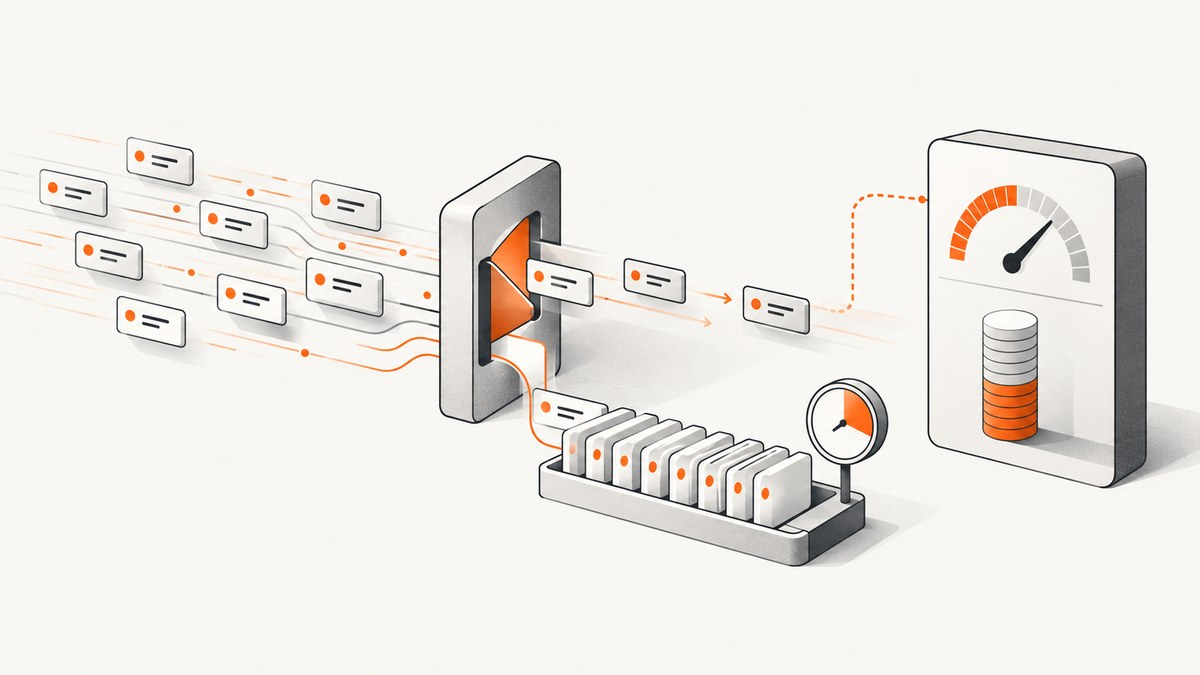
Start with the response, not a retry loop. A rate-limit error can mean temporary request throttling, token exhaustion, a project or organization quota, or a billing and spend limit. Capture the HTTP status, response body, error code, and timing headers first. A temporary throttle usually needs pacing and a delayed retry. A credit, quota, or spend-limit error needs an account or configuration change; sending the same request again will not restore access.
HTTP 429 Too Many Requests is common, but it is not universal. GitHub can use both 403 and 429 for rate limits. Google Cloud documents 429 RESOURCE_EXHAUSTED for rate or project-quota exhaustion. OpenAI documents separate rate-limit, slow-down, credit, usage-limit, and spend-limit cases. Treat the provider’s current documentation and error model as authoritative.
1. Capture the exact failure
Before changing code, save one complete failed response. Record:

- HTTP status and provider endpoint
- Response body, error type, and provider-specific code
- Timestamp and timezone
- Request or correlation ID, if returned
Retry-After, reset, remaining-request, and remaining-token headers- The project, organization, model, or account used by the request
Remove API keys, cookies, authorization headers, and personal data before sharing logs. OpenAI’s support guidance specifically asks for the exact error, code, request IDs, time, and applicable limit when an escalation is required.
2. Classify the error before retrying
| What you see | Likely meaning | Correct action |
|---|---|---|
429 with a temporary throttle or slow_down |
Requests or tokens are arriving too quickly | Honor the server delay, then retry with bounded exponential backoff and jitter |
429 with RESOURCE_EXHAUSTED |
A rate or project quota is exhausted | Inspect the quota scope, reduce traffic, or request/change quota where supported |
| Credit, usage-limit, or spend-limit error | The account or project cannot spend or use more | Add credits or correct the relevant limit; retries alone do not help |
| 403 with rate-limit headers | Provider-specific throttling, such as a GitHub primary or secondary limit | Follow that provider’s reset rules and stop sending requests while limited |
Do not copy one provider’s error-code names to another provider. OpenAI’s credit_balance_exhausted, for example, is not a universal API code.
3. Honor Retry-After and reset headers
If a valid Retry-After header is present, treat it as a minimum delay. It may be a number of seconds or an HTTP date, depending on the API. Parse it, wait at least that long, and add a small random buffer when several workers may wake together.
Some APIs expose reset times instead. GitHub’s primary limit uses x-ratelimit-reset, a Unix timestamp. For a GitHub secondary limit, use retry-after when supplied. If the remaining count is zero, wait until x-ratelimit-reset; otherwise GitHub advises waiting at least one minute. Continuing to send requests while limited can put an integration at risk of being banned.
OpenAI responses can include request and token limits, remaining amounts, and reset times, including project-token headers. Check the organization and project actually used by your request because limits can differ by model and scope. Current numerical limits and account options change, so consult the provider dashboard and endpoint documentation.
4. Use bounded exponential backoff when no delay is supplied
When the server gives no usable timing hint, increase the delay after each failed attempt and add jitter. Cap the delay, number of attempts, and total elapsed time. A practical schedule is a one-second base, doubling per attempt, a 60-second cap, and five attempts. Tune these values to the provider and your user-facing deadline.
delay = min(60, 1 * 2 ** attempt)
wait_seconds = delay + random.uniform(0, delay * 0.25)
Retry only errors that are plausibly temporary: 429, provider-documented 503 or overload responses, and connection failures where the operation is safe to repeat. Do not retry authentication failures, malformed requests, exhausted credits, or a configured spend limit. For non-idempotent operations, use an idempotency key if the provider supports one.
5. Complete retry examples
cURL: inspect headers, then retry manually
curl -i --retry 0 \
  -H 'Authorization: Bearer YOUR_API_KEY' \
  -H 'Content-Type: application/json' \
  https://api.example.com/v1/resource
Use -i to see headers. Do not use cURL's blind retry mode for an API that returns an administrative quota error; inspect the body first. If the provider documents that a safe request may be repeated, a bounded command can be used:
curl --fail-with-body --retry 5 --retry-delay 2 --retry-max-time 90 \
  --retry-all-errors \
  -H 'Authorization: Bearer YOUR_API_KEY' \
  https://api.example.com/v1/resource
--retry-all-errors is broad. Prefer provider-specific status handling in application code when a request can charge money or create a resource.
Python: respect Retry-After and add jitter
import random
import time
from email.utils import parsedate_to_datetime
from datetime import datetime, timezone
import requests

RETRYABLE = {429, 500, 502, 503, 504}

def retry_after_seconds(response):
    value = response.headers.get('Retry-After')
    if not value:
        return None
    try:
        return max(0.0, float(value))
    except ValueError:
        try:
            target = parsedate_to_datetime(value)
            if target.tzinfo is None:
                target = target.replace(tzinfo=timezone.utc)
            return max(0.0, (target - datetime.now(timezone.utc)).total_seconds())
        except (TypeError, ValueError, OverflowError):
            return None

def get_with_backoff(url, headers, attempts=5, deadline=90):
    started = time.monotonic()
    for attempt in range(attempts):
        response = requests.get(url, headers=headers, timeout=30)
        if response.status_code not in RETRYABLE:
            response.raise_for_status()
            return response
        if attempt == attempts - 1:
            response.raise_for_status()
        server_wait = retry_after_seconds(response)
        base = min(60.0, 1.0 * (2 ** attempt))
        wait = server_wait if server_wait is not None else base
        wait += random.uniform(0, max(0.1, wait * 0.25))
        if time.monotonic() - started + wait > deadline:
            raise TimeoutError('retry deadline exceeded')
        time.sleep(wait)

response = get_with_backoff(
    'https://api.example.com/v1/resource',
    {'Authorization': 'Bearer YOUR_API_KEY'}
)
print(response.json())
For a token-limited API, request only the context and output size you need. Unsuccessful OpenAI requests contribute to the per-minute limit, so rapid retries can prolong the incident.
Node.js: bounded retries with a server hint
const sleep = ms => new Promise(resolve => setTimeout(resolve, ms));

async function getWithBackoff(url, options = {}, attempts = 5) {
  for (let attempt = 0; attempt < attempts; attempt++) {
    const response = await fetch(url, options);
    if (![429, 500, 502, 503, 504].includes(response.status)) {
      if (!response.ok) throw new Error(`${response.status}: ${await response.text()}`);
      return response;
    }
    if (attempt === attempts - 1) {
      throw new Error(`${response.status}: retry limit reached`);
    }
    const header = response.headers.get('retry-after');
    const parsed = header && Number(header);
    const serverWait = parsed ? parsed * 1000 : null;
    const base = Math.min(60000, 1000 * (2 ** attempt));
    const wait = (serverWait ?? base) * (1 + Math.random() * 0.25);
    await sleep(wait);
  }
}

const response = await getWithBackoff(
  'https://api.example.com/v1/resource',
  {headers: {Authorization: 'Bearer YOUR_API_KEY'}}
);
console.log(await response.json());
Check your SDK first. Many official SDKs retry selected statuses automatically. If the SDK retries and your wrapper retries too, a nominal five-attempt policy can become dozens of requests.
6. Reduce the traffic pattern
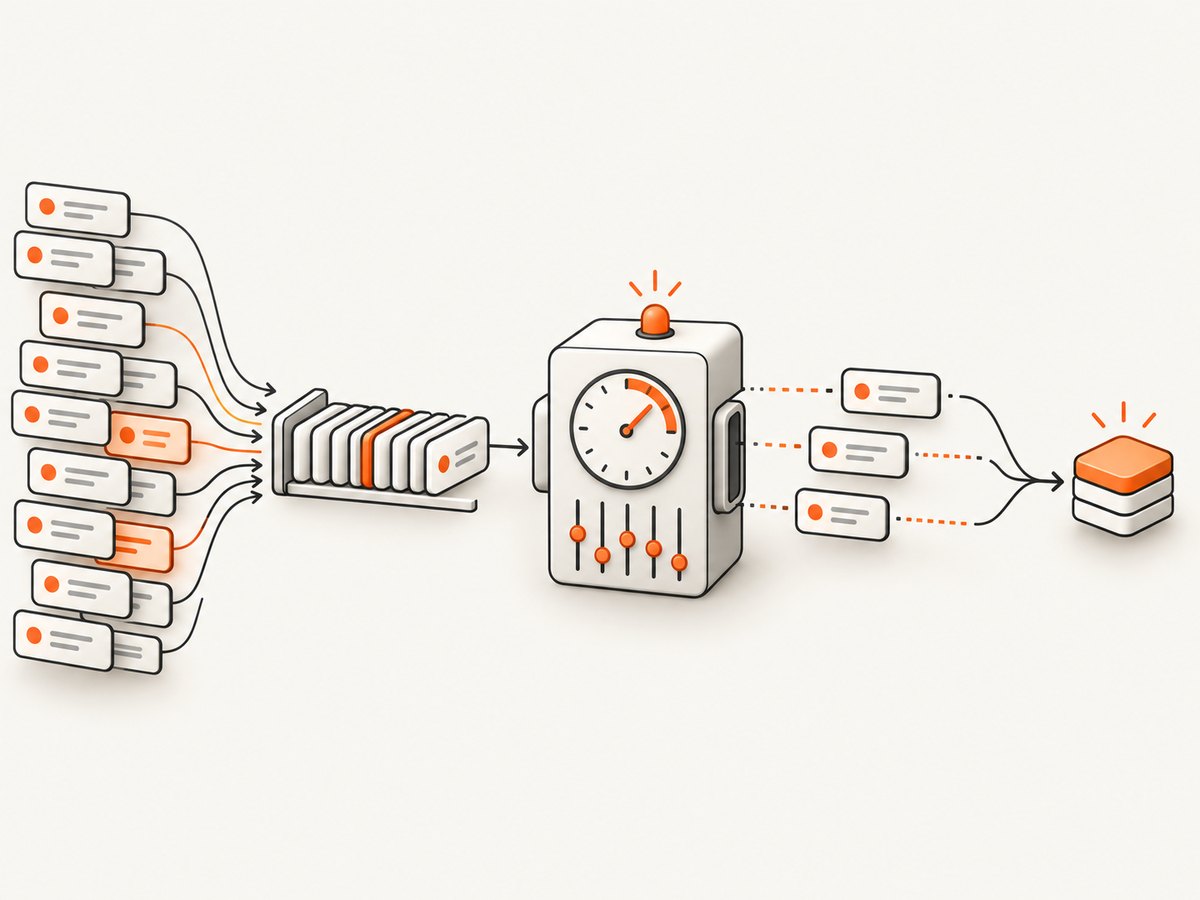
- Replace bursts with a queue and a rate-aware worker pool.
- Spread scheduled jobs across the minute instead of releasing them simultaneously.
- Limit concurrency per provider, project, model, and endpoint.
- Cache identical reads and coalesce duplicate work.
- For token limits, remove repeated context and avoid excessive output-token allowances.
- Increase traffic gradually after a
slow_downresponse.
Measure both requests per time window and tokens per time window. Reaching one does not imply the other is exhausted. A project or organization limit can affect every worker even when each individual process appears below its local threshold.
7. Provider differences to check
| Provider documentation | Statuses and signals | What to verify |
|---|---|---|
| OpenAI rate limits | 429 throttles plus distinct credit, usage, and spend errors; request/token and reset headers | Model, project, organization, token volume, credits, and spend controls |
| GitHub REST API | 403 or 429; x-ratelimit-reset and secondary-limit retry-after |
Primary versus secondary limit, remaining count, and reset timestamp |
| Google Cloud quotas | 429 RESOURCE_EXHAUSTED |
Which project quota or rate quota is exhausted and whether it can be adjusted |
These rules are examples, not a universal standard. Always check the endpoint's current documentation.
8. Troubleshooting checklist
Every retry gets another 429
You may be ignoring Retry-After, retrying faster than the reset window, or running multiple workers. Log the actual sleep, centralize throttling, and use one queue per constrained scope.
There is no Retry-After header
Use capped exponential backoff with jitter. Capture reset headers and stop after a deadline. Do not assume an arbitrary one-hour wait fixes a billing or quota error.
The status changed to 403
Read the body and provider documentation. On GitHub, 403 can be a rate limit; elsewhere it may mean authentication or authorization. Do not retry an authorization failure.
Retries increase the bill
Unsuccessful calls can count toward limits, and some operations may have side effects. Retry only safe, transient failures, use idempotency keys, and cap attempts.
Only production fails
Compare project, organization, model, credentials, region, concurrency, and traffic shape. A local test may use a different account or a much lower request rate.
The dashboard says capacity remains
Check whether the exhausted dimension is tokens, requests, a project quota, a model-specific limit, or spend. Remaining monthly budget does not guarantee remaining per-minute capacity.
An SDK and application both retry
Inspect SDK version and configuration. Keep retries in one layer, or calculate the combined maximum and deadline explicitly.
9. Reliability, performance, and cost
Backoff trades latency for successful completion. Set a total deadline that matches the user experience, then return a clear retryable error when it expires. For batch work, persist jobs and resume them after the reset instead of holding open requests. Emit metrics for status, provider code, attempt number, wait duration, request tokens, and final outcome; never log secrets.
Use a token bucket or leaky-bucket limiter for predictable throughput. A distributed limiter is necessary when several hosts share one project limit. Add circuit breaking when failures remain high, so your service stops creating more load while an upstream limit is active.
Retries have a cost even when a provider does not charge failed calls: they consume rate capacity, worker time, and sometimes tokens. Cache deterministic responses, deduplicate jobs, and request smaller outputs. Review monthly usage and spend limits separately from per-minute limits before increasing traffic or changing plans.
10. Or skip the browser setup
If the rate-limited work is collecting website screenshots, ScreenshotNeo provides one GET request instead of maintaining a browser fleet and its throttling behavior:
curl -G 'https://api.screenshotneo.com/v1/shot' \
  -d access_key=YOUR_API_KEY \
  --data-urlencode url=https://stripe.com \
  -o shot.webp
import requests
r = requests.get('https://api.screenshotneo.com/v1/shot', params={'access_key': 'YOUR_API_KEY', 'url': 'https://stripe.com'}, timeout=90)
open('shot.webp', 'wb').write(r.content)const q = new URLSearchParams({ access_key: 'YOUR_API_KEY', url: 'https://stripe.com' });
const res = await fetch(`https://api.screenshotneo.com/v1/shot?${q}`);See the ScreenshotNeo API documentation for all options. Cookie banners, newsletter popups, and chat widgets are removed before the shot. Bot checks, blank pages, failed loads, timeouts, and cache hits are not billed, and each response reports the result with X-Page-Verdict and X-Billed headers. An MCP server lets Claude, Cursor, and other MCP clients take screenshots. The Free plan includes 1,000 screenshots per month with no card; paid plans start at $5 for 3,000. Create a free ScreenshotNeo account.
11. FAQ
Should I retry every 429?
No. Retry only when the body indicates a temporary condition. Quota, credit, and spend-limit errors require account action.
How long should I wait?
At least the valid Retry-After value or provider reset time. Without one, use capped exponential backoff with jitter and a total deadline.
Is 429 always a rate limit?
No. Providers also use it for exhausted quotas and other resource limits. Read the response code and body together.
Can increasing concurrency fix the problem?
Usually not. More concurrency creates larger bursts. Queue work and raise limits only after confirming which dimension is constrained.
When should I request a higher limit?
After measuring sustained demand, reducing avoidable traffic, and confirming that the account or project limit—not a temporary burst—is the constraint.
12. Final operating checklist
- Log status, body, code, headers, timestamp, and request ID.
- Classify temporary throttling versus quota, credit, usage, or spend failure.
- Honor
Retry-Afteror reset timing. - Use one bounded retry layer with exponential backoff and jitter.
- Queue and smooth traffic; control shared concurrency.
- Reduce unnecessary requests, context, and output tokens.
- Alert on repeated limits and review the provider's current documentation.


