How to Fix S3 Bucket CORS Errors When Loading Images with JavaScript
Fix S3 image CORS errors by matching your bucket rule to the browser’s origin, method, headers, and delivery path.

Direct answer: an S3 image CORS error means the browser’s request does not match a CORS rule returned by the bucket (or by a proxy in front of it). Check the exact page origin, HTTP method, preflight headers, response status, and object permissions. Then add the narrowest bucket rule that matches the real request.
CORS (Cross-Origin Resource Sharing) lets a page loaded from one origin request a resource from another origin. An origin is the scheme, hostname, and port, so https://app.example.com, https://www.example.com, and http://app.example.com are different origins. S3 CORS configuration controls whether the browser may read the response; it does not make a private object public. AWS states that ACLs and other access permission policies continue to apply after CORS is enabled.
1. Identify the failing request first
Do not begin by adding *. Open your browser’s developer tools, select the Network panel, reload the page, and inspect the image request. Record:

- The complete request URL and whether it is an S3 endpoint, website endpoint, or CDN URL.
- The page’s
Originvalue, including scheme, hostname, and port. - The request method: usually
GET, sometimesHEAD. - Whether an
OPTIONSrequest happened first. Access-Control-Request-MethodandAccess-Control-Request-Headerson that preflight.- The response status and every
Access-Control-Allow-*header.
A plain <img src="..."> often displays cross-origin pixels without JavaScript being allowed to inspect them. CORS becomes visible when code uses fetch(), draws the image to a canvas, reads a response body, or accesses response headers. Diagnose the request your code actually makes.
2. Add a minimal S3 CORS rule
In the AWS S3 console, open the bucket, choose Permissions, find Cross-origin resource sharing (CORS), select Edit, paste valid JSON, and save it. For a page that fetches an image with a normal GET, start with this narrow rule:
[
  {
    "AllowedOrigins": ["https://www.example.com"],
    "AllowedMethods": ["GET", "HEAD"],
    "AllowedHeaders": []
  }
]
Replace the example origin with the exact origin serving your page. Keep the scheme and port. If your development page is http://localhost:3000, that is a different origin from production and needs its own entry.
S3 evaluates rules against the origin, method, and requested headers. The first matching rule is selected. A method or header that is absent from the matching rule can cause the browser to report a CORS failure even though the bucket has a CORS configuration.
When to change each property
| Property | Use it for | Typical value |
|---|---|---|
AllowedOrigins |
Pages permitted to make the browser request | https://app.example.com |
AllowedMethods |
Methods the browser may use | GET, optionally HEAD |
AllowedHeaders |
Request headers allowed during preflight | Specific names such as Authorization |
ExposeHeaders |
Response headers JavaScript may read | Only the metadata headers your code needs |
MaxAgeSeconds |
How long browsers may cache a preflight result | A value suited to your change frequency |
A wildcard origin is supported, but an exact production origin is safer and makes accidental access easier to spot. Add additional origins explicitly for staging or local development.
3. Use JavaScript correctly
Fetch an image as a Blob
const imageUrl = 'https://BUCKET.s3.REGION.amazonaws.com/path/photo.jpg';

async function loadImage() {
  const response = await fetch(imageUrl, { method: 'GET' });
  if (!response.ok) {
    throw new Error(`Image request failed: ${response.status}`);
  }

  const blob = await response.blob();
  const objectUrl = URL.createObjectURL(blob);
  const image = document.querySelector('#preview');
  image.src = objectUrl;
  image.onload = () => URL.revokeObjectURL(objectUrl);
}

loadImage().catch(console.error);
<img id="preview" alt="Preview">This code needs a readable CORS response. A successful network status alone is not enough: the browser can block JavaScript from reading a response whose CORS headers do not match.
Draw a cross-origin image to canvas
const image = new Image();
image.crossOrigin = 'anonymous';
image.onload = () => {
  const canvas = document.querySelector('canvas');
  canvas.width = image.naturalWidth;
  canvas.height = image.naturalHeight;
  canvas.getContext('2d').drawImage(image, 0, 0);
  console.log(canvas.toDataURL('image/png'));
};
image.onerror = () => console.error('Image could not be loaded with CORS');
image.src = 'https://BUCKET.s3.REGION.amazonaws.com/path/photo.jpg';
Set crossOrigin before assigning src. If the response lacks a matching Access-Control-Allow-Origin header, the canvas is tainted and pixel reads throw a security exception.
Do not confuse request and response headers
AllowedHeaders describes headers the browser intends to send. It does not make response headers visible to JavaScript. If your code needs to read a response header such as custom metadata, list that response header under ExposeHeaders. You generally do not need ExposeHeaders merely to display an image or read its pixels.
4. Test a preflight outside the browser
If the Network panel shows OPTIONS, reproduce that request with the same origin, method, and requested headers. Substitute the actual object URL:
curl -i -X OPTIONS \
  -H 'Origin: https://www.example.com' \
  -H 'Access-Control-Request-Method: GET' \
  'https://BUCKET.s3.REGION.amazonaws.com/OBJECT'
If the browser sends Access-Control-Request-Headers, include the same value:
curl -i -X OPTIONS \
  -H 'Origin: https://www.example.com' \
  -H 'Access-Control-Request-Method: GET' \
  -H 'Access-Control-Request-Headers: authorization,x-custom-header' \
  'https://BUCKET.s3.REGION.amazonaws.com/OBJECT'
A matching preflight commonly returns 200 OK with the permitted origin and methods. If a requested header is not allowed, S3 may return no CORS response headers for that preflight. Compare this command with the browser’s exact request; a hand-written test with different headers can hide the real problem.
Python request check
import requests

url = 'https://BUCKET.s3.REGION.amazonaws.com/OBJECT'
headers = {
    'Origin': 'https://www.example.com',
    'Access-Control-Request-Method': 'GET',
}
response = requests.options(url, headers=headers, timeout=30)
print(response.status_code)
print(dict(response.headers))
Node.js request check
const url = 'https://BUCKET.s3.REGION.amazonaws.com/OBJECT';
const response = await fetch(url, {
  method: 'OPTIONS',
  headers: {
    Origin: 'https://www.example.com',
    'Access-Control-Request-Method': 'GET'
  }
});
console.log(response.status, Object.fromEntries(response.headers));
5. Distinguish CORS from permissions and URL errors
CORS is only one layer. A private object, a missing object, an incorrect region endpoint, or a denied request can produce a confusing browser message. Check the raw response with a normal GET:
curl -i 'https://BUCKET.s3.REGION.amazonaws.com/OBJECT'Interpret the result together with the browser trace:
- 403 AccessDenied: fix the bucket policy, object ownership, ACL, or signed URL. CORS does not grant read permission.
- 404 NoSuchKey: correct the object key, encoding, or URL.
- 301 or redirect: use the correct regional endpoint and inspect whether the redirect response carries the headers the browser needs.
- Image displays but fetch fails: the HTML image path may work while a JavaScript-readable request still lacks CORS permission.
- Opaque response: a request made with
mode: 'no-cors'cannot be inspected by JavaScript. It is not a repair for an application that needs image bytes.
6. Handle custom headers and authenticated images
Adding Authorization, a custom application header, or a non-simple content type can trigger preflight. Add only the names your browser actually requests:
[
  {
    "AllowedOrigins": ["https://app.example.com"],
    "AllowedMethods": ["GET", "HEAD"],
    "AllowedHeaders": ["Authorization", "X-App-Version"],
    "ExposeHeaders": ["ETag"]
  }
]
Header matching must reflect the browser’s preflight. Check capitalization and spelling in the Network panel. If credentials such as cookies are involved, use an explicit origin rather than a wildcard and configure the client and server consistently. Keep credentials out of public image URLs whenever a signed URL or server-side proxy is more appropriate.
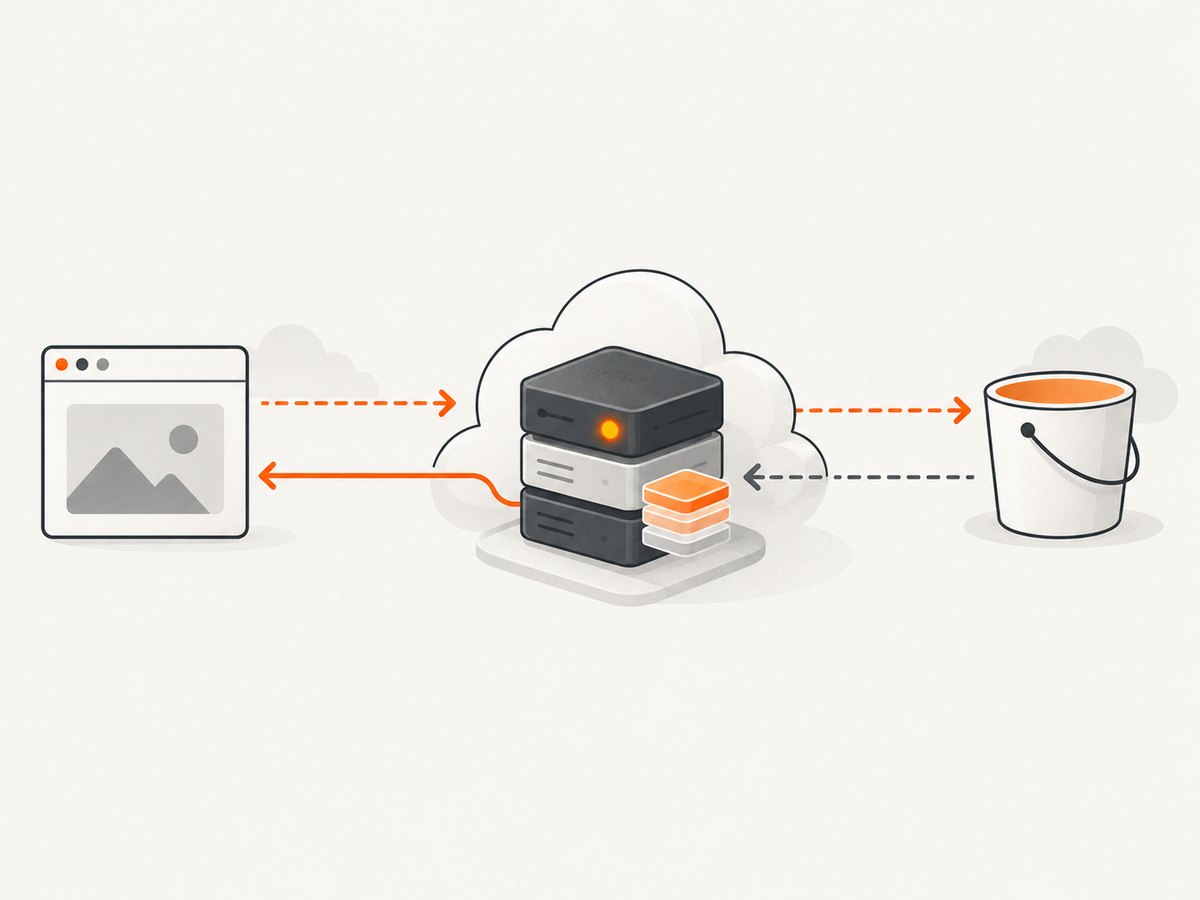
7. Debug CloudFront and other proxies
If the browser URL points to CloudFront or another proxy, the bucket rule may be correct while the proxy strips or caches the wrong response. Verify that:
OPTIONSis allowed by the distribution behavior.Origin,Access-Control-Request-Method, andAccess-Control-Request-Headersare forwarded when needed.- The cache key or cache policy accounts for the request origin when responses differ by origin.
- The proxy forwards the S3
Access-Control-Allow-*headers to the browser. - Cached responses are invalidated or allowed to expire after changing CORS configuration.
Test both the public proxy URL and the direct S3 URL. If direct S3 works but the proxy fails, focus on behavior, header forwarding, and cache configuration rather than adding more bucket rules.
8. A practical troubleshooting checklist
- Copy the page origin from the browser request; do not type an approximate hostname.
- Confirm the image URL and region endpoint.
- Check whether the request is
GET,HEAD, or preceded byOPTIONS. - Compare every requested header with
AllowedHeaders. - Confirm the object is readable under its ACL or bucket policy.
- Check that S3, CloudFront, or another proxy returns
Access-Control-Allow-Origin. - If JavaScript reads metadata, add only the required names to
ExposeHeaders. - Retest in a private window after cached preflight and proxy responses expire.
9. Performance, reliability, and cost considerations
CORS itself adds little work to a simple GET, but preflight requests add an extra round trip. Avoid unnecessary custom headers, use simple GET requests where possible, and set an appropriate MaxAgeSeconds after the rule is stable. A longer preflight cache can reduce latency, while a shorter value makes policy changes visible sooner.
Use a CDN close to users for large or frequently requested images, but preserve the origin-aware behavior described above. Browser caching, CDN caching, and S3 caching are separate layers; verify each one when an old CORS header appears. Keep image dimensions and formats appropriate to the page so transfer size does not dominate load time.
There is no separate “CORS fee.” Normal S3 request, transfer, and CDN charges still apply, and failed authorization or preflight behavior can create extra requests. Measure request volume and cache hit rates in the services you use rather than assuming a CORS fix changes storage pricing.
10. Or skip the browser setup
If your goal is to obtain a clean image of a web page rather than serve an S3 object from your own frontend, ScreenshotNeo provides a website screenshot API. The request returns PNG, JPEG, WebP, or PDF output, so your server can download the result without configuring browser CORS for the target site.
See the ScreenshotNeo API documentation for all options. A direct call looks like this:
curl -G "https://api.screenshotneo.com/v1/shot" -d access_key=YOUR_API_KEY --data-urlencode url=https://stripe.com -o shot.webpimport requests
r = requests.get("https://api.screenshotneo.com/v1/shot", params={"access_key": "YOUR_API_KEY", "url": "https://stripe.com"}, timeout=90)
open("shot.webp", "wb").write(r.content)const q = new URLSearchParams({ access_key: 'YOUR_API_KEY', url: 'https://stripe.com' });
const res = await fetch(`https://api.screenshotneo.com/v1/shot?${q}`);Cookie banners, newsletter popups, and chat widgets are removed before the shot. Bot checks, blank pages, failed loads, timeouts, and cache hits are not billed as clean shots, and response headers identify the page verdict and billing result. An MCP server provides take_screenshot, get_page_info, and capture_pdf tools for Claude, Cursor, and other MCP clients. The Free plan includes 1,000 screenshots a month with no card; paid plans start at $5 for 3,000 shots.
Create a free ScreenshotNeo account to get started.
FAQ
Does adding CORS make a private S3 image public?
No. CORS only controls browser permission to read a cross-origin response. Bucket policies, ACLs, object ownership, and signed URLs still control access.
Should I always use AllowedOrigins: ["*"]?
No. Use the exact application origin when you know it. A wildcard is broader than necessary and cannot be combined with credentialed browser requests.
Why does an image tag work while fetch() fails?
Displaying an image and reading its bytes are different browser operations. fetch() and canvas pixel access require a matching CORS response.
Do I need HEAD?
Only if your client or intermediary actually sends HEAD requests. Keep it when your workflow performs metadata checks; otherwise start with GET.
How do I know whether CloudFront is responsible?
Compare the direct S3 URL with the public distribution URL. If S3 returns the expected CORS headers but the distribution does not, inspect OPTIONS behavior, forwarded request headers, and cache variation.


