How to Fix Scrapy Playwright Rendering Only Part of a Website
Diagnose partial Scrapy Playwright pages with a reliable sequence: verify routing, inspect the DOM, wait for content, handle scrolling, and close pages safely.

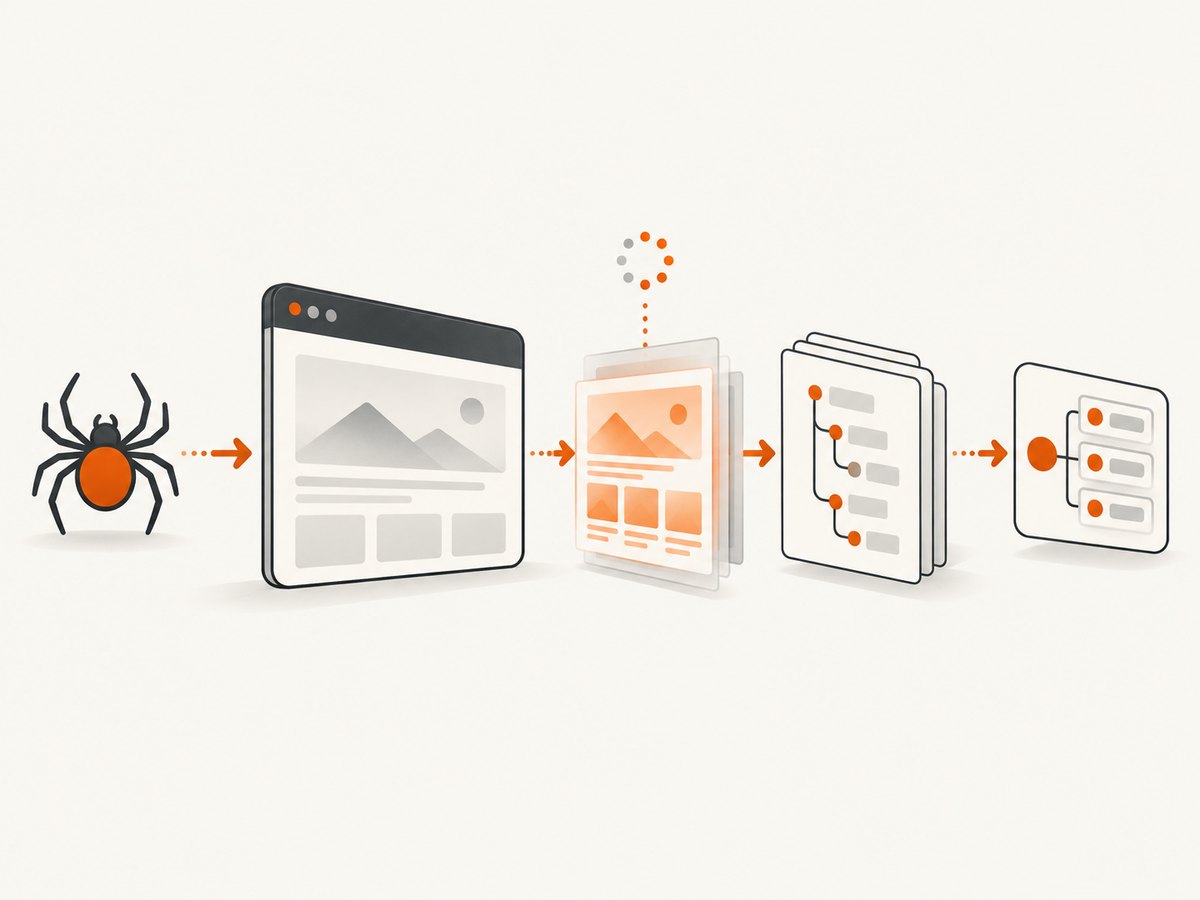
When Scrapy Playwright returns only part of a website, the fix is usually found by answering three questions in order: did the request actually use Playwright, was the content ready when the response was serialized, and does the returned DOM contain the node your selector expects? This sequence prevents you from changing extraction code when the real problem is routing or timing.
The response body produced by scrapy-playwright is the browser’s serialized DOM at the time Scrapy receives it. JavaScript content that appears after navigation, after a click, or after scrolling will not be present unless you perform the required action and wait for a stable condition. The official project documentation describes meta={'playwright': True}, PageMethod waits, selector inspection, User-Agent behavior, and page cleanup as the key mechanisms. Read the scrapy-playwright README for the current version-specific details.
1. Confirm that the request uses Playwright
Installing and configuring the Playwright download handler does not make every request browser-rendered. Each request that needs a browser must opt in with meta={'playwright': True}. Also verify that both HTTP and HTTPS handlers point to the Playwright handler in settings.py.
DOWNLOAD_HANDLERS = {
    'http': 'scrapy_playwright.handler.ScrapyPlaywrightDownloadHandler',
    'https': 'scrapy_playwright.handler.ScrapyPlaywrightDownloadHandler',
}

TWISTED_REACTOR = 'twisted.internet.asyncioreactor.AsyncioSelectorReactor'
A minimal spider request looks like this:
import scrapy

class ExampleSpider(scrapy.Spider):
    name = 'example'

    def start_requests(self):
        yield scrapy.Request(
            'https://example.com',
            meta={'playwright': True},
            callback=self.parse,
        )

    def parse(self, response):
        self.logger.info('status=%s url=%s', response.status, response.url)
        self.logger.info('body length=%s', len(response.text))
        yield {'title': response.css('title::text').get()}
If meta={'playwright': True} is missing, Scrapy uses its normal downloader. If the handler is missing or registered for only one scheme, an HTTPS request may bypass the browser or fail before rendering.
2. Inspect the returned DOM before changing selectors
Separate a rendering problem from an extraction problem. First check whether the expected element exists in response.text. Save a sample of the response or search it directly:
def parse(self, response):
    marker = 'article .content'
    self.logger.info('status=%s url=%s', response.status, response.url)
    self.logger.info('selector present=%s', bool(response.css(marker)))

    with open('debug-response.html', 'w', encoding='utf-8') as output:
        output.write(response.text)

    yield from self.parse_article(response)
If the node is present, the browser rendered it and your CSS or XPath scope is wrong. Check class names, shadow DOM boundaries, iframe boundaries, and whether you are selecting the first matching container instead of the complete content area. If the node is absent, continue with readiness, interactions, request identity, and site behavior.
Do not treat a successful HTTP status or successful navigation as proof that application content is ready. A single-page application can return status 200 while still fetching its article, table, or product list.
3. Wait for the content your spider needs
Use playwright_page_methods to run awaited browser actions before Scrapy receives the response. A selector wait is generally more reliable than an arbitrary sleep because it expresses the condition that makes the page useful.
import scrapy
from scrapy_playwright.page import PageMethod

class ArticleSpider(scrapy.Spider):
    name = 'articles'

    def start_requests(self):
        yield scrapy.Request(
            'https://example.com/article',
            meta={
                'playwright': True,
                'playwright_page_methods': [
                    PageMethod('wait_for_selector', 'article .content'),
                ],
            },
            callback=self.parse,
        )

    def parse(self, response):
        yield {
            'heading': response.css('article h1::text').get(),
            'content': response.css('article .content').xpath('string(.)').get(),
        }
Choose a selector that reliably indicates the data you will extract. A generic body selector may appear immediately and provide no useful readiness signal. Prefer an article container, a known result row, a logged-in account marker, or an empty-state element that the application adds after its request completes.
If the element is optional, use a bounded wait and handle the timeout as a real page state:
PageMethod(
    'wait_for_selector',
    'article .content',
    timeout=15000,
)
When a timeout occurs, save the URL, status, response HTML, and browser console or request errors if available. The missing element may indicate a consent wall, authentication redirect, bot check, changed markup, or an actual application failure.
4. Handle infinite scroll and interaction-dependent pages
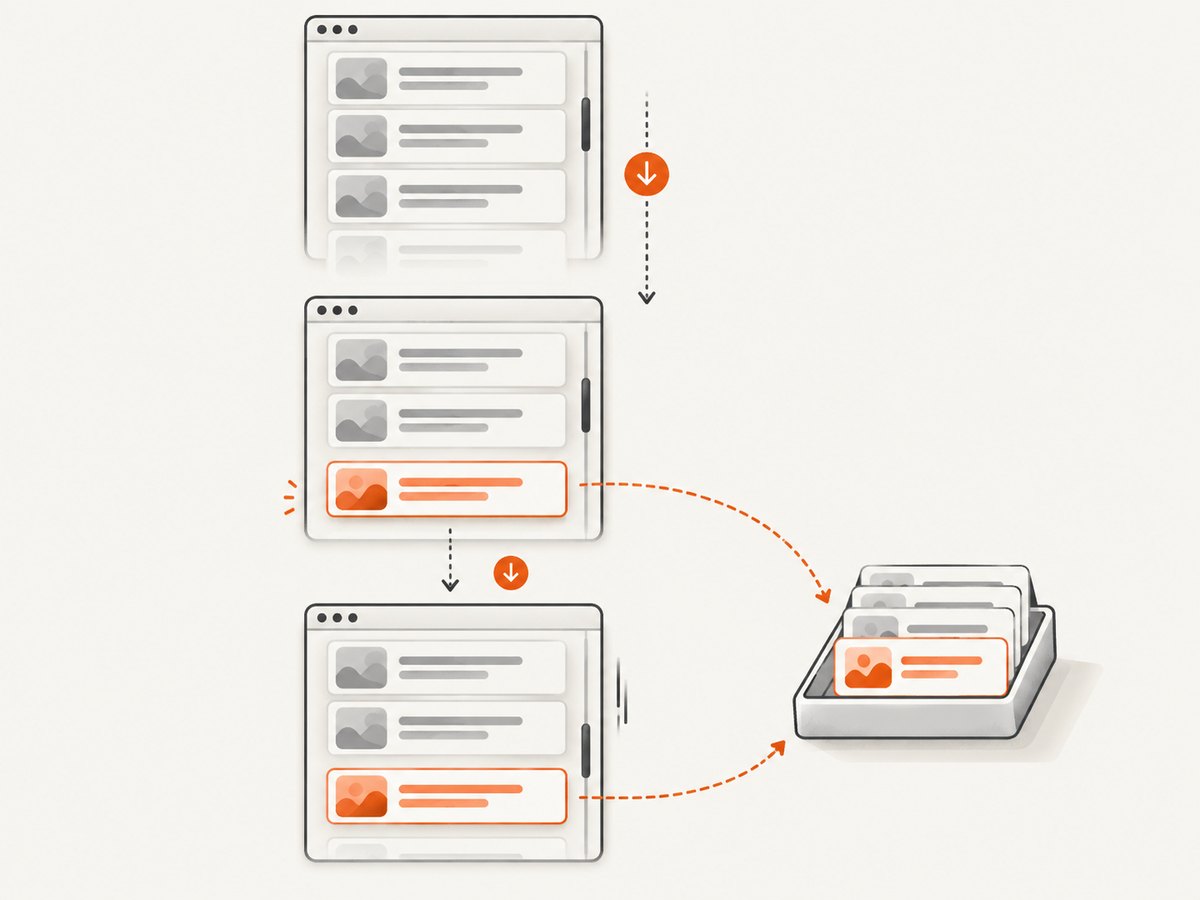
Scrolling alone does not guarantee that newly inserted items have arrived before extraction. Scroll, then wait for a concrete signal such as the next list item or a changed count.
from scrapy_playwright.page import PageMethod

yield scrapy.Request(
    'https://example.com/catalog',
    meta={
        'playwright': True,
        'playwright_page_methods': [
            PageMethod('wait_for_selector', '.product:nth-child(1)'),
            PageMethod('evaluate', "window.scrollTo(0, document.body.scrollHeight)"),
            PageMethod('wait_for_selector', '.product:nth-child(11)'),
        ],
    },
    callback=self.parse,
)
The exact selector depends on the site. For a “Load more” interface, click the button and wait for a later item. For a virtualized list, wait for the item to become attached and extract while it is visible. For content loaded by a request, wait for the resulting DOM element rather than guessing how long the request takes.
Repeat the scroll-and-wait cycle only while a next-page signal exists. Add a maximum number of rounds so a broken page cannot keep a request alive indefinitely.
5. Check request identity and site responses
Compare the request made by your spider with a normal browser visit. Check redirects, cookies, authentication, response status, and failed page requests. A site may return a consent page, a login form, a bot challenge, or a reduced response to a request that differs from an interactive browser.
scrapy-playwright sends Scrapy’s User-Agent by default. The project documentation warns that a mismatch between that value and the running browser can cause unexpected site behavior. Inspect the actual response before changing it. If the mismatch is implicated, try using the browser default:
USER_AGENT = NoneRun the same request with and without the setting and compare the serialized DOM. Do not assume User-Agent mismatch is the cause without evidence. Also check whether the request requires cookies, an Authorization header, a locale, or a referrer that your ordinary browser session already has.
6. Keep Playwright pages from leaking
You do not need playwright_include_page=True when PageMethod actions are sufficient. Include the Page object only when your callback needs additional browser operations. If you include it, close it on both success and error. Unclosed pages consume the configured page limit and can eventually stall the crawl.
import scrapy

class PageSpider(scrapy.Spider):
    name = 'pages'

    def parse(self, response):
        page = response.meta['playwright_page']
        try:
            yield {
                'title': response.css('title::text').get(),
            }
        finally:
            yield page.close()

    async def errback_close_page(self, failure):
        page = failure.request.meta.get('playwright_page')
        if page:
            await page.close()
        self.logger.error('request failed: %r', failure)
If you await Playwright methods in the callback, define the callback as async def. Network operations initiated by awaited Playwright methods run through Playwright directly rather than Scrapy’s normal scheduler and middleware path, so account for that when diagnosing headers, retries, and observability.
7. A repeatable diagnostic checklist
- Confirm the request has
meta={'playwright': True}. - Confirm the HTTP and HTTPS download handlers are configured.
- Log the final URL, status, and response length.
- Save
response.textand search for the missing selector. - If present, fix the CSS or XPath selector and extraction scope.
- If absent, identify whether content needs a selector wait, click, scroll, login, or consent action.
- Compare redirects, cookies, headers, User-Agent, and authentication state.
- Inspect failed requests and browser errors when the page is available to debug.
- Close every included Page object in success and error paths.
- Retest with the smallest request that reproduces the missing content.
8. Common errors and fixes
| Symptom | Likely cause | Fix |
|---|---|---|
| HTML is the server shell only | Request was not routed through Playwright | Add meta={'playwright': True} and verify both download handlers. |
| Navigation succeeds but article is absent | JavaScript content was not ready | Wait for the article’s stable content selector. |
| First results appear, later results do not | Infinite scroll was not completed or awaited | Scroll, then wait for a later item or count change. |
| Selector returns nothing, but saved HTML contains the node | Extraction selector or scope is wrong | Test the selector against saved HTML and inspect nesting, classes, and frames. |
| Different content appears in Scrapy and a normal browser | Headers, cookies, redirect, authentication, or User-Agent differ | Compare request identity and test the browser default User-Agent when evidence points there. |
| Crawl freezes after many requests | Included Playwright pages were not closed | Close pages in callbacks and errbacks; avoid including pages unnecessarily. |
| Callback appears never to run | Request failed, was redirected, or an exception occurred before extraction | Attach an errback, log status and final URL, and inspect the failure traceback. |
| Wait times out | Selector changed, content is blocked, or the page is genuinely empty | Save the DOM, inspect redirects and page state, and use a selector that represents the required content. |
9. Performance, reliability, and version considerations
Browser rendering costs more resources than ordinary HTTP downloads. Keep waits specific, avoid long fixed delays, and do not open a Page object unless you need it. Bound scroll loops and selector timeouts. Reuse contexts when your authentication and locale requirements permit it, but isolate contexts when cookies or identities must not leak between requests.
Record enough information to reproduce a failure: target URL, final URL, status, request metadata, package versions, response length, and a sanitized HTML sample. The upstream README currently lists Python 3.10 or newer, Scrapy 2.7 or newer, and Playwright 1.40 or newer, but those floors can change; verify the README and your installed versions before treating them as compatibility guarantees.
Do not claim a universal fix from one issue report. The upstream issue titled “Scrapy callback not executing and is never reached” is one example, not evidence that every partial render has the same cause. A target URL, spider, versions, and response DOM are required for a site-specific diagnosis.
10. Or skip the browser setup
If your goal is a clean screenshot rather than custom crawling logic, ScreenshotNeo provides a single screenshot request without maintaining a Playwright worker. Its API accepts a URL and returns PNG, JPEG, WebP, or PDF. See the ScreenshotNeo documentation for all options.
curl -G "https://api.screenshotneo.com/v1/shot" -d access_key=YOUR_API_KEY --data-urlencode url=https://stripe.com -o shot.webpimport requests
r = requests.get("https://api.screenshotneo.com/v1/shot", params={"access_key": "YOUR_API_KEY", "url": "https://stripe.com"}, timeout=90)
open("shot.webp", "wb").write(r.content)const q = new URLSearchParams({ access_key: 'YOUR_API_KEY', url: 'https://stripe.com' });
const res = await fetch(`https://api.screenshotneo.com/v1/shot?${q}`);Cookie and consent banners, newsletter popups, and chat widgets can be removed before capture, with each cleanup step configurable. Bot checks, blank pages, timeouts, failed loads, and cache hits are not billed; the response reports the page verdict and billing result in X-Page-Verdict and X-Billed headers. An MCP server provides take_screenshot, get_page_info, and capture_pdf tools for Claude, Cursor, and other MCP clients. The free plan includes 1,000 screenshots per month with no card; paid plans start at $5 for 3,000 shots. Start with 1,000 free screenshots a month.
11. FAQ
Does playwright_include_page make rendering complete?
No. It exposes the Page object to your callback. Readiness still requires waits or actions, and the Page must be closed afterward.
Should I use a fixed sleep?
Use a content-specific selector or state whenever possible. Fixed delays can be too short on slow runs and waste time on fast runs.
Why is the node in the browser but not in response.text?
The response may have been serialized before the application inserted it, or the request may not have used Playwright. Verify routing first, then add an explicit wait.
Can a selector be correct while extraction is still empty?
Yes. The element may be inside an iframe or shadow root, or the text may be generated differently than expected. Inspect the saved DOM and browser structure.
What information should I provide when asking for help?
Include the URL, spider request metadata, handler settings, package versions, final URL, status, a sanitized response sample, and the selector that is missing.


