How to Fix Selenium href Locators That Fail for One Element
Fix Selenium href locators with reliable CSS and XPath selectors, DOM checks, waits, iframe and shadow DOM handling, and stale element recovery.

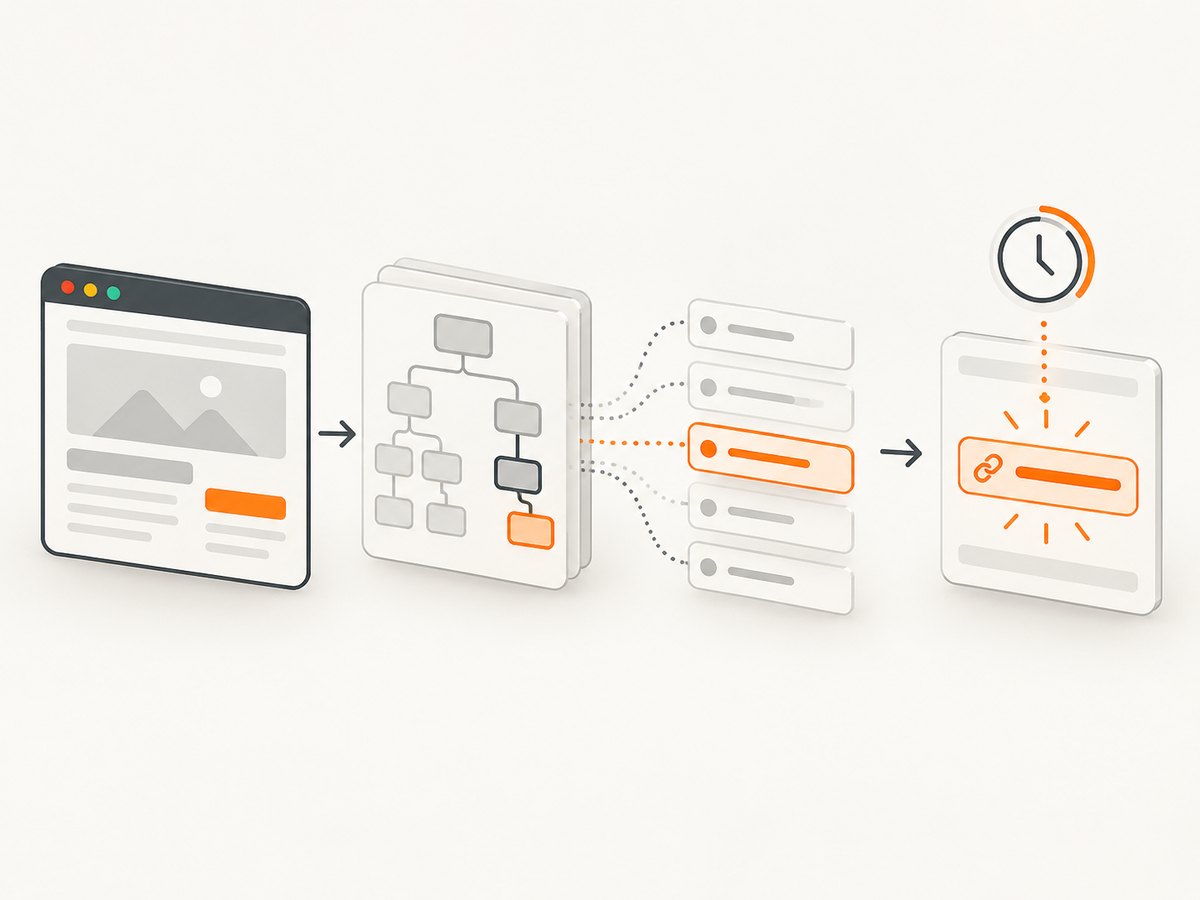
Selenium’s By.LINK_TEXT and By.PARTIAL_LINK_TEXT match the anchor’s visible text. They do not match its href attribute. To locate one link by URL, inspect the rendered DOM and use a CSS attribute selector such as a[href='https://example.test/path'] or an XPath predicate such as //a[@href='https://example.test/path'].
This guide shows how to diagnose a failing locator, verify that it selects the intended element, handle asynchronous rendering, frames, shadow roots and stale references, and choose a selector that remains maintainable.
1. Use the right locator for the attribute you mean
Start by deciding whether the test needs visible text or an URL value:
| Intent | Python locator | What it matches |
|---|---|---|
| Exact visible text | (By.LINK_TEXT, 'Pricing') |
The rendered text of an anchor |
| Partial visible text | (By.PARTIAL_LINK_TEXT, 'Pric') |
Part of the rendered text |
| Exact href | (By.CSS_SELECTOR, "a[href='https://example.test/path']") |
The literal DOM href attribute |
| Href with XPath | (By.XPATH, "//a[@href='https://example.test/path']") |
An anchor whose DOM attribute equals that value |
Official Selenium locator guidance covers these strategies and their binding syntax: locator strategies.
2. Inspect the actual DOM before changing the selector
- Open browser developer tools and inspect the target anchor.
- Confirm the tag is really
<a>and copy the exacthrefattribute value. - Check whether the link is inside an iframe or shadow root.
- Look for duplicate anchors, redirects, relative URLs, query strings and fragments.
An author may expect https://example.test/path while the rendered DOM contains /path, a trailing slash, a query string or a different host. An href selector only matches the value that exists in the current DOM.
3. Runnable Python diagnostic
Install Selenium with pip install selenium. The following script opens a page, counts all href matches, prints their identity, waits for the intended element and verifies the attribute before clicking.
from selenium import webdriver
from selenium.webdriver.common.by import By
from selenium.webdriver.support.ui import WebDriverWait
from selenium.webdriver.support import expected_conditions as EC

URL = "https://example.test"
HREF = "https://example.test/path"
locator = (By.CSS_SELECTOR, f'a[href="{HREF}"]')

driver = webdriver.Chrome()
try:
    driver.get(URL)

    matches = driver.find_elements(*locator)
    print(f"matches: {len(matches)}")
    for index, element in enumerate(matches, 1):
        print(index, element.tag_name, element.get_attribute("href"), repr(element.text))

    link = WebDriverWait(driver, 10).until(
        EC.presence_of_element_located(locator)
    )
    assert link.get_attribute("href") == HREF

    clickable = WebDriverWait(driver, 10).until(
        EC.element_to_be_clickable(locator)
    )
    clickable.click()
finally:
    driver.quit()
find_elements is useful during diagnosis because it exposes the match count. find_element returns the first match, so a successful lookup does not prove that Selenium chose the intended link.
4. CSS href selectors that handle common URL shapes
Exact value
locator = (By.CSS_SELECTOR, "a[href='https://example.test/path']")Relative URL
locator = (By.CSS_SELECTOR, "a[href='/path']")Use the literal attribute value shown in DevTools. Selenium may return an absolute URL from get_attribute('href') even when the source attribute is relative, so compare the value you intend to test and inspect both forms when debugging.
Stable URL prefix or suffix
starts = (By.CSS_SELECTOR, "a[href^='/products/']")
ends = (By.CSS_SELECTOR, "a[href$='/details']")
contains = (By.CSS_SELECTOR, "a[href*='checkout']")
These forms are useful when a query parameter changes, but constrain the selector with a stable parent, ID or data attribute if more than one link can match.
Combining attributes
locator = (By.CSS_SELECTOR, "nav#account a[href='/settings']")Prefer a unique, stable ID when one exists. Otherwise keep CSS compact and readable.
5. XPath alternatives and escaping
locator = (By.XPATH, "//a[@href='https://example.test/path']")
link = WebDriverWait(driver, 10).until(
    EC.presence_of_element_located(locator)
)
XPath is useful when the relationship to another element matters:
locator = (By.XPATH, "//nav[@aria-label='Account']//a[@href='/settings']")XPath can be harder to debug. URLs containing quotes need a correctly escaped XPath literal; for complex values, select by a stable attribute and verify get_attribute('href') in Python. CSS literals also require escaping when the value contains selector-significant characters. The exact escaping syntax depends on the binding and selector literal.
6. Wait for the state that makes the link usable
A locator can be correct while the lookup runs too early. If navigation, JavaScript rendering or a previous action creates the link, wait for presence, visibility or clickability:
from selenium.webdriver.support import expected_conditions as EC

presence = WebDriverWait(driver, 15).until(
    EC.presence_of_element_located(locator)
)
visible = WebDriverWait(driver, 15).until(
    EC.visibility_of_element_located(locator)
)
clickable = WebDriverWait(driver, 15).until(
    EC.element_to_be_clickable(locator)
)
Presence means the node exists. Visibility means it can be seen. Clickability requires visibility and enabled state. Choose the least strict condition that matches the action, and make sure the expected page and earlier actions have completed. See Selenium’s troubleshooting guidance and Python expected conditions reference.
7. Check the browsing context
Iframe
A driver-level lookup searches the current document. Switch into the frame before locating its descendants:

frame = WebDriverWait(driver, 10).until(
    EC.frame_to_be_available_and_switch_to_it((By.CSS_SELECTOR, "iframe#checkout"))
)
link = WebDriverWait(driver, 10).until(
    EC.presence_of_element_located(locator)
)
driver.switch_to.default_content()
If the frame is nested, switch through each frame in order. Switch back to the default content before searching the parent page again.
Shadow DOM
Shadow descendants are not ordinary document children. Obtain the relevant shadow root and search from it:
host = driver.find_element(By.CSS_SELECTOR, "account-menu")
root = host.shadow_root
link = root.find_element(By.CSS_SELECTOR, "a[href='/settings']")
Use the shadow root containing the anchor, and repeat the process for nested shadow roots.
8. Recover from stale elements
A stored WebElement becomes stale when the underlying DOM node is replaced or is no longer accessible. Selenium does not relocate it automatically. Store the locator, wait for the page update, then find the element again:
locator = (By.CSS_SELECTOR, "a[href='/reports']")
link = WebDriverWait(driver, 10).until(EC.element_to_be_clickable(locator))
# An action that can re-render the page happens here.
link = WebDriverWait(driver, 10).until(EC.element_to_be_clickable(locator))
link.click()
Do not keep retrying a stale object. Re-check that the locator still identifies the intended anchor after the update.
9. Diagnose the exact failure
| Symptom | Likely cause | Fix |
|---|---|---|
NoSuchElementException |
No match in the current document or context | Inspect the DOM, wait for rendering, and switch to the correct iframe or shadow root. |
| Invalid selector | Malformed CSS/XPath or unescaped literal | Test the selector in DevTools, simplify it, and escape URL characters for the chosen syntax. |
| More than one match | The href is shared by several anchors | Inspect every result and add a stable parent, ID, role or data attribute. |
| Wrong link clicked | find_element selected the first match |
Use find_elements, print href/text, and constrain the selector. |
| Element not interactable | Node exists but is hidden, disabled, covered or not ready | Wait for visibility or clickability and handle overlays or scrolling in the page. |
StaleElementReferenceException |
DOM update replaced the saved node | Locate it again from the original locator after the update. |
| Timeout after navigation | Expected page or prior action has not completed | Verify the URL/page state and wait on a specific condition instead of a fixed sleep. |
10. A repeatable debugging checklist
- Copy the rendered
hreffrom DevTools. - Confirm whether the requirement is visible text or an attribute value.
- Run
find_elementsand inspect count, href and text. - Use a stable ID or compact CSS selector where possible.
- Wait for presence, visibility or clickability as appropriate.
- Switch into the correct iframe or shadow root.
- Re-find elements after DOM updates.
- Assert the selected element’s href before performing a destructive action.
11. Performance, reliability and maintenance
Prefer one precise lookup over repeatedly scanning the page with broad XPath. Keep selectors tied to stable IDs, data attributes or URL attributes that represent the test’s intent. Avoid long absolute XPath paths based on layout. During diagnosis, the extra find_elements inspection is useful; remove noisy logging from normal test runs.
Explicit waits make timing assumptions visible and reduce races caused by arbitrary sleeps. A locator that is unique, readable and based on a stable contract is easier to repair when the page changes.
Or skip the browser setup
If the goal is to capture a page or verify its rendered output rather than drive a browser interaction, ScreenshotNeo provides a single screenshot API request. It accepts the cookie or consent banner like a visitor and removes more than 60 known consent platforms, newsletter popups and chat widgets before capture; each step can be turned off. Bot checks, blank pages, timeouts, failed loads and cache hits are not billed, and response headers report the page verdict and billing status.
See the ScreenshotNeo API documentation for all options.
cURL
curl -G "https://api.screenshotneo.com/v1/shot" -d access_key=YOUR_API_KEY --data-urlencode url=https://stripe.com -o shot.webpPython
import requests; r = requests.get("https://api.screenshotneo.com/v1/shot", params={"access_key": "YOUR_API_KEY", "url": "https://stripe.com"}, timeout=90); open("shot.webp", "wb").write(r.content)Node.js
const q = new URLSearchParams({ access_key: 'YOUR_API_KEY', url: 'https://stripe.com' }); const res = await fetch(`https://api.screenshotneo.com/v1/shot?${q}`);ScreenshotNeo also has an MCP server so Claude, Cursor and other MCP clients can use take_screenshot, get_page_info and capture_pdf. One thousand screenshots per month are free with no card; paid plans start at $5 for 3,000. Create a free ScreenshotNeo account.
FAQ
Why does LINK_TEXT fail when the URL is correct?
Because LINK_TEXT compares visible anchor text, not the href attribute. Use a CSS href selector or XPath predicate for the URL.
Should I use CSS or XPath?
Use a stable ID first. Use readable CSS for a href attribute; choose XPath when a relationship or predicate is clearer and maintainable.
Why does get_attribute(‘href’) differ from the HTML?
Browsers can resolve a relative source attribute to an absolute property value. Compare the value relevant to your test and inspect the raw DOM attribute when needed.
Can Selenium find a link inside an iframe without switching?
No. Switch into the frame first, then search within that browsing context.
Why did my saved element become invalid?
A DOM update replaced or detached it. Re-locate the element from its locator after the update.


