How to Fix Selenium WebDriverException: No Command or Response Codec Has Been Defined
Understand why Selenium's command codecs are missing, then fix custom sessions, Appium dependencies, command timing, and protocol setup.
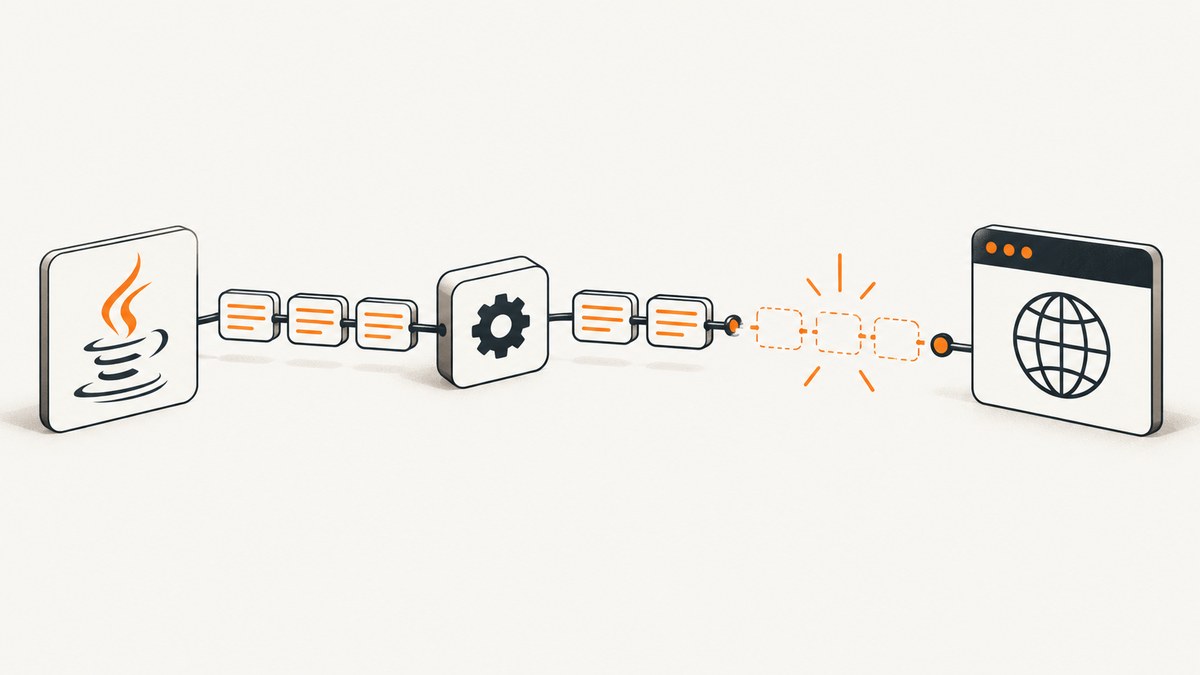
Short answer: Selenium’s Java HttpCommandExecutor throws WebDriverException: No command or response codec has been defined. Unable to proceed when it tries to send a WebDriver command before its command and response codecs have been initialized. The normal newSession protocol handshake assigns those codecs. Custom session creation, session reattachment, a fabricated newSession response, or a command sent at the wrong point in the lifecycle can bypass that initialization.
Start by identifying the first command that fails and checking whether your code overrides HttpCommandExecutor, CommandExecutor, startSession, or execute. If you use Appium, also inspect the complete dependency tree, duplicate Selenium jars, endpoint, and client/server versions. Historical Appium reports are useful clues, but they are not a current compatibility matrix.
What the exception means
Selenium’s Java client encodes each command before sending it to the remote WebDriver server and decodes the response that comes back. The command codec knows how operations such as get, findElement, and click map to the wire protocol. The response codec interprets the server’s reply.
Those codecs are selected during session negotiation. A successful-looking Java object or a stored session ID does not prove that negotiation completed. If code fabricates a response for newSession, attaches to a session without using the supported flow, or calls an executor before a session exists, the executor can retain null codec fields. The next ordinary command then reaches the guard that emits this exception.
That is why the error often appears on a later line such as driver.get(), findElement(), click(), or even an operation that configures a timeout. The browser may already be open; the failure is in Selenium’s protocol state.
Fast diagnosis checklist
- Record the complete stack trace, including the first Selenium class that throws.
- Write down the exact failing call. Distinguish a normal WebDriver command from a custom command such as session enumeration.
- Capture Selenium, Java-client, Appium server, browser-driver, and Java versions.
- Log the remote URL and confirm that it points to the server intended for this test.
- Search the codebase for
HttpCommandExecutor,CommandExecutor,startSession,newSession, overriddenexecute, and reflection against executor fields. - Inspect the dependency graph for multiple Selenium versions or jars pulled transitively by an Appium client.
- Check whether a custom command runs before driver construction or before the new-session response is complete.

Fix the common root cause: custom session creation
The clearest documented trigger is an executor override that intercepts newSession, returns a synthetic response, and skips Selenium’s normal protocol-handshake initialization. The session appears to exist, but command and response codecs remain unset.
Minimal reproduction pattern
public class BrokenExecutor extends HttpCommandExecutor {
    public BrokenExecutor(URL remoteServer) {
        super(remoteServer);
    }

    @Override
    public Response execute(Command command) throws IOException {
        if (DriverCommand.NEW_SESSION.equals(command.getName())) {
            Response response = new Response();
            response.setSessionId("already-created-session");
            response.setValue(Collections.singletonMap("browserName", "chrome"));
            return response; // Handshake setup is bypassed.
        }
        return super.execute(command);
    }
}
Do not use this pattern as a session-attachment mechanism. Returning a plausible response is not equivalent to negotiating the protocol. It leaves the executor unable to encode or decode the next command.
Preferred correction
- Remove the executor override and create the driver through the supported constructor for your installed Selenium version.
- If a remote session is required, use the supported remote-driver/session-attachment API documented for that exact version instead of manufacturing a
newSessionresponse. - If you must implement a custom executor, delegate the complete new-session exchange and preserve the initialization performed by Selenium’s implementation.
- Run one simple command, such as
get, only after the returned driver has completed session creation.
WebDriver driver = new RemoteWebDriver(
    new URL(System.getenv("SELENIUM_REMOTE_URL")),
    new ChromeOptions()
);
try {
    driver.get("https://example.com");
    System.out.println(driver.getTitle());
} finally {
    driver.quit();
}
Private-field reflection sometimes appears in historical workarounds to write codec fields manually. Treat that as an experiment for source-level investigation, not a durable fix. Field names, visibility, and protocol behavior can change between Selenium releases.
Check command timing and custom commands
A separate failure path occurs when a custom command is issued before a valid session exists. For example, code that enumerates or cleans up sessions may call a custom getAllSessions operation before creating the driver, or may use a stale session ID. Move session-scoped commands until after newSession has completed and verify that the command is sent to the correct endpoint.
// Correct lifecycle order
WebDriver driver = new RemoteWebDriver(remoteUrl, options);
String sessionId = ((RemoteWebDriver) driver).getSessionId().toString();
// Use session-dependent custom operations only after this point.
If the failing operation is not a standard WebDriver command, isolate it. First run a plain driver with no custom executor or command extensions. Then add the extension back and test the first custom call separately. This tells you whether the codec state is missing at session creation or whether the custom command is simply being called too early.
Appium: verify the whole dependency and environment
Older Appium discussions associate this message with mixed Java-client and Selenium versions, duplicate SDK paths, and environment variables. Those reports describe Appium and Selenium releases from earlier eras; they should prompt inspection rather than dictate an upgrade.
Maven dependency inspection
mvn dependency:tree -Dincludes=org.seleniumhq.selenium,io.appiumLook for more than one Selenium version, an old Selenium jar supplied by a test framework, or an Appium client that expects a different API generation. Exclude an unwanted transitive dependency only after confirming which version your installed Java-client supports.
Gradle dependency inspection
./gradlew dependencies --configuration testRuntimeClasspathVerify that the resolved Selenium modules are consistent. Do not mix manually copied jars with Maven or Gradle dependencies. Clear stale build output and recreate the test environment after changing versions.
Appium isolation test
- Start a minimal Appium session using only the current Java-client and its declared dependencies.
- Use a standard
AndroidDriverorIOSDriverconstructor. - Run one navigation or element lookup.
- Reintroduce custom executors, plugins, session reuse, and environment-specific wrappers one at a time.
Also check that your shell does not select an unexpected Java installation, Appium binary, or SDK directory. Print the executable paths and Java version from the same process that launches the tests.
Protocol, endpoint, and version checks
A wrong endpoint normally produces a connection or HTTP error, but endpoint wrappers and proxy layers can make session behavior appear successful while returning an unexpected protocol shape. Confirm that the URL is the server’s WebDriver endpoint for your installed release, that any reverse proxy forwards the session routes, and that authentication headers are preserved.
Use the current Selenium and Appium documentation for supported combinations. The historical examples do not establish which versions are compatible today. Upgrade or downgrade deliberately, one dependency group at a time, and retain the complete server log for each attempt.
Logging that reveals the first broken step
Enable client and server logging, then compare timestamps for the new-session request, response, and first failing command. You want to answer three questions:
- Did a real
newSessionrequest reach the server? - Did the response contain the expected session ID and capabilities?
- Was the failing command sent through the same executor and session?
When a custom executor is involved, log the command name without credentials or cookie values. Avoid logging access tokens, passwords, or full authorization headers. A useful diagnostic record includes the command name, session ID hash, endpoint host, client versions, and HTTP status.
Troubleshooting table
| Symptom | Likely cause | Action |
|---|---|---|
Session object returns, then get() fails |
Fabricated or intercepted newSession |
Remove the override and use supported session creation. |
Error occurs in implicitlyWait or another ordinary call |
Codecs were already missing; this is the first command that exposed it | Inspect session creation, not the timeout value. |
Error only on getAllSessions or cleanup |
Custom command issued before a valid session or with a stale ID | Move it after new-session completion and validate the session. |
| Only Appium project fails | Mixed Selenium/Java-client jars or environment paths | Print the dependency tree, remove duplicates, verify current compatibility. |
| Failure began after a proxy change | Session routes or response fields altered in transit | Test directly against the server and inspect proxy forwarding. |
| Different behavior on another machine | Different resolved jars, Java runtime, endpoint, or environment variable | Compare runtime versions and dependency lockfiles. |
Reliability and performance considerations
Keep session creation on the critical path and avoid reusing sessions across unrelated tests unless the server and client explicitly support it. Session reuse can reduce startup time, but stale sessions make lifecycle bugs harder to diagnose. A fresh session is a useful control test.
Do not “fix” the exception by retrying every command. Retries cannot initialize missing codecs and may duplicate clicks or form submissions. Retry session creation only when the server log shows a transient startup or transport failure, and use an idempotent test setup.
Dependency consistency is a reliability feature. Pin Selenium and Appium versions, record the resolved graph in CI, and fail builds when duplicate major versions appear. Keep client and server logs together for incident review.
Or skip the browser setup
If your goal is to obtain a screenshot for a test report, visual regression job, or documentation page, ScreenshotNeo provides a direct HTTP capture instead of requiring Selenium session management. See the ScreenshotNeo API documentation for the complete option list.

curl -G "https://api.screenshotneo.com/v1/shot" -d access_key=YOUR_API_KEY --data-urlencode url=https://stripe.com -o shot.webpimport requests
r = requests.get("https://api.screenshotneo.com/v1/shot", params={"access_key": "YOUR_API_KEY", "url": "https://stripe.com"}, timeout=90)
open("shot.webp", "wb").write(r.content)const q = new URLSearchParams({ access_key: 'YOUR_API_KEY', url: 'https://stripe.com' });
const res = await fetch(`https://api.screenshotneo.com/v1/shot?${q}`);ScreenshotNeo removes cookie and consent banners, newsletter popups, and chat widgets before capture. Bot checks, blank pages, failed loads, timeouts, and cache hits are not billed, and response headers identify the page verdict and whether the shot was billed. Its MCP server gives Claude, Cursor, and other MCP clients take_screenshot, get_page_info, and capture_pdf tools.
You can also select full-page or element captures, use dark mode and device presets, set a viewport and retina scale, wait for a selector or network idle, inject CSS or JavaScript, click or hide elements, block requests, provide headers and cookies, set timezone or geolocation, resize images, cache with a chosen TTL, create signed links, run asynchronous jobs with signed webhooks, capture up to 100 URLs per bulk call, and query usage. Free accounts include 1,000 shots per month with no card; paid plans start at $5 for 3,000 shots.
Create a free ScreenshotNeo account and use the included 1,000 monthly screenshots without a card.
FAQ
Does this error mean ChromeDriver is broken?
Not by itself. The message identifies missing Selenium protocol codecs. Browser startup can succeed while the Java executor remains uninitialized.
Should I set the codec fields with reflection?
No as a durable production fix. Reflection may confirm the diagnosis, but private implementation details can change. Repair the session handshake or remove the custom executor.
Can changing an implicit wait fix it?
No. A timeout call may merely be the first command that exposes an earlier session-creation defect.
Is installing an older Appium Java-client version the answer?
Not automatically. Historical reports are old. Inspect your resolved dependencies and verify the versions against current official documentation.
Why does the error appear only in CI?
CI may resolve different jars, use a different Java runtime, select another endpoint, or load different environment variables. Compare those values with a working local run.


