How to Fix Selenium PhantomJS Login Pages That Never Fully Load
Fix hanging Selenium PhantomJS login pages with explicit waits, bounded navigation, TLS and proxy diagnostics, and a migration path to modern drivers.

Short answer: a completed Selenium navigation does not mean a JavaScript login form is ready. Replace fixed sleeps with explicit waits for the exact username field, password field, submit button, URL change, or authenticated marker. Put a page-load timeout around get(), collect diagnostics when it expires, and migrate from PhantomJS to maintained headless Chrome or Firefox for current TLS and JavaScript compatibility.
PhantomJS is an obsolete foundation for new login tests. Its project homepage says, “Important: PhantomJS development is suspended until further notice.” Selenium support was also deprecated in favor of headless Chrome or Firefox. The fixes below can help you diagnose a legacy suite, but migration is the durable solution.
Why the login page appears to load forever
Selenium’s normal navigation strategy waits for a document ready state, normally complete. Modern applications can continue fetching data, running JavaScript, hydrating components, or loading third-party resources after that point. Conversely, a page-load call can remain blocked by a resource that is unrelated to the login form.
- Ready state is too early: the DOM exists, but the login controls have not been rendered or enabled.
- Ready state is too late: an analytics, advertisement, font, or chat request prevents navigation from returning.
- TLS incompatibility: PhantomJS may fail during an HTTPS handshake or certificate negotiation.
- Proxy behavior: an inherited system proxy can add extreme latency or prevent requests.
- JavaScript failure: an exception stops the code that creates or submits the form.
- Authentication flow changes: redirects, cookies, anti-bot checks, or an identity provider require a state your old driver cannot provide.
Use an explicit wait instead of sleep
Wait for the element or state your test actually needs. A fixed delay only guesses how long a particular machine or network will take.
from selenium.common.exceptions import TimeoutException
from selenium.webdriver.common.by import By
from selenium.webdriver.support.ui import WebDriverWait
from selenium.webdriver.support import expected_conditions as EC

# Prefer webdriver.Chrome() or webdriver.Firefox() for new work.
driver.set_page_load_timeout(20)
login_url = "https://example.com/login"

try:
    driver.get(login_url)
except TimeoutException:
    # The DOM may still be usable. Capture diagnostics before deciding to continue.
    print("navigation timeout", driver.current_url)

wait = WebDriverWait(driver, 20)
username = wait.until(EC.visibility_of_element_located((By.NAME, "username")))
password = wait.until(EC.visibility_of_element_located((By.NAME, "password")))
username.send_keys(user)
password.send_keys(secret)
submit = wait.until(EC.element_to_be_clickable((By.CSS_SELECTOR, "button[type='submit']")))
submit.click()
wait.until(EC.url_changes(login_url))
Change the locators and authenticated condition to match the application. A URL change is not universal: single-page applications may keep the same URL. In that case, wait for a dashboard heading, account menu, logout control, or disappearance of the login form.
Useful expected conditions
| Need | Condition | When to use it |
|---|---|---|
| Element exists in the DOM | presence_of_element_located |
The control may be hidden while the app finishes layout. |
| Element can be seen | visibility_of_element_located |
Typing requires a visible input. |
| Element can be clicked | element_to_be_clickable |
Buttons may be disabled until validation completes. |
| Redirect completed | url_changes |
The login creates a new URL. |
| Authenticated UI exists | presence_of_element_located |
A single-page app does not navigate. |
Bound navigation before waiting for the form
Always put a finite limit around driver.get(). The value depends on the application and environment; it is not a universal performance target. When the limit expires, save evidence and only continue if the DOM is usable.
from pathlib import Path
from selenium.common.exceptions import TimeoutException

artifacts = Path("artifacts")
artifacts.mkdir(exist_ok=True)

driver.set_page_load_timeout(30)
try:
    driver.get(login_url)
except TimeoutException:
    (artifacts / "page.html").write_text(driver.page_source, encoding="utf-8")
    driver.save_screenshot(str(artifacts / "timeout.png"))
    print("URL at timeout:", driver.current_url)
    # Continue only when a later explicit wait can find the required controls.
Choose a page-load strategy deliberately
Selenium provides three strategies:
| Strategy | Navigation returns after | Trade-off |
|---|---|---|
normal |
The load event and dependent resources complete. | Safest default, but a slow third-party request can hold the call. |
eager |
DOMContentLoaded. |
Returns sooner; every required control still needs an explicit wait. |
none |
The initial download starts. | Maximum control, but the test must wait for all usable state. |
from selenium import webdriver
from selenium.webdriver.chrome.options import Options

options = Options()
options.add_argument("--headless=new")
options.page_load_strategy = "eager"
driver = webdriver.Chrome(options=options)
Use eager or none only when your explicit waits cover the login form and post-login state. Changing the strategy cannot repair TLS failures or JavaScript exceptions.
Check HTTPS and TLS failures
If HTTP works but the HTTPS login hangs, inspect the handshake, certificate chain, and driver logs. Historical PhantomJS releases used obsolete SSL behavior; reports describe SSLv3 failures after sites disabled it and legacy flags such as --ssl-protocol=tlsv1 or --ssl-protocol=any. Those are diagnostic workarounds for old environments, not a modern security recommendation. Upgrading the browser engine is safer.
# Legacy PhantomJS diagnostic only; prefer migration.
phantomjs --ssl-protocol=tlsv1 script.js
Do not disable certificate verification to hide the problem. Confirm the URL, certificate validity, system clock, trust store, and whether the current site requires a TLS version PhantomJS cannot negotiate.
Check proxy and network behavior
A system proxy can route every resource through a slow or unreachable endpoint. PhantomJS troubleshooting reports Windows cases where the default proxy caused massive latency and identifies --proxy-type=none as a workaround.
# Legacy diagnostic when the machine should connect directly.
phantomjs --proxy-type=none script.js
Capture the failing request before changing several settings. Log the URL, HTTP status, redirect location, elapsed time, and resource type. A blocked image is a different problem from a failed login API request.
Configure PhantomJS before opening the URL
If a legacy suite must keep PhantomJS temporarily, set its options before the initial page.open. Relevant settings include JavaScript enablement, user agent, HTTP authentication credentials, resource timeout, and web security. These settings affect the first open call.
var page = require('webpage').create();
page.settings.javascriptEnabled = true;
page.settings.userAgent = 'Mozilla/5.0 (compatible; legacy-test)';
page.settings.resourceTimeout = 30000;
page.settings.webSecurityEnabled = true;

page.onResourceError = function (error) {
  console.log(JSON.stringify({
    url: error.url,
    errorCode: error.errorCode,
    errorString: error.errorString
  }));
};
page.onError = function (message, trace) {
  console.log(JSON.stringify({ message: message, trace: trace }));
};

page.open('https://example.com/login', function (status) {
  console.log('open status:', status);
  phantom.exit(status === 'success' ? 0 : 1);
});
Use this only to expose the failure. PhantomJS cannot gain modern browser compatibility through a few settings.
Capture evidence when a run times out
At every timeout, record enough information to distinguish an early lookup from a broken load:
driver.current_url, including every redirect destination.- Page source and a screenshot of the visible state.
- Browser and driver logs, including JavaScript console errors.
- Network or resource callbacks showing the last request and status.
- Cookies and user-agent value when an identity provider or bot check is involved.
- The exact wait condition and elapsed time that failed.
A page showing the login form with a timeout usually needs a better wait. A blank page, certificate error, repeated redirect, or console exception needs network, TLS, cookie, or application debugging.
Migrate to a maintained headless browser
For new work, use Selenium with current headless Chrome or Firefox. Port the selectors and authentication steps, then add explicit waits and diagnostics before comparing results. Evaluate replacements on browser-engine maintenance, current TLS and JavaScript support, WebDriver behavior, logging, page-load strategy controls, and the effort to port your existing selectors and authentication flow.
from selenium import webdriver
from selenium.webdriver.chrome.options import Options

options = Options()
options.add_argument("--headless=new")
options.add_argument("--window-size=1440,1200")
driver = webdriver.Chrome(options=options)
try:
    driver.set_page_load_timeout(30)
    driver.get("https://example.com/login")
    # Add explicit waits for the actual login and authenticated controls.
finally:
    driver.quit()
Common errors and fixes
| Symptom | Likely cause | Fix |
|---|---|---|
TimeoutException from get() |
Slow or blocked resource, redirect loop, or TLS failure. | Save URL/source/screenshot/logs; inspect resources; set a bounded timeout. |
| Form lookup fails immediately | JavaScript has not rendered the form. | Wait for visibility or presence of the exact locator. |
| Button is present but cannot be clicked | Overlay, disabled validation state, or wrong frame. | Wait for clickability, inspect overlays, and switch to the correct iframe if applicable. |
| HTTP works, HTTPS hangs | Obsolete TLS or certificate-chain problem. | Inspect the handshake and trust store; migrate from PhantomJS. |
| Every request is very slow | Unexpected proxy or DNS/network path. | Log requests and test the intended proxy configuration. |
| Blank page with console errors | Unsupported JavaScript or a runtime exception. | Read console/resource errors and use current Chrome or Firefox. |
| Login redirects repeatedly | Cookies, storage, user agent, clock, or identity-provider policy. | Record redirect locations and cookies; reproduce with a maintained browser. |
| Login succeeds but wait never ends | SPA keeps the same URL or changes state asynchronously. | Wait for a stable authenticated element instead of URL change. |

Performance, reliability, and cost notes
- Explicit waits reduce wasted time compared with a large global sleep while still tolerating slower runs.
- Short page-load limits prevent one broken resource from blocking a worker indefinitely; choose the limit from observed application behavior.
eagercan reduce handoff time when nonessential assets are slow, but it increases the responsibility on your waits.- Keep screenshots, HTML, logs, and request failures for failed runs so intermittent problems are diagnosable.
- Reuse a browser process when safe, but isolate cookies and storage between accounts or tests.
- For high-volume screenshot jobs, account for browser startup, page weight, third-party requests, retries, and concurrency rather than assuming navigation time is fixed.
Or skip the browser setup
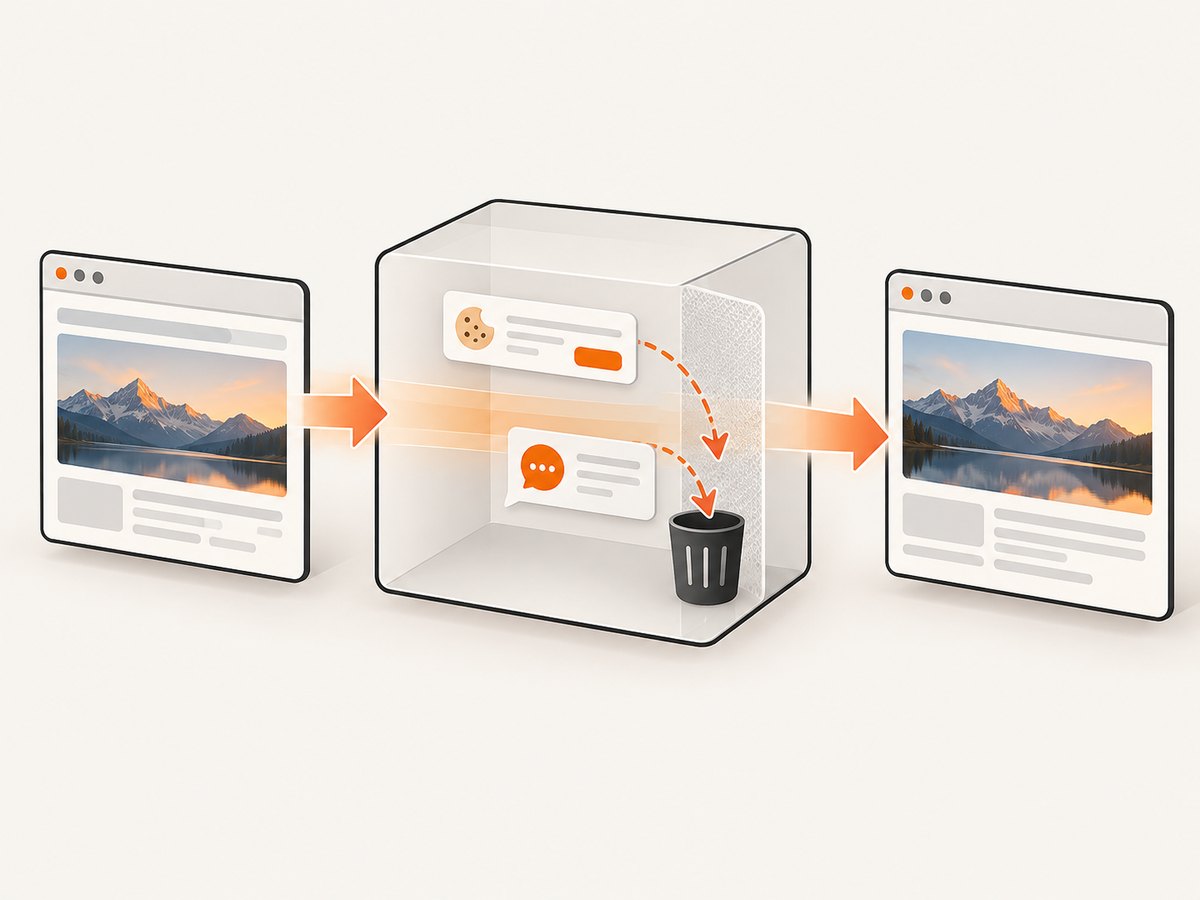
If the goal is a reliable image of a login or other page state rather than an interactive test, ScreenshotNeo provides a single request API. It accepts consent banners as a visitor and removes more than 60 known consent platforms, newsletter popups, and chat widgets before capture; each step can be turned off. Bot checks and CAPTCHAs, blank pages, timeouts, failed loads, and cache hits are not billed, and the response identifies the result with X-Page-Verdict and X-Billed headers. An MCP server also lets Claude, Cursor, and other MCP clients call take_screenshot, get_page_info, and capture_pdf.
See the ScreenshotNeo API documentation for all options. The basic call is:
cURL
curl -G "https://api.screenshotneo.com/v1/shot" -d access_key=YOUR_API_KEY --data-urlencode url=https://stripe.com -o shot.webpPython
import requests
r = requests.get("https://api.screenshotneo.com/v1/shot", params={"access_key": "YOUR_API_KEY", "url": "https://stripe.com"}, timeout=90)
open("shot.webp", "wb").write(r.content)
Node.js
const q = new URLSearchParams({ access_key: 'YOUR_API_KEY', url: 'https://stripe.com' });
const res = await fetch(`https://api.screenshotneo.com/v1/shot?${q}`);
ScreenshotNeo includes full-page capture with lazy images loaded, CSS-selector element capture, dark mode, device presets or custom viewports, retina scale, PDF output, custom CSS and JavaScript, clicks, hide selectors, waits, request blocking, custom headers/cookies/user agents, timezone and geolocation, transparent backgrounds, resizing, chosen cache TTLs, signed links, asynchronous jobs with signed webhooks, bulk capture of up to 100 URLs per call, usage API, and an OpenAPI specification. It supports the parameter names used by other screenshot APIs to make switching easier.
There are 1,000 free screenshots each month with no card. Paid plans start at $5 for 3,000 shots; yearly billing gives two months free. Create a free ScreenshotNeo account.
FAQ
Does document.readyState == 'complete' prove the login is ready?
No. JavaScript can render or enable the form after the ready state. Wait for the control or authenticated marker your test needs.
Should I increase the timeout indefinitely?
No. A larger bound can hide a broken resource. Keep navigation bounded and inspect the failure artifacts.
Can a PhantomJS flag make modern login pages reliable?
No. Flags can expose a proxy or legacy TLS issue, but PhantomJS development is suspended and its browser engine cannot provide current compatibility.
When should I use eager?
Use it when waiting for every resource is unnecessary and your test has explicit waits for all required UI state.
Why does my post-login URL wait fail?
Many single-page applications keep the same URL. Wait for a stable dashboard, account control, or other authenticated-state element instead.


