How to Fix Selenium RC Sending Blank Screenshots on Windows XP and Windows Server
Diagnose blank Selenium RC screenshots by separating truncated client responses from missing interactive Windows desktops, then apply the right fix.
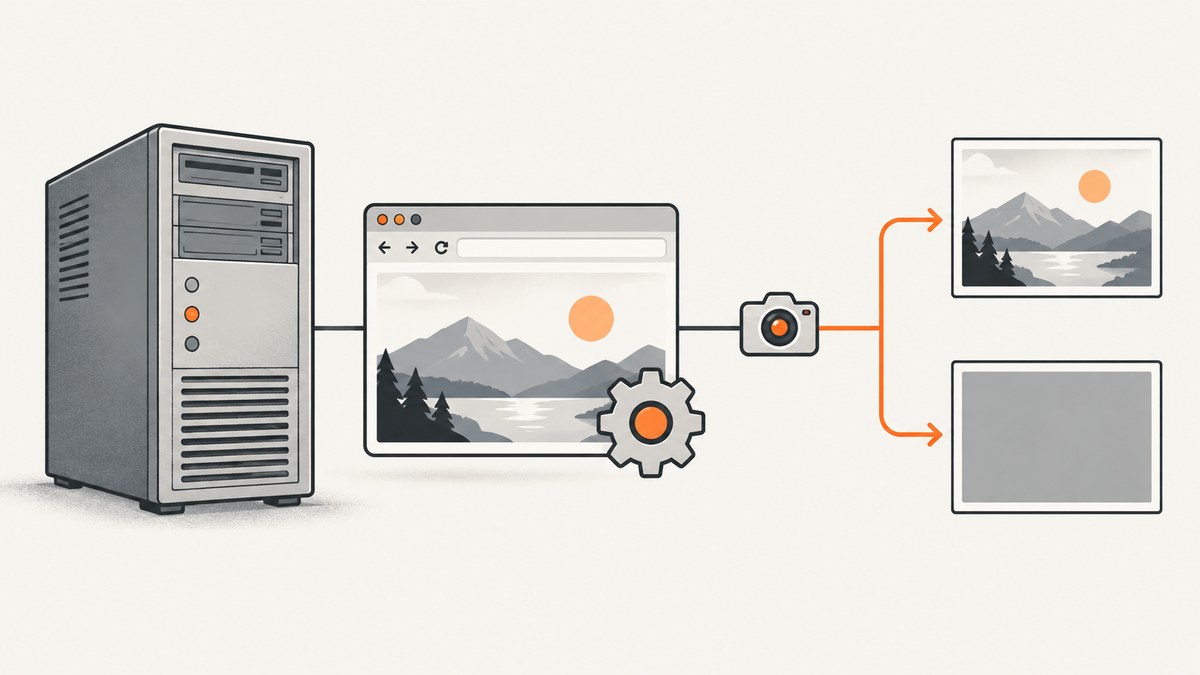
Start by separating two failures. A malformed or truncated Base64 response points to the client transport path, especially the PHP PEAR Testing_Selenium binding and the historical SRC-699 report. A valid PNG that is uniformly black or gray points to Selenium RC running without an interactive, logged-in Windows desktop. Test the image bytes before changing services or remote-session settings.
1. Confirm which failure you have
The classic report used Selenium RC 1.0.1, PHP PEAR Testing_Selenium, captureScreenshotToString(), and a 1440×900 result that decoded to a very small gray PNG. The dimensions matched the Mac display used to access the Windows machine, but dimensions alone did not prove that valid pixels were captured.
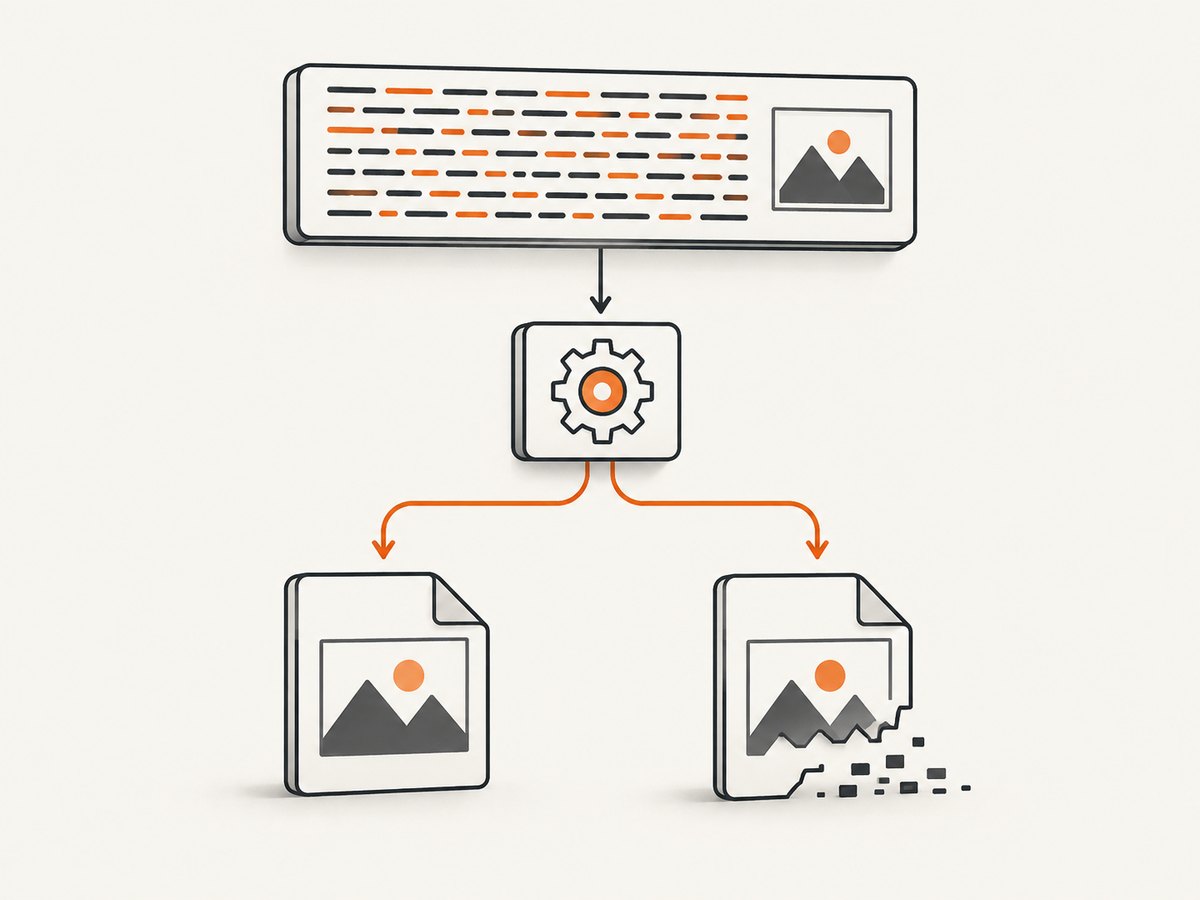
Check the raw response before decoding
- Save the exact return value from
captureScreenshotToString(). - Record its character length and inspect whether it looks like complete Base64.
- Decode exactly once and write the bytes to a
.pngfile. - Open the file with an image viewer and check whether it contains visible pixels.
<?php
$encoded = $selenium->captureScreenshotToString();

file_put_contents(__DIR__ . '/screenshot-response.txt', $encoded);
printf("Base64 characters: %d\n", strlen($encoded));

$png = base64_decode($encoded, true);
if ($png === false) {
    throw new RuntimeException('Response is not valid Base64');
}

file_put_contents(__DIR__ . '/selenium.png', $png);
printf("Decoded bytes: %d\n", strlen($png));

$info = @getimagesize(__DIR__ . '/selenium.png');
if ($info === false) {
    throw new RuntimeException('Decoded bytes are not a readable image');
}
printf("Image: %dx%d, MIME %s\n", $info[0], $info[1], $info['mime']);
?>
A decode error, unexpectedly short response, or file that image software cannot open means you should investigate response truncation first. A structurally valid image that is entirely black or gray means you should investigate the Windows desktop session independently.
2. Fix truncated or corrupt responses in the PHP client path
In the title-matching report, the author later attributed the problem to the PHP API truncating the response and referred to Selenium issue SRC-699. The report does not identify a patch version, so do not assume a particular package release is the fix.
Diagnostic checklist
- Capture and persist the raw Base64 string before any decoding or string conversion.
- Compare the response length across repeated captures of the same page.
- Check that your HTTP client reads the complete response body rather than a fixed-size buffer.
- Check PHP and PEAR error output for socket write or read errors.
- Try the same Selenium RC command through another client or a minimal script. If another client returns a valid image, the PEAR binding or its transport handling is the leading suspect.
- Review the historical SRC-699 discussion and the package’s change log before selecting a replacement client. The available report does not establish a current maintained fix.
Do not decode twice
captureScreenshotToString() returns Base64. Decode it once. Passing already-decoded binary data to base64_decode() can produce invalid output that looks like a Selenium failure.
3. Fix a valid but blank image by providing an interactive desktop
Selenium RC captures the browser’s desktop. Its creator warned that when the Java process has no physical desktop or remote desktop session, the screenshot can be black. This is historical Selenium RC guidance, and it describes a 2009 Windows setup rather than a current Windows recommendation.
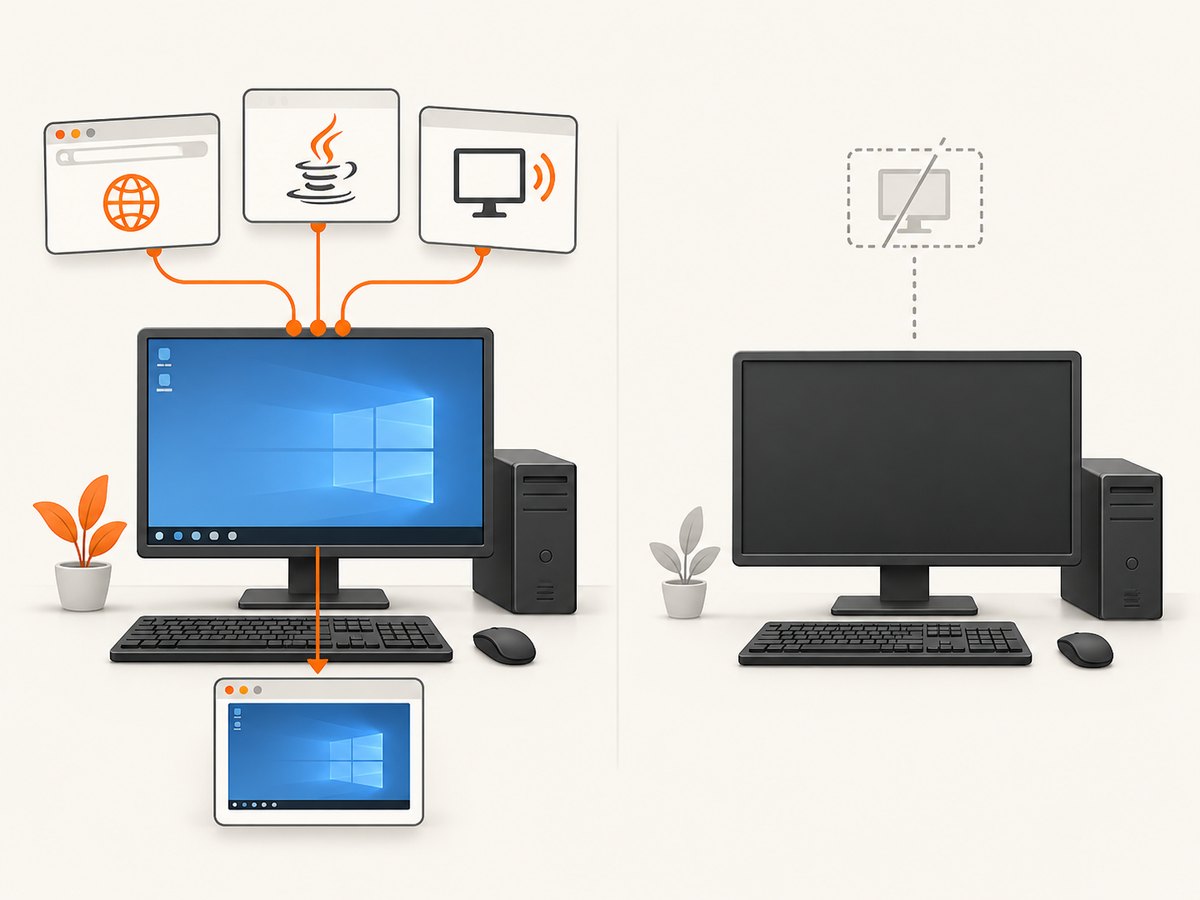
Windows XP or an older Windows Server setup
- Create a dedicated local Windows account for the Selenium run.
- Enable automatic login for that account only on a machine dedicated to this workload.
- Start a persistent VNC session at boot so an interactive desktop exists before Selenium starts.
- Launch Selenium RC from that user’s Startup folder after the desktop is available.
- Run the browser and test from the same session and repeat the capture several times.
The historical recommendation was VNC plus automatic login and a Startup-folder launch. Treat it as a diagnostic setup: it establishes whether a visible desktop is the missing dependency.
Windows Server service wrappers
A separate Windows Server 2003 report used Selenium 1.0.1 behind the Tanuki Java Service Wrapper. Setting wrapper.ntservice.interactive=true initially helped, but the author later reported blank screenshots again. If you test this setting, treat one successful capture as inconclusive and run repeated captures after restarts.
# Conceptual wrapper property used in the historical report
wrapper.ntservice.interactive=true
Also verify:
- The service account has a loaded user profile and access to the browser profile.
- The browser is not waiting on a hidden first-run dialog.
- A remote desktop disconnect has not destroyed or switched the interactive session.
- The Selenium Java process and browser run in the same session.
- The screen is not locked when the capture occurs.
4. A repeatable investigation procedure
- Reproduce once and save everything: Selenium RC logs, the raw Base64 response, decoded bytes, image dimensions, and the client version.
- Validate the file: distinguish malformed/truncated output from a valid all-black image.
- Test the client path: use a minimal script or another binding to rule out PHP response handling.
- Test the desktop path: run the same capture from a local console or persistent interactive remote session.
- Restart and repeat: service-wrapper and desktop-session changes can appear to work once and fail later.
- Record the winning condition: note the client, Selenium version, account, session type, and launch method so the fix can be reproduced.
5. Common errors and fixes
| Symptom | Likely cause | Fix |
|---|---|---|
| Base64 decode fails | Truncated response or transport error | Save the raw response, inspect lengths and socket errors, and test another client. |
| PNG dimensions are reported but viewers cannot open it | Corrupt or incomplete PNG bytes | Investigate PHP PEAR response handling and SRC-699 before changing desktop settings. |
| Image opens but is uniformly black or gray | No interactive desktop visible to the Java process | Run Selenium in a logged-in console or persistent interactive remote session. |
| Local run works, service run is blank | Service session lacks interactive desktop access | Compare accounts and sessions; test the historical interactive wrapper setting, then repeat after restart. |
| One capture works, later captures fail | Unreliable session or wrapper behavior | Run a restart-and-repeat test; do not treat a single success as proof. |
| 1440×900 appears on every file | Desktop resolution inherited from the access session | Use pixel validity and visible content as the test; dimensions do not prove a good screenshot. |
6. Reliability, performance and cost considerations
Reliability
Selenium RC is a legacy Selenium generation. A desktop-dependent capture adds failure points: login state, locked sessions, remote desktop disconnects, browser dialogs, service wrappers and client response handling. Keep the raw response and image validation in your pipeline so failures are observable.
Performance
Starting a browser and establishing a desktop session costs more than sending an HTTP request to a capture service. Reuse a stable session only when you can guarantee it remains interactive and isolated. If you must use the legacy stack, capture a small test page first and avoid diagnosing a large page and the desktop problem at the same time.
Cost
The historical reports do not provide a usage benchmark or cost figure. Account for the machine, browser, VNC or remote-session maintenance, and engineering time required to keep an interactive Windows environment available.
7. Or skip the browser setup
ScreenshotNeo provides a website screenshot API and MCP server. One request returns PNG, JPEG, WebP or PDF, without maintaining a Windows desktop.
Use the ScreenshotNeo API documentation for all options. A minimal request is:
curl -G "https://api.screenshotneo.com/v1/shot" -d access_key=YOUR_API_KEY --data-urlencode url=https://stripe.com -o shot.webpimport requests
r = requests.get("https://api.screenshotneo.com/v1/shot", params={"access_key": "YOUR_API_KEY", "url": "https://stripe.com"}, timeout=90)
open("shot.webp", "wb").write(r.content)const q = new URLSearchParams({ access_key: 'YOUR_API_KEY', url: 'https://stripe.com' });
const res = await fetch(`https://api.screenshotneo.com/v1/shot?${q}`);Before capture, ScreenshotNeo accepts cookie and consent banners and removes more than 60 known consent platforms, newsletter popups and chat widgets; each step can be disabled. Bot checks, blank pages, timeouts, failed loads and cache hits are not billed, and the response reports the page verdict and billing result in X-Page-Verdict and X-Billed headers. Its MCP server lets Claude, Cursor and other MCP clients call take_screenshot, get_page_info and capture_pdf.
Every plan includes features such as full-page lazy-image loading, CSS-selector element capture, device presets, custom viewports, retina scale, PDF controls, custom CSS and JavaScript, clicks, waits, request blocking, headers, cookies, user agents, timezone, geolocation, transparent backgrounds, resizing, TTL caching, signed links, asynchronous webhooks, bulk capture for 100 URLs per call, a usage API and an OpenAPI specification.
The Free plan includes 1,000 screenshots per month with no card. Paid plans start at $5 for 3,000 shots. Create a free ScreenshotNeo account.
8. FAQ
Is a gray image always a Windows desktop problem?
No. First determine whether the decoded bytes form a valid image. The PHP report points to response truncation, while a valid black image points toward desktop visibility.
Does wrapper.ntservice.interactive=true permanently fix Server 2003 captures?
No. One historical report says it helped initially but blank screenshots returned. Use it as a diagnostic experiment and verify repeated captures.
Do image dimensions prove that Selenium captured the page?
No. The reported 1440×900 dimensions reflected the access display and did not prove valid pixels.
Can Selenium RC run without VNC?
It needs an interactive desktop visible to the Java process. A local logged-in console or another persistent interactive session can test that requirement; the historical recommendation used VNC.
Where should I start if I use PHP PEAR Testing_Selenium?
Start with the raw response and decoded-file checks, then investigate the historical SRC-699 response-truncation report before changing Windows service settings.


