How to Fix Incorrect Selenium Screenshots When Running Tests in Parallel
Learn why parallel Selenium tests capture the wrong page and fix driver ownership, hooks, cleanup, naming, and concurrency issues.
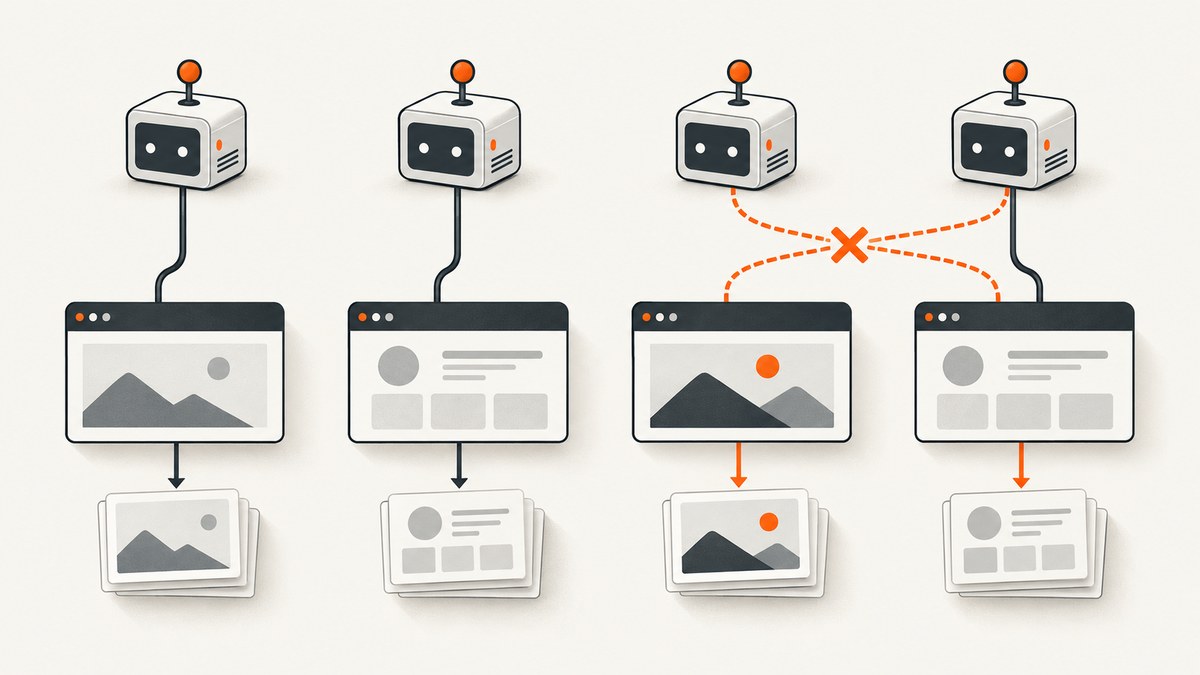
When a parallel Selenium test saves a screenshot showing another test’s page, the screenshot code is usually doing exactly what it was asked to do: capturing the browser state of the WebDriver instance it received. The defect is commonly earlier in the lifecycle: a shared driver, a driver reference crossing thread boundaries, a failure hook reading the wrong test context, teardown running first, or two tests overwriting the same artifact.
Fix the problem by giving every concurrently running test or worker ownership of one browser session, keeping driver creation, commands, screenshot capture, and quit aligned with that ownership, and writing artifacts to collision-resistant paths. Java’s ThreadGuard can expose cross-thread calls, but Selenium explicitly says it does not replace ThreadLocal driver management.
Why is Selenium taking a screenshot of the wrong test?
A screenshot represents the state reached by the WebDriver instance used at capture time. If test A’s failure hook receives test B’s driver, the image can be valid, complete, and still belong to the wrong test. A Selenium issue reports this symptom in parallel Docker tests, but the report does not establish one universal root cause for every setup (Selenium issue #15609).
Separate the failure into two categories:
| Symptom | Likely area | First check |
|---|---|---|
| The image shows another test’s URL or state | Driver/session selection, cross-thread access, or timing | Log test ID, worker/thread, session ID, URL, and window handle immediately before capture |
| The right image exists under another test’s filename | Artifact path collision | Include run, worker, and test identity in the path |
| The image is blank or from a login page | Hook timing, navigation wait, or teardown | Capture before quit and verify the page is ready |
| Only parallel runs fail | Shared mutable state or ownership mismatch | Run the same selection sequentially, then lower concurrency |
The ownership rule that makes parallel screenshots correct
Use one clear ownership unit that matches your runner’s concurrency model:
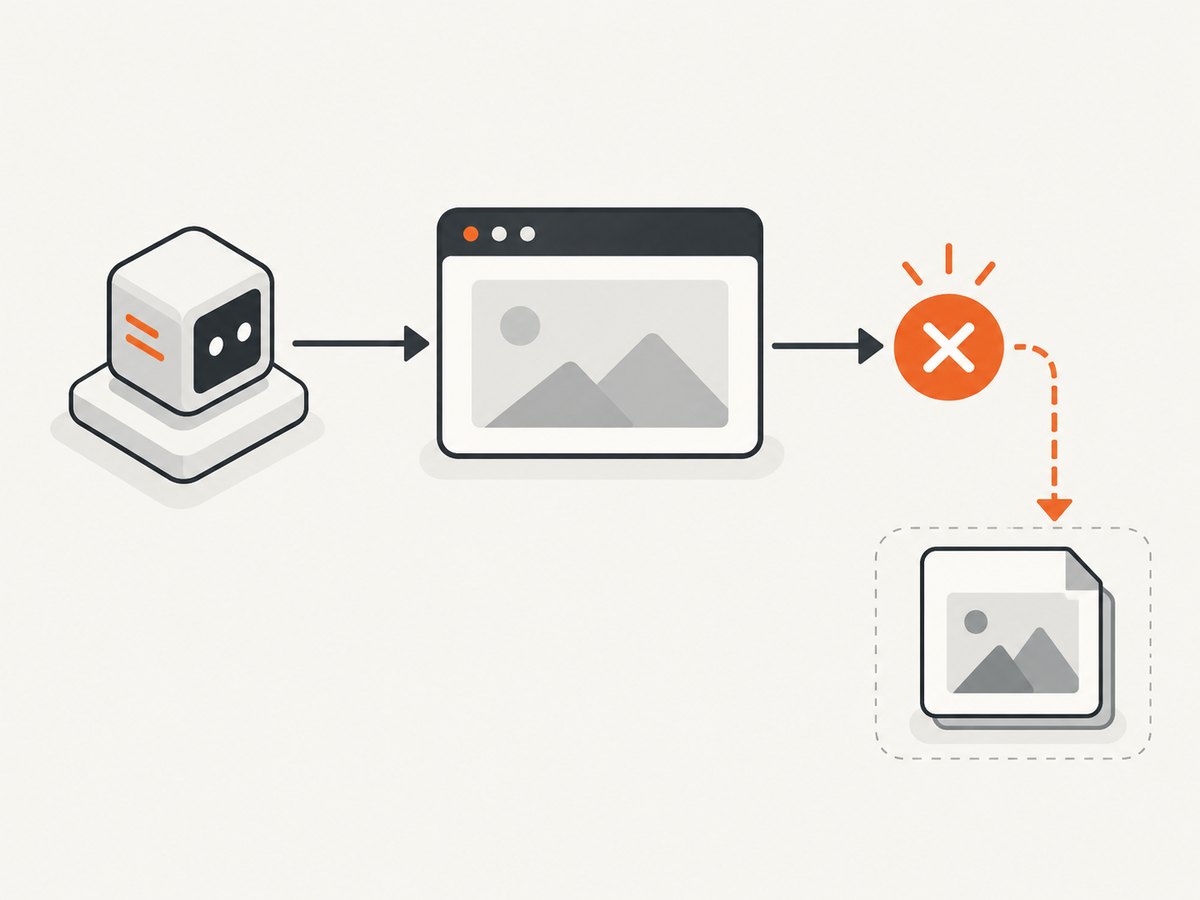
- Per test: the safest default when tests run concurrently and independently.
- Per worker or thread: valid when a worker executes a strictly serial queue of tests and resets the browser between tests.
- Per class or suite: only when the runner guarantees those tests cannot overlap and state sharing is intentional.
For the owner, keep these operations together:
- Create the driver.
- Run commands and navigation.
- Capture the failure screenshot.
- Quit the driver and clear the reference.
Do not store a driver in a static field, singleton “current driver,” shared scenario context, or mutable global that all tests can replace. A failure callback must resolve the driver from the failing test’s own fixture or context, not from whichever test created a driver most recently.
Java: use ThreadLocal for ownership and ThreadGuard for diagnosis
Selenium’s Java ThreadGuard checks that a driver is called only from the thread that created it. The official documentation also states: “This does not replace the need for using ThreadLocal to manage drivers when running in parallel.” See the ThreadGuard documentation and the Java API reference.
ThreadGuard is a diagnostic assertion, not a driver factory or lifecycle manager. A practical per-thread holder looks like this:
import java.nio.file.Files;
import java.nio.file.Path;
import java.time.Duration;
import org.junit.jupiter.api.AfterEach;
import org.junit.jupiter.api.BeforeEach;
import org.junit.jupiter.api.Test;
import org.openqa.selenium.OutputType;
import org.openqa.selenium.TakesScreenshot;
import org.openqa.selenium.WebDriver;
import org.openqa.selenium.chrome.ChromeDriver;
import org.openqa.selenium.support.ThreadGuard;

class CheckoutTest {
    private static final ThreadLocal<WebDriver> DRIVER = new ThreadLocal<>();

    @BeforeEach
    void setUp() {
        WebDriver raw = new ChromeDriver();
        WebDriver protectedDriver = ThreadGuard.protect(raw);
        protectedDriver.manage().timeouts().implicitlyWait(Duration.ofSeconds(5));
        DRIVER.set(protectedDriver);
    }

    private WebDriver driver() {
        WebDriver value = DRIVER.get();
        if (value == null) {
            throw new IllegalStateException("No WebDriver assigned to this test thread");
        }
        return value;
    }

    @Test
    void checkoutShowsConfirmation() {
        driver().get("https://example.test/checkout");
        // assertions...
    }

    @AfterEach
    void tearDown() throws Exception {
        WebDriver value = DRIVER.get();
        try {
            if (value != null) {
                if (currentTestFailed()) {
                    saveScreenshot(value, "checkout");
                }
                value.quit();
            }
        } finally {
            DRIVER.remove();
        }
    }

    private void saveScreenshot(WebDriver value, String testId) throws Exception {
        Path path = Path.of("artifacts", runId(), workerId(),
                sanitize(testId) + ".png");
        Files.createDirectories(path.getParent());
        Files.write(path, ((TakesScreenshot) value).getScreenshotAs(OutputType.BYTES));
    }

    private boolean currentTestFailed() {
        // Replace with your JUnit/TestNG failure state.
        return false;
    }

    private String runId() { return System.getProperty("run.id", "local-run"); }
    private String workerId() { return Thread.currentThread().getName(); }
    private String sanitize(String value) { return value.replaceAll("[^A-Za-z0-9._-]", "_"); }
}
Adapt the failure check and hook registration to your runner. The important properties are that the hook reads the current test’s driver, captures before quit(), and removes the ThreadLocal reference afterward. If a test framework already supplies a per-test fixture, use that fixture instead of introducing a second driver registry.
Python, JavaScript, and C#: keep the fixture context local
ThreadGuard is a Java binding feature; it is not available in Python, JavaScript, or C#. The language-neutral rule still applies: the failure hook must receive the driver belonging to the failing test.
In Python with pytest, create the driver in a function-scoped fixture and attach the screenshot to the same request context:
import re
from pathlib import Path
import pytest
from selenium import webdriver

@pytest.fixture
def driver(request, tmp_path):
    value = webdriver.Chrome()
    yield value
    # Capture in a pytest hook or fixture finalizer while value is still alive.
    value.quit()

def save_failure(driver, run_id, worker_id, test_id):
    safe = re.sub(r"[^A-Za-z0-9._-]", "_", test_id)
    folder = Path("artifacts") / run_id / worker_id
    folder.mkdir(parents=True, exist_ok=True)
    driver.save_screenshot(str(folder / f"{safe}.png"))
For Playwright-style or WebDriver-based JavaScript runners, pass the page or driver from the test fixture to the failure hook. Avoid importing a mutable module-level currentDriver. In C#, use the test framework’s per-test setup and teardown object, and do not place the driver in a static field unless the entire suite is intentionally serial.
Make the failure hook deterministic
Capture before teardown
A teardown that quits the browser before the failure listener runs can produce an empty, stale, or unavailable screenshot. Register the failure capture at a lifecycle point where the test result is known but the owned driver is still alive. If your runner invokes listeners on another executor, do not blindly pass a thread-bound driver to it. Capture in the owner context or use the framework’s supported fixture lifecycle.
Record identity immediately before capture
Log these values at the screenshot call, not only when the driver is created:
- Test or scenario ID
- Worker and thread name
- WebDriver session ID, when exposed by the binding
- Current URL and title
- Window handle and, if relevant, frame context
- Destination path
Compare the log line with the image. If the URL and session ID are already wrong, investigate ownership. If they are correct but the file is wrong, investigate naming and storage.
Use unique artifact paths
A safe pattern is <run-id>/<worker-id>/<test-id>.png. Sanitize test names, include a retry number when retries are enabled, and avoid timestamps alone because two workers can still collide. Selenide documents automatic failure screenshots and configurable report folders; those settings organize output but cannot repair a wrong driver reference (Selenide screenshot documentation).
Check windows, frames, and navigation timing
Not every wrong-looking image is a parallelism bug. A single test can capture the wrong state when it:
- opens a second window and never switches back to the expected handle;
- enters an iframe and captures before returning to the top-level document;
- starts navigation and captures before the target element is present;
- uses a shared browser profile, cookies, or test account;
- runs an asynchronous action whose completion is not awaited.
Before capture, assert the expected URL or a distinctive page marker. Wait for a selector, document state, or application-specific readiness condition. A fixed sleep can hide a race and make the suite slower; use an explicit wait whenever possible.
How do I make WebDriver thread-safe in parallel tests?
- Choose the ownership unit: test or worker.
- Create exactly one driver for that unit.
- Keep the reference in the framework fixture or a correctly scoped ThreadLocal holder.
- Ensure every command and screenshot call resolves that same reference.
- Quit and clear it in the owner’s teardown.
- Isolate accounts, data, cookies, downloads, profiles, and output paths.
- Run with low concurrency, then increase it after the identity logs remain consistent.
ThreadGuard can reveal a Java call made from the wrong thread by throwing an exception. It cannot stop two tests from intentionally sharing one driver on the same thread, and it cannot decide which driver a framework callback should receive.
Troubleshooting checklist
| Problem | Cause to investigate | Fix |
|---|---|---|
| Wrong page only when parallel | Static field, singleton, or overwritten fixture | Use per-test/per-worker ownership and remove global references |
| ThreadGuard exception | Driver called from a thread other than its creator | Keep calls in the owner thread or redesign the handoff; retain ThreadLocal management |
| Screenshot is blank | Capture after quit, before navigation completes, or after a failed load | Move capture before teardown and wait for a page-ready condition |
| Correct image under wrong name | Concurrent writes to the same path | Include run, worker, test, and retry identifiers |
| Failures disappear sequentially | Shared data, browser profile, or mutable context | Isolate test data and browser state; use sequential mode only to reproduce |
| Different tab captured | Window handle changed | Store the expected handle and switch explicitly before assertions and capture |
| Only CI fails | Different worker model, timing, display, or cleanup order | Log identity values in CI and reproduce with the same worker count and browser mode |
| Grid migration does not help | Client-side driver sharing remains | Fix ownership first; Grid changes session placement, not application state management |
Does ThreadGuard fix parallel Selenium screenshots?
No. It detects some cross-thread misuse in Java. Selenium’s own guidance says it does not replace ThreadLocal driver management for parallel runs. Use it alongside correct fixture ownership, lifecycle ordering, and artifact isolation.
Performance, reliability, and cost considerations
- Concurrency: Increasing workers multiplies browser CPU, memory, profile, and network demand. If failures begin at a particular worker count, inspect capacity and shared state separately.
- Retries: Keep every retry’s screenshot. A retry can overwrite the original evidence unless its path includes an attempt number.
- Waits: Explicit readiness waits improve reliability; indiscriminate sleeps increase runtime and can still miss slow pages.
- Grid or hosted browsers: Consider them after client-side ownership is correct. They distribute sessions but do not make a shared driver safe.
- Storage: PNG is useful for debugging; retain only the artifacts and metadata needed by your retention policy.
Or skip the browser setup
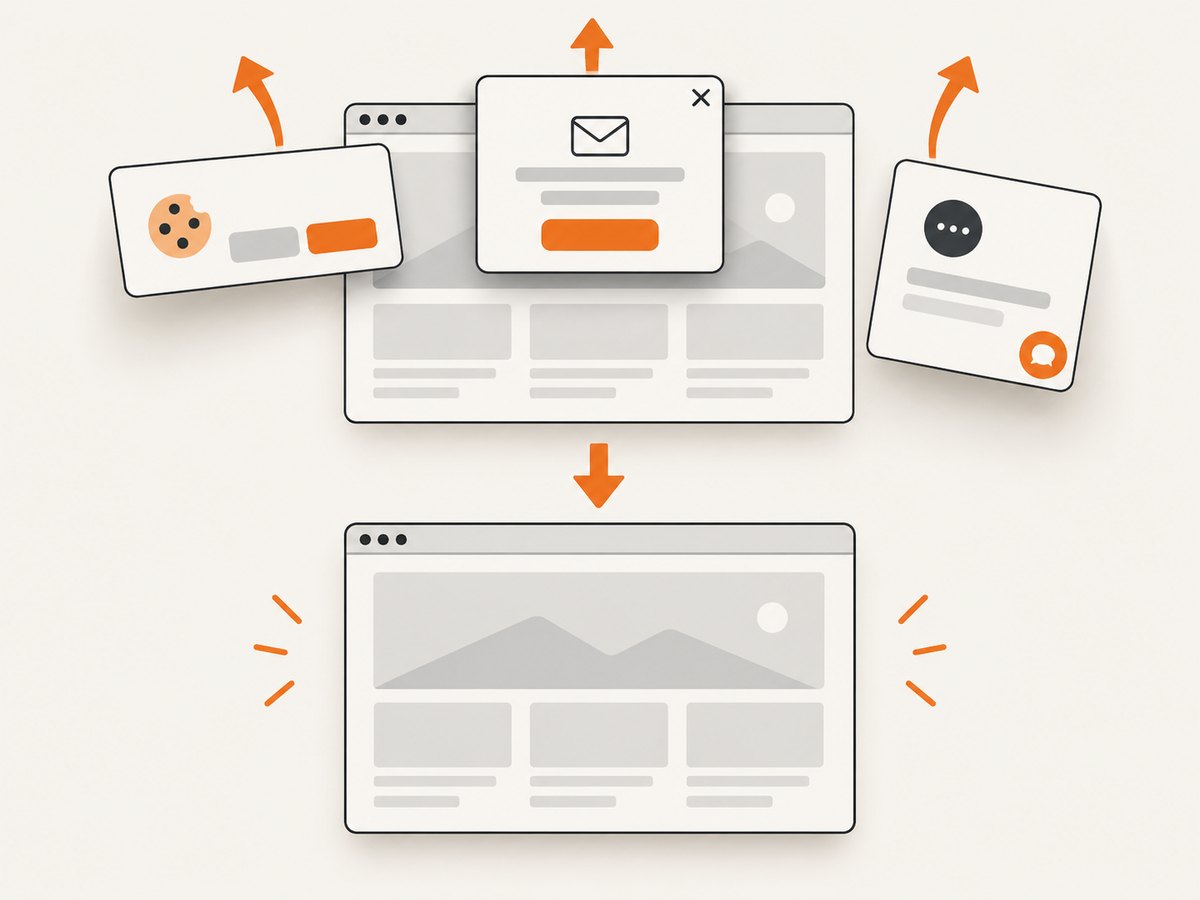
For standalone page captures, ScreenshotNeo provides a GET request that returns PNG, JPEG, WebP, or PDF. Its capture pipeline accepts cookie and consent banners like a visitor, removes more than 60 known consent platforms plus newsletter popups and chat widgets, and lets each cleanup step be disabled. Bot checks, blank pages, timeouts, failed loads, and cache hits are not billed, and the response identifies the result with X-Page-Verdict and X-Billed headers.
See the ScreenshotNeo API documentation for the full option set. A one-call capture looks like this:
curl -G "https://api.screenshotneo.com/v1/shot" -d access_key=YOUR_API_KEY --data-urlencode url=https://your-site.example -o shot.webpimport requests
r = requests.get("https://api.screenshotneo.com/v1/shot", params={"access_key": "YOUR_API_KEY", "url": "https://your-site.example"}, timeout=90)
open("shot.webp", "wb").write(r.content)const q = new URLSearchParams({ access_key: 'YOUR_API_KEY', url: 'https://your-site.example' });
const res = await fetch(`https://api.screenshotneo.com/v1/shot?${q}`);ScreenshotNeo also supports full-page captures with lazy images loaded, CSS element capture, device presets and custom viewports, dark mode, retina scale, PDF settings, custom CSS and JavaScript, clicks, waits, blocked resources, headers, cookies, user agents, authorization, timezone, geolocation, transparent backgrounds, resizing, TTL-based caching, signed links, asynchronous jobs, signed webhooks, bulk capture of up to 100 URLs per call, and a usage API. Its MCP server provides take_screenshot, get_page_info, and capture_pdf for Claude, Cursor, and other MCP clients.
Plans include 1,000 screenshots per month free with no card; paid plans start at $5 for 3,000 shots. Create a free ScreenshotNeo account.
FAQ
Can two tests share one browser safely?
Only when execution is strictly serialized and state is deliberately reset. Concurrent tests should have separate sessions or a framework-supported isolation model.
Should I lower parallelism permanently?
Use lower concurrency to reproduce and isolate the defect. Restore useful parallelism after fixing ownership, data isolation, and artifact paths.
Is a unique filename enough?
No. It prevents overwrites, but it cannot correct a hook that captured the wrong session.
When should I use Selenium Grid?
Use Grid or hosted browsers when execution capacity or browser distribution is the bottleneck, after client-side driver ownership is correct.
Can ScreenshotNeo replace failure screenshots inside Selenium tests?
It is suited to capturing URLs through its API. A Selenium failure screenshot still needs the failing test’s live browser state, window, cookies, and session, so fix that lifecycle separately.


