How to Fix Selenium send_keys Not Sending Apostrophes
If Selenium drops the apostrophe in hello'world, isolate the string, element, application, and keyboard layers with these practical tests and fixes.
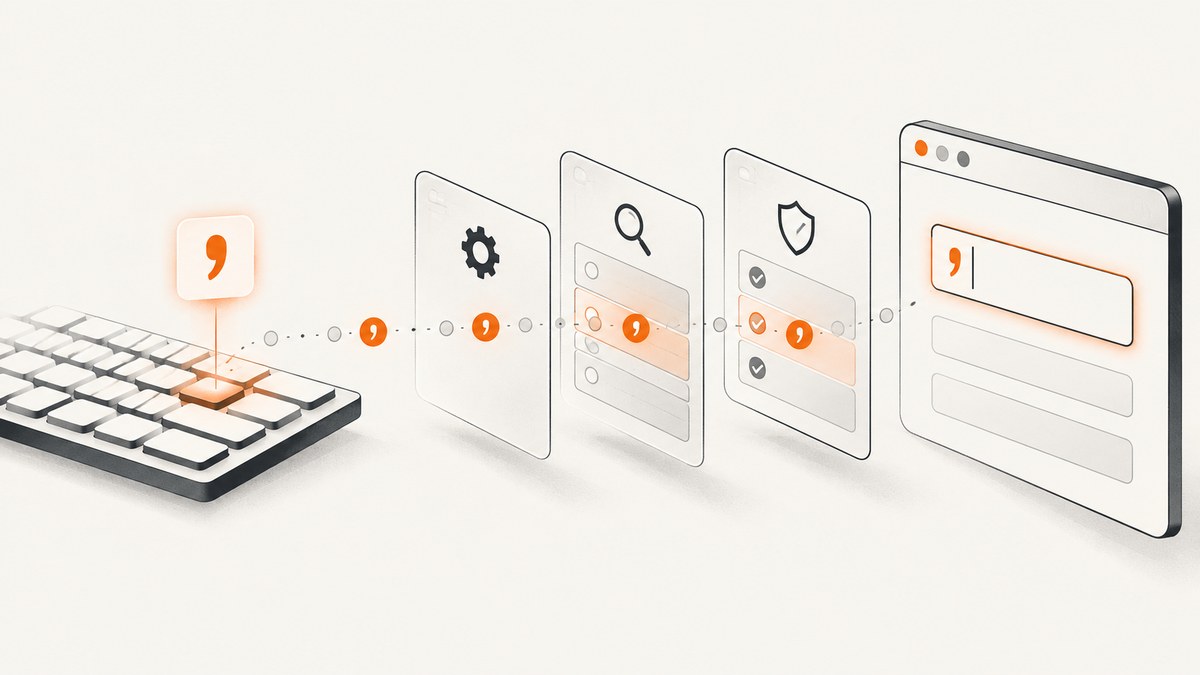
If Selenium turns hello'world into helloworld, start by checking the value before Selenium receives it. Selenium documents send_keys as typing supplied keys into an editable, keyboard-interactable element; an apostrophe is not documented as a special key that should be removed. The symptom can come from the source string, a different Unicode character, the target element, application-side processing, or the browser and driver environment.
This guide isolates each layer with small, runnable tests. It also shows when keyboard actions are appropriate, how to record useful diagnostics, and how to avoid treating one community report as proof of a universal Selenium defect.
1. Confirm what string Selenium actually receives
Before changing Selenium calls, print the exact string and each character’s code point. An ASCII apostrophe is U+0027. A typographic right single quotation mark is U+2019. They look similar but are different characters.
value = "hello'world"
print(repr(value))
print([(character, f"U+{ord(character):04X}") for character in value])

assert "'" in value
assert "hello'world" == value
Use repr instead of a normal print because it makes escapes and invisible characters easier to see. If the assertion fails, Selenium is not the failing layer: inspect your fixture, CSV or JSON data, template, environment variable, or string conversion first.
ASCII versus typographic apostrophes
| Character | Code point | Typical source |
|---|---|---|
' |
U+0027 | ASCII source code and ordinary keyboard input |
’ |
U+2019 | Rich-text editors, word processors, smart quotes |
' |
U+FF07 | Full-width text from some international input systems |
Do not silently normalize the value while debugging. First preserve the original input and record its code points. If your application requires ASCII, normalize deliberately and test that requirement separately.
2. Reduce the problem to a plain editable field
Selenium’s element interaction documentation describes sending keys to keyboard-interactable elements, such as text inputs and content-editable regions. Test a minimal page or a known text field before involving the production form.
from selenium import webdriver
from selenium.webdriver.common.by import By
from selenium.webdriver.support.ui import WebDriverWait
from selenium.webdriver.support import expected_conditions as EC

URL = "data:text/html,"
value = "hello'world"

driver = webdriver.Chrome()
try:
    driver.get(URL)
    field = WebDriverWait(driver, 10).until(
        EC.element_to_be_clickable((By.ID, "target"))
    )
    field.clear()
    field.send_keys(value)

    actual = field.get_attribute("value")
    print("sent:", repr(value))
    print("received:", repr(actual))
    print("received code points:", [f"U+{ord(c):04X}" for c in actual])
    assert actual == value, (value, actual)
finally:
    driver.quit()
If this test passes, Selenium and the browser can transmit the apostrophe in your environment. Move back to the real page one layer at a time: locate the same element, send the same literal, read the value immediately, then trigger the application’s change or blur behavior.
Check the target element
- Confirm the selector resolves to the field you can see and edit.
- Check that the element is enabled, displayed, and not covered by another element.
- For a rich editor, determine whether the editable node is an
<input>,<textarea>, or an element withcontenteditable="true". - Read the value from the correct place: form controls normally use the
valueproperty, while content-editable elements use text or HTML.
Selenium’s Python API defines WebElement.send_keys as simulating typing into the element. Sending keys to a non-editable or otherwise invalid target can produce an invalid-element-state error rather than a missing character.
3. Compare the value at every layer
Apostrophe loss after the call does not prove that send_keys removed it. Capture three values:
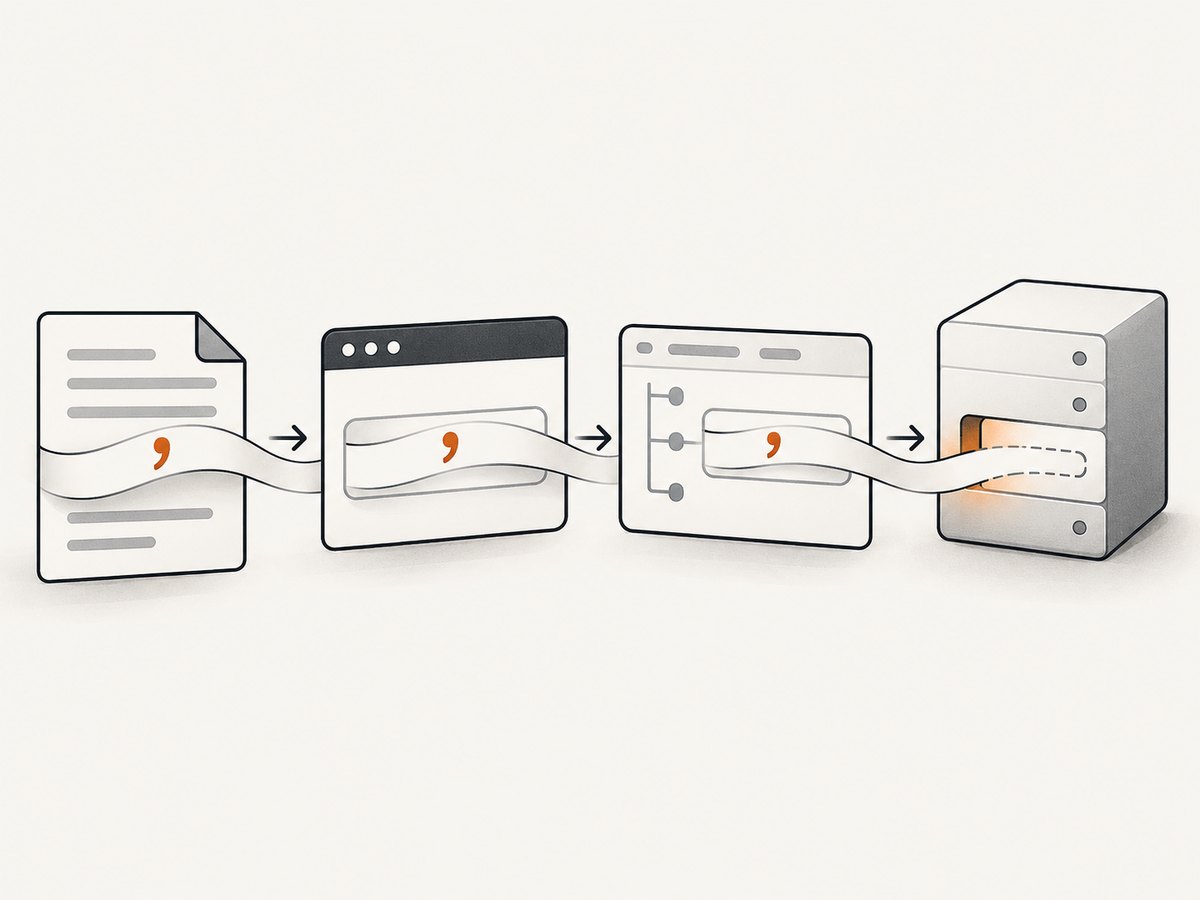
- Before Selenium: the Python string and code points.
- Immediately after entry: the DOM value before blur, validation, or submission.
- After application processing: the displayed value, request payload, or stored result.
field.send_keys(value)
immediate = driver.execute_script("return arguments[0].value", field)
print("immediate DOM value:", repr(immediate))

field.send_keys("\t")  # move focus and commonly trigger blur
post_blur = driver.execute_script("return arguments[0].value", field)
print("after blur:", repr(post_blur))
If the apostrophe exists immediately after typing but disappears after blur, validation, formatting, a reactive state update, or server-side sanitization is responsible. Inspect input, change, blur, and submit handlers and compare the network request body with the original value.
4. Use keyboard actions only for a reason
Selenium’s keyboard API supports regular Unicode characters as well as special key codes. Switching from send_keys to an action sequence can help diagnose focus or event-order problems, but it is not a universal apostrophe fix. Keep the string and element constant when comparing methods.
from selenium.webdriver.common.action_chains import ActionChains

field.click()
ActionChains(driver).send_keys("hello'world").perform()
print(repr(field.get_attribute("value")))
Use this comparison when the page has custom editors, focus traps, or key event handlers. If both APIs produce the same result in a plain input, investigate the page’s JavaScript and data pipeline instead of trying more key APIs.
5. Check browser, driver, locale, and keyboard layout
Only after the minimal test should you compare environments. Record:
- Selenium language binding and version
- Browser name and version
- WebDriver implementation and version
- Operating system
- Process locale and character encoding
- Physical or virtual keyboard layout
- Headless versus headed mode
An exact-match community report describes an apostrophe apparently omitted in a Python/Chrome setup and proposes keyboard-layout or Unicode explanations. It is a single report, not an official Selenium bug confirmation, and old version advice should not be treated as a current fix. Reproduce the minimal test with the same environment before changing versions.
Useful environment logging
import locale
import platform
import selenium

print("Python:", platform.python_version())
print("Selenium:", selenium.__version__)
print("OS:", platform.platform())
print("preferred encoding:", locale.getpreferredencoding(False))
print("locale:", locale.getlocale())
print("headless:", HEADLESS)  # define this in your test configuration
If only one machine fails, run the same test headed and headless, then compare the keyboard layout and browser profile. Avoid changing several variables at once because you will lose the evidence that identifies the failing layer.
6. Common errors and their fixes
| Symptom | Likely cause | Fix |
|---|---|---|
| The logged string lacks the apostrophe | Fixture, encoding, or template changed it before Selenium | Inspect repr and code points at the call site; fix the data source. |
| Wrong-looking apostrophe | U+2019 or another code point was supplied | Decide whether the application expects Unicode punctuation or U+0027; test that exact requirement. |
InvalidElementStateException |
Target is disabled, read-only, or not editable | Wait for an enabled editable element and select the actual input or contenteditable node. |
Value is correct, then becomes helloworld |
Input, blur, validation, masking, or server code strips punctuation | Read the DOM value immediately, inspect event handlers and the submitted payload. |
| Only one browser or host fails | Environment, driver, locale, or layout difference | Run the minimal test across headed/headless modes and record versions and layout. |
| ActionChains gives a different result | Focus or event sequencing differs | Compare both methods on the same field; fix focus or page handlers rather than assuming an API defect. |
7. A repeatable diagnostic test for CI
Make the character-loss check a small regression test. It should fail with the original and resulting values, so a CI log identifies the layer quickly.
def assert_text_survives(driver, element, value):
    before = [(c, f"U+{ord(c):04X}") for c in value]
    element.clear()
    element.send_keys(value)
    after = element.get_attribute("value")
    if after != value:
        raise AssertionError({
            "before": repr(value),
            "before_code_points": before,
            "after": repr(after),
            "after_code_points": [(c, f"U+{ord(c):04X}") for c in after],
        })

assert_text_survives(driver, field, "hello'world")
Keep the test independent of your application’s formatting rules. Add a second test for the application’s intended normalization if it deliberately converts or rejects punctuation.
8. Performance and reliability considerations
A short string test is cheap, but reliability comes from deterministic waits and narrow assertions. Wait for the field’s state rather than sleeping for a fixed duration. Clear the field before each attempt, keep one browser session per test when practical, and capture browser console or network logs when the value changes after entry.
Retries can hide a deterministic input bug. Retry only around known transient conditions such as page navigation or a stale element, and preserve the first failure’s string, DOM value, browser, driver, and environment details.
Or skip the browser setup
If your actual goal is obtaining a clean page image rather than driving a browser yourself, ScreenshotNeo provides a single screenshot request. It accepts the cookie or consent banner like a visitor and removes more than 60 known consent platforms, newsletter popups, and chat widgets before capture; each step can be turned off. Bot checks or CAPTCHAs, blank pages, timeouts, failed loads, and cache hits cost nothing, and response headers identify the page verdict and whether the shot was billed.
See the ScreenshotNeo documentation for all options. A basic request looks like this:
curl -G "https://api.screenshotneo.com/v1/shot" -d access_key=YOUR_API_KEY --data-urlencode url=https://stripe.com -o shot.webpimport requests
r = requests.get("https://api.screenshotneo.com/v1/shot", params={"access_key": "YOUR_API_KEY", "url": "https://stripe.com"}, timeout=90)
open("shot.webp", "wb").write(r.content)const q = new URLSearchParams({ access_key: 'YOUR_API_KEY', url: 'https://stripe.com' });
const res = await fetch(`https://api.screenshotneo.com/v1/shot?${q}`);It also offers an MCP server for Claude, Cursor, and other MCP clients, with take_screenshot, get_page_info, and capture_pdf tools. The Free plan includes 1,000 screenshots per month with no card; paid plans start at $5 for 3,000. Create a free ScreenshotNeo account.
FAQ
Is apostrophe a reserved Selenium key?
No. Selenium documents ordinary text input and Unicode characters; apostrophe is not documented as a special key that is automatically removed.
Should I replace the apostrophe with a Unicode escape?
Use an escape only to make the source representation unambiguous. "hello\u0027world" still supplies the same U+0027 character; it does not repair a later application-side transformation.
Can JavaScript set the value instead?
Direct DOM assignment bypasses the normal keyboard path and may not trigger the framework events your application needs. Use it only as a diagnostic comparison, then test the real user interaction separately.
What should I include in a bug report?
Include a minimal reproducible page, the exact input with code points, the immediate DOM value, Selenium/browser/driver versions, operating system, locale, keyboard layout, and whether the run is headed or headless.


