How to Fix Selenium XPath Link Clicks in Python Firefox
Fix Selenium XPath link clicks in Firefox with explicit waits, overlay handling, frame checks, stale-element recovery, and reliable assertions.
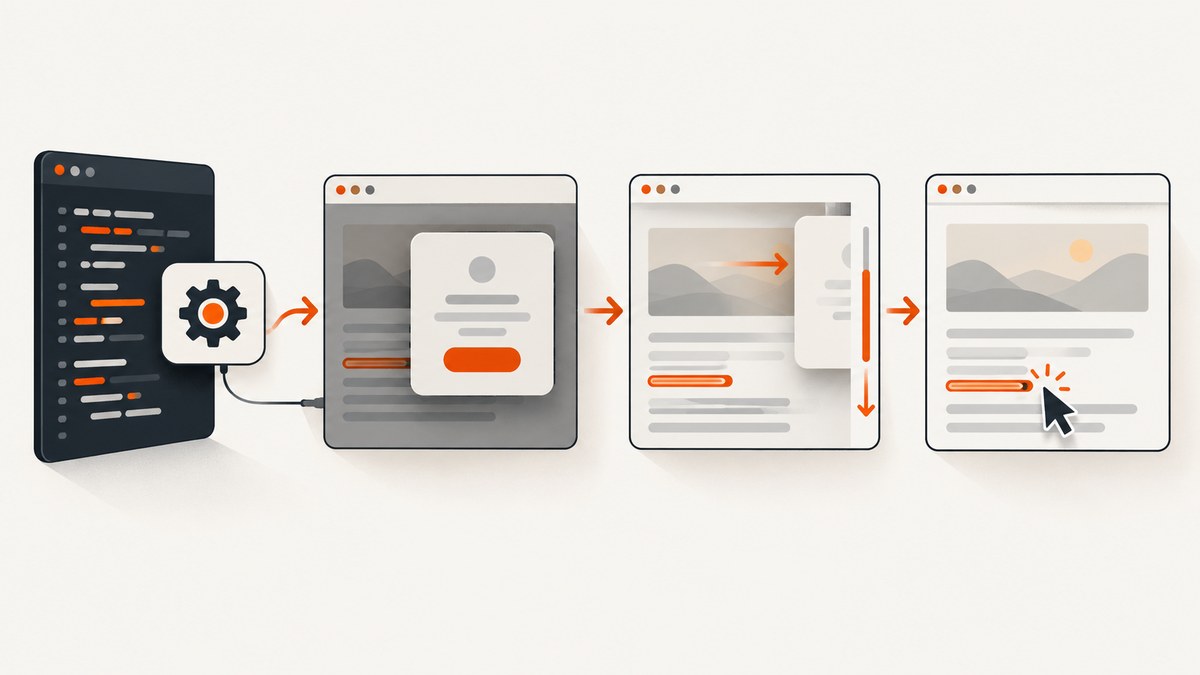
Direct answer: use a precise XPath with By.XPATH, wait for the live element with WebDriverWait, scroll it into view, remove or wait out overlays, click with native WebDriver, and assert a concrete state change. If the click still fails, check the iframe, window or tab, stale references, animations, and whether your XPath matches more than one link.
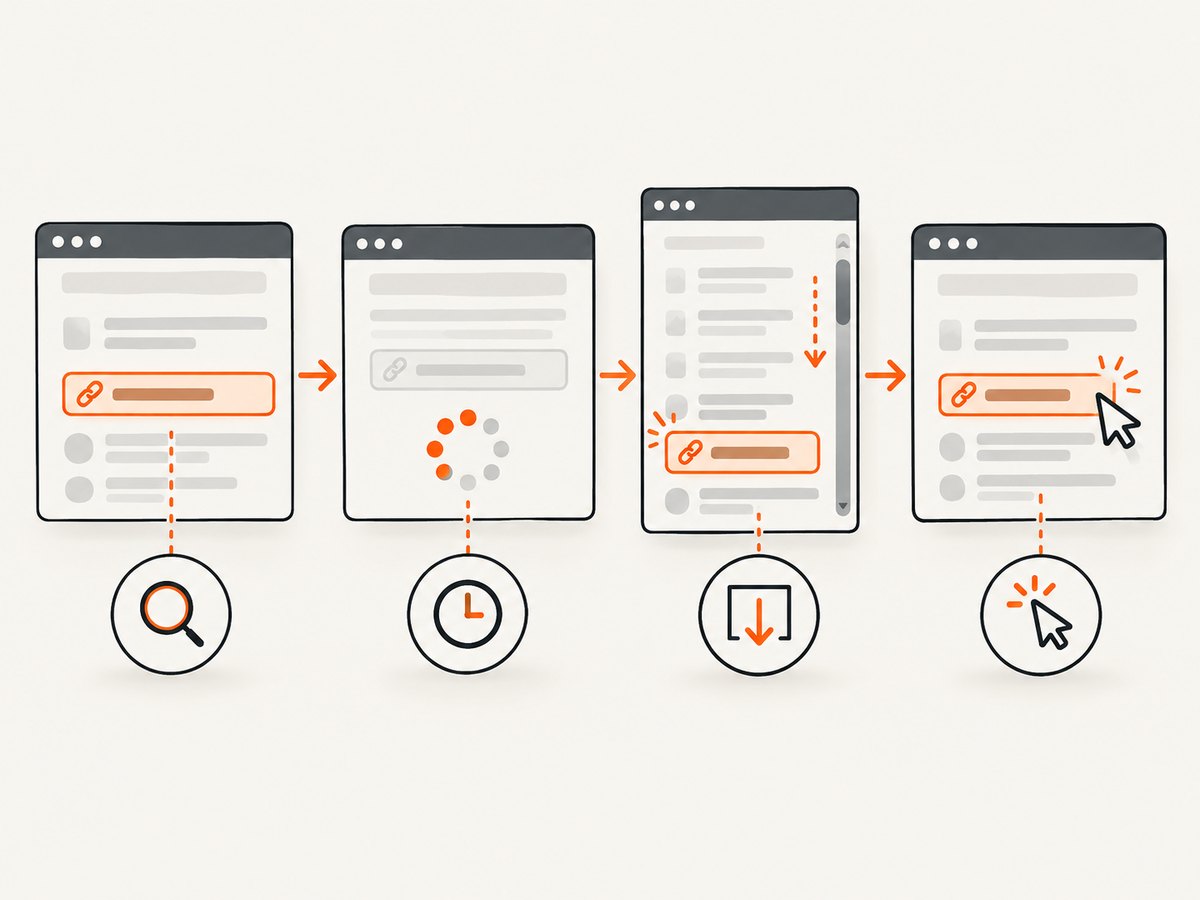
1. A reliable fix, step by step
- Build a stable locator from an
id,href,data-*attribute, or normalized link text. - Use
find_elementsonce while debugging to prove how many elements match. - Wait for the element immediately before interaction with
element_to_be_clickable. - Scroll the current element to the center of the viewport.
- Wait for cookie banners, modals, sticky headers, and loading masks to disappear.
- Click with the native WebDriver method.
- Assert a URL, title, heading, visibility change, or other deterministic result.
element_to_be_clickable checks that an element is visible and enabled. It does not prove that another element will not intercept the pointer.
2. Prove that the XPath identifies the intended link
Start by checking the match count and the properties of the matched anchor. This catches a typo, duplicate links, an unexpected element type, and text split across nested nodes.
from selenium.webdriver.common.by import By

locator = (By.XPATH, "//a[normalize-space()='Next']")
links = driver.find_elements(*locator)
assert len(links) == 1, f"expected one link, found {len(links)}"
link = links[0]
print(link.tag_name, link.text, link.get_attribute('href'))
Prefer a semantic expression over an absolute path copied from a transient DOM layout. Examples:
# Stable id
(By.XPATH, "//a[@id='next-page']")

# Exact href and visible text
(By.XPATH, "//a[@href='/next' and normalize-space()='Next']")

# A data attribute
(By.XPATH, "//a[@data-testid='next-link']")

# Text contained in nested descendants
(By.XPATH, "//a[.//span[normalize-space()='Next']]")
If the page contains several navigation regions, scope the expression to the correct container, such as //nav[@aria-label='Pagination']//a[normalize-space()='Next'].
3. Wait for the live element instead of sleeping
Fixed sleeps add delay when the page is fast and still fail when rendering takes longer. An explicit wait polls until the expected condition is true or the timeout expires.
from selenium.webdriver.support.ui import WebDriverWait
from selenium.webdriver.support import expected_conditions as EC

wait = WebDriverWait(driver, 10)
link = wait.until(EC.element_to_be_clickable(locator))
Re-locate dynamic elements immediately before clicking. Modern frameworks can replace a node after rendering, filtering, or navigation; a previously stored WebElement can then become stale.
from selenium.common.exceptions import StaleElementReferenceException

try:
    wait.until(EC.element_to_be_clickable(locator)).click()
except StaleElementReferenceException:
    # The DOM replaced the node. Find the current node and try once more.
    wait.until(EC.element_to_be_clickable(locator)).click()
Keep retries bounded and diagnose the update. An unbounded retry can hide a real synchronization bug.
4. Scroll and deal with overlays
Firefox may find a visible link that is outside the usable viewport or covered by another element. Scroll the live element to the center, then wait for known blockers to become invisible.
driver.execute_script(
    "arguments[0].scrollIntoView({block: 'center', inline: 'nearest'});",
    link,
)

cookie_banner = (By.CSS_SELECTOR, '[data-cookie-banner]')
wait.until(EC.invisibility_of_element_located(cookie_banner))
link.click()
Replace the selector with the page’s actual cookie banner, modal, loading mask, sticky header, or chat widget. If the blocker is removed from the DOM, invisibility_of_element_located also completes successfully.
A JavaScript click can help diagnose whether the handler itself works, but native WebDriver click should be the default because it exercises real pointer interaction and exposes hit-testing problems.
# Diagnostic only: bypasses normal pointer hit testing
driver.execute_script('arguments[0].click();', link)
5. Check the browsing context
Frames
An XPath can be correct while returning no element if the driver is still in the top-level document. Switch into the frame first.
frame = wait.until(EC.presence_of_element_located((By.CSS_SELECTOR, 'iframe.payment')))
driver.switch_to.frame(frame)
wait.until(EC.element_to_be_clickable(locator)).click()
driver.switch_to.default_content()
Windows and tabs
If the link opens a new tab, wait for a second window handle and switch to it before asserting the result.
old_handles = set(driver.window_handles)
wait.until(EC.element_to_be_clickable(locator)).click()
wait.until(lambda d: len(d.window_handles) > len(old_handles))
new_handle = (set(driver.window_handles) - old_handles).pop()
driver.switch_to.window(new_handle)
6. Verify that the click produced the intended result
The absence of an exception does not prove that navigation or an application action succeeded. Use a state assertion appropriate to the page.
old_url = driver.current_url
link.click()
wait.until(lambda d: d.current_url != old_url)
For a single-page application, wait for a changed heading, URL fragment, dialog, or visibility state instead:
link.click()
wait.until(EC.visibility_of_element_located((By.CSS_SELECTOR, '[data-page="details"]')))
assert 'Details' in driver.title
7. Complete runnable Python and Firefox example
Install Selenium and make sure Firefox and geckodriver are available to your environment. Replace the URL, XPath, and success condition with values from your page.
from selenium import webdriver
from selenium.webdriver.common.by import By
from selenium.webdriver.support.ui import WebDriverWait
from selenium.webdriver.support import expected_conditions as EC

URL = 'https://example.test/page'
locator = (By.XPATH, "//a[@href='/next' and normalize-space()='Next']")

with webdriver.Firefox() as driver:
    driver.get(URL)
    wait = WebDriverWait(driver, 10)

    matches = driver.find_elements(*locator)
    assert len(matches) == 1, f'expected one link, found {len(matches)}'

    old_url = driver.current_url
    link = wait.until(EC.element_to_be_clickable(locator))
    driver.execute_script(
        "arguments[0].scrollIntoView({block: 'center', inline: 'nearest'});",
        link,
    )
    link.click()
    wait.until(lambda d: d.current_url != old_url)
    print('navigated to', driver.current_url)
Keep diagnostics such as tag name, text, and href while investigating. Remove noisy output after the failure is understood.
8. Troubleshooting common failures
| Symptom | Likely cause | Fix |
|---|---|---|
NoSuchElementException |
Wrong frame, window, page state, or XPath. | Confirm the URL, switch to the correct frame or window, prove the match count, and wait for presence. |
TimeoutException from element_to_be_clickable |
The element never became visible and enabled. | Inspect the locator, page state, disabled attributes, and whether a consent or login step must happen first. |
ElementClickInterceptedException |
An overlay, sticky header, modal, animation, or chat widget covers the hit point. | Wait for the blocker to disappear, scroll to the center, and retry native click. |
| Click returns without navigation | The link is an SPA control, opens a new tab, or the event did not produce the assumed URL change. | Assert a heading, fragment, dialog, visibility change, or new window handle instead. |
StaleElementReferenceException |
The framework replaced the node after you located it. | Discard the old reference, wait for the update, and locate the element again immediately before clicking. |
| XPath matches several anchors | Visible text such as “Next” appears in multiple navigation areas. | Scope the XPath to a unique container or add a stable href, id, or data-* predicate. |
| Text predicate does not match | Whitespace or nested nodes split the visible label. | Use normalize-space(), a descendant-aware expression, or a stable attribute. |
| Works manually but not in automation | Timing, viewport position, a consent dialog, or a different browsing context. | Capture the current URL, window handles, frame, match count, text, and href; then add state-based waits. |
9. Performance and reliability practices
- Use the shortest explicit timeout that covers the page’s normal load time, and apply longer waits only to known slow states.
- Wait on a meaningful condition instead of adding sleeps after every command.
- Locate once for diagnostics, then locate again immediately before the interaction when the DOM is dynamic.
- Prefer stable attributes over absolute, layout-dependent XPath.
- Use a deterministic success assertion so a silent no-op fails quickly.
- Log the exception type, URL, frame, window handle, matched count, text, and
hrefduring diagnosis. - Keep JavaScript clicks as a diagnostic or last resort; they can hide the overlay or pointer problem you need to fix.
These choices reduce unnecessary waiting and make failures actionable. Selenium and Firefox performance also depends on page size, network conditions, JavaScript work, and browser startup; measure your own test suite before changing timeouts globally.
10. Or skip the browser setup
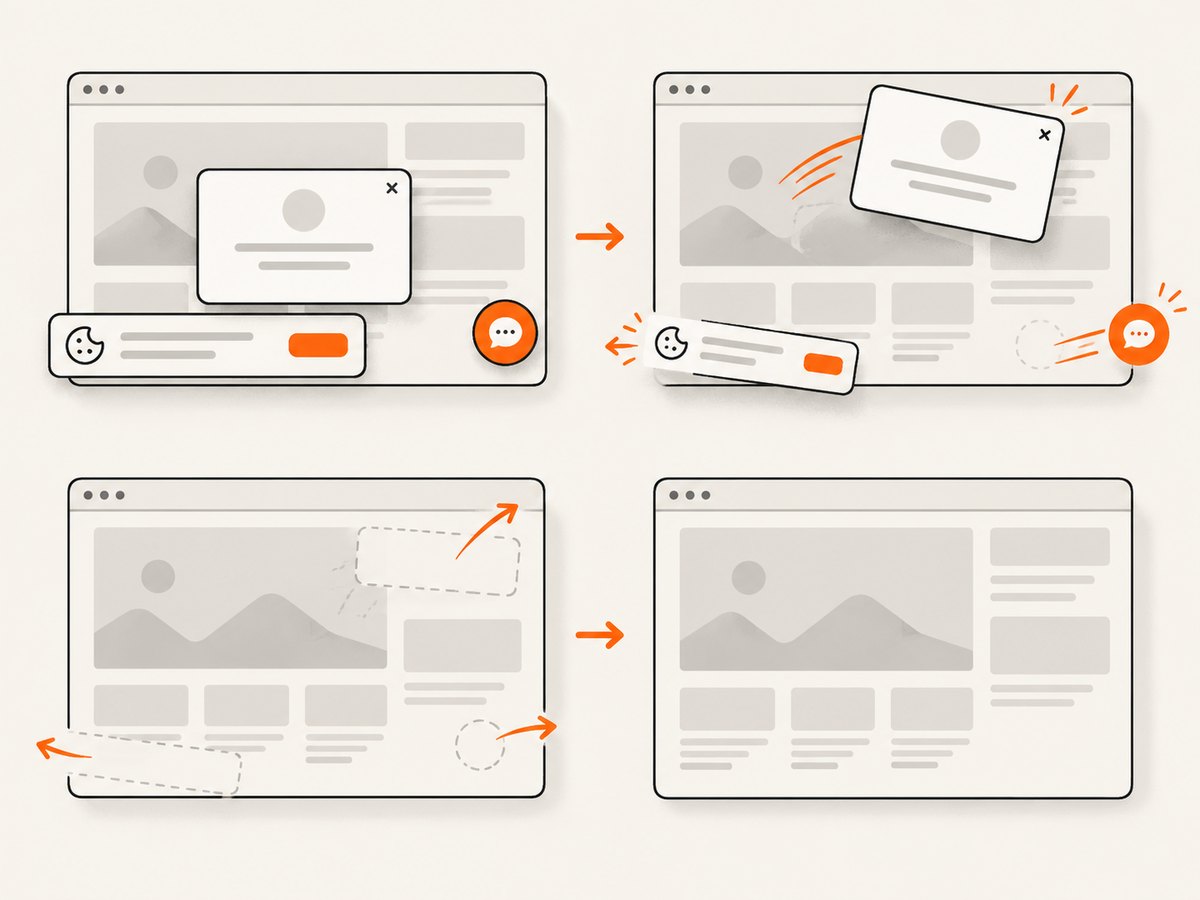
If your goal is a static image or PDF rather than an interactive click, ScreenshotNeo provides a website screenshot API. It accepts one GET request and can return PNG, JPEG, WebP, or PDF. Cookie and consent banners, newsletter popups, and chat widgets are removed before capture. Bot checks, blank pages, timeouts, failed loads, and cache hits are not billed, and the response identifies the result with X-Page-Verdict and X-Billed headers.
See the ScreenshotNeo API documentation for the full option list.
cURL
curl -G "https://api.screenshotneo.com/v1/shot" -d access_key=YOUR_API_KEY --data-urlencode url=https://stripe.com -o shot.webpPython
import requests

r = requests.get("https://api.screenshotneo.com/v1/shot", params={"access_key": "YOUR_API_KEY", "url": "https://stripe.com"}, timeout=90)
open("shot.webp", "wb").write(r.content)
Node.js
const q = new URLSearchParams({ access_key: 'YOUR_API_KEY', url: 'https://stripe.com' });
const res = await fetch(`https://api.screenshotneo.com/v1/shot?${q}`);
ScreenshotNeo also supports full-page and element captures, device presets, custom CSS and JavaScript, waits, headers, cookies, user agents, blocking rules, caching, signed links, asynchronous jobs, bulk capture, PDF controls, and an MCP server with take_screenshot, get_page_info, and capture_pdf for AI agents. The free plan includes 1,000 screenshots per month with no card; paid plans start at $5 for 3,000. Create a free ScreenshotNeo account.
11. FAQ
Is XPath supported in Selenium Python?
Yes. Pass an XPath locator as (By.XPATH, expression) to find_element, find_elements, or an expected condition.
Should I replace XPath with CSS selectors?
Use whichever selector expresses a stable identity. XPath is useful for normalized text, relationships, and descendant conditions; CSS is often concise for attributes and classes.
Why does clickable still get intercepted?
Clickable checks visibility and enabled state, not whether an overlay occupies the pointer location. Wait for the blocker, scroll the element, and retry.
When is a JavaScript click acceptable?
Use it to diagnose an event handler or as a deliberate workaround when native pointer behavior is not part of what you need to test. Prefer native click for user-like interaction.
What should a test assert after clicking?
Assert the state your user needs: a changed URL, title, heading, URL fragment, visible panel, or new window.


