How to Fix Squared Characters in wkhtmltopdf PDFs
Squared or missing glyphs in a wkhtmltopdf PDF usually mean the renderer cannot use a font with those characters. Check encoding, font coverage, cache, and the production runtime in that order.
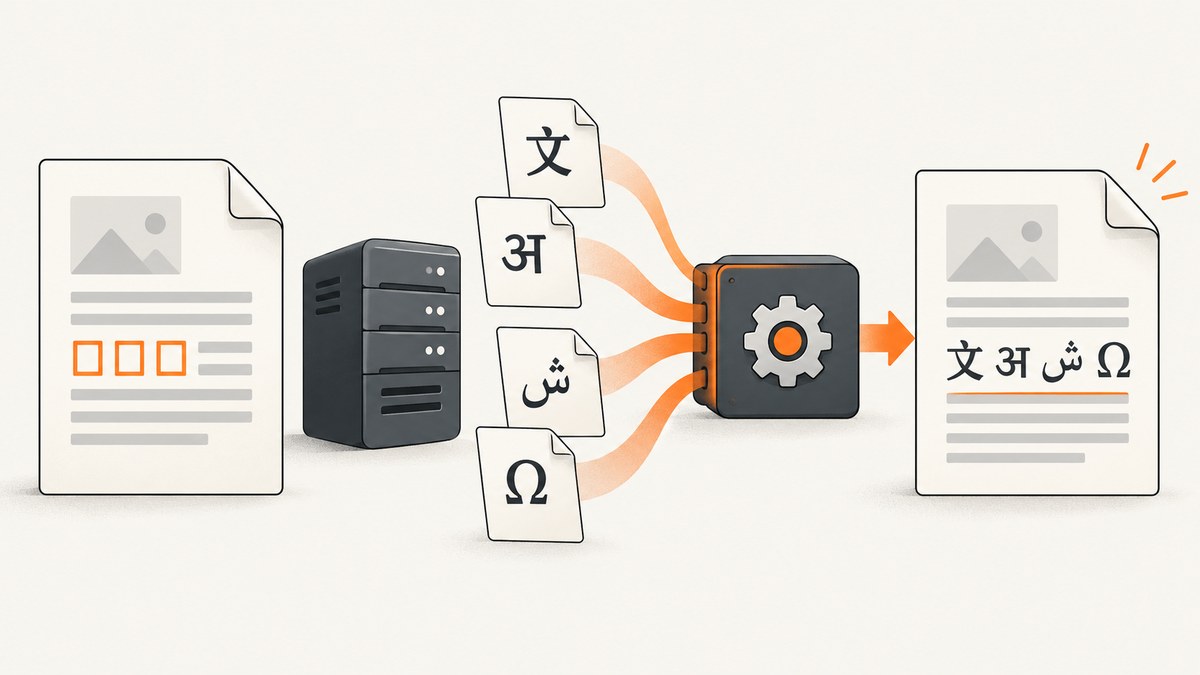
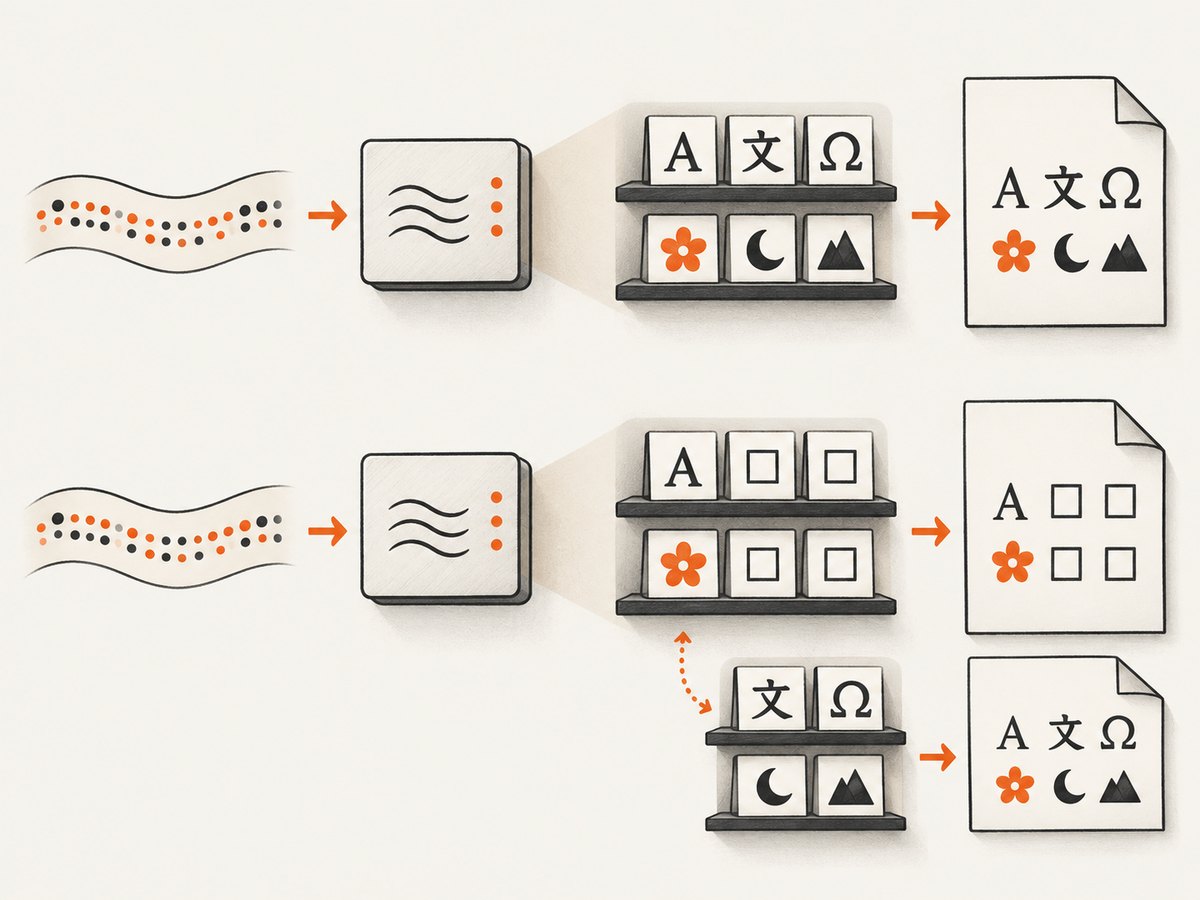
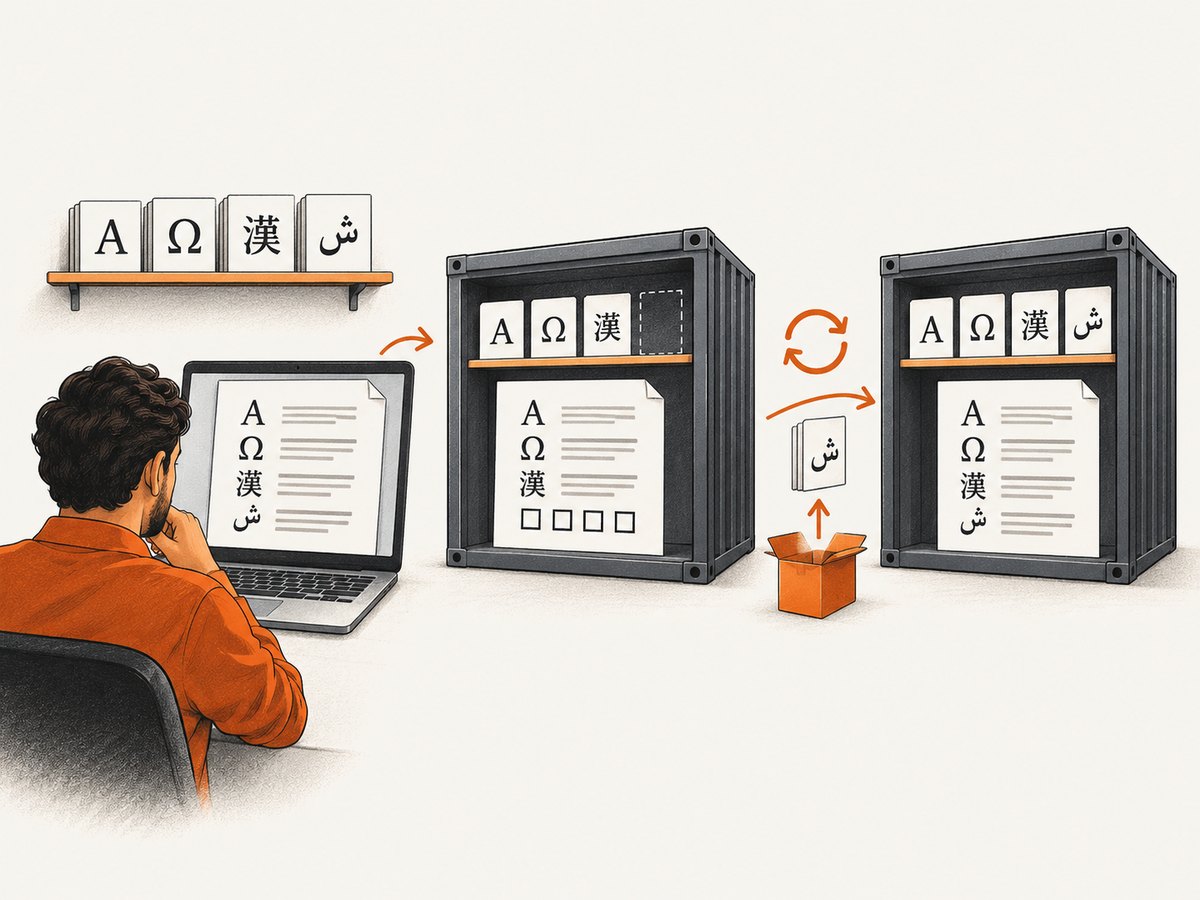
Squared or missing characters in a wkhtmltopdf PDF usually mean the renderer cannot use a font that contains those glyphs. UTF-8 tells the program how to decode text; it does not install fonts or add missing glyphs. Check the exact characters, confirm the font exists in the environment that runs wkhtmltopdf, then test the generated PDF again. A CentOS report describes resolving boxes by installing language fonts on the server and refreshing the font cache, but that remedy is environment-specific, not universal. The report and the project’s platform guidance point to fonts and runtime configuration as important parts of the diagnosis.
1. Identify what is actually failing
First determine whether every character is wrong or only a particular script, symbol, or font weight. If English text renders and only Chinese, Greek, Georgian, Thaana, Arabic, or another script becomes squares, the HTML may be decoded correctly while the chosen font lacks those glyphs—or while wkhtmltopdf cannot use the intended fallback font. Historical issue reports describe script-specific square output, including a report where a font appeared in fc-list but Thaana still rendered as boxes. That is why a font listing is a useful clue, not proof that the PDF renderer can shape and draw the target text. See the Chinese-character report and the Thaana report.
Write down a short sample containing the exact affected characters. Preserve punctuation, combining marks, and any characters adjacent to the failures. Emoji and rare symbols may require separate coverage from the main writing system. Compare the HTML in a browser with the PDF produced by the same host or container that runs in production. A browser preview from your workstation does not establish that the conversion process uses the same fonts.
2. Check text encoding, but do not stop there
Ensure the input bytes are actually encoded as UTF-8 if that is what the document declares. For an HTML file, include an early charset declaration and language metadata:
<!doctype html>
<html lang="zh-Hans">
<head>
  <meta charset="utf-8">
  <title>PDF glyph test</title>
</head>
<body>
  <p>你好,世界。测试:€ ✓ Ω</p>
</body>
</html>
Save the file as UTF-8, and check the response charset too if the HTML comes from a web server. You can specify wkhtmltopdf’s input encoding explicitly:
wkhtmltopdf --encoding utf-8 glyph-test.html glyph-test.pdfThe option can help when the source encoding is ambiguous or incorrectly inferred. It cannot make a font support characters it does not contain. A report specifically describes square Chinese characters despite UTF-8 markup, and another describes UTF-8 options that did not solve the issue. Treat encoding as one diagnostic layer, not a font fix. See the UTF-8 issue report.
3. Verify fonts in the conversion environment
Run font checks inside the same VM, container, serverless layer, or host that executes wkhtmltopdf. A font installed on a developer laptop—or in a separate container—does not help the conversion process. On Linux, fontconfig tools can show what the runtime sees:
# Show font families visible to fontconfig
fc-list : family

# Ask fontconfig to match a family and script language
fc-match sans-serif:lang=zh-cn
fc-match sans-serif:lang=el

# Inspect a specific family if you know its name
fc-match "Noto Sans CJK SC"
Use a language tag appropriate to the content and an installed family known to contain the required characters. The family names and package names differ by distribution and release; check the target system’s package catalog rather than copying an install command for another OS. The CentOS report in the original question was resolved after installing fonts on the server. That does not establish one package as the fix for every script or platform.
After installing or copying fonts, refresh fontconfig’s cache and repeat the checks:
fc-cache -f -v
fc-match sans-serif:lang=zh-cn
The cache refresh is a reported step in one resolution, not a guaranteed cure. Another script-specific report tried a cache refresh while boxes remained. If the expected family appears, continue to a PDF reproduction; presence in fc-list alone does not prove that wkhtmltopdf selected or successfully used it.
4. Test CSS and custom fonts
Check the computed font family for the affected element, the fallback order, and whether the font asset is accessible to the renderer. For a web font, make sure the URL is reachable from the conversion process and that the font file is a valid format with the necessary glyphs. A browser may load a font from its cache or session while a separate wkhtmltopdf process cannot reach that resource.
body {
  font-family: "Noto Sans CJK SC", "Noto Sans", sans-serif;
}

/* If using a local font, ensure the path is readable in the runtime. */
@font-face {
  font-family: "ReportFont";
  src: url("file:///app/fonts/report-font.ttf") format("truetype");
}
.report {
  font-family: "ReportFont", sans-serif;
}
Replace those example families and paths with fonts actually installed or bundled for your system. Confirm the file contains the needed code points and that its license permits your use. If possible, compare the custom family with a known installed font that supports the script. Historical wkhtmltopdf reports describe fallback and custom-font problems, so a plausible CSS stack is not conclusive evidence of successful fallback. One example is the Linux fallback-font report.
5. Reproduce with the exact production binary
Make a minimal HTML file containing only the affected characters, charset and language metadata, and one candidate font. Convert it with the same binary, user account, environment variables, and options as the real job. Record the binary version and platform:
wkhtmltopdf --version
uname -a
fc-match sans-serif:lang=zh-cn
wkhtmltopdf --encoding utf-8 glyph-test.html glyph-test.pdf
If the minimal PDF works, add your application’s CSS, fonts, and assets incrementally until the failure returns. If it fails, inspect the fontconfig result, renderer stderr, file permissions, and font paths before changing application layout. This isolate-and-compare method is practical troubleshooting inferred from environment-specific reports; it is not a project guarantee.
6. Check distribution and packaging compatibility
Capture the OS and release, architecture, container base image, wkhtmltopdf package source and version, plus installed font packages. The project’s downloads guidance says rendering depends on runtime font configuration, including fontconfig and freetype2, and warns that generic binaries do not work equally across distributions. It also describes why Alpine’s musl environment differs from glibc-based distributions. A package recipe for Debian or CentOS should not be assumed to work unchanged in Alpine.
Prefer a build intended for your distribution when one is available, and make font installation part of the same image or runtime bundle as the converter. In a serverless deployment, verify the font files and fontconfig paths are included in the deployed layer and visible to the process. The project guidance describes setting FONTCONFIG_PATH for its Lambda setup; treat that as specific to that packaging example, not a universal setting. Recheck package availability and names for your target release before changing a production image.
Common errors and fixes
| Symptom or assumption | Likely cause | Next step |
|---|---|---|
Squares persist with --encoding utf-8 |
The text may decode correctly, but the active font lacks glyphs or is unavailable. | Check font coverage and fontconfig in the conversion runtime. |
| Only one language or a few symbols become boxes | Missing script coverage, a failed fallback, or a font file without those code points. | Test that exact sample with a known candidate font and inspect the resulting PDF. |
The font appears in fc-list, but output is still square |
The renderer may not select it, support the fallback path, or load the same font configuration. | Use fc-match, verify the font asset and runtime paths, and reproduce with a minimal PDF. |
| It works locally but not in a container or serverless job | The deployed image lacks the font, cache, library, or configuration available locally. | Run diagnostics inside the production image and include required dependencies in that build. |
| Refreshing the cache changes nothing | The missing glyph or renderer compatibility issue remains; cache refresh is not a substitute for coverage. | Verify the font file, code points, CSS selection, and binary/platform pairing. |
Custom @font-face works in browser only |
The conversion process may not reach the URL or local path, or fallback behavior may differ. | Check network/file access as the converter user and test an installed system font. |
Reliability, performance, and cost considerations
For an existing wkhtmltopdf pipeline, the durable fix is usually to make the font and runtime dependencies reproducible: pin the conversion image or package, install the required fonts during image construction, refresh fontconfig as needed, and retain a small multilingual PDF fixture for release checks. That avoids a workstation-only fix that disappears on a clean deploy. Keep the fixture limited to the scripts and symbols your application must support.
Adding fonts increases the deployed image or layer size, and checking font availability is inexpensive compared with repeatedly debugging a production document. The dossier provides no comparative conversion benchmarks, so measure your own workload if render time or memory matters. Include complex pages and the fonts your real documents use when measuring; a tiny glyph fixture only confirms coverage.
Operationally, wkhtmltopdf output depends on more than HTML: the binary, OS libraries, fontconfig configuration, font files, permissions, and external asset access all matter. Keep logs that identify the binary version and report conversion errors. If you cannot maintain a compatible runtime and font stack, compare a maintained local renderer or managed conversion option against your layout requirements; the available research does not establish a named PDF provider or comparative service claim.
Or skip the browser setup
ScreenshotNeo is a website screenshot API and MCP server, useful when your output can be an image capture rather than a paginated PDF. It does not replace wkhtmltopdf for PDF generation. For a screenshot of a page, make one GET request:
curl -G "https://api.screenshotneo.com/v1/shot" \
  -d access_key=YOUR_API_KEY \
  --data-urlencode url=https://stripe.com \
  -o shot.webp
See the ScreenshotNeo API documentation for request options. Cookie banners, popups, and chat widgets are removed before the shot; bot checks, blank pages, and failed loads are never billed. Its MCP server lets AI agents take screenshots. The Free plan includes 1,000 screenshots a month with no card; paid plans start at $5 for 3,000. Learn about ScreenshotNeo, then sign up for 1,000 free screenshots a month with no card.
FAQ
Will adding a UTF-8 meta tag fix squares?
It fixes only an encoding declaration problem. It does not add fonts or glyph coverage. Check both input encoding and fonts in the renderer’s environment.
Does a successful HTML preview prove the PDF will be correct?
No. The browser preview and wkhtmltopdf process may use different fonts, runtimes, or asset access. Inspect the PDF made by the actual conversion process.
Is fc-cache -f -v the universal fix?
No. It refreshes fontconfig’s cache after font changes, but it cannot supply missing glyphs or resolve every renderer and platform issue.
Can I use ScreenshotNeo to generate a PDF?
The provided ScreenshotNeo facts describe screenshot formats and PDF capture as product capabilities, but this article’s one-call example returns an image. For a paginated document with wkhtmltopdf-specific behavior, diagnose the local PDF renderer and font stack.


