How to Fix SVG Rendering in wicked_pdf and wkhtmltopdf on Heroku
Diagnose missing SVGs in Heroku PDFs by checking asset URLs, the deployed wkhtmltopdf build, and SVG feature compatibility.

Short answer: treat this as two separate questions: can the deployed wkhtmltopdf process reach the SVG, and does that exact binary support the SVG features you use? wicked_pdf is a Rails wrapper around the shell utility; it does not render SVG itself. Record the binary and Heroku stack, inspect the exact HTML wicked_pdf sends, verify every asset URL from the dyno, then reduce the SVG to a minimal reproduction before changing binaries.
1. Understand the rendering path
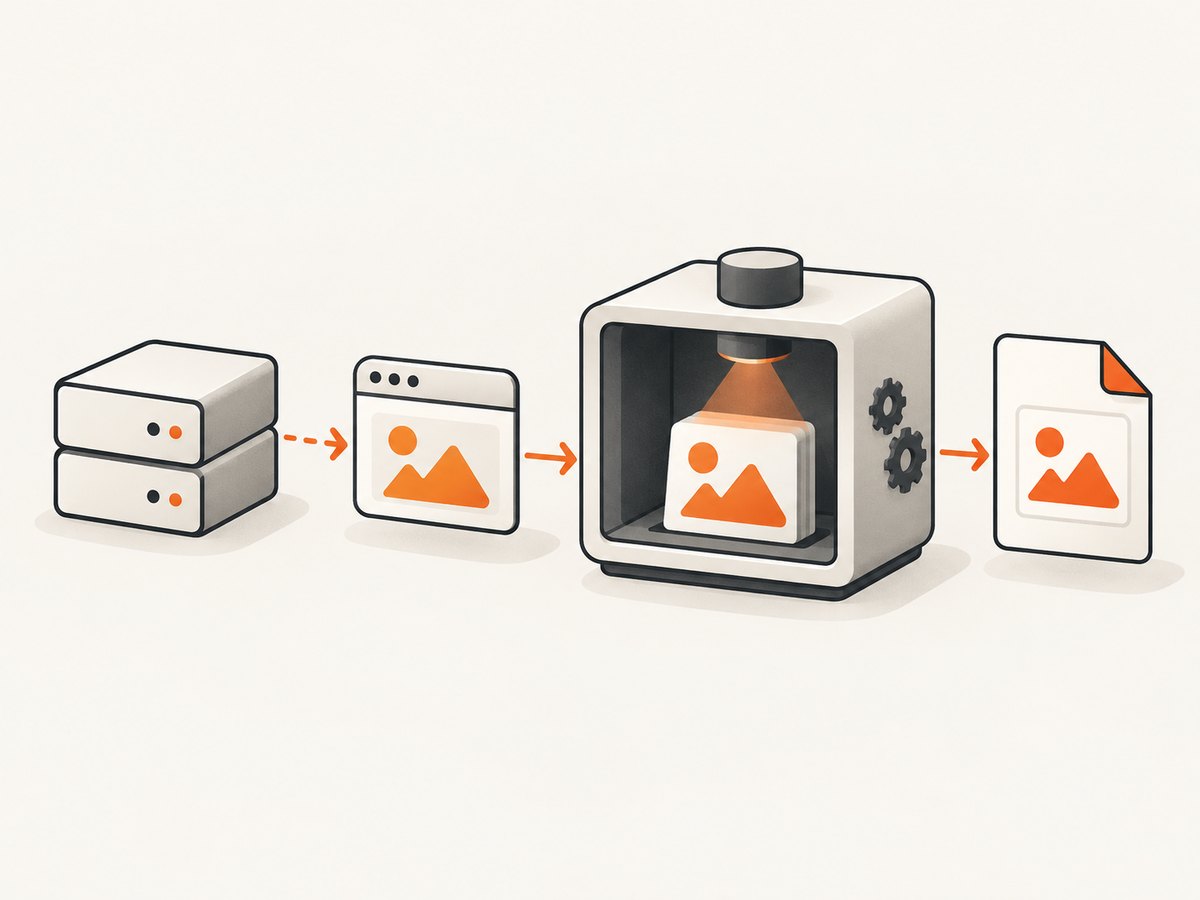
A request to a controller typically passes through this chain:
- Rails builds an HTML view.
- wicked_pdf writes or streams that HTML and invokes
wkhtmltopdf. - The wkhtmltopdf build, including its Qt/WebKit build, loads HTML, CSS, fonts and images.
- The binary emits a PDF, which Rails returns.
This explains the common “works locally but not on Heroku” symptom. Your laptop and dyno can have different binaries, shared libraries, network access, asset hosts and environment variables. A Rails asset helper can produce a valid browser URL while the renderer receives a relative URL or a host that is not reachable from the dyno.
2. Capture the deployed facts first
Run these commands in a one-off dyno:
heroku run 'which wkhtmltopdf; wkhtmltopdf --version' --app your-app
heroku run 'uname -a; cat /etc/os-release 2>/dev/null || true' --app your-app
heroku config:get RAILS_ENV --app your-app
Save the complete output with your deploy revision and Heroku stack. Check how wicked_pdf is configured. It supports an explicit executable path when the binary is not on PATH:
# config/initializers/wicked_pdf.rb
WickedPdf.configure do |config|
  config.exe_path = ENV.fetch('WKHTMLTOPDF_PATH', '/app/bin/wkhtmltopdf')
end
Do not infer the installed version from a Gemfile entry or an old buildpack article. Historical Heroku buildpack pages describe fixed releases for particular stacks; they are useful clues, not current installation instructions. Confirm the stack and binary that your dyno actually runs.
3. Inspect the HTML wicked_pdf really renders
Enable wicked_pdf’s HTML debug mode for the failing action:
<%= wicked_pdf_stylesheet_link_tag 'pdf' %>
<%= wicked_pdf_image_tag 'diagram.svg' %>

# controller example
render pdf: 'invoice', show_as_html: params[:debug].present?
Open the debug output and inspect the final src, href, CSS url(), and inline SVG markup. In debug mode, some wicked_pdf helpers can emit file:/// references that a normal browser blocks; use the normal image helper path when validating the debug page. The debug page shows what was generated, but does not prove that the PDF process can fetch it.
4. Make every asset reachable from the dyno
Prefer absolute, production URLs
Relative paths such as /assets/diagram.svg require a reachable asset host and a correct base URL. Generate an absolute URL with the production protocol and host, or use wicked_pdf’s documented helpers:
# config/environments/production.rb
config.action_controller.asset_host = ENV['ASSET_HOST']
config.action_mailer.default_url_options = { host: ENV.fetch('APP_HOST'), protocol: 'https' }

# view
<%= wicked_pdf_image_tag('diagram.svg', alt: 'Architecture diagram') %>
Check the generated HTML for the exact host and protocol. From a dyno, request the URL and inspect the status and content type:
heroku run 'curl -I -L https://assets.example.com/assets/diagram.svg' --app your-app
heroku run 'curl -L https://assets.example.com/assets/diagram.svg | head' --app your-app
Precompile PDF assets during deploy and ensure the fingerprinted filename in HTML exists. The wicked_pdf README warns that one broken or wrongly referenced image may prevent other images from appearing. Find all broken references before concluding that SVG is unsupported.
Inline small SVGs when appropriate
Inlining a small SVG, or using a base64 data URI for a small raster asset, removes a network dependency. It increases HTML size and can slow conversion, so reserve it for small, stable assets. Do not inline large illustrations or fonts.
Check authentication, TLS and network policy
A private asset URL that works in your browser may return a login page to wkhtmltopdf. A certificate chain problem, blocked outbound request, or HTTP URL redirected from HTTPS can produce a blank image. Fix the URL and certificate; do not strip HTTPS as a general workaround. An old community answer discussed that behavior for older versions, but it is anecdotal and version-specific.
5. Reduce SVG features to a controlled test
Start with one file that exercises only basic geometry:
<svg xmlns='http://www.w3.org/2000/svg' width='240' height='80' viewBox='0 0 240 80'>
  <rect width='240' height='80' fill='#2563eb'/>
  <circle cx='40' cy='40' r='20' fill='#fff'/>
</svg>
Render that file with the deployed binary. Then add one feature at a time: CSS classes, external stylesheets, clipPath, opacity, filters, embedded fonts and external references. Keep the smallest file that fails. This distinguishes an inaccessible asset from a renderer compatibility gap.
There is concrete evidence that builds differ: wkhtmltopdf issue 4611 reports different clip-path and opacity behavior between an unpatched Qt 0.12.4 build and patched builds. That report describes one reproduction; it is not a compatibility matrix for every release. Test the exact binary on your dyno.
6. Compare local and Heroku deterministically
Use the same HTML and SVG bytes in both environments:
wkhtmltopdf --version
wkhtmltopdf --enable-local-file-access test.html out.pdf
sha256sum test.html diagram.svg out.pdf
Record the exact wkhtmltopdf version and Qt/build variant, Heroku stack and shared-library availability, whether the asset request succeeds, the first SVG feature that changes output, and visual output from each binary.
If the URL works and the minimal file fails only on Heroku, install or select a binary compatible with the current stack, then rerun the same fixture. Historical buildpacks named versions such as 0.12.5-1.bionic_amd64 or older 0.12.3 packages for retired stacks; verify current availability and stack compatibility before adopting any recipe.
7. A repeatable Rails implementation
Controller and view
# app/controllers/reports_controller.rb
class ReportsController < ApplicationController
  def show
    @report = Report.find(params[:id])
    render pdf: "report-#{@report.id}", template: 'reports/show', layout: 'pdf', encoding: 'UTF-8', show_as_html: params[:debug].present?
  end
end

# app/views/reports/show.html.erb
<%= wicked_pdf_stylesheet_link_tag 'pdf' %>
<%= wicked_pdf_image_tag @report.diagram_path, alt: 'Report diagram' %>
<div class='chart'>...</div>
PDF CSS and print-safe SVG
/* app/assets/stylesheets/pdf.css */
@page { margin: 18mm; }
svg { max-width: 100%; height: auto; }
.chart { page-break-inside: avoid; }
Give the SVG explicit width, height and viewBox. Avoid relying on external CSS, filters or web fonts until the basic shape renders. If you need a complex illustration, export a PDF-safe variant or rasterize only that asset while investigating.
8. Troubleshooting checklist
| Symptom | Likely cause | Fix |
|---|---|---|
| SVG absent; other images absent too | Broken URL or one failed image aborts image loading | Inspect debug HTML; curl every URL from the dyno; use absolute URLs/helpers and precompile assets. |
| SVG works in debug browser, not PDF | Browser can reach a URL that wkhtmltopdf cannot, or file URI is blocked | Use production HTTP(S) URLs; avoid debug-only file:/// paths. |
| Only clip paths, opacity or filters fail | Feature differs in the deployed Qt/WebKit build | Reduce to a minimal SVG and compare exact binaries; simplify or provide a fallback. |
| No wkhtmltopdf executable found | Binary absent or not on PATH |
Install a compatible binary and set wicked_pdf exe_path. |
| Works locally, blank on Heroku | Different stack, binary, TLS, DNS or environment variable | Capture version, stack and path in both environments and test the URL from a dyno. |
| Fonts missing or layout shifts | Font URL blocked or unsupported format | Use reachable assets, embed a small required font, and test with system fonts. |
| HTTPS image workaround suggested online | Old, version-specific anecdote | Keep HTTPS; fix certificates, redirects and binary compatibility instead. |
9. Performance, reliability and cost
Every remote asset adds DNS, TLS and download time. Self-host stable assets, keep SVGs compact, avoid large base64 blobs and cache immutable fingerprints. Set a conversion timeout at the job layer and log the PDF request ID, binary version, URL host and elapsed time. Queue long reports so a web request does not hold a dyno.
For reliability, render a fixture after each binary or stack change and compare page count plus a visual sample. Keep the minimal failing SVG in version control. On errors, return a useful job failure and preserve the HTML for diagnosis; do not silently substitute an empty page.
wkhtmltopdf is local process execution, so your Heroku dyno cost is the runtime and memory consumed by conversion. If you need to capture arbitrary public pages rather than maintain a browser binary and asset pipeline, a hosted screenshot service can move that operational work out of your dyno.
10. Filing a useful upstream or vendor issue
The wkhtmltopdf support guidance asks for the version, operating system/version and a detailed reproducing test case. Include the Heroku stack, executable path, complete wkhtmltopdf --version output, minimal HTML, the SVG and expected/actual PDFs. State whether the URL is public, authenticated or inline. This lets maintainers separate an asset failure from an SVG feature regression.
Or skip the browser setup
ScreenshotNeo provides a website screenshot API and MCP server. For a clean capture, call the endpoint directly (see the API documentation):
curl -G "https://api.screenshotneo.com/v1/shot" -d access_key=YOUR_API_KEY --data-urlencode url=https://stripe.com -o shot.webpimport requests
r = requests.get("https://api.screenshotneo.com/v1/shot", params={"access_key": "YOUR_API_KEY", "url": "https://stripe.com"}, timeout=90)
open("shot.webp", "wb").write(r.content)const q = new URLSearchParams({ access_key: 'YOUR_API_KEY', url: 'https://stripe.com' });
const res = await fetch(`https://api.screenshotneo.com/v1/shot?${q}`);Before capture it accepts cookie/consent banners and removes more than 60 known consent platforms, newsletter popups and chat widgets; each step can be turned off. Bot checks, CAPTCHAs, blank pages, timeouts, failed loads and cache hits cost nothing, and the response reports the result with X-Page-Verdict and X-Billed headers. Its MCP server exposes take_screenshot, get_page_info and capture_pdf for Claude, Cursor and other MCP clients. The Free plan includes 1,000 screenshots a month with no card; paid plans start at $5 for 3,000. Create a free ScreenshotNeo account.
FAQ
Does wicked_pdf render SVG?
No. It invokes wkhtmltopdf, and that concrete binary renders the SVG.
Should I switch binaries immediately?
No. First prove that the URL loads and identify the feature that fails. Then compare a compatible binary with the same fixture.
Is an absolute URL always enough?
No. The host must also resolve, serve the asset, pass TLS validation and allow the renderer to fetch it.
Can I use inline SVG?
Yes for small, self-contained graphics. It removes a network fetch but increases HTML size; external styles, fonts and references can still fail.
What should a bug report contain?
Binary version/build, OS and Heroku stack, minimal HTML/SVG, exact command and expected versus actual output.


