How to Fix Symfony wkhtmltopdf ConnectionRefusedError in Docker
Fix wkhtmltopdf ConnectionRefusedError in Symfony Docker deployments by testing reachability from the renderer and using the correct container network address.
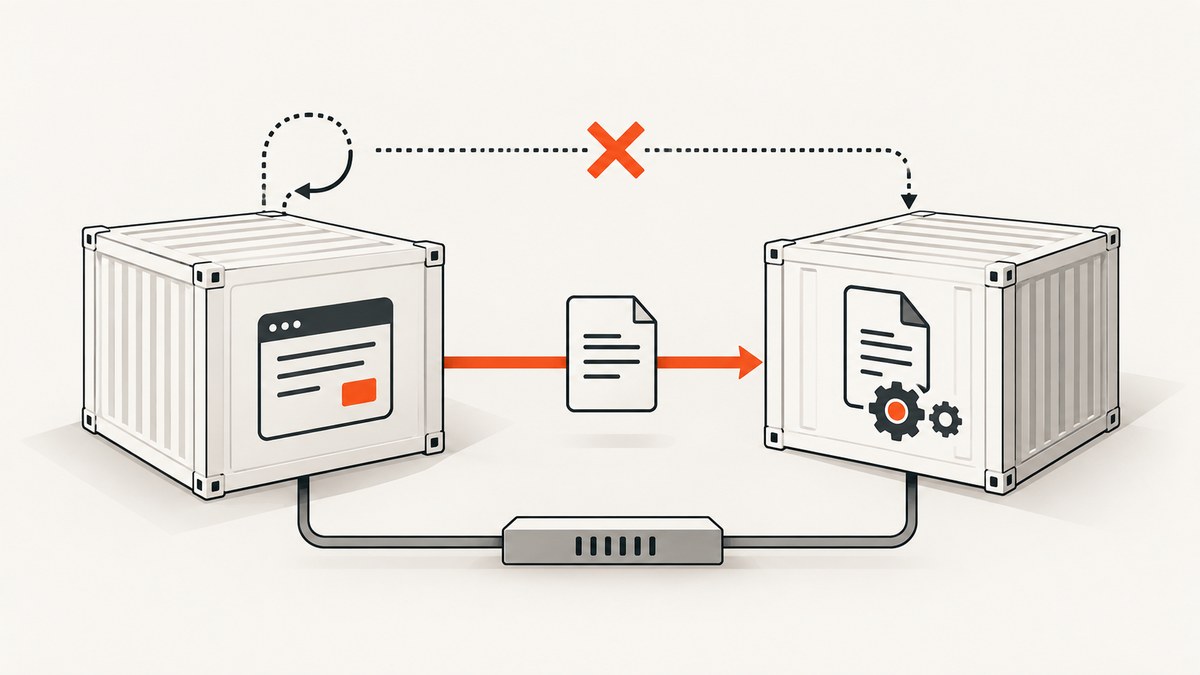
Direct answer: wkhtmltopdf is a separate process. It must be able to reach the exact URL Symfony gives it from the network namespace where wkhtmltopdf runs. If the renderer runs in a container and your Symfony web server runs in another container, localhost points back to the renderer container. Use the web service’s Docker network name and its listening container port, attach both services to the same network, and test that URL from inside the renderer container.
This is the leading Docker-specific explanation for ConnectionRefusedError, but it is a diagnosis to verify. First capture the full URL passed to KnpSnappyBundle, identify where the wkhtmltopdf executable runs, and make the same request from that environment. The historical wkhtmltopdf issue that contains this error was a Windows Server deployment rather than a Docker reproduction, so it should not be treated as proof of a Docker root cause (issue #3244).
How the request path works
KnpSnappyBundle can render a URL or supplied HTML. In URL mode, PHP starts the wkhtmltopdf executable, and that executable performs its own HTTP requests (KnpSnappyBundle README). The browser-like process does not automatically share PHP’s request context, DNS view, cookies, or network route.
Docker gives each container its own network namespace. Therefore:
http://localhostinside the renderer means the renderer container.- A Compose service name such as
webresolves to the web container when both services share a user-defined network. - Container-to-container traffic normally uses the destination container’s listening port, such as
80, rather than a host-published port such as8080. - Containers on different Docker networks cannot normally reach one another unless you explicitly connect the networks.
Docker’s networking and publishing behavior is documented in the Docker port publishing documentation. Publishing a port maps traffic through the host; it is not required for services already connected to the same bridge network.
1. Record the exact URL and execution context
Before changing configuration, write down the URL passed to getOutput() or generate(). Include scheme, hostname, port, path, query string, authentication requirements, and expected redirects. Then establish where the binary runs:
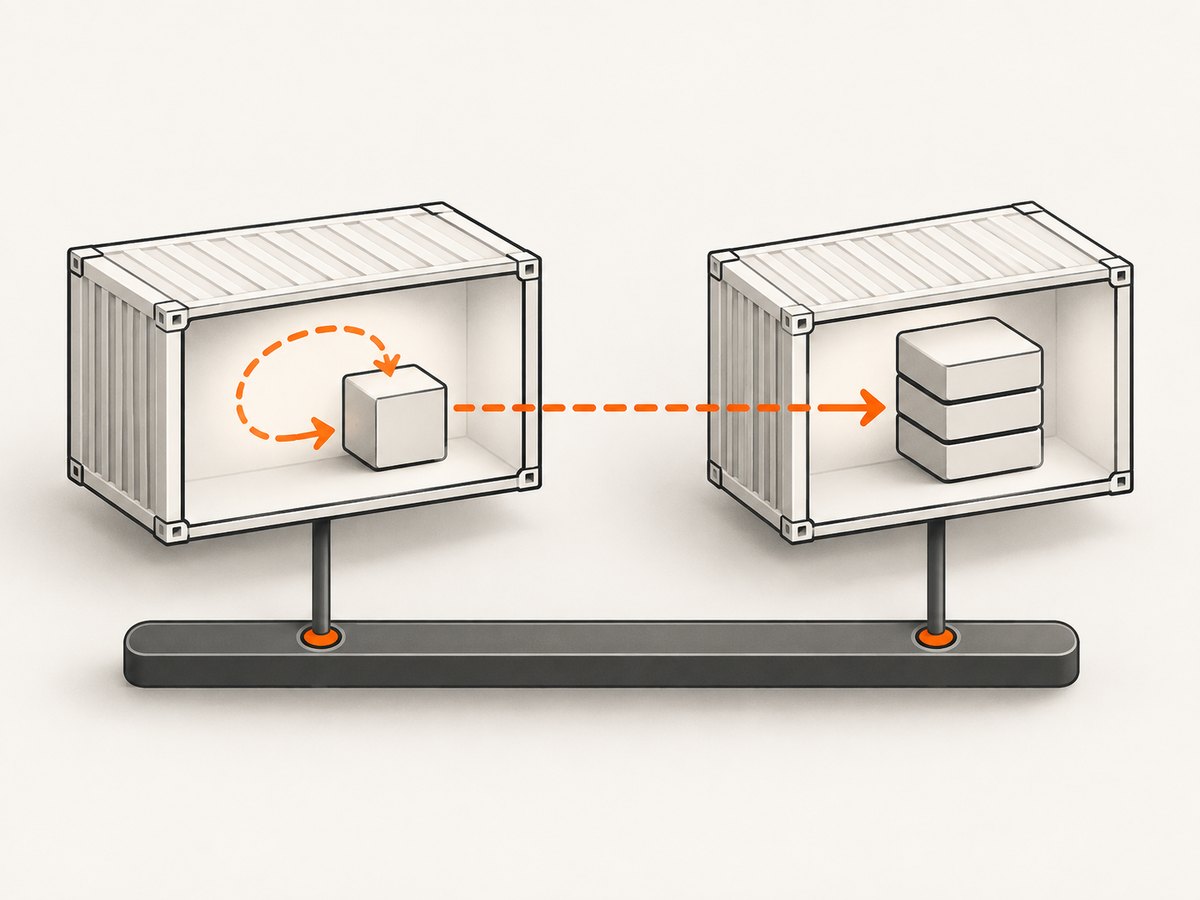
- Inside the PHP/Symfony container.
- Inside a separate renderer container.
- On the Docker host.
A typical Symfony call looks like this:
<?php
use Knp\Snappy\Pdf;

final class InvoicePdf
{
    public function __construct(private Pdf $pdf) {}

    public function render(string $url): string
    {
        return $this->pdf->getOutput($url);
    }
}

// Use a URL reachable from the process running wkhtmltopdf.
$pdfBytes = $invoicePdf->render('http://web:80/invoices/123');
file_put_contents('/tmp/invoice.pdf', $pdfBytes);
Use an absolute URL for page rendering. Relative CSS, image, and JavaScript paths depend on the page origin and often fail when the URL is incomplete.
2. Test reachability from the renderer container
Run the probe from the same container that launches wkhtmltopdf. Replace names and paths with your deployment values.
# Find the running containers
 docker compose ps

# Open a shell in the renderer container
 docker compose exec renderer sh

# From inside that shell, test the exact URL
 curl -v --max-time 20 http://web:80/invoices/123

# If curl is unavailable, try wget
 wget -S -O - http://web:80/invoices/123
Preserve the same scheme, port, path, headers, cookies, and authentication behavior used by wkhtmltopdf. A successful DNS lookup followed by “connection refused” usually means the address resolved but no process is listening on that port or a firewall is rejecting it. A DNS error points to network membership or service naming. A timeout suggests routing, a bind address, firewall policy, or an application that accepts connections too slowly.
3. Use a shared Docker network and service name
For a Compose deployment with a Symfony web service and a separate renderer, this is the usual layout:
services:
  web:
    build: .
    expose:
      - "80"
    networks:
      - internal

  renderer:
    image: your-wkhtmltopdf-image
    depends_on:
      - web
    networks:
      - internal

networks:
  internal:
    driver: bridge
If the web process listens on port 80 inside its container, pass http://web:80/path to wkhtmltopdf. Substitute the actual Compose service name and container port. Do not use the host-mapped port unless wkhtmltopdf is outside the Docker network.
Confirm the listener and network membership:
docker compose exec web sh -c 'ss -lntp || netstat -lntp'
docker inspect <web-container>
docker inspect <renderer-container>
Look for the same network name in both inspection results. Also verify that the web server binds to 0.0.0.0 inside the container. A process bound only to 127.0.0.1 accepts requests from that container itself, not from a neighboring container.
4. Know which port applies to each layout
| Renderer location | Address visible to renderer | Port to use | Required setup |
|---|---|---|---|
| Separate container on same Docker network | Compose service name, such as web |
Web container listening port, such as 80 | Both services on a shared network |
| Renderer on the Docker host | Host address or loopback address | Published host port, such as 8080 | Publish the web port and permit host access |
| Renderer on another network | Reachable routed address or attached network alias | Port exposed on that route | Explicit routing, firewall, and DNS configuration |
For host access, a mapping such as 127.0.0.1:8080:80 limits exposure to the host loopback interface. A broad 8080:80 mapping can bind all host addresses, depending on Docker and platform settings. Avoid publishing a port solely to make same-network container communication work.
5. Check KnpSnappyBundle configuration after networking
KnpSnappyBundle settings control the executable and process environment. They do not make an unreachable URL reachable. The bundle documents binary, temporary_folder, and process_timeout configuration (KnpSnappyBundle README).
# config/packages/knp_snappy.yaml
knp_snappy:
  pdf:
    enabled: true
    binary: '%env(WKHTMLTOPDF_BINARY)%'
    temporary_folder: '%kernel.cache_dir%/snappy'
    options:
      quiet: true
      page-size: A4
      encoding: utf-8
  image:
    enabled: true
    binary: '%env(WKHTMLTOIMAGE_BINARY)%'
# .env.local
WKHTMLTOPDF_BINARY=/usr/local/bin/wkhtmltopdf
WKHTMLTOIMAGE_BINARY=/usr/local/bin/wkhtmltoimageCheck that the path exists and is executable:
docker compose exec renderer sh -c 'command -v wkhtmltopdf && wkhtmltopdf --version'
 docker compose exec renderer sh -c 'test -x /usr/local/bin/wkhtmltopdf'
The temporary directory must be writable by the user running PHP. Increase process_timeout only when logs show a genuine timeout after the URL is reachable. Packagist notes that Snappy requires wkhtmltopdf 0.12.x (package documentation).
6. Separate connection failures from page and asset failures
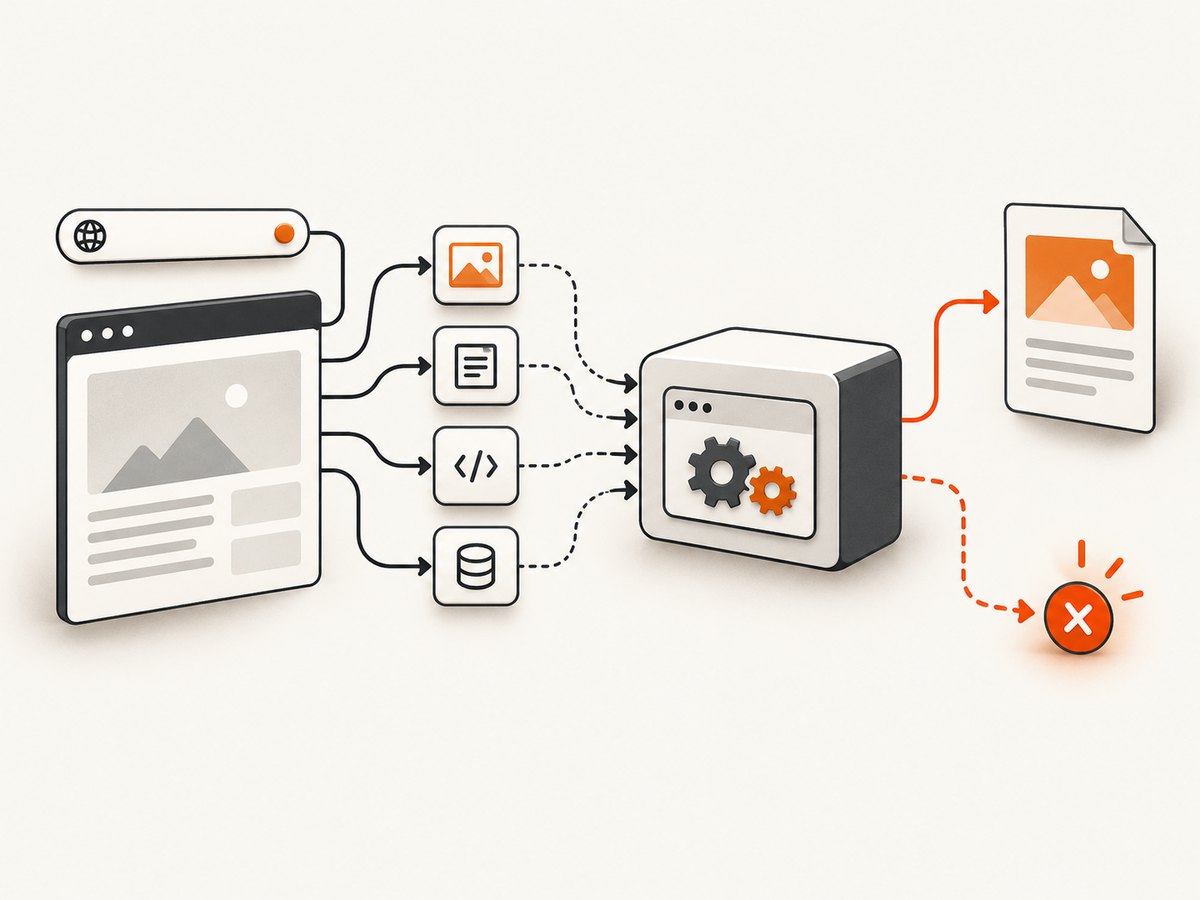
A successful request to the entry page does not guarantee a correct PDF. The page can still reference inaccessible CSS, images, JavaScript, redirects, or protected endpoints. Test those URLs from the renderer as well. Check wkhtmltopdf stderr and HTTP status codes.
wkhtmltopdf also has limitations with modern JavaScript and ES6. That can produce an incomplete page, but it does not explain a TCP connection refusal to the Symfony endpoint. Diagnose reachability first, then page content.
Common errors and fixes
| Symptom | Likely cause | Fix |
|---|---|---|
Connection refused for localhost |
Renderer is calling itself. | Use the web service name and container port, for example http://web:80/.... |
| Could not resolve host | Wrong service name or networks are not shared. | Use the Compose service name and attach both services to one network. |
| Request hangs until timeout | Firewall, wrong route, bind address, or slow application. | Run curl -v in the renderer; inspect listeners, routes, and proxy logs. |
| Page loads but assets are missing | Relative URLs, inaccessible asset host, or authentication. | Use an absolute entry URL and test every asset host from the renderer. |
| Binary not found | Incorrect binary path or missing package. |
Run command -v wkhtmltopdf inside the executing container and correct the environment variable. |
| Cannot create temporary files | temporary_folder is absent or not writable. |
Create the directory and grant write permission to the PHP user. |
| Only authenticated pages fail | Renderer does not have the browser session cookies or headers. | Pass suitable cookies or headers, or expose a controlled internal route for rendering. |
| Local CSS works only with a flag | Local file access is disabled. | Do not enable it as a network fix. Restrict inputs and use it only when local assets are required. |
Security: do not use local-file access as a shortcut
The Snappy package documentation warns that enabling local-file access can expose files or create remote-code-execution risks when untrusted HTML or JavaScript is processed (Packagist documentation). A refused TCP connection is a network-addressing problem. Keep local-file access disabled unless you have a specific, reviewed need, and constrain the input and runtime.
Performance and reliability checklist
- Keep the renderer and web service on a low-latency Docker network.
- Reuse a warm renderer container instead of starting a process for every request.
- Set a timeout that matches the slowest legitimate page, then monitor failed jobs separately.
- Use a dedicated internal hostname that does not depend on an external DNS provider.
- Make readiness explicit:
depends_oncontrols startup order, not application readiness. Add a health check or retry at the job layer. - Log the exact URL, renderer exit code, stderr, duration, and HTTP response observed from the renderer.
- Keep temporary files on fast writable storage and clean them after successful and failed jobs.
- Load test the complete path, including CSS, images, redirects, and authenticated resources.
Or skip the browser setup
If you need a clean screenshot or PDF rather than a self-managed wkhtmltopdf container, ScreenshotNeo provides a single HTTP request. Its API accepts a URL and returns PNG, JPEG, WebP, or PDF. The request below is documented alongside the other options at ScreenshotNeo’s API documentation.
curl -G "https://api.screenshotneo.com/v1/shot" -d access_key=YOUR_API_KEY --data-urlencode url=https://stripe.com -o shot.webpimport requests
r = requests.get("https://api.screenshotneo.com/v1/shot", params={"access_key": "YOUR_API_KEY", "url": "https://stripe.com"}, timeout=90)
open("shot.webp", "wb").write(r.content)const q = new URLSearchParams({ access_key: 'YOUR_API_KEY', url: 'https://stripe.com' });
const res = await fetch(`https://api.screenshotneo.com/v1/shot?${q}`);Cookie banners, newsletter popups, and chat widgets are removed before the shot. Bot checks, blank pages, failed loads, timeouts, and cache hits are not billed, and response headers identify the page verdict and billing status. An MCP server provides take_screenshot, get_page_info, and capture_pdf tools for Claude, Cursor, and other MCP clients. You can use custom headers, cookies, user agents, JavaScript, CSS, waits, selectors, device presets, PDF settings, caching, signed links, asynchronous jobs, bulk capture, and usage reporting.
The Free plan includes 1,000 screenshots each month with no card. Paid plans start at $5 for 3,000 shots. Create a free ScreenshotNeo account.
FAQ
Should I use the host port from another container?
Usually no. On a shared Docker network, use the destination service name and its container listening port. Use a host-published port when the renderer runs on the host or another route that reaches the host.
Does increasing process_timeout fix connection refusal?
No. It only allows a running process more time. Verify DNS, network membership, listening address, and port first.
Can I render HTML instead of a URL?
Yes. KnpSnappyBundle supports direct HTML generation as well as URL rendering. Direct HTML avoids the initial page request, but linked assets still need a reachable path.
Why does the old GitHub issue matter?
It confirms the wording of the error in a Symfony and KnpSnappy deployment. Its Windows Server environment is different, so use it for recognition rather than as evidence of your Docker topology.
What is the safest first command?
Run curl -v for the exact URL from inside the container that launches wkhtmltopdf. That single test separates network reachability from Symfony and PDF rendering configuration.


