How to Fix TCPDF Tables Rendering Side by Side
Stop TCPDF tables appearing beside each other. Remove floats, clear layout, fit widths, validate HTML, and troubleshoot TCPDF 7 whitespace issues.

TCPDF tables usually render side by side because the HTML renderer is following a float or width rule. A float:left or float:right on a table or wrapper leaves space for the next table, so the second table flows into that space. To stack tables vertically, remove floats, clear any earlier float, and give each table a width that fits the printable page area.
TCPDF does not implement CSS flexbox or grid, so replacing floats with display:flex or display:grid is not a dependable fix. The project documentation states that floats and table clearance interact as CSS specifies. The practical solution is ordinary block flow, explicit widths, valid table markup, and deliberate clearance.
1. The direct fix for stacked tables
Pass simple, self-contained markup to writeHTML(). This example makes both tables full width, disables floating, and clears the second table:
<style>
  table.tcpdf-table {
    width: 100%;
    float: none;
    clear: both;
    border-collapse: collapse;
  }

  table.tcpdf-table th,
  table.tcpdf-table td {
    border: 1px solid #444;
    padding: 5px;
  }

  .tcpdf-table + .tcpdf-table {
    clear: both;
    margin-top: 12px;
  }
</style>

<table class="tcpdf-table" cellpadding="4" cellspacing="0">
  <thead>
    <tr><th>Product</th><th>Quantity</th></tr>
  </thead>
  <tbody>
    <tr><td>Paper</td><td>10</td></tr>
    <tr><td>Ink</td><td>2</td></tr>
  </tbody>
</table>

<table class="tcpdf-table" cellpadding="4" cellspacing="0">
  <thead>
    <tr><th>Status</th><th>Updated</th></tr>
  </thead>
  <tbody>
    <tr><td>Ready</td><td>2026-09-30</td></tr>
  </tbody>
</table>
In PHP, create the document and write the HTML after setting the page and margins:
<?php
require_once __DIR__ . '/vendor/autoload.php';

$pdf = new TCPDF('P', 'mm', 'A4', true, 'UTF-8', false);
$pdf->SetCreator('My application');
$pdf->SetAuthor('My application');
$pdf->SetTitle('Stacked tables');
$pdf->setPrintHeader(false);
$pdf->setPrintFooter(false);
$pdf->SetMargins(15, 15, 15);
$pdf->SetAutoPageBreak(true, 15);
$pdf->AddPage();

$html = '<style>
  table.tcpdf-table { width:100%; float:none; clear:both; border-collapse:collapse; }
  .tcpdf-table + .tcpdf-table { clear:both; }
  th, td { border:1px solid #444; padding:5px; }
</style>
<table class="tcpdf-table">
  <tr><th>Name</th><th>Value</th></tr>
  <tr><td>First</td><td>100</td></tr>
</table>
<table class="tcpdf-table">
  <tr><th>Name</th><th>Value</th></tr>
  <tr><td>Second</td><td>200</td></tr>
</table>';

$pdf->writeHTML($html, true, false, true, false, '');
$pdf->Output(__DIR__ . '/stacked-tables.pdf', 'F');
The five boolean and string arguments shown are the common writeHTML() signature: enable line break, reset height, set background, stretch text, and alignment. Keep the call explicit while debugging so an inherited option does not obscure the layout problem.
2. Why TCPDF puts the tables on one line
TCPDF’s renderer builds a flow from the HTML it receives. Several conditions let a following table occupy the remaining width:
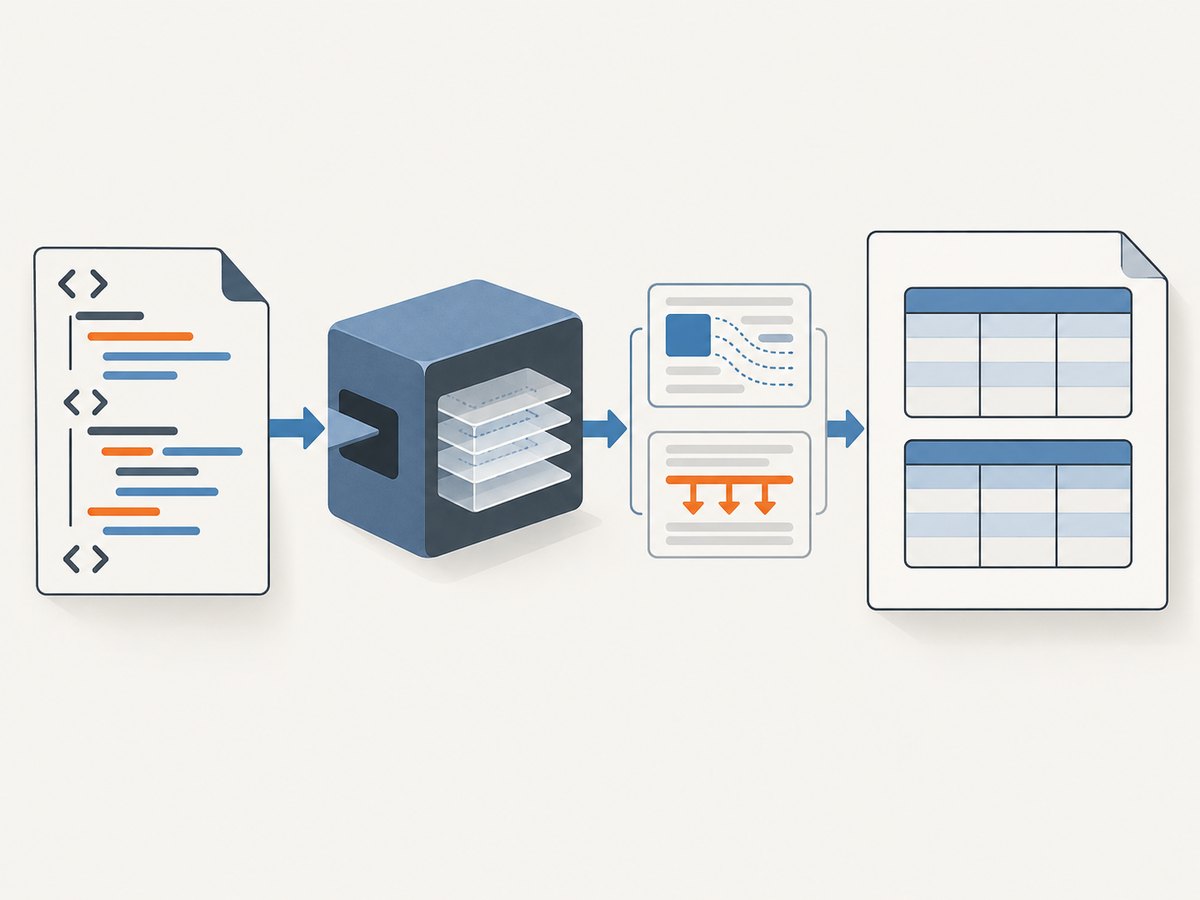
- A float on the table:
float:leftorfloat:rightremoves the table from normal block flow. - A floated wrapper: even if the table itself has no float, a surrounding
divcan reserve only part of the line. - Insufficient clearance: the next table starts before the previous float has ended.
- Widths that fit side by side: two tables at 48% or fixed widths can legitimately share a line.
- Unclosed markup: a missing
</table>,</tr>, or wrapper closing tag changes the parser’s idea of the flow. - Unsupported layout CSS: flex and grid declarations do not provide a reliable stacking model in TCPDF.
Inspect the final string generated by your template, rather than the source template alone. A CMS, component, or email-style stylesheet may inject the float or width that causes the result.
3. A repeatable debugging procedure
- Log the final HTML. Save the exact string passed to
writeHTML(). Search it forfloat, percentage widths, negative margins, and open wrappers. - Render one table. Remove the second table and all surrounding layout elements. If the first table is already misplaced, its own width or wrapper is the cause.
- Strip layout rules. Temporarily remove floats, flex, grid, margins, and percentage widths. Leave only a table, rows, and cells.
- Restore a printable width. Add
width="100%"orstyle="width:100%;"to each table. - Add clearance. Put
clear:bothon the next table or on a block immediately before it. - Validate nesting. Every table needs rows; every row needs cells. Close all
thead,tbody, and wrapper tags. - Compare with the official E043 example. Its use of
thead,tbody,th,td,colspan, androwspanis a useful baseline for valid TCPDF table HTML.
Whitespace can also matter. TCPDF issue #875 reports a TCPDF 7 alignment regression in which whitespace touching cell boundaries changes text alignment. If that symptom appears, preprocess the generated HTML:
$html = preg_replace('#(<td[^>]*>)\s+#', '$1', $html);
$html = preg_replace('#\s+(</td>)#', '$1', $html);
$html = preg_replace('#(<br\s*/?>)\s+#i', '$1', $html);
$pdf->writeHTML($html, true, false, true, false, '');
4. Fit every table inside the printable area
A4 paper is not the same as the content width. Subtract the left and right margins, and account for cell padding and borders. With 15 mm margins on A4, the usable width is about 180 mm. A table wider than that may clip, wrap unexpectedly, or appear to compete with another table.
Choose one unit system and keep it consistent. TCPDF accepts pixel and document-unit widths, but mixing fixed pixel widths with percentage widths makes responsive-looking HTML difficult to reason about. Prefer a table width of 100% and assign column widths that add up to 100%:
<table width="100%" cellpadding="4" cellspacing="0">
  <tr>
    <th width="25%">Code</th>
    <th width="50%">Description</th>
    <th width="25%">Amount</th>
  </tr>
</table>
Long unbroken strings, large images, and excessive cell padding can still exceed the available width. Insert sensible breaks into identifiers, reduce padding, or widen the page by using landscape orientation:
$pdf = new TCPDF('L', 'mm', 'A4', true, 'UTF-8', false);
$pdf->SetMargins(12, 12, 12);
5. When side-by-side tables are intentional
If two tables really belong in columns, do not float two independent tables. Use one outer table to define the columns, then put an inner table in each cell. This gives TCPDF one clear row and two explicit cells:
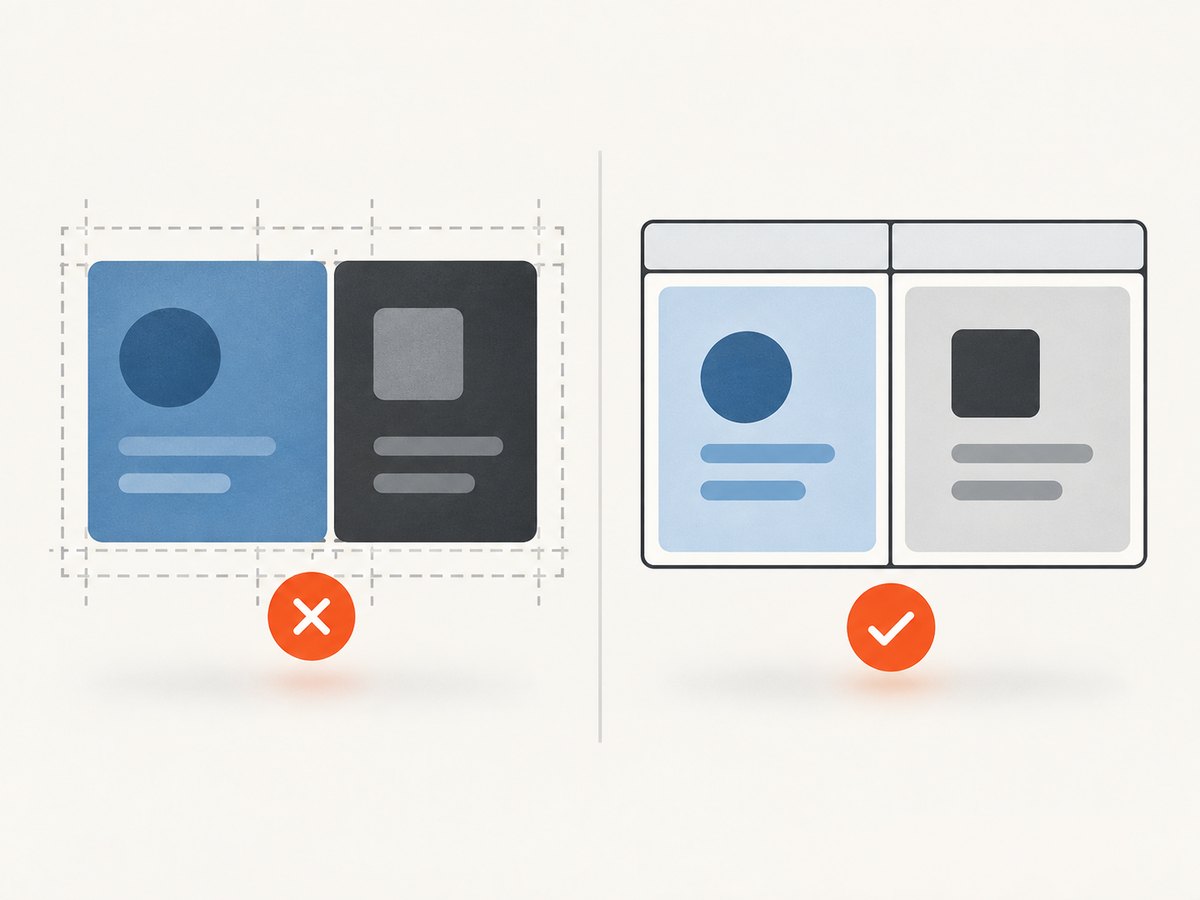
<table width="100%" cellpadding="5" cellspacing="0">
  <tr>
    <td width="50%" valign="top">
      <table width="100%" cellpadding="3" cellspacing="0">
        <tr><th>Left item</th></tr>
        <tr><td>A</td></tr>
      </table>
    </td>
    <td width="50%" valign="top">
      <table width="100%" cellpadding="3" cellspacing="0">
        <tr><th>Right item</th></tr>
        <tr><td>B</td></tr>
      </table>
    </td>
  </tr>
</table>
Check the combined column widths, borders, padding, and margins. A 50% cell with large padding can leave too little room for its inner table. If either column contains unpredictable text, use a single table with more columns instead of nested tables.
6. TCPDF options that affect table output
| Option or method | Use | Common mistake |
|---|---|---|
SetMargins() |
Defines the printable content box. | Assuming page width is available to HTML. |
SetAutoPageBreak() |
Controls bottom margin and table continuation across pages. | Disabling it and clipping long tables. |
writeHTML() |
Parses a block of HTML and CSS. | Passing browser-only CSS and expecting browser layout. |
writeHTMLCell() |
Places HTML inside a defined cell rectangle. | Using a cell width that is wider than the remaining line. |
setCellPaddings() |
Controls internal cell spacing. | Padding makes columns exceed the content width. |
setCellMargins() |
Controls spacing around cells. | Margins create an unexpected gap or overflow. |
setPage() and AddPage() |
Move content to a known page and orientation. | Writing after a manual page move with stale width assumptions. |
For very precise layouts, bypass HTML and use TCPDF positioning APIs such as SetXY(), MultiCell(), and writeHTMLCell(). This is useful for invoices and forms with fixed coordinates, but it requires you to handle page breaks and text growth yourself.
7. Troubleshooting common failures
The second table starts beside the first
Cause: a float or floated wrapper remains active. Fix: remove the float, set float:none, and add clear:both to the second table. Check generated HTML for an inherited selector.
Both tables are stacked but the second is clipped
Cause: the table, padding, or a long word exceeds the printable width. Fix: set the table to 100%, reduce padding, define column percentages that total 100%, and break long tokens.
CSS changes have no effect
Cause: TCPDF supports a subset of CSS. Flexbox and grid are not implemented. Fix: use ordinary table flow, supported floats with explicit clearance, or positioning APIs.
Rows overlap or disappear
Cause: malformed nesting, an unclosed tag, or a width that forces an unexpected parser recovery. Fix: reduce the document to one valid table, validate every tag, then add sections back one at a time.
Header alignment changes after upgrading to TCPDF 7
Cause: the reported whitespace-sensitive regression. Fix: remove whitespace directly inside td and th, and remove whitespace after br before calling writeHTML().
The table breaks at an awkward page position
Cause: the table is taller than the remaining space or automatic page breaks are configured with an unsuitable bottom margin. Fix: keep SetAutoPageBreak(true, bottomMargin), reduce oversized rows, or start a deliberate new page before a major table.
8. Performance, reliability, and maintainability
Generate the smallest valid HTML that expresses the layout. Removing browser frameworks, unused CSS, nested wrappers, and large inline images reduces parser work and makes output more predictable. Build each table from data with a dedicated function so every call emits the same opening, rows, and closing tags.
For large result sets, write rows in chunks and monitor memory. TCPDF still needs enough state to calculate page breaks, and huge cells can be expensive. Avoid calculating widths from untrusted content; normalize text, escape HTML, and use a fixed column model.
Reliability improves when you pin and document the TCPDF version, keep a small fixture PDF for regression checks, and compare output after upgrades. Test narrow and wide values, empty datasets, multi-page tables, right-to-left or UTF-8 text where applicable, and the exact page orientation used in production. A PDF viewer can expose clipping differently, so inspect the generated file in more than one viewer when a problem appears.
There is no separate TCPDF service cost for these fixes: the work runs in your PHP process. The trade-off is engineering time and server CPU. If your workflow only needs a clean screenshot or PDF of a web page, a capture API can remove browser and layout setup from the application.
9. Or skip the browser setup
If the goal is to capture a finished web page rather than generate a PDF from PHP tables, ScreenshotNeo provides a single HTTP request for PNG, JPEG, WebP, or PDF output. See the ScreenshotNeo API documentation for the complete request options.
cURL
curl -G "https://api.screenshotneo.com/v1/shot" -d access_key=YOUR_API_KEY --data-urlencode url=https://stripe.com -o shot.webpPython
import requests
r = requests.get("https://api.screenshotneo.com/v1/shot", params={"access_key": "YOUR_API_KEY", "url": "https://stripe.com"}, timeout=90)
open("shot.webp", "wb").write(r.content)
Node.js
const q = new URLSearchParams({ access_key: 'YOUR_API_KEY', url: 'https://stripe.com' });
const res = await fetch(`https://api.screenshotneo.com/v1/shot?${q}`);
ScreenshotNeo removes cookie banners, newsletter popups, and chat widgets before the shot. Bot checks, blank pages, failed loads, timeouts, and cache hits are not billed, and response headers identify the page verdict and billing result. Its MCP server lets Claude, Cursor, and other MCP clients call take_screenshot, get_page_info, and capture_pdf. The Free plan includes 1,000 screenshots each month with no card; paid plans start at $5 for 3,000 shots.
Sign up for 1,000 free screenshots a month with no card.
10. Checklist before shipping
- Log and inspect the final HTML string.
- Remove floats from tables and wrappers that must stack.
- Add
clear:bothbefore each table that follows a float. - Set table width to the printable content width.
- Keep column percentages within 100% after padding and borders.
- Use valid
thead,tbody,tr,th, andtdnesting. - Do not depend on flexbox or grid.
- Strip boundary whitespace if TCPDF 7 alignment changes.
- Test long text, empty data, page breaks, and landscape pages.
11. FAQ
Is this a PDF viewer bug?
Usually no. The side-by-side position is generally determined while TCPDF parses floats, wrappers, and widths. A viewer may reveal clipping, but it rarely causes the flow decision.
Should I add a page break between every table?
No. A page break hides the flow problem and wastes space. Clear the float and fit the tables to the content area; add a page break only when a new section should intentionally start on a new page.
Can I use display:block on a table?
You can try supported block-flow rules, but the dependable controls are removing floats, using explicit widths, and clearing preceding floats. Keep the markup close to TCPDF’s documented table examples.
When should I use nested tables?
Use one outer table with two cells when side-by-side columns are intentional. For stacked sections, separate top-level tables are simpler and easier to paginate.
How do I prove the fix works after a dependency update?
Render a fixture containing two stacked tables, a multi-page table, long text, and empty rows. Compare the output and check the generated HTML whenever the TCPDF version changes.


