How to Fix Tick Marks Not Displaying in HTML-to-PDF GitHub Actions
Fix missing HTML check marks in GitHub Actions PDFs with print CSS, fonts, SVG fallbacks, and deterministic Puppeteer or wkhtmltopdf settings.
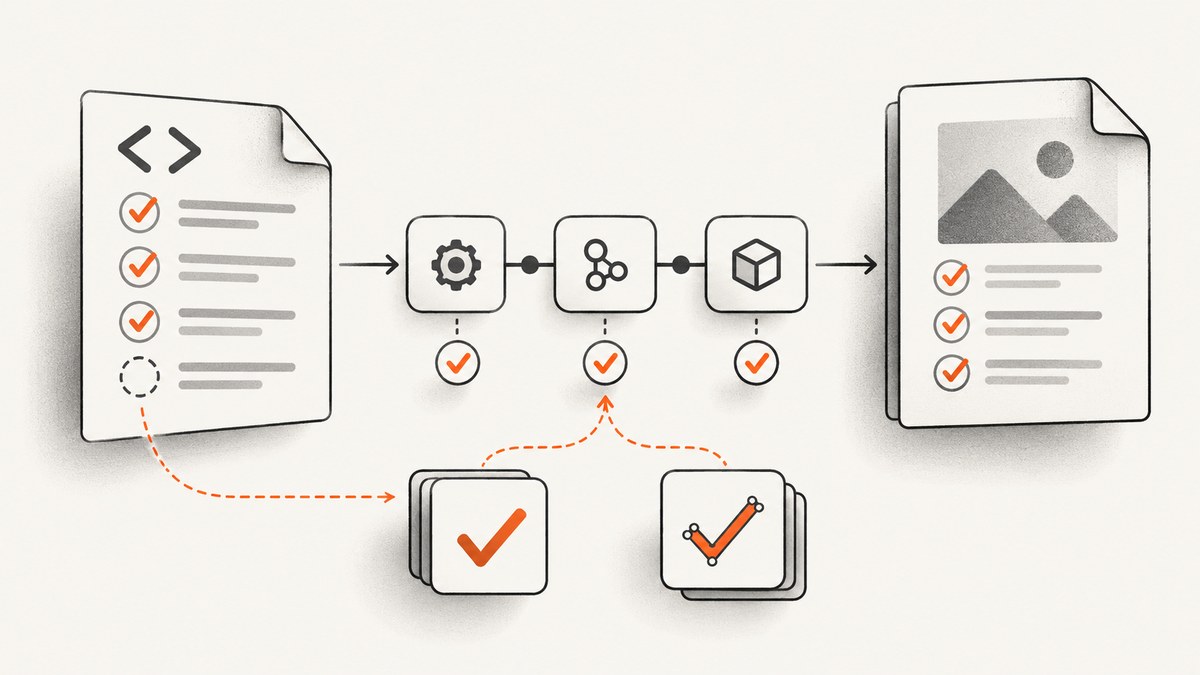
Direct answer: Tick marks disappear in GitHub Actions PDFs when the converter uses different print CSS, fonts, browser versions, or native form-control rendering than your workstation. In Puppeteer, page.pdf() uses the print media type by default, so add explicit print rules or call page.emulateMediaType('screen') when the screen design is intended. Keep fonts loaded, enable print backgrounds, and replace unreliable glyphs or native checkboxes with inline SVG. With wkhtmltopdf, select the intended media type, verify JavaScript timing, install the exact fonts, and use its checkbox SVG options for deterministic output.
1. Identify the renderer before changing the HTML
Read the workflow log and record the converter and version. The correct fix depends on the engine.
| Renderer | Typical cause | First checks |
|---|---|---|
| Puppeteer or Playwright | Print media rules, missing fonts, disabled backgrounds, or a browser version difference | emulateMediaType, waitForFonts, printBackground, Chromium version |
| wkhtmltopdf | Fontconfig, print CSS, JavaScript timing, or native control rendering | --print-media-type, font files, --javascript-delay, checkbox SVG options |
Save both the generated PDF and the source HTML as GitHub Actions artifacts. Inspect the PDF visually and extract its text. If the extracted text contains the tick but the mark is invisible, the problem is CSS color, clipping, or a background. If extraction omits it, investigate font coverage or replacement with SVG.
2. Make the mark explicit in HTML and print CSS
Do not rely on an icon font, a screen-only selector, or the browser’s native checkbox appearance. Give the mark a semantic label and a print rule.
<span class="status" aria-label="Complete">
  <span class="tick" aria-hidden="true">✓</span>
  Complete
</span>

<style>
.status { display: inline-flex; gap: .4rem; align-items: center; }
.tick {
  font-family: "Noto Sans", "DejaVu Sans", sans-serif;
  font-size: 1.1rem;
  line-height: 1;
  color: #166534;
  display: inline-block;
}
@media print {
  .tick {
    font-family: "Noto Sans", "DejaVu Sans", sans-serif;
    font-size: 1.1rem;
    color: #166534;
    display: inline-block;
    visibility: visible;
  }
}
</style>
As a diagnostic, change the mark temporarily to literal ✓, then to an inline SVG path. If the SVG survives while the glyph does not, the runner lacks the font or that font lacks the character.
3. Puppeteer: control media, fonts, and backgrounds
Puppeteer documents that page.pdf() generates a PDF with the print CSS media type. Use page.emulateMediaType('screen') only when the screen stylesheet is the intended design; otherwise write deliberate @media print rules. The PDF options include waitForFonts, which waits for document.fonts.ready, and printBackground, which preserves background-based marks. See the Page.pdf API and PDFOptions documentation.
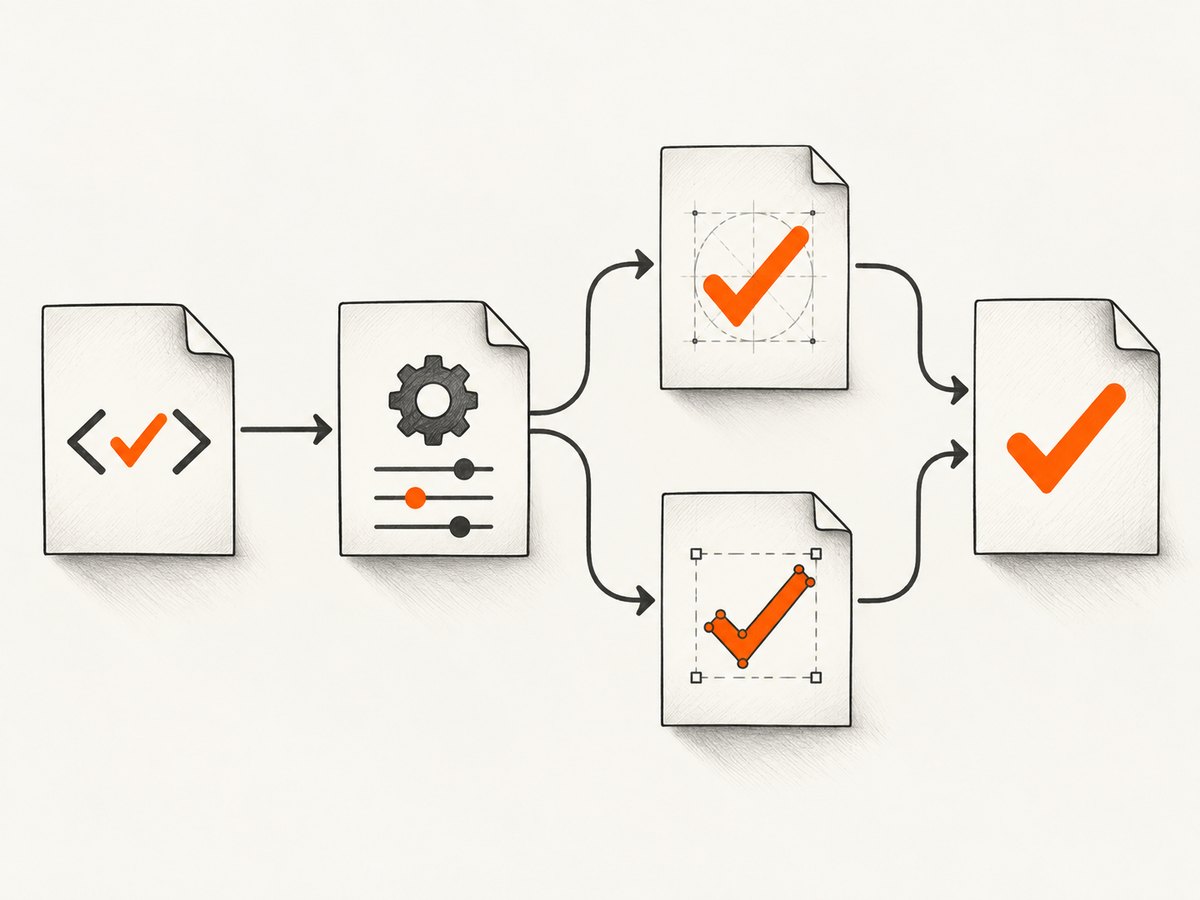
const puppeteer = require('puppeteer');

(async () => {
  const browser = await puppeteer.launch({
    headless: true,
    args: ['--no-sandbox', '--disable-setuid-sandbox']
  });
  try {
    const page = await browser.newPage();
    await page.goto('file://' + process.cwd() + '/document.html', {
      waitUntil: 'networkidle0'
    });

    // Use this line only when the screen design should be printed.
    // await page.emulateMediaType('screen');

    await page.evaluate(() => document.fonts.ready);
    await page.pdf({
      path: 'output.pdf',
      format: 'A4',
      printBackground: true,
      preferCSSPageSize: true,
      waitForFonts: true
    });
  } finally {
    await browser.close();
  }
})();
Pin the Puppeteer package and let it download its expected Chromium revision, or deliberately use a pinned system browser. A workstation browser and the Actions browser can differ in CSS support and native-control painting.
GitHub Actions example
name: Build PDF
on: [push]
jobs:
  pdf:
    runs-on: ubuntu-22.04
    steps:
      - uses: actions/checkout@v4
      - uses: actions/setup-node@v4
        with:
          node-version: 20
      - run: npm ci
      - run: npx puppeteer browsers install chrome
      - run: node render-pdf.js
      - uses: actions/upload-artifact@v4
        with:
          name: generated-pdf
          path: output.pdf
4. wkhtmltopdf: select print behavior and deterministic checkbox assets
wkhtmltopdf can use print CSS with --print-media-type. If JavaScript inserts the mark, wait for it with an appropriate delay and verify that the script runs in the runner. For native checkbox controls, wkhtmltopdf exposes --checkbox-checked-svg and --checkbox-svg; the project command reference describes the checked SVG option as the asset used when rendering checked checkboxes. The current stable series is 0.12.6, released June 11, 2020, so pin the package and test its exact binary in CI. See the usage reference and project downloads page.
wkhtmltopdf \
  --print-media-type \
  --enable-local-file-access \
  --javascript-delay 500 \
  --checkbox-checked-svg assets/checkbox-checked.svg \
  --checkbox-svg assets/checkbox-unchecked.svg \
  document.html output.pdf
Bundle the SVG files in the repository. Avoid remote font and image URLs when reproducibility matters.
5. Install and verify fonts inside the runner
Fonts are a build dependency. A local font installed on your laptop is not automatically present in GitHub Actions. Install the exact files, refresh Fontconfig, and confirm the family and glyph before conversion.
sudo apt-get update
sudo apt-get install -y fontconfig
mkdir -p "$HOME/.local/share/fonts"
cp fonts/NotoSans-Regular.ttf "$HOME/.local/share/fonts/"
fc-cache -f -v
fc-match "Noto Sans"
fc-query fonts/NotoSans-Regular.ttf | head
If your image uses a custom Fontconfig setup, set FONTCONFIG_PATH to that configuration. Use a font with a check-mark glyph, or use an inline SVG so glyph coverage is no longer part of the rendering path. Embed fonts with @font-face only when the file is available locally or from a controlled build asset.
6. Replace native controls and icon fonts when output must be stable
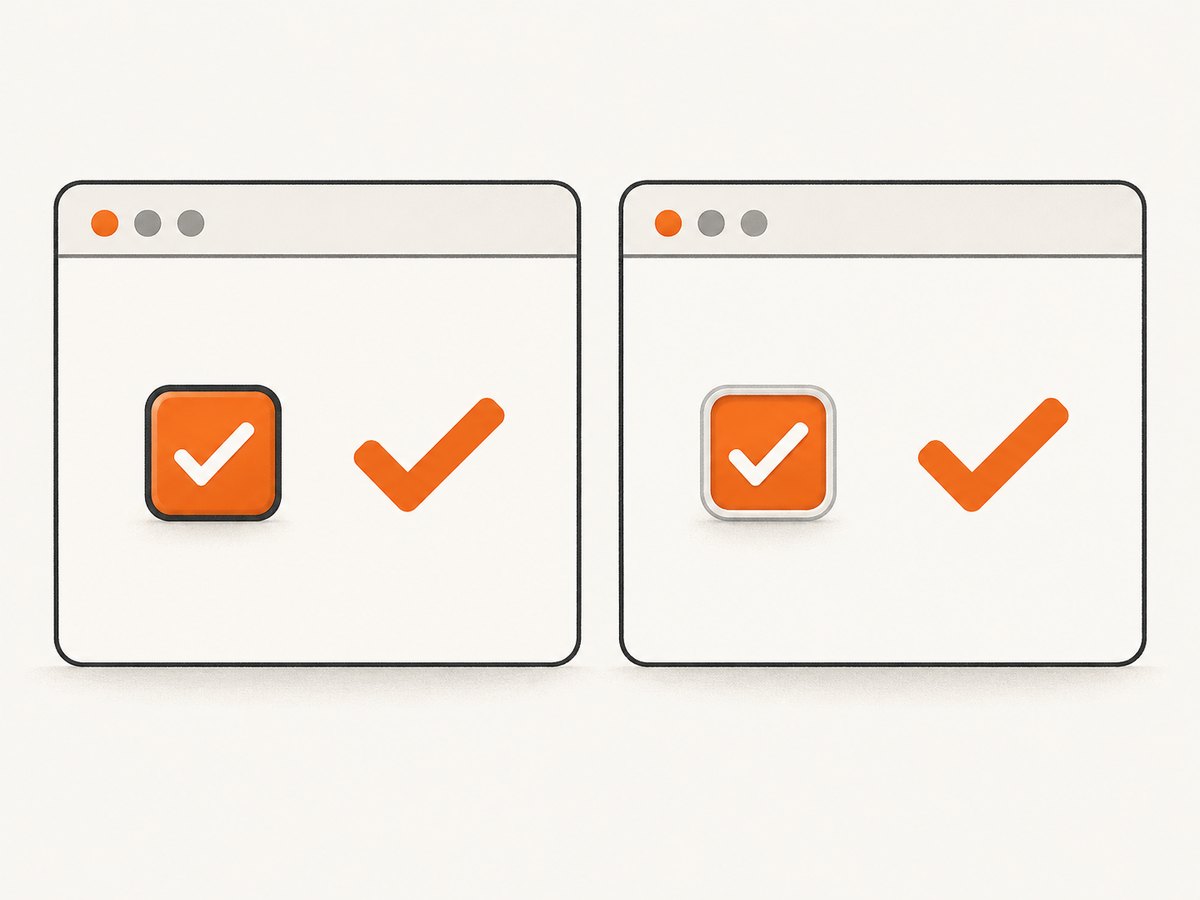
Native checkbox appearance is engine-dependent. For reports that must match across runners, render a styled element or inline SVG rather than relying on <input type="checkbox">. Keep the input for accessibility and place the SVG in a print-visible label.
<label class="check-row">
  <input type="checkbox" checked>
  <svg class="check-svg" viewBox="0 0 20 20" aria-hidden="true">
    <path d="M3 10.5 8 15l9-10" fill="none" stroke="currentColor" stroke-width="2.5" stroke-linecap="round" stroke-linejoin="round"/>
  </svg>
  Complete
</label>
<style>
.check-svg { width: 1em; height: 1em; color: #166534; }
@media print {
  input { position: absolute; opacity: 0; }
  .check-svg { display: inline-block; }
}
</style>
7. Troubleshooting checklist
| Symptom | Cause | Fix |
|---|---|---|
| Works in HTML, absent in PDF | Print CSS hides it or changes its color | Inspect @media print; set display, visibility, font, size, and color explicitly. |
| Square, empty box, or replacement character | Font missing or no glyph coverage | Install and cache the font; verify with fc-match; use inline SVG. |
| Colored tick disappears | It is a CSS background | Set Puppeteer printBackground: true or move the mark to text/SVG. |
| Native checkbox differs by runner | Engine-dependent form-control painting | Use explicit SVG assets or a styled element. |
| Mark appears only after a delay locally | JavaScript has not finished in CI | Wait for a selector, network idle, or a measured JavaScript delay. |
| Layout shifts or clips the mark | Different fonts change metrics or print dimensions | Pin fonts, set line height and page size, and inspect the artifact. |
| Screen design is correct but PDF is different | Puppeteer defaults to print media | Author print rules or call emulateMediaType('screen'). |
8. Reliability, performance, and cost considerations
- Reliability: Pin the runner image, converter version, browser revision, fonts, and SVG assets. Upload every failed PDF as an artifact.
- Performance: Reuse one browser process for multiple pages, wait for the narrowest reliable condition, and avoid unnecessary network requests and large web fonts.
- Reproducibility: Prefer local assets, deterministic CSS, fixed page dimensions, and a single rendering engine.
- Debugging: Produce a diagnostic HTML page containing a literal tick, the production font, an inline SVG, and a native checkbox. One run quickly separates font, CSS, and control-rendering failures.
- Cost: GitHub Actions minutes increase with browser startup, font installation, and retries. Caching dependencies helps, but do not cache mutable browser binaries without pinning their version.
9. Or skip the browser setup
For a hosted capture or PDF workflow, ScreenshotNeo accepts one GET request and returns a PNG, JPEG, WebP, or PDF. Cookie and consent banners, newsletter popups, and chat widgets are removed before the shot. Bot checks, blank pages, failed loads, timeouts, and cache hits are not billed, and response headers report the page verdict and billing status. Its MCP server lets Claude, Cursor, and other MCP clients use take_screenshot, get_page_info, and capture_pdf.
See the ScreenshotNeo API documentation for all options, including PDF paper size, margins, landscape mode, page ranges, custom CSS and JavaScript, waits, headers, cookies, user agents, caching, signed webhooks, and bulk capture.
cURL
curl -G "https://api.screenshotneo.com/v1/shot" -d access_key=YOUR_API_KEY --data-urlencode url=https://stripe.com -o shot.webpPython
import requests
r = requests.get("https://api.screenshotneo.com/v1/shot", params={"access_key": "YOUR_API_KEY", "url": "https://stripe.com"}, timeout=90)
open("shot.webp", "wb").write(r.content)
Node.js
const q = new URLSearchParams({ access_key: 'YOUR_API_KEY', url: 'https://stripe.com' });
const res = await fetch(`https://api.screenshotneo.com/v1/shot?${q}`);
The Free plan includes 1,000 screenshots each month with no card. Paid plans start at $5 for 3,000 shots. Create a free ScreenshotNeo account.
10. FAQ
Should I use a literal check character or an SVG?
Use a literal character when the required font is installed and pinned. Use inline SVG when output must remain stable across engines and operating systems.
Does waitForFonts install fonts?
No. It waits for browser font loading to finish. The font files still must be installed or served successfully in the runner.
Why does enabling screen media sometimes fix the PDF?
Because Puppeteer prints with print media by default. The screen stylesheet may contain the only visible tick rule, but relying on it hides future print-specific behavior.
Can I diagnose this without changing production templates?
Yes. Render a small fixture containing a text tick, an inline SVG, an icon-font tick, and a native checkbox, then compare extracted text and pixels from the Actions artifact.


