How to Fix a TooManyRedirects Error in Python Requests
Trace the redirect chain, find the loop, and fix TooManyRedirects in Python Requests without hiding the real server or authentication problem.

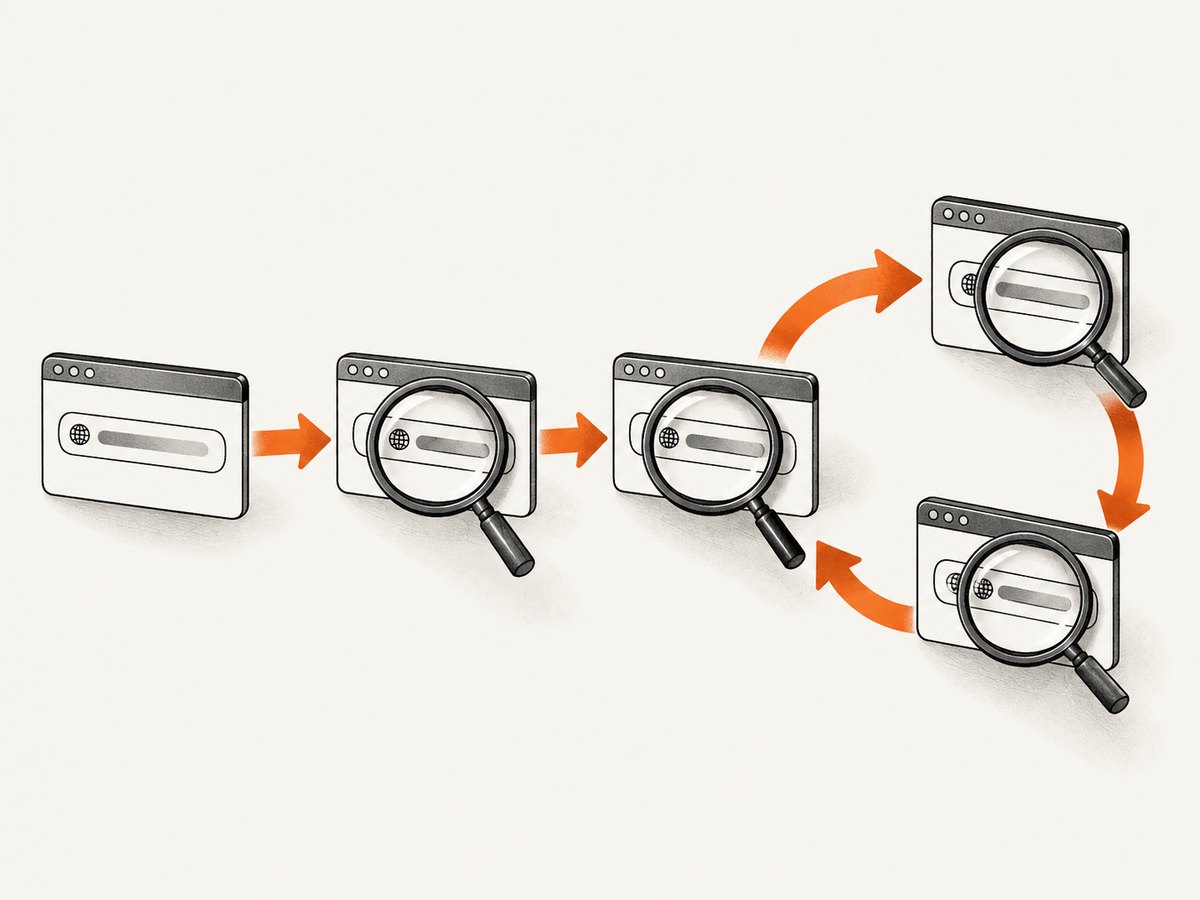
TooManyRedirects means Requests followed more redirects than its configured limit. It is a guardrail, not proof that the network is down. The durable fix is to inspect the actual Location chain, identify the rule that sends the client back around the loop, and correct that URL, server rewrite, proxy, cookie policy, or authentication flow.
Use a bounded timeout, catch requests.exceptions.TooManyRedirects, and inspect the response history when available. A request with allow_redirects=False exposes the first redirect without following it. Raising Session.max_redirects is appropriate only for a known, finite redirect chain; it cannot repair a cycle.
1. Reproduce the error safely
Start with a timeout that has separate connect and read values. Production Requests code should nearly always specify a timeout. Catch the specific exception so you can distinguish a redirect loop from DNS, TLS, connection, or read-timeout failures.
import requests

url = "https://example.com/start"

try:
    response = requests.get(url, timeout=(5, 20))
except requests.exceptions.TooManyRedirects as exc:
    response = exc.response
    print("redirect limit reached")
    if response is not None:
        print("last URL:", response.url)
        print("redirects seen:", len(response.history))
        for item in response.history:
            print(
                item.status_code,
                item.url,
                "->",
                item.headers.get("Location"),
            )
else:
    print("final:", response.status_code, response.url)
    for item in response.history:
        print(
            item.status_code,
            item.url,
            "->",
            item.headers.get("Location"),
        )
response.history is ordered from the oldest redirect to the newest. Each item is a response object, so log its status code, URL, Location header, and any cookies that may influence the next hop.
2. Inspect the first redirect without following it
Automatic redirect handling can hide the first bad decision. Disable it for a diagnostic request:
import requests

r = requests.get(
    "https://example.com/start",
    allow_redirects=False,
    timeout=(5, 20),
)

print("status:", r.status_code)
print("url:", r.url)
print("location:", r.headers.get("Location"))
print("set-cookie:", r.headers.get("Set-Cookie"))
For GET, OPTIONS, POST, PUT, and DELETE, Requests supports the allow_redirects parameter. HEAD has different default behavior. A 3xx response with no usable Location header is a server-side defect that should be fixed at the origin or proxy.
3. Read the chain as a graph
Write each hop as current URL -> Location. Look for a repeated URL or a repeated pair of hosts. Typical patterns include:
| Pattern | What it usually means | Where to inspect |
|---|---|---|
| A -> B -> A | A direct redirect cycle | Application routes and rewrite rules |
| HTTP -> HTTPS -> HTTP | Proxy and origin disagree about TLS | Forwarded-proto handling and load balancer rules |
| www -> apex -> www | Two canonical-host policies conflict | DNS, CDN, web server, and application canonical URL |
| /path -> /path/ -> /path | Trailing-slash rules conflict | Router, framework, and proxy rewrites |
| Login -> protected page -> Login | Authentication state is missing or rejected | Cookies, session domain, SameSite policy, and auth middleware |
| Repeated query-string changes | Canonicalization keeps producing a new URL | URL builder, tracking-parameter cleanup, redirect middleware |
Do not infer the cause from the exception name alone. Confirm it in the observed Location values. A browser may appear to work because it has a cookie, follows a different policy, or uses cached state that your Python process does not have.
4. Find the component emitting the bad Location
Application URL construction
Check whether the starting URL is already non-canonical. Generate the canonical absolute URL once, then request it directly after correcting the redirect rule. Avoid code that alternates between a slash and no slash, or that prepends a host to an already absolute URL.
Reverse proxies and TLS termination
When HTTPS ends at a load balancer, the origin may see an HTTP connection. If the application redirects every HTTP request to HTTPS without trusting the proxy’s forwarded protocol header, the proxy can send the request back to the origin and repeat the redirect. Configure the framework’s trusted proxy settings and make the canonical scheme consistent across layers.
Host canonicalization
Choose one public hostname and enforce it in one place. Conflicting rules at a CDN, web server, and application can bounce between www.example.com and example.com. Include the port when relevant; a rule that changes :80 and :443 inconsistently can create the same symptom.
Cookies and authentication
Inspect Set-Cookie and the cookie jar. A login redirect loop often means the session cookie is scoped to the wrong domain or path, expires immediately, requires HTTPS, or is rejected because of SameSite or secure-cookie rules. Use a Session for a legitimate login flow and verify that the authenticated endpoint accepts the resulting cookie.
import requests

session = requests.Session()
login = session.post(
    "https://example.com/login",
    data={"username": "USER", "password": "PASSWORD"},
    timeout=(5, 20),
    allow_redirects=False,
)

print(login.status_code, login.headers.get("Location"))
print("cookies:", session.cookies.get_dict())

page = session.get(
    "https://example.com/account",
    timeout=(5, 20),
    allow_redirects=False,
)
print(page.status_code, page.headers.get("Location"))
Do not print secrets, authorization headers, or full cookie values in shared logs. Redact them while preserving cookie names and domains.
5. Use a bounded redirect tracer
A manual tracer makes every hop visible and lets you stop before a cycle becomes noisy. It also works when you need to inspect cookies or headers between hops.
from urllib.parse import urljoin
import requests


def trace_redirects(start_url, limit=20):
    session = requests.Session()
    current = start_url
    seen = set()

    for number in range(limit + 1):
        if current in seen:
            print("cycle detected:", current)
            return
        seen.add(current)

        response = session.get(
            current,
            allow_redirects=False,
            timeout=(5, 20),
        )
        location = response.headers.get("Location")
        print(number, response.status_code, response.url, "->", location)

        if response.status_code not in (301, 302, 303, 307, 308):
            print("final response:", response.status_code)
            return
        if not location:
            print("redirect has no Location header")
            return

        current = urljoin(response.url, location)

    print("trace limit reached")


trace_redirects("https://example.com/start")
This code intentionally uses a finite local limit. It does not replace the server fix; it gives you a reproducible trace for the team that owns the redirect rule.
6. Decide whether to change max_redirects
Requests documents a default redirect limit of 30. The limit is controlled by Session.max_redirects and the resolver raises TooManyRedirects when the history reaches that ceiling.
import requests

session = requests.Session()
session.max_redirects = 10

response = session.get(
    "https://example.com/start",
    timeout=(5, 20),
)
Increase the value only when you can describe the intended finite chain, such as a controlled migration that passes through several known hosts. A higher value delays the exception and can increase latency. It does not fix A -> B -> A, an HTTPS bounce, or an authentication loop. Never replace the ceiling with unbounded redirect following.
7. Common errors and fixes
| Symptom | Cause | Fix |
|---|---|---|
| Every request alternates HTTP and HTTPS | Origin does not recognize TLS termination | Correct forwarded-protocol and trusted-proxy configuration; keep one HTTPS canonical URL. |
| Only the API client loops; browser succeeds | Browser has a session, consent, or bot cookie | Compare cookies and authentication state; implement the documented login flow. |
| Only one path loops after deployment | Route-specific slash or canonicalization rule | Compare the exact Location values before and after the deployment. |
| Loop begins after adding a query parameter | Redirect code removes and then re-adds the parameter | Make canonicalization idempotent and preserve the intended query string. |
| Exception appears after a long wait | Redirects are followed sequentially | Use a connect/read timeout and inspect with allow_redirects=False. |
response is unavailable in the exception |
The failure occurred before a response could be attached | Log the exception, URL, and request settings; reproduce with the no-follow diagnostic. |
8. Reliability and performance considerations
- Bound both connection and read time. A redirect loop and a slow origin are different failures, but both can consume worker capacity without timeouts.
- Cache the canonical URL in configuration. Avoid discovering the same redirect chain on every job when the destination is known.
- Keep diagnostic logging structured. Record hop number, status, URL, Location, and elapsed time; redact credentials and cookie values.
- Do not retry blindly. Retrying a deterministic 3xx cycle multiplies traffic and delay. Retry transient connection failures separately from redirect policy errors.
- Use a Session when cookies or connection reuse matter. A Session can preserve authentication state and reuse connections, but stale cookies can also explain a loop, so clear or recreate it during diagnosis.
- Validate redirects in deployment checks. Request important canonical URLs with redirects disabled and assert the expected status, scheme, host, and path.
9. Or skip the browser setup
If your goal is to capture a stable image or PDF of a page rather than debug its redirect policy, ScreenshotNeo provides a website screenshot API. It accepts one GET request and returns PNG, JPEG, WebP, or PDF. The API can handle cookie and consent banners before capture and remove more than 60 known consent platforms, newsletter popups, and chat widgets. Each step can be disabled.

See the ScreenshotNeo API documentation for the complete option list.
cURL
curl -G "https://api.screenshotneo.com/v1/shot" \
  -d access_key=YOUR_API_KEY \
  --data-urlencode url=https://example.com \
  -o shot.webp
Python
import requests

r = requests.get(
    "https://api.screenshotneo.com/v1/shot",
    params={
        "access_key": "YOUR_API_KEY",
        "url": "https://example.com",
    },
    timeout=90,
)
r.raise_for_status()
open("shot.webp", "wb").write(r.content)
Node.js
const q = new URLSearchParams({
  access_key: 'YOUR_API_KEY',
  url: 'https://example.com'
});
const res = await fetch(`https://api.screenshotneo.com/v1/shot?${q}`);
if (!res.ok) throw new Error(`HTTP ${res.status}`);
const data = Buffer.from(await res.arrayBuffer());
await require('node:fs').promises.writeFile('shot.webp', data);
ScreenshotNeo reports whether a response was clean and whether it was billed in the X-Page-Verdict and X-Billed headers. Bot checks or CAPTCHAs, blank pages, timeouts, failed loads, and cache hits are not billed. Its MCP server includes take_screenshot, get_page_info, and capture_pdf tools for Claude, Cursor, and other MCP clients. You can also use full-page capture, element selectors, device presets, custom headers and cookies, waits, request blocking, caching, signed links, asynchronous jobs, bulk capture, and a usage API.
The Free plan includes 1,000 screenshots each month with no card. Paid plans start at $5 for 3,000 screenshots. Create a free ScreenshotNeo account.
10. FAQ
Does TooManyRedirects mean the website is offline?
No. It means Requests followed too many redirects. The origin may be responding consistently while emitting a broken cycle.
Should I set allow_redirects=False in production?
Use it when your application must inspect or enforce redirects itself. Otherwise, automatic handling is convenient, provided you keep a timeout and a finite redirect limit.
Can I fix the problem by changing User-Agent?
Only if the server intentionally sends different redirect rules by User-Agent. Inspect the Location chain first; changing headers can conceal the real configuration problem.
Why is response.history empty?
History is populated for completed redirect-following requests. If the exception occurred before a response was attached, or if redirects were disabled, inspect the response returned by the no-follow request and its headers.
What should I give the server administrator?
Provide the starting URL, timestamp, status and Location for each hop, whether cookies were present, and the scheme and Host sent by the client. That evidence points to the emitting proxy, application, or authentication rule.
11. A practical checklist
- Reproduce with
timeout=(connect, read). - Catch
TooManyRedirectsand printresponse.historywhen available. - Repeat with
allow_redirects=Falseto expose the first Location. - Normalize and compare every URL, host, scheme, path, and query string.
- Inspect proxy TLS settings, canonical-host rules, slash rules, cookies, and authentication.
- Correct the rule that emits the cycle.
- Request the canonical final URL directly.
- Raise
max_redirectsonly for a documented finite chain. - Add a regression check so the loop cannot return unnoticed.
The key distinction is simple: a redirect limit controls how long the client follows instructions; it does not make incorrect instructions correct. Trace the chain, fix the component that creates it, and keep every request bounded.


