How to Fix TTFError When a Temporary TTF File Cannot Be Opened
Fix the Django/xhtml2pdf TTFError caused by temporary font paths, with stable file mappings, diagnostics, code, and production safeguards.

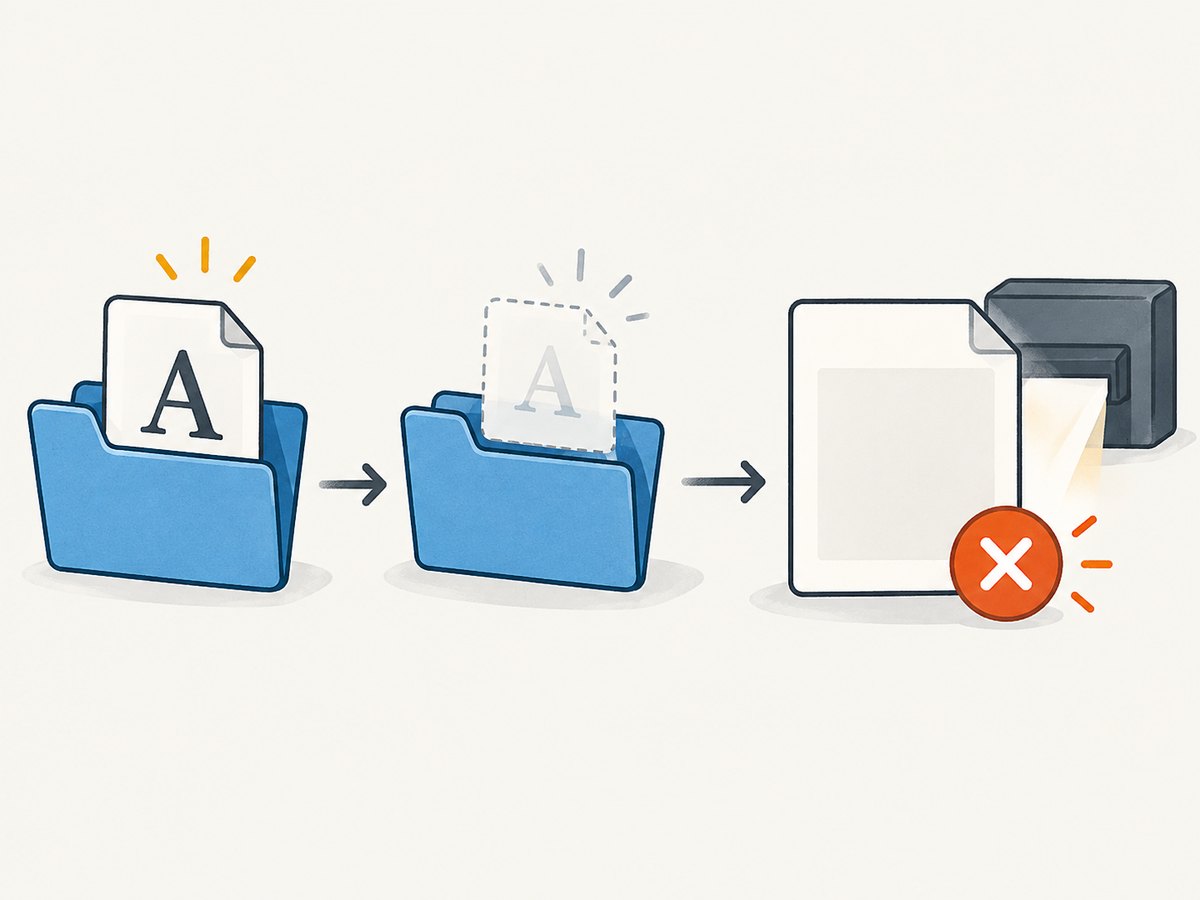
A TTFError that says Can’t open file or Cannot open resource usually means ReportLab cannot read the font file at the moment xhtml2pdf asks it to render the PDF. In the closely matching Django report, the font was extracted into a Windows temporary directory and removed before ReportLab reopened it. The reliable fix is to keep the font at a stable filesystem path for the entire render, or resolve the CSS URL to that stable path with a link_callback. These workarounds come from community reports, so verify them against your installed xhtml2pdf and ReportLab versions.
What the error means
The failure occurs after HTML and CSS have been accepted, when ReportLab loads the font declared by @font-face. A typical traceback includes a temporary Windows path ending in .ttf, followed by Cannot open resource. The renderer is not reporting that the font format is invalid; it is reporting that the path it received cannot be opened.
There are several possible causes:
- The temporary file was deleted before PDF rendering reached the font.
- The CSS URL resolves to a path that does not exist in the worker process.
- The service account cannot read the file.
- The URL is being treated as HTTP while the renderer expects a local file.
- The font is malformed, unsupported, or has a case-sensitive filename mismatch.
The temporary-file explanation is specifically reported for the matching Django/xhtml2pdf case. Do not apply it blindly to every TTFError.
First diagnostic pass
- Confirm the rendering stack. Check that the traceback comes from Django, xhtml2pdf (often imported as
pisa), and ReportLab font loading. A browser, WeasyPrint, or a direct ReportLab error needs a different investigation. - Print the exact font reference. Record the URL or path in
@font-face, including its extension and capitalization. - Check existence immediately before rendering. Test the resolved path from the same process and user that creates the PDF.
- Check lifetime. If a temporary file is created with a context manager, cleanup callback, or request-finalizer, make sure cleanup runs after
pisa.CreatePDFreturns. - Record versions. Save the installed xhtml2pdf and ReportLab versions. The reported monkey-patch depends on APIs that may differ between releases.
Fix 1: keep the temporary font alive
If your application downloads or extracts a font into a temporary file, do not close or delete that file until PDF creation has finished. The key is lifetime, not merely the filename.
from pathlib import Path
from tempfile import NamedTemporaryFile
from xhtml2pdf import pisa

html = """
<style>
@font-face {
  font-family: 'InvoiceFont';
  src: url('file:///C:/app/fonts/invoice.ttf');
}
body { font-family: 'InvoiceFont'; }
</style>
<h1>Invoice</h1>
"""

font_bytes = Path('fonts/invoice.ttf').read_bytes()
output_path = Path('invoice.pdf')

# delete=False leaves the file available to ReportLab on Windows.
font_file = NamedTemporaryFile(suffix='.ttf', delete=False)
try:
    font_file.write(font_bytes)
    font_file.flush()
    font_path = Path(font_file.name)
    # Build HTML with the path that exists during CreatePDF.
    html_with_font = html.replace(
        'file:///C:/app/fonts/invoice.ttf',
        font_path.as_uri(),
    )
    with output_path.open('wb') as output:
        result = pisa.CreatePDF(html_with_font, dest=output)
    if result.err:
        raise RuntimeError('xhtml2pdf reported a rendering error')
finally:
    font_file.close()
    # Remove only after CreatePDF has finished.
    if 'font_path' in locals() and font_path.exists():
        font_path.unlink()
On Windows, a named temporary file can also remain locked while open. Closing the handle before ReportLab opens the path, while retaining the file itself, avoids that separate problem. Use a stable application font directory when possible; it removes temporary-file lifetime from the equation.
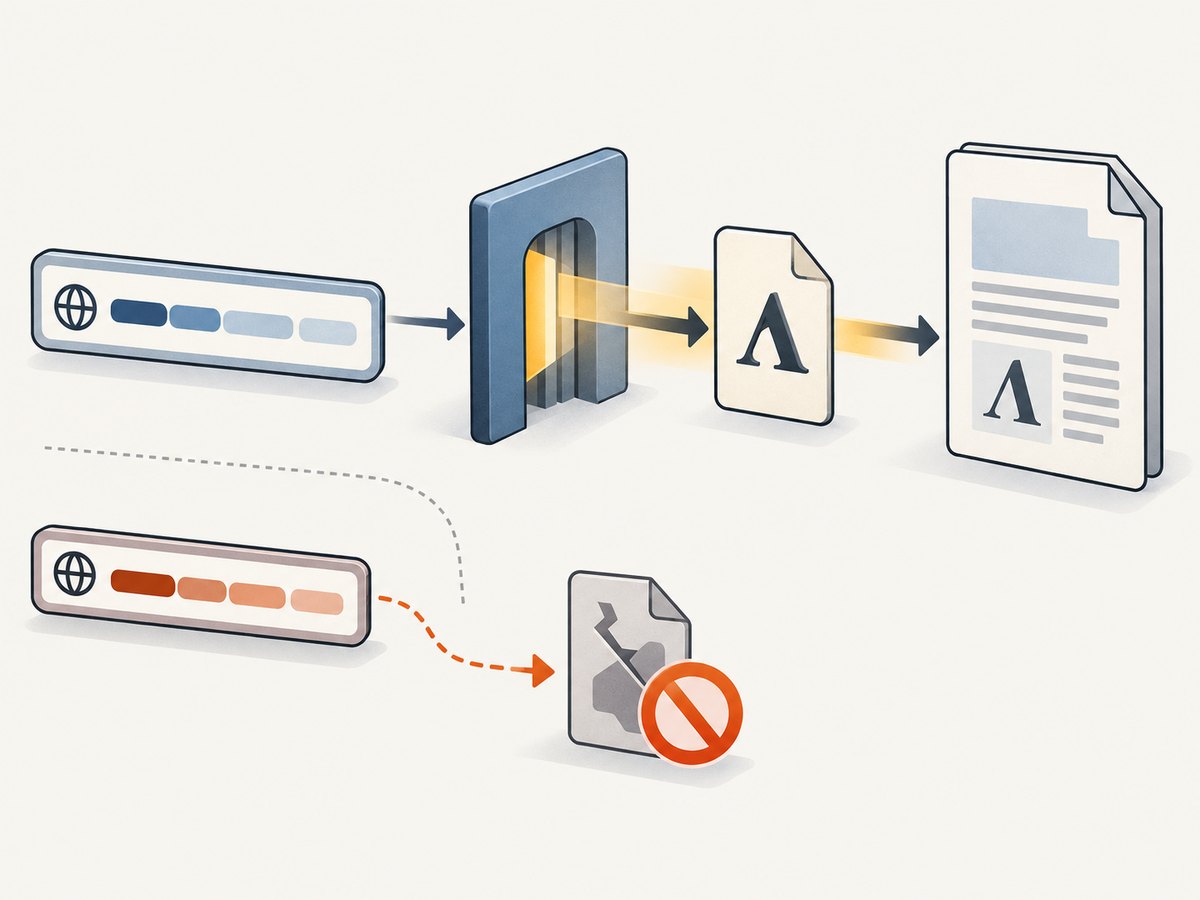
Fix 2: map Django static and media URLs with link_callback
For fonts stored in Django static or media storage, map the URL in CSS to a real filesystem path. The callback should reject paths outside the directories you intend to expose, verify that the file exists, and return a file URI or path accepted by your installed xhtml2pdf version.
from pathlib import Path
from urllib.parse import urlparse
from django.conf import settings
from xhtml2pdf import pisa

STATIC_ROOT = Path(settings.STATIC_ROOT).resolve()
MEDIA_ROOT = Path(settings.MEDIA_ROOT).resolve()


def link_callback(uri, rel):
    parsed = urlparse(uri)
    path = Path(parsed.path)

    if uri.startswith(settings.STATIC_URL):
        relative = uri[len(settings.STATIC_URL):].lstrip('/')
        candidate = (STATIC_ROOT / relative).resolve()
        root = STATIC_ROOT
    elif uri.startswith(settings.MEDIA_URL):
        relative = uri[len(settings.MEDIA_URL):].lstrip('/')
        candidate = (MEDIA_ROOT / relative).resolve()
        root = MEDIA_ROOT
    else:
        raise ValueError(f'Unsupported resource URL: {uri}')

    # Prevent ../ traversal and missing resources.
    if root not in candidate.parents and candidate != root:
        raise ValueError(f'Resource outside allowed directory: {candidate}')
    if not candidate.is_file():
        raise FileNotFoundError(candidate)
    return candidate.as_uri()

with open('invoice.pdf', 'wb') as output:
    result = pisa.CreatePDF(
        html,
        dest=output,
        link_callback=link_callback,
    )
if result.err:
    raise RuntimeError('PDF generation failed')
The callback pattern above reflects the reported Django workaround. It is a pattern to adapt, not a version-independent drop-in guarantee. Some xhtml2pdf releases expect a path-like value while others work with a URI. Check the signature and resource-loading behavior in your installed release.
The reported getNamedFile workaround
One community answer sets pisaFileObject.getNamedFile to return self.uri before PDF creation. The intent is to stop the resource object from reopening a deleted temporary name and instead use the URI it already has.
from xhtml2pdf import pisa

# Apply only after confirming this attribute exists in your version.
if hasattr(pisa, 'pisaFileObject'):
    pisa.pisaFileObject.getNamedFile = lambda self: self.uri

with open('invoice.pdf', 'wb') as output:
    result = pisa.CreatePDF(html, dest=output)
Treat this as a compatibility workaround. It is not established here as an official xhtml2pdf recommendation, and it may affect every resource handled by that class. Prefer a stable font path or a narrowly scoped callback when you control the application.
Font declaration and path checks
Use a renderer-readable URL
Use an absolute filesystem URI when the font is local:
@font-face {
  font-family: 'InvoiceFont';
  src: url('file:///C:/app/fonts/invoice.ttf');
  font-weight: normal;
  font-style: normal;
}
On Unix-like systems, use a correctly escaped URI such as file:///srv/app/fonts/invoice.ttf. Avoid relying on a web server URL unless the renderer is configured to fetch remote resources and the worker can reach it.
Check the actual bytes
Confirm that the file is a TrueType font and not an HTML error page saved with a .ttf suffix. Compare its size and checksum with the source asset. A zero-byte file, partial download, or permission-denied read can produce a similar message.
Check names and weights
Declare the same family and weight that your HTML requests. If CSS asks for bold but only a regular face is registered, the result is usually a fallback rather than a file-open error, but simplifying to one known face helps isolate the problem.
Troubleshooting table
| Symptom | Likely cause | Fix |
|---|---|---|
| Path points into a temporary folder | Cleanup ran before ReportLab opened the font | Keep the file until CreatePDF returns, or copy it to a stable directory. |
| File exists in a shell but not in the app | Different working directory, user, container, or worker | Log the absolute path, run as the service account, and use an absolute URI. |
| Windows says access denied | Another handle still has the temporary file open | Close the temporary handle, retain the file, then render. |
| Callback raises missing file | STATIC_ROOT was not collected or URL mapping is wrong |
Run static collection, inspect STATIC_URL, and log the candidate path. |
| Remote URL is never opened | Resource fetch policy blocks HTTP or HTTPS | Download the font to an allowed local path and return that path from the callback. |
| Only production fails | Read permissions, container mount, or case-sensitive filename | Deploy the font, grant read access, and match case exactly. |
| Patch causes unrelated failures | Global getNamedFile override changes other resources |
Remove the patch and use a stable path or scoped callback. |
Production checklist
- Package fonts with the application or deploy them to a persistent volume.
- Resolve every font URL before rendering and log the final path.
- Keep temporary files alive through the complete PDF call.
- Run a smoke test that renders one document with each registered font.
- Pin and record xhtml2pdf and ReportLab versions.
- Do not expose arbitrary filesystem paths through a callback.
- Use a timeout around remote downloads and validate content before saving.
- Capture the original exception, resolved path, process user, and file existence without logging sensitive document data.
Performance, reliability, and cost considerations
A stable local font avoids network latency and makes rendering deterministic. Reusing a packaged font is generally cheaper and faster than downloading it for every request. If you must create temporary files, reuse a controlled cache keyed by checksum and remove entries with a scheduled cleanup job after active renders finish. Do not delete a file immediately after writing it if a later rendering stage still needs to reopen it.
For high-volume PDF workers, isolate font preparation from document rendering: validate and store fonts during deployment, then pass immutable paths to workers. Monitor render failures by category so a missing asset is distinguishable from malformed HTML or an exhausted worker. The available evidence does not establish a universal fix rate or performance benchmark; measure your own workload.
Or skip the browser setup
If the goal is a screenshot or PDF of a web page rather than a Django-generated document, ScreenshotNeo removes the browser and font-file setup. Its API accepts one GET request and returns PNG, JPEG, WebP, or PDF. Cookie and consent banners, newsletter popups, and chat widgets are removed before capture. Bot checks, blank pages, timeouts, failed loads, and cache hits are not billed, and response headers identify the page verdict and billing result. An MCP server provides take_screenshot, get_page_info, and capture_pdf for Claude, Cursor, and other MCP clients.
See the ScreenshotNeo API documentation for all options. A minimal request is:
curl -G "https://api.screenshotneo.com/v1/shot" -d access_key=YOUR_API_KEY --data-urlencode url=https://stripe.com -o shot.webpimport requests
r = requests.get("https://api.screenshotneo.com/v1/shot", params={"access_key": "YOUR_API_KEY", "url": "https://stripe.com"}, timeout=90)
open("shot.webp", "wb").write(r.content)const q = new URLSearchParams({ access_key: 'YOUR_API_KEY', url: 'https://stripe.com' }); const res = await fetch(`https://api.screenshotneo.com/v1/shot?${q}`);ScreenshotNeo supports full-page and element capture, device presets, custom viewport and retina scale, PDF paper and page settings, custom CSS and JavaScript, waits, request blocking, headers, cookies, user agents, timezone, geolocation, transparent backgrounds, resizing, caching, signed links, asynchronous jobs, bulk capture, and a usage API. One thousand screenshots per month are free with no card; paid plans start at $5 for 3,000. Create a free ScreenshotNeo account.
FAQ
Is every TTFError caused by Windows temporary-file cleanup?
No. That is the reported cause for one Django/xhtml2pdf/ReportLab case. Verify the stack, path, permissions, and font bytes before changing cleanup behavior.
Should I always monkey-patch getNamedFile?
No. Use a stable font path or a URL-to-path callback first. Apply the override only after confirming that your installed version exposes the expected API and that its scope is acceptable.
Why does the font work in development but fail in production?
Production often uses another user, container, working directory, filesystem mount, or case-sensitive filesystem. Log and test the absolute path inside the worker that renders the PDF.
Can I solve this by switching font formats?
Only if the renderer and font support require it. A missing or prematurely deleted TTF remains a path-lifetime problem regardless of format.
Does ScreenshotNeo render my Django server’s local TTF file?
No. ScreenshotNeo captures a URL you provide. It is useful when you need a clean website screenshot or PDF and want to avoid maintaining a browser-rendering setup.


