How to Fix Unhandled Promise Rejections in Puppeteer
Trace unhandled Puppeteer rejections to the promise or callback that owns them, handle errors at the right boundary, and diagnose Node, page, and interception failures.

Fix an unhandled promise rejection in Puppeteer by handling the promise that failed: await it inside a try/catch, attach a .catch(), or return it to a caller that will handle it. Then use the rejection reason and stack trace to determine whether the failure came from Node.js code, JavaScript running in the page, request interception, or a browser protocol call. A process-level listener can help you observe failures, but it does not repair the operation.
This guide shows a reliable structure for Puppeteer scripts, common detached-promise mistakes, event-handler and interception edge cases, and ways to investigate errors that a catch alone cannot explain. The examples use JavaScript and Node.js; check the documentation for the Puppeteer version installed in your project, because APIs can change.
1. What Node means by “unhandled”
Node.js emits unhandledRejection when a promise is rejected and no handler is attached within a turn of the event loop. The event provides the rejection reason and the promise. If a handler is attached later, Node can emit rejectionHandled. This is a Node runtime signal, not a Puppeteer-specific exception type. See the [Node.js process documentation](https://nodejs.org/api/process.html#event-unhandledrejection).
The visible Puppeteer call is not always the promise that became unhandled. A callback in a .then() can throw and reject the promise returned by .then(). If that new promise is neither returned nor caught, handling some earlier promise does not handle the later rejection. Audit the complete chain, including callbacks, timers, and event listeners.
2. Give the top-level task one clear error boundary
Make the script’s main operation an async function. Await each Puppeteer operation whose result matters, close the browser in finally, and handle the promise returned by the main function. This makes it clear who owns failures and gives the process a deliberate failure exit code.
const puppeteer = require('puppeteer');

async function run() {
  const browser = await puppeteer.launch();
  try {
    const page = await browser.newPage();
    await page.goto('https://example.com', {
      waitUntil: 'domcontentloaded',
      timeout: 30_000
    });
    const title = await page.title();
    console.log('Page title:', title);
  } finally {
    await browser.close();
  }
}

run().catch(error => {
  console.error('Puppeteer task failed:', error);
  process.exitCode = 1;
});
There is a cleanup detail to consider: browser.close() can itself reject. In the simple example, a close failure in finally can replace an earlier task error. If preserving both errors matters to your service, record the operation error and cleanup error separately, then report them together or apply a documented cleanup policy. Do not silently discard either one.
For a reusable function, return the promise to the caller rather than starting it and forgetting it:
function captureTitle(page) {
  return page.title();
}

async function run() {
  const browser = await puppeteer.launch();
  try {
    const page = await browser.newPage();
    await page.goto('https://example.com');
    return await captureTitle(page);
  } finally {
    await browser.close();
  }
}

run()
  .then(title => console.log(title))
  .catch(error => {
    console.error('Capture failed:', error);
    process.exitCode = 1;
  });
3. Find the promise you stopped awaiting
These patterns commonly detach asynchronous work from the surrounding function:
| Pattern | Why it can reject unhandled | Repair |
|---|---|---|
| Calling an async function without awaiting or returning it | The caller finishes while the child promise is still pending. | Use await task(), return the promise, or attach a local catch that implements a deliberate policy. |
Starting async work inside forEach |
forEach does not collect or await callback promises. |
Use a for...of loop for sequential work, or Promise.all(items.map(...)) when concurrent work is intended. |
Ignoring the promise returned by .then() |
A thrown callback or rejected nested promise rejects the new chain promise. | Return nested promises and catch the end of the chain, or use await in an async function. |
| Async event or timer callback with no catch | Event emitters and timer APIs do not generally await an async callback’s result. | Catch inside the callback or pass work to a queue whose caller tracks its promise. |
For example, this loop logs failures neither at the loop boundary nor at the top level:
// Risky: forEach does not await the callback promises.
urls.forEach(async url => {
  await page.goto(url);
});
Use an awaited loop when each navigation should finish before the next starts:
for (const url of urls) {
  await page.goto(url);
}
Or make concurrent work explicit and handle the aggregate promise. For browser automation, do not share a single page across overlapping navigations unless that is intentional; create isolated pages or serialize work as appropriate.
await Promise.all(urls.map(async url => {
  const page = await browser.newPage();
  try {
    await page.goto(url);
    return await page.title();
  } finally {
    await page.close();
  }
}));
Promise.all rejects when an input rejects. The other tasks may still be running, so production code should decide whether to wait for all tasks to settle, cancel remaining work where supported, or report per-URL outcomes. If partial success is useful, Promise.allSettled can collect each result without failing fast.
4. Catch errors in async callbacks
An async event callback returns a promise, but many event APIs do not use that returned promise as an error channel. Catch the work inside the callback. Include enough context to identify which page, request, or job failed.
page.on('requestfailed', request => {
  console.warn('Request failed:', request.url(), request.failure()?.errorText);
});

page.on('console', message => {
  console.log('Page console:', message.type(), message.text());
});

page.on('pageerror', error => {
  console.error('Page JavaScript error:', error);
});

page.on('load', () => {
  void handleLoadedPage(page).catch(error => {
    console.error('Post-load task failed:', error);
  });
});
The void makes the intentional detached call visible to readers and linters; the catch is what handles its rejection. Puppeteer documents page console forwarding as a debugging technique because browser-side console messages do not automatically appear in Node. The pageerror event is a separate signal for errors from page JavaScript. See the [Puppeteer debugging guide](https://pptr.dev/guides/debugging) and [PageEvents API](https://pptr.dev/api/puppeteer.pageevents).
Prefer a queue or task manager when events can arrive faster than they can be processed. A callback-local catch prevents an unhandled rejection, but it does not by itself provide backpressure, retries, or job persistence.
5. Handle request interception without hiding races
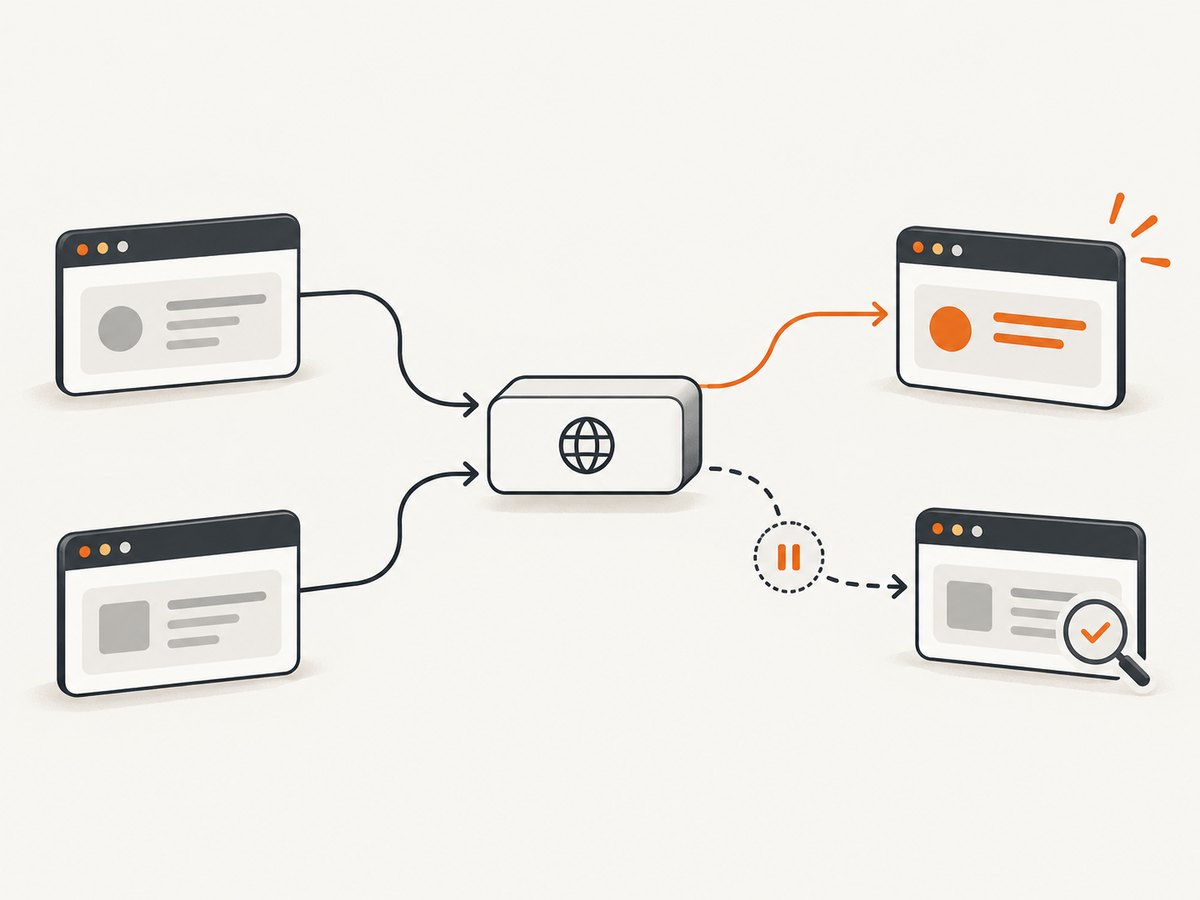
When request interception is enabled, requests stall until a handler continues, responds to, or aborts them. An asynchronous handler can overlap with another listener that resolves the same request. Puppeteer’s interception guide recommends returning a promise from the handler so Puppeteer can await its work, and checking isInterceptResolutionHandled() again after an asynchronous wait immediately before resolving the request.
await page.setRequestInterception(true);

page.on('request', async request => {
  try {
    // Do asynchronous inspection here if required.
    const shouldBlock = request.url().includes('/analytics');

    // Another handler may have resolved this request while we awaited.
    if (request.isInterceptResolutionHandled()) return;

    if (shouldBlock) {
      await request.abort();
    } else {
      await request.continue();
    }
  } catch (error) {
    console.error('Interception handler failed for', request.url(), error);

    // Make a best-effort resolution only if it is still unresolved.
    if (!request.isInterceptResolutionHandled()) {
      await request.continue().catch(resolveError => {
        console.error('Could not continue request:', resolveError);
      });
    }
  }
});
Match the catch policy to the application. Continuing after a failed inspection may be appropriate in some cases and unsafe in others. The state check addresses a resolution race; it is not a generic promise-rejection fix. Keep the check and the resolution call adjacent, with no intervening asynchronous wait. Consult the [Puppeteer request interception guide](https://pptr.dev/guides/network-interception) for the version you use.
6. Tell Node failures from page and protocol failures
Start with the signal and its context. Node-side promise rejections, page JavaScript exceptions, console messages, and stalled browser protocol calls are different observations. A catch handles the rejection path; debugging tools help find the underlying cause.
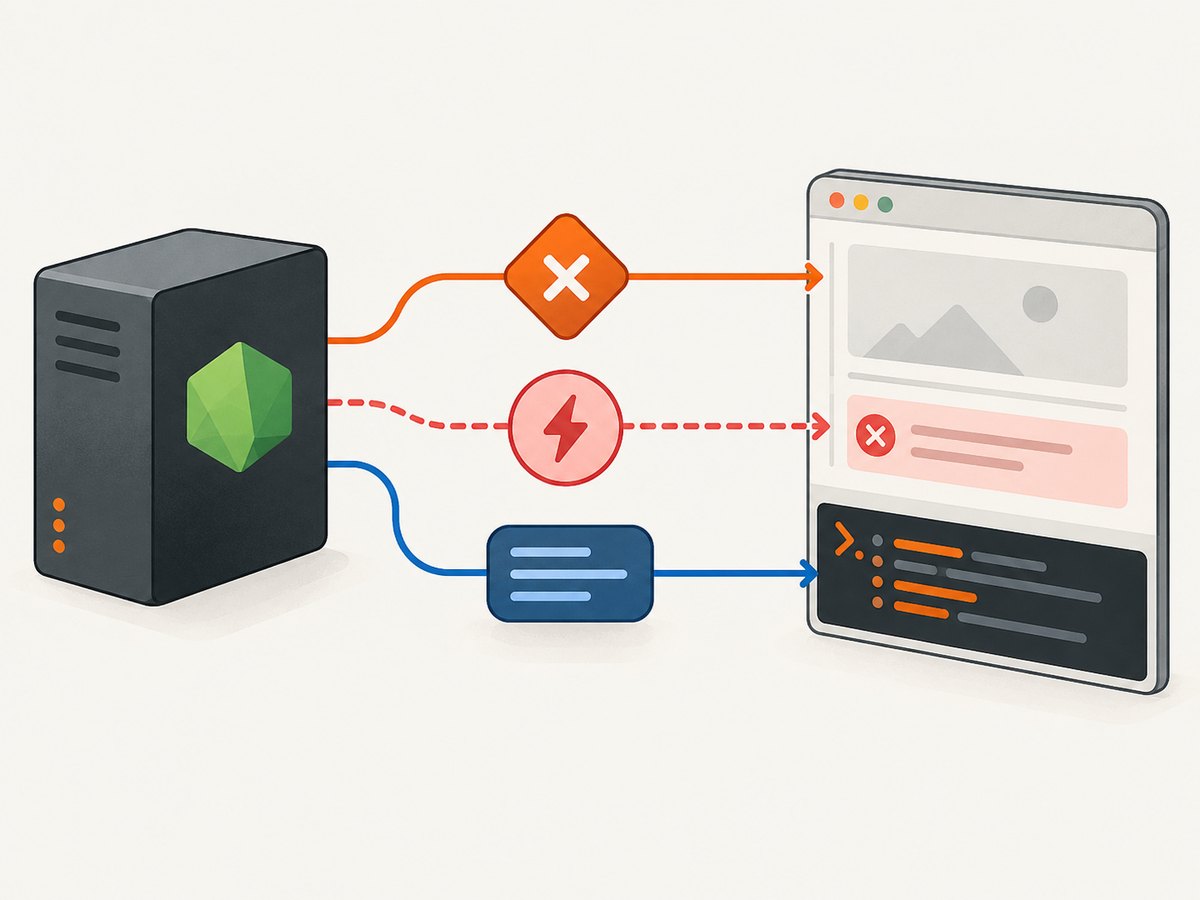
| Signal | Where to investigate | Useful next step |
|---|---|---|
unhandledRejection or a caught Error stack |
Node code, Puppeteer calls, async callbacks, promise chains | Find the first application frame; audit where its promise is returned or awaited. |
pageerror |
JavaScript executing inside the page | Inspect the site’s script error and reproduce with browser devtools if possible. |
console event |
Page logs, warnings, or browser console errors | Relay messages to Node with page.on('console', ...). |
| Call that never resolves | Browser protocol communication or a page condition the script is waiting for | Inspect pending protocol errors and enable Puppeteer protocol logging. |
Puppeteer’s debugging guide documents Node’s inspector for server-side code, browser devtools and a debugger statement for client-side code, NODE_DEBUG="puppeteer:*" for protocol traffic, and browser.debugInfo.pendingProtocolErrors to inspect asynchronous Puppeteer calls that do not resolve. These options diagnose problems; they do not make rejected calls successful.
7. Use process-level events for visibility
A temporary process listener can record unexpected rejections and their associated promise. Use it for diagnostics or monitoring while repairing the local ownership bug:
process.on('unhandledRejection', (reason, promise) => {
  console.error('Observed unhandled rejection:', { reason, promise });
});

process.on('rejectionHandled', promise => {
  console.warn('A rejection received a handler later:', promise);
});
Do not treat this as a safe recovery mechanism. Node’s process documentation says a rejection that remains unhandled is raised as an uncaught exception, with behavior affected by the --unhandled-rejections option. Node also cautions that resuming normal operation after uncaughtException is unsafe because application state may be undefined. A listener that only logs can leave the failed browser task incomplete while the process continues. Catch the task locally, decide whether it can be retried, and let unrecoverable failures reach the top-level boundary.
8. Troubleshooting common Puppeteer rejection causes
| Symptom | Likely cause | Fix |
|---|---|---|
| “UnhandledPromiseRejection” after navigation | page.goto() or a later awaited call rejected, but its promise escaped a catch. |
Await it in the workflow’s try/catch; log the URL and full stack. Check timeout and navigation options separately. |
| Catch around a helper does not run | The helper started asynchronous work without returning it. | Return the promise from the helper, or await it before the helper returns. |
| Error appears after the main function reports success | A timer, event handler, or forEach(async ...) callback outlived the main operation. |
Keep handles to background promises, catch inside callbacks, or drain a task queue before shutdown. |
| “Request is already handled” during interception | A competing handler resolved the request while this handler awaited. | Recheck isInterceptResolutionHandled() after the wait and immediately before resolving. |
| No useful details in the error output | The code logged a generic message or only the rejection’s string form. | Log the original error object and stack, plus operation context such as URL, page, and job ID. |
| Page logs are missing from terminal | Browser console output is in the page context. | Forward it with the page console event listener. |
| Puppeteer call appears stuck rather than rejected | It may be waiting on a page condition or a protocol call may be pending. | Review wait conditions and timeouts; use Puppeteer protocol debugging and inspect pending protocol errors. |
| Browser closes but original failure disappears | A cleanup rejection from browser.close() replaced the task rejection. |
Capture task and cleanup errors separately and report both according to an explicit policy. |
9. Reliability, performance, and cost choices
Error handling improves observability and control; it does not guarantee a page will load or a browser process will remain healthy. Give operations suitable timeouts, record which operation failed, and distinguish retryable conditions from permanent errors. Retrying every rejected navigation can waste browser capacity or repeat side effects on the page. Set a bounded retry policy only when the operation is safe to repeat, and use backoff appropriate to the job.
Concurrency can reduce elapsed time across independent URLs, but each browser page and its resources consume capacity. Unbounded Promise.all over a large input can overload the host and create many simultaneous failure paths. Use a bounded worker pool, track each URL’s result, and close pages in cleanup. For batches where partial completion matters, gather individual outcomes rather than discarding successful results when one promise rejects.
There is no universal cost or performance figure for a Puppeteer script: browser hosting, page complexity, concurrency, and retry behavior determine resource use. Measure your workload and log navigation duration, outcome, and retry count. For small automation jobs, local Puppeteer may be the right fit; for a one-call screenshot workflow, a screenshot API can remove browser setup from the application.
10. Or skip the browser setup
ScreenshotNeo is a website screenshot API and MCP server from Yorker Media. Its GET endpoint returns a PNG, JPEG, WebP, or PDF from a URL. The following request uses the documented API shape; find the available parameters and details in the ScreenshotNeo API documentation.
curl -G "https://api.screenshotneo.com/v1/shot" \
  -d access_key=YOUR_API_KEY \
  --data-urlencode url=https://stripe.com \
  -o shot.webp
import requests
r = requests.get(
"https://api.screenshotneo.com/v1/shot",
params={"access_key": "YOUR_API_KEY", "url": "https://stripe.com"},
timeout=90,
)
open("shot.webp", "wb").write(r.content)const q = new URLSearchParams({
access_key: 'YOUR_API_KEY',
url: 'https://stripe.com'
});
const res = await fetch(`https://api.screenshotneo.com/v1/shot?${q}`);
if (!res.ok) throw new Error(`Screenshot request failed: ${res.status}`);
const bytes = new Uint8Array(await res.arrayBuffer());
await import('node:fs/promises').then(fs => fs.writeFile('shot.webp', bytes));ScreenshotNeo accepts cookie or consent banners before capture and removes more than 60 known consent platforms, newsletter popups, and chat widgets; each step can be turned off. Bot checks or CAPTCHAs, blank pages, timeouts, failed loads, and cache hits are not billed, and the response identifies the page verdict and billing status in headers. Its MCP server provides take_screenshot, get_page_info, and capture_pdf for AI agents and MCP clients.
The API also supports full-page capture with lazy images loaded, CSS selector capture, dark mode, device presets and custom viewports, retina scale, PDF options, HTML/CSS input, custom CSS and JavaScript, clicks, waits, request blocking, headers and cookies, user agent and authorization, timezone and geolocation, transparent backgrounds, resizing, configurable cache TTL, signed image links, async jobs with signed webhooks, bulk requests up to 100 URLs, a usage API, and an OpenAPI spec. Its parameter names are compatible with those used by other screenshot APIs to make switching easier.
The free plan includes 1,000 screenshots per month with no card. Paid plans start at $5 for 3,000 shots; higher plans are Growth at $15 for 15,000, Pro at $39 for 60,000, Scale at $99 for 250,000, and Business at $249 for 1,000,000. Yearly billing gives two months free, and every feature is on every plan. Sign up for 1,000 free screenshots a month, with no card.
11. Short FAQ
Does adding a global rejection listener fix the error?
No. It lets you observe the event. Handle the promise that represents the failed operation and choose whether to report, retry, or stop the task.
Why does my catch not run for an async event callback?
The event source may not await the promise returned by the callback. Put a try/catch inside the callback or attach a catch to the async work it starts.
Is a Puppeteer page error the same as an unhandled rejection in Node?
No. A page error is emitted for an error in page JavaScript; a Node rejection describes a rejected promise in the Node process. Log each signal separately.
Should I swallow an error so the browser keeps running?
Only recover when the failed operation is genuinely optional and the fallback is explicit. Otherwise report the failure and let the owning workflow decide whether to stop or retry.
12. A practical checklist
- Log the original rejection reason, stack, and operation context.
- Find the exact promise created by the failing call or callback.
- Await or return it, or attach a catch where the application can make a decision.
- Check loops, chained callbacks, timers, and event listeners for detached async work.
- Distinguish Node failures, page errors, console output, and pending protocol calls.
- For interception, recheck request resolution state after asynchronous waits.
- Close pages and browsers with a cleanup policy that preserves useful errors.
- Use process events for monitoring, not as a substitute for handling the task.
The durable fix is promise ownership: every asynchronous operation should have a caller that awaits it, returns it, or deliberately handles its rejection. Once that path is explicit, Puppeteer and Node’s diagnostics can point you toward the underlying page, navigation, or protocol problem.


