How to Fix w2ui Overlays Missing from Headless Cypress Tests
Debug w2ui overlays that disappear in cypress run by separating DOM timing, visibility, geometry, dismissal, and browser parity issues.
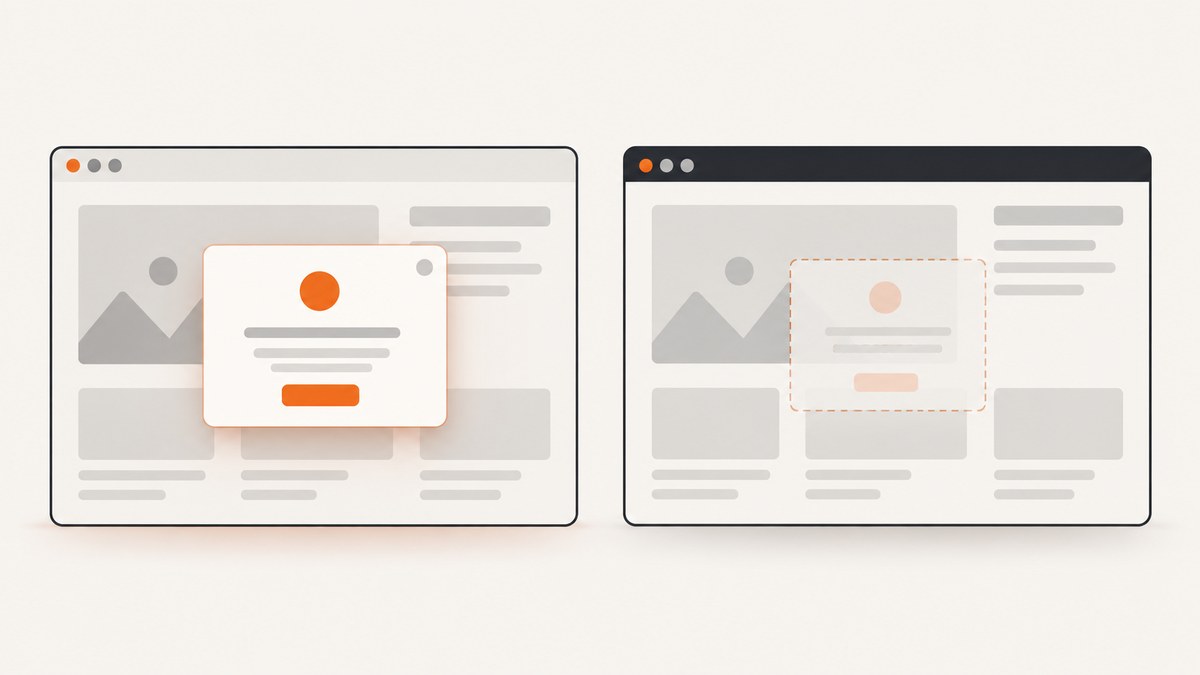
Direct answer: Treat a missing w2ui overlay as a DOM lifecycle, visibility, geometry, dismissal, or browser-parity problem. Trigger the control with a real Cypress action, wait for w2ui to create the overlay, query it in the application document, and assert visibility. Set the same Cypress viewport and headless screen dimensions used in CI, then reproduce with the same browser and compare screenshots or video.
w2ui overlays are transient popups created by w2utils. They are not managed by the w2popup object. The overlay plugin can position a popup above or below its target, align it, apply offsets and classes, and close it when Cypress clicks outside it. See the w2ui overlay documentation.
1. Use a retryable test that proves the overlay is visible
Start with the smallest reliable test. Use the selector emitted by your w2ui version, replacing the example selector if your application adds a stable id or role.
describe('w2ui overlay', () => {
  it('opens and remains visible', () => {
    cy.visit('/form');

    cy.get('#input-overlay')
      .should('exist')
      .and('be.visible')
      .click();

    cy.get('.w2ui-overlay')
      .should('exist')
      .and('be.visible')
      .contains('Expected overlay text')
      .should('be.visible');
  });
});
Cypress retries queries and assertions until their timeout expires. That makes a stable condition such as “the overlay exists and is visible” a better synchronization point than an arbitrary sleep. Cypress runs in a real browser, so an element can be in the DOM while failing visibility or click checks because its computed layout makes it zero-sized, clipped, covered, transparent, or outside the viewport. See the Cypress assertion documentation.
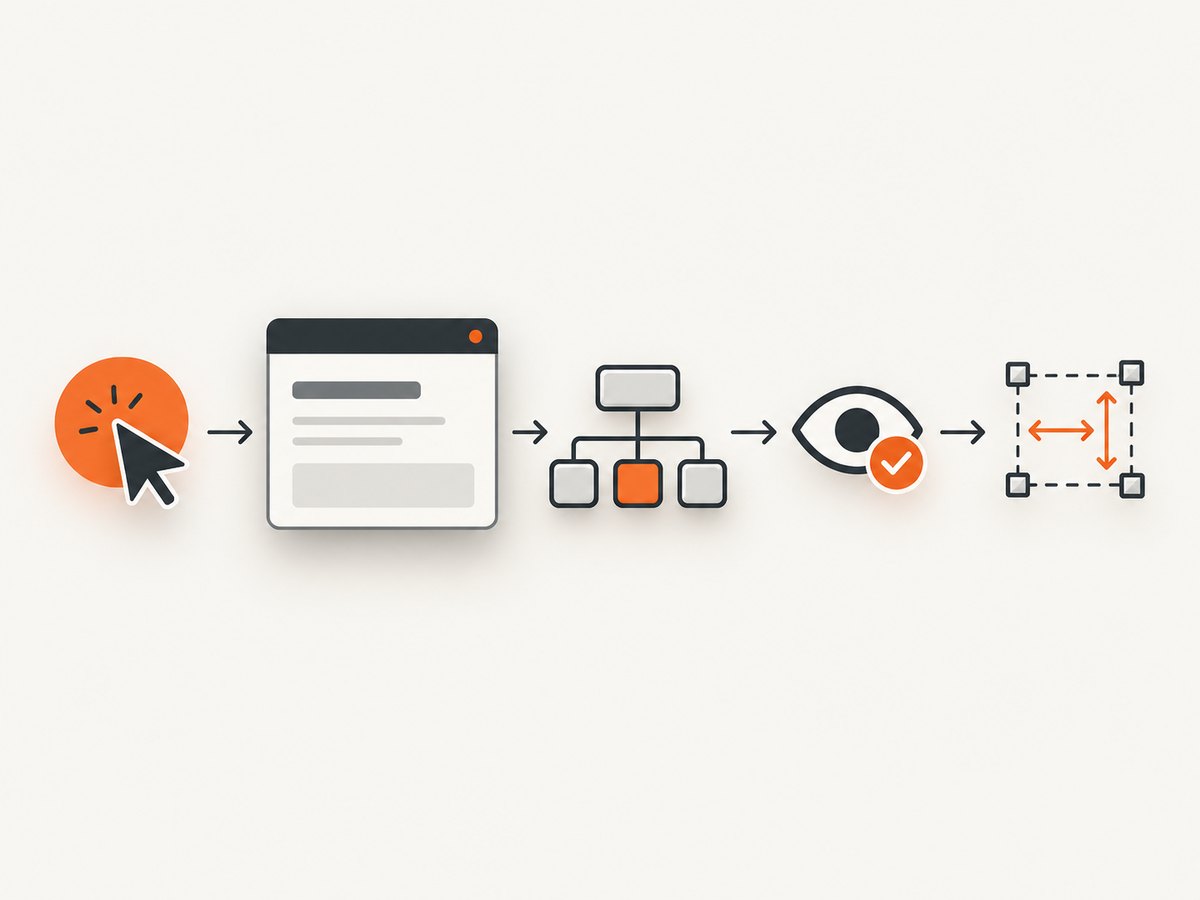
2. Separate the five failure layers
| Layer | What you observe | What to inspect |
|---|---|---|
| Trigger | The control never opens anything | Selector, action, disabled state, event handler |
| Lifecycle | The overlay appears after the assertion times out | Creation timing, rendering, network work, re-render |
| Visibility | The node exists but be.visible fails |
display, visibility, opacity, dimensions, covering elements |
| Geometry | The popup is clipped or moved off-screen | Bounding rectangle, viewport size, overflow, transforms, z-index |
| Browser parity | Headed Chrome works but CI fails | Browser family/version, Electron versus Chrome, viewport and screen dimensions |
Check existence before visibility
cy.get('.w2ui-overlay', { timeout: 10000 })
  .should('exist')
  .then(($overlay) => {
    const element = $overlay[0];
    const style = getComputedStyle(element);
    const rect = element.getBoundingClientRect();

    cy.log(JSON.stringify({
      display: style.display,
      visibility: style.visibility,
      opacity: style.opacity,
      width: rect.width,
      height: rect.height,
      top: rect.top,
      left: rect.left,
      right: rect.right,
      bottom: rect.bottom,
      zIndex: style.zIndex
    }));
  });
If this query fails, investigate the trigger, selector, rendering lifecycle, or an early re-render. If it succeeds but visibility fails, investigate CSS, geometry, stacking, timing, or accidental dismissal.
3. Wait for the w2ui lifecycle instead of sleeping
Open the control, then query a stable overlay class, id, role, or distinctive text. Avoid making a fixed delay the primary synchronization mechanism.
cy.get('#input-overlay').click();

cy.get('.w2ui-overlay', { timeout: 10000 })
  .should('exist')
  .and('be.visible');

cy.contains('.w2ui-overlay', 'Expected overlay text')
  .should('be.visible');
If the application performs an API request before rendering the choices, wait on that request and then assert the overlay:
cy.intercept('GET', '**/options*').as('options');
cy.get('#input-overlay').click();
cy.wait('@options');
cy.get('.w2ui-overlay').should('be.visible');
Use a meaningful application condition when possible. A long timeout can accommodate a slow CI machine, but it cannot fix an overlay that is never created or is immediately hidden.
4. Detect accidental dismissal
w2ui hides an overlay after an outside click. A second Cypress command can therefore close the popup before your assertion runs. Blur handlers, focus changes, navigation, and component re-renders can have the same effect.
cy.get('#input-overlay').click();
cy.get('.w2ui-overlay').should('be.visible');

// Interact inside the overlay before doing anything outside it.
cy.contains('.w2ui-overlay', 'Expected overlay text').click();
Keep the opening and assertion close together while diagnosing. If multiple overlays are intentionally open, give each one the documented unique name option. Normally w2ui shows only one overlay at a time.
5. Control application viewport and headless screen size
Cypress has two dimensions that are easy to confuse:
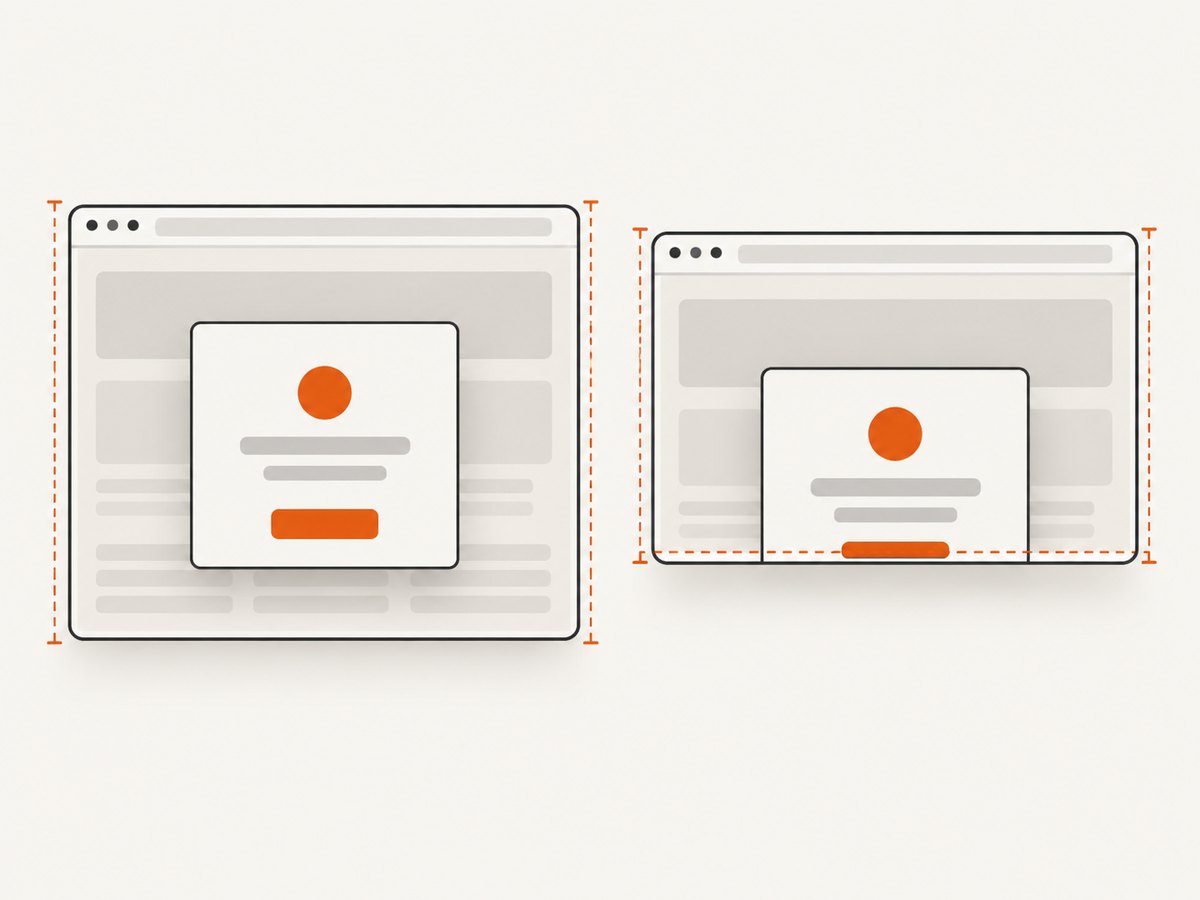
- Application viewport: the page area controlled by
viewportWidth,viewportHeight, orcy.viewport(). - Browser screen: the physical browser dimensions used for screenshots and videos, configurable in
before:browser:launch.
Headless rendering defaults documented by Cypress are 1280×720 with device pixel ratio 1. An overlay near an edge can be clipped or repositioned at that size.
// cypress.config.js
const { defineConfig } = require('cypress');

module.exports = defineConfig({
  viewportWidth: 1280,
  viewportHeight: 720,
  e2e: {
    setupNodeEvents(on, config) {
      on('before:browser:launch', (browser, launchOptionsOrArgs) => {
        if (browser.family === 'chromium') {
          const args = launchOptionsOrArgs.args || launchOptionsOrArgs;
          args.push('--window-size=1280,720');
        }
        return launchOptionsOrArgs;
      });
    }
  }
});
The exact launch-options shape depends on your Cypress version. Keep the project viewport configuration and the CI browser launch configuration under version control, and verify the resulting screenshot dimensions in CI.
cy.viewport(1280, 720);
cy.get('#input-overlay').click();
cy.get('.w2ui-overlay').should('be.visible');
6. Reproduce with the CI browser
cypress run launches browsers headlessly by default. Cypress supports headless Electron, Chrome/Chromium/Edge, Firefox, and experimental WebKit modes. Run headed and headless tests with the same browser family and version used by CI, then compare screenshots and video.
# Examples; use the browser that your CI job actually runs.
npx cypress run --browser chrome
npx cypress run --browser electron
npx cypress open --browser chrome
Electron deserves special attention: Cypress documents its bundled Electron browser as deprecated, and its embedded Chromium can behave differently from current Chrome. If local debugging uses Chrome while CI uses Electron, reproduce with Electron first. If CI uses Chrome, do not use Electron as a substitute during diagnosis.
7. Inspect clipping, stacking, and computed geometry
When the node exists but is hidden, inspect the overlay and its ancestors in the Cypress runner or with a diagnostic command.
cy.get('.w2ui-overlay').then(($overlay) => {
  const el = $overlay[0];
  let node = el;

  while (node && node.nodeType === Node.ELEMENT_NODE) {
    const style = getComputedStyle(node);
    const rect = node.getBoundingClientRect();
    // eslint-disable-next-line no-console
    console.log(node, {
      overflow: style.overflow,
      overflowX: style.overflowX,
      overflowY: style.overflowY,
      transform: style.transform,
      position: style.position,
      zIndex: style.zIndex,
      rect: {
        top: rect.top,
        left: rect.left,
        right: rect.right,
        bottom: rect.bottom,
        width: rect.width,
        height: rect.height
      }
    });
    node = node.parentElement;
  }
});
Look for overflow:hidden on a container, transformed ancestors, a restrictive stacking context, a low z-index, a zero-size box, or an overlay positioned beyond the viewport edge. A popup placed above a target can also be clipped when there is not enough space; test a larger viewport and inspect the openAbove behavior.
8. Understand w2ui tags versus overlays
A w2ui tag follows its target and is destroyed when that target is destroyed. This differs from a transient overlay. If a test causes a component to re-render or replaces an input, the new target may no longer be associated with the old transient UI. Trigger the control again after the re-render and query the newly created overlay.
cy.get('#editor').click();
cy.get('.w2ui-overlay').should('be.visible');

// A save or route change may replace #editor.
cy.get('[data-testid="save"]').click();
cy.get('#editor').should('exist');
cy.get('#editor').click();
cy.get('.w2ui-overlay').should('be.visible');
9. A complete diagnostic spec
describe('overlay diagnostics', () => {
  beforeEach(() => {
    cy.viewport(1280, 720);
    cy.visit('/form');
  });

  it('classifies the failure', () => {
    cy.get('#input-overlay')
      .should('exist')
      .and('be.visible')
      .click();

    cy.get('.w2ui-overlay', { timeout: 10000 })
      .should('exist')
      .then(($overlay) => {
        const el = $overlay[0];
        const rect = el.getBoundingClientRect();
        const style = getComputedStyle(el);

        expect(style.display).not.to.equal('none');
        expect(style.visibility).not.to.equal('hidden');
        expect(Number(style.opacity)).to.be.greaterThan(0);
        expect(rect.width).to.be.greaterThan(0);
        expect(rect.height).to.be.greaterThan(0);
        expect(rect.bottom).to.be.greaterThan(0);
        expect(rect.right).to.be.greaterThan(0);
      })
      .and('be.visible');

    cy.screenshot('w2ui-overlay-visible');
  });
});
10. Troubleshooting checklist
| Symptom | Likely cause | Fix |
|---|---|---|
| No overlay element | Wrong trigger, selector, or event | Assert the target exists and is interactable; use the real click or focus event. |
| Overlay appears too late | Async rendering or network work | Wait on the request or use a longer retryable query for the overlay. |
| Element exists but is hidden | CSS, zero dimensions, opacity, or visibility | Inspect computed styles and the bounding rectangle. |
| Popup is cut off | Viewport edge, overflow, or transformed ancestor | Set a known viewport and inspect ancestor clipping and placement. |
| Popup disappears after opening | Outside click, blur, navigation, or re-render | Assert immediately and keep the next action inside the overlay. |
| Chrome passes, Electron fails | Different embedded Chromium behavior | Run the same browser as CI; prefer installed Chrome/Chromium when that is your CI target. |
| Only screenshots differ | Screen size or device pixel ratio mismatch | Configure headless screen dimensions separately from the application viewport. |
| Clicks fail despite visibility | Another element covers the popup | Inspect stacking contexts, z-index, overlays, and covering elements. |
11. Reliability and performance practices
- Use stable ids, roles, or distinctive text instead of positional selectors.
- Keep the test’s trigger, wait, and assertion close together.
- Use request aliases or application state to synchronize expensive work.
- Fix viewport and browser versions in CI so geometry failures are reproducible.
- Capture screenshots and video on failure; compare headed and headless artifacts.
- Do not replace a lifecycle problem with a large global timeout. A timeout only changes how long Cypress waits.
- Test both the normal placement and edge placements if the overlay can open above or below its target.
12. Or skip the browser setup
If your goal is to capture the rendered page for a regression artifact, documentation, or review, ScreenshotNeo provides a screenshot API and MCP server. Its request handles the browser session for you:
curl -G "https://api.screenshotneo.com/v1/shot" -d access_key=YOUR_API_KEY --data-urlencode url=https://your-app.example/form -o shot.webpimport requests
r = requests.get(
"https://api.screenshotneo.com/v1/shot",
params={"access_key": "YOUR_API_KEY", "url": "https://your-app.example/form"},
timeout=90,
)
open("shot.webp", "wb").write(r.content)const q = new URLSearchParams({
access_key: 'YOUR_API_KEY',
url: 'https://your-app.example/form'
});
const res = await fetch(`https://api.screenshotneo.com/v1/shot?${q}`);See the ScreenshotNeo API documentation for the full option set. Cookie banners, newsletter popups, and chat widgets are removed before the shot. Bot checks, blank pages, failed loads, timeouts, and cache hits are not billed, and response headers identify the page verdict and billing status. An MCP server lets Claude, Cursor, and other MCP clients call take_screenshot, get_page_info, and capture_pdf. The free plan includes 1,000 screenshots per month with no card; paid plans start at $5 for 3,000 shots. Create a free ScreenshotNeo account.
13. Short FAQ
Should I use cy.wait(1000)?
Use a retryable overlay assertion or wait on the request that drives rendering. A fixed delay can be too short on CI and unnecessarily slow locally.
Is an overlay in the DOM automatically visible?
No. Cypress checks real browser layout and interactability. CSS, geometry, clipping, opacity, and covering elements can make a present node invisible or unclickable.
Why does changing cy.viewport() not change my video dimensions?
The application viewport and physical headless screen are separate settings. Configure the viewport in Cypress and screen dimensions in browser launch options.
When should I use the w2ui name option?
Use it when concurrent overlays are intentional. Otherwise w2ui normally displays one overlay and an outside click hides it.
What is the fastest first check in CI?
Run the test with the same browser as CI, save a screenshot and video, and classify the result as missing DOM, hidden CSS, clipped geometry, accidental dismissal, or browser mismatch.


