How to Fix Watir Firefox WebDriver Process Exited with Status 1
Firefox’s status 1 error means the browser exited during startup. Check geckodriver logs and profile access to find the cause, especially with Flatpak Firefox.
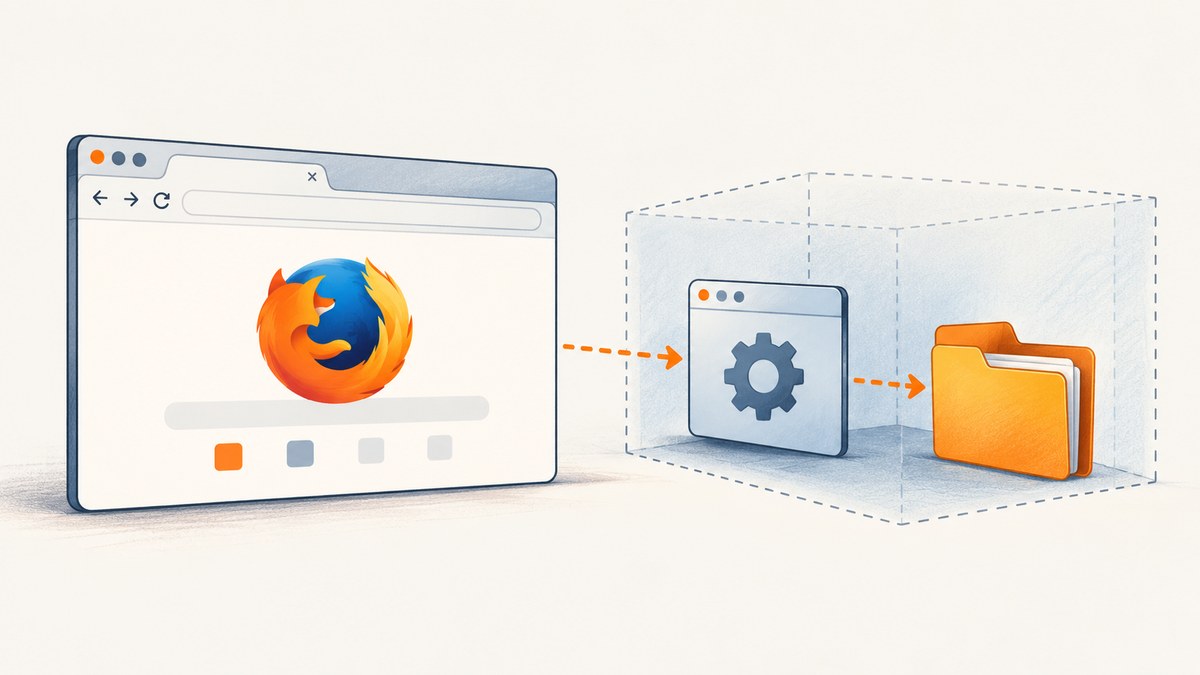
When Watir reports that the Firefox WebDriver process exited with status 1, Firefox terminated while geckodriver was starting the browser. The exit code is an outcome, not a diagnosis: it does not identify one universal cause.
First confirm how Firefox was installed and inspect geckodriver’s log. If Firefox is a sandboxed package such as Flatpak, check whether the browser can access the temporary profile directory that geckodriver created. Mozilla documents this filesystem mismatch for container-packaged Firefox. A Mozilla Bugzilla report records a Flatpak-specific workaround using the package runtime directory for temporary files; that report used Selenium, so treat it as a relevant environment example rather than a Watir-tested fix.
1. Confirm what the error means
Watir drives Firefox through Selenium WebDriver and geckodriver. During session startup, the driver launches Firefox and supplies a browser profile. If Firefox cannot start or cannot use that profile, the process may exit and the client reports the failure. The text “Process unexpectedly closed with status 1” does not distinguish profile access from other startup problems.
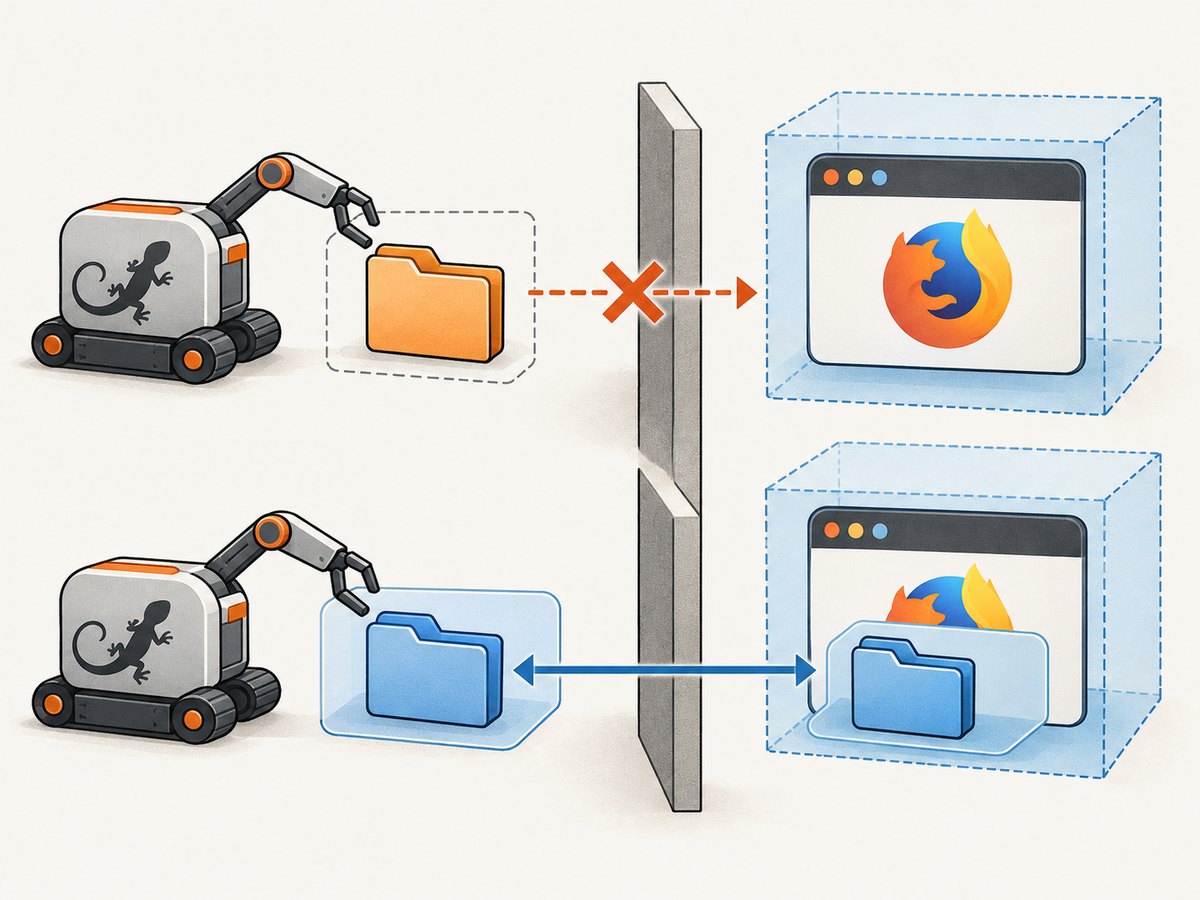
Container packaging changes the filesystem view. A path that exists for a host-launched geckodriver may not be visible or writable from inside Firefox’s sandbox. Mozilla’s geckodriver documentation describes this problem for container-packaged Firefox and outlines supported approaches: use a non-container Firefox build, run the driver in the browser’s package environment, or set a profile root accessible to both processes. [Mozilla geckodriver: container-based packages]
Do not assume Flatpak is the cause just because the message says status 1. Establish the package type, inspect the generated profile path, and read the driver log before changing the environment.
2. Collect the evidence before changing configuration
- Identify the Firefox package. Check whether it is Flatpak, Snap, a distribution package, or a direct Mozilla installation. On a Flatpak system, inspect the installed application ID; the documented report uses
org.mozilla.firefox. - Record the actual executables and versions. Find the Firefox binary and geckodriver that the test invokes. Confirm the driver is the one you expect rather than relying on a shell path that may differ under a service, IDE, or CI runner.
- Enable geckodriver diagnostics. Use the logging options supported by your installed geckodriver version, then inspect the configured log destination or
geckodriver.log. Look for the Firefox launch command, the profile path, and the first startup error. Mozilla’s Bugzilla discussion specifically asks for trace logs and points to the driver log when startup fails. [Mozilla Bugzilla 1755140] - Check profile visibility and permissions. Does the profile directory exist? Can the geckodriver process create it? Can Firefox, inside its package sandbox, read it? A filesystem path passed on the command line does not grant sandbox access by itself.
- Reproduce with the smallest test. Start one Watir Firefox session without unrelated application setup. Keep the same user, environment variables, browser package, and driver executable as the failing run.
These checks help separate a package boundary problem from an incorrect executable, an inaccessible profile, or another startup error. Selenium’s common-error guidance is useful for the broader driver troubleshooting context, but the status code alone still does not prove a particular cause. [Selenium: Understanding Common Errors]
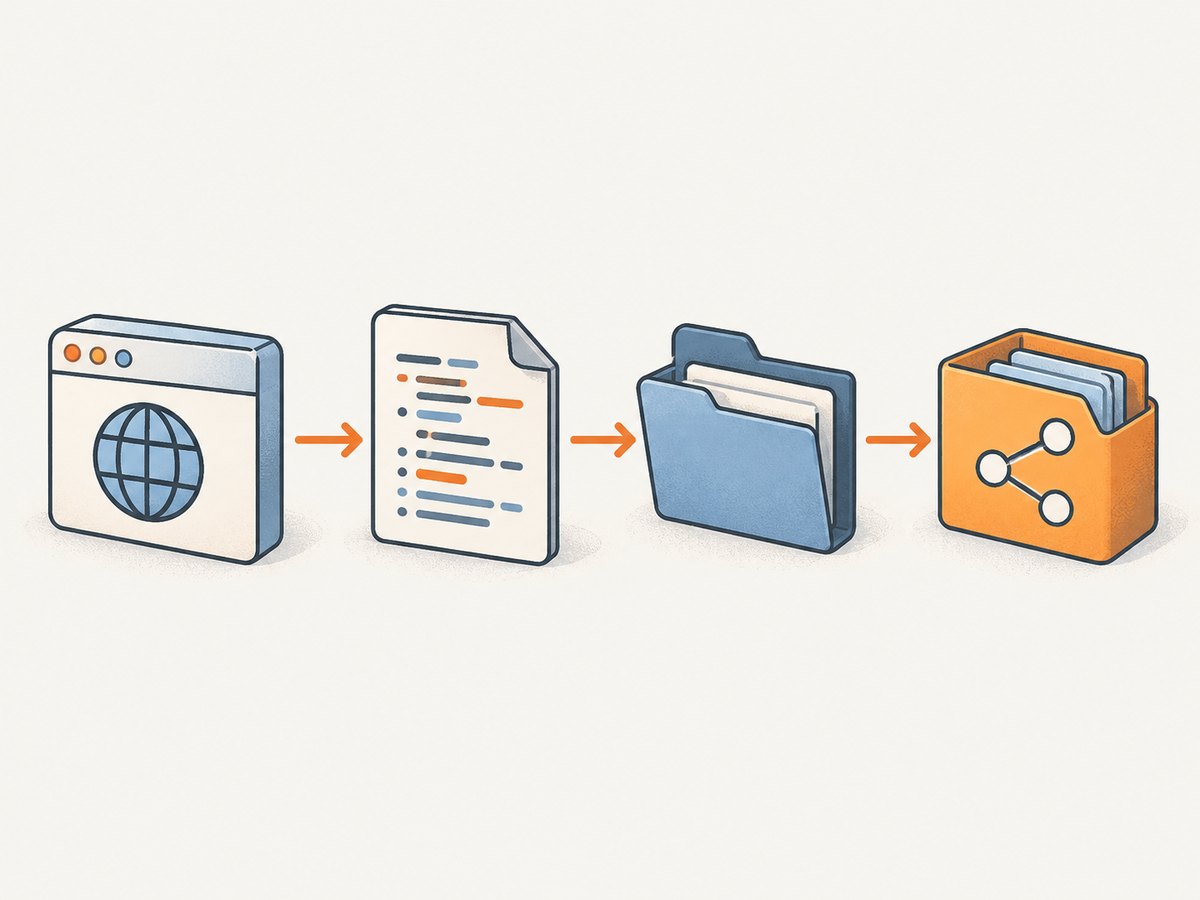
3. Apply the fix that matches your Firefox installation
Option A: Use a non-container Firefox build
If you control the machine and can select the browser package, use a Firefox build that shares the host filesystem with geckodriver. This avoids the specific host-driver versus browser-sandbox profile visibility mismatch described in Mozilla’s guidance. It changes the browser installation, so make sure your automation environment intentionally selects that binary.
Option B: Run geckodriver in the same package environment
Where the package provides a driver arrangement intended to work with its sandbox, run geckodriver from that environment. Confirm the executable path: Mozilla warns that selecting the wrong driver path can break this setup. A driver installed on the host is not automatically equivalent to a driver running in the browser’s package environment.
Option C: Set an accessible profile root
Configure geckodriver’s --profile-root to a directory that both geckodriver and Firefox can access. Mozilla documents this as a general option, with a location under the home directory as an example. For a sandboxed package, choose a location permitted by that package. Verify access from both sides rather than assuming that an existing host directory is shared. [Mozilla geckodriver usage; Bugzilla discussion]
The profile root controls where geckodriver creates profiles; it does not override sandbox permissions. If the browser cannot see the chosen location, the same failure can persist.
Option D: For the matching Flatpak case, set TMPDIR
A reporter in Mozilla Bugzilla described success after creating Flatpak Firefox’s runtime temporary directory and setting TMPDIR for the process that launches the test. In that example the Selenium process launched geckodriver, so the driver inherited the environment. The reporter said an arbitrary directory directly under $XDG_RUNTIME_DIR did not work, while the Flatpak-specific path did. This is a reported environment-specific workaround, not a guarantee for all Flatpak installations or Watir setups. [Mozilla Bugzilla 1755140]
mkdir -p "$XDG_RUNTIME_DIR/app/org.mozilla.firefox/tmp"
TMPDIR="$XDG_RUNTIME_DIR/app/org.mozilla.firefox/tmp/" ruby your_watir_script.rb
Run the command as the same user that owns the desktop session so XDG_RUNTIME_DIR points to the expected runtime directory. Check that the directory exists and is accessible to the Firefox Flatpak. If your package ID differs, adapt the path based on the installed package and its permissions. Do not copy a historical geckodriver version from an old issue report as a current recommendation; use the version appropriate to your installed Firefox and environment.
4. Minimal Watir reproduction
Use a small script to determine whether Firefox can start under the same environment as the failing job. This example deliberately makes no claim about the cause; it provides a narrow reproduction point. Install Watir and its Selenium dependencies using your project’s normal Ruby dependency setup, then run it with the same user and environment variables as the failing process.
require "watir"

browser = Watir::Browser.new :firefox
begin
  browser.goto "https://example.com"
  puts browser.title
ensure
  browser.close if browser
end
If the session fails at Watir::Browser.new, capture geckodriver’s diagnostics and identify the profile path it tried to pass to Firefox. If startup succeeds but a later navigation fails, investigate that later stage separately; it is not the same failure as the browser process exiting during session creation.
5. Choose among the documented approaches
| Approach | Best fit | Check before relying on it |
|---|---|---|
| Non-container Firefox build | You can choose or change the browser installation | Watir and geckodriver invoke the intended binary |
| Driver in the package environment | Your browser package provides a compatible arrangement | The driver really runs in that environment and the executable path is correct |
--profile-root |
You can configure geckodriver and identify a shared location | Both driver and sandboxed Firefox can read and write there |
Flatpak runtime TMPDIR |
Your setup matches the reported Flatpak profile-access case | The package ID and runtime path are correct; treat the report as a workaround, not a universal rule |
6. Troubleshooting symptoms that look similar
| Symptom | Likely next check | Action |
|---|---|---|
| “Your Firefox profile cannot be loaded” | Whether the generated profile path is visible inside the browser sandbox | Try an accessible profile root or, for a matching Flatpak setup, the documented runtime TMPDIR approach. |
| Status 1 with no useful Watir detail | Geckodriver’s log and Firefox launch output | Enable driver diagnostics and inspect the first launch failure, including the profile path. |
| Workaround runs but the directory is missing | XDG_RUNTIME_DIR, application ID, and command user |
Check the environment for the actual test process, create the expected directory, and confirm package permissions. |
| Host geckodriver still fails with Flatpak Firefox | Whether the driver and browser see the same filesystem | Use a shared accessible profile root, a driver arrangement in the package environment, or a non-container Firefox build. |
| Profile path is accessible, but Firefox still exits | Executable selection, driver logs, package permissions, browser and driver versions | Do not infer the cause from status 1; follow the first concrete error in the logs and verify the actual binaries. |
| It fails only in CI or a service | Differences in user, environment, runtime directory, and browser package | Compare those values with an interactive run and reproduce under the same account and launch environment. |
The available Mozilla guidance and issue report support the filesystem/profile diagnosis for container-packaged Firefox and the specific Flatpak workaround. They do not establish a single fix for every status-1 exit. If the profile is demonstrably accessible and the log points elsewhere, follow that evidence instead.
7. Performance, reliability, and cost considerations
The fixes above concern local browser startup and filesystem access. They do not make a test faster by themselves, and the cited sources provide no benchmark or reliability percentage for these choices. For repeatable runs, keep the browser package, driver executable, user, and environment configuration consistent across developer machines and CI. Log the selected binary and profile location when investigating intermittent startup failures.
Changing from a sandboxed browser to a host installation can simplify filesystem access, but it also changes the browser package used by the test. Running a driver in the package environment keeps the browser boundary in place but adds a requirement to select the correct executable. A profile root or temporary directory can be a focused configuration change, provided its permissions are verified. No source in this dossier establishes a monetary cost for these local options; assess any machine or CI changes using your own environment’s costs.
Or skip the browser setup
If your goal is to capture a website image rather than automate a local Firefox session, ScreenshotNeo is a website screenshot API and MCP server from Yorker Media. It does not fix a Watir or geckodriver installation; it offers a direct capture path for that separate task. Its API accepts a URL in one GET request and returns an image or PDF. See the ScreenshotNeo API documentation.
curl -G "https://api.screenshotneo.com/v1/shot" -d access_key=YOUR_API_KEY --data-urlencode url=https://stripe.com -o shot.webpimport requests
r = requests.get(
"https://api.screenshotneo.com/v1/shot",
params={"access_key": "YOUR_API_KEY", "url": "https://stripe.com"},
timeout=90,
)
open("shot.webp", "wb").write(r.content)const q = new URLSearchParams({ access_key: 'YOUR_API_KEY', url: 'https://stripe.com' });
const res = await fetch(`https://api.screenshotneo.com/v1/shot?${q}`);- Cookie and consent banners, newsletter popups, and chat widgets are removed before the shot; each step can be turned off.
- Bot checks, blank pages, timeouts, failed loads, and cache hits are not billed. Response headers report the page verdict and billing status.
- An MCP server provides
take_screenshot,get_page_info, andcapture_pdftools for Claude, Cursor, and other MCP clients. - The free plan includes 1,000 screenshots per month with no card. Paid plans start at $5 for 3,000 screenshots.
Sign up free for 1,000 screenshots a month, with no card required.
FAQ
Does status 1 prove Firefox is installed incorrectly?
No. It says the process exited during startup. Use logs and package details to find the reason.
Is the Flatpak TMPDIR workaround confirmed for Watir?
The cited Mozilla report describes a Selenium reproduction. The filesystem constraint can apply to a Watir setup with the same browser and driver boundary, but the report does not claim to test Watir.
Can I use any directory for --profile-root?
Only if both geckodriver and Firefox can access it. Sandbox permissions determine whether a host path is usable.
Which geckodriver version should I install?
The historical version in the Bugzilla reproduction describes that report, not a current recommendation. Check the actual browser and driver in your setup and use their appropriate supported arrangement.
Will ScreenshotNeo resolve this Watir error?
No. It captures a URL through a hosted API; it does not change local Watir, Firefox, or geckodriver startup behavior.


