How to Fix WebDriver Connection Drops During Screenshots
Diagnose WebDriver screenshot disconnects by separating waits, browser crashes, timeouts, file I/O, and remote transport failures.
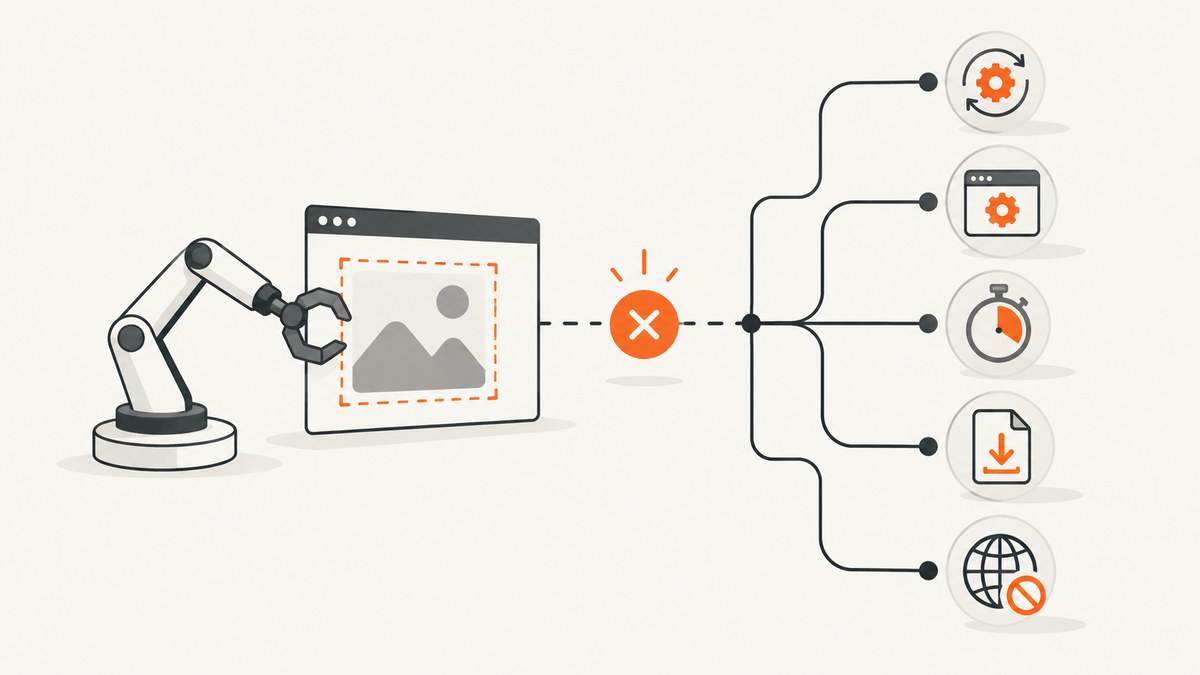
A WebDriver connection drop during screenshot() is usually a classification problem. First determine whether the failure is a synchronization race, a browser or driver process exit, a timeout, a local file-writing error, or a remote transport failure. Each category has a different fix.
Use this order:
- Save the complete exception, command, URL, session ID, and timestamp.
- Enable Selenium, driver, and browser logs.
- Replace fixed sleeps with an explicit wait for the exact state needed in the image.
- Record browser, driver, Selenium, operating-system, architecture, and executable-path versions.
- Launch the exact browser binary directly in the same environment.
- Check root execution, sandbox settings, container limits, and browser process exits.
- Verify page-load and script timeouts, then test an absolute writable screenshot path.
- Compare a local session with the remote endpoint and compare another supported browser.
- Change one variable at a time with a minimal reproducer.
Classify the failure before changing code
| What you observe | Likely layer | First check |
|---|---|---|
stale element, an image taken before content appears, or intermittent success |
Synchronization | Wait for the target element or known ready state. |
connection reset, session deleted, or a refused command after a browser exit |
Browser or driver process | Browser and ChromeDriver versions, startup logs, crash conditions, and the process lifetime. |
| Page-load or script timeout | Timeout policy | Timeout values and the operation that exceeded them. |
save_screenshot() returns False |
Screenshot-file I/O | Use an absolute path and verify directory permissions. |
| Only remote runs fail or latency spikes before disconnect | Remote transport or server | Run locally, then compare network, Selenium Server, and browser logs. |
Selenium identifies poor synchronization as its most common error source and recommends explicit waits for a specific condition. See the Selenium troubleshooting guide and waiting strategies. Do not mix implicit and explicit waits; their timeouts can interact unpredictably.
Build a minimal, observable screenshot test
The following Python example waits for the exact element being captured, writes to an absolute path, checks the return value, and records useful environment details. Install Selenium with pip install selenium.
from pathlib import Path
import platform
import sys
import time

from selenium import webdriver
from selenium.common.exceptions import TimeoutException, WebDriverException
from selenium.webdriver.common.by import By
from selenium.webdriver.support import expected_conditions as EC
from selenium.webdriver.support.ui import WebDriverWait

URL = "https://example.com"
OUTPUT = Path("/tmp/webdriver-shots/example.png").resolve()
OUTPUT.parent.mkdir(parents=True, exist_ok=True)

options = webdriver.ChromeOptions()
options.add_argument("--headless=new")
options.add_argument("--window-size=1440,1000")
# Keep the browser sandbox enabled. Configure a non-root user in Linux CI.

driver = None
try:
    driver = webdriver.Chrome(options=options)
    driver.set_page_load_timeout(45)
    driver.set_script_timeout(30)

    print("python", sys.version)
    print("platform", platform.platform(), platform.machine())
    print("browser capabilities", driver.capabilities)
    print("session", driver.session_id)

    driver.get(URL)
    wait = WebDriverWait(driver, 20, poll_frequency=0.2)
    target = wait.until(EC.visibility_of_element_located((By.TAG_NAME, "body")))

    # Optional application-specific condition:
    # wait.until(EC.invisibility_of_element_located((By.CSS_SELECTOR, ".loading")))

    ok = driver.save_screenshot(str(OUTPUT))
    if not ok:
        raise OSError(f"WebDriver could not write screenshot: {OUTPUT}")
    print("saved", OUTPUT, "bytes", OUTPUT.stat().st_size)

except TimeoutException as exc:
    print("readiness or timeout failure:", repr(exc))
    if driver:
        print("url at failure", driver.current_url)
    raise
except WebDriverException as exc:
    print("WebDriver failure:", repr(exc))
    raise
finally:
    if driver:
        driver.quit()
The Selenium Python API documents set_page_load_timeout(), set_script_timeout(), and screenshot methods such as get_screenshot_as_file() and save_screenshot(). A screenshot method can return False for an I/O failure, so never ignore that result.
Stabilize page state with an explicit wait
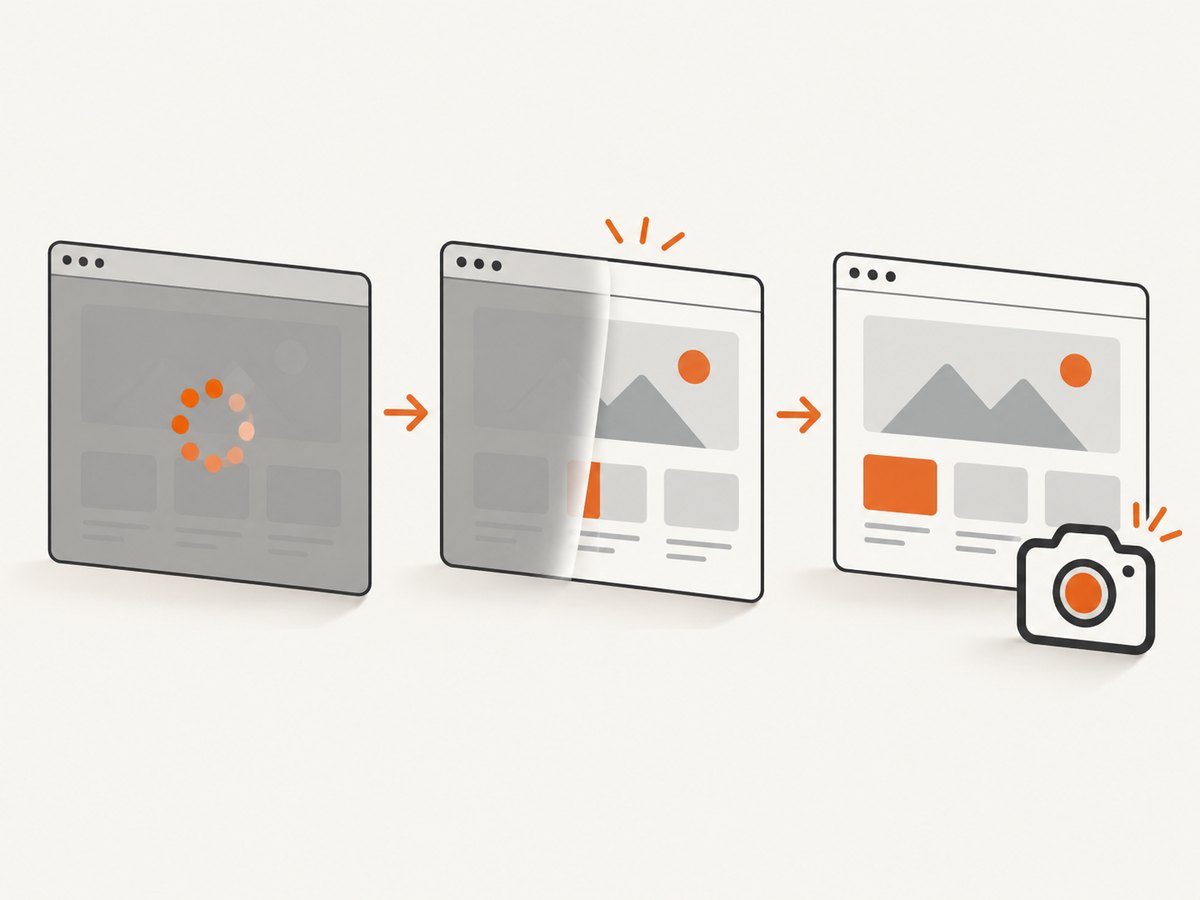
A fixed sleep(5) can be too short on a slow run and unnecessarily long on a fast run. Tie the wait to the state that makes the screenshot valid:
- Element visible: wait for the selector that must appear in the image.
- Overlay gone: wait for a loading spinner, consent dialog, or modal to become invisible.
- DOM state: wait for a class, attribute, or text value that marks completion.
- Network-dependent page: use an application readiness marker instead of guessing from elapsed time.
from selenium.webdriver.common.by import By
from selenium.webdriver.support import expected_conditions as EC
from selenium.webdriver.support.ui import WebDriverWait

wait = WebDriverWait(driver, 30, poll_frequency=0.25)
wait.until(EC.visibility_of_element_located((By.CSS_SELECTOR, "main article")))
wait.until(EC.invisibility_of_element_located((By.CSS_SELECTOR, ".loading-overlay")))
wait.until(lambda d: d.find_element(By.TAG_NAME, "body").get_attribute("data-ready") == "true")
driver.save_screenshot("/absolute/path/page.png")
Keep the timeout bounded and log it when it expires. At the failure point, record the current URL, session ID, browser console output if available, and driver log. A timeout exception means readiness was not reached; it does not prove that the WebDriver connection was lost.
Verify browser, driver, and Selenium identity
ChromeDriver is a standalone server that implements WebDriver and WebDriver BiDi. Its capabilities expose browser name, version, and page-load strategy. Current ChromeDriver binaries are distributed through Chrome for Testing channels. Read the ChromeDriver documentation and Selenium’s driver-location guidance.
For every failing run, record:
- Browser name and exact version.
- Driver name and exact version.
- Selenium binding version.
- Executable paths actually used.
- Operating system and architecture.
- Local, containerized, or remote execution.
An unexpected executable on PATH or a browser-driver mismatch can appear intermittent because the browser exits while the client is sending the screenshot command. Enable verbose driver logging and preserve the log with the test artifact.
Check browser startup and crash conditions
ChromeDriver’s troubleshooting guide recommends confirming the Chrome binary in chromedriver.log, launching that same binary directly, and reproducing the command in the test environment. It identifies running Chrome as root on Linux as a common startup-crash cause. Configure a regular user instead. The --no-sandbox flag is an unsupported and highly discouraged workaround.
When failures happen only in CI, compare these values with a successful local run:
- CI user versus local user.
- Browser and driver paths.
- Headless and display flags.
- Container sandbox settings.
- Shared-memory limits.
- CPU and memory pressure.
- Browser process lifetime and exit code.
Run the exact browser binary outside WebDriver with the same user and container. If it crashes there too, changing Selenium waits will not solve the underlying process problem.
Separate timeouts from file-writing failures
Use page-load and script timeouts that match the application, then use an explicit wait for readiness. Do not raise every timeout blindly. A timeout exception, a browser crash, a connection reset, and a false screenshot return are different failures.
from pathlib import Path

output = Path("/var/tmp/screenshots/result.png").resolve()
output.parent.mkdir(mode=0o750, parents=True, exist_ok=True)

if not output.parent.is_dir():
    raise RuntimeError(f"Not a directory: {output.parent}")

if not driver.save_screenshot(str(output)):
    raise OSError(f"Screenshot write failed: {output}")

if not output.exists() or output.stat().st_size == 0:
    raise OSError(f"Screenshot is missing or empty: {output}")
An unwritable relative path can be mistaken for a lost WebDriver session when the return value is ignored. Use an absolute path and check permissions, disk space, and container mounts.
Diagnose remote sessions as a separate layer
WebDriver can control a browser locally or through Selenium Server on another machine. ChromeDriver security guidance recommends firewalling the endpoint, restricting allowed IPs, using a protected environment, and running with a non-privileged test account. See the ChromeDriver security considerations.
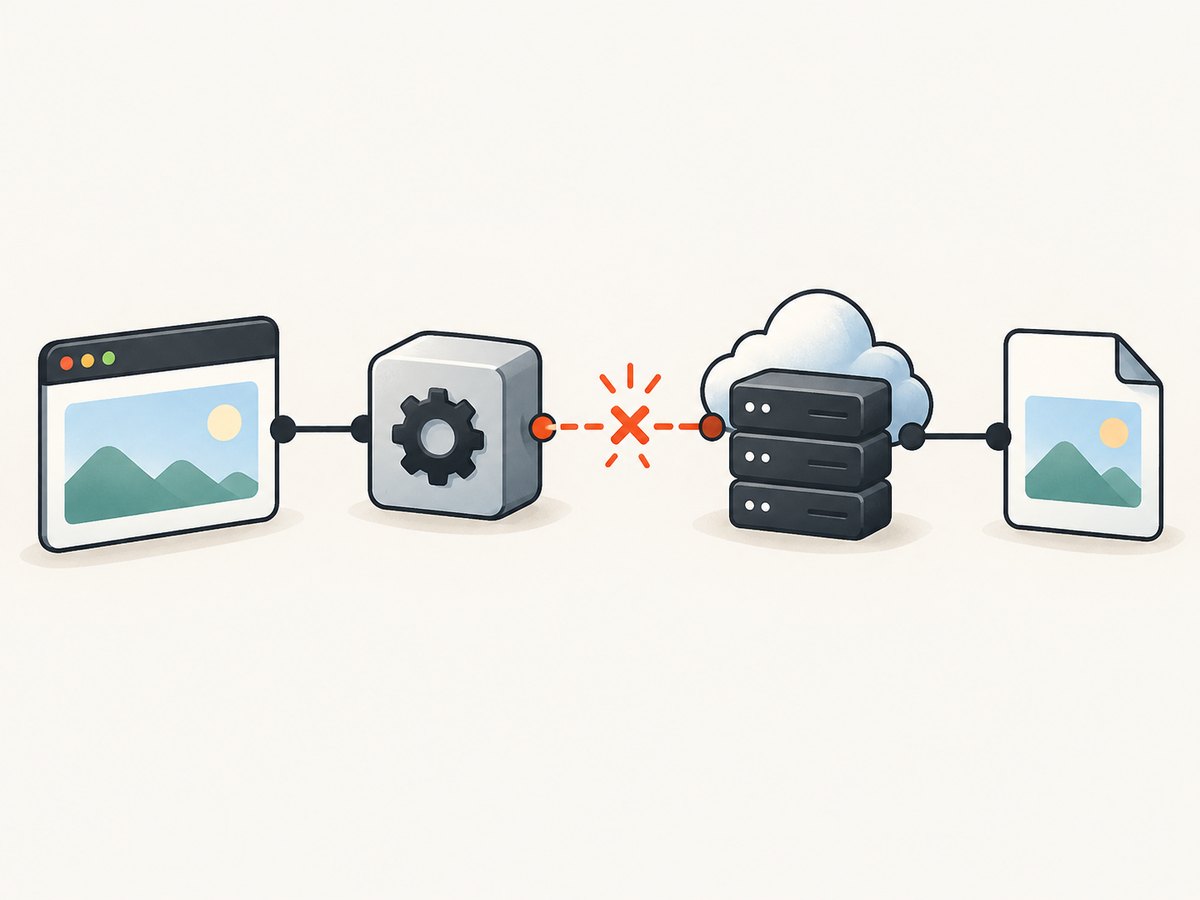
- Run the same URL and screenshot code against a local browser.
- Run it against the remote endpoint with Selenium Server and network logs enabled.
- Compare command latency, server health, browser process lifetime, and file handling.
- Check whether the remote server can reach the target URL and write the destination file.
If local runs are stable and remote runs disconnect, investigate endpoint security, network resets, server capacity, and remote browser logs independently. A managed browser grid may reduce local maintenance, but its availability and behavior depend on the provider.
Use a diagnostic matrix
| Test | Question answered | Interpretation |
|---|---|---|
| Explicit wait versus fixed sleep | Was capture racing the page? | Only the explicit wait succeeding points to a synchronization fix. |
| Launch browser binary directly | Does the browser start in this host? | A direct crash indicates host, user, sandbox, or binary problems. |
| Another supported browser | Is the issue browser-specific? | Different results narrow the failing driver or browser. |
| Local versus remote endpoint | Is transport involved? | Local success plus remote failure points to the remote layer. |
| Writable absolute path | Is the image write failing? | False or a missing file indicates I/O rather than transport. |
Common errors and fixes
| Error or symptom | Cause to investigate | Fix |
|---|---|---|
WebDriverException: disconnected: not connected to DevTools |
Chrome exited, crashed, or became unreachable. | Inspect browser and driver logs, verify versions, run as a regular user, and reproduce the binary directly. |
invalid session id or session deleted |
The browser or driver process ended before the command. | Find the process exit reason; do not treat it as a wait problem until the process is stable. |
connection reset by peer |
Remote server, proxy, firewall, or driver process closed the socket. | Compare local and remote runs and inspect endpoint and server logs. |
TimeoutException before capture |
The required page state was never reached. | Use the correct selector or readiness condition, then set a bounded timeout appropriate to the page. |
Screenshot returns False |
Destination path or file permissions. | Create the directory, use an absolute path, and check disk and mount permissions. |
| Works locally, fails in CI | User, sandbox, shared memory, binary path, or resource differences. | Compare host details and preserve logs and process exit information. |
| Fails only on dynamic pages | Capture races a render, overlay, or lazy-loaded content. | Wait for the exact element, overlay removal, or application-ready marker. |
Performance, reliability, and cost considerations
- Performance: Explicit waits poll for a real condition and avoid a long fixed delay. Keep polling and timeout values visible in logs.
- Reliability: Pin and record browser and driver versions, preserve verbose logs, and keep a minimal reproducer. Retry only after identifying whether the browser or transport is recoverable; retries cannot repair a deterministic selector, path, or version error.
- Isolation: Separate readiness, browser process, file I/O, and transport metrics so a single “screenshot failed” counter does not hide the cause.
- Security: Protect remote WebDriver endpoints, restrict allowed IPs, and use a non-privileged account.
- Cost: Local WebDriver has infrastructure and maintenance costs. A screenshot API can move browser setup and capture operations behind one request; compare its per-shot pricing with the time and compute required for your own workers.
Or skip the browser setup
ScreenshotNeo provides a website screenshot API and MCP server. It accepts one GET request and returns a PNG, JPEG, WebP, or PDF. Before capture, it accepts cookie and consent banners and removes more than 60 known consent platforms, newsletter popups, and chat widgets; each step can be disabled. Bot checks, CAPTCHAs, blank pages, timeouts, failed loads, and cache hits are not billed, and the response identifies the result with X-Page-Verdict and X-Billed headers.
See the ScreenshotNeo API documentation for the complete option list.
cURL
curl -G "https://api.screenshotneo.com/v1/shot" -d access_key=YOUR_API_KEY --data-urlencode url=https://stripe.com -o shot.webpPython
import requests
r = requests.get("https://api.screenshotneo.com/v1/shot", params={"access_key": "YOUR_API_KEY", "url": "https://stripe.com"}, timeout=90)
open("shot.webp", "wb").write(r.content)
Node.js
const q = new URLSearchParams({ access_key: 'YOUR_API_KEY', url: 'https://stripe.com' });
const res = await fetch(`https://api.screenshotneo.com/v1/shot?${q}`);
ScreenshotNeo also supports full-page and element captures, dark mode, device presets and custom viewports, retina scale, PDF paper and page options, custom CSS and JavaScript, clicks, selector hiding, selector or network-idle waits, request blocking, headers, cookies, user agents, authorization, timezone, geolocation, transparent backgrounds, resizing, chosen-TTL caching, signed links, asynchronous jobs with signed webhooks, bulk capture for up to 100 URLs per call, a usage API, and an OpenAPI specification. Its MCP server exposes take_screenshot, get_page_info, and capture_pdf for Claude, Cursor, and other MCP clients.
Plans include 1,000 shots per month free with no card, then Starter at $5 for 3,000, Growth at $15 for 15,000, Pro at $39 for 60,000, Scale at $99 for 250,000, and Business at $249 for 1,000,000. Yearly billing gives two months free, and every feature is on every plan. Start with 1,000 free screenshots a month.
FAQ
Should I retry after a connection reset?
Retry only after checking whether the browser, driver, remote server, or network closed the connection. A retry can hide a deterministic version, selector, or permission error.
Is increasing the screenshot timeout the right fix?
Only when the page legitimately needs more time. First wait for the exact readiness condition and distinguish a timeout from a browser crash or file-writing failure.
How can I prove the browser process died?
Correlate the exception timestamp with driver and browser logs, process exit information, and the session ID. Launch the same binary directly in the same environment.
Why does the problem appear only on one browser?
Browser-specific failures can indicate a driver or browser defect, version mismatch, or unsupported behavior. Compare another supported browser while keeping the page, wait, and host constant.
What should I save with a failed test?
Save the full exception, command, URL, session ID, timestamp, browser and driver versions, Selenium version, executable paths, operating system, architecture, page-load and script timeout values, screenshot path, and verbose logs.


