How to Fix Wicked PDF Runtime Errors With wkhtmltopdf-binary
Fix Wicked PDF errors caused by missing binaries, PATH, permissions, Alpine, OpenSSL, fonts, temporary files, and broken asset URLs.
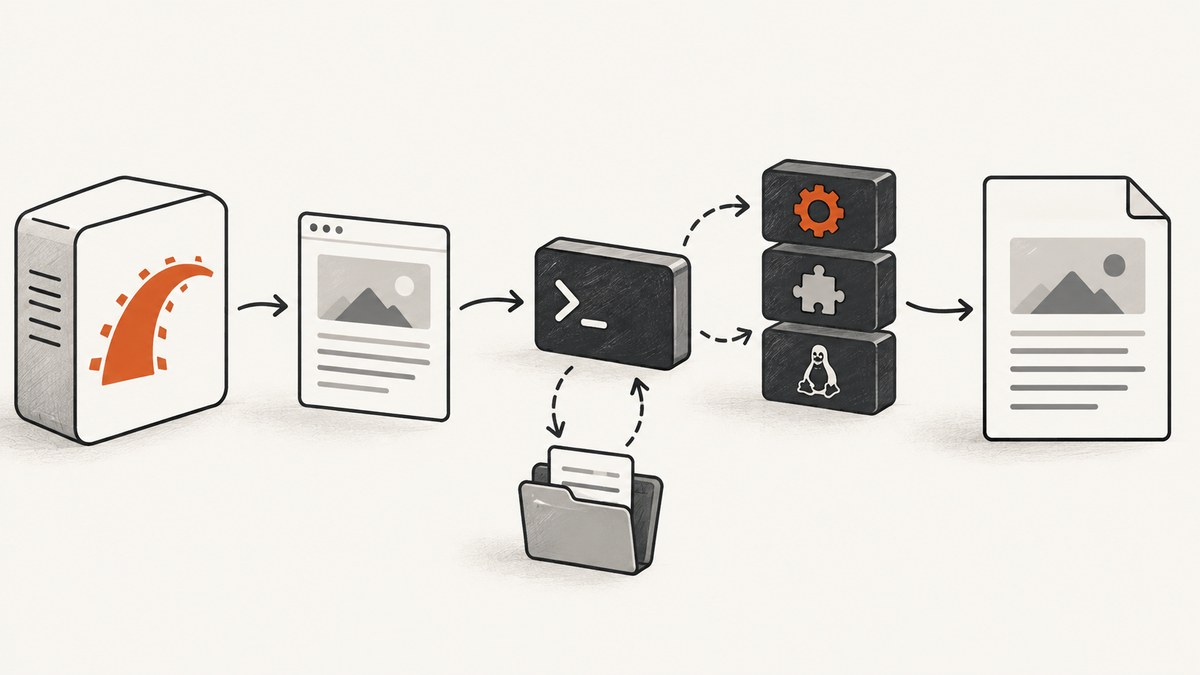
Wicked PDF does not render PDFs inside Ruby. It starts the external wkhtmltopdf command, gives it HTML, and streams the generated PDF back through Rails. The fastest way to fix a runtime error is therefore to check the deployed process, executable path, dynamic libraries, permissions, fonts, temporary directory, and asset URLs in that order.
Install the gem, verify that Bundler can activate it, find the binary that Wicked PDF resolves, and set WickedPdf.config[:exe_path] (or the equivalent initializer setting) to an executable path that the Rails process can run. On Alpine or after an OpenSSL upgrade, replace the binary or base image when the loader cannot find its required libraries; Rails view options cannot repair a loader failure.
What Wicked PDF and wkhtmltopdf-binary each do
The Wicked PDF README describes Wicked PDF as a Rails wrapper around the shell utility wkhtmltopdf. The wrapper builds a command line and manages temporary files. The executable performs HTML rendering and PDF conversion. The wkhtmltopdf-binary gem packages compressed, platform-specific executables and extracts a matching one when first used.
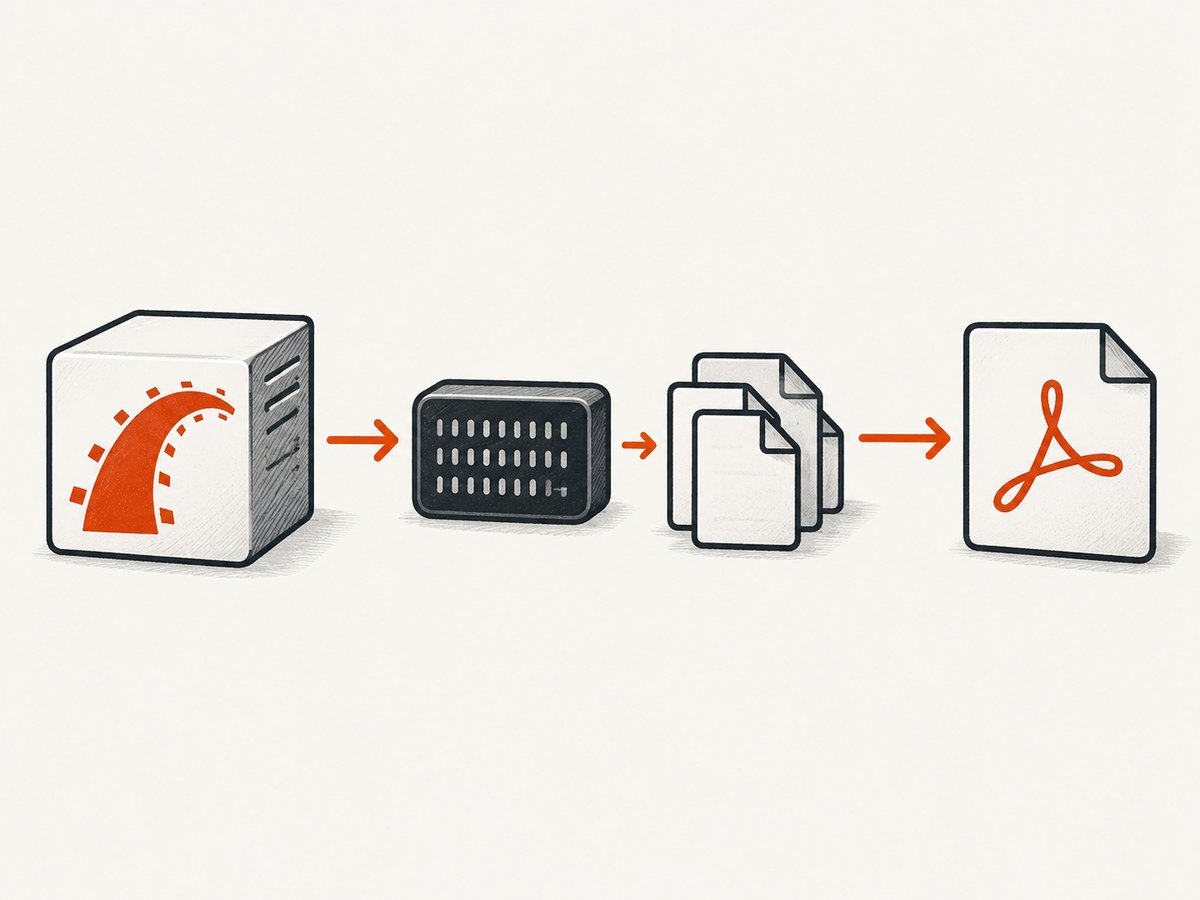
These are separate failure domains:
| Symptom | Likely layer | First check |
|---|---|---|
cannot find wkhtmltopdf |
PATH, Bundler, or Wicked configuration | which wkhtmltopdf and the resolved Wicked path |
| Exit status 127 | Shell or dynamic loader | Run the exact binary and inspect missing libraries |
| Permission denied | Executable or extraction directory | File mode and process-user access |
| PDF could not be generated | Renderer, HTML, assets, or temp files | Run a minimal URL and inspect logs |
| Blank or unstyled PDF | Fonts, CSS, JavaScript, or relative assets | Use absolute asset URLs and install fonts |
Install the gem and verify the deployed bundle
Add the gem to the same group installed in production:
# Gemfile
gem "wicked_pdf"
gem "wkhtmltopdf-binary"
bundle install
bundle exec ruby -e 'p Gem.loaded_specs["wkhtmltopdf-binary"]&.full_gem_path'
Run that command in the deployment environment, as the same user and release directory that starts Rails. A machine can have /bin/wkhtmltopdf while the deployed bundle does not contain or activate wkhtmltopdf-binary. Conversely, Bundler can activate the gem while the extracted executable is not runnable.
Check both views of the environment:
command -v wkhtmltopdf
wkhtmltopdf --version
bundle exec ruby -e 'puts Gem.loaded_specs["wkhtmltopdf-binary"]&.full_gem_path'
Do not assume your interactive shell matches Passenger, Puma, Sidekiq, a systemd unit, or a container entrypoint. Those processes may have a shorter PATH, a different working directory, another Ruby installation, or a read-only filesystem.
Configure the executable path explicitly
Put the path in an initializer when PATH lookup is unreliable:
# config/initializers/wicked_pdf.rb
WickedPdf.configure do |config|
  config.exe_path = "/usr/local/bin/wkhtmltopdf"
  config.enable_local_file_access = true
end
Use the actual path from the deployed host. If the binary comes from the gem, locate the gem directory first and inspect its extracted executable. In a Rails console, inspect Wicked PDF’s resolution logic:
pdf = WickedPdf.new
pdf.send(:find_wkhtmltopdf_binary_path)
If that result points to a missing file, set exe_path to the real executable and restart every Rails process. Configuration changes do not affect already-running workers.
enable_local_file_access matters when your document references local stylesheets, images, or fonts. Keep paths deliberate: local-file access can expose files if untrusted input controls the HTML or URL.
Check first-run extraction and permissions
The binary gem unpacks a compressed executable into its gem directory on first use. The process user needs write access there until extraction completes, and execute permission afterward. A read-only release directory can therefore fail only on the first request or after a fresh deploy.
- Identify the gem directory with
bundle exec ruby -e 'puts Gem.loaded_specs["wkhtmltopdf-binary"].full_gem_path'. - As the application user, verify that directory is readable and writable during extraction.
- Run a one-time conversion during image build or release preparation so production does not extract on demand.
- Confirm the resulting executable has an execute bit and that parent directories are searchable.
name="/path/to/wkhtmltopdf"
ls -l "$name"
file "$name"
"$name" --version
If extraction fails with a permission error, changing a Rails template option will not help. Fix ownership, permissions, or the image build process.
Diagnose exit 127, Alpine, libc, and OpenSSL
Exit 127 commonly means the shell could not execute the command or the dynamic loader could not load it. Run the configured binary directly:
/actual/path/wkhtmltopdf --version
echo $?
ldd /actual/path/wkhtmltopdf
On Alpine, a reported wkhtmltopdf 0.12.5 failure showed missing libssl.so.1.1 and libcrypto.so.1.1 after an OpenSSL 3 environment change. The remedy is to use a binary compiled for the image’s ABI, install a supported distribution package, or choose a compatible base image. Do not add random compatibility libraries to production without pinning and reviewing their source.
Also check libc. A glibc-linked executable may not run on musl-based Alpine, even when the file exists and is executable. Compare file output, the image’s libc, and the binary’s required loader. Keep the same base image in CI and production so a working build does not hide a runtime mismatch.
Temporary files, TMPDIR, and process isolation
Wicked PDF writes intermediate HTML and PDF files. Inspect ENV['TMPDIR'] and make sure that directory exists, is writable by the Rails user, and has enough space:
puts ENV["TMPDIR"]
path = ENV.fetch("TMPDIR", "/tmp")
puts File.writable?(path)
puts File.stat(path).mode.to_s(8)
In containers, /tmp may be mounted read-only or have a small quota. Set TMPDIR to a writable volume, clean abandoned files, and avoid sharing a directory with permissions that let unrelated users read generated documents. Concurrent jobs need separate temporary names; do not hard-code one filename in application code.
Fonts, CSS, JavaScript, and external assets
When the executable starts but output is blank, unstyled, or missing glyphs, inspect rendering dependencies. The wkhtmltopdf project documents runtime dependence on fontconfig and freetype2. Install the font packages your documents use and verify the font configuration inside the image.
fc-list | head
fc-match Arial
Relative URLs are another frequent cause. The renderer runs outside the browser session that served your Rails page, so /assets/app.css, relative images, and JavaScript may resolve differently. Use absolute, reachable URLs or Wicked PDF helpers:
<%= wicked_pdf_stylesheet_link_tag "application" %>
<%= wicked_pdf_image_tag "logo.png" %>
Give the renderer access to authentication headers or cookies when protected assets require them. Test the final HTML URL from the same network namespace as the renderer. A missing image can affect other images when the page’s layout or JavaScript depends on it.
A minimal Rails reproduction
Reduce the problem to a public page and a plain template before debugging a complex invoice:
# app/controllers/previews_controller.rb
class PreviewsController < ApplicationController
  def show
    render pdf: "preview", template: "previews/show"
  end
end
<!-- app/views/previews/show.html.erb -->
<!doctype html>
<html><body><h1>PDF smoke test</h1><p>Rendered at <%= Time.current %></p></body></html>
Request the endpoint as the deployment user. If this fails, focus on executable, loader, permissions, or temp files. If it succeeds, add CSS, images, JavaScript, authentication, and page-specific data one dependency at a time.
Common errors and fixes
| Error | Cause | Fix |
|---|---|---|
Unable to find executable |
Wicked PDF’s path differs from your shell PATH. | Set config.exe_path to the deployed absolute path and restart workers. |
wkhtmltopdf-binary is not part of the bundle |
Production groups or lockfile omit the gem. | Add it to the deployed bundle and run the check with bundle exec. |
Permission denied during first request |
Gem directory cannot be written or executable cannot be run. | Pre-extract during build, fix ownership, and verify mode bits. |
error while loading shared libraries |
Missing OpenSSL, libc, fontconfig, or freetype library. | Use a compatible binary/image and install required runtime dependencies. |
Exit status 127 |
Shell or loader failure. | Run the exact binary, inspect file/ldd, and check the shebang or loader. |
| PDF has no CSS or images | Relative or inaccessible asset URLs. | Use absolute URLs or Wicked PDF helpers; check network and credentials. |
| Intermittent generation failures | Temp directory exhaustion, timeouts, or concurrent resource pressure. | Monitor disk and memory, isolate temp files, and reproduce with a minimal page. |
Reliability, performance, and deployment checklist
- Pin the Wicked PDF and binary gem versions in
Gemfile.lock. - Pin the base image and OS packages, especially OpenSSL and fonts.
- Run a smoke conversion during CI or image build.
- Use the same Ruby, libc, binary, and fonts in CI, staging, and production.
- Set explicit timeouts around PDF jobs and isolate large conversions from web request threads.
- Measure temporary disk, memory, process count, and queue latency.
- Use absolute asset URLs and test authenticated documents from the production network.
- Log the resolved executable path, exit status, stderr, URL or template identifier, and elapsed time without logging sensitive document contents.
PDF generation cost is mostly operational: CPU and memory for rendering, storage for temporary files, and time spent maintaining OS-level dependencies. A compatible prebuilt image can reduce startup work, while a long-lived worker avoids repeated extraction. Keep a fallback queue for transient network or asset failures, but do not retry deterministic loader errors until the image is fixed.

Or skip the browser setup
If you need a clean capture or PDF without maintaining a browser runtime, ScreenshotNeo exposes one GET request. Its service accepts cookie and consent banners before capture and removes more than 60 known consent platforms, newsletter popups, and chat widgets. Failed loads, blank pages, bot checks, CAPTCHAs, timeouts, and cache hits are not billed, and response headers identify the page verdict and billing result.
See the ScreenshotNeo API documentation for all options. A basic image request:
curl -G "https://api.screenshotneo.com/v1/shot" -d access_key=YOUR_API_KEY --data-urlencode url=https://stripe.com -o shot.webpimport requests
r = requests.get("https://api.screenshotneo.com/v1/shot", params={"access_key": "YOUR_API_KEY", "url": "https://stripe.com"}, timeout=90)
open("shot.webp", "wb").write(r.content)
const q = new URLSearchParams({ access_key: 'YOUR_API_KEY', url: 'https://stripe.com' });
const res = await fetch(`https://api.screenshotneo.com/v1/shot?${q}`);
const buffer = Buffer.from(await res.arrayBuffer());
await import('node:fs/promises').then(fs => fs.writeFile('shot.webp', buffer));
You can request PNG, JPEG, WebP, or PDF; full-page captures load lazy images; and options include CSS selectors, dark mode, device presets, custom viewport and retina scale, PDF paper settings, custom CSS and JavaScript, clicks, waits, blocked resources, headers, cookies, user agents, authorization, timezone, geolocation, transparent backgrounds, resizing, chosen cache TTL, signed image links, asynchronous jobs with signed webhooks, bulk capture of up to 100 URLs, usage reporting, and an OpenAPI specification. An MCP server provides take_screenshot, get_page_info, and capture_pdf for Claude, Cursor, and other MCP clients.
There is a free plan with 1,000 screenshots each month and no card. Paid plans start at $5 for 3,000 shots; yearly billing gives two months free. Create a free ScreenshotNeo account and try the endpoint without changing your Rails runtime.
FAQ
Should I set exe_path to a directory or a file?
Set it to the executable file itself, such as /usr/local/bin/wkhtmltopdf, and verify it with --version.
Why does it work in a shell but fail in Rails?
The Rails service may use a different PATH, user, Ruby bundle, working directory, or filesystem mount. Re-run all checks as the service user with bundle exec.
Can Wicked PDF options fix OpenSSL errors?
No. A missing shared library prevents the executable from starting. Use a compatible binary and image or install the required ABI libraries.
Why did a fresh deploy fail only on its first PDF?
The binary gem may be extracting its platform executable on first use. Pre-extract it during the build or grant temporary write access to the gem directory.
When should I replace wkhtmltopdf with an API?
Consider an API when maintaining OS libraries, fonts, browser setup, and rendering workers costs more than the document workflow itself, or when you need clean captures and predictable billing for failed pages.


