How to Fix “wkhtmltopdf: Command Not Found” on AWS Lambda
Package wkhtmltopdf and its Linux dependencies with your Lambda function, then call it from a path Lambda can resolve.
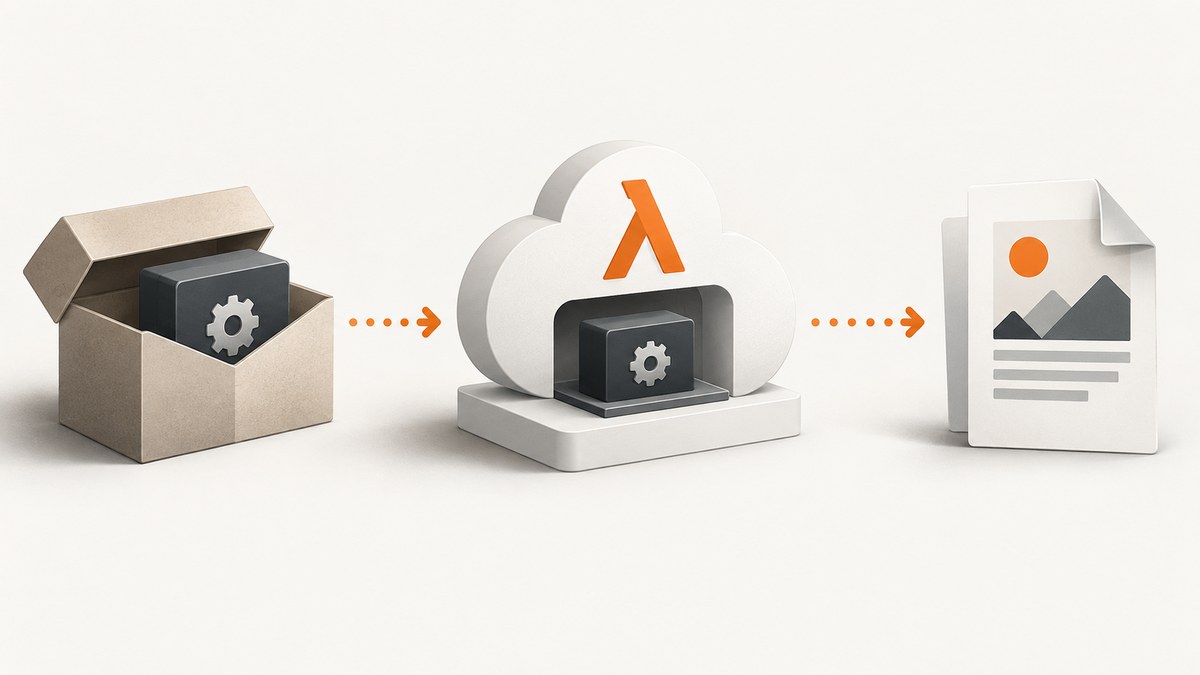
If Lambda reports wkhtmltopdf: command not found, the deployed runtime cannot locate the executable. Include a Linux-compatible wkhtmltopdf binary and its required runtime dependencies in the function ZIP, an attached layer, or a Lambda container image. Then invoke the executable by its actual absolute path, such as /opt/bin/wkhtmltopdf, or make sure its directory is on PATH. Installing it on your laptop does not add it to the Lambda deployment.
This error is a packaging or runtime path problem. If fixing it reveals a missing shared-library error, the executable is now being found; investigate its native libraries, architecture, and fonts next.
1. Find which deployment artifact Lambda actually runs
Start with the deployed artifact, not the build machine. Identify whether the function uses a ZIP package, one or more layers, or a container image. Check the exact version or image tag referenced by the function configuration. A binary present in a local directory or a Docker build stage that is not copied into the final image will not be available at invocation time.
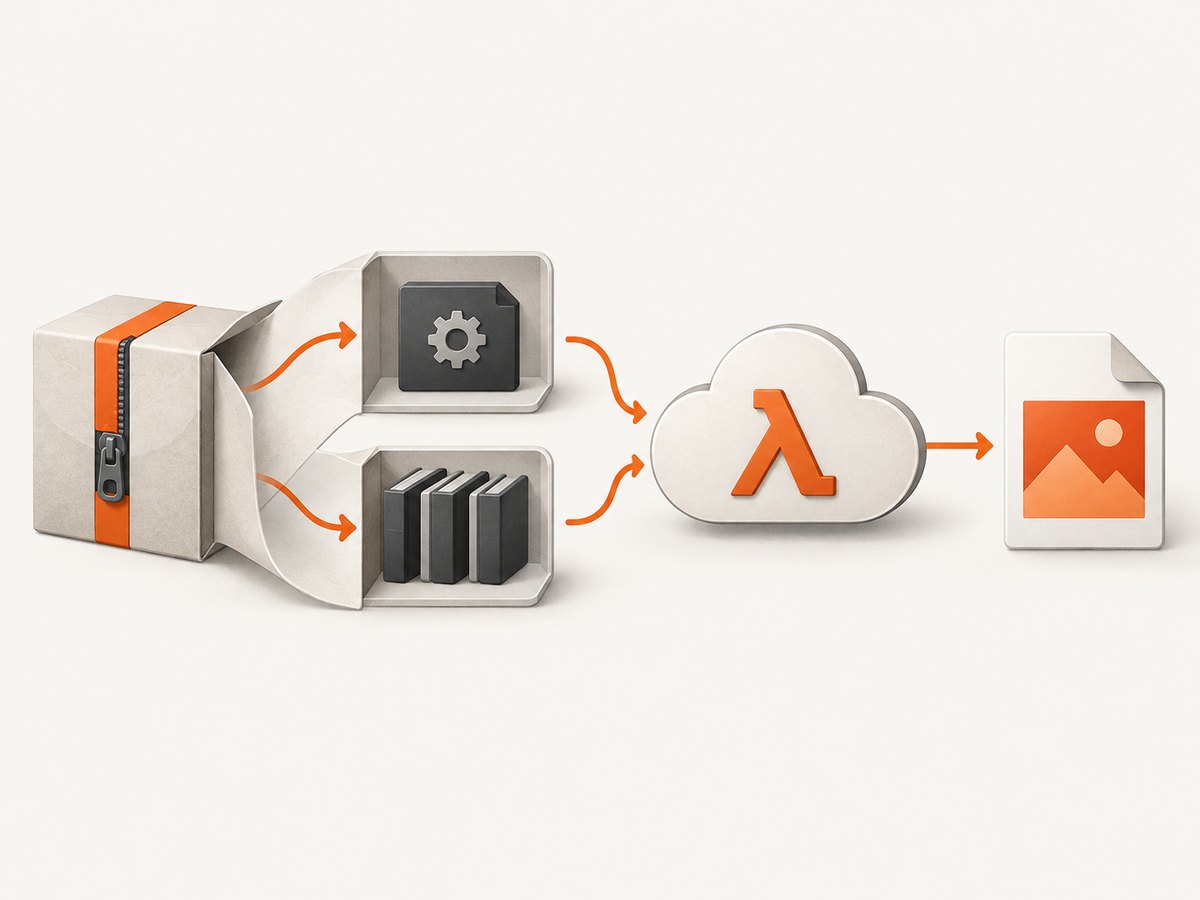
- Download or inspect the ZIP/layer archive, or inspect the final container image.
- Confirm it contains the executable and supporting files in the intended runtime locations.
- Check that the executable bit is set and the binary architecture matches the Lambda function architecture.
- Log the path and environment from the function, then invoke the same path from application code.
For a ZIP deployment, the executable can live in the function package itself or in a layer. AWS extracts layer contents beneath /opt; a layer archive with a top-level bin/wkhtmltopdf therefore makes the path /opt/bin/wkhtmltopdf. AWS documents bin as a PATH location and lib as an LD_LIBRARY_PATH location for all runtimes. [AWS layer packaging guidance](https://docs.aws.amazon.com/lambda/latest/dg/packaging-layers.html)
2. Build a Linux-compatible layer
Native executables built for macOS or Windows will not run in Lambda’s Linux environment. Build or obtain the binary and dependencies for a compatible Linux environment and the function’s configured CPU architecture. AWS recommends building layer content in Linux and suggests Docker for that purpose. The layer is supplementary code or data, so its ZIP structure matters: the archive should contain bin/ and, if needed, lib/ at its root, not an extra enclosing project directory.
One reproducible pattern is to use a Linux build environment as a staging workspace and put already-audited binary and dependency files into a layer directory. The following packaging commands demonstrate the archive layout; they do not download or certify a particular wkhtmltopdf build.
# Expected staging layout:
# layer/bin/wkhtmltopdf
# layer/lib/<required shared libraries, if any>
# layer/share/fonts/... (only if your chosen build requires bundled fonts)

chmod 755 layer/bin/wkhtmltopdf
cd layer
zip -r ../wkhtmltopdf-layer.zip .
cd ..
unzip -l wkhtmltopdf-layer.zip
Review the archive listing. The first entries should be paths such as bin/wkhtmltopdf and lib/libexample.so, rather than layer/bin/wkhtmltopdf. Include only the libraries and font files required by the binary you chose, and keep the source and version information for those files with your build records.
Publish and attach the layer through your normal deployment workflow. AWS requires selecting a specific layer version ARN when configuring the function. After updating the function, verify it references the newly published version rather than an earlier one. [AWS layer management](https://docs.aws.amazon.com/lambda/latest/dg/chapter-layers.html)
3. Call the binary explicitly from application code
An absolute path removes uncertainty about whether a child process inherits the expected PATH. Use an argument array instead of constructing a shell command from user-controlled strings. Here is a Python example that renders a local HTML file to PDF and checks the process result:
import subprocess

WKHTMLTOPDF = "/opt/bin/wkhtmltopdf"

result = subprocess.run(
    [WKHTMLTOPDF, "/tmp/input.html", "/tmp/output.pdf"],
    check=False,
    capture_output=True,
    text=True,
    timeout=45,
)

if result.returncode != 0:
    raise RuntimeError(
        f"wkhtmltopdf failed ({result.returncode}): {result.stderr[-2000:]}"
    )
Make sure the HTML input exists in Lambda’s writable temporary directory or provide a supported input form for your invocation. Write generated output to /tmp and return or upload it through your application’s existing response path. Set the subprocess timeout below the overall function timeout so the handler can record a useful error and clean up.
If your binary is in the function package rather than a layer, resolve its path from the deployed code directory and use that location. Do not assume the process current working directory; Lambda runtimes and handler libraries may set it differently. A diagnostic can log os.environ.get("PATH"), os.path.exists(WKHTMLTOPDF), and os.access(WKHTMLTOPDF, os.X_OK) without dumping secrets or unrelated environment values.
4. Diagnose the next error instead of treating every failure as PATH
Once Lambda locates the executable, errors may change. That is useful evidence: the process has advanced from name resolution to loading or execution. Check the exact stderr and exit status, then follow the matching branch below.
| Symptom | Likely cause | Next action |
|---|---|---|
wkhtmltopdf: command not found or [Errno 2] |
File absent, wrong path, layer not attached, or incorrect ZIP root layout. | Inspect deployed artifact and call the verified absolute path. |
Permission denied |
Executable bit missing, or the file is inaccessible to the runtime user. | Package it with executable permissions and confirm directory/file permissions. |
No such file or directory despite file existing |
Possible missing ELF interpreter or incompatible binary format. | Inspect the binary in a compatible Linux build environment; verify architecture and loader availability. |
error while loading shared libraries |
A required shared object is absent or outside the loader search path. | Bundle the needed compatible library under layer lib/ where appropriate, and verify the effective LD_LIBRARY_PATH. |
| Process runs, then fails on fonts or rendering | Font/configuration resources absent, unsupported page content, or a rendering-stage issue. | Package and configure the fonts/resources your chosen build needs; reproduce with the same input and inspect stderr. |
| Function times out | Rendering or page loading exceeds the function/subprocess budget. | Set a bounded subprocess timeout, reduce expensive input or wait behavior, and increase Lambda timeout only when justified. |
A community AL2023 example, malwazan/wkhtmltopdf-amazon-linux-2023, describes a layer with a wrapper, executable, libraries, fonts, and font configuration. It is an example to inspect, not an AWS-supported or universally validated recipe. Audit its sources and maintenance, and validate it with your runtime, architecture, and input before adopting it. Its instructions use /opt/bin/wkhtmltopdf.
5. Choose ZIP plus layer or a container image
| Approach | Use it when | Things to manage |
|---|---|---|
| Function ZIP plus layer | Your team already deploys ZIP functions and wants native tools shared or versioned separately. | Archive layout, layer version attachment, native compatibility, and updating the layer alongside code. |
| Container image | Your deployment process already builds images and you want the OS packages and executable in the image build. | Base image, architecture, image publishing, patch and rebuild cadence, and copying all runtime files into the final image. |
Neither form is universally preferable. Pick based on your release workflow and how you want to own native dependencies. For Lambda container images based on Amazon Linux 2023, AWS documents microdnf (also available as dnf) rather than Amazon Linux 2’s yum. Do not copy package installation commands across generations without checking the selected base image and repositories. [AWS container image documentation](https://docs.aws.amazon.com/lambda/latest/dg/images-create.html)
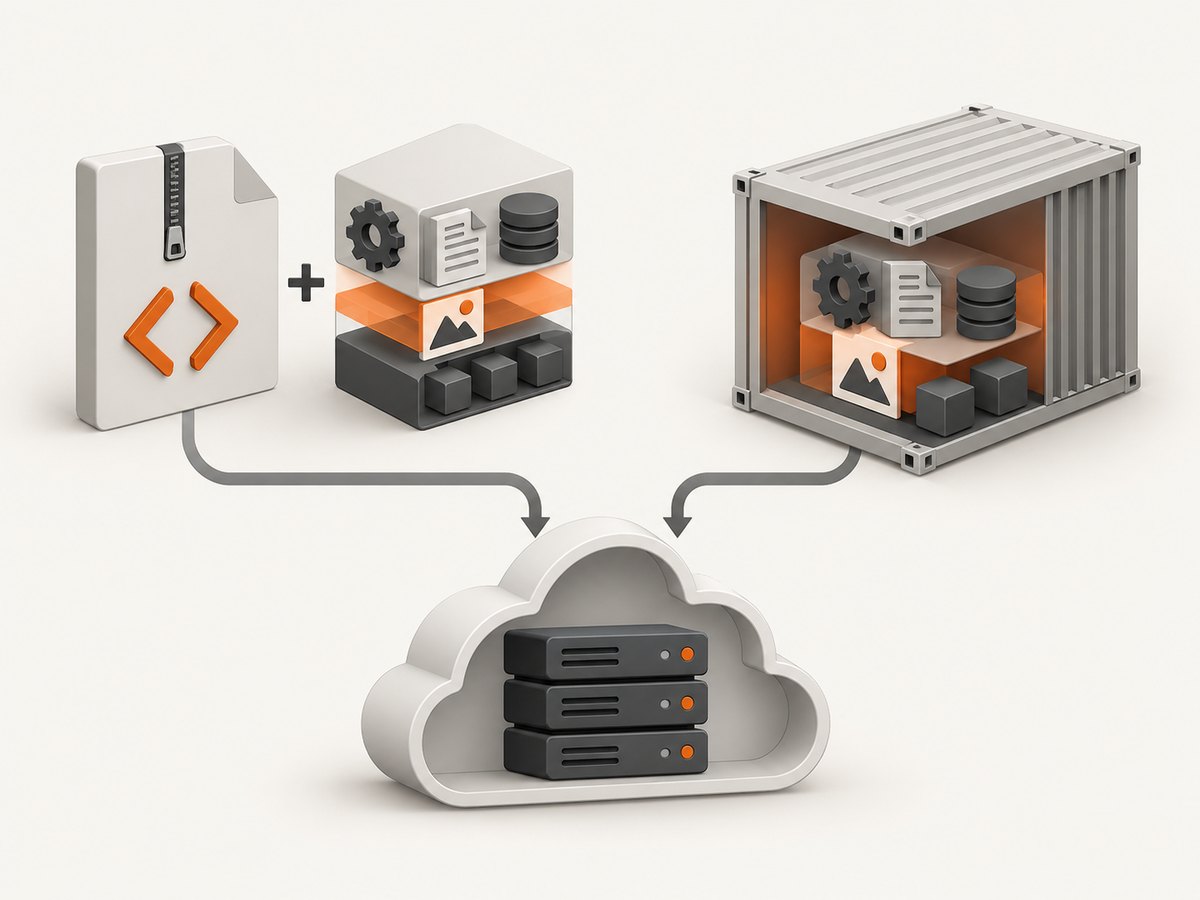
In either approach, inspect the final deployed artifact. In a multi-stage Docker build, ensure the executable, libraries, and required resources are copied into the final stage, not merely installed in a discarded builder stage.
6. Architecture, dependencies, and runtime checks
Lambda functions can be configured for x86-64 or arm64. Native files must match that architecture, and architecture alone is not sufficient: the Linux ABI, dynamic loader, shared-library versions, and resource paths also need to work in the target environment. Check the function’s architecture setting and build or select a compatible artifact. [AWS Lambda architecture settings](https://docs.aws.amazon.com/lambda/latest/dg/foundation-arch.html)
When a loader error names a library, identify which build dependency supplies it and bundle a compatible copy or build the executable in an environment that matches the target. Avoid copying arbitrary system libraries from a different Linux distribution: a partial or incompatible library set can create a second loader failure. Keep dependencies isolated in the layer’s lib/ directory when appropriate, and ensure the process sees that location through the loader path. A wrapper can set environment variables, but it should be narrowly scoped and checked into the deployment artifact so the actual invocation is predictable.
Fonts are a separate runtime resource from shared libraries. A binary can launch successfully yet produce different glyph coverage or fail to find configured fonts. If your documents depend on specific fonts, package them and configure font discovery consistently. Test representative documents containing the scripts, symbols, and layout features your application uses.
7. Verification checklist before release
- The deployed ZIP, attached layer version, or final image contains the binary.
- The archive has the expected top-level paths, such as
bin/andlib/. - The binary is executable and built for the function’s configured architecture.
- The handler invokes the path that exists in Lambda, preferably an explicit absolute path.
- Required shared libraries, fonts, and configuration files are included and discoverable.
- A representative invocation checks return code, stderr, output existence, and a non-empty output file.
- The subprocess timeout leaves enough time for the handler to log and report failure.
- The deployed function references the layer version or container image you just built.
For ongoing reliability, record the binary’s source and version, rebuild through a repeatable Linux process, and run a small rendering check after changing the function runtime, architecture, base image, or layer. Treat native dependencies as part of the application release: changing one can alter startup and rendering behavior even if handler code is unchanged.
8. Performance, reliability, and cost considerations
Rendering work consumes function time and memory, so measure the actual documents your workload produces. Bound the subprocess duration and the input size, and avoid unbounded concurrency that starts more rendering processes than the function can support. Reuse downloaded or generated inputs only where your application’s data and security model allow it. Larger native dependency packages also increase deployment artifact size and the work required to maintain and update them.
Failures should be observable without logging private page contents or credentials. Include a request identifier, elapsed time, exit code, and a truncated stderr excerpt in structured logs. Distinguish process launch failures from nonzero rendering exits and function timeouts; each points to a different remediation. Retry only failures that are plausibly transient, and make output storage or downstream writes safe to repeat so a retry does not create duplicate side effects.
Cost depends on your Lambda configuration and usage; this research provides no benchmark or cost figure for wkhtmltopdf. Compare execution duration, memory setting, artifact storage and publishing workflow, and any downstream storage or transfer charges using your account’s current pricing. A timeout that repeatedly consumes the full configured duration is a reliability problem as well as a cost concern.
Or skip the browser setup
If the job is simply to capture a web page as an image or PDF, ScreenshotNeo provides a website screenshot API and MCP server. It is a separate approach from packaging wkhtmltopdf: one GET request takes a URL and returns PNG, JPEG, WebP, or PDF. See the ScreenshotNeo API documentation for parameters and response details.
curl -G "https://api.screenshotneo.com/v1/shot" -d access_key=YOUR_API_KEY --data-urlencode url=https://stripe.com -o shot.webpimport requests
r = requests.get(
"https://api.screenshotneo.com/v1/shot",
params={"access_key": "YOUR_API_KEY", "url": "https://stripe.com"},
timeout=90,
)
open("shot.webp", "wb").write(r.content)const q = new URLSearchParams({ access_key: 'YOUR_API_KEY', url: 'https://stripe.com' });
const res = await fetch(`https://api.screenshotneo.com/v1/shot?${q}`);Cookie banners, newsletter popups, and chat widgets are removed before capture. Bot checks, blank pages, failed loads, timeouts, and cache hits are not billed; response headers identify the page verdict and billing status. An MCP server lets AI agents use screenshot, page-info, and PDF tools. The free plan includes 1,000 screenshots a month with no card, and paid plans start at $5 for 3,000. ScreenshotNeo has 63 capture options, including full-page and element capture, device presets, PDF settings, custom CSS and JavaScript, and asynchronous jobs. Sign up for 1,000 free screenshots a month, no card required.
FAQ
Why does wkhtmltopdf work locally but not in Lambda?
Your local installation is outside Lambda’s deployment artifact. Package the Linux executable and its dependencies with the function, layer, or image, and invoke the path present in that runtime.
Is adding a layer enough to make the command work?
Only if the layer contains the compatible executable in the correct archive location, is attached at the expected version, and includes any required runtime dependencies. Confirm the resulting path beneath /opt.
Should I use a community wkhtmltopdf layer?
Only after auditing its provenance, build process, architecture, runtime compatibility, included libraries, and update practices. A repository example is not an AWS guarantee.
Can I avoid wkhtmltopdf for a URL-to-PDF capture?
Yes. A hosted screenshot API can capture a URL and return a PDF, so your Lambda function does not need to package a browser-rendering executable. That does not replace wkhtmltopdf for workflows that convert local HTML or require its specific rendering behavior.


