How to Fix wkhtmltopdf Errors in Laravel on macOS
Fix wkhtmltopdf failures in Laravel on macOS by checking the binary, architecture, paths, permissions, libraries, fonts, and local-file security.
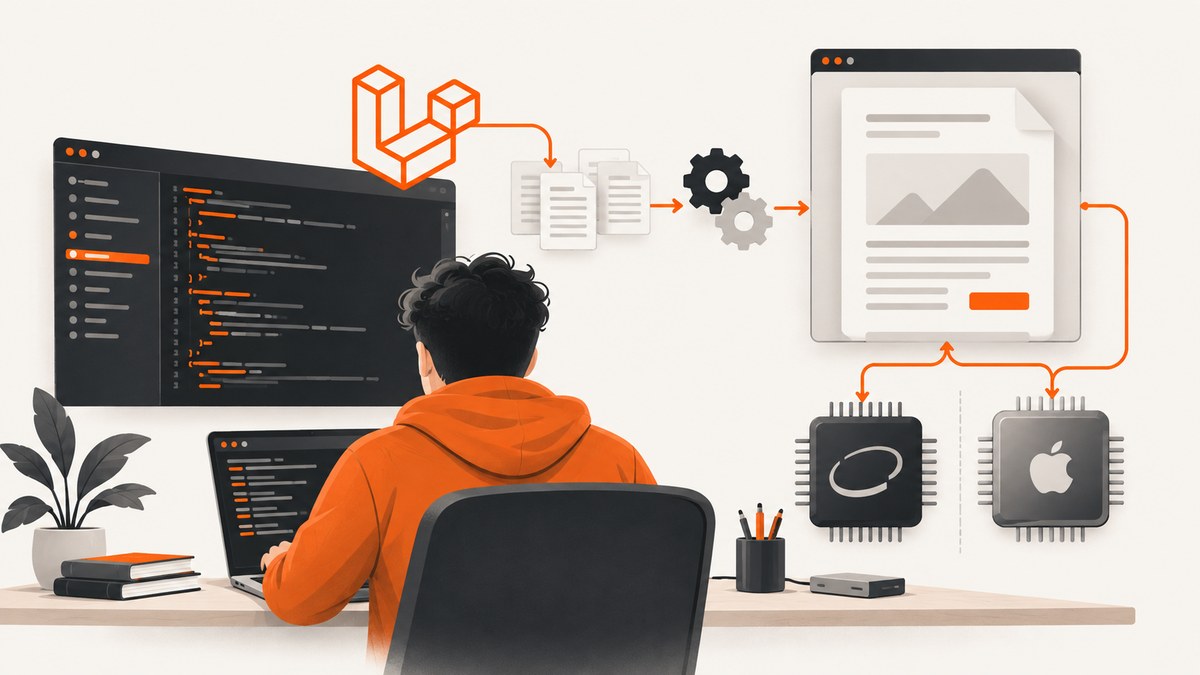
wkhtmltopdf errors in Laravel on macOS usually come from one of five layers: the executable cannot run, Laravel points to the wrong file, the binary does not match the Mac’s CPU architecture, runtime dependencies are missing, or the HTML renderer cannot reach required assets. Start outside Laravel, prove that the exact binary can create a PDF, then configure Snappy to use that same path.
This order matters. Laravel Snappy’s installation guidance says that after installation you should be able to run wkhtmltopdf from a command line or shell. If the shell command fails, changing controller code will not fix the underlying problem.
1. Capture the exact failure before changing anything
Save the complete exception and stderr output. Record:
- Laravel, PHP, and Snappy versions
- macOS version
- Whether the Mac is Intel or Apple Silicon (M1, M2, M3, or later)
- The exact binary path Laravel is using
- The complete command output, including warnings
- A minimal HTML, CSS, JavaScript, image, and font fixture that reproduces the failure
These details separate a shell problem from a Laravel path problem, a permissions problem, and a rendering problem. They are also the information requested for useful wkhtmltopdf issue reports.
2. Find and test the real wkhtmltopdf executable
First discover what your shell resolves:
command -v wkhtmltopdf
which -a wkhtmltopdf
wkhtmltopdf --version
Do not assume that the first result is the binary used by PHP-FPM, Laravel’s queue worker, or a web server. Test the absolute path directly:
"/absolute/path/to/wkhtmltopdf" --version
printf '<html><body><h1>Renderer test</h1></body></html>' > /tmp/wk-test.html
"/absolute/path/to/wkhtmltopdf" /tmp/wk-test.html /tmp/wk-test.pdf
file /tmp/wk-test.pdf
The wkhtmltopdf project lists the 0.12.6 series as the stable series released June 11, 2020. Your installed build may have a package-specific suffix, so focus first on whether it executes and produces a file.
Inspect permissions and file type
ls -l "/absolute/path/to/wkhtmltopdf"
file "/absolute/path/to/wkhtmltopdf"
uname -m
The file should be executable. A normal executable permission set contains an x, such as -rwxr-xr-x. If the file is trusted and intentionally installed there, repair permissions with:
chmod +x "/absolute/path/to/wkhtmltopdf"If file identifies a Linux ELF binary, it cannot run on macOS. Replace it with a macOS build rather than trying to make a Linux Composer artifact work.
3. Fix exit status 126 and architecture mismatches
Exit status 126 means the shell found a file but could not execute it. Treat it as an executable, permission, or architecture problem first. Typical stderr messages include “Permission denied” and “cannot execute binary file.”
| Check | Command | What a failure means |
|---|---|---|
| CPU | uname -m |
arm64 is Apple Silicon; x86_64 is Intel. |
| Binary type | file /path/to/wkhtmltopdf |
Confirms whether it is a macOS executable and which architecture it contains. |
| Permission | ls -l /path/to/wkhtmltopdf |
Missing execute permission causes status 126. |
| Direct run | /path/to/wkhtmltopdf --version |
Shows the real stderr before Laravel adds another layer. |
An Apple Silicon Mac can encounter an x86_64-only binary. Install a compatible macOS build or run the x86_64 tool through Apple’s translation layer when that is an intentional, supported setup. Do not mix an x86_64 executable with an arm64 dependency tree and expect Laravel to resolve it automatically.
4. Check Homebrew’s prefix and avoid mixed installations
Homebrew normally uses /opt/homebrew on Apple Silicon and /usr/local on Intel. Check both the architecture and the active prefix:
uname -m
brew --prefix
brew --prefix wkhtmltopdf 2>/dev/null || true
printf '%s\n' "$PATH"
A Mac upgraded from Intel tooling, or one with both prefixes installed, can resolve an old executable while your shell appears healthy. Compare the path returned by command -v with the prefix reported by Homebrew. Remove stale PATH entries from the shell startup file only after confirming which installation your project should use.
Run the standard diagnostics and preserve all output:
brew update
brew doctor
Read every warning. Stale Command Line Tools, broken symlinks, and mixed ownership can prevent a package from launching or can make a dependency visible to your shell but invisible to a web server process.
5. Point Laravel Snappy at the actual binary
Publish the Snappy configuration if it is not already present:
php artisan vendor:publish --provider="Knp\\Snappy\\LaravelServiceProvider"Open config/snappy.php and set the binary to the file that passed your direct shell test. A system installation might look like this:
return [
    'pdf' => [
        'enabled' => true,
        'binary'  => env('WKHTMLTOPDF_BINARY', '/opt/homebrew/bin/wkhtmltopdf'),
        'timeout' => false,
        'options' => [],
        'env' => [],
    ],
];
Use /usr/local/bin/wkhtmltopdf on an Intel Homebrew installation when that is the path that exists. A Composer package path is different from a system path, and a Linux path such as vendor/h4cc/wkhtmltopdf-amd64/bin/wkhtmltopdf-amd64 is not a valid macOS replacement.
Put environment-specific values in .env:
WKHTMLTOPDF_BINARY=/opt/homebrew/bin/wkhtmltopdfAfter changing configuration, clear cached Laravel configuration:
php artisan config:clear
php artisan cache:clear
For queue workers and PHP-FPM, restart the process. Long-running workers keep the old configuration in memory, and their PATH may differ from your interactive shell.
6. Reproduce the conversion through Laravel
Once the binary works directly, test the smallest possible Snappy call:
use Barryvdh\\Snappy\\Facades\\SnappyPdf;

Route::get('/pdf-test', function () {
    return SnappyPdf::loadHTML('<h1>Laravel PDF test</h1>')
        ->setOption('encoding', 'UTF-8')
        ->download('test.pdf');
});
If this succeeds but your real view fails, the executable and path are probably correct. Investigate the HTML, CSS, JavaScript, image URLs, fonts, and page-specific options.
7. Resolve libraries, fonts, and asset failures
wkhtmltopdf depends on platform libraries plus fontconfig and freetype configuration. Laravel Snappy documentation also notes that libraries such as libXrender may require manual installation on some systems.
- Install and verify fonts used by the document. A missing font can change line wrapping, cause clipped content, or produce blank glyphs.
- Use absolute, reachable URLs for images, stylesheets, and web fonts during diagnosis.
- Check that the process running PHP can resolve DNS and access HTTPS endpoints.
- Confirm that certificate, proxy, and authentication requirements are available to the renderer.
- Reduce the document to one heading and one image, then add assets back one at a time.
When output is blank or layout changes between your shell and Laravel, compare environment variables and the current working directory. A web request does not inherit every setting from your terminal session.
8. Handle local files and security deliberately
Modern wkhtmltopdf behavior can block local-file access. You may see errors when a view references file:///... images, CSS, or fonts. Prefer serving required assets through controlled application URLs. If trusted, sanitized HTML must read local files, enable access narrowly and only for that conversion:
$pdf = SnappyPdf::loadView('invoice', $data)
    ->setOption('enable-local-file-access', true);
The KnpLabs Snappy documentation warns that --enable-local-file-access can be risky with untrusted HTML or JavaScript. Local access can expose files and increase the impact of injected content. Never pass user-supplied markup directly to a renderer with unrestricted file access; isolate files in a dedicated directory and validate every input.
9. Diagnose common Laravel and macOS errors
| Symptom | Likely cause | Fix |
|---|---|---|
| “The exit status code 126” | Not executable, wrong file type, or CPU mismatch. | Run ls -l, file, uname -m, then test the absolute path. |
| Works in Terminal, fails in Laravel | Snappy uses another path or PHP-FPM has a different PATH. | Use an absolute binary path, clear config cache, and restart workers/FPM. |
| “No such file or directory” | Copied Linux or Intel path, moved Homebrew package, or stale symlink. | Run command -v and set the path to an existing macOS executable. |
| “Cannot execute binary file” | Linux binary or incompatible architecture. | Install a macOS build matching the runtime architecture. |
| Missing library error | Dependency or Command Line Tools problem. | Run brew update, brew doctor, and repair the reported dependency. |
| Blank PDF | Renderer timeout, blocked asset, JavaScript-dependent page, or invalid HTML. | Use a minimal fixture, verify asset URLs, and add waits only when needed. |
| Images or fonts absent | Relative URLs, inaccessible host, or missing font configuration. | Use absolute URLs, verify process access, and install the required fonts. |
| Local-file error | Local access is disabled. | Prefer controlled URLs; enable local access only for trusted, sanitized content. |
10. Make the setup reproducible
- Document the exact binary path and output of
wkhtmltopdf --version. - Record whether development and deployment run arm64 or x86_64.
- Keep the binary selection in an environment variable rather than hard-coding a developer’s home directory.
- Use the same controlled HTML fixture in local debugging and deployment checks.
- Log the command’s stderr, exit code, and output path without logging secrets.
- Restart queue workers after configuration changes.
For reliability, avoid silently falling back to another executable. A deterministic failure with the configured path is easier to repair than a successful conversion made by an unknown binary.

Or skip the browser setup
If your goal is a clean screenshot or PDF of a web page rather than a Laravel-generated document, ScreenshotNeo removes the local browser and wkhtmltopdf setup. It accepts one GET request and returns PNG, JPEG, WebP, or PDF. Before capture it accepts consent banners and removes more than 60 known consent platforms, newsletter popups, and chat widgets; each cleanup step can be disabled.
Only clean shots are billed. Bot checks, CAPTCHAs, blank pages, timeouts, failed loads, and cache hits cost nothing, and response headers identify the page verdict and whether it was billed. ScreenshotNeo also provides an MCP server with take_screenshot, get_page_info, and capture_pdf for Claude, Cursor, and other MCP clients.
See the ScreenshotNeo API documentation for all options. This minimal cURL request captures a page:
curl -G "https://api.screenshotneo.com/v1/shot" \
  -d access_key=YOUR_API_KEY \
  --data-urlencode url=https://stripe.com \
  -o shot.webp
Python:
import requests

r = requests.get(
    "https://api.screenshotneo.com/v1/shot",
    params={"access_key": "YOUR_API_KEY", "url": "https://stripe.com"},
    timeout=90,
)
r.raise_for_status()
open("shot.webp", "wb").write(r.content)
Node.js:
const q = new URLSearchParams({ access_key: 'YOUR_API_KEY', url: 'https://stripe.com' });
const res = await fetch(`https://api.screenshotneo.com/v1/shot?${q}`);
if (!res.ok) throw new Error(`HTTP ${res.status}`);
const fs = await import('node:fs/promises');
await fs.writeFile('shot.webp', Buffer.from(await res.arrayBuffer()));
Options include full-page capture with lazy images loaded, CSS element capture, device presets, arbitrary viewports, retina scale, PDF paper and margin controls, custom CSS and JavaScript, selector waits, delays, network-idle waits, request blocking, headers, cookies, user agents, authorization, timezone, geolocation, transparent backgrounds, resizing, selectable cache TTLs, signed image links, asynchronous jobs with signed webhooks, bulk capture of up to 100 URLs per call, and a usage API. Parameter names used by other screenshot APIs also work, which helps when switching.
The Free plan includes 1,000 screenshots each month with no card. Paid plans start at $5 for 3,000 shots; every feature is available on every plan. Create a free ScreenshotNeo account.
11. Performance, reliability, and cost considerations
- wkhtmltopdf: Local conversion avoids a per-request screenshot service, but you maintain binaries, libraries, fonts, architecture compatibility, process limits, and security controls.
- Asset cost: Large images, web fonts, JavaScript-heavy pages, and external requests increase conversion time and memory use. Reduce assets before increasing timeouts.
- Concurrency: Limit simultaneous renderer processes. A queue with bounded workers prevents a burst of PDF jobs from exhausting memory.
- ScreenshotNeo: Caching with a chosen TTL can reduce repeated work. Failed loads and cache hits are not billed, and verdict headers let applications distinguish clean output from failures.
- Debugging: Keep a small deterministic fixture and retain stderr. It shortens diagnosis whether the fault is local or remote.
FAQ
Why does Laravel fail when the command works in Terminal?
Laravel may use a different binary path, environment, user, or architecture. Configure an absolute path in config/snappy.php, clear cached configuration, and restart the process that runs PHP.
Can I use a Linux wkhtmltopdf binary on macOS?
No. A Linux ELF executable is not a macOS binary. Install a macOS build compatible with the Mac’s CPU architecture.
Should I always enable local-file access?
No. Use controlled URLs where possible. Enable it only for trusted, sanitized input and restrict the files that can be reached.
What should I include in a bug report?
Include the binary version, macOS version, CPU architecture, exact command, complete stderr, Laravel and Snappy versions, and a minimal HTML/CSS/JavaScript reproduction.


