How to Fix wkhtmltopdf Generating Only the First PDF Page
Diagnose wkhtmltopdf PDFs that stop after page one. Fix pagination CSS, tables, geometry, JavaScript timing, asset loading, and rendering limits.
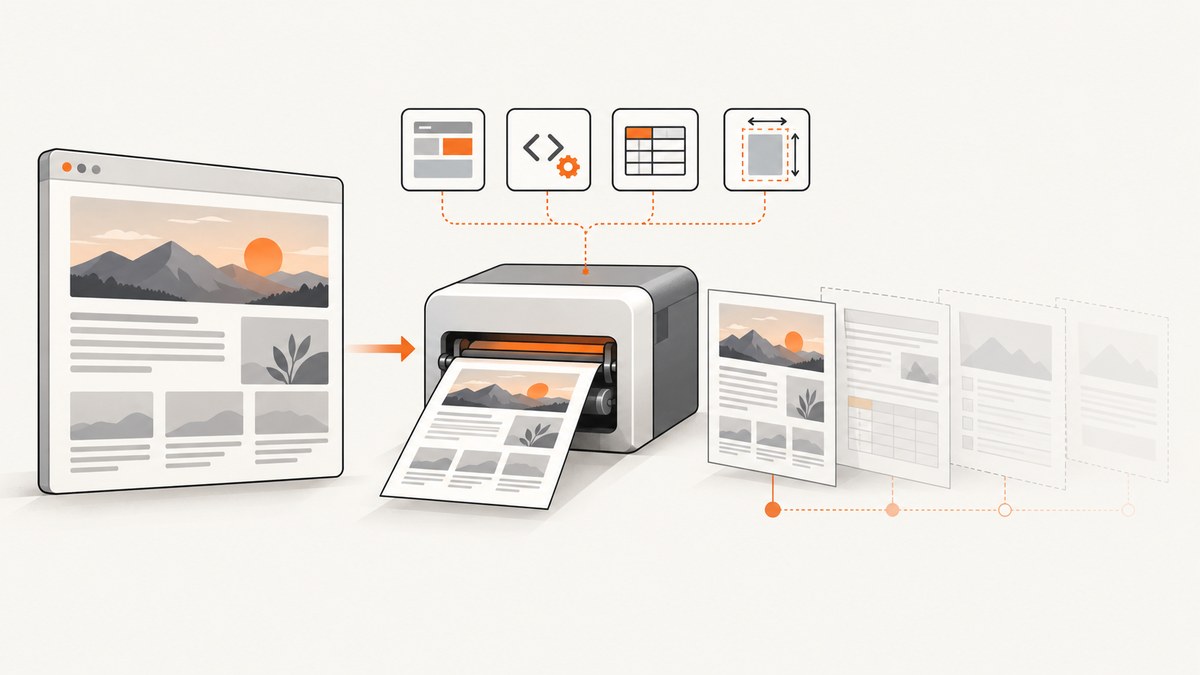
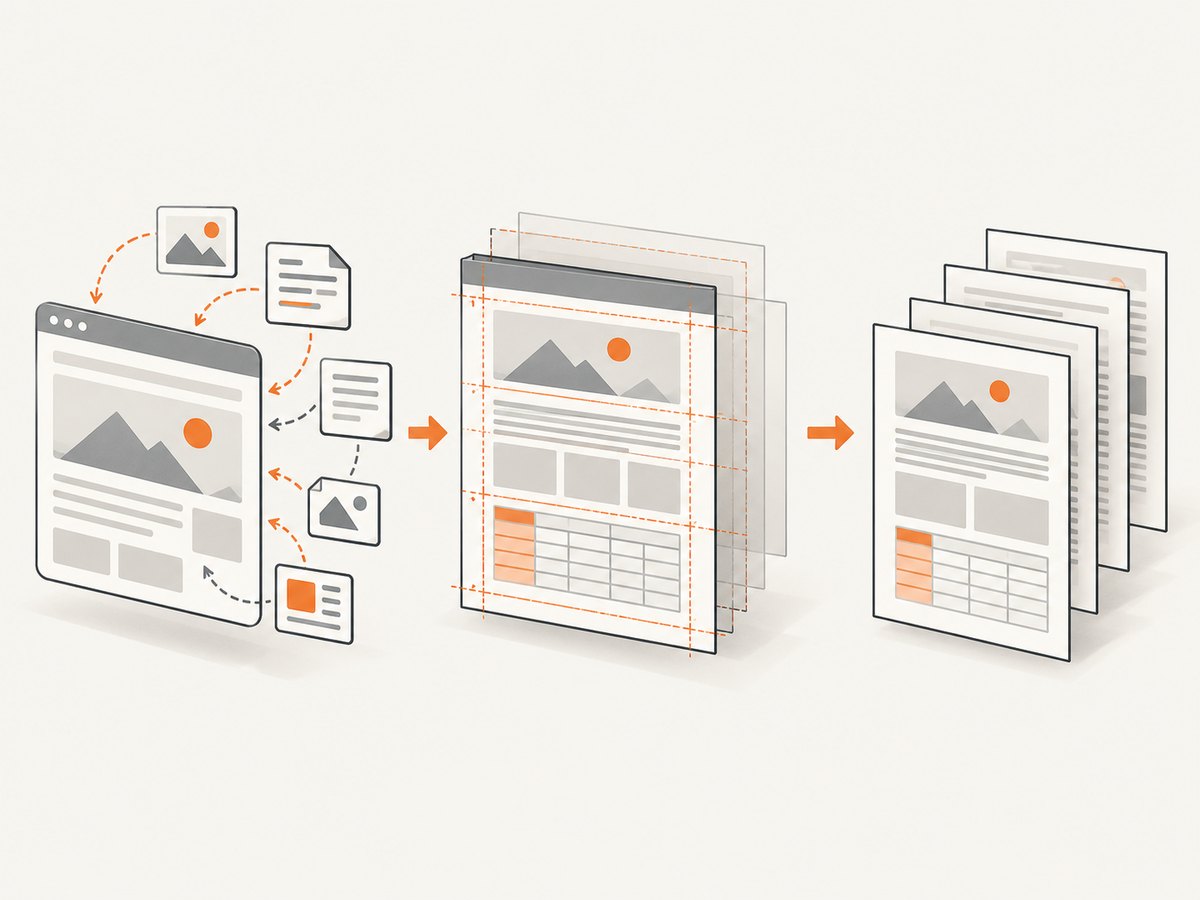
Seeing only the first page from wkhtmltopdf? The failure normally occurs in one of two stages: WebKit cannot paginate the document’s layout, or wkhtmltopdf starts printing before later content and assets exist. Separate those causes with a two-page minimal test, then fix loading, CSS flow, tables, geometry, or the renderer limitation that the test exposes.
This guide gives a repeatable diagnosis, working commands, CSS patterns, JavaScript wait strategies, table workarounds, and a migration checklist. It also explains when an HTML-to-PDF service is a better fit than maintaining a headless browser command.
1. Confirm the failure and capture the environment
Before changing markup, record the exact inputs. Rendering behavior depends on wkhtmltopdf’s patched WebKit version, operating system, fonts, command-line flags, network access, and local-file permissions.
wkhtmltopdf --version
uname -a                 # Linux and macOS
sw_vers                  # macOS, if applicable
systeminfo               # Windows (run in PowerShell/cmd)
Save the complete command, the input URL or file type, whether the page requires authentication, and a minimal HTML/CSS/JavaScript reproduction. Upstream support guidance asks for the version, operating system, detailed description, and reproducible case before a pagination defect can be diagnosed meaningfully.
Minimal two-page reproduction
<!doctype html>
<html>
<head>
  <meta charset="utf-8">
  <style>
    @page { size: A4; margin: 18mm; }
    body { font: 12pt Arial, sans-serif; }
    .page-two { page-break-before: always; break-before: page; }
    .block { min-height: 230mm; }
  </style>
</head>
<body>
  <section class="block"><h1>Page one</h1><p>First section.</p></section>
  <section class="page-two"><h1>Page two</h1><p>Second section.</p></section>
</body>
</html>
wkhtmltopdf --page-size A4 --margin-top 18mm --margin-right 18mm \
--margin-bottom 18mm --margin-left 18mm test.html test.pdf
pdfinfo test.pdf | grep PagesIf this file produces two pages, the problem is in your document’s CSS, tables, assets, or JavaScript. If it still produces one page, continue with explicit geometry, debug logging, and a different wkhtmltopdf build before changing application code.
2. Make loading deterministic before printing
A page can look complete in a browser while still being incomplete when wkhtmltopdf captures it. Client-rendered frameworks, images, fonts, API calls, and deferred scripts may finish after the initial load event.
Use a delay for content that appears after load
wkhtmltopdf --enable-javascript --javascript-delay 3000 \
  https://example.com/report report.pdf
The delay is measured after the page has finished loading and before printing. The libwkhtmltox settings describe load.jsdelay as the time in milliseconds to wait after loading until the document is printed (official settings documentation). Start with a conservative value while diagnosing, then reduce it after measuring the slowest required asset.
Prefer a reliable readiness signal when you control the page
A fixed delay is simple but wasteful. Set window.status only after the application has rendered its final content:
// Run after data, images, and fonts needed by the PDF are ready.
window.status = 'pdf-ready';
wkhtmltopdf --window-status pdf-ready \
https://example.com/report report.pdfIf the status is never set, the conversion waits indefinitely or until your process-level timeout. Add logging around the code that sets it, and ensure exceptions cannot skip the assignment.
Check every dependency
- Open image, stylesheet, font, and API URLs from the conversion host, not your workstation.
- Provide authentication headers, cookies, or a user agent when the application requires them.
- Verify TLS certificates and redirects. A certificate or redirect failure can remove the content that would have filled later pages.
- Use
--enable-local-file-accessonly when local assets are required and the files are intentionally available to the process. - During diagnosis, use visible errors and test
--load-error-handling abortso a missing required resource fails loudly instead of producing an apparently truncated document.
wkhtmltopdf --debug-javascript \
  --load-error-handling abort \
  --enable-local-file-access \
  --javascript-delay 2000 input.html output.pdf
After fixing the missing resource, choose an error policy deliberately. Ignoring load failures can leave a page that appears to stop because generated content, styles, or images never arrived.
3. Remove CSS structures that prevent pagination
wkhtmltopdf uses an older WebKit pagination engine. CSS that is valid in modern print engines can still keep a whole subtree together or cause break rules to be ignored.
Remove floats from section wrappers
An upstream report found that page-break-before and page-break-after were ignored when the sections lived inside a floated parent. Replace the floated wrapper with normal block flow:
/* Fragile for PDF pagination */
.report { float: left; width: 100%; }

/* More predictable */
.report {
  width: 100%;
  display: block;
  overflow: visible;
}
.section {
  page-break-inside: avoid;
  break-inside: avoid;
}
.section + .section {
  page-break-before: always;
  break-before: page;
}
Use explicit section wrappers, then apply breaks at those boundaries. Keep critical content in normal block flow while troubleshooting. Add columns, floats, transforms, and complex positioning back one feature at a time.
Use both legacy and modern break properties
.chapter {
  page-break-before: always;
  break-before: page;
}
.keep-together {
  page-break-inside: avoid;
  break-inside: avoid;
}
The legacy properties are often better supported by wkhtmltopdf. Including the modern equivalents keeps the stylesheet usable if you later move to another renderer.
4. Fix tables and oversized rows
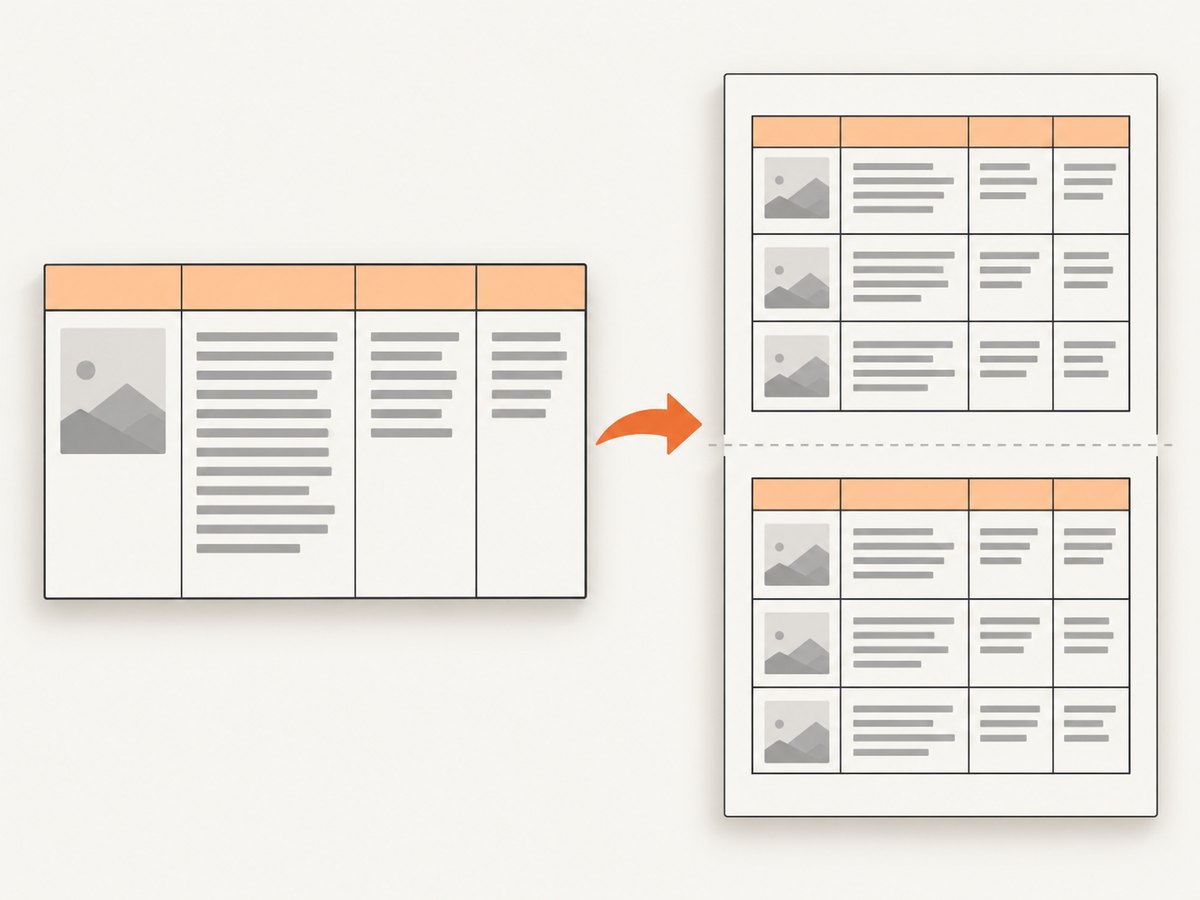
Tables are a frequent source of first-page or missing-page symptoms. A row that is taller than the printable area cannot be split reliably, and breaks immediately before or after a large <tr> may be ignored. Header repetition, borders, and empty rows can also change where WebKit decides to break.
Make rows splittable by changing the data shape
- Split a very long description into multiple rows or separate tables.
- Move explanatory text out of a giant cell into normal paragraphs between tables.
- Avoid relying on a break directly before or after an oversized row.
- Test long rows without
rowspanand complex nested tables. - Keep repeated headers simple and verify them with a two-page table fixture.
<table class="line-items">
  <thead>
    <tr><th>Item</th><th>Details</th></tr>
  </thead>
  <tbody>
    <tr><td>A</td><td>Short content</td></tr>
    <tr><td>B</td><td>Break long content into several rows when needed.</td></tr>
  </tbody>
</table>

<style>
.line-items { width: 100%; border-collapse: collapse; }
.line-items th, .line-items td { border: 0.25mm solid #bbb; padding: 2mm; vertical-align: top; }
.line-items thead { display: table-header-group; }
</style>
When borders or an empty row change pagination, remove them temporarily. Reintroduce borders, header styling, and row-spanning cells individually to identify the first trigger.
5. Set page geometry and leave a safety margin
Explicit dimensions prevent a document from landing exactly on the printable boundary. A reported A4 landscape case produced an extra page until the content was reduced from an exact fit to 99.9%; rounding was enough to change pagination.
wkhtmltopdf \
  --page-size A4 \
  --orientation Landscape \
  --margin-top 12mm --margin-right 12mm \
  --margin-bottom 12mm --margin-left 12mm \
  --encoding utf-8 \
  input.html output.pdf
Alternatively specify --page-width and --page-height. Ensure the CSS width, padding, borders, and margins fit inside the printable area. Reduce a borderline wrapper by a fraction, remove a one-pixel border, or add a small margin rather than targeting an exact edge.
6. A disciplined isolation workflow
- Freeze the environment. Save version, OS, command, input, fonts, and output metadata.
- Prove pagination. Run the minimal two-block HTML and confirm it creates two pages.
- Prove loading. Replace dynamic content with static text. If pages return, investigate JavaScript or assets.
- Add structure gradually. Add print CSS, tables, floats, fonts, images, and scripts in separate commits or fixtures.
- Inspect failures. Enable JavaScript debugging and abort on load errors while the defect is visible.
- Measure geometry. Set page size, orientation, all margins, encoding, and a small safety margin.
- Retest from a clean process. Do not rely on a browser cache or a previously generated asset.
- Document the smallest failing case. This is the useful artifact for an upstream issue or a renderer migration decision.
7. Troubleshooting checklist
| Symptom | Likely cause | Fix |
|---|---|---|
| Static two-section file is one page | Geometry or renderer/build issue | Set explicit page size and margins; test another supported build. |
| Static works, app output is one page | JavaScript printed too early | Use --javascript-delay or --window-status; verify API calls. |
| Break ignored inside a component | Floated or positioned ancestor | Return the ancestor to normal block flow. |
| Break around a table does nothing | Oversized row or rowspan | Split the row/content; test separate tables. |
| Images or fonts vanish | URL, TLS, credentials, or local-file access failure | Fetch from the conversion host; fix credentials/certificates; enable local access only when needed. |
| One extra blank page | Exact boundary, border, or rounding | Reduce content slightly and make all dimensions explicit. |
| Output differs between machines | Different WebKit build, fonts, locale, or timezone | Pin the binary/container and install the same fonts and locale. |
| Command hangs | Never-set window status or unreachable resource | Set a process timeout, verify readiness code, and use abort-on-error during diagnosis. |
8. Reliability, performance, and cost considerations
Increasing --javascript-delay improves completeness only when the page eventually becomes ready; it also increases latency for every conversion. A readiness signal is usually more efficient, provided it is set after all required content is present. Blocking unnecessary trackers, ads, and third-party scripts can reduce variability and prevent unrelated failures.
For repeatable builds, pin wkhtmltopdf, operating-system libraries, fonts, timezone, and locale. Treat external URLs as dependencies: cache stable assets where appropriate, but do not hide failures during diagnosis. Keep a representative fixture containing page breaks, long tables, web fonts, images, and JavaScript so upgrades can be compared.
When the minimal case still fails on a supported configuration, compare a maintained HTML-to-PDF renderer or hosted service. Renderers differ in JavaScript execution, CSS pagination, table handling, font loading, local-file security, page-size accuracy, deployment model, and available wait controls. Migrate only after feature-by-feature retesting.
9. Or skip the browser setup
If you need a dependable screenshot or PDF endpoint instead of maintaining a wkhtmltopdf process, ScreenshotNeo accepts one GET request and returns a PNG, JPEG, WebP, or PDF. It removes cookie and consent banners, newsletter popups, and chat widgets before capture. Bot checks, blank pages, timeouts, failed loads, and cache hits are not billed, and the response identifies the result with X-Page-Verdict and X-Billed headers. Its MCP server exposes take_screenshot, get_page_info, and capture_pdf for Claude, Cursor, and other MCP clients.
For PDF output, configure paper size, margins, orientation, and page ranges in the API request. Other controls include full-page capture with lazy images loaded, CSS-selector element capture, dark mode, device presets or custom viewports, retina scale, custom CSS and JavaScript, clicks, selector waits, delays, network-idle waits, request blocking, headers, cookies, user agents, authorization, timezone, geolocation, transparent backgrounds, resizing, caching TTLs, signed links, asynchronous jobs with signed webhooks, bulk capture of up to 100 URLs per call, usage reporting, and an OpenAPI specification. Parameter names used by other screenshot APIs also work, which can simplify switching.
See the ScreenshotNeo API documentation for request options. The same endpoint can be called from cURL, Python, or Node.js:
curl -G "https://api.screenshotneo.com/v1/shot" -d access_key=YOUR_API_KEY --data-urlencode url=https://stripe.com -o shot.webpimport requests
r = requests.get("https://api.screenshotneo.com/v1/shot", params={"access_key": "YOUR_API_KEY", "url": "https://stripe.com"}, timeout=90)
open("shot.webp", "wb").write(r.content)const q = new URLSearchParams({ access_key: 'YOUR_API_KEY', url: 'https://stripe.com' });
const res = await fetch(`https://api.screenshotneo.com/v1/shot?${q}`);The Free plan includes 1,000 screenshots each month with no card. Paid plans start at $5 for 3,000 shots; yearly billing gives two months free, and every feature is included on every plan. Create a free ScreenshotNeo account to try the endpoint.
10. FAQ
Does adding a longer delay always fix a one-page PDF?
No. A delay helps only when later content is still loading. Floated wrappers, oversized table rows, and exact geometry can still prevent pagination after everything is loaded.
Should I use page-break-before or break-before?
Use both on important boundaries. wkhtmltopdf’s older engine often responds more consistently to the legacy property.
Why does the PDF work locally but fail in production?
The production process may lack fonts, credentials, local-file permissions, network access, or the same wkhtmltopdf build. Compare the recorded environment and fetch every dependency from the production host.
When should I replace wkhtmltopdf?
Replace it when a minimal reproducible case still fails on a supported configuration, or when your required JavaScript and CSS features exceed its WebKit pagination behavior. Retest every required feature with the replacement.
Can I keep wkhtmltopdf for simple documents?
Yes. It remains practical for stable, mostly static HTML when you pin the environment, keep layout in normal block flow, and test page boundaries and tables.


