How to Fix wkhtmltopdf Hanging at 10% in PHP
A practical guide to diagnosing wkhtmltopdf freezes at 10% in PHP, including pipes, JavaScript, assets, xvfb, versions, and safer alternatives.
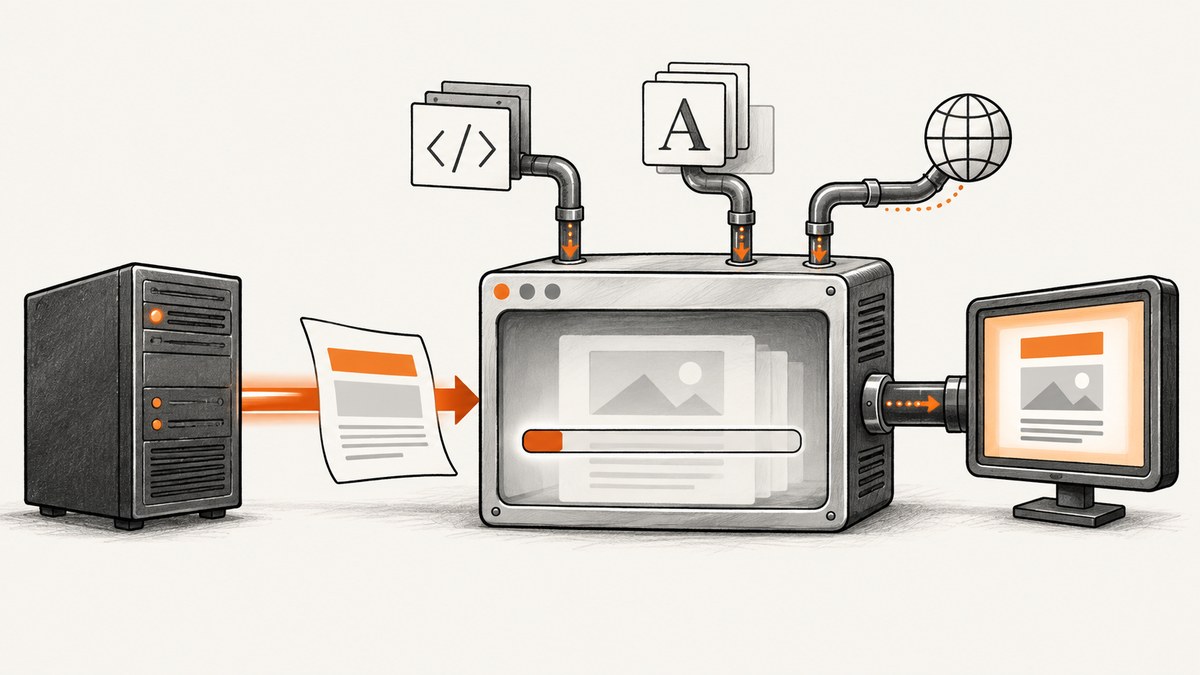
Short answer: wkhtmltopdf’s 10% marker is a loading-progress milestone, not a diagnosis. A process can remain there because of failed file:// assets, JavaScript that never reaches a ready state, blocked network requests, PHP pipe back-pressure, permissions, an unsuitable binary, or missing X11 display support. Reproduce the exact command outside PHP, reduce the input to a tiny local HTML file, then add resources and JavaScript back one layer at a time.
The workflow below is designed for PHP applications that call wkhtmltopdf through proc_open, Symfony Process, or a wrapper. It also covers Linux display issues, incomplete-resource policies, security, and when a hosted screenshot or PDF API is a better operational fit.
What the 10% freeze means
wkhtmltopdf reports progress while it loads and renders a page. The 10% value does not identify one root cause. The project issue history includes a process that stayed at 10% for local HTML even after JavaScript was disabled, while another report showed the command succeeding in a shell but failing from PHP because file:// assets could not be loaded. Treat the symptom as a loading or execution-environment problem until a minimal reproduction proves that the page itself is responsible.
The current stable series listed by the project is 0.12.6, released June 11, 2020. Distribution packages may backport patches or ship an unpatched build, so record the exact binary and package rather than assuming that every installation behaves the same. See the official downloads page when comparing builds.
1. Record the environment before changing anything
Capture enough information to reproduce the failure. A PHP worker often has a different PATH, user, working directory, DNS configuration, and environment from your interactive shell.
wkhtmltopdf --version
which wkhtmltopdf
uname -a
php -v
id
pwd
env | sort
Also record:
- The complete wkhtmltopdf command, including every option and quoted argument.
- The operating system and package source.
- The PHP execution user (for example, php-fpm, Apache, or a queue worker).
- The input HTML, CSS, JavaScript, images, fonts, redirects, cookies, and authentication requirements.
- Whether the command succeeds when run as the same operating-system user.
The project’s support guidance asks for the version, operating system, and a detailed reproducible HTML/CSS/JS case. Keeping this record prevents a shell-only fix from masking a PHP-only problem.
2. Run the exact command outside PHP
Start with the URL or HTML file that PHP uses. Save standard error; progress messages and resource warnings are diagnostic evidence.

/usr/local/bin/wkhtmltopdf \
  --log-level info \
  https://example.com \
  /tmp/example.pdf 2>/tmp/wkhtmltopdf.stderr
status=$?
echo "exit=$status"
cat /tmp/wkhtmltopdf.stderr
Then run the same command as the PHP user:
sudo -u www-data -- /usr/local/bin/wkhtmltopdf \
  --log-level info \
  https://example.com \
  /tmp/example-www-data.pdf
If the command fails in both contexts, investigate the binary, page, network, assets, or display. If it succeeds in the shell but fails as www-data, compare permissions, DNS, CA certificates, proxy variables, working directory, and X11 access.
3. Reduce the input to a local minimal file
Create a file containing only text. Use an absolute output path so a permissions problem cannot be mistaken for a rendering problem.
cat > /tmp/minimal.html <<'EOF'
<!doctype html>
<html><body><h1>Minimal test</h1><p>Plain text only.</p></body></html>
EOF
/usr/local/bin/wkhtmltopdf /tmp/minimal.html /tmp/minimal.pdf
If this works, add one layer at a time:
- Inline CSS.
- Local images and fonts.
- Remote images, stylesheets, and iframes.
- Redirects, cookies, and authentication.
- JavaScript and API calls.
The first layer that reproduces the hang identifies the investigation area. If even plain local HTML hangs, focus on the binary, process plumbing, permissions, fonts, and display rather than application JavaScript.
4. Call wkhtmltopdf safely from PHP
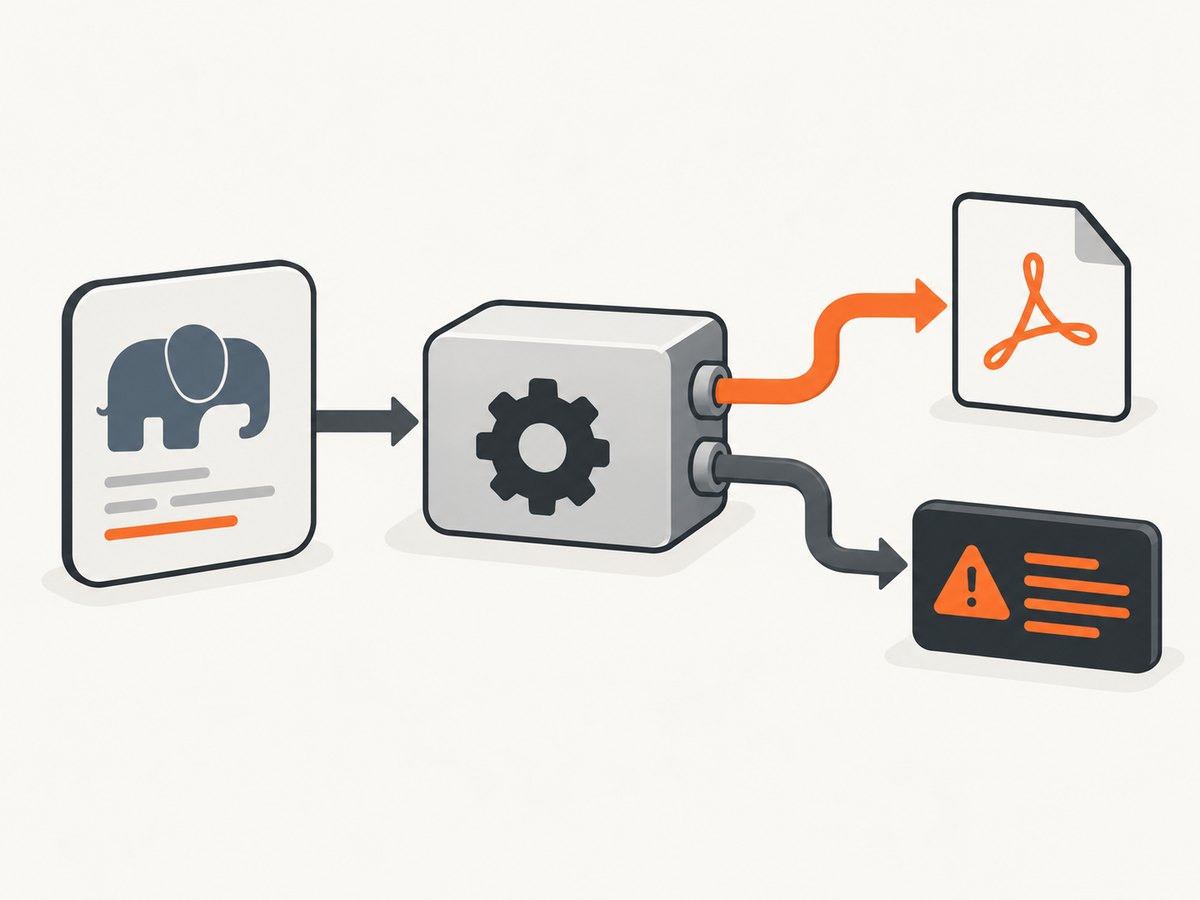
A common PHP failure is incorrect stream handling. With proc_open, close standard input after writing the complete document, continuously drain both output pipes, wait for the process, and record the exit code. Keep PDF bytes separate from diagnostics; progress text must never be written into the PDF stream.
<?php
$binary = '/usr/local/bin/wkhtmltopdf';
$input = '/var/app/render/input.html';
$output = '/var/app/render/output.pdf';
$cwd = '/var/app/render';

$command = [
    $binary,
    '--log-level', 'info',
    '--load-error-handling', 'abort',
    $input,
    $output,
];

$descriptor = [
    0 => ['pipe', 'r'],
    1 => ['pipe', 'w'],
    2 => ['pipe', 'w'],
];

$process = proc_open($command, $descriptor, $pipes, $cwd, null, ['bypass_shell' => true]);
if (!is_resource($process)) {
    throw new RuntimeException('Could not start wkhtmltopdf');
}

fclose($pipes[0]);
stream_set_blocking($pipes[1], false);
stream_set_blocking($pipes[2], false);

$stdout = '';
$stderr = '';
while (true) {
    $stdout .= stream_get_contents($pipes[1]);
    $stderr .= stream_get_contents($pipes[2]);
    $status = proc_get_status($process);
    if (!$status['running']) {
        break;
    }
    usleep(50000);
}
$stdout .= stream_get_contents($pipes[1]);
$stderr .= stream_get_contents($pipes[2]);
fclose($pipes[1]);
fclose($pipes[2]);
$exitCode = proc_close($process);

if ($exitCode !== 0 || !is_file($output) || filesize($output) === 0) {
    error_log("wkhtmltopdf exit={$exitCode}\n{$stderr}");
    throw new RuntimeException('PDF generation failed');
}

echo $output;
Use an absolute binary path and explicit working directory. If your wrapper accepts a single shell string, quote every argument or switch to an argument-array API. A malformed quote can make PHP invoke a different command from the one you tested manually.
5. Separate JavaScript readiness from loading
Test with JavaScript disabled as an isolation step:
wkhtmltopdf --disable-javascript https://example.com /tmp/no-js.pdfIf the no-JavaScript version works, the page may need more time or a deterministic completion signal. The documented default JavaScript delay is 200 milliseconds. Use a bounded delay for pages with predictable startup time:
wkhtmltopdf --javascript-delay 1500 https://example.com /tmp/delayed.pdfFor an application you control, set a window status after rendering finishes and wait for it:
<script>
window.addEventListener('load', async () => {
  await renderCharts();
  window.status = 'wkhtml-ready';
});
</script>
wkhtmltopdf --window-status wkhtml-ready page.html output.pdfWhile diagnosing, enable JavaScript messages and try the slow-script safeguard:
wkhtmltopdf --debug-javascript --stop-slow-scripts page.html output.pdfDo not use an unbounded delay in a web request. Put a maximum wall-clock timeout around the child process and terminate it when the budget is exhausted.
6. Check failed resources and authentication
Read stderr for failures involving images, CSS, fonts, redirects, iframes, and file:// URLs. The PHP user must be able to resolve DNS, reach HTTPS endpoints, read local files, and provide the same cookies or credentials as your shell test.
Useful checks include:
sudo -u www-data curl -I https://example.com/app.css
sudo -u www-data test -r /var/app/render/font.woff2 && echo readable
sudo -u www-data getent hosts example.com
Options such as --load-error-handling skip or ignore can classify whether one missing resource is responsible:
wkhtmltopdf --load-error-handling skip page.html incomplete.pdfUse these modes deliberately. They may produce a PDF with missing images, styles, or fonts. For production, choose an explicit policy: abort when fidelity matters, or continue only when partial output is acceptable and observable.
7. Check Linux display assumptions
Some wkhtmltopdf packages expect an X11 display even for headless work. Run a controlled test with a virtual display:
xvfb-run --auto-servernum --server-args='-screen 0 1280x1024x24' \
  /usr/local/bin/wkhtmltopdf page.html /tmp/xvfb.pdf
If this fixes the hang, configure a persistent virtual display for your worker or use a known static build whose patched-Qt and display behavior you understand. The PHP wrapper documents the xvfb-run workaround and notes its additional CPU and session overhead. Do not assume that adding Xvfb fixes network or PHP pipe problems; it only addresses display requirements.
8. Compare builds and make the boundary safe
Record whether your distribution uses patched Qt, backported SSL fixes, or an unpatched package. Differences can affect TLS, fonts, JavaScript, and display behavior. Pin the binary and test it in the same container or host image used by production.
wkhtmltopdf executes HTML and JavaScript with access to the worker’s environment. The project warns: “Do not use wkhtmltopdf with any untrusted HTML – be sure to sanitize any user-supplied HTML/JS, otherwise it can lead to complete takeover of the server it running on!” Treat rendering as code execution:
- Sanitize user-supplied HTML and JavaScript.
- Run a least-privileged worker in an isolated container or account.
- Restrict network egress where practical.
- Limit CPU, memory, file access, and process duration.
- Keep secrets out of the worker environment and command line.
Troubleshooting checklist
| Symptom | Likely cause | Fix |
|---|---|---|
| Shell succeeds, PHP hangs | Different user, PATH, cwd, environment, or display | Use an absolute binary path; run as the PHP user; set cwd and compare environment variables. |
| Local text also stops at 10% | Binary, X11, permissions, or process plumbing | Try a pinned build, xvfb-run, writable output directory, and the stream-handling pattern above. |
| Only pages with JavaScript hang | Runaway script or no readiness signal | Test --disable-javascript; use bounded --javascript-delay or --window-status; inspect --debug-javascript. |
| Warnings mention images, CSS, fonts, or iframes | DNS, TLS, permissions, file://, redirects, or authentication |
Test each URL as the PHP user and provide required cookies or headers. |
| Output is corrupted | stderr/progress mixed with PDF bytes | Write the PDF to a file or keep stdout and stderr in separate pipes. |
| Process never exits | Unbounded page wait or pipe back-pressure | Drain pipes continuously and enforce a parent-process timeout. |
| PDF completes but is incomplete | Error handling set to skip or ignore | Review stderr and choose an intentional abort-versus-partial-output policy. |
Performance, reliability, and cost considerations
Measure the full child-process lifetime, not just time spent in PHP. Remote assets, fonts, JavaScript, redirects, and API calls increase variability. A deterministic local HTML fixture is useful for regression checks; a representative authenticated page is necessary for operational timing.
- Bound work: set a maximum render duration, page delay, and queue retry count.
- Control concurrency: too many simultaneous WebKit processes can exhaust CPU, memory, file descriptors, or Xvfb sessions.
- Cache inputs: reuse downloaded assets where policy permits, but invalidate them when visual correctness requires fresh content.
- Observe outcomes: log version, command options, exit code, elapsed time, stderr, and output size; redact credentials.
- Retry selectively: retry transient network failures, not deterministic JavaScript loops or malformed HTML.
- Budget maintenance: pinned binaries and isolated workers reduce surprises but require image and security updates.
Or skip the browser setup
If your requirement is a clean screenshot or PDF rather than maintaining a wkhtmltopdf worker, ScreenshotNeo provides a website screenshot API and MCP server. It accepts a URL in one GET request and returns PNG, JPEG, WebP, or PDF. Cookie and consent banners are accepted and 60+ known consent platforms, newsletter popups, and chat widgets are removed before capture; each step can be disabled.
Only clean shots are billed. Bot checks or CAPTCHAs, blank pages, timeouts, failed loads, and cache hits cost nothing, and the response reports the result through X-Page-Verdict and X-Billed headers. The MCP server exposes take_screenshot, get_page_info, and capture_pdf for Claude, Cursor, and other MCP clients. See the ScreenshotNeo API documentation for the full option list.
cURL
curl -G "https://api.screenshotneo.com/v1/shot" -d access_key=YOUR_API_KEY --data-urlencode url=https://stripe.com -o shot.webpPython
import requests
r = requests.get("https://api.screenshotneo.com/v1/shot", params={"access_key": "YOUR_API_KEY", "url": "https://stripe.com"}, timeout=90)
open("shot.webp", "wb").write(r.content)
Node.js
const q = new URLSearchParams({ access_key: 'YOUR_API_KEY', url: 'https://stripe.com' });
const res = await fetch(`https://api.screenshotneo.com/v1/shot?${q}`);
ScreenshotNeo also supports full-page capture with lazy images loaded, CSS-element capture, dark mode, device presets, arbitrary viewports, retina scale, PDF paper and margin settings, custom CSS and JavaScript, clicks, hidden selectors, selector or network-idle waits, request blocking, headers, cookies, user agents, Authorization, timezone, geolocation, transparent backgrounds, resizing, configurable caching TTLs, signed image links, asynchronous jobs with signed webhooks, bulk capture of up to 100 URLs per call, a usage API, and an OpenAPI specification. Existing parameter names used by other screenshot APIs are accepted to ease migration.
Plans include 1,000 screenshots per month free with no card, then Starter at $5 for 3,000, Growth at $15 for 15,000, Pro at $39 for 60,000, Scale at $99 for 250,000, and Business at $249 for 1,000,000; yearly billing gives two months free and every feature is available on every plan. Create a free ScreenshotNeo account and start with the 1,000 free monthly screenshots.
FAQ
Is the 10% value always caused by JavaScript?
No. It is a progress marker. Reproduce with minimal local HTML and test JavaScript as one isolation step.
Should I always add --javascript-delay?
No. Use a bounded delay only when the page needs startup time. A deterministic --window-status signal is preferable when you control the page.
Does Xvfb fix every Linux hang?
No. It helps when the binary requires an X11 display. It cannot fix missing assets, blocked DNS, bad PHP pipes, or an infinite script.
Why does a PDF work in my shell but not in PHP?
The PHP process may run as another user with a different PATH, working directory, environment, permissions, network access, or display. Run the command as that user and compare stderr.
When should I stop debugging wkhtmltopdf?
When you need managed capture, predictable billing for clean results, or agent access without maintaining browser and display infrastructure, evaluate a hosted API such as ScreenshotNeo.


