How to Fix Missing Wkhtmltopdf Header File Content
Fix missing wkhtmltopdf headers by checking the HTML file, loading permissions, and PDF margins in the right order.

If content passed with --header-html is missing from a wkhtmltopdf PDF, first confirm that the header is a standalone HTML document and that wkhtmltopdf can load its exact path or URL. Then reserve room for it with --margin-top and tune --header-spacing. A header can load successfully yet remain invisible if the top margin is too small; a path or local-file access problem can prevent it from loading at all.
Diagnose those as separate failure stages: loading first, then page geometry. Start with static text, capture the program’s stderr and version, and add CSS or dynamic page values only after the minimal header appears.
1. Make a minimal standalone header
Create a separate file named header.html. Give it a doctype, document structure, and a small amount of visible content:
<!DOCTYPE html>
<html>
<head>
  <meta charset="utf-8">
  <title>PDF header</title>
</head>
<body>
  <div>Test header</div>
</body>
</html>
Keep this first test intentionally plain. Avoid external stylesheets, images, JavaScript, and dynamic substitutions until you know the file loads. A doctype is a useful compatibility step reported in field guidance, though it is not a guarantee that every missing-header problem has that cause.
2. Pass the file and allocate top space
Use an explicit path and give the header room above the document body:

wkhtmltopdf \
  --margin-top 25mm \
  --header-spacing 3 \
  --header-html /absolute/path/header.html \
  input.html output.pdf
Replace both paths with paths available in the environment running wkhtmltopdf. The example’s margin and spacing are starting values, not universal dimensions. Measure or inspect the rendered header and adjust the top margin to its height. If the top margin is zero or too small, the header may be hidden or collide with body content. Excessive header spacing can also push it outside the page; lower the spacing or increase the top margin.
For a quick check, temporarily use a conspicuous header such as “Test header” and a generous top margin. Once visible, reduce the margin gradually and restore your intended style.
3. Check file loading before changing CSS
If the header is completely absent, inspect stderr for “Failed loading page,” HTTP errors, or local-resource warnings. A conversion may continue even when the header document was skipped. Check these points:
- The file exists at the exact path, including capitalization on case-sensitive systems.
- The user or service running wkhtmltopdf has permission to read the file and traverse its parent directories.
- The path form is appropriate for the invocation. Try an absolute filesystem path; if using a file URL, verify its syntax and encoding.
- The process’s working directory is what you expect. Relative paths resolve from the process environment, which may differ under a web server, container, or job runner.
- If the header is remote, verify that the machine can reach the URL and that redirects, authentication, or network policy do not prevent access.
- Review local-file access settings and packaging defaults. Builds and environments can differ in how local resources are permitted.
Test the header as its own input as well. If wkhtmltopdf cannot render the standalone header document, fix that loading or document problem before debugging the larger PDF.
4. Tune page geometry when the header loads
Once static header text appears, distinguish clipping and overlap from loading failure. Adjust --margin-top to reserve sufficient space for the header’s rendered height. Adjust --header-spacing to control the gap between header and body. If body content overlaps the header, increase the top margin or reduce the header’s height. If the header is clipped at the page edge, increase available top space and check the header’s own CSS for fixed heights, large padding, or positioning.
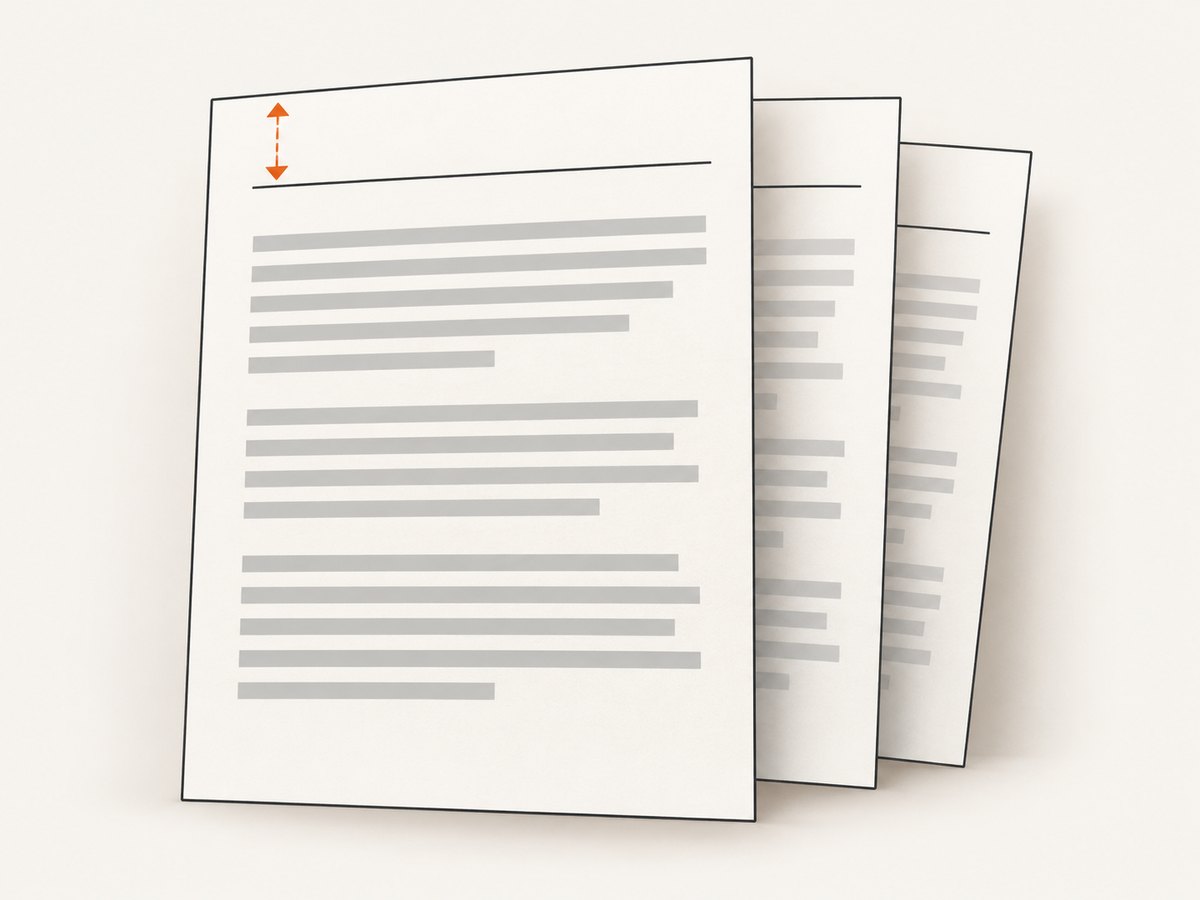
Inspect more than the first page when the document has multiple pages: page content or header behavior can vary with the document and build. Keep the test case small so geometry changes are easy to attribute. Be cautious about compensating with body padding alone; wkhtmltopdf’s header placement is governed by its margin and spacing settings, and adding padding can create unexpected whitespace.
5. Add dynamic page values after static text works
wkhtmltopdf’s documented header example supports values such as [page], [topage], [sitepage], and [doctitle] through a query-string replacement script in the header document. Add those substitutions only after plain text renders. This isolates JavaScript, element identifiers, and replacement logic from file-loading and layout issues.
For example, begin with static markup, then follow the documented usage example to add the replacement script and elements for the values you need. Confirm that the header still loads before styling those fields. The official usage documentation describes --header-html as adding an HTML header and demonstrates a full HTML document with dynamic replacements: wkhtmltopdf usage documentation.
6. Keep a reproducible diagnostic command
When a failure persists, record the exact binary version, operating system, package or container, arguments, input HTML, header HTML, and stderr output. Reduce the input to one page and the header to a single visible line. Then reintroduce features one at a time.
Version and environment matter: issue reports describe differing behavior across wkhtmltopdf versions and Windows and Ubuntu setups. A result from one package build is not proof that another build handles local resources or layout identically. Confirm behavior using the same runtime that generates the production PDF.
Common errors and fixes
| Symptom | Likely cause | What to do |
|---|---|---|
| No header, no obvious layout issue | The header file failed to load, or the path resolves somewhere unexpected. | Use a minimal standalone file, an absolute path, and inspect stderr and file permissions. |
| “Failed loading page” or HTTP warning | Bad local URL or remote URL, unavailable resource, or local-file restriction. | Correct the path or URL, test reachability as the wkhtmltopdf process user, and review local-resource policy. |
| Header text is clipped or outside the page | Top margin is insufficient, or header spacing is excessive. | Increase --margin-top and reduce --header-spacing; check the header’s CSS dimensions. |
| Header overlaps body content | The reserved top area does not match the rendered header height. | Increase the top margin or reduce header height, then inspect body spacing. |
| Static text appears but page numbers do not | The replacement script or expected query-string elements are missing or incorrect. | Restore the documented script pattern and element IDs; add dynamic values incrementally. |
| Works locally but not in deployment | Different current directory, user permissions, OS, build, or local-file policy. | Log the version and stderr in deployment; use an explicit readable path and reproduce there. |
| Large blank strip appears above content | Margins and header spacing or CSS padding are reserving more space than intended. | Set margins deliberately, reduce excess spacing, and remove redundant top padding. |
Performance, reliability, and cost considerations
A simple local header adds little diagnostic complexity; external assets, remote URLs, and scripts introduce more dependencies that can fail or take time to resolve. Keep header resources minimal when reproducible output matters. Where external resources are necessary, ensure the converter can access them from its actual runtime and retain stderr for failed-load clues.
For reliability, pin or record the wkhtmltopdf build used by the application and keep a minimal reproduction alongside deployment troubleshooting notes. Do not assume that enabling one local-file option is safe or supported in every package; check the policy and settings for your environment. Make changes to margin and spacing based on the rendered result, since the correct geometry depends on header height and page layout.
There are no material published benchmark figures in the sources for this issue. In a cost-sensitive service, failed conversions can still consume compute even when the resulting PDF is unusable, so detecting a missing header in a small reproducible job can reduce wasted retries. Do not infer a conversion speed or savings percentage without measuring your own workload.
Or skip the browser setup
If the task is capturing a web page as an image or PDF rather than fixing a wkhtmltopdf-generated PDF header, ScreenshotNeo is a website screenshot API and MCP server from Yorker Media. A single GET request captures a URL; see the API documentation.
curl -G "https://api.screenshotneo.com/v1/shot" \
  -d access_key=YOUR_API_KEY \
  --data-urlencode url=https://stripe.com \
  -o shot.webp
import requests
r = requests.get(
"https://api.screenshotneo.com/v1/shot",
params={"access_key": "YOUR_API_KEY", "url": "https://stripe.com"},
timeout=90,
)
open("shot.webp", "wb").write(r.content)const q = new URLSearchParams({
access_key: 'YOUR_API_KEY',
url: 'https://stripe.com',
});
const res = await fetch(`https://api.screenshotneo.com/v1/shot?${q}`);
if (!res.ok) throw new Error(`Screenshot request failed: ${res.status}`);
const fs = await import('node:fs/promises');
await fs.writeFile('shot.webp', Buffer.from(await res.arrayBuffer()));ScreenshotNeo accepts cookie or consent banners before capture and removes more than 60 known consent platforms, newsletter popups, and chat widgets; each cleanup step can be turned off. Bot checks, blank pages, timeouts, failed loads, and cache hits are not billed, and response headers report the page verdict and billing status. Its MCP server offers take_screenshot, get_page_info, and capture_pdf for AI agents. The Free plan includes 1,000 shots a month without a card; paid plans start at $5 for 3,000 shots. Each plan includes every feature.
Sign up for 1,000 free screenshots a month, no card required.
FAQ
Does --header-html take a fragment?
Use a standalone HTML document. A full document is the documented pattern and gives the renderer a clear document structure.
Should I fix the path or the margin first?
Check loading first if stderr reports a failure or the header is wholly absent. Tune margin and spacing after the static header renders.
Will adding a doctype always fix it?
No single change is universal. A doctype is a useful minimal-document step; path access, page geometry, and build differences can also explain missing content.
Why does the command succeed if the header is missing?
A conversion can continue after the header resource fails to load. Treat stderr warnings as part of the result, not only the process exit status.
Can I use this header technique with any wkhtmltopdf build?
Behavior can vary by version, operating system, package, and local-resource policy. Reproduce with the actual deployment binary and record its version.


