How to Fix wkhtmltopdf I/O Errors in Python pdfkit
Diagnose wkhtmltopdf I/O errors in Python pdfkit by checking executable discovery, verbose stderr, local-file access, resources, and runtime compatibility.
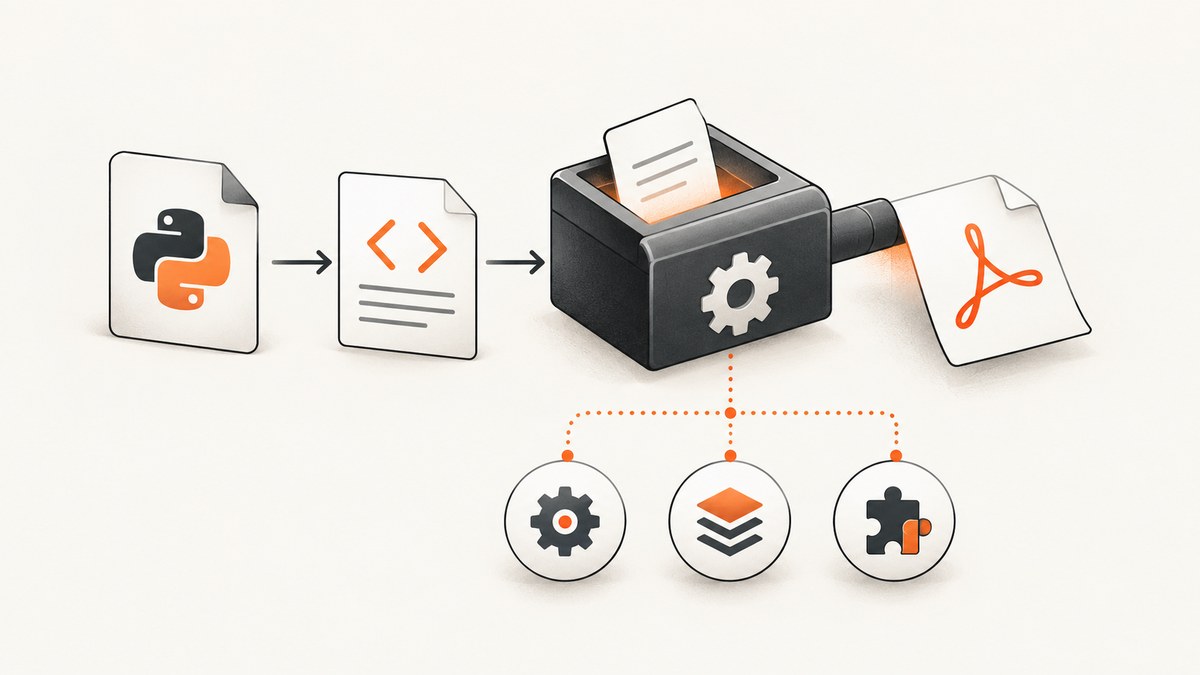
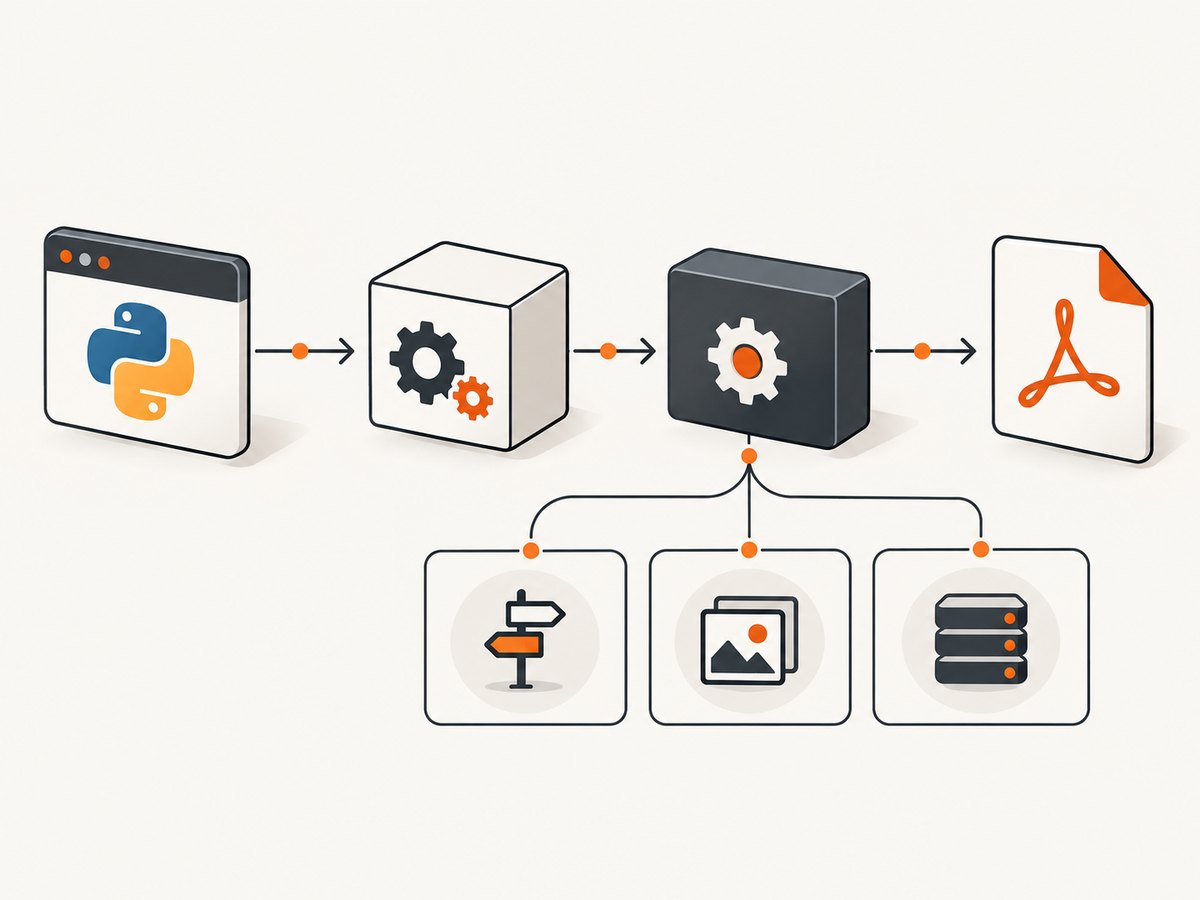
Start by classifying the failure. Python pdfkit is a wrapper around the external wkhtmltopdf executable. An I/O error can mean that Python cannot find or execute the binary, that wkhtmltopdf rejected the HTML or a referenced resource, or that the binary is incompatible with the operating system and its libraries. The correct fix depends on which stage failed.
This guide gives a repeatable diagnosis for errors such as No wkhtmltopdf executable found, IOError: Command Failed, and ProtocolUnknownError when converting local files. It also covers services, containers, serverless runtimes, permissions, fonts, performance, and safer alternatives.
1. Capture the exact failure before changing settings
Record the complete traceback and stderr, then collect the execution context:
- Operating system and distribution version
- Python and
pdfkitversions wkhtmltopdf --versionoutput- The exact input type: URL, local file, HTML string, or file-like object
- Whether the process runs in a shell, web service, worker, container, CI job, or serverless runtime
- Whether the HTML references local images, stylesheets, fonts, JavaScript, or remote URLs
The wkhtmltopdf support guidance asks for the version, operating system and a small reproducible HTML/CSS/JavaScript case when reporting a problem. That information separates an input issue from a deployment issue.
python --version
python -m pip show pdfkit
wkhtmltopdf --version
# Linux/macOS
which wkhtmltopdf
# Windows PowerShell or cmd
where wkhtmltopdf
2. Fix “No wkhtmltopdf executable found”
This message is an executable-discovery failure. PDFKit searches the process PATH by default. The binary may be missing, installed in a directory that the service cannot see, or named differently in your deployment image.
Install and verify the executable
Install wkhtmltopdf using the package or archive appropriate for your operating system, then verify it from the same account that runs Python. An interactive shell can have a different PATH from systemd, a queue worker, Docker, or a serverless function.
# Show the binary and test that it starts
which wkhtmltopdf
wkhtmltopdf --version
On Windows, use where wkhtmltopdf. If the command returns a path but Python still cannot find it, print the environment seen by Python:
import os
print(os.environ.get("PATH", ""))
Set an explicit path in pdfkit
Passing an absolute path removes ambiguity between your shell and the application process:
import pdfkit

html = "<html><body><h1>Invoice</h1></body></html>"
config = pdfkit.configuration(
    wkhtmltopdf="/absolute/path/to/wkhtmltopdf"
)
pdfkit.from_string(html, "invoice.pdf", configuration=config)
Replace the placeholder with the path returned by which or where. Keep the configuration object close to application startup so a bad path fails early.
3. Diagnose “IOError: Command Failed”
Command Failed means PDFKit launched or attempted to launch wkhtmltopdf, but the conversion did not complete. It is a wrapper-level message, not a single root cause. First expose the renderer’s diagnostics.
import pdfkit

pdfkit.from_url(
    "https://example.com",
    "example.pdf",
    verbose=True,
)
For deeper inspection, print the exact command PDFKit constructs:
import pdfkit

renderer = pdfkit.PDFKit(
    "https://example.com",
    "url",
    verbose=True,
)
print(" ".join(renderer.command()))
renderer.to_pdf()
Copy that command and run it directly in the same environment. Direct execution often reveals a missing input file, denied local access, a failed network request, a missing font, or a process crash that is hidden by the wrapper’s shorter exception.
Use a minimal input to isolate the layer
import pdfkit

html = """<!doctype html>
<html><body><p>Minimal conversion</p></body></html>"""
pdfkit.from_string(html, "minimal.pdf", verbose=True)
If this succeeds, the executable and basic runtime work. Add your CSS, images, scripts, and fonts one at a time until the failing input is identified. If even this document fails, inspect the binary, libraries, fonts, and runtime before changing HTML.
4. Fix local-file, image, and stylesheet failures
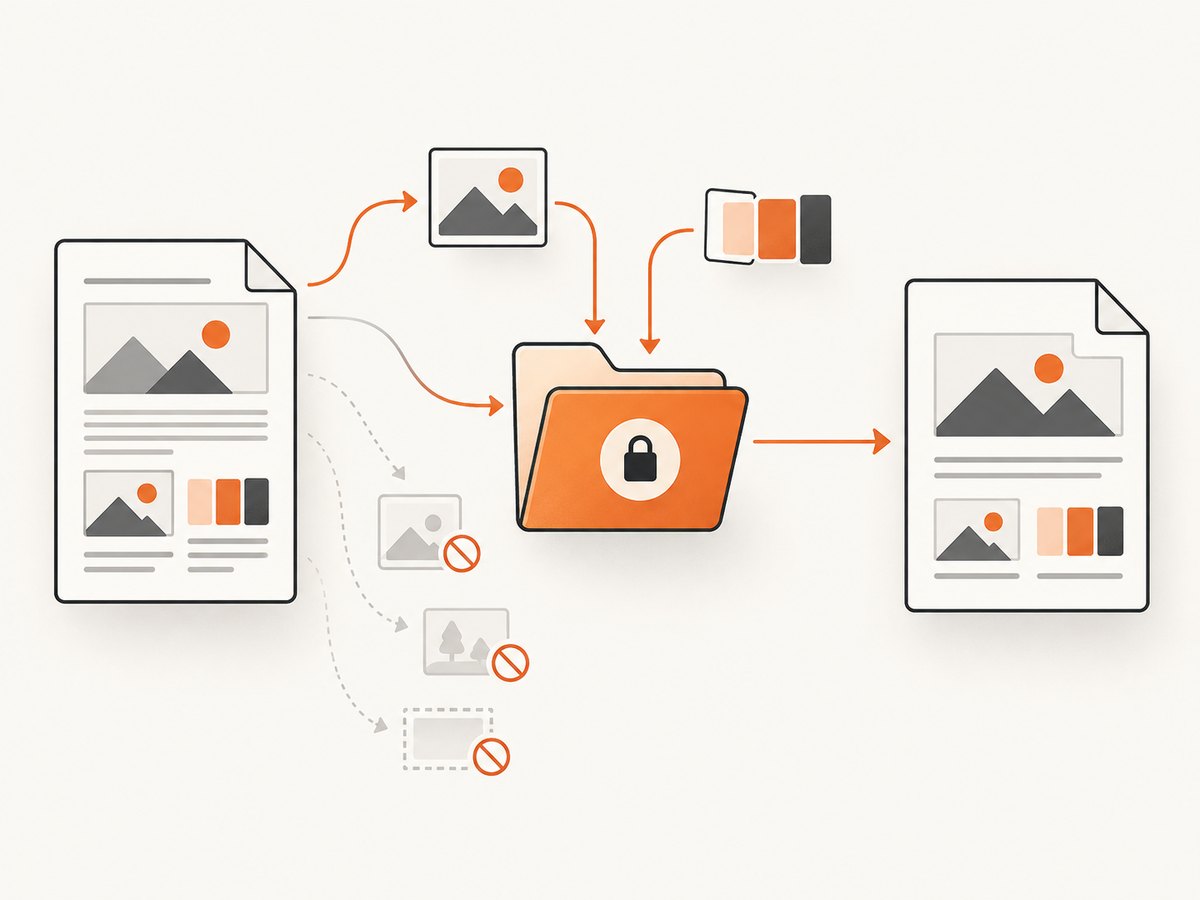
Local resources are a common branch because wkhtmltopdf applies local-file access controls. A document can load while its file:// images, CSS, JavaScript, or fonts are rejected.
Prefer explicit, narrow access
The command-line documentation describes --allow <path> for permitting a directory and --enable-local-file-access for allowing local-file reads. Use the narrowest directory that contains the assets your document needs.
import pdfkit

options = {
    "enable-local-file-access": "",
    "allow": "/srv/app/render-assets",
}
pdfkit.from_file(
    "/srv/app/templates/invoice.html",
    "invoice.pdf",
    options=options,
    verbose=True,
)
Do not enable unrestricted access as a reflex. If your HTML can be influenced by untrusted input, broad file access can expose files that the renderer’s process user can read. Prefer copying required assets into a dedicated directory and allowing only that path.
Resolve paths and URLs deliberately
Relative paths depend on the document base location. Convert local asset paths to absolute paths or use a predictable base URL. Confirm that the service user can read every file:
from pathlib import Path

for asset in ["/srv/app/render-assets/logo.png", "/srv/app/render-assets/main.css"]:
    path = Path(asset)
    print(asset, path.exists(), path.is_file())
For remote images, stylesheets, and fonts, test connectivity from the rendering environment rather than your laptop. Proxies, DNS, TLS certificates, authentication headers, and outbound firewall rules can differ between environments.
Investigate ProtocolUnknownError
ProtocolUnknownError has appeared in reports involving from_file and local resources. Treat it as a clue that the renderer may not understand or may be blocked from a referenced URL or file scheme. Inspect the generated command, verify every resource URL, and test the local-file access options above. The error does not have one universal cause.
When missing resources are involved, review the load-error behavior supported by your installed build, including --load-error-handling and --load-media-error-handling. Choose whether a missing image should abort the document or be ignored based on your output requirements.
5. Check Linux, Docker, and serverless compatibility
An executable can exist and still fail at startup because its dynamic libraries, libc variant, architecture, or font configuration does not match the runtime. The wkhtmltopdf project notes that Linux packages depend on system libraries and font configuration. Generic binaries commonly fail on Alpine because Alpine uses musl libc rather than glibc.
Inspect dependencies and architecture
# Linux examples
file "$(which wkhtmltopdf)"
ldd "$(which wkhtmltopdf)" | grep "not found" || true
fc-list | head
A missing library in ldd, an architecture mismatch, or an empty font configuration points to the image or package, not pdfkit options. Use a distribution-specific wkhtmltopdf package or a base image compatible with the package you selected.
Containers
Install wkhtmltopdf and its required runtime packages inside the image. Do not assume a host installation is visible inside the container. Include fonts required by your documents and run a smoke conversion during image validation. If you use Alpine, verify that the binary was built for musl or move to a compatible glibc-based image.
Serverless functions
Serverless deployments need a binary packaged for the exact runtime and architecture. The wkhtmltopdf download guidance describes distribution-specific archives and configuring FONTCONFIG_PATH for AWS Lambda-style packaging. Match the archive to the runtime, place executable and libraries in the locations expected by the package, and verify the temporary directory has enough space for HTML, assets, and the generated PDF.
6. A complete diagnostic Python example
from pathlib import Path
import pdfkit

HTML = """<!doctype html>
<html>
  <head>
    <meta charset="utf-8">
    <title>Diagnostic PDF</title>
  </head>
  <body>
    <h1>wkhtmltopdf check</h1>
    <p>If this file exists, basic conversion worked.</p>
  </body>
</html>"""

output = Path("diagnostic.pdf")
config = pdfkit.configuration(
    wkhtmltopdf="/absolute/path/to/wkhtmltopdf"
)
options = {
    "encoding": "UTF-8",
    "quiet": "",
}

try:
    pdfkit.from_string(
        HTML,
        str(output),
        configuration=config,
        options=options,
        verbose=True,
    )
except Exception as exc:
    print(f"Conversion failed: {exc!r}")
    raise
else:
    print(f"Created {output} ({output.stat().st_size} bytes)")
Remove quiet while diagnosing if your installed version suppresses useful output. Keep verbose=True for the failing reproduction, then reduce logging after the cause is fixed.
7. Performance and reliability practices
- Reuse the process environment, not a global renderer process. PDFKit invokes wkhtmltopdf for each conversion. Keep the executable path and immutable options in one configuration object, while isolating per-document options.
- Reduce asset weight. Resize large images, remove unused fonts, and avoid loading analytics or interactive widgets in print HTML.
- Set application timeouts. A network resource that never responds can hold a worker. Enforce a job deadline around the conversion and terminate the child process according to your process supervisor’s rules.
- Make inputs deterministic. Pin templates, CSS, fonts, and wkhtmltopdf package versions. Remote assets can change or disappear between runs.
- Use a dedicated worker queue. Rendering is CPU and memory intensive. Limit concurrent conversions according to available resources and monitor temporary disk usage.
- Keep diagnostics. Log the wkhtmltopdf version, input identifier, elapsed time, exit status, and stderr. Avoid logging secrets embedded in URLs or headers.
8. Common errors and fixes
| Error or symptom | Likely layer | What to check |
|---|---|---|
No wkhtmltopdf executable found |
Discovery | Install the binary, inspect PATH as the service user, or pass an absolute path to pdfkit.configuration. |
IOError: Command Failed |
Conversion or startup | Use verbose=True, print PDFKit.command(), and run the command directly. |
ProtocolUnknownError |
Input or resource loading | Inspect local and remote URLs, file permissions, base paths, and local-file access options. |
| Works in shell, fails in service | Execution context | Compare PATH, user permissions, working directory, environment variables, fonts, and network access. |
| Starts then crashes or segfaults | Runtime compatibility | Check package build, architecture, shared libraries, libc variant, fonts, and memory. |
| Blank or incomplete PDF | Rendering timing or resources | Confirm HTML contains the expected content, assets load from the runtime, and JavaScript-dependent content is available before capture. |
9. When to use a hosted capture API instead
If your goal is a rendered image or PDF of a web page rather than control of a local wkhtmltopdf installation, a hosted browser API removes executable packaging, font setup, and container compatibility work.
Or skip the browser setup
ScreenshotNeo is a website screenshot API and MCP server. Its one-call endpoint can return PNG, JPEG, WebP, or PDF:
curl -G "https://api.screenshotneo.com/v1/shot" -d access_key=YOUR_API_KEY --data-urlencode url=https://stripe.com -o shot.webpimport requests
r = requests.get("https://api.screenshotneo.com/v1/shot", params={"access_key": "YOUR_API_KEY", "url": "https://stripe.com"}, timeout=90)
open("shot.webp", "wb").write(r.content)const q = new URLSearchParams({ access_key: 'YOUR_API_KEY', url: 'https://stripe.com' });
const res = await fetch(`https://api.screenshotneo.com/v1/shot?${q}`);See the ScreenshotNeo API documentation for request options. Cookie banners, newsletter popups, and chat widgets are removed before the shot. Bot checks, blank pages, failed loads, timeouts, and cache hits are not billed, and response headers identify the page verdict and billing result. Its MCP server provides take_screenshot, get_page_info, and capture_pdf tools for Claude, Cursor, and other MCP clients. The free plan includes 1,000 screenshots per month with no card; paid plans start at $5 for 3,000 shots.
Create a free ScreenshotNeo account and try the endpoint with 1,000 free screenshots each month.
10. A reproducible escalation checklist
- Save the complete traceback and stderr.
- Record OS, architecture, Python, pdfkit, and wkhtmltopdf versions.
- Run
whichorwhereas the same user and runtime. - Test a minimal HTML string.
- Enable verbose output and print the generated command.
- Run that command directly.
- Test local resources with a narrow
--allowdirectory. - Check remote resource connectivity, certificates, proxies, and authentication.
- Inspect libraries, libc, fonts, memory, and temporary storage.
- Reduce the case to a small HTML/CSS/JavaScript reproduction before opening an issue.
FAQ
Does reinstalling pdfkit install wkhtmltopdf?
No. PDFKit is a Python wrapper; wkhtmltopdf is a separate executable. Install and verify both independently.
Why does an absolute path fix the problem?
Services and shells often receive different PATH values. An absolute path tells PDFKit exactly which executable to invoke.
Should I always enable local-file access?
No. First identify the required files, then allow only their directory when possible.
Is every Command Failed error a segmentation fault?
No. It can represent missing input, denied resources, startup incompatibility, or renderer failure. Verbose stderr and direct command execution distinguish these cases.
Can ScreenshotNeo replace a local PDFKit pipeline?
It can replace browser setup when a hosted screenshot or PDF endpoint meets your rendering requirements. Keep wkhtmltopdf when you need its local execution model or exact command-line control.


