How to Fix wkhtmltopdf Cannot Convert Local File Errors
Fix wkhtmltopdf local-file errors by checking the input, referenced paths, process permissions, and the right access flags.
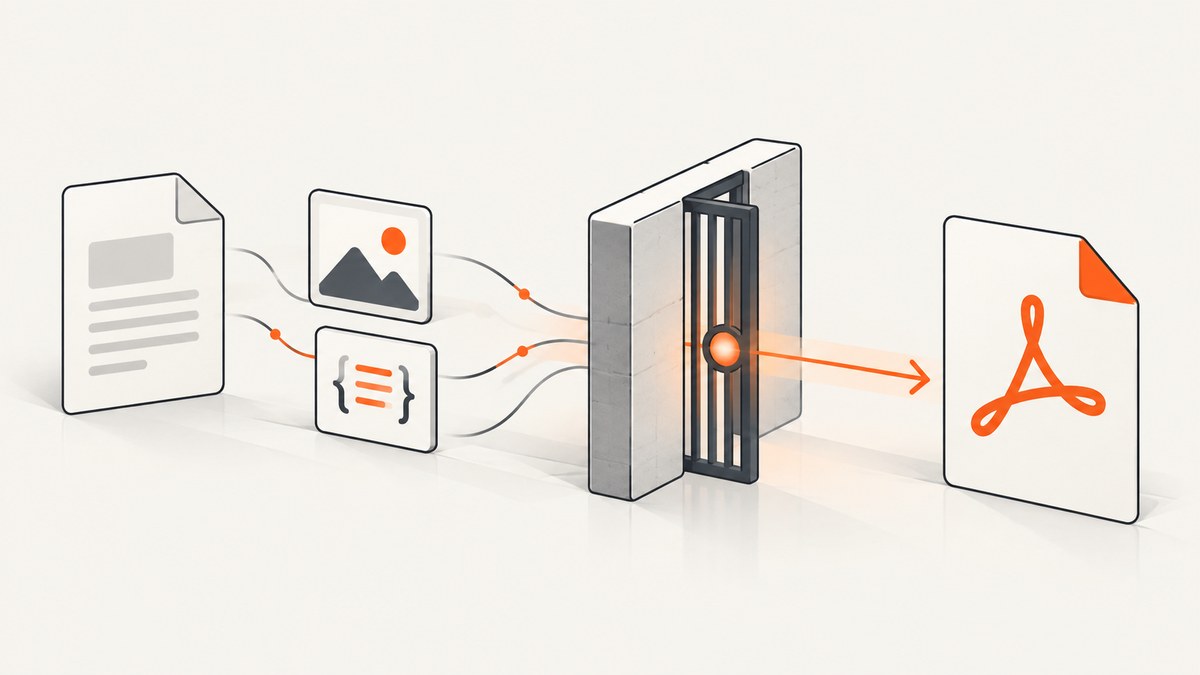
wkhtmltopdf can read a local HTML file as its input while still blocking that document from reading other local files, such as images, stylesheets, or fonts. First identify the exact resource that fails and the account running the conversion. Then grant access to the smallest directory that contains the needed files with --allow, or use --enable-local-file-access only when broader access is appropriate for trusted input. A permission flag cannot fix a missing path, invalid URL, or filesystem permission problem.
This guide covers the common “Blocked access to file” and missing-local-image symptoms, a safe diagnostic sequence, runnable examples, service and container context, and fixes for the errors that are often mistaken for local-file access failures. wkhtmltopdf behavior can vary by build; check the help for the executable that actually runs. The project warns against using wkhtmltopdf to render HTML that is not explicitly trusted. Official command-line documentation describes the access flags and error-handling options.
1. Understand what “local file access” means
There are two different files to keep straight:
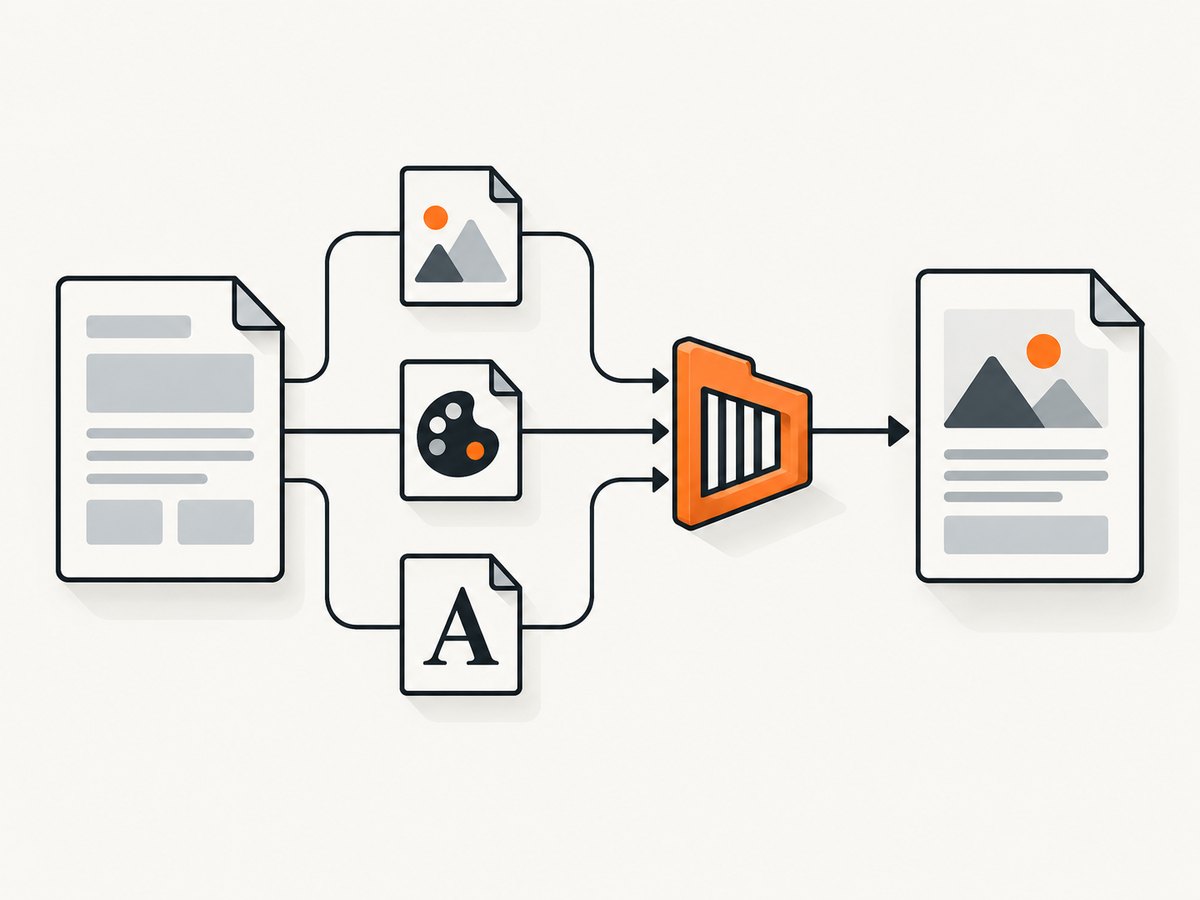
- The input document: the HTML file you pass to wkhtmltopdf. Disabling local-file access does not mean the input document itself cannot be opened.
- Referenced resources: files the HTML or its stylesheets point to, such as images, CSS, fonts, header/footer HTML, or other local data. These may be blocked unless access is allowed.
The distinction is documented in the CLI help and was clarified in an archived maintainer response: the local document is still the conversion target, while access to other local files is controlled separately. CLI reference · Archived issue example
Typical symptoms include a message containing “Blocked access to file,” an image missing from the output, or a stylesheet or font not being applied. Those symptoms can also result from an invalid path, unsupported URL form, or insufficient operating-system permissions. The error text alone does not prove which cause applies.
2. Diagnose the failure in order
- Check the executable and build in the failing context. Run
wkhtmltopdf --versionunder the same shell, service, container, or application account that performs the conversion. Record the complete output, including whether it reports patched Qt. A developer terminal may use a different binary from a web application. - Find the exact resource URL. Inspect the input HTML, linked CSS, CSS
url(...)values, header/footer documents, generated markup, and any template output. Identify each local image, stylesheet, font, or other file that should load. - Confirm that the referenced file exists. Resolve relative paths from the document’s actual location and inspect the URL or path produced by the application. Do not assume that the working directory is the directory containing the HTML.
- Check the process identity and filesystem view. Confirm the account, working directory, environment, mounted volumes, and read permissions of the actual process. A path available to an interactive user may not exist or be readable inside a service or container.
- Allow the narrowest useful directory. Use repeatable
--allow <path>arguments for the files the document needs. If you choose broad local access, use--enable-local-file-accessonly when that access is acceptable. - Separate access from load-error behavior.
--load-error-handlingand--load-media-error-handlingcontrol what happens after a page or media load fails. They do not grant filesystem access and cannot make a missing or unreadable file appear.
Use the installed binary’s wkhtmltopdf --extended-help output when its behavior differs from the expected flag semantics. The command-line reference documents --allow, --disable-local-file-access, and --enable-local-file-access; consult the documentation matching the deployed build when possible. wkhtmltopdf CLI options
3. Fix access with a scoped allowlist
If the HTML needs files from one assets directory, authorize that directory explicitly. Adapt the paths and quoting to the operating system and build:
wkhtmltopdf --allow /path/to/assets input.html output.pdfThe documented --allow option permits access to a specified file or files from a specified folder, and it can be repeated when resources live in separate directories. Prefer a directory dedicated to the conversion’s assets instead of allowing an entire filesystem tree.
For example, suppose the document is /srv/reports/job-42/index.html, and its images and CSS are under /srv/reports/job-42/assets/. The scoped form is:
wkhtmltopdf --allow /srv/reports/job-42/assets \
  /srv/reports/job-42/index.html \
  /srv/reports/job-42/report.pdf
Confirm the paths are valid for the running process and the installed build. The source material does not establish one universal path syntax for every platform or wrapper, so if the flag appears ineffective, inspect that build’s extended help and verify what arguments the wrapper actually passes.
4. When broad local access is appropriate
--enable-local-file-access permits a local input document to read other local files. It may be appropriate for a trusted, controlled document whose resources are spread across locations and cannot reasonably be allowlisted. It is a broad permission for the process’s filesystem environment, so avoid enabling it by default for user-supplied HTML.
wkhtmltopdf --enable-local-file-access input.html output.pdfIf the flag is already present and resources remain blocked, do not keep adding unrelated switches. Check, in order: the exact executable and version; whether the option reaches that executable; the actual resource URL; file existence; path resolution; and process read permissions. An archived Windows report using version 0.12.6 described blocked local images despite the enable flag, but the report did not include enough diagnostic detail to establish the cause or a general fix. Archived report
5. Check path references and execution context
Local resource paths commonly enter a PDF through HTML attributes, CSS, or generated markup. Inspect the final HTML that wkhtmltopdf receives, not just the template source. For each resource, answer:
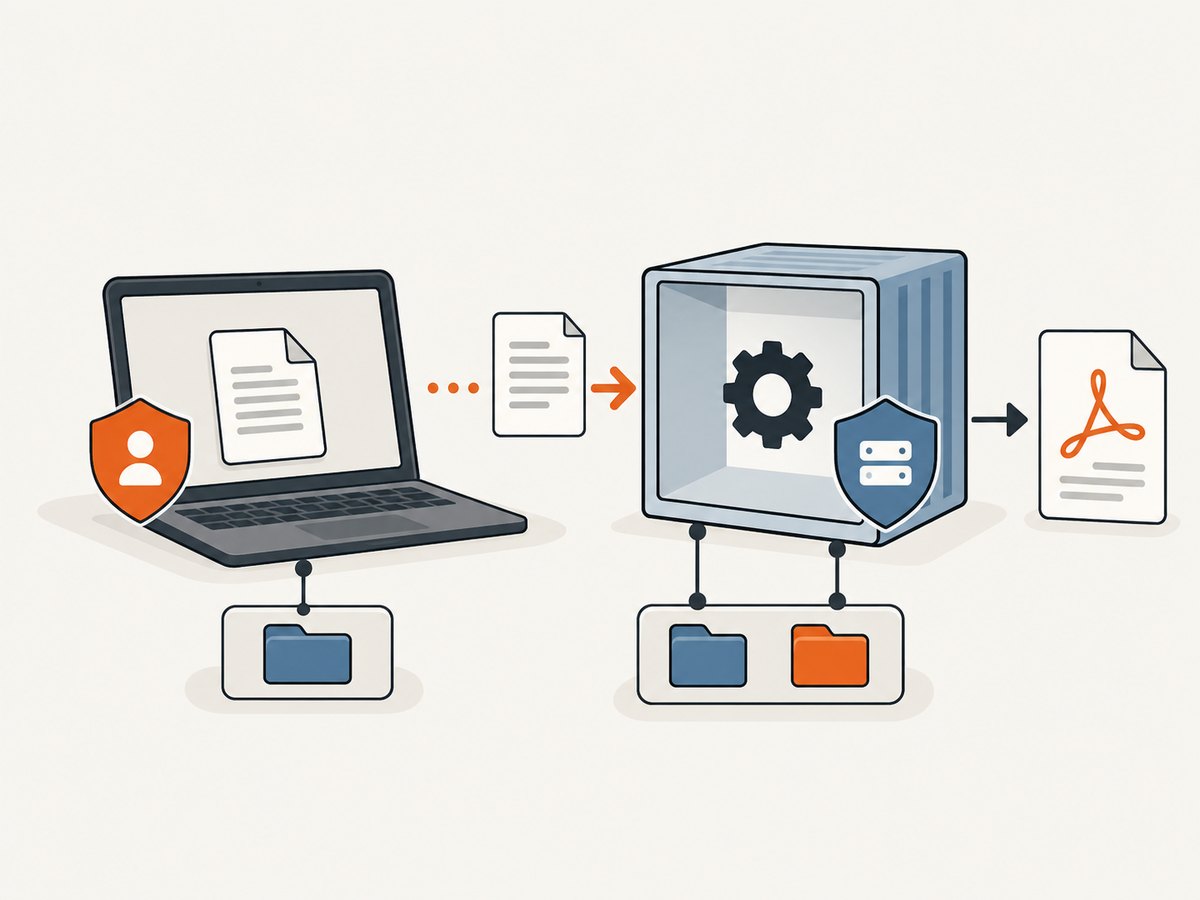
- Is it a relative path, absolute path, or file URL?
- Relative to which document or base URL is it being resolved?
- Does the file exist in the conversion process’s filesystem?
- Can the process account read it and traverse its parent directories?
- Is the resource inside a container mount or temporary directory that has been removed?
Path parsing and file URL conventions can differ across operating systems and wrappers. The reviewed documentation does not define one path expression that is safe to prescribe universally. Use the format supported by the deployed build and test the final generated URL in the same environment. In particular, a service may run from a different working directory than the developer shell, and a container can have a different filesystem view altogether.
When generating the document and invoking wkhtmltopdf in separate steps, ensure the HTML and assets remain present until conversion finishes. If temporary files are involved, log their resolved paths and cleanup timing. Those checks distinguish a permission restriction from a race or missing-file problem.
6. Handle load errors without confusing them with permissions
The CLI has separate options for page-load and media-load failures: --load-error-handling and --load-media-error-handling. They affect handling after a resource fails to load; they do not grant access to local files. Changing them may alter whether a conversion continues or fails, but it does not repair the underlying resource reference.
Use them only to define the behavior your application wants when a page or media resource is unavailable. Keep a missing or blocked resource visible in logs or other diagnostics. Silently accepting a partially rendered PDF can hide broken output. Check the installed build’s extended help for accepted values and defaults rather than assuming options are identical across versions. CLI reference
7. Protect the filesystem when HTML is untrusted
HTML can reference local resources. Granting broad local access while rendering untrusted input increases the consequences of a malicious or unexpected reference. The wkhtmltopdf project says the tool is not recommended for HTML that is not explicitly trusted. It also describes AppArmor as an additional Linux control to limit filesystem access if a binary vulnerability bypasses the application-level option; Red Hat and Fedora use SELinux instead of AppArmor. Project security guidance
- Keep local access disabled for untrusted documents unless there is a specific, reviewed need.
- If local resources are needed, stage only the intended assets in a dedicated directory and allow that location.
- Run conversion with an account and filesystem view that do not expose unrelated sensitive files.
- On Linux, consider host-level confinement such as AppArmor or SELinux according to the system’s policy and project guidance.
Security profiles depend on actual paths and runtime behavior. The project’s example AppArmor profile requires customization; do not copy it as a universal policy.
8. Common errors and fixes
| Symptom | Likely checks | Next step |
|---|---|---|
Blocked access to file for an image or stylesheet |
Local-file access setting, resource path, process permissions | Try a narrow --allow directory; verify the file exists and is readable in the conversion context. |
“Blocked access” continues after --enable-local-file-access |
Wrong binary/build, wrapper dropping arguments, invalid URL, different filesystem context | Capture --version and extended help in the failing context; inspect the actual invocation and resource URL. |
| PDF opens but an image is missing | Bad relative path, absent asset, inaccessible parent directory, media load failure | Inspect the generated HTML/CSS and verify the resource and parent directories as the service account. |
| Command works locally but fails in production | Different account, working directory, mount, environment, or wkhtmltopdf build | Compare runtime identity, paths, mounted files, version output, and arguments between environments. |
| Conversion continues with incomplete output | Page or media error handling may permit a failed load to continue | Keep load-error policy distinct from permission settings; surface failed resources and validate output completeness. |
These are diagnostic branches, not promises that one flag resolves every report. Archived issue reports are useful examples of symptoms, but they do not establish a current support guarantee or a universal cause. Issue #1548 · Issue #4763
9. Performance, reliability, and cost considerations
Local-file permission flags define access; they are not performance tuning switches. The supplied evidence does not include benchmarks or numerical performance claims for alternative flags. For reliable output, focus on deterministic inputs: keep required assets available for the full conversion, use stable paths, and record the executable version and effective command line. Validate that expected images and styles are present in the resulting PDF.
For scheduled or server-side work, make filesystem identity and mounts explicit in deployment configuration. If rendering runs in a restricted environment, stage the exact assets there instead of relying on files available only on a developer machine. Treat page-load and media-load failure policy as an output-quality choice: allowing conversion to proceed can leave incomplete documents, while failing loudly helps catch missing content earlier.
Cost depends on the runtime and deployment you choose; the research sources do not provide wkhtmltopdf pricing or benchmark data. The main operational tradeoff here is permission scope: an allowlisted directory takes more path management but limits filesystem exposure, while broad access is simpler to configure and grants more reach to the rendering process.
10. Or skip the browser setup
If the actual goal is a screenshot or PDF of a public website, a screenshot API can avoid installing and configuring a local browser renderer. ScreenshotNeo is a website screenshot API and MCP server from Yorker Media. For wkhtmltopdf specifically—converting your own local HTML and local assets—the scoped CLI fix above is the relevant path; ScreenshotNeo is an alternative for capturing a website by URL.
One GET request returns an image or PDF. For example, request a screenshot of a page:
curl -G "https://api.screenshotneo.com/v1/shot" -d access_key=YOUR_API_KEY --data-urlencode url=https://stripe.com -o shot.webpSee the ScreenshotNeo API documentation for request options and response details. Cookie and consent banners are accepted like a visitor and removed along with 60+ known consent platforms, newsletter popups, and chat widgets; each of those steps can be turned off. Bot checks, blank pages, timeouts, failed loads, and cache hits cost nothing, and response headers identify the page verdict and billing status. Its MCP server exposes take_screenshot, get_page_info, and capture_pdf to Claude, Cursor, and other MCP clients.
The free plan includes 1,000 screenshots per month with no card. Paid plans start at $5 for 3,000 shots; all features are on every plan. Yearly billing gives two months free. Sign up for 1,000 free screenshots a month, no card required.
11. Short FAQ
Does disabling local-file access stop wkhtmltopdf from opening its input HTML?
No. The restriction concerns the input document reading other local files. The input HTML remains the conversion target.
Should I always use --enable-local-file-access?
No. Use a narrow --allow path when that supplies the needed assets. Broad local access should be limited to trusted input and an acceptable filesystem environment.
Will load-error handling fix a blocked image?
No. Those options determine how load failures are handled. They do not authorize local access or fix an invalid path.
Why does the command succeed for me but fail in a service?
The service may use another executable, account, working directory, environment, or filesystem view. Compare those details in the process that actually runs conversion.
Can ScreenshotNeo convert my local HTML file?
The described ScreenshotNeo API accepts a URL for a website screenshot or PDF. This article’s local-file troubleshooting concerns wkhtmltopdf rendering local HTML and referenced files.


