How to Fix wkhtmltopdf Errors on PDFs with Many Pages and Headers or Footers
Fix wkhtmltopdf failures on long PDFs, missing headers, wrong page counters, broken assets, and exit code 1 with practical commands and diagnostics.
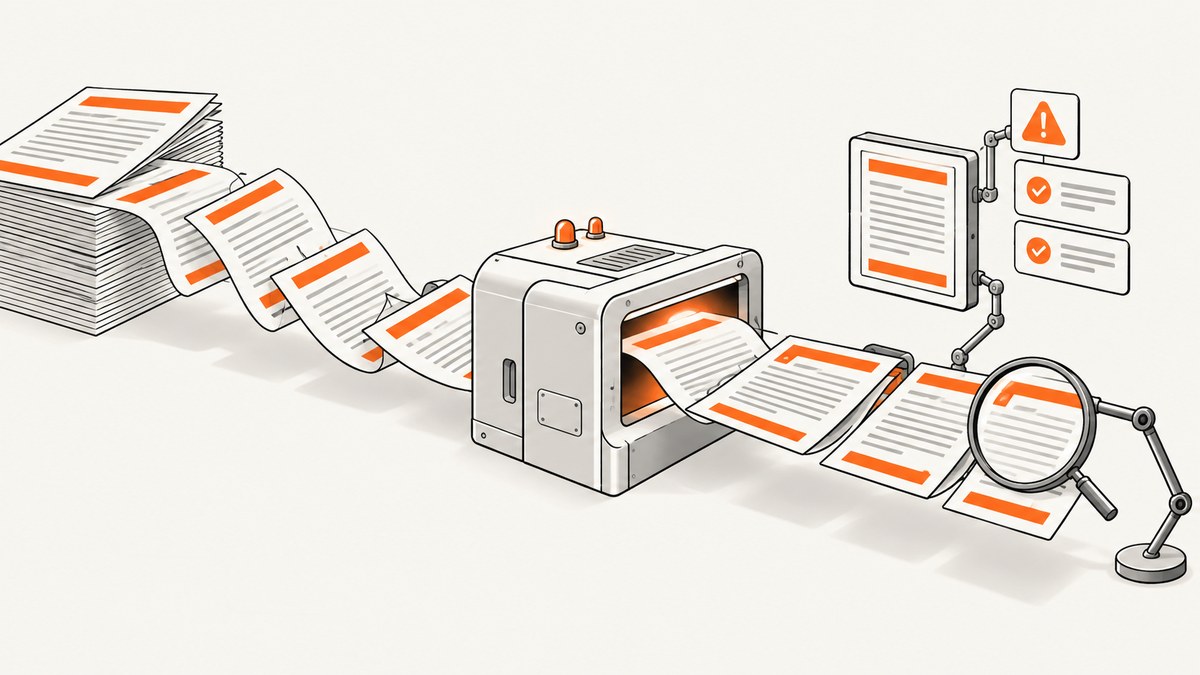
wkhtmltopdf errors become more common as a document grows. Headers can overlap the first paragraph, footers can disappear, [topage] can show the wrong number, and a conversion that works for one page can stop with exit code 1 after dozens of pages.
The reliable way to fix these failures is to separate four concerns: page geometry, placeholder substitution, rendering timing, and asset access. Make each one explicit, reduce the document to a minimal reproduction, and inspect stderr before changing options.
Quick answer: the fixes that solve most long-document failures
- Record the binary, operating system, architecture, complete command, and stderr output.
- Set
--page-size,--margin-top,--margin-bottom, and header or footer spacing explicitly. - Use wkhtmltopdf placeholders such as
[page]and[topage]in command-line header/footer options. They are replaced by wkhtmltopdf, not by your HTML template engine. - Wait for asynchronous pages with
--javascript-delayor a deterministic--window-statussignal. - Audit every image, stylesheet, font, redirect, authentication requirement, and header/footer URL.
- Use narrowly scoped
--allowpaths for local assets. Do not enable broad local-file access for untrusted HTML. - If the document depends on current JavaScript or modern CSS, evaluate a maintained renderer such as Puppeteer, WeasyPrint, or Prince.
The stable wkhtmltopdf 0.12.6 line uses Qt 4 and an old WebKit stack. The project states that Qt 4 has been unsupported since 2015 and its WebKit has not been updated since 2012. See the official project status page.
1. Capture the environment before changing the command
A useful bug report starts with facts that can be reproduced. Run:

wkhtmltopdf --version
uname -a
wkhtmltopdf --extended-help > wkhtmltopdf-help.txt 2>&1
Save the exact command, input URL or file, output path, stderr, operating system version, CPU architecture, and whether the binary is a patched-Qt build. Package-manager builds can differ from the binaries distributed by the project.
For application code, log the command and process exit status without discarding stderr. A conversion can produce a PDF and still report warnings or failed resources.
Python diagnostic wrapper
import subprocess

cmd = [
    "wkhtmltopdf",
    "--page-size", "A4",
    "--margin-top", "28mm",
    "--margin-bottom", "24mm",
    "input.html",
    "output.pdf",
]
result = subprocess.run(cmd, text=True, capture_output=True)
print("exit:", result.returncode)
print("stderr:\n", result.stderr)
if result.returncode != 0:
    raise SystemExit("wkhtmltopdf failed")
Node.js diagnostic wrapper
import { spawn } from "node:child_process";

const args = [
  "--page-size", "A4",
  "--margin-top", "28mm",
  "--margin-bottom", "24mm",
  "input.html", "output.pdf"
];
const child = spawn("wkhtmltopdf", args);
let stderr = "";
child.stderr.on("data", chunk => { stderr += chunk; });
child.on("close", code => {
  console.error(stderr);
  if (code !== 0) process.exit(code ?? 1);
});
2. Reserve physical space for headers and footers
A header can load correctly and still be clipped or overlap the body. wkhtmltopdf lays out the body inside the page box; it does not automatically reserve enough room for an arbitrary HTML header.
| Problem | Options to inspect | Typical correction |
|---|---|---|
| Header covers body text | --margin-top, --header-spacing |
Increase the top margin, then tune spacing. |
| Footer covers the last lines | --margin-bottom, --footer-spacing |
Increase the bottom margin and verify footer height. |
| Header is outside the printable area | Margins and spacing together | Reduce excessive spacing or margins. |
| Content is unexpectedly tiny | --page-size, margins, smart shrinking |
Set page size explicitly and compare shrinking behavior. |
Start with a plain-text header before introducing an HTML template:
wkhtmltopdf \
  --page-size A4 \
  --margin-top 30mm \
  --margin-bottom 25mm \
  --header-left "Internal report" \
  --header-right "Page [page] of [topage]" \
  --header-spacing 4 \
  --footer-center "Confidential" \
  --footer-spacing 4 \
  input.html output.pdf
Measure the rendered height of an HTML header, including its fonts, padding, borders, and images. Set the margin larger than that height, then use spacing for the visual gap. Repeat the same process for the footer.
3. Use page-counter placeholders correctly
These tokens are substitutions performed by wkhtmltopdf:
[page]: current page number.[topage]: final page number for the document.[frompage]: first page in the current conversion range.[sitepage]and[sitepages]: counters used for site or multi-object jobs.
They are not normal HTML template variables. This works:
wkhtmltopdf --footer-right "Page [page] of [topage]" input.html output.pdfIf “Page 1 of 1” appears on every page, check that you are passing the option globally and that the input is one document object. For multi-object jobs, determine whether document-level or site-level counters are intended. Always test counters with the same page size, margins, fonts, and content used in production; pagination changes alter [topage].
4. Make dynamic pages finish before conversion
Long pages expose timing problems because they request more images, fonts, and scripts. A browser may display a loading shell while wkhtmltopdf captures an incomplete DOM.
Use a bounded delay
wkhtmltopdf \
  --javascript-delay 3000 \
  --enable-javascript \
  https://example.com/report output.pdf
A delay is simple but not deterministic. It should be long enough for the slowest expected render and short enough to avoid wasting worker time.
Use a readiness signal
Have the page set window.status after data and images are ready, then wait for that value:
<script>
fetch('/report-data.json')
  .then(r => r.json())
  .then(data => {
    renderReport(data);
    window.status = 'ready-for-pdf';
  });
</script>
wkhtmltopdf --window-status ready-for-pdf report.html report.pdfUse --run-script only for a controlled final adjustment. If late pages are blank, inspect JavaScript exceptions, image and font requests, memory pressure, and whether a failed request was hidden by permissive error handling.
5. Audit every external and local resource
For each URL and file, check HTTP status, redirects, TLS behavior, authentication, relative paths, fonts, images, and header/footer resources. A missing asset can change layout enough to create a new pagination failure.
The default page-load behavior is abort. ignore and skip can keep a conversion running, but they may silently create incomplete output. Use them only when omissions are acceptable and logged:
wkhtmltopdf --load-error-handling abort input.html output.pdfA documented failure mode is an HTTP error 1003 when local --header-html or --footer-html files are supplied incorrectly, followed by exit code 1. Verify the path, URL scheme, permissions, and server response before changing error handling.
Local-file access
Local CSS, images, fonts, and header templates are governed by wkhtmltopdf’s local-file policy. Permit only the directory that contains approved assets:
wkhtmltopdf \
  --allow /srv/reports/assets \
  --header-html /srv/reports/assets/header.html \
  report.html report.pdf
Check that relative URLs resolve from the expected directory and that the conversion user can read every file. Never broadly enable local access for untrusted HTML. The project warns against using wkhtmltopdf with untrusted HTML or JavaScript because it can lead to server takeover; sanitize user input and isolate conversion workers. See the project guidance.
6. Stabilize pagination in long documents
Long documents magnify small layout differences. Set the target page size, margins, font files, and zoom behavior explicitly. Avoid depending on modern CSS fragmentation features that this WebKit version may not implement consistently.
- Use explicit section wrappers and insert deliberate breaks where a new section must start.
- Keep table rows and critical blocks together where the engine honors those rules, but verify the result visually.
- Use stable fonts available to the conversion user; missing fonts change line wrapping and page count.
- Compare output page count and header/footer placement after every change.
- Test at the production page size rather than relying on a desktop browser preview.
The wkhtmltopdf manual notes that there is no easy universal pagination solution and recommends organizing HTML so pages have many clean cut points. Design report sections with break-friendly markup instead of expecting the renderer to infer ideal breaks.
7. A repeatable minimal-reproduction workflow
- Convert one plain page with no header, footer, JavaScript, or external assets.
- Add the header and footer as plain text switches.
- Add HTML header/footer documents.
- Add images, fonts, and stylesheets one category at a time.
- Enable JavaScript and reproduce the readiness behavior.
- Increase the document to the failing page count.
- Compare the failing version with the last successful version and inspect stderr.
This isolates whether the root cause is geometry, timing, a resource, or cumulative memory pressure. Keep the smallest failing HTML and command in your issue report along with version and operating-system details.
8. Common errors and precise fixes
| Symptom | Likely cause | Fix |
|---|---|---|
| Exit code 1, “failed loading page” | Bad URL, local path, permissions, TLS, or header/footer response | Read stderr, test the exact resource, fix access or scheme, then rerun. |
| Header overlaps body | Top margin is smaller than rendered header | Increase --margin-top; tune --header-spacing. |
| Footer overlaps content | Bottom margin or footer spacing is insufficient | Increase --margin-bottom and verify footer height. |
| Header appears on only some pages | Resource loads inconsistently or options apply to one object | Test plain-text switches, then verify each object and HTML resource. |
| Wrong “Page x of y” | Wrong placeholder or changed pagination inputs | Use [topage]; test with production margins and page size. |
| Blank late pages | Async work, failed assets, memory pressure, or hidden errors | Use a readiness signal, inspect requests, and keep error handling strict. |
| CSS, images, or fonts missing | Relative paths or local-file restrictions | Use approved --allow paths and verify readable files. |
| Content clipped or tiny | Page geometry or shrinking behavior | Set page size and margins explicitly; compare shrinking settings. |
9. Performance, reliability, and cost considerations
There is no authoritative page-limit or success-rate benchmark for wkhtmltopdf long documents. Treat runtime and memory as workload-specific. More pages, high-resolution images, web fonts, JavaScript, and large DOM trees all increase work.

- Reuse a prepared asset directory and avoid downloading the same large resources repeatedly.
- Set a process timeout outside wkhtmltopdf so a stuck conversion cannot consume a worker indefinitely.
- Record stderr, exit code, output size, and page count for each job.
- Keep retries bounded. Retrying an inaccessible URL does not repair the URL.
- Run untrusted conversions in isolated workers with restricted filesystem and network access.
- Pin the binary version and fonts so page counts remain reproducible.
When modern JavaScript, CSS fragmentation, or deterministic deployment matters more than compatibility with existing commands, evaluate Puppeteer for browser-based rendering, WeasyPrint for HTML/CSS documents, or Prince for advanced print layout. Compare rendering-engine age, JavaScript fidelity, page-break support, header/footer behavior, asset and font handling, deployment determinism, security isolation, and licensing.
10. Or skip the browser setup
If your goal is a clean screenshot or PDF capture of a URL rather than maintaining a wkhtmltopdf worker, ScreenshotNeo provides a website screenshot API and MCP server. It accepts one GET request and returns PNG, JPEG, WebP, or PDF output. Cookie and consent banners, newsletter popups, and chat widgets are removed before capture; bot checks, blank pages, failed loads, timeouts, and cache hits are not billed. Each response identifies the result with X-Page-Verdict and X-Billed headers. Its MCP server provides take_screenshot, get_page_info, and capture_pdf tools for Claude, Cursor, and other MCP clients.
See the ScreenshotNeo API documentation for the complete option list.
cURL
curl -G "https://api.screenshotneo.com/v1/shot" \
  -d access_key=YOUR_API_KEY \
  --data-urlencode url=https://stripe.com \
  -o shot.webp
Python
import requests

r = requests.get(
    "https://api.screenshotneo.com/v1/shot",
    params={"access_key": "YOUR_API_KEY", "url": "https://stripe.com"},
    timeout=90,
)
r.raise_for_status()
open("shot.webp", "wb").write(r.content)
Node.js
const q = new URLSearchParams({ access_key: 'YOUR_API_KEY', url: 'https://stripe.com' });
const res = await fetch(`https://api.screenshotneo.com/v1/shot?${q}`);
if (!res.ok) throw new Error(`HTTP ${res.status}`);
const fs = await import('node:fs/promises');
await fs.writeFile('shot.webp', Buffer.from(await res.arrayBuffer()));
ScreenshotNeo supports full-page capture, element selectors, device presets, custom viewports, retina scale, PDF paper sizes and margins, custom CSS and JavaScript, waits, request blocking, headers, cookies, user agents, authorization, timezone, geolocation, transparent backgrounds, resizing, caching, signed links, async jobs, bulk capture, usage reporting, and an OpenAPI specification. Every feature is available on every plan. The Free plan includes 1,000 shots each month with no card; paid plans start at $5 for 3,000 shots.
Create a free ScreenshotNeo account and start with 1,000 screenshots per month without adding a card.
FAQ
Why does a one-page test pass while a 100-page PDF fails?
Long jobs increase asset requests, JavaScript timing exposure, memory use, and opportunities for pagination conflicts. Add components incrementally to find the first failing change.
Should I use ignore for load errors?
Only when missing resources are acceptable and recorded. Otherwise, keep abort so incomplete PDFs fail visibly.
Can HTML headers use normal template variables?
No. Page counters such as [page] and [topage] are wkhtmltopdf substitutions supplied through its options.
When should I stop tuning wkhtmltopdf?
Consider another renderer when modern JavaScript or CSS remains unreliable, or when the old Qt/WebKit stack conflicts with your security and maintenance requirements.


