How to Fix the wkhtmltopdf No Such File or Directory Error in Django
Fix Django’s wkhtmltopdf “No such file or directory” error by checking the runtime path, executable dependencies, permissions, containers, and fonts.
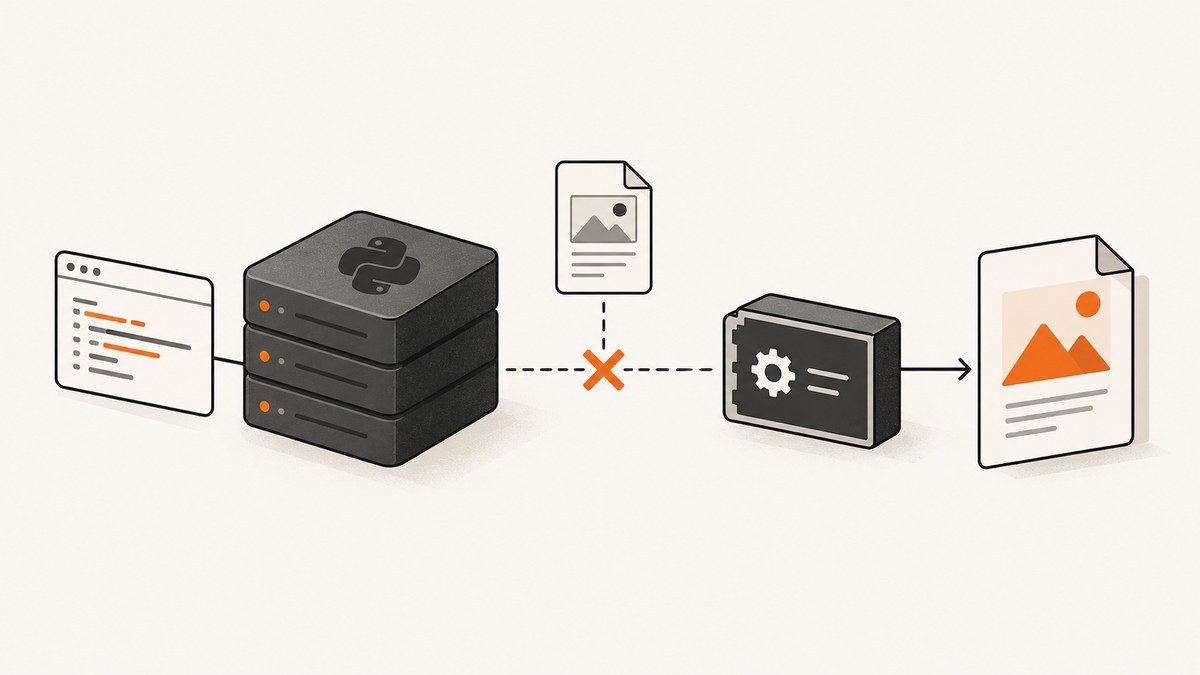
Direct answer: Django’s No such file or directory error usually means the wkhtmltopdf executable is not installed in the environment running Django, is not on that process’s PATH, or cannot start because a required shared library is missing. Install a distribution-compatible wkhtmltopdf package inside the application runtime, find the executable there, and configure Django with its absolute path.
The Python wrapper does not contain the wkhtmltopdf program. django-wkhtmltopdf launches a separate executable and searches for the first wkhtmltopdf command on PATH by default. Its documentation also calls out libfontconfig as a runtime requirement. See the django-wkhtmltopdf README and Python’s subprocess documentation.
1. Identify which file is actually missing
Do not treat every instance of this message as the same failure. The operating system can report a missing executable, a missing dynamic library, or an incompatible loader using similar wording.
| What you see | Likely cause | Next check |
|---|---|---|
FileNotFoundError: ... wkhtmltopdf |
The executable is absent or not discoverable on PATH. |
Run shutil.which() and command -v in the Django runtime. |
No such file or directory naming libfontconfig.so.1 or another .so |
The executable exists but its shared library dependency is absent. | Run the binary’s version command and inspect loader output. |
| Works in a shell but fails under Gunicorn, uWSGI, Celery, or systemd | The service has a different user, working directory, or PATH. |
Inspect the service environment and use an absolute path. |
| Works on the host but fails in Docker | The binary was installed outside the image that runs Django. | Install it and its libraries in the image itself. |
2. Check the exact environment that runs Django
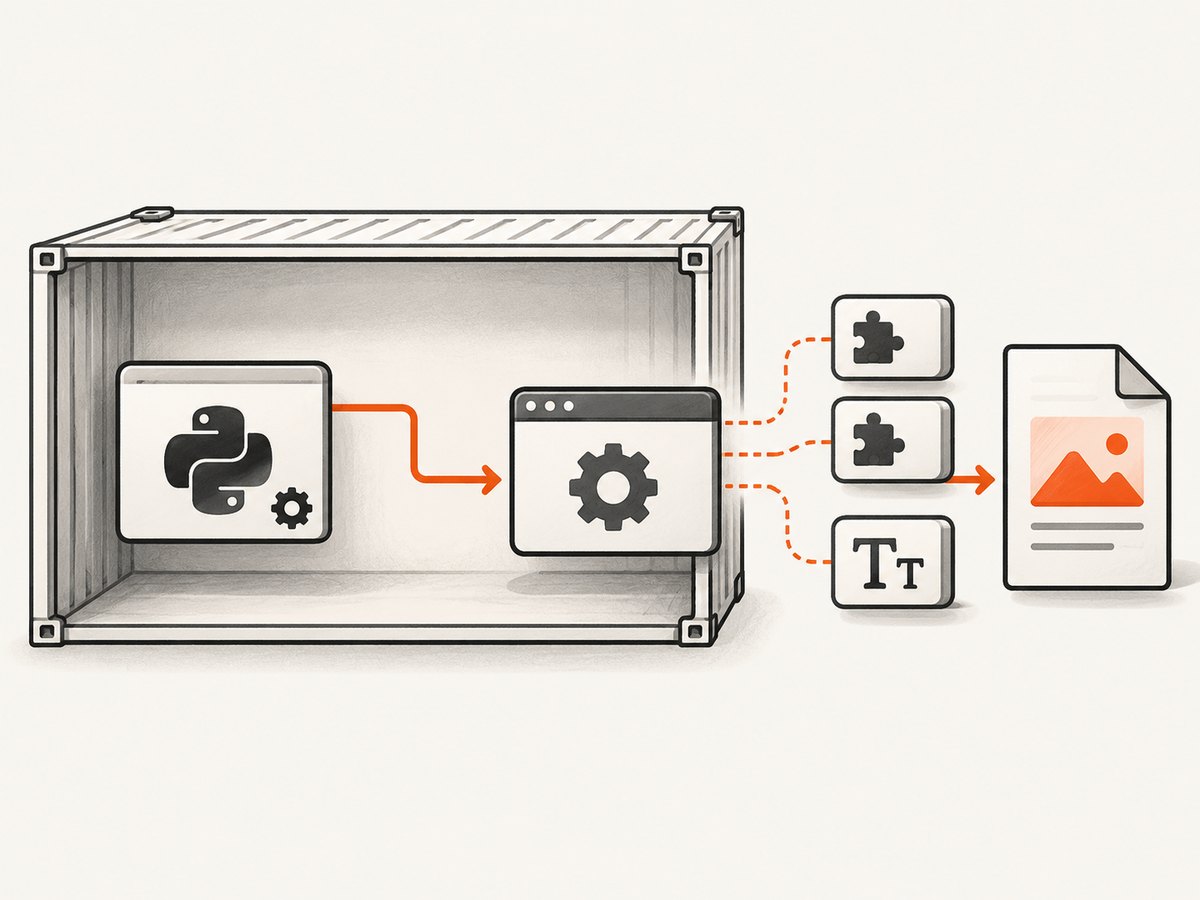
A binary installed on your laptop does not help a container, VM, worker, or serverless function. Perform these checks from the same image, virtual machine, release, and user that executes the Django process.
Check from a shell
command -v wkhtmltopdf
which wkhtmltopdf
wkhtmltopdf --version
wkhtmltopdf --help | head
If the first two commands print nothing, the executable is not on that shell’s PATH. If they print a path but the version command fails, investigate dependencies, permissions, architecture, or the executable format.
Check with Python
from pathlib import Path
import shutil
import subprocess

resolved = shutil.which("wkhtmltopdf")
print("PATH result:", resolved)

if resolved:
    path = Path(resolved)
    print("exists:", path.exists())
    print("executable:", path.is_file())
    result = subprocess.run(
        [str(path), "--version"],
        check=False,
        capture_output=True,
        text=True,
    )
    print("return code:", result.returncode)
    print("stdout:", result.stdout.strip())
    print("stderr:", result.stderr.strip())
else:
    print("wkhtmltopdf is not resolvable on PATH")
shutil.which() resolves an unqualified command using the current process environment. Python’s subprocess documentation recommends a fully qualified executable path when you need reliable launches across service managers and deployment environments.
3. Install wkhtmltopdf in the application runtime
Install the package that matches the target operating system, distribution release, CPU architecture, and C library. The official wkhtmltopdf downloads and FAQ page lists its stable 0.12.6 series as released June 11, 2020 and provides a distribution and architecture matrix. Recheck that page when choosing a package.
Debian or Ubuntu
Use your distribution package when it supplies a compatible build, or use a package from the official matrix that matches the image. After installation, verify the path and launch test:
sudo apt-get update
sudo apt-get install -y wkhtmltopdf
command -v wkhtmltopdf
wkhtmltopdf --version
Some minimal images omit fonts and font configuration even when the executable is present. Install the runtime packages required by the selected build and verify that the Django service user can execute the file.
Docker
Put installation in the Dockerfile, then rebuild the image. Installing on the host does not change the container filesystem.
FROM python:3.12-slim

RUN apt-get update \
    && apt-get install -y --no-install-recommends wkhtmltopdf fontconfig \
    && rm -rf /var/lib/apt/lists/*

WORKDIR /app
COPY requirements.txt .
RUN pip install --no-cache-dir -r requirements.txt
COPY . .

CMD ["gunicorn", "project.wsgi:application"]
The exact package names vary by distribution. If your base image is Alpine, take special care: the official FAQ explains that generic Linux builds did not work there because Alpine uses musl rather than glibc. Prefer an Alpine-compatible package or use a glibc-based image supported by the selected wkhtmltopdf build.
AWS Lambda and other serverless runtimes
The official FAQ describes bundling a distribution-specific executable with its libraries and fonts, then testing the extracted bundle in an Amazon Linux 2 container. Lambda deployments commonly need environment variables such as LD_LIBRARY_PATH for shared libraries and FONTCONFIG_PATH for font configuration. Match those instructions to the runtime selected for your function and test inside that runtime image.
4. Configure django-wkhtmltopdf with an absolute path
Once you have a working path from the same runtime, set WKHTMLTOPDF_CMD in Django settings:
# settings.py
WKHTMLTOPDF_CMD = "/usr/local/bin/wkhtmltopdf"
Replace the example with the path printed by shutil.which() or command -v inside the application environment. The wrapper also accepts this setting through the environment:
export WKHTMLTOPDF_CMD=/usr/local/bin/wkhtmltopdfFor a service manager, define it in the service environment rather than only in your interactive shell. Restart the process after changing the setting. A common deployment mistake is editing a local .env file while the worker uses a separate secret or environment configuration.
Use command options only for rendering behavior
WKHTMLTOPDF_CMD_OPTIONS can provide default command-line options documented by the wrapper. Options can control margins, page size, headers, footers, JavaScript timing, and other PDF behavior. They cannot repair a missing executable, an incorrect path, or a missing shared library.
5. Separate executable lookup from loader and library failures
If the path exists but launch still returns No such file or directory, run the executable directly as the Django service user:
sudo -u www-data /usr/local/bin/wkhtmltopdf --versionIf the error names a shared object such as libfontconfig.so.1, install the compatible library package in the same runtime. A report in the wkhtmltopdf issue tracker demonstrates this distinct failure mode. The wrapper README also identifies libfontconfig as a requirement.
On Linux, these commands help reveal missing dependencies and file type problems:
file /usr/local/bin/wkhtmltopdf
ldd /usr/local/bin/wkhtmltopdf | grep "not found"
A binary built for another architecture, a loader path that does not exist, or a glibc/musl mismatch can all prevent startup. “Static” builds still require system packages and font configuration; Qt may be statically linked while other runtime dependencies remain dynamic.
6. Verify permissions, users, and service environments
- Confirm the executable has execute permission:
ls -l /path/to/wkhtmltopdf. - Run the version command as the same user used by Gunicorn, uWSGI, Celery, or systemd.
- Print the service’s
PATH; it is often shorter than an interactive shell’s path. - Check that parent directories are searchable by the service user.
- Confirm the configured path is inside the current release or container, not an old deployment directory.
- After changing an image, package, setting, or environment variable, restart every process that generates PDFs.
For systemd, inspect the effective environment and logs:
systemctl show your-django.service --property=Environment,User
journalctl -u your-django.service -n 100
7. A complete Django PDF check
Use a small management command or diagnostic view to validate the executable before a user requests a PDF:
from django.conf import settings
from django.core.management.base import BaseCommand
import os
import subprocess

class Command(BaseCommand):
    help = "Check the wkhtmltopdf executable used by Django"

    def handle(self, *args, **options):
        command = getattr(settings, "WKHTMLTOPDF_CMD", None) or "wkhtmltopdf"
        self.stdout.write(f"Configured command: {command}")
        self.stdout.write(f"PATH: {os.environ.get('PATH', '')}")
        result = subprocess.run(
            [command, "--version"],
            check=False,
            capture_output=True,
            text=True,
        )
        self.stdout.write(f"Exit code: {result.returncode}")
        self.stdout.write(result.stdout.strip() or result.stderr.strip())
Keep this diagnostic restricted to administrators. Do not expose arbitrary command execution or dump sensitive environment variables in a public endpoint.
8. Troubleshooting checklist
| Symptom | Cause | Fix |
|---|---|---|
| Python package installed, command missing | The wrapper and binary are separate. | Install wkhtmltopdf in the runtime. |
which works manually, Django fails |
Different PATH, user, or service environment. |
Configure WKHTMLTOPDF_CMD with an absolute path. |
| Host works, container fails | Binary is not in the image. | Add installation and dependencies to the Dockerfile. |
Missing .so file |
Loader dependency is absent. | Install compatible runtime libraries and fonts. |
| Alpine launch failure | musl/glibc incompatibility. | Use a compatible Alpine package or supported glibc image. |
| Permission denied | Service user cannot execute or traverse the path. | Fix ownership and execute/search permissions. |
| PDF has missing glyphs or blank text | Fonts or fontconfig are unavailable. | Install fonts and configure FONTCONFIG_PATH where required. |
| Works after deploy, fails later | Worker processes retained old settings or image. | Restart workers and verify the active release. |
9. Performance, reliability, and cost considerations
wkhtmltopdf starts a browser-based renderer for each conversion, so process startup, page JavaScript, external assets, and font loading affect latency. Keep templates deterministic, avoid unnecessary third-party requests, and set reasonable application timeouts. If a page depends on authenticated resources, ensure the renderer receives the required cookies or headers.
For reliability, pin the operating-system image and wkhtmltopdf package, record the executable version at deployment time, and run a smoke test that converts a representative page. Monitor stderr because loader, font, and network errors often explain an otherwise generic PDF failure. Treat the archived upstream repository as a maintenance consideration when planning a long-lived dependency; archival status does not itself cause a path error.
Package size and native dependencies increase container and serverless cold-start costs. A distribution-specific image can be more predictable than downloading a generic binary during deployment. Keep fonts and shared libraries in the same artifact as the executable so a rollback restores a known-compatible set.
10. Or skip the browser setup
If your goal is a reliable screenshot or PDF endpoint rather than maintaining wkhtmltopdf, ScreenshotNeo accepts one GET request and returns a PNG, JPEG, WebP, or PDF. See the ScreenshotNeo API documentation.

curl -G "https://api.screenshotneo.com/v1/shot" -d access_key=YOUR_API_KEY --data-urlencode url=https://stripe.com -o shot.webpimport requests
r = requests.get("https://api.screenshotneo.com/v1/shot", params={"access_key": "YOUR_API_KEY", "url": "https://stripe.com"}, timeout=90)
open("shot.webp", "wb").write(r.content)const q = new URLSearchParams({ access_key: 'YOUR_API_KEY', url: 'https://stripe.com' });
const res = await fetch(`https://api.screenshotneo.com/v1/shot?${q}`);ScreenshotNeo removes cookie and consent banners, newsletter popups, and chat widgets before capture. Bot checks, blank pages, failed loads, timeouts, and cache hits are not billed, and response headers identify the page verdict and whether the shot was billed. You can also use its MCP server so Claude, Cursor, or another MCP client can call take_screenshot, get_page_info, and capture_pdf. One thousand screenshots per month are free with no card; paid plans start at $5 for 3,000 shots. Create a free ScreenshotNeo account.
FAQ
Does installing django-wkhtmltopdf install wkhtmltopdf?
No. The Django package is a wrapper. Install the separate executable and its operating-system dependencies.
Should I always use an absolute path?
For deployed services, yes. An absolute path avoids differences between interactive shells, process managers, containers, and workers.
Why does a static build still need libraries?
The project explains that Qt can be statically linked while other system packages, font configuration, and loader dependencies remain required.
Can I fix this by changing PDF command options?
No. Command options affect rendering after the executable starts. Resolve lookup, permissions, architecture, and shared libraries first.
Is wkhtmltopdf suitable for every new project?
Review the supported package matrix, your target distribution, and the upstream project’s archived status before committing to a long-lived deployment. For a managed screenshot or PDF endpoint, evaluate ScreenshotNeo as an alternative.


