How to Fix wkhtmltopdf Commands That Fail in PHP exec
Diagnose failed wkhtmltopdf calls from PHP by checking the process environment, arguments, permissions, build, and renderer diagnostics.
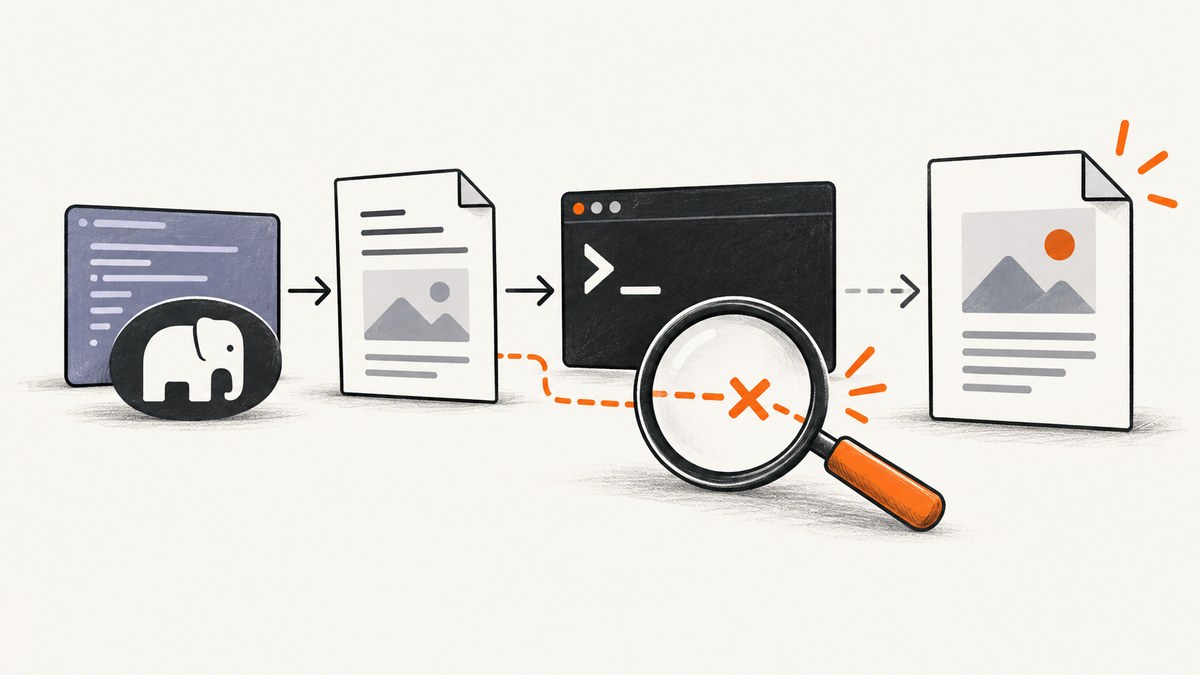
A wkhtmltopdf command that works in a terminal can still fail when PHP runs it: the web process may use a different PATH, working directory, user, permissions, or environment. Start by capturing both the command output and its exit status. Then verify the executable and version from the same PHP context, check argument quoting and file access, and capture stderr if the cause remains unclear. Without the command, operating system, PHP and wkhtmltopdf versions, runtime user, and diagnostics, the exact failure cannot be identified.
This guide walks through that diagnosis, provides safer PHP invocation patterns, and separates process-launch failures from errors while wkhtmltopdf renders the document. The official PHP manuals document the process behavior; the installed wkhtmltopdf build and deployment determine which options actually work.
1. Capture the failure before changing the command
PHP’s exec() can return output lines in an array and write the process result code through its third argument. The function’s return value is the last line of output, or false if no output is returned; it is not a substitute for checking the exit status. Clear the output array before reusing it because PHP appends to an existing array.
<?php
$command = '/usr/bin/wkhtmltopdf /var/app/input.html /var/app/output.pdf';
$output = [];
$exitCode = null;

exec($command . ' 2>&1', $output, $exitCode);

error_log('wkhtmltopdf exit code: ' . var_export($exitCode, true));
error_log('wkhtmltopdf output: ' . implode("\n", $output));

if ($exitCode !== 0) {
    throw new RuntimeException('wkhtmltopdf failed; inspect the captured output');
}
?>
Redirecting stderr with 2>&1 is a quick diagnostic because it puts error text into the captured output. For clearer stream separation, use proc_open() as shown below. In either case, log the exact executable path, working directory, PHP version, operating system, process user, and sanitized command arguments. Do not log API keys, credentials, private document content, or sensitive headers.
2. Check PHP’s execution environment
Run checks from the same PHP-FPM pool, web server, container, or job worker that launches the conversion. An interactive shell can have a different PATH, user, current directory, environment variables, and filesystem view.
- Find the executable path with the deployment’s package or installation records. Use an absolute path in PHP after verifying it exists and is executable by the web process.
- Record the working directory with
getcwd()and use absolute input and output paths while debugging. - Check the PHP runtime identity and the permissions on the input, output directory, and any parent directories.
- Invoke
wkhtmltopdf --versionthrough PHP and compare it with the interactive-shell version. - Run a small, known-simple HTML input to determine whether the problem is basic invocation or document-specific rendering.
A minimal version check can help expose a missing binary or a PATH mismatch:
<?php
$binary = '/usr/bin/wkhtmltopdf';
$output = [];
$exitCode = null;
exec(escapeshellarg($binary) . ' --version 2>&1', $output, $exitCode);

var_dump($exitCode, $output, getcwd(), PHP_VERSION);
?>
Replace the example path with the path confirmed in your environment. If PHP cannot run the version check, inspect the path, execute permission, parent-directory access, container image, and web process configuration before debugging HTML.
3. Quote arguments safely and preserve boundaries
Shell commands are strings, so spaces, quotes, percent signs, shell metacharacters, and non-ASCII characters can change how arguments are parsed. PHP’s manual warns against passing user-supplied data without escaping. Use escapeshellarg() for each individual argument when building a shell command; do not concatenate untrusted input. escapeshellcmd() operates on a whole command string and is not a replacement for escaping each argument.
<?php
$binary = '/usr/bin/wkhtmltopdf';
$input = '/var/app/files/quarterly report.html';
$outputFile = '/var/app/files/quarterly report.pdf';

$command = escapeshellarg($binary)
    . ' '
    . escapeshellarg($input)
    . ' '
    . escapeshellarg($outputFile)
    . ' 2>&1';

$lines = [];
$exitCode = null;
exec($command, $lines, $exitCode);

if ($exitCode !== 0) {
    throw new RuntimeException(implode("\n", $lines));
}
?>
For PHP 7.4 and later, array-form proc_open() can execute an argument array directly without passing it through a shell. It reduces shell-quoting concerns, but Windows process parsing still has platform-specific behavior. Do not assume a command array handles every executable’s Windows argument rules identically.
4. Capture stdout, stderr, and the exit code with proc_open
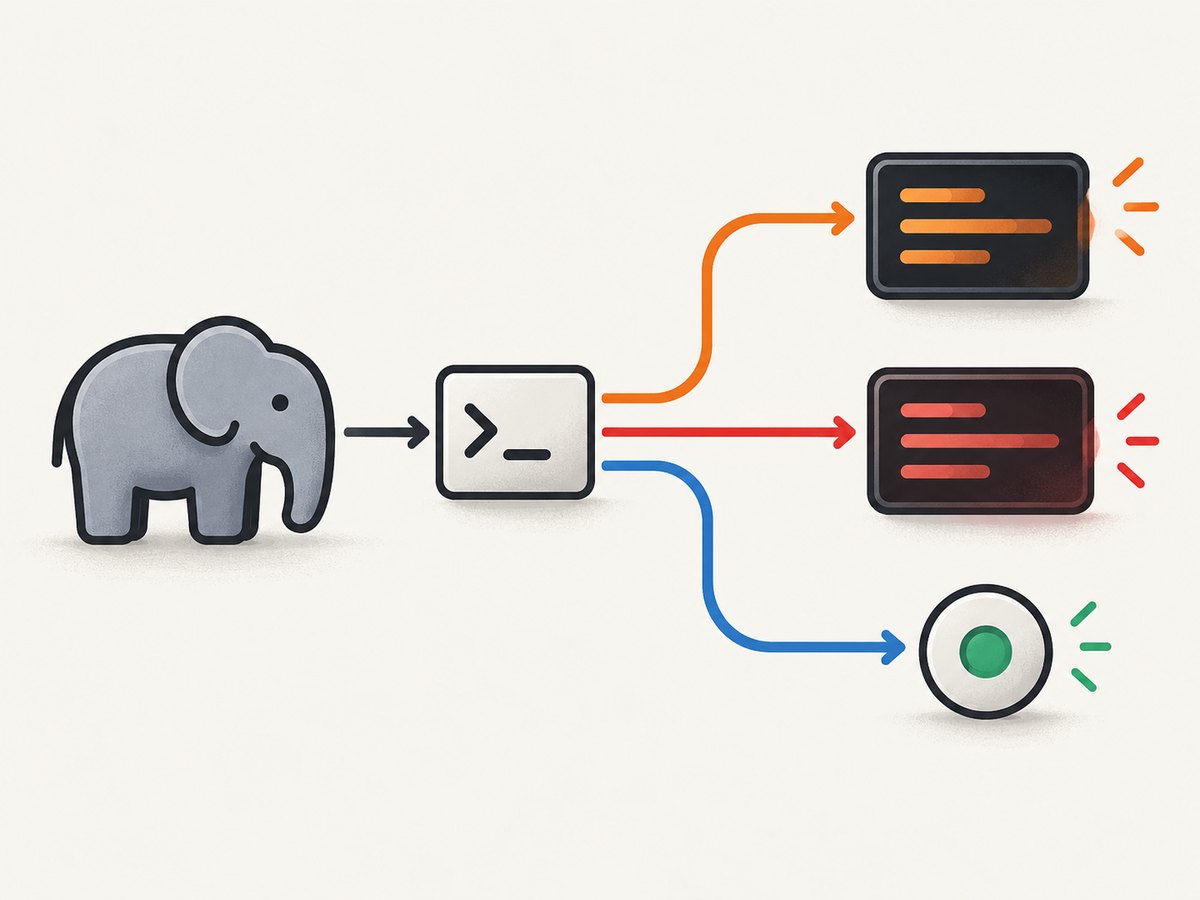
When exec() does not provide enough information, use process descriptors to read stdout and stderr separately. The following example is for PHP 7.4+ and a system where the installed wkhtmltopdf accepts the shown arguments.
<?php
$command = [
    '/usr/bin/wkhtmltopdf',
    '/var/app/input.html',
    '/var/app/output.pdf',
];
$descriptors = [
    0 => ['pipe', 'r'],
    1 => ['pipe', 'w'],
    2 => ['pipe', 'w'],
];

$process = proc_open($command, $descriptors, $pipes, '/var/app');
if (!is_resource($process)) {
    throw new RuntimeException('Could not start wkhtmltopdf');
}

fclose($pipes[0]);
$stdout = stream_get_contents($pipes[1]);
fclose($pipes[1]);
$stderr = stream_get_contents($pipes[2]);
fclose($pipes[2]);
$exitCode = proc_close($process);

if ($exitCode !== 0) {
    error_log("stdout: $stdout");
    error_log("stderr: $stderr");
    throw new RuntimeException('wkhtmltopdf exited with code ' . $exitCode);
}
?>
This simple stream-reading pattern is suitable for modest output. If the child emits enough data to fill a pipe, reading stdout completely before stderr can block while the child waits for stderr to be drained. For high-volume output or long-running jobs, drain both streams concurrently, or redirect output to controlled log files. See the PHP proc_open() manual for descriptor and platform behavior.
5. Verify the wkhtmltopdf build and options
Check the exact binary’s version and build rather than assuming that all packages behave alike. The official downloads page identifies 0.12.6 as the stable series and lists its release date as June 11, 2020. It also cautions that package builds can differ, including whether patched Qt features are present. This release fact does not mean every operating system currently packages that version.
Compare the failing environment’s build with the options you use. Confirm support with the installed binary’s help output and the official command usage documentation, which describes the 0.12.6 patched-Qt build. Do not assume a feature documented for one build is available in another package.
If a command-line option is rejected, test a minimal invocation with only input and output first. Add options one at a time. Check package architecture, operating-system compatibility, runtime dependencies, and patched-Qt feature availability when changing builds; the available evidence does not establish one universally best package.
6. Check input files, output permissions, and local resources
The PHP process must be able to read the input and write the output. A file being readable in your shell does not prove it is readable by PHP-FPM or a container process. Confirm that the output directory exists, that the runtime user can traverse its parent directories, and that it can create a file there. Check disk space and any container or service filesystem restrictions as well.
After a basic HTML-to-PDF test succeeds, inspect the actual HTML’s referenced assets. Local images, stylesheets, and fonts may be inaccessible under the runtime user’s permissions or blocked by local-file access settings. The wkhtmltopdf usage documentation lists --allow, --disable-local-file-access, and --enable-local-file-access. It also documents --load-error-handling and --load-media-error-handling. Verify defaults and supported behavior against the installed binary.
Grant access only to the required asset paths. Enabling broad local-file access can expose files that should not be available to rendered input. Treat HTML and JavaScript as a security boundary: the project warns against processing untrusted HTML. Use appropriate process isolation and filesystem restrictions, and review the project’s AppArmor guidance where it applies.
7. Diagnose rendering, JavaScript, and network errors
If the process starts, reads the input, and creates an output file but the PDF is blank or incomplete, investigate the renderer and its resources rather than PHP quoting alone. Look at stderr for load failures, test whether each asset URL is reachable from the runtime environment, and use a simple HTML document to distinguish renderer setup from page-specific behavior.
For JavaScript-dependent pages, check the installed build’s JavaScript-related options and test the page in a controlled environment. Network idle or a delay is not a guarantee that an application has finished rendering. Pages can use long-lived requests, lazy loading, authentication, or browser features that differ from wkhtmltopdf’s engine. If the input depends on remote resources, verify DNS, TLS trust, proxy settings, and outbound network permissions from the same service environment.
Do not “fix” a resource error by disabling every check or granting access to the whole filesystem. First identify the failing resource and the narrow permission or supported option it needs.
8. Common errors and their fixes
| Symptom | Likely area to inspect | Next step |
|---|---|---|
wkhtmltopdf: not found or exit code 127 |
PATH, binary path, container image | Run a version check from PHP and use a verified absolute path. |
| Permission denied | Executable bit, directory traversal, input/output access | Check permissions as the web process user and grant only required access. |
| Works in terminal, fails on the site | Different user, PATH, working directory, environment, or filesystem namespace | Collect those values from the PHP execution context and compare them. |
| Output filename is split or missing | Argument quoting, spaces, shell metacharacters | Escape each shell argument or use array-form proc_open() on PHP 7.4+. |
| Option is unknown or unsupported | Different wkhtmltopdf build or version | Check the exact binary’s version and help output; add options individually. |
| PDF exists but images or styles are missing | Resource URL, local-file policy, file permissions, network access | Read stderr, verify resource access, and allow only required local paths. |
| Empty, partial, or unexpected PDF | Renderer load errors, JavaScript timing, malformed or document-specific HTML | Compare against simple HTML and investigate resource and rendering diagnostics. |
| PHP appears to hang | Slow page, stalled resource, or pipe handling | Use a bounded job strategy, inspect child output, and avoid sequential pipe reads if output can fill a pipe. |
| Exit code seems successful but result is wrong | Exit status only says the process completed; rendering may still be incomplete | Check stderr, output existence and size, and whether the expected content is present. |
9. A repeatable troubleshooting checklist
- Save the command structure, exit status, stdout, and stderr in a safe diagnostic environment.
- Record PHP and operating-system versions, process user, working directory, and executable path.
- Run
--versionthrough the same PHP process context. - Replace relative paths with verified absolute paths and check read/write access as the runtime user.
- Try simple HTML with no external assets.
- Add document options and resources back one at a time, reading the resulting diagnostics.
- Confirm the installed build supports the options you use.
- Remove sensitive diagnostics after troubleshooting according to your log-retention policy.
10. Performance, reliability, and cost
Conversion time depends on the document, resource loading, rendering work, installed build, and the machine running the process. Measure with representative documents in the same environment used in production; no universal timing or throughput figure follows from the project documentation. Large pages and slow external assets can extend runtime. Keep jobs bounded by your application’s worker policy and make failed conversions observable with exit status and captured diagnostics.
For reliability, avoid treating a created PDF file as proof of a correct render. Validate the exit status and inspect errors; where the application needs stronger guarantees, check expected output properties before delivering the file. Run conversion with least-privilege filesystem access, especially if HTML or JavaScript may be supplied by users.
Cost is generally operational: the renderer runs in your environment, so account for the machine, package maintenance, worker time, storage, and debugging effort. If you are rendering ordinary pages as screenshots rather than generating a PDF with wkhtmltopdf, a screenshot API may avoid maintaining a browser process. The choice depends on the output and rendering requirements.
11. Or skip the browser setup
If your actual task is capturing a webpage as an image or PDF, ScreenshotNeo is a website screenshot API and MCP server. Its single GET request accepts a URL and returns an image or PDF. See the ScreenshotNeo API documentation for the request options.

curl -G "https://api.screenshotneo.com/v1/shot" -d access_key=YOUR_API_KEY --data-urlencode url=https://stripe.com -o shot.webpimport requests
r = requests.get("https://api.screenshotneo.com/v1/shot", params={"access_key": "YOUR_API_KEY", "url": "https://stripe.com"}, timeout=90)
open("shot.webp", "wb").write(r.content)const q = new URLSearchParams({ access_key: 'YOUR_API_KEY', url: 'https://stripe.com' });
const res = await fetch(`https://api.screenshotneo.com/v1/shot?${q}`);ScreenshotNeo accepts cookie or consent banners like a visitor and removes more than 60 known consent platforms, newsletter popups, and chat widgets before the capture; each step can be turned off. Bot checks, blank pages, timeouts, failed loads, and cache hits cost nothing, and response headers identify the page verdict and billing status. Its MCP server provides take_screenshot, get_page_info, and capture_pdf tools for Claude, Cursor, and other MCP clients.
The Free plan includes 1,000 screenshots per month with no card. Paid plans start at $5 for 3,000 screenshots; yearly billing gives two months free, and every feature is on every plan. Sign up for 1,000 free screenshots a month, with no card required.
12. FAQ
Why does exec() return a string when the command fails?
The return value is the last line of output, not the command’s success indicator. Capture and check the result code, and save output lines for diagnosis.
Should I use exec() or proc_open()?
Use exec() for a straightforward command where combined diagnostic output is enough. Use proc_open() when you need stream control or, on PHP 7.4+, direct execution with an argument array. Account for operating-system parsing and process behavior either way.
Does a version number prove the installed package has every feature?
No. Package builds can differ, including patched-Qt availability. Check the actual binary’s help and test the specific option in the environment that runs the conversion.
Can I safely render HTML supplied by users?
Do not treat arbitrary HTML rendering as harmless. The wkhtmltopdf project warns about untrusted HTML. Isolate the process and restrict filesystem access and network capabilities to what the conversion requires.


