How to Fix wkhtmltopdf Tables That Start on the Next Page
When wkhtmltopdf moves a table to the next page, check your build, break rules, row size, and table structure. Here’s a careful troubleshooting guide.
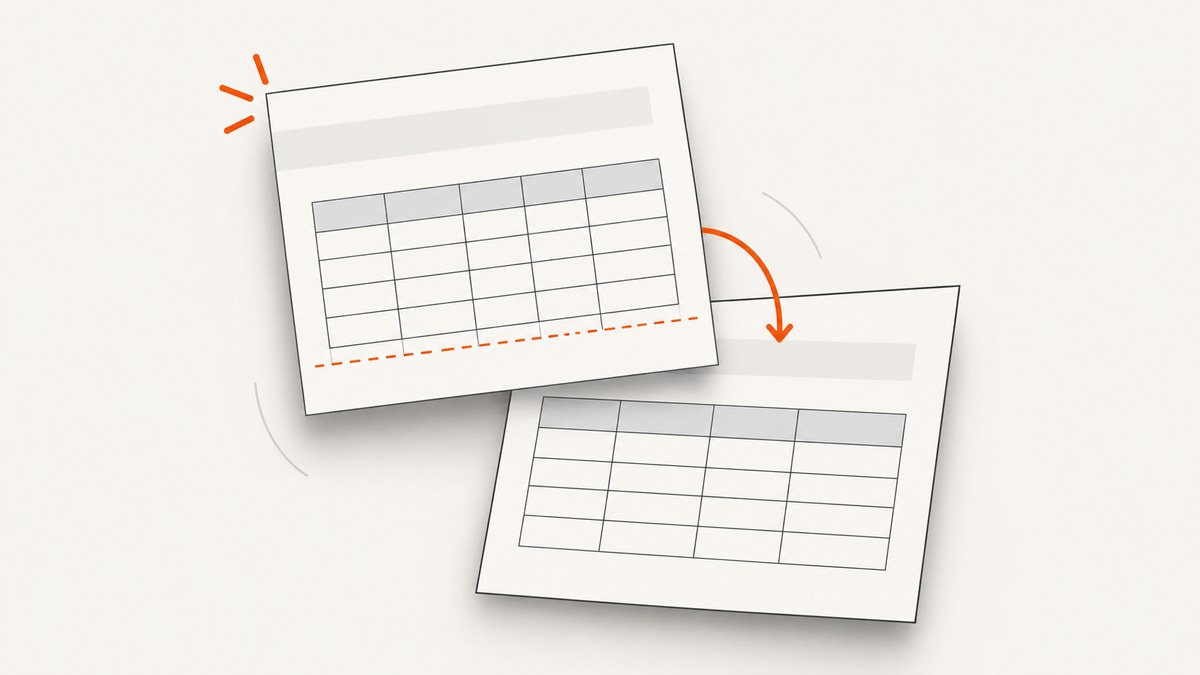
If a wkhtmltopdf table starts on the next page instead of continuing in the space left on the current page, there is no universal CSS switch that fixes every document. wkhtmltopdf’s manual warns that WebKit’s page-breaking algorithm has limitations; page-break-inside: avoid is a preference, not a guarantee. The reliable way to diagnose the problem is to identify the exact binary and Qt build, find broad break-avoidance rules, then test the table structure and inspect the resulting pages.
This guide covers ordinary and nested tables, row-level avoidance, repeated headers, practical CSS to test, common artifacts, and ways to compare PDF output. Issue reports cited below are individual reports, not proof that a workaround will behave the same in every version or document.
1. Why does wkhtmltopdf move the table?
The Debian Bullseye wkhtmltopdf(1) manual describes WebKit laying content out as one long page and then cutting it into pages. It says, “The current page breaking algorithm of WebKit leaves much to be desired,” and notes that the patched Qt version can use page-break-inside to remedy the behavior “somewhat.” The manual says there is no easy solution to the underlying limitation and recommends organizing HTML to provide many clean break points.
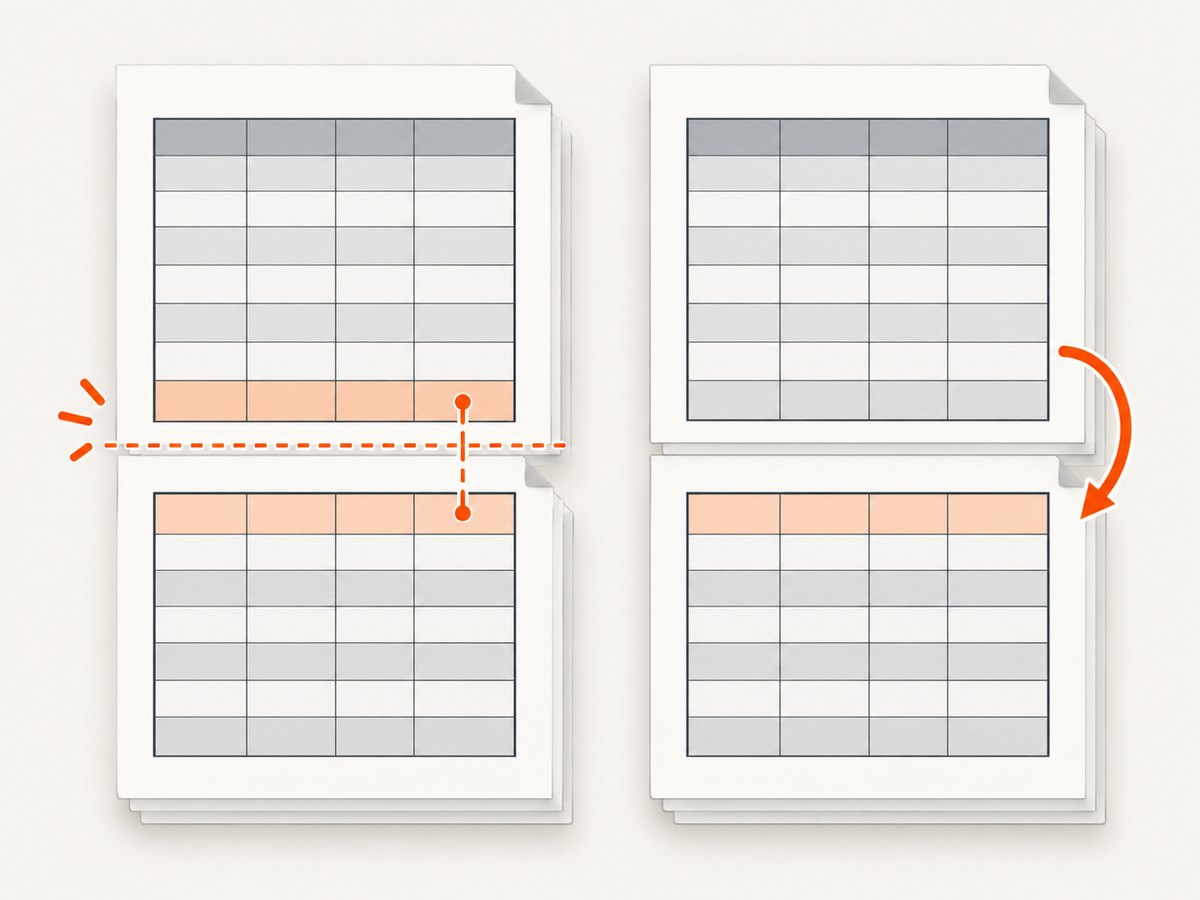
That model helps explain why a table might move as a whole: the renderer must choose from the break opportunities its layout produces. If an ancestor, table, or large block is marked as indivisible, moving that block may be the available way to honor the preference. This is a likely cause to test, not a definitive explanation for every output.
CSS 2.2 defines page-break-inside: avoid as a request to avoid a break inside a generated box. The specification allows user agents to apply page-break properties to table rows, but it also allows avoidance constraints to be dropped when there are not enough break points to prevent content from overflowing a page. The CSS expresses a preference; it does not promise that every wkhtmltopdf build will paginate as intended.
2. Start with the actual wkhtmltopdf binary
- Record the version. Run
wkhtmltopdf --versionin the same environment that generates the PDF. Save the complete output with the failing document or bug report. - Check for patched Qt. The manual specifically calls out the patched Qt version in connection with CSS page-break support. Do not infer rendering behavior from a wrapper or package name; establish which executable the wrapper invokes.
- Capture the exact inputs. Keep a minimal HTML file that reproduces the shift, along with its CSS, command-line arguments, and the PDF. Note whether the table is nested, uses a repeated header, or contains rows taller than the remaining page space.
- Reproduce with production settings. Differences in binary, fonts, page size, margins, options, or input HTML can change pagination. A fix that looks good in a different environment is not evidence that the production PDF is fixed.
Issue reports cover differing builds and structures: one report identifies version 0.12.2.4 with patched Qt on Windows 7, another identifies 0.12.4, and another reports a nested-table case. Those reports are useful clues, not a compatibility matrix or confirmed general fixes.
3. Remove broad avoidance rules before tuning rows
Search the stylesheet and inline styles for page-break-inside: avoid on the table, its wrapper, or higher-level containers. Also inspect rules applied to report sections, cards, and other elements that contain the table. If the table is allowed to break but a large ancestor is not, the ancestor’s constraint can still make the whole area behave as a block.
Temporarily remove broad avoidance declarations in a minimal reproduction. If the table begins using the remaining space, reintroduce avoidance only where it serves a specific purpose. For a long table, the intended rule is often “the table may continue between pages; an individual row should preferably stay together.”
4. Test table-level breaking with row-level avoidance
The following CSS is a diagnostic starting point for an ordinary table. It is not a guaranteed recipe: a wkhtmltopdf issue report using a similar pattern still described gaps and header-only pages.
table {
  page-break-inside: auto;
}

tr {
  page-break-inside: avoid;
  page-break-after: auto;
}

thead {
  display: table-header-group;
}
Here, page-break-inside: auto leaves the table eligible to split across pages. The row rule asks the renderer to keep each row together where it can. The header-group declaration requests repeated table headers in paged output; verify that your renderer actually repeats them as expected.
For a small, controlled reproduction, compare three variants:
- Allow row splits: remove the
travoidance rule and see whether the table uses page space more fully. This may cut a row across pages. - Prefer intact rows: apply the row rule above and check for whitespace, skipped space, or unexpected movement.
- Disable repeated headers temporarily: if a header appears alone or causes a gap, remove the header-group rule as a diagnostic. Later pages will lose the repeated heading, so treat this as a tradeoff rather than a general fix.
After each change, inspect every page, including page boundaries and the final page. A first-page preview can miss header duplication, footer collisions, gaps, or rows displaced further into the document.
5. Check row size, borders, and repeated headers
A row that is taller than the available page area cannot fit intact in that area. Depending on layout and break opportunities, the renderer may move it, split it, or produce awkward whitespace. Look for long text, large images, fixed heights, generous padding, or nested content that makes one row unusually tall. Where the design allows, divide that content into smaller rows or blocks that offer additional clean break points.
Row avoidance can introduce artifacts. A user report for wkhtmltopdf 0.12.2.4 with patched Qt describes borders continuing to the page bottom and cases where a header remained on the previous page before the row appeared after a break. A separate report for 0.12.4 describes gaps below repeated headers and pages containing only a repeated header. These are individual observations, but they are exactly the kinds of failures to check after changing pagination CSS.
- Look for blank pages and pages containing only a repeated header.
- Check whether the header appears on the correct page and whether it overlaps table data.
- Inspect top and bottom borders at every page break for missing or extended lines.
- Check footers and page numbers where a displaced row changes the page count.
- Compare the final row and any table continuation after the last page break.
6. Diagnose nested tables separately
Do not assume a rule that helps a flat table will fix a nested table. One wkhtmltopdf issue report says page-break-inside: auto worked for non-nested tables while a nested table inside a td still started on the second page. That report does not establish a universal fix for nested layouts.
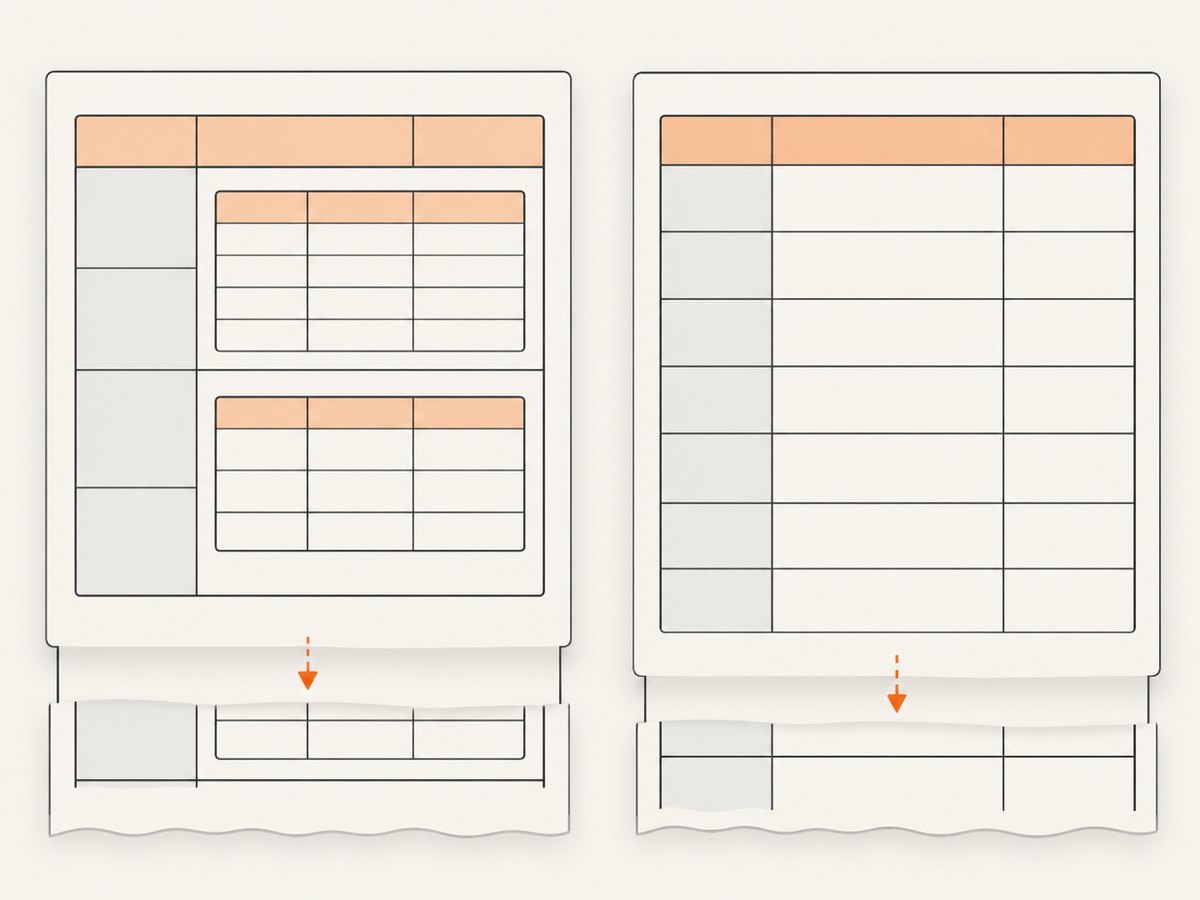
Reduce the reproduction to one outer table, one cell, and the smallest inner table that still fails. Then compare it with an equivalent flat table. Check break-avoidance rules on both table levels and their containing cells or wrappers. If the nested structure is only being used for visual alignment, consider whether the document can express the same layout with simpler blocks or one table; make that change only if it preserves the document’s semantics and appearance.
7. A small runnable reproduction
Save this as table-break.html, then render it with the same wkhtmltopdf executable and options used in production. The sample includes enough rows to create multiple page-break opportunities. Change or remove the row rule to compare behavior.
<!doctype html>
<html>
<head>
  <meta charset="utf-8">
  <style>
    @page { margin: 18mm; }
    body { font: 12px sans-serif; }
    table { width: 100%; border-collapse: collapse; page-break-inside: auto; }
    th, td { border: 1px solid #777; padding: 8px; text-align: left; }
    thead { display: table-header-group; }
    tr { page-break-inside: avoid; page-break-after: auto; }
  </style>
</head>
<body>
  <h1>Pagination reproduction</h1>
  <table>
    <thead><tr><th>Item</th><th>Details</th></tr></thead>
    <tbody>
      <tr><td>1</td><td>A short row that should leave room for following content.</td></tr>
      <tr><td>2</td><td>A longer row. Add enough realistic text here to reproduce the production layout and the row height that seems to trigger the page shift.</td></tr>
      <tr><td>3</td><td>Another row for observing where the table resumes after a page break.</td></tr>
      <tr><td>4</td><td>Repeat rows with representative content until the failure appears in the same place as in the real report.</td></tr>
    </tbody>
  </table>
</body>
</html>
Render and retain the exact PDF for review:
wkhtmltopdf table-break.html table-break.pdfWhen comparing outputs, change one variable at a time: broad ancestor rules, row avoidance, header repetition, row content, nesting, and renderer build. That makes the observed difference easier to attribute, without implying that one CSS rule is a universal correction.
8. Troubleshooting checklist
| Symptom | Likely thing to inspect | Next step |
|---|---|---|
| The whole table moves to the next page | avoid on a table or ancestor; actual converter build |
Remove broad avoidance in a minimal case; record version and Qt build. |
| The table splits, but rows are cut awkwardly | Row height and row-level break preference | Test tr { page-break-inside: avoid; }; verify every boundary and whitespace. |
| A header appears without data or leaves a gap | Repeated-header behavior and row avoidance | Temporarily disable the repeated header and compare; check all pages. |
| Borders continue or disappear at a page edge | Row avoidance interacting with table borders | Inspect each boundary and compare with row avoidance disabled. |
| A nested table shifts while a flat table works | Inner table in a cell and rules on both table levels | Build a minimal nested reproduction; do not transfer the flat-table result blindly. |
| Changing a few rows changes the break dramatically | Available break points and accumulated row heights | Check for a tall row or a constrained ancestor; add clean break opportunities where appropriate. |
9. Performance, reliability, and choosing a path
These sources do not provide controlled performance measurements or a current comparison of PDF engines. Keep performance claims tied to your own workload: compare render time, memory use, output size, and visual correctness using representative documents in the deployment environment. A pagination change can affect page count and downstream review, so compare complete PDFs rather than only checking whether the original table moved.
For reliability, pin or otherwise identify the executable used in production, preserve a small representative input, and inspect output after changes to the binary, Qt build, CSS, fonts, or page settings. If the table remains unusable, evaluating a different PDF rendering engine is a reasonable engineering option, but the evidence cited here does not establish that a particular alternative will fix your document. Compare fidelity, deployment and maintenance requirements, and output correctness against your own sample.
The practical choice is between letting rows split to use page space and preferring intact rows at the cost of possible whitespace or artifacts. Repeated headers can aid reading but deserve validation; disabling them is a diagnostic workaround with the cost of losing headings on later pages. Flat and nested tables should be evaluated separately.
10. Capture a visual reference of the source page
When the HTML being converted is available in a browser, a screenshot can preserve a visual reference of the source layout while you inspect the PDF. A browser screenshot does not reproduce wkhtmltopdf’s pagination algorithm and cannot prove how a PDF will break; use it to compare the source page or document states, then inspect the rendered PDF itself.
ScreenshotNeo is a website screenshot API and MCP server for developers. One GET request takes a URL and returns an image or PDF, and its options include full-page capture, CSS and JavaScript, waiting for a selector or network idle, custom headers and cookies, and PDF output settings. See the ScreenshotNeo site and API documentation for request details. Treat any capture as a visual aid; it does not validate wkhtmltopdf output.
Or skip the browser setup
For a quick browser capture of the source page, make a GET request with a URL and your API key. Replace the target URL as needed. See the ScreenshotNeo API docs for options and response details.
curl -G "https://api.screenshotneo.com/v1/shot" -d access_key=YOUR_API_KEY --data-urlencode url=https://stripe.com -o shot.webpimport requests
r = requests.get("https://api.screenshotneo.com/v1/shot", params={"access_key": "YOUR_API_KEY", "url": "https://stripe.com"}, timeout=90)
open("shot.webp", "wb").write(r.content)const q = new URLSearchParams({ access_key: 'YOUR_API_KEY', url: 'https://stripe.com' });
const res = await fetch(`https://api.screenshotneo.com/v1/shot?${q}`);ScreenshotNeo removes cookie banners, newsletter popups, and chat widgets before capture. Bot checks, blank pages, and failed loads are never billed. Its MCP server lets AI agents take screenshots. The free plan includes 1,000 screenshots a month with no card; paid plans start at $5 for 3,000. Sign up for 1,000 free screenshots a month, with no card.
FAQ
Does page-break-inside: avoid guarantee a row will stay together?
No. It expresses an avoidance preference. CSS 2.2 permits constraints to be relaxed when more break points are needed, and wkhtmltopdf documents limitations in its WebKit pagination behavior.
Should I put the avoidance rule on the table or each row?
If the table should continue across pages while rows should preferably stay intact, test table-level auto with row-level avoid. Remove broad ancestor avoidance during diagnosis and inspect for whitespace and artifacts.
Will the same rule fix nested tables?
There is no established universal fix. A user report describes a nested table shifting even when a non-nested table worked; isolate the nested structure and test it with the exact binary.
Should I switch PDF engines?
Consider evaluating another engine if the output remains unacceptable, but compare it with your own representative documents. The sources here do not establish a specific migration as a proven fix.


