How to Fix wkhtmltopdf Installation Errors on Ubuntu
Fix wkhtmltopdf installation errors by matching the package to your Ubuntu release and architecture, resolving dependencies safely, and verifying the installed build.
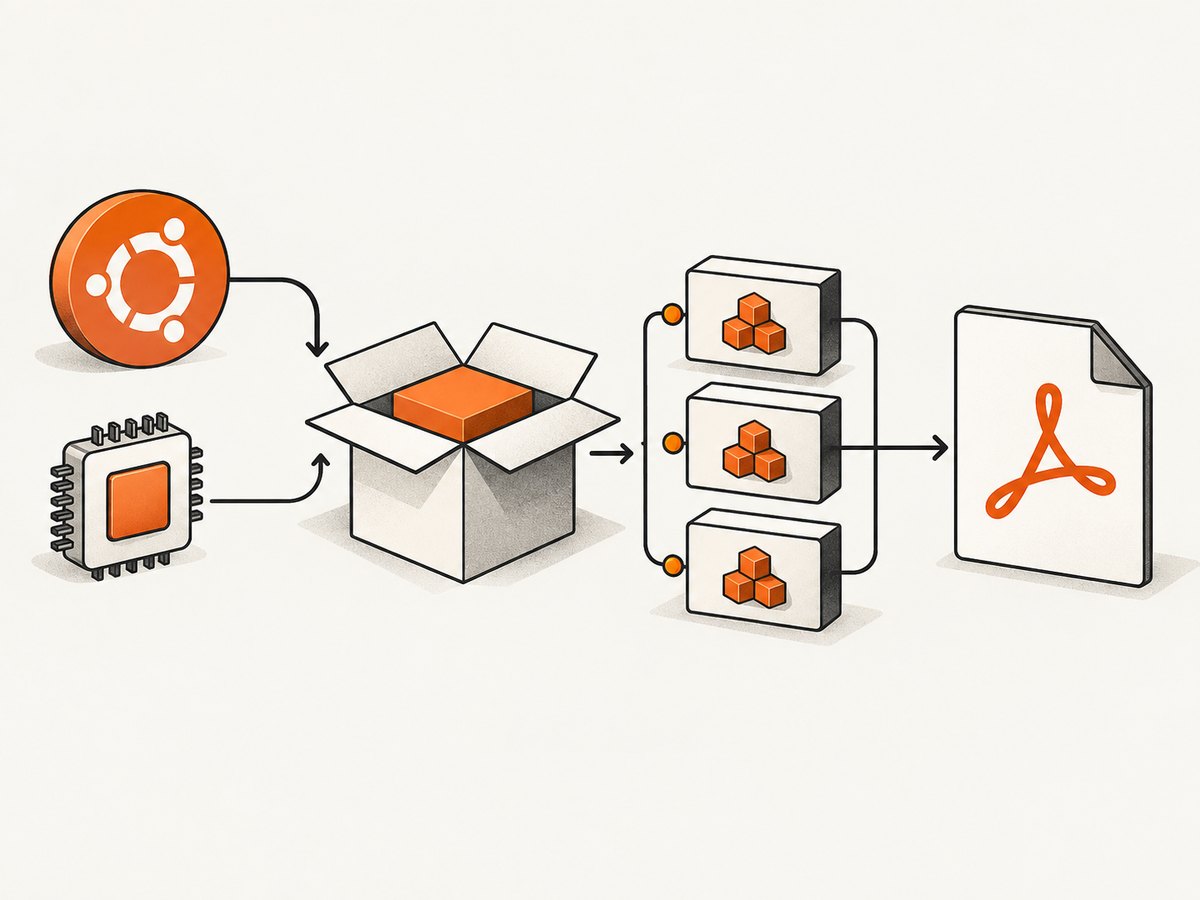
wkhtmltopdf installation errors on Ubuntu usually come from a mismatch between the Ubuntu release, CPU architecture, package source, or dependencies. First identify those four details, then install either the Ubuntu archive package for that release or an upstream wkhtmltox package explicitly built for it. Do not mix libraries from another Ubuntu release to force an install.
That distinction matters because Ubuntu 24.04 Noble lists wkhtmltopdf 0.12.6-2build2 in Universe, while the upstream download page lists stable 0.12.6 builds for Ubuntu 22.04, 20.04, 18.04, and 16.04. A distro package and upstream package can have different Qt builds and feature behavior, even when the command name is identical. Ubuntu Noble package metadata, wkhtmltopdf downloads and documentation.
1. Identify the failing environment
Before changing repositories or downloading a replacement package, collect the operating system release, architecture, package origin, and complete error output. A fix for Jammy amd64 may not apply to Noble arm64.
cat /etc/os-release
 dpkg --print-architecture
 command -v wkhtmltopdf || true
 wkhtmltopdf --version 2>/dev/null || true
 apt-cache policy wkhtmltopdf
The leading spaces before some shell commands above are harmless, but you can remove them when pasting. Record whether you are installing Ubuntu’s wkhtmltopdf package or an upstream wkhtmltox release package. If installation failed, include the entire output from APT or dpkg, not just the final line.
| Detail | How to check | Why it matters |
|---|---|---|
| Ubuntu release | VERSION_CODENAME in /etc/os-release |
Package versions and available libraries differ between releases. |
| Architecture | dpkg --print-architecture |
A package for amd64 cannot be installed as an arm64 package. |
| Package origin | apt-cache policy, or the downloaded file name |
Ubuntu archive and upstream builds may depend on different library versions. |
| Needed feature | Identify the conversion option or output that fails | Patched Qt availability can affect behavior such as headers and footers. |
2. Choose the package route that matches Ubuntu
Option A: Install Ubuntu’s package
For most systems, begin with the package in the Ubuntu repositories configured for that same release. On Noble, the package is in Universe; Jammy also has an Ubuntu source package in Universe. Ensure the relevant repository is enabled for your system, then let APT resolve dependencies from that release’s repositories.
sudo apt update
apt-cache policy wkhtmltopdf
sudo apt install wkhtmltopdf
If APT reports that the package has no installation candidate, check that the correct Ubuntu repositories are configured and that apt update completed successfully. Do not add an unrelated release’s repository simply to make the package appear. Check the release-specific Noble package page or Jammy package page for package availability and metadata.
Option B: Use an upstream release package
Use an upstream .deb only when the download table offers a build matching both your Ubuntu release and architecture. The upstream project lists stable 0.12.6 builds for Jammy, Focal, Bionic, and Xenial, with architecture availability varying by release. It recommends trying an older listed LTS if a major release is not listed. That is guidance to investigate compatibility, not a guarantee that an older distribution package is supported on a newer Ubuntu release.
- Read the codename and architecture from the checks above.
- Find that exact Ubuntu release and architecture on the official downloads page.
- Download only the corresponding package from the upstream project’s release links.
- Install it and read any dependency error before proceeding.
- Verify the installed version and test the particular feature you need.
# Replace the path with the exact matching .deb you downloaded.
sudo apt install ./wkhtmltox_0.12.6-1.jammy_amd64.deb
The filename here is an example of the command form, not a claim that this exact file is available for every architecture or release. Confirm the actual filename on the downloads page. A static Qt build still requires system runtime libraries; “static” does not mean “no dependencies.” Ubuntu’s Noble package metadata lists libc, Qt components, Qt WebKit, and libstdc++ among dependencies.
3. Diagnose dependency and package-manager errors
APT’s dependency solver is telling you that the package’s requirements cannot be satisfied by the enabled package sources as currently configured. First identify the package’s origin and the missing dependency, then resolve the mismatch at its source.
| Error pattern | Likely cause | Useful next action |
|---|---|---|
Unable to locate package or no candidate |
Repository index is stale, required Ubuntu component is disabled, or package is unavailable for that release. | Run sudo apt update; inspect repository configuration and the package page for your release. |
Depends: ... but it is not installable |
Package and dependency come from different Ubuntu releases, architecture, or repository set. | Check apt-cache policy for both packages; use same-release sources and a matching build. |
wrong architecture / architecture ... mismatch |
The downloaded .deb does not match dpkg --print-architecture. |
Get the matching architecture build or use the Ubuntu archive package. |
unmet dependencies after upstream .deb |
The upstream build expects system libraries not available in the configured release. | Do not fetch individual libraries from another release; switch to a compatible package route. |
dpkg was interrupted |
A previous package operation did not complete. | Review the prior error, then use sudo dpkg --configure -a and sudo apt --fix-broken install to let APT repair package state from configured repositories. |
Do not respond to a versioned missing-library error by downloading a random similarly named library package. Libraries from another Ubuntu release can create an inconsistent package set. Avoid mixing repositories or using a force option until you understand which binary and dependency set you are installing.
Can I extract the package instead?
The upstream documentation notes that a package can be extracted when it cannot be installed normally, but dependencies are still required at runtime. Extraction can help in a controlled environment where you manage those dependencies; it does not turn a release-mismatched binary into a self-contained program. Prefer normal package installation for a maintained host.
4. Verify the executable and the feature you need
Installation success confirms that the package manager placed files; it does not establish that your application gets the expected rendering behavior. Check the binary version and make a simple conversion from trusted local HTML.
wkhtmltopdf --version
cat > /tmp/wkhtmltopdf-check.html <<'EOF'
<!doctype html>
<html><head><meta charset="utf-8"><title>PDF check</title></head>
<body><h1>wkhtmltopdf check</h1><p>Local conversion test.</p></body></html>
EOF
wkhtmltopdf /tmp/wkhtmltopdf-check.html /tmp/wkhtmltopdf-check.pdf
file /tmp/wkhtmltopdf-check.pdf
Then test the actual option your application needs, such as a header or footer. Upstream says patched Qt is needed for some features, while many Linux distributions may compile without those patches. Do not infer the build’s capabilities from the program name alone. Test the behavior on the exact binary you installed and consult the relevant usage documentation.
5. Security, reliability, and maintenance
Treat the HTML input as a security boundary. The project explicitly warns against using wkhtmltopdf with untrusted HTML and requires sanitizing user-supplied HTML and JavaScript. Ubuntu’s USN-6232-1, published July 20, 2023, describes a same-origin-policy issue that could expose sensitive information when specially crafted HTML was opened. Its fixed version rows apply to the particular older Ubuntu releases listed in that notice; do not apply those version numbers to other releases. Review the Ubuntu security notice and keep the package updated through a source appropriate to your OS.
For untrusted content, sanitization alone should not be treated as a complete isolation strategy. Run conversion with least privilege, restrict access to local files and network resources where practical, and isolate the renderer from secrets. These are operational precautions in response to the documented risk, not a claim that a particular sandbox configuration is sufficient.
Maintenance is also a consideration. The project’s status page says Qt 4, which wkhtmltopdf uses, had not been supported since 2015 and its WebKit had not been updated since 2012; this is the project’s 2020 status account. The project points toward modern browser printing APIs as an alternative, but does not provide a current feature-by-feature migration guide. If repeated package problems make the dependency stack hard to maintain, compare your output requirements against a maintained browser-based renderer before investing in custom library fixes. See the project status page.
6. Troubleshooting checklist
- Capture
/etc/os-release,dpkg --print-architecture, the full error, andapt-cache policy wkhtmltopdf. - Decide whether you need the Ubuntu archive package or an upstream build, and keep all dependencies within the matching Ubuntu release.
- Check that the upstream package table actually lists your release and architecture before downloading.
- If extraction is used, account for runtime dependencies rather than treating extraction as a dependency workaround.
- After installation, verify
wkhtmltopdf --versionand test a local trusted HTML file. - Test the precise rendering feature that prompted the install; distro and patched-Qt builds may differ.
- Never process arbitrary user HTML without sanitizing it and controlling the renderer’s access.

7. Or skip the browser setup
If your task is to capture a website as a screenshot or PDF rather than specifically to install wkhtmltopdf, ScreenshotNeo offers a one-request API and an MCP server for AI agents. Its API accepts a URL and returns an image or PDF. See the ScreenshotNeo API documentation.
curl -G "https://api.screenshotneo.com/v1/shot" -d access_key=YOUR_API_KEY --data-urlencode url=https://stripe.com -o shot.webpimport requests
r = requests.get(
"https://api.screenshotneo.com/v1/shot",
params={"access_key": "YOUR_API_KEY", "url": "https://stripe.com"},
timeout=90,
)
open("shot.webp", "wb").write(r.content)
const q = new URLSearchParams({ access_key: 'YOUR_API_KEY', url: 'https://stripe.com' });
const res = await fetch(`https://api.screenshotneo.com/v1/shot?${q}`);
if (!res.ok) throw new Error(`Screenshot request failed: ${res.status}`);
await Bun.write('shot.webp', new Uint8Array(await res.arrayBuffer()));
Cookie banners, popups, and chat widgets are removed before the shot. Bot checks, blank pages, failed loads, timeouts, and cache hits are never billed, and response headers indicate the page verdict and billing status. The MCP server lets Claude, Cursor, and other MCP clients take screenshots. The Free plan includes 1,000 screenshots a month with no card; paid plans start at $5 for 3,000. Sign up for 1,000 free screenshots a month, no card required.
FAQ
Does Ubuntu 24.04 have a wkhtmltopdf package?
Ubuntu’s Noble package metadata lists version 0.12.6-2build2 in Universe. Check your enabled repositories and architecture before installing.
Why does the version say “with unpatched qt”?
The binary was built without the upstream Qt patches. Some features may behave differently; test the feature your application depends on with that exact build.
Should I install an older Ubuntu package on a newer release?
Not as a quick dependency fix. First prefer the package built for your release; an older release build may expect libraries and runtime behavior that differ.
Is a successful install proof that rendering is safe?
No. Package installation does not validate input safety. Follow the project’s warning and sanitize user-supplied HTML and JavaScript before rendering.


