How to Fix wkhtmltopdf Version Issues With the First Page and Table of Contents
Fix missing covers, broken TOCs, wrong page totals, and version mismatches in wkhtmltopdf with a repeatable 0.12.6 troubleshooting process.
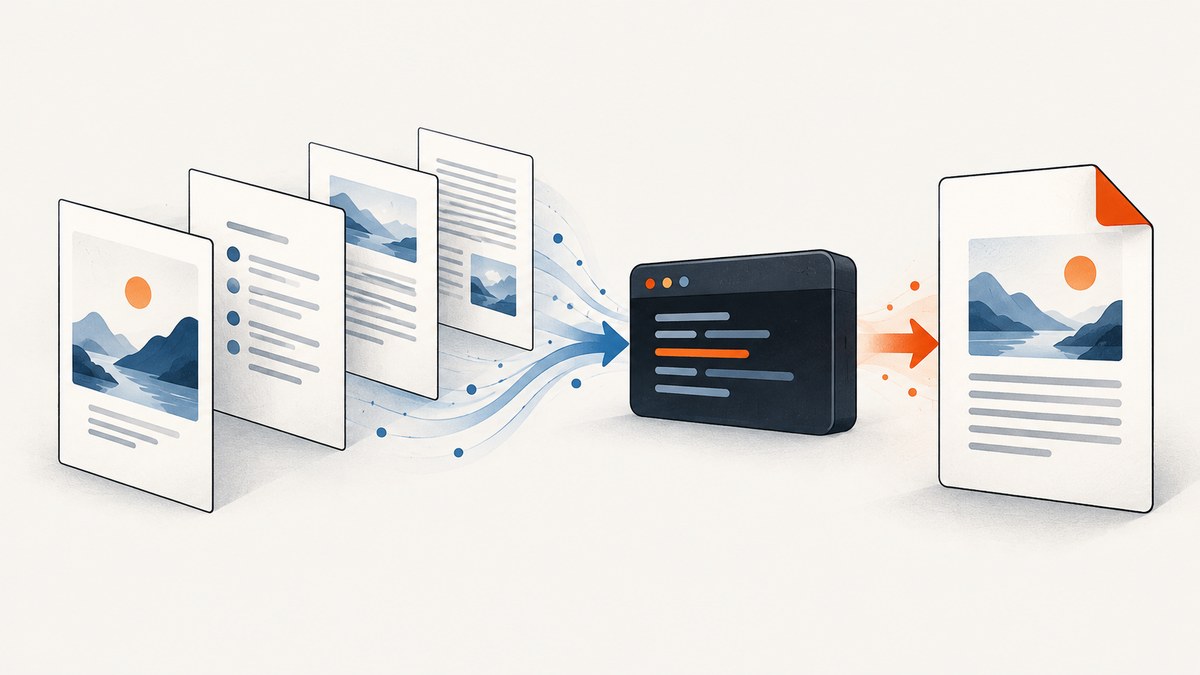
wkhtmltopdf problems involving a missing first page, an empty table of contents (TOC), duplicated TOC pages, or incorrect Page [page] of [topage] totals usually come from a small set of causes: an old wkhtmltopdf release, a build without patched Qt, incorrect object order, headings that the TOC cannot parse, custom XSLT, or differences in libraries and fonts between machines.
Start by installing and verifying the official 0.12.6 build with patched Qt. Then reduce the document to a known structure, check the outline XML, and add options back one at a time.
1. Verify the version and binary first
wkhtmltopdf 0.12.6 is the stable series. Its changelog records a fix for TOC and other special pages that could be missing from output. Older releases are treated as obsolete for bug reporting on the official downloads page.
wkhtmltopdf --version
which wkhtmltopdf
wkhtmltopdf --extended-help | head -n 40
Record all of the following in a bug report or build log:
- Exact version, such as
wkhtmltopdf 0.12.6 (with patched qt). - Operating system, distribution, architecture, and package source.
- OpenSSL and libc versions when moving between servers.
- Installed fonts and fontconfig configuration.
- The complete command line and input HTML revision.
Prefer the official distribution-specific 0.12.6 package when you use cover, toc, outlines, headers, or footers. Distribution packages can be compiled without the Qt patches required by those features. Compare your output with the official downloads and changelog pages: downloads and changelog.
2. Understand wkhtmltopdf’s document objects
wkhtmltopdf builds a PDF from ordered objects. A normal page is one object, while cover and toc are special objects. The order on the command line becomes the document order.
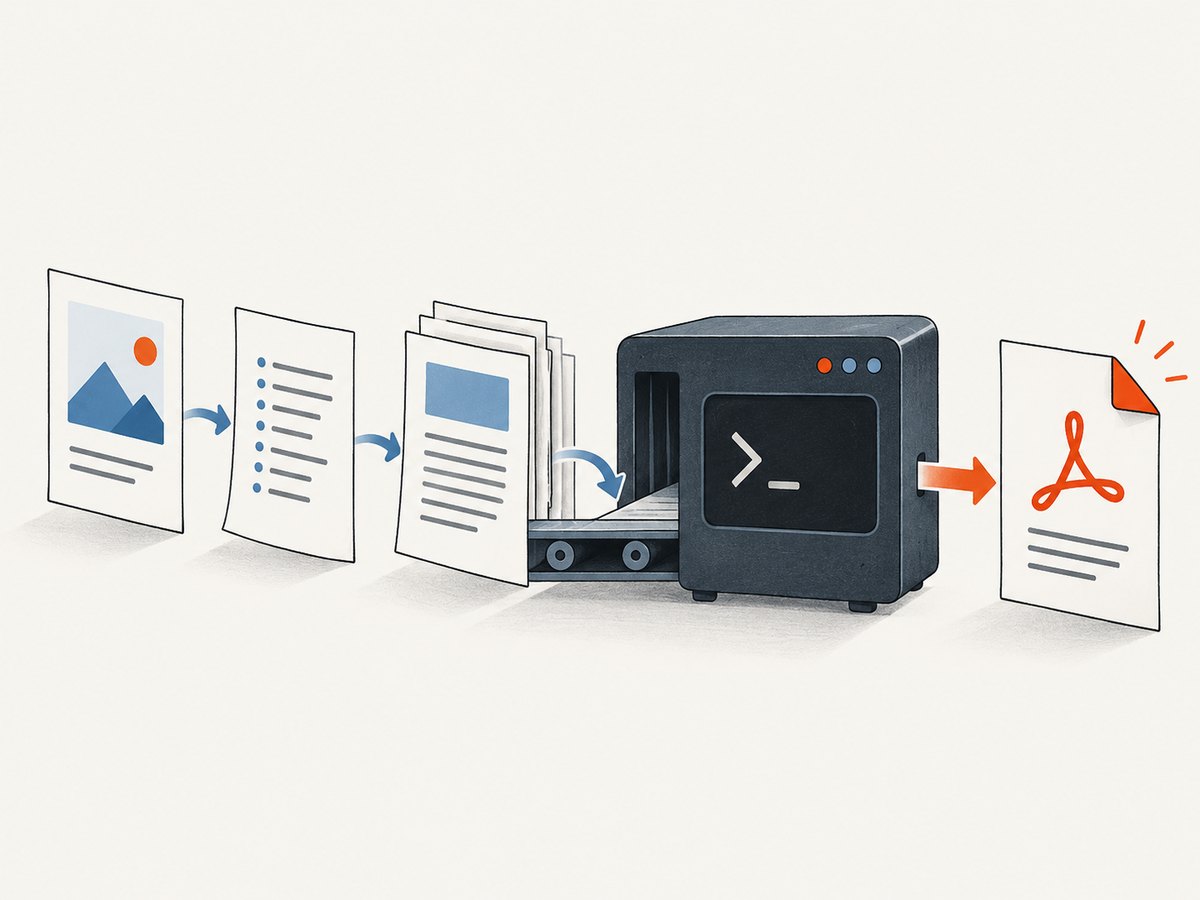
wkhtmltopdf cover cover.html toc content.html output.pdfThis produces a cover, then a generated TOC, then the content pages. A cover is intentionally excluded from the TOC and does not receive headers or footers. Keep that behavior separate from a missing-page bug: first confirm that the cover object is physically present, then diagnose the TOC and page numbering independently.
Common structural patterns
# Content only
wkhtmltopdf content.html output.pdf

# TOC followed by content
wkhtmltopdf toc content.html output.pdf

# Cover, TOC, then content
wkhtmltopdf cover cover.html toc content.html output.pdf

# Multiple content objects after the TOC
wkhtmltopdf cover cover.html toc chapter-1.html chapter-2.html output.pdf
Use the input syntax accepted by your installed release, but preserve the conceptual order: cover first, TOC next, content pages after.
3. Make the TOC discoverable
The TOC engine reads semantic h1 through h6 elements, writes outline XML, and renders that structure through XSLT. Visual styling alone does not create a TOC entry.
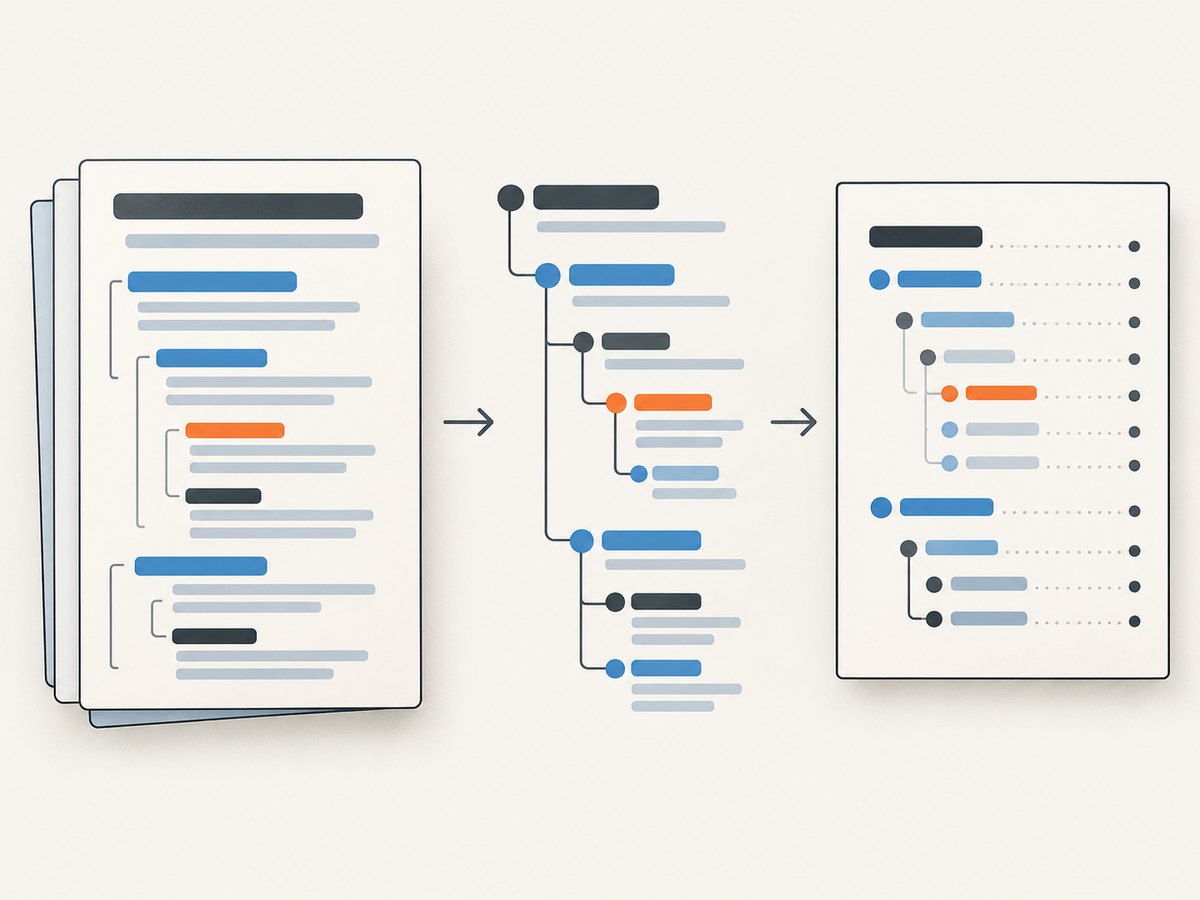
<h1>Installation</h1>
<p>...</p>
<h2>Linux package</h2>
<p>...</p>
<h2>Windows package</h2>
<p>...</p>
<h1>Troubleshooting</h1>
Do not replace headings with styled paragraphs or headings generated only after scripts that do not finish before capture. Keep heading nesting consistent: an h2 should belong to the preceding h1, and an h3 to the preceding h2.
Inspect the outline XML
wkhtmltopdf --dump-outline toc.xml toc content.html output.pdf
cat toc.xml
If the expected titles and nesting are absent from toc.xml, fix the HTML headings first. If the XML is correct but the printed TOC is blank or misplaced, remove custom XSLT, footer options, and extra CSS, then retest on 0.12.6.
Customize the generated TOC safely
wkhtmltopdf --dump-default-toc-xsl default-toc.xslUse the dumped stylesheet as the starting point for custom styling. A custom XSL stylesheet replaces the default TOC styling options, so test it independently before combining it with headers, footers, or complex CSS.
4. Diagnose first-page and page-total symptoms
Separate three questions:
- Is the cover physically present in the PDF?
- Is the TOC object present and populated from headings?
- Is the footer total correct after the TOC is included?
A PDF viewer’s bookmarks are different from the printed TOC page. Bookmarks and outlines are enabled with --outline and also derive from heading tags; the printed TOC is generated by the toc object and XSLT.
Use a minimal footer while debugging:
wkhtmltopdf --footer-center "Page [page] of [topage]" content.html output.pdfThe substitutions are:
| Variable | Meaning |
|---|---|
[page] |
Current page number |
[frompage] |
First page in the document range |
[topage] |
Last page number reported for the document |
If [topage] is wrong, reproduce the document with and without toc. A known 0.12.5 report showed a 52-page PDF whose footer said “of 57”; removing toc made the total correct. Treat that comparison as an isolation test, not as a universal workaround.
5. A repeatable minimal reproduction
- Install 0.12.6 with patched Qt and capture
wkhtmltopdf --version. - Create one HTML file containing only
h1andh2headings. - Run the TOC-only command.
- Dump and inspect the outline XML.
- Add the cover object.
- Add the footer with page substitutions.
- Restore your CSS, JavaScript, custom XSLT, and other options one at a time.
cat > result.html <<'HTML'
<!doctype html>
<html><body>
  <h1>Chapter One</h1>
  <p>First chapter.</p>
  <h2>Details</h2>
  <p>Details.</p>
  <h1>Chapter Two</h1>
</body></html>
HTML

wkhtmltopdf --dump-outline toc.xml toc result.html result.pdf
wkhtmltopdf toc result.html result.pdf
wkhtmltopdf --footer-center "Page [page] of [topage]" toc result.html result-footer.pdf
6. Troubleshooting matrix
| Symptom | Likely cause | Fix |
|---|---|---|
| Cover is missing | Old release, unsupported object syntax, or wrong binary | Verify 0.12.6 with patched Qt; run the minimal cover/TOC/content command. |
| TOC is empty | No semantic headings or headings are generated too late | Use real h1–h6 tags and inspect --dump-outline. |
| TOC is not drawn | 0.12.5-era special-page bug, custom XSLT, or conflicting CSS | Upgrade to 0.12.6, remove custom XSLT and footer options, then add them back gradually. |
| TOC appears in the wrong place | Objects are ordered incorrectly | Use cover, then toc, then content objects. |
| Cover receives a header or footer | Header/footer options are being interpreted for a page object | Keep in mind that a cover is intentionally excluded from headers and footers; verify the object type and release. |
[topage] is too high |
TOC pagination or an older release is included in the total | Compare runs with and without toc; test a minimal footer on 0.12.6. |
| Output changes after migration | Different patched-Qt build, libraries, architecture, fonts, or fontconfig | Record package provenance and runtime details; install matching fonts and dependencies. |
| Binary will not start | Missing OpenSSL, libc, fontconfig, freetype, or related libraries | Use a package built for the target distribution. If normal installation is impossible, extract the package after installing dependencies as described in the official FAQ. |
| Works locally but not on Amazon Linux 2 or Lambda | Serverless runtime paths and fonts are not configured | Use the documented layer or zip approach and set LD_LIBRARY_PATH=/opt/lib and FONTCONFIG_PATH=/opt/fonts before invoking /opt/bin/wkhtmltopdf. |
7. Packaging on servers and Lambda
Distribution builds vary in patched Qt, OpenSSL, libc, fontconfig, and freetype dependencies. A server migration can therefore change pagination, font metrics, or special-page behavior even when the HTML is unchanged.
export LD_LIBRARY_PATH=/opt/lib
export FONTCONFIG_PATH=/opt/fonts
/opt/bin/wkhtmltopdf cover cover.html toc content.html output.pdf
For Amazon Linux 2 or AWS Lambda, follow the official FAQ’s zip or layer layout and keep the binary, shared libraries, and fonts together. Capture the runtime environment in CI so a future package update can be correlated with PDF changes.
8. Performance and reliability practices
- Keep a small fixture containing a cover, two heading levels, a TOC, and a footer. Run it after every package or OS change.
- Cache the exact binary and fonts used in production rather than relying on an unpinned system package.
- Generate the outline XML in diagnostic builds; it quickly distinguishes HTML problems from rendering problems.
- Remove custom XSLT, complex CSS, and JavaScript from the first reproduction, then restore each layer.
- Use deterministic asset URLs and wait for required content before invoking wkhtmltopdf when pages depend on remote resources.
- Compare PDF page count, outline XML, and a rendered image of the first pages in CI to detect structural regressions.
wkhtmltopdf uses Qt 4, which has been unsupported since 2015, and its WebKit has not been updated since 2012. If your requirements depend on modern browser features, evaluate a modern browser engine instead of extending a legacy rendering path.
9. Or skip the browser setup
If you need clean screenshots or PDFs from a URL rather than a locally assembled wkhtmltopdf pipeline, ScreenshotNeo provides a website screenshot API and MCP server. Its request accepts a URL and returns PNG, JPEG, WebP, or PDF. Cookie and consent banners, newsletter popups, and chat widgets are removed before capture; bot checks, blank pages, failed loads, timeouts, and cache hits are not billed. Each response includes X-Page-Verdict and X-Billed headers.
See the ScreenshotNeo API documentation for all options.
cURL
curl -G "https://api.screenshotneo.com/v1/shot" -d access_key=YOUR_API_KEY --data-urlencode url=https://stripe.com -o shot.webpPython
import requests
r = requests.get("https://api.screenshotneo.com/v1/shot", params={"access_key": "YOUR_API_KEY", "url": "https://stripe.com"}, timeout=90)
open("shot.webp", "wb").write(r.content)
Node.js
const q = new URLSearchParams({ access_key: 'YOUR_API_KEY', url: 'https://stripe.com' });
const res = await fetch(`https://api.screenshotneo.com/v1/shot?${q}`);
The service also supports full-page capture, element selectors, dark mode, device presets, custom viewports, retina scale, PDF paper and margin settings, custom CSS and JavaScript, waits, request blocking, headers, cookies, user agents, authorization, timezone, geolocation, transparent backgrounds, resizing, TTL caching, signed links, asynchronous jobs, signed webhooks, bulk capture, and a usage API. Its MCP server exposes take_screenshot, get_page_info, and capture_pdf to Claude, Cursor, and other MCP clients.
There is a free tier of 1,000 screenshots per month with no card. Paid plans start at $5 for 3,000 shots, and every feature is available on every plan. Create a free ScreenshotNeo account.
10. FAQ
Which wkhtmltopdf version should I use?
Use the official 0.12.6 series with patched Qt, and record the exact binary string in your build logs.
Does a cover appear in the TOC?
No. A cover object is intentionally excluded from the TOC and does not receive headers or footers.
Are PDF bookmarks the same as the printed TOC?
No. Bookmarks are the PDF outline; the printed TOC is a separate object rendered through XSLT.
Why does changing Linux distributions change the PDF?
Different patched-Qt builds, libraries, architectures, and fonts can change layout and pagination.
When should I move away from wkhtmltopdf?
Consider a modern browser engine when you need current WebKit or browser behavior, because wkhtmltopdf’s Qt 4 and WebKit components are long unsupported.


