How to Fix Zero-Byte PDFs from wkhtmltopdf in PHP
A zero-byte PDF means the file was created without usable output. Compare the PHP run with the CLI, capture stderr and the exit code, then validate the artifact before serving it.
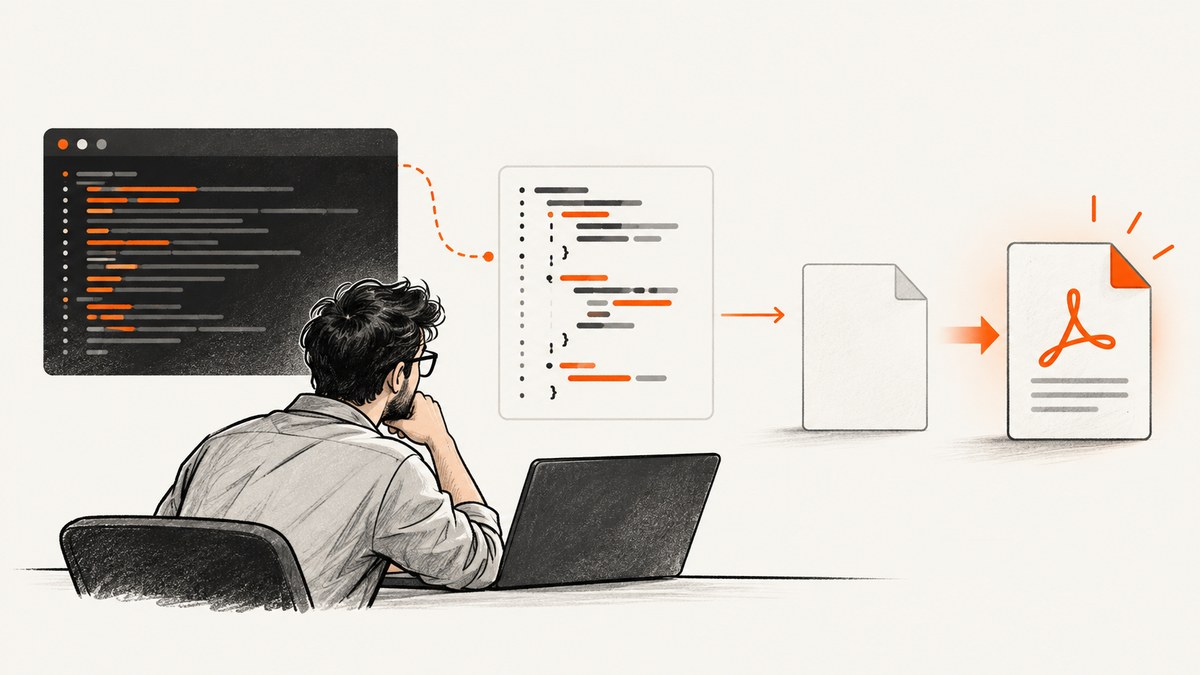
A zero-byte PDF from wkhtmltopdf means the destination file exists but contains no PDF data. It does not, by itself, identify the cause. The renderer may have failed, PHP may have launched a different binary or used different arguments, output may be going to stdout instead of the expected file, or PHP may be checking a different path from the one the child process wrote.
Fix it by running the same executable, input, arguments, and destination from the command line and from PHP; capture stderr and the process exit code; then check the exact output file’s size and PDF signature before serving it. Progress output alone is not proof that a PDF was written. The wkhtmltopdf documentation describes both named output files and stdout behavior, so choose one output mode and wire it consistently.
1. Confirm where the PDF output goes
The basic command shape is an input object followed by an output target. For a named file, use an absolute output path while debugging:
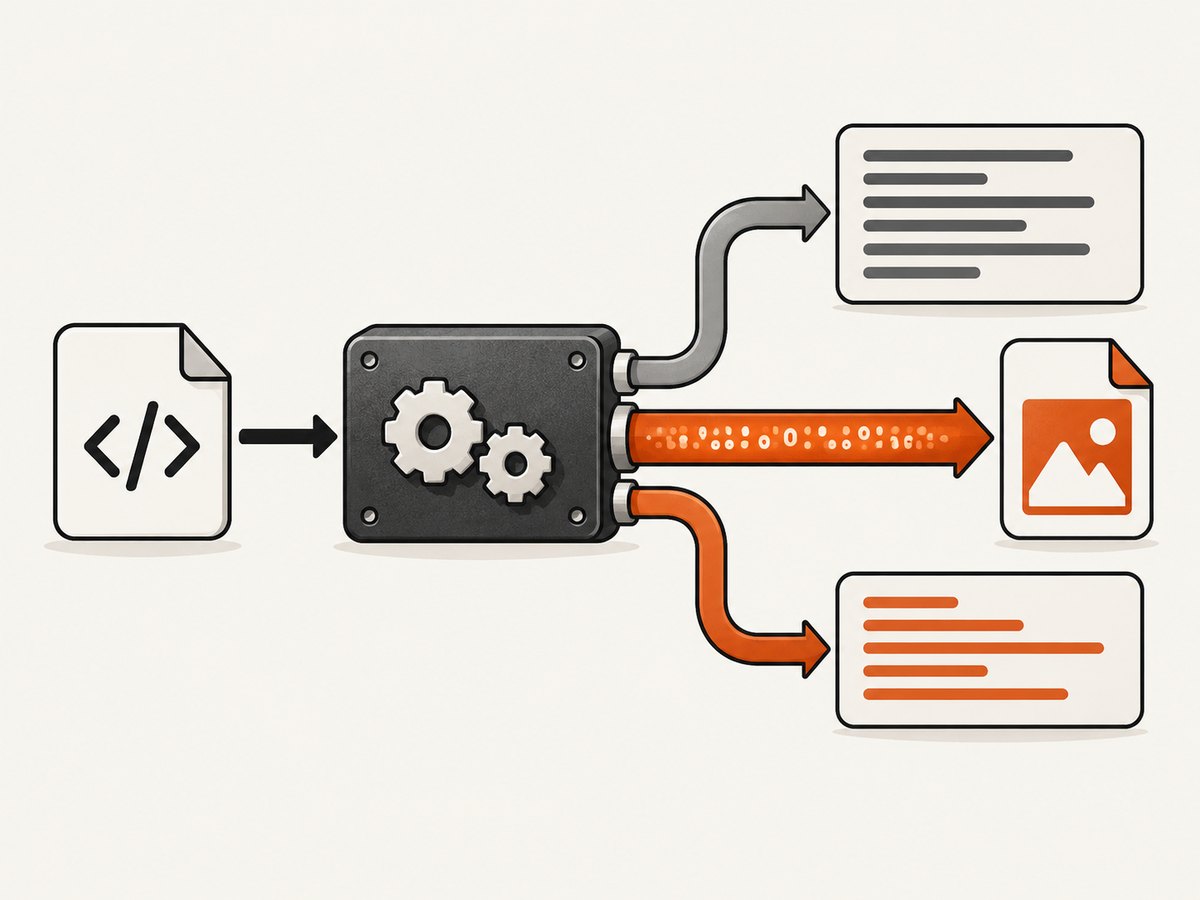
wkhtmltopdf /var/www/app/input.html /var/www/app/storage/report.pdfIf the output target is -, wkhtmltopdf writes the PDF to standard output. In that mode PHP must read stdout as binary PDF data and write those bytes to the destination. If you give wkhtmltopdf a filename, it should write the PDF there; PHP should inspect that file instead of expecting the PDF on stdout. Do not route stdout into a text log when it contains the PDF.
Start with a minimal local HTML file and a simple writable directory. Record the absolute binary path and version, the input path, output mode, and output path. Compare these details across the shell and PHP executions. The official wkhtmltopdf documentation and its command-line usage reference describe the supported invocation and output behavior.
2. Run a controlled command-line comparison
First determine whether the renderer can produce a file independently of PHP. Run a simple known input with the exact binary you intend PHP to use:
/usr/bin/wkhtmltopdf --version
/usr/bin/wkhtmltopdf /var/www/app/input.html /var/www/app/storage/cli-report.pdf
printf 'exit=%s size=' "$?"
wc -c < /var/www/app/storage/cli-report.pdf
head -c 5 /var/www/app/storage/cli-report.pdf
A valid PDF normally starts with %PDF-. The shell example is a diagnostic check, not a complete PDF validator. If this command itself produces an empty file or exits unsuccessfully, focus on the renderer invocation, input, referenced assets, and stderr before debugging PHP. If it succeeds, compare PHP’s binary, version, arguments, input, output path, runtime user, working directory, environment, and process restrictions.
Use the same account as the PHP worker when possible. An interactive shell can have a different PATH, permissions, temporary directory, working directory, or environment. These are possible differences to check; none is a universal explanation for a zero-byte file.
3. Use proc_open() to preserve stderr and exit status
shell_exec() is not a reliable success test: PHP documents that it cannot distinguish an execution failure from a command that produces no output. Use proc_open() when you need separate process channels and an exit code. The PHP manual documents descriptor 0 as stdin, 1 as stdout, and 2 as stderr, and warns that pipes must be closed before proc_close() to avoid deadlock.
This example asks wkhtmltopdf to write a named file. It keeps stdout and stderr separate, drains both streams, closes every pipe, then reads the process status and validates the artifact.
<?php
$binary = '/usr/bin/wkhtmltopdf';
$input = '/var/www/app/input.html';
$output = '/var/www/app/storage/report.pdf';

$command = [$binary, $input, $output];
$descriptors = [
    0 => ['pipe', 'r'],
    1 => ['pipe', 'w'],
    2 => ['pipe', 'w'],
];

$process = proc_open($command, $descriptors, $pipes, '/var/www/app');
if (!is_resource($process)) {
    throw new RuntimeException('Could not start wkhtmltopdf');
}

fclose($pipes[0]);
// Drain both channels before closing them. For very verbose processes,
// use nonblocking/select-based reads or redirect diagnostics to a log file.
$stdout = stream_get_contents($pipes[1]);
$stderr = stream_get_contents($pipes[2]);
fclose($pipes[1]);
fclose($pipes[2]);
$exitCode = proc_close($process);

$size = is_file($output) ? filesize($output) : 0;
$signature = '';
if ($size > 0) {
    $handle = fopen($output, 'rb');
    $signature = fread($handle, 5);
    fclose($handle);
}

if ($exitCode !== 0 || $size === 0 || $signature !== '%PDF-') {
    error_log(sprintf(
        'wkhtmltopdf failed: exit=%s bytes=%s stdout=%s stderr=%s',
        (string)$exitCode,
        (string)$size,
        $stdout,
        $stderr
    ));
    throw new RuntimeException('PDF generation failed');
}

// Only now stream or otherwise deliver $output.
?>
The command array form is supported by PHP starting in version 7.4. Check the proc_open() manual for the PHP version and operating system you deploy. On older PHP versions, command strings require careful escaping; do not concatenate untrusted values into a shell command. Avoid logging full HTML, cookies, or authorization values while diagnosing.
If you deliberately use stdout output, make that choice explicit. Replace the output filename with -, capture stdout as bytes, and write those bytes to a file opened in binary mode. Keep stderr separate. Do not use text transformations, newline normalization, or string concatenation with diagnostics on the PDF byte stream.
4. Validate the output before returning it
A generation pipeline should consider the PDF ready only when the process completed successfully and the expected artifact exists. Check:
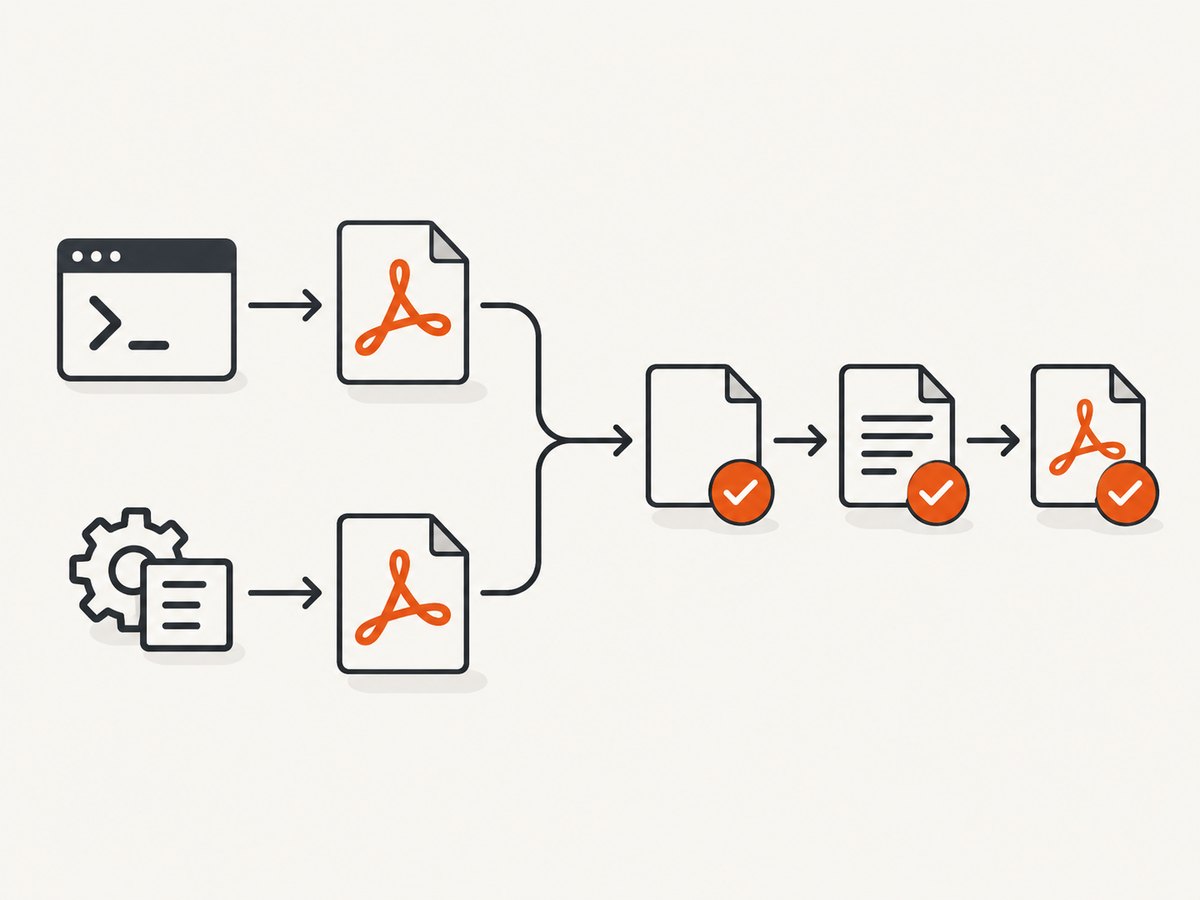
- The exit code is successful.
- The exact absolute output path exists and is a regular file.
- The file size is greater than zero.
- The first bytes contain the expected
%PDF-signature. - Captured stderr has been reviewed when the status or artifact is unexpected.
These checks catch common wiring failures but do not prove that every page is visually correct. For a business-critical document, add a downstream PDF parse or render check appropriate to your application. Do not send a missing, empty, or clearly invalid file to a browser with a PDF content type.
Pay attention to path mismatches. A relative filename is resolved from the child process’s working directory, while PHP may inspect a path relative to its own working directory. During diagnosis use absolute paths for input, output, and binary, and log the working directory passed to proc_open().
5. Check PHP permissions and runtime restrictions
If the CLI command works but the PHP call does not, compare the runtime context rather than changing random renderer flags. Confirm that the PHP worker can:
- Execute the selected wkhtmltopdf binary.
- Read the HTML input and any local assets it references.
- Create or overwrite the destination file and traverse its parent directories.
- Use the required temporary directory.
- Start child processes under the host’s PHP and service policy.
Log whether proc_open() returned a process resource. A process-creation failure is different from wkhtmltopdf starting and exiting with an error. Use absolute paths and the same runtime identity as the web worker to expose PATH and permission differences. Do not assume a command that works in your login shell has the same environment in a service process.
6. Handle errors without confusing output channels
Keep binary output and human-readable diagnostics separate. In named-file mode, stdout may contain progress or other output, while the PDF belongs at the named destination. In stdout mode, stdout is the binary PDF and stderr is where diagnostics should go. Merging stderr into stdout can corrupt the PDF.
Do not rely on a progress bar or a nonempty command response as a success signal. A historical issue report shows progress text alongside a zero-byte result, illustrating why the artifact and exit status must be checked independently; it does not establish a general root cause. Likewise, shell_exec() alone cannot report a dependable process status. See the PHP shell_exec() documentation.
7. Wrapper-library handling
If you use mikehaertl/phpwkhtmltopdf, check the return value from the operation you called, such as send(), saveAs(), or toString(), and retrieve the wrapper’s error details on failure. Those methods and error APIs are specific to that library; consult its repository for the version installed. A wrapper does not remove the need to check the destination’s existence, byte size, and signature before serving it.
8. Troubleshooting checklist
| Symptom | Likely branch to investigate | Next action |
|---|---|---|
| Output file is absent | Wrong path, process did not start, or renderer exited before creating it | Log absolute paths, proc_open result, exit code, and stderr. |
| File exists and is 0 bytes | Renderer failure, output-mode mismatch, or write/permission problem | Check named-file versus stdout mode, then compare CLI and PHP with the same destination. |
| CLI works; PHP fails | Different user, PATH, working directory, environment, temp access, or process policy | Use absolute paths and reproduce under the PHP worker identity. |
| Exit code is nonzero | Command or renderer reported failure | Read stderr and verify input, arguments, binary version, and referenced resources. |
| Exit code is zero; file is empty | Wrong file checked, stdout/file confusion, or a failure not reflected as expected | Confirm the exact destination and inspect stdout, stderr, and file bytes together. |
| PDF downloads but cannot open | Bytes may be diagnostics or an incomplete/corrupted stream | Check the signature, keep stderr separate, and avoid text handling of binary output. |
| PHP hangs | Pipe buffers may fill or pipes may remain open | Drain stdout and stderr safely, close all pipes, then call proc_close(). |
9. Performance, reliability, and cost
Process startup, HTML complexity, remote resources, and rendering time affect how long a conversion takes; the supplied sources do not establish a universal timing figure. Keep diagnostics bounded and avoid waiting indefinitely in a web request. If documents are slow or resource-heavy, consider moving generation into a job queue, applying an application-level timeout, and recording duration, exit code, output size, and stderr summary. Test these controls in your deployment because process and timeout behavior varies by PHP version and host.
Reliability comes from making failures observable and preventing invalid artifacts from escaping the generation boundary. Write to a temporary destination, validate it, and then publish or rename it into its final location if your filesystem and application design support that pattern. Clean up failed partial files, and avoid serving a stale previous PDF as if it were the latest result. Keep the original HTML and invocation metadata only as long as your privacy and debugging policy allows.
Cost is primarily operational: worker time, memory, temporary storage, retries, and support time. Avoid blind retry loops; a deterministic permissions or argument error will not be fixed by repeating the same process. Record enough metadata to distinguish a renderer error from PHP wiring, then retry only transient failures according to your queue policy.
Or skip the browser setup
If your actual task is capturing a website as an image or PDF, ScreenshotNeo is a website screenshot API and MCP server. It uses one GET request for a URL and returns PNG, JPEG, WebP, or PDF. Its cookie/consent handling accepts banners like a visitor and removes 60+ known consent platforms, newsletter popups, and chat widgets before capture; each step can be disabled. Bot checks/CAPTCHAs, blank pages, timeouts, failed loads, and cache hits cost nothing, and response headers report the page verdict and billing status. Its MCP server provides take_screenshot, get_page_info, and capture_pdf for Claude, Cursor, and other MCP clients.
curl -G "https://api.screenshotneo.com/v1/shot" -d access_key=YOUR_API_KEY --data-urlencode url=https://stripe.com -o shot.pdfSee the ScreenshotNeo API documentation for request options. The free plan includes 1,000 screenshots a month with no card; paid plans start at $5 for 3,000. Create a free ScreenshotNeo account.
FAQ
Why does it work in my terminal but not through PHP?
The two runs may use different binaries, users, PATH values, working directories, permissions, temporary directories, or process policies. Compare the exact invocation and runtime context, then inspect stderr and the exit code.
Can I use shell_exec() if it returns output?
Output does not establish success. PHP says shell_exec() cannot detect execution failures on its own; use proc_open() or another interface that provides the exit status.
Does a zero exit code guarantee a valid PDF?
No. Check the expected file, size, and signature as well. Those are basic artifact checks, not a full content or visual validation.
What if I need the PDF bytes in PHP memory?
Configure wkhtmltopdf to emit to stdout, read stdout as binary, and keep stderr separate. Write or return the bytes without text transformations, then validate the resulting artifact.
What should I log in production?
Log the binary path and version, sanitized arguments, input/output identifiers, runtime identity, working directory, exit code, duration, output size, and bounded stderr. Avoid logging secrets or sensitive document content.


