How to Flip a Screenshot Horizontally in Java With glReadPixels
Mirror Java OpenGL screenshots left to right with glReadPixels, including IntBuffer, ByteBuffer, BufferedImage, stride, format, and orientation fixes.
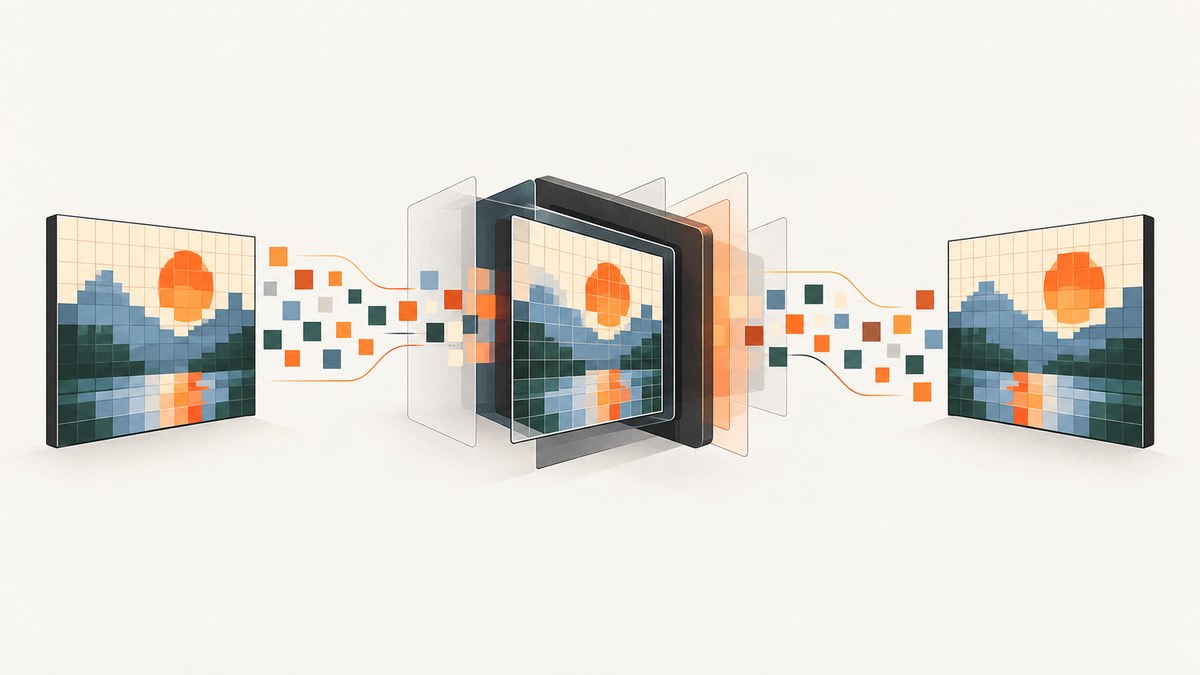
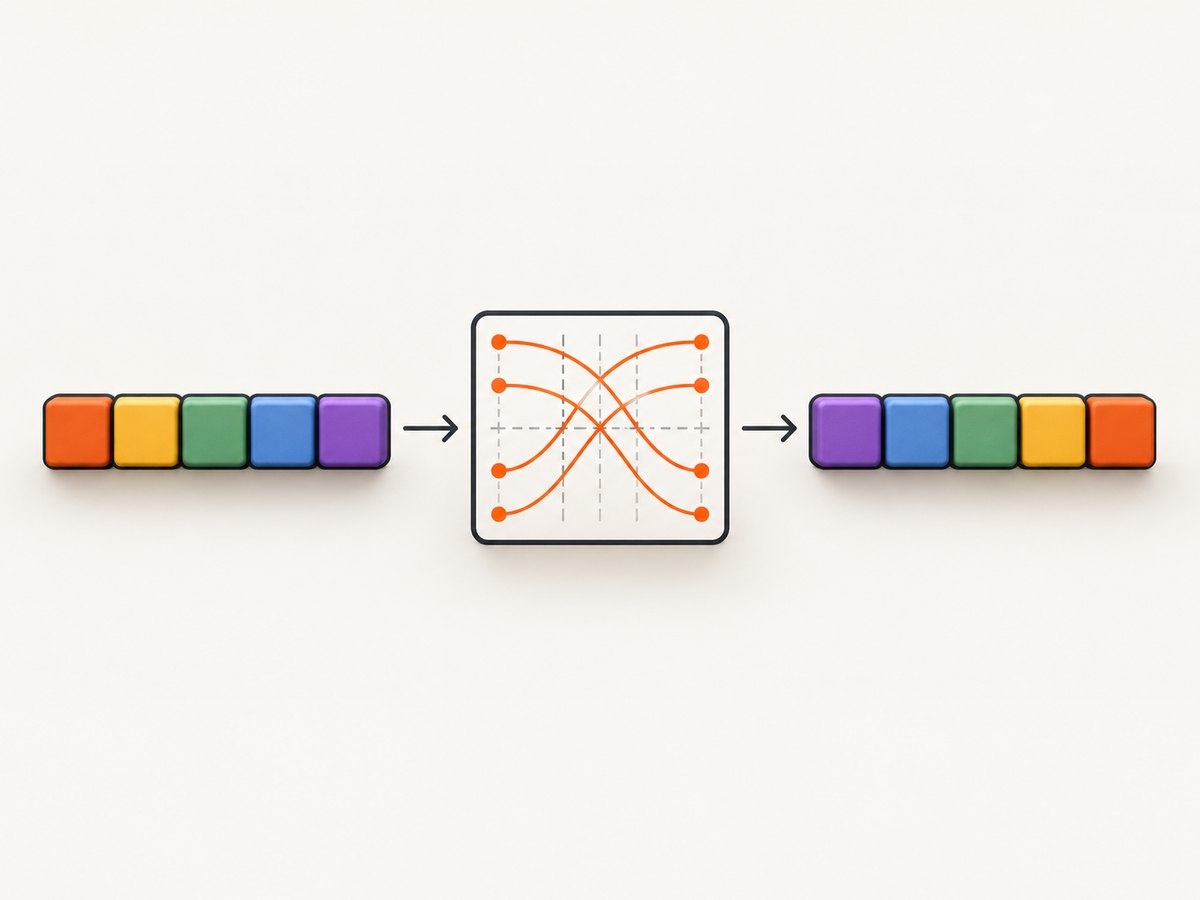
To flip a screenshot horizontally, reverse the pixel columns in every row. For a destination pixel at (x, y), read the source pixel at (width - 1 - x, y). A horizontal flip does not reverse row order; reversing rows is the separate vertical-orientation fix commonly needed after OpenGL readback.
1. The direct Java solution
If glReadPixels has produced one packed Java int per pixel in a tightly packed array, copy each row from right to left:
for (int y = 0; y < height; y++) {
    int row = y * width;
    for (int x = 0; x < width; x++) {
        dst[row + x] = src[row + (width - 1 - x)];
    }
}
The mapping is:
| Destination column | Source column |
|---|---|
| 0 | width - 1 |
| 1 | width - 2 |
x |
width - 1 - x |
width - 1 |
0 |
Use a separate destination when possible. If you mutate the same array, swap mirrored columns only once:
for (int y = 0; y < height; y++) {
    int row = y * width;
    for (int x = 0; x < width / 2; x++) {
        int other = width - 1 - x;
        int tmp = pixels[row + x];
        pixels[row + x] = pixels[row + other];
        pixels[row + other] = tmp;
    }
}
The width / 2 bound prevents a pixel from being swapped back into its original position.
2. Complete LWJGL-style example with glReadPixels
The exact Java overload depends on the OpenGL format and type used for readback. This example requests four unsigned bytes per pixel, then mirrors complete RGBA pixel groups. It uses a separate output buffer so the source is never overwritten before it is read.
import java.nio.ByteBuffer;
import java.nio.ByteOrder;
import static org.lwjgl.opengl.GL11.*;

public final class HorizontalScreenshot {
    public static ByteBuffer readAndFlip(int width, int height) {
        int bytesPerPixel = 4;
        ByteBuffer source = ByteBuffer
                .allocateDirect(width * height * bytesPerPixel)
                .order(ByteOrder.nativeOrder());
        ByteBuffer flipped = ByteBuffer
                .allocateDirect(width * height * bytesPerPixel)
                .order(ByteOrder.nativeOrder());

        glReadPixels(0, 0, width, height, GL_RGBA, GL_UNSIGNED_BYTE, source);

        for (int y = 0; y < height; y++) {
            int rowStart = y * width * bytesPerPixel;
            for (int x = 0; x < width; x++) {
                int sourceOffset = rowStart + (width - 1 - x) * bytesPerPixel;
                int destinationOffset = rowStart + x * bytesPerPixel;
                for (int channel = 0; channel < bytesPerPixel; channel++) {
                    flipped.put(destinationOffset + channel,
                               source.get(sourceOffset + channel));
                }
            }
        }

        flipped.position(0);
        return flipped;
    }
}
This keeps the channel order returned by GL_RGBA unchanged. It changes only the x-coordinate. If you request another format, set bytesPerPixel to match that format and keep each pixel’s bytes together.
3. Flipping an IntBuffer or packed integer array
If your readback path returns one packed integer per pixel, the operation is simpler. The packing still matters when you later create a BufferedImage: a value may be interpreted as ARGB, RGBA, BGRA, or another layout depending on your conversion.
import java.nio.IntBuffer;

public static void flipIntBufferHorizontally(IntBuffer source,
                                             IntBuffer destination,
                                             int width,
                                             int height) {
    for (int y = 0; y < height; y++) {
        int row = y * width;
        for (int x = 0; x < width; x++) {
            destination.put(row + x, source.get(row + width - 1 - x));
        }
    }
}
For a Java array, the same indexing applies:
public static int[] flipHorizontally(int[] source, int width, int height) {
    if (source.length < width * height) {
        throw new IllegalArgumentException("Source is smaller than width * height");
    }
    int[] destination = new int[width * height];
    for (int y = 0; y < height; y++) {
        int row = y * width;
        for (int x = 0; x < width; x++) {
            destination[row + x] = source[row + width - 1 - x];
        }
    }
    return destination;
}
4. Flipping a BufferedImage
When the pixels already live in a BufferedImage, mirror the x-coordinate while copying. This version is easy to audit:
import java.awt.image.BufferedImage;

public static BufferedImage flipImageHorizontally(BufferedImage source) {
    int width = source.getWidth();
    int height = source.getHeight();
    BufferedImage destination = new BufferedImage(
            width, height, source.getType());

    for (int y = 0; y < height; y++) {
        for (int x = 0; x < width; x++) {
            destination.setRGB(width - 1 - x, y, source.getRGB(x, y));
        }
    }
    return destination;
}
If performance matters, use the image raster or bulk integer data instead of calling getRGB and setRGB for every pixel. Preserve the image type and alpha policy deliberately.
5. Byte buffers, row stride, and pixel formats
Do not reverse individual bytes. Reverse complete pixel groups. The general address for a tightly packed byte buffer is:
sourceOffset = rowStart + (width - 1 - x) * bytesPerPixel;Real readbacks can include padding between rows. If the row stride is not width * bytesPerPixel, use the actual stride for both rows:
int sourceRowStart = y * sourceStride;
int destinationRowStart = y * destinationStride;
int sourceOffset = sourceRowStart + (width - 1 - x) * bytesPerPixel;
int destinationOffset = destinationRowStart + x * bytesPerPixel;
Check these values before debugging the flip:
- Format: for example, RGBA versus BGRA.
- Type: unsigned bytes, packed integers, floating point, or another OpenGL type.
- Bytes per pixel: derive it from the requested format and type.
- Row stride: account for unpack/readback alignment and padding.
- Buffer position: absolute indexed access avoids accidental position-dependent offsets.
- Alpha: keep premultiplied and straight-alpha assumptions consistent.
6. Horizontal versus vertical flipping
glReadPixels reads from the selected read framebuffer beginning at the lower-left corner of the requested rectangle, so the first row in memory is associated with the bottom of the OpenGL image. Khronos documents this lower-left readback origin. Some Java screenshot helpers, including the documented JOGL utility, reverse scanlines vertically while constructing a BufferedImage.
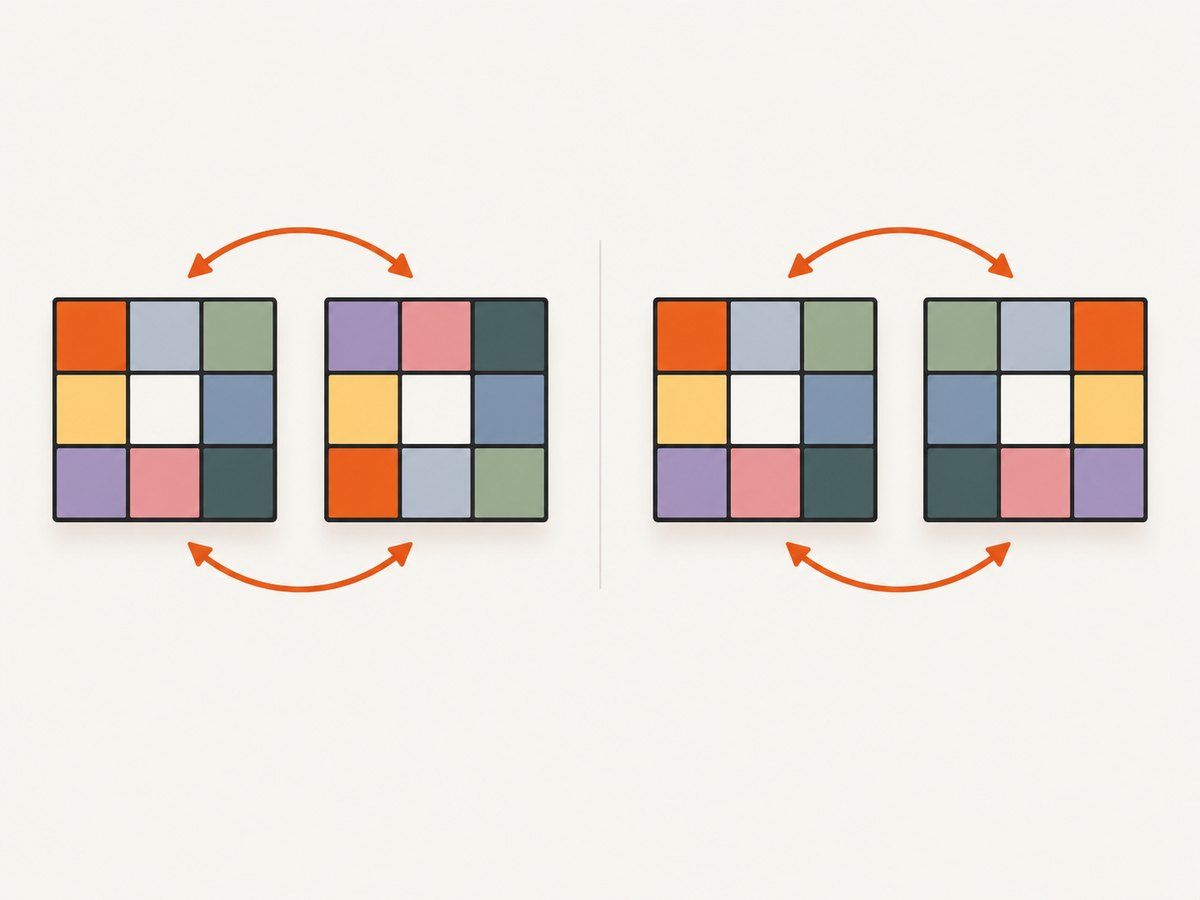
Use the correct operation for the symptom:
| Symptom | Operation |
|---|---|
| Left and right are exchanged | Reverse columns: width - 1 - x |
| Top and bottom are exchanged | Reverse rows: height - 1 - y |
| Both are wrong | Apply both operations, once each |
A horizontal flip does not follow from OpenGL’s lower-left origin. Test with an asymmetric image containing different colors or markers in all four corners.
7. Applying both flips
If your image needs a vertical correction as well as a horizontal mirror, map both coordinates:
int sourceX = width - 1 - x;
int sourceY = height - 1 - y;
int sourceIndex = sourceY * width + sourceX;
destination[y * width + x] = source[sourceIndex];
For a byte buffer with stride, replace the packed index with the row-start calculation shown earlier.
8. Troubleshooting
| Problem | Likely cause | Fix |
|---|---|---|
| Image is upside down | Row orientation from OpenGL readback | Reverse y or use a helper that already performs the vertical conversion. |
| Image is mirrored twice | Both the copy loop and a later transform flip horizontally | Track where each transform occurs and keep one horizontal flip. |
| Colors are swapped | Format or channel packing mismatch | Match format, type, bytes per pixel, and image color model. |
| Diagonal tearing or shifted rows | Wrong row stride or alignment | Use the actual stride, not simply width * bytesPerPixel. |
| Only part of the image changes | Wrong width, height, framebuffer, or viewport | Verify the read rectangle and that the intended framebuffer is bound. |
BufferUnderflowException |
Buffer capacity or position does not cover the requested data | Allocate enough bytes and use flip() or absolute indexing consistently. |
| Transparent pixels look opaque | Alpha was discarded or interpreted differently | Preserve alpha bytes and choose a compatible BufferedImage type. |
| Result is black or stale | Readback occurred before rendering completed or from the wrong context | Read after the draw commands for the target framebuffer and ensure the correct OpenGL context is current. |
9. Performance and reliability
- Use a separate destination buffer for clarity; use in-place swaps when memory bandwidth is the bottleneck.
- Reuse direct buffers for repeated captures instead of allocating on every frame.
- Copy contiguous pixel groups and avoid per-pixel
BufferedImagemethod calls in hot paths. - Keep the OpenGL context and framebuffer selection explicit around
glReadPixels. - Read only the rectangle you need. Full-window readback transfers more data and can synchronize CPU and GPU work.
- Validate with an asymmetric fixture: place distinct colors in each corner and one marker near the center.
- Record width, height, format, type, bytes per pixel, stride, and whether vertical correction has already happened. Those values make orientation bugs reproducible.
10. Or skip the browser setup
If the screenshot source is a web page rather than an OpenGL framebuffer, ScreenshotNeo returns a PNG, JPEG, WebP, or PDF from one GET request. The API removes cookie and consent banners, newsletter popups, and chat widgets before capture. Bot checks, blank pages, timeouts, failed loads, and cache hits are not billed, and the response identifies the result with X-Page-Verdict and X-Billed headers. It also provides an MCP server for AI agents with take_screenshot, get_page_info, and capture_pdf.
See the ScreenshotNeo API documentation for the complete option list, including full-page and element capture, device presets, retina scale, custom CSS and JavaScript, waits, blocking rules, headers, cookies, user agents, timezone, geolocation, resizing, caching, signed links, asynchronous jobs, bulk capture, and usage data.
curl -G "https://api.screenshotneo.com/v1/shot" \
  -d access_key=YOUR_API_KEY \
  --data-urlencode url=https://stripe.com \
  -o shot.webp
import requests
r = requests.get(
"https://api.screenshotneo.com/v1/shot",
params={"access_key": "YOUR_API_KEY", "url": "https://stripe.com"},
timeout=90,
)
r.raise_for_status()
open("shot.webp", "wb").write(r.content)const q = new URLSearchParams({
access_key: 'YOUR_API_KEY',
url: 'https://stripe.com'
});
const res = await fetch(`https://api.screenshotneo.com/v1/shot?${q}`);
if (!res.ok) throw new Error(`Screenshot failed: ${res.status}`);
require('fs').writeFileSync('shot.webp', Buffer.from(await res.arrayBuffer()));The Free plan includes 1,000 screenshots per month with no card. Paid plans start at $5 for 3,000 shots; every feature is available on every plan. Create a free ScreenshotNeo account.
11. Short FAQ
Does glReadPixels itself mirror the image?
No. It reads framebuffer pixels. Mirroring is a separate coordinate transformation in your Java code.
Should I reverse bytes or pixels?
Pixels. Keep all channel bytes belonging to one pixel together.
Can I flip without allocating another image?
Yes. Swap columns in place for x < width / 2, using the correct row stride and bytes per pixel.
Why does a JOGL screenshot look upside down?
OpenGL readback uses a lower-left origin, while many image APIs expect top-left row order. Apply one vertical conversion if your helper has not already done so.
Does an IntBuffer guarantee ARGB channel order?
No. The OpenGL format and type, plus your conversion code, determine how the packed value should be interpreted.


