How to Format PDF Footer Dates in PuppeteerSharp
Show a print date in a PuppeteerSharp PDF footer, or generate a date string in .NET when you need a specific format or timezone.

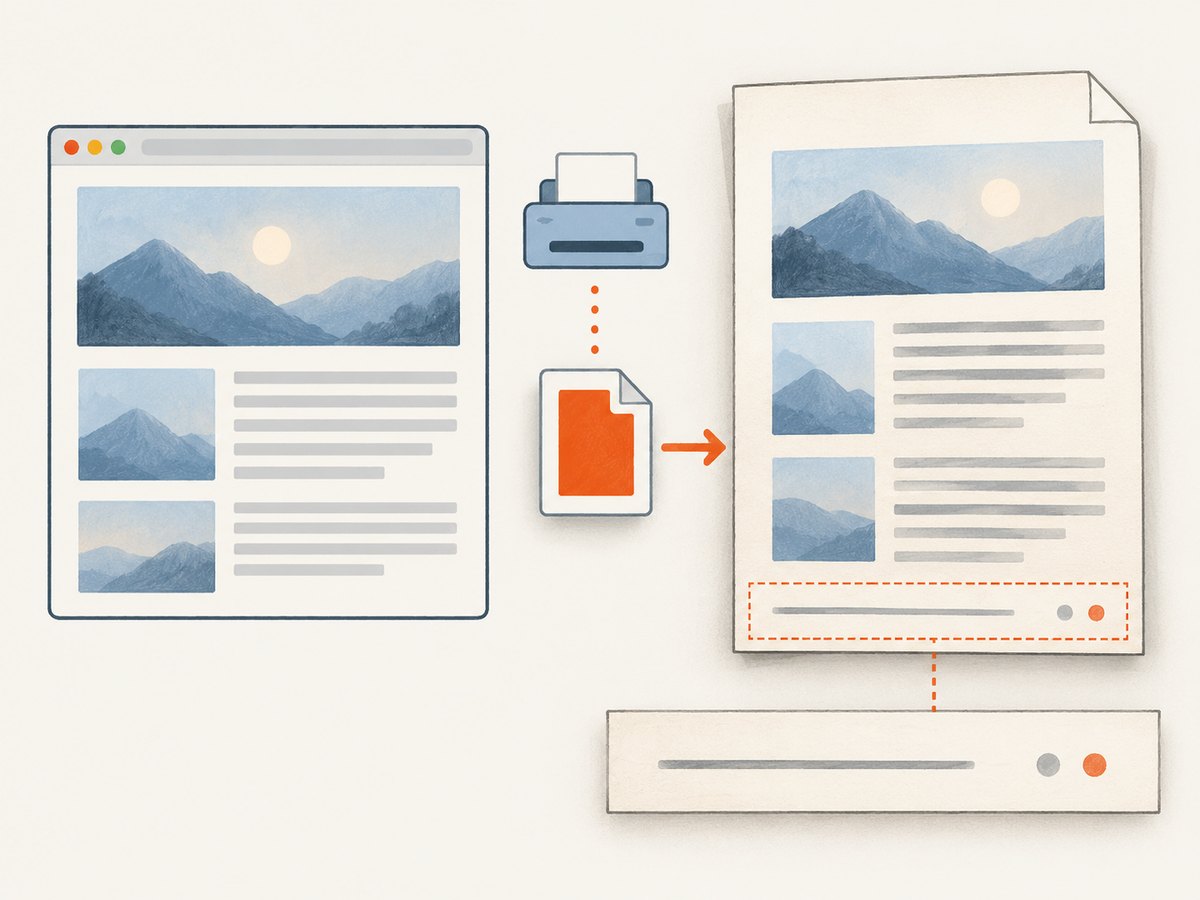
To show a date in a PuppeteerSharp PDF footer, set DisplayHeaderFooter = true and put <span class="date"></span> in FooterTemplate. Chromium fills that span with its formatted print date. The documented placeholder does not accept a custom format string, locale, or timezone. If you need a predictable pattern such as yyyy-MM-dd, format the date in .NET and insert the resulting string into your footer HTML.
The important distinction is that the built-in date placeholder is convenient, while a date you generate in application code gives you control over the string and the timezone policy. The footer is a separate HTML template; the PDF content itself is printed using print CSS. See the PuppeteerSharp PdfOptions API and Page API for the documented options and behavior.
1. Show PuppeteerSharp’s built-in print date
Use the date class in a valid HTML footer template. Also enable header and footer display: it is disabled by default. This example adds page numbering and reserves bottom margin for the footer.
using PuppeteerSharp;

await page.PdfAsync("output.pdf", new PdfOptions
{
    DisplayHeaderFooter = true,
    FooterTemplate = """
        <div style="width: 100%; font-size: 9px; text-align: right;">
          <span class="date"></span>
          <span style="margin-left: 12px">
            <span class="pageNumber"></span> / <span class="totalPages"></span>
          </span>
        </div>
        """,
    MarginOptions = new MarginOptions
    {
        Bottom = "40px"
    }
});
This assumes page is an existing PuppeteerSharp page. The template classes documented by PuppeteerSharp are date, title, url, pageNumber, and totalPages. Put a span with the relevant class where you want Chromium to insert that value. The official PdfOptions documentation describes FooterTemplate as HTML and DisplayHeaderFooter as false by default.
2. Choose between a built-in date and a custom date string
| Need | Use | What to know |
|---|---|---|
| A print date with no particular format requirement | <span class="date"></span> |
The documented value is a formatted print date. Its exact format, locale, and timezone are not specified in the API contract. |
| A fixed pattern or explicit timezone | Format a value in .NET and include it in the footer HTML | Your application chooses the date source, timezone policy, and format. |
| Page position in each footer | pageNumber and totalPages |
These are separate documented template placeholders; use them in the footer where desired. |
| Document name or location | title or url |
These are documented placeholders too. Check the rendered output for the values your page supplies. |
Puppeteer’s own PDFOptions documentation also describes date as the formatted print date and says header and footer display is false by default. Neither reference documents a format argument for that placeholder. Do not depend on it producing a particular pattern such as MM/dd/yyyy or yyyy-MM-dd.

3. Format the date in .NET for deterministic output
When your application owns the formatting, create the value before building the template. This complete example uses UTC and the ISO-like year-month-day pattern. Change both the date source and format string to match your application’s requirements.
using System.Globalization;
using System.Net;
using PuppeteerSharp;

// Choose the time source and timezone policy deliberately.
var footerDate = DateTimeOffset.UtcNow.ToString(
    "yyyy-MM-dd",
    CultureInfo.InvariantCulture);

// HTML-encode values before inserting them into markup. This is particularly
// important if a date or other footer value can contain user-provided text.
var safeFooterDate = WebUtility.HtmlEncode(footerDate);

var footerTemplate = $"""
    <div style="width: 100%; font-size: 9px; text-align: right;">
      <span>{safeFooterDate}</span>
      <span style="margin-left: 12px">
        <span class="pageNumber"></span> / <span class="totalPages"></span>
      </span>
    </div>
    """;

await page.PdfAsync("output.pdf", new PdfOptions
{
    DisplayHeaderFooter = true,
    FooterTemplate = footerTemplate,
    MarginOptions = new MarginOptions { Bottom = "40px" }
});
This uses DateTimeOffset.UtcNow intentionally. If the document should show a user’s local date, a business timezone, or a date associated with the document rather than the moment of generation, select that source explicitly before formatting. For example, a report generated shortly after midnight UTC can have a different date from the business day it represents.
CultureInfo.InvariantCulture makes the custom numeric format independent of the machine’s current culture. The exact timezone and format are application decisions; the PuppeteerSharp documentation does not impose them on a caller-supplied HTML value. The API supports caller-provided footer HTML, from which the recommendation to insert an application-formatted string follows.
4. Set margins and check the rendered PDF
Header and footer templates occupy printable page space. Give the page enough margin for the footer’s height so it has room to render. Bottom = "40px" is an example, not a universal setting: the needed amount depends on your template and page layout. PuppeteerSharp documents margin options but does not prescribe one margin that fits every footer.
- Enable
DisplayHeaderFooter; otherwise the footer is not displayed. - Set
FooterTemplateto valid HTML and include the placeholders you need. - Reserve bottom margin for the footer and inspect the PDF at the paper size and layout your application uses.
- If the date must follow a particular format or timezone, generate it in .NET and use that literal value in the template.
- Check the output with the PuppeteerSharp and Chromium versions used by your application. Rendering behavior and available options can depend on those versions.
PuppeteerSharp’s Page API documents that PDF generation uses print CSS media. The footer template and the page body are separate parts of the output, so styling the page body does not replace setting up the footer template. Review the Page API and the version-specific documentation for the library you have installed.
Or skip the browser setup
If you need a screenshot or PDF of a webpage rather than a custom PuppeteerSharp-generated document, ScreenshotNeo provides a website screenshot API and MCP server. One GET request can return a PNG, JPEG, WebP, or PDF. See ScreenshotNeo and the API documentation.
curl -G "https://api.screenshotneo.com/v1/shot" -d access_key=YOUR_API_KEY --data-urlencode url=https://stripe.com -o shot.webpimport requests
r = requests.get(
"https://api.screenshotneo.com/v1/shot",
params={"access_key": "YOUR_API_KEY", "url": "https://stripe.com"},
timeout=90,
)
open("shot.webp", "wb").write(r.content)const q = new URLSearchParams({ access_key: 'YOUR_API_KEY', url: 'https://stripe.com' });
const res = await fetch(`https://api.screenshotneo.com/v1/shot?${q}`);ScreenshotNeo removes cookie banners, newsletter popups, and chat widgets before capture. Bot checks, blank pages, failed loads, and cache hits are not billed, and responses indicate the page verdict and billing status. Its MCP server offers take_screenshot, get_page_info, and capture_pdf for AI agents and other MCP clients. The free plan includes 1,000 screenshots per month with no card; paid plans start at $5 for 3,000. Sign up for free and get 1,000 screenshots a month with no card.
Troubleshooting
| Symptom | Likely cause | Fix |
|---|---|---|
| The footer is missing | DisplayHeaderFooter is false or was not set. |
Set it to true in the PdfOptions passed to PdfAsync. |
| The footer appears but the date is empty | The template does not contain the documented date class in the expected span, or the template markup is malformed. |
Use valid HTML such as <span class="date"></span> and inspect the template passed to the PDF call. |
| The date is present but its order or separators differ | The built-in placeholder’s specific format is not documented as configurable. | Generate the string in .NET with the required format, then insert it into the template. |
| The displayed day differs from the business date | The date source or timezone policy does not match the document’s meaning. | Choose the appropriate timestamp and timezone before formatting. Do not assume the built-in placeholder has a particular timezone contract. |
| Footer content overlaps the document or is clipped | The page has insufficient bottom margin for the template or its content. | Increase the bottom margin and inspect the generated PDF with the actual paper size and content. |
| A custom date breaks the markup | Untrusted or dynamic text was interpolated into HTML without encoding. | HTML-encode dynamic values before inserting them. Keep template structure under application control. |
Performance, reliability, and cost considerations
The date-formatting choice itself is small: a built-in placeholder delegates the printed date to Chromium, while a custom string is prepared by the .NET application before PDF generation. The practical reliability issue is reproducibility. If downstream systems compare, archive, or parse dates, use an explicit source, timezone policy, and format rather than depending on an unspecified placeholder format.
Rendering still depends on PDF generation and the browser version used by the application. Keep the footer simple, reserve space for it, and validate the output after changing PuppeteerSharp or Chromium versions. The cited APIs describe available settings but do not provide a universal performance benchmark or fixed margin recommendation.
No external service is required for the PuppeteerSharp approach described here; resource use and runtime are part of the application running the browser. If you choose a hosted screenshot or PDF API instead, check its current plan and usage details before sending production volume. ScreenshotNeo’s listed options include caching with a chosen TTL and asynchronous jobs for captures; its stated plans range from 1,000 free shots monthly to paid tiers. The clean-shot billing behavior and plan prices are described above and on its site.
FAQ
Can I pass a date format to the date placeholder?
The cited PuppeteerSharp and Puppeteer API documentation does not document a format parameter for that placeholder. Generate a formatted string in .NET when the pattern matters.
Can I put both the date and page number in one footer?
Yes. Include the date, pageNumber, and totalPages spans in the same footer HTML where you want those values to appear.
Does the footer inherit the body’s CSS?
The footer template and page body are separate parts of the PDF output. Put the styling needed for the footer in its template and check the generated PDF.
Which date should a report show?
That depends on the report’s meaning: generation time, document date, or a business-local date can differ. Choose that policy in the application before formatting the footer value.


