Free HTML-to-PDF Converter API
Compare free HTML-to-PDF APIs, understand quotas and rendering limits, and generate PDFs from a URL or HTML with runnable examples.

A free HTML-to-PDF converter API takes a web page URL or HTML input, renders it, and returns a PDF. The right service depends on what “free” covers, whether JavaScript must run, how much control you need over page layout, and where the finished file goes. For production, compare the actual quota, file-size cap, timeout, and billing rules rather than relying on the word “free.”
If you only need to save a web page as an image, ScreenshotNeo is a screenshot API and MCP server. It returns PNG, JPEG, WebP, or PDF from one GET request; its PDF controls include paper size, margins, landscape, and page ranges. For HTML-to-PDF specifically, use a converter that accepts HTML directly and verify its rendering behavior.
1. What a free HTML-to-PDF API does
A hosted converter runs the rendering process on its own infrastructure. Depending on the provider, you submit a URL, an HTML file, or a raw HTML string. The service loads or renders that input, applies print layout, and returns a PDF or provides a job result you can retrieve later.
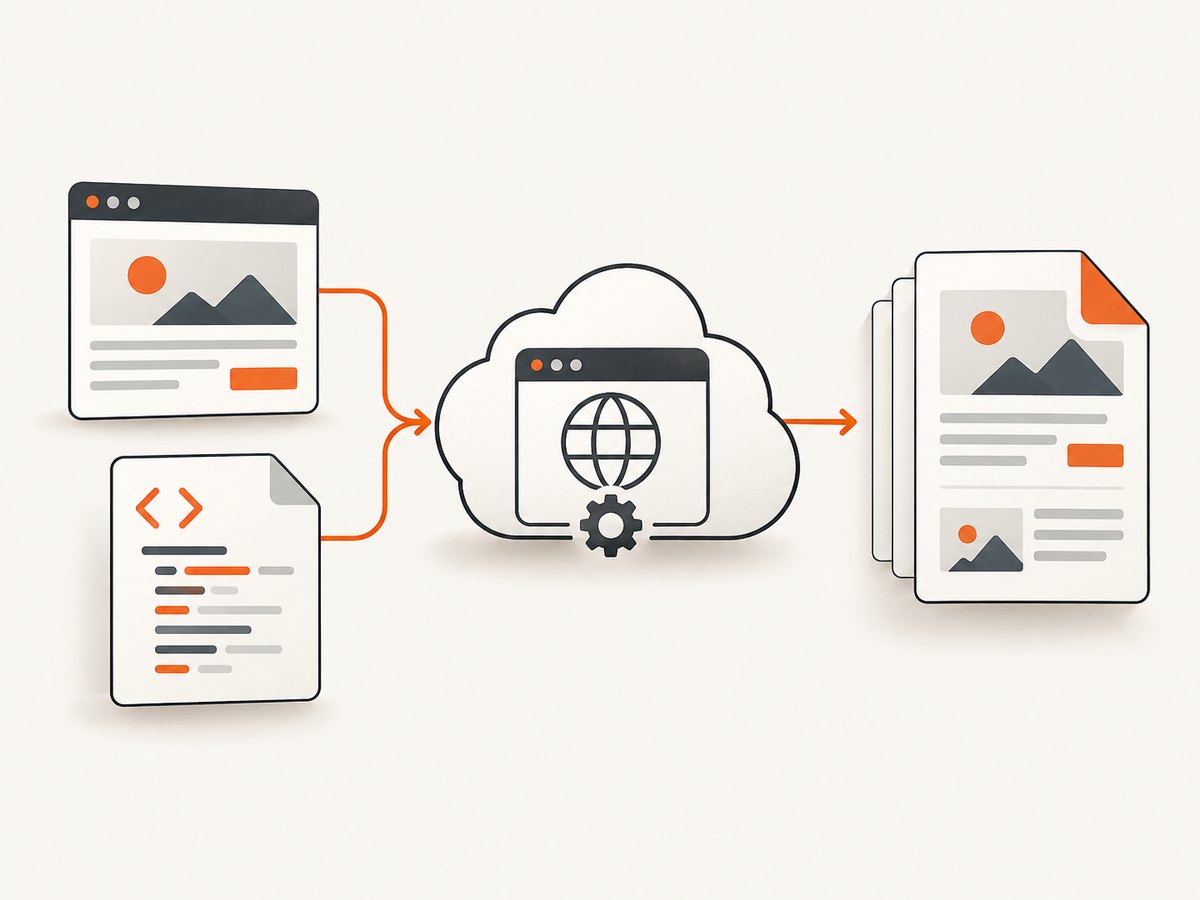
This differs from a self-hosted browser setup: you do not manage the rendering browser, but you work within the provider’s API, limits, output behavior, and authentication model. A browser-based renderer may execute page JavaScript; a conversion tool’s behavior depends on its documented engine and input path.
“Free” can mean a capped production plan or a development sandbox. Those are not interchangeable. A sandbox with broad task allowance may only accept whitelisted files and be intended for integration tests, while a free production tier can impose monthly credits, maximum output size, or strict timeouts.
2. Choosing a provider
| Service | What the documentation says | Check before building |
|---|---|---|
| PDFShift | Its pricing page advertises up to 50 free credits per month, CSS and JavaScript injection, headers and footers, encryption, and watermark options. One credit is counted per 5 MB of generated PDF data. | The free plan lists a 15 MB maximum file size and a 30-second timeout. Confirm current limits and estimate credits from output size. |
| CloudConvert | It uses Chrome, accepts URL or HTML-file input, and documents advanced options, synchronous or asynchronous jobs, custom selector waits, and storage integrations. | The documented unlimited sandbox is for development and integration tests with whitelisted files. It does not establish unlimited free production use. |
| Browserless | Its token-authenticated POST /pdf accepts a URL or HTML request field and returns application/pdf. It exposes Puppeteer-style options such as format, margins, landscape, and print backgrounds. |
The standard REST endpoint cannot create one continuous long-page PDF of an entire webpage. Its documentation points to a custom-function approach for that requirement. |
Sources: PDFShift pricing and FAQ; CloudConvert HTML-to-PDF API and CloudConvert documentation; Browserless PDF API and REST overview. These are vendor-published details, not results of a controlled comparison. Quotas and prices can change, so check the linked plan pages before committing.
Use these decision criteria
- Input: Does the API accept a URL, raw HTML, uploaded files, or the combination you need?
- Rendering: Does it run page JavaScript? How do you wait for client-rendered content, fonts, images, or a specific selector?
- Layout: Check page size, margins, orientation, page breaks, print backgrounds, headers and footers, and whether continuous long-page output is required.
- Delivery: Does the call return bytes immediately, create an asynchronous job, or save output to a storage integration?
- Limits: Compare free credits, output size, timeout, request limits, and whether the allowance covers production traffic.
- Operations: Check authentication, error format, retries, and whether the output can be stored where your application needs it.
Before selecting a provider, run representative inputs through your candidate APIs: a short document, a long document, pages with web fonts and images, and a JavaScript-rendered page. Inspect page breaks and missing assets in the resulting PDFs. The available vendor documentation does not provide a controlled speed or accuracy comparison, so avoid choosing based on unsupported performance claims.
3. PDFShift: a free tier with explicit limits
PDFShift is a direct option when a monthly allowance is useful and the documented free-plan caps fit your output. Its pricing page advertises up to 50 monthly credits, with one credit per 5 MB of generated PDF data; it also lists a 15 MB maximum and a 30-second timeout for the free plan. The service documents CSS and JavaScript injection and options such as headers, footers, encryption, and watermarks.
Credit accounting makes file size part of your cost estimate. Measure typical generated PDF sizes and allow for larger cases, such as image-heavy pages. If a document exceeds the free plan’s stated maximum or rendering takes longer than its timeout, changing your request code will not make that plan suitable; choose a plan or service whose published constraints accommodate the workload.
The research dossier does not specify a complete current request schema or authentication example for PDFShift. Follow its official FAQ and API documentation for the exact endpoint, credentials, and option names rather than copying an unverified payload.
4. CloudConvert: Chrome rendering and job workflows
CloudConvert documents HTML-to-PDF conversion using Chrome and accepts a URL or an HTML file. Its API supports synchronous and asynchronous job workflows, advanced options, custom selector waits, and object-storage integrations. Those features can fit systems that need to wait for rendered content or move output into a storage workflow.
Keep its sandbox separate from production cost planning. CloudConvert describes unlimited sandbox jobs or tasks for development and integration testing with whitelisted files. That is not a promise of unlimited production conversion. Its product page lists prices starting at $0.008 per file when converting; treat this as a vendor-stated starting figure, not a quote for every input or workflow.
For implementation, create a conversion job using the current task schema in the API documentation, choose the synchronous or asynchronous flow, then handle the result or configured storage output. Check selector-wait behavior against the page you need to render, and review the current API docs for authentication and job polling details.
5. Browserless: a browser PDF endpoint
Browserless exposes a token-authenticated POST endpoint at /pdf. Its request can use a url or html field, and the response is a PDF with content type application/pdf. Its documented options include format, margins, landscape orientation, and printing backgrounds.
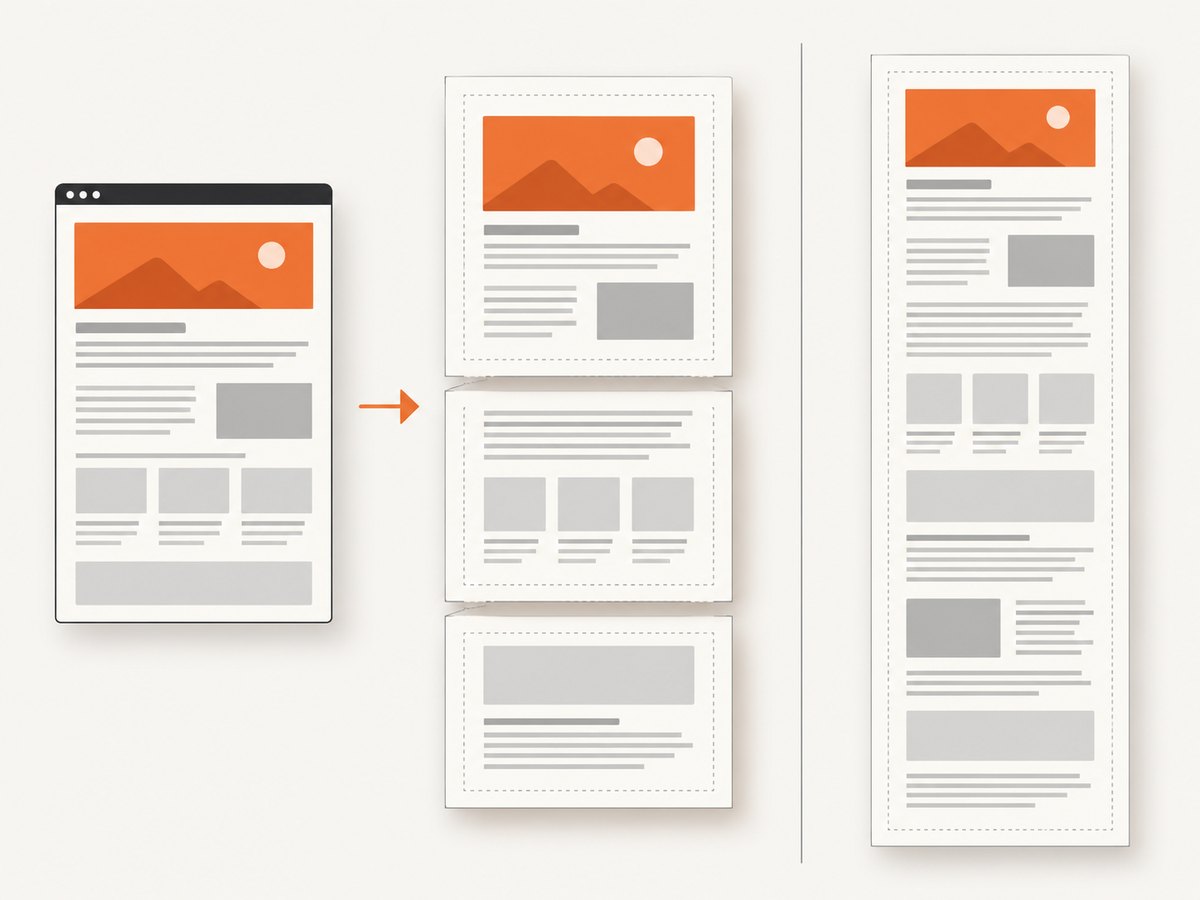
Use the endpoint when its browser-oriented request and page-style controls match your need. Be precise about page length: the standard REST endpoint does not make a continuous one-page PDF of an entire long webpage. If you need that output, Browserless directs users toward a custom-function approach. That constraint is significant for tall dashboards, receipts, and pages where pagination is unwanted.
Browserless requires a token. The research sources do not establish its current price or a free production quota, so check the provider’s current account and plan information before estimating costs. See the PDF API reference for the current request schema and option details.
6. Implementing an HTML-to-PDF integration
A robust integration needs more than a successful request. Decide whether you are converting trusted HTML or loading a URL, set page layout explicitly, handle binary output, and treat timeouts and oversized output as expected failure modes. The following checklist applies regardless of provider:
- Start with one representative document and record its input type, expected page count, and typical output size.
- Set page dimensions, margins, and print-background behavior explicitly using the provider’s documented names.
- If the page renders asynchronously, use a documented selector wait or other supported readiness mechanism.
- Keep credentials in environment configuration or a secret store; do not expose API tokens in client-side code.
- Stream or save the PDF as binary data. Do not decode it as UTF-8 text.
- Check the HTTP status and response content type before storing or returning the output.
- Set a client timeout consistent with the provider’s limits and your application’s response budget.
- For asynchronous jobs, persist the job identifier and implement bounded polling or a documented callback workflow.
Page layout and input edge cases
- Missing CSS or fonts: Remote assets may fail to load or may not be available to the rendering environment. Confirm they are reachable from the provider and wait for needed content before capture.
- Page breaks: Browser print layout can split content differently from the screen view. Use print CSS and test long tables, headings, and images at page boundaries.
- Backgrounds: Some browser print flows omit background colors or images unless print backgrounds are enabled.
- Large pages: Image-heavy PDFs can exceed output-size limits even when the HTML is small. Check generated byte size, not source length alone.
- JavaScript: A URL can return before a single-page application has finished rendering. Use the provider’s selector-wait capability if available and verify that the selector represents completed content.
- Long continuous output: Verify whether the endpoint paginates or supports one tall page. Browserless’s standard REST PDF endpoint has the documented limitation above.
7. Or skip the browser setup
If the deliverable can be a screenshot or a page PDF, ScreenshotNeo gives you a one-call API instead of setting up a browser renderer. See the ScreenshotNeo API documentation for request options and authentication.
curl -G "https://api.screenshotneo.com/v1/shot" -d access_key=YOUR_API_KEY --data-urlencode url=https://stripe.com -o shot.webpimport requests
r = requests.get("https://api.screenshotneo.com/v1/shot", params={"access_key": "YOUR_API_KEY", "url": "https://stripe.com"}, timeout=90)
open("shot.webp", "wb").write(r.content)const q = new URLSearchParams({ access_key: 'YOUR_API_KEY', url: 'https://stripe.com' });
const res = await fetch(`https://api.screenshotneo.com/v1/shot?${q}`);ScreenshotNeo removes cookie banners, newsletter popups, and chat widgets before the shot. Bot checks, blank pages, and failed loads are never billed; responses include X-Page-Verdict and X-Billed headers. Its MCP server lets AI agents use take_screenshot, get_page_info, and capture_pdf. The free plan includes 1,000 screenshots a month with no card; paid plans start at $5 for 3,000 shots. It also supports PDF paper size, margins, landscape, and page ranges. This is a practical alternative when you need a rendered page capture or PDF and do not need a converter API’s particular raw-HTML workflow.
Sign up free for 1,000 screenshots a month, with no card required.
8. Reliability, performance, and cost
Rendering time and output size depend on the input page, network-loaded assets, JavaScript, and provider limits. The dossier contains no controlled performance comparison, so benchmark your own representative documents if latency matters. Measure end-to-end time, timeout rate, output size, and whether expected text and assets appear.
For reliability, make requests idempotent where your workflow permits, classify failures before retrying, and use bounded retries with backoff for transient network or service errors. A deterministic malformed request, unsupported option, inaccessible URL, or plan-limit response generally needs a corrected input or configuration rather than repeated retries. For job-based processing, record job state and make cleanup or expiration behavior explicit in your system.
For cost, estimate monthly volume multiplied by the provider’s current per-file or credit rules, then include output size and failed jobs in your assumptions. PDFShift’s published credit model depends on generated PDF megabytes. CloudConvert’s cited starting price is per file and its sandbox is for development and tests. The dossier does not give a verified Browserless price. Recheck current terms at the linked vendor pages immediately before launch.
If you control the rendering infrastructure yourself, you gain control over browser version and resource policy but take on browser maintenance, scaling, isolation, and operational work. A hosted API trades that infrastructure work for the service’s plan limits and request model. Choose based on who should own those responsibilities.
9. Troubleshooting common failures
| Symptom | Likely cause | What to do |
|---|---|---|
| Unauthorized response | Missing, malformed, or invalid API token. | Check the provider’s required authentication header or parameter and confirm the secret is available to the server process. |
| PDF is blank or content is missing | Page JavaScript or remote assets were not ready or could not load. | Verify URL access from the rendering service and use its documented selector wait or readiness option. |
| Request times out | Slow page load, long scripts, or a plan-specific timeout. | Reduce unnecessary page work, wait only for a meaningful selector, and compare runtime with the provider’s published limit. |
| Output exceeds allowed size | Large images or lengthy content produced a PDF above the cap. | Optimize input assets, split the document if appropriate, or select a plan whose file limit fits. |
| Styles or backgrounds are absent | Print styles differ from screen styles, or backgrounds are disabled. | Inspect print CSS and enable the documented background option. |
| Unexpected pagination | Content naturally crosses page boundaries, or the endpoint only supports paginated output. | Set page and margin options, add print-specific break rules, and verify whether continuous output is supported. |
| Sandbox rejects a URL or file | The input is outside the sandbox whitelist. | Use a whitelisted fixture for integration tests or use an appropriately configured production workflow. |
| Response saved as corrupted PDF | Binary response was treated as text, or an HTTP error body was saved as a PDF. | Check status and content type, then write response bytes without text decoding. |
10. Short FAQ
Can I convert a URL instead of supplying HTML?
Yes, some APIs accept URLs. CloudConvert documents URL and HTML-file input, and Browserless accepts a url field. Confirm the provider’s current schema.
Does a free sandbox mean free production use?
No. CloudConvert’s documented unlimited sandbox is for development and integration tests with whitelisted files. It does not establish unlimited production conversions.
Which service is fastest or most accurate?
The cited sources do not provide a controlled comparison. Test your actual HTML, CSS, fonts, scripts, and page length against the output requirements you have.
Can ScreenshotNeo convert arbitrary HTML strings?
The supplied product details describe taking a URL and producing a screenshot or PDF. They do not establish raw HTML-string input, so use a converter whose documented input supports that workflow when raw HTML is required.
11. Launch checklist
- Confirm whether your input is a URL, HTML, or an uploaded file.
- Verify JavaScript rendering, selector waits, print CSS, page breaks, and long-page behavior.
- Calculate expected monthly use against the current free quota and output-size limit.
- Test binary response handling, authentication errors, timeouts, and oversized files.
- Use representative test documents and inspect the resulting PDF before production.
- Recheck vendor pricing and limits at publication and deployment time.


