Free Open Graph Image Generators
Compare free Open Graph image generators by privacy, templates, export options, and automation. Learn when to download a PNG or generate cards dynamically.

If you need a free Open Graph image generator for a site, blog, or SaaS page, start with 1200×630 pixels. That is the practical default used by OGForge and OG:IMAGE; choose a platform-specific size when you have a reason to. For a quick PNG without an account, FreeOGImage is the strongest fit in this group. If you need repeatable, per-page graphics, look at an API or hosted image workflow instead.
The right choice depends on what you need to produce: a one-off downloadable image, a reusable design, or an image generated for every route. This guide compares the free options, explains privacy and account tradeoffs, and shows how to put the resulting image in your page metadata.
1. What an Open Graph image generator does
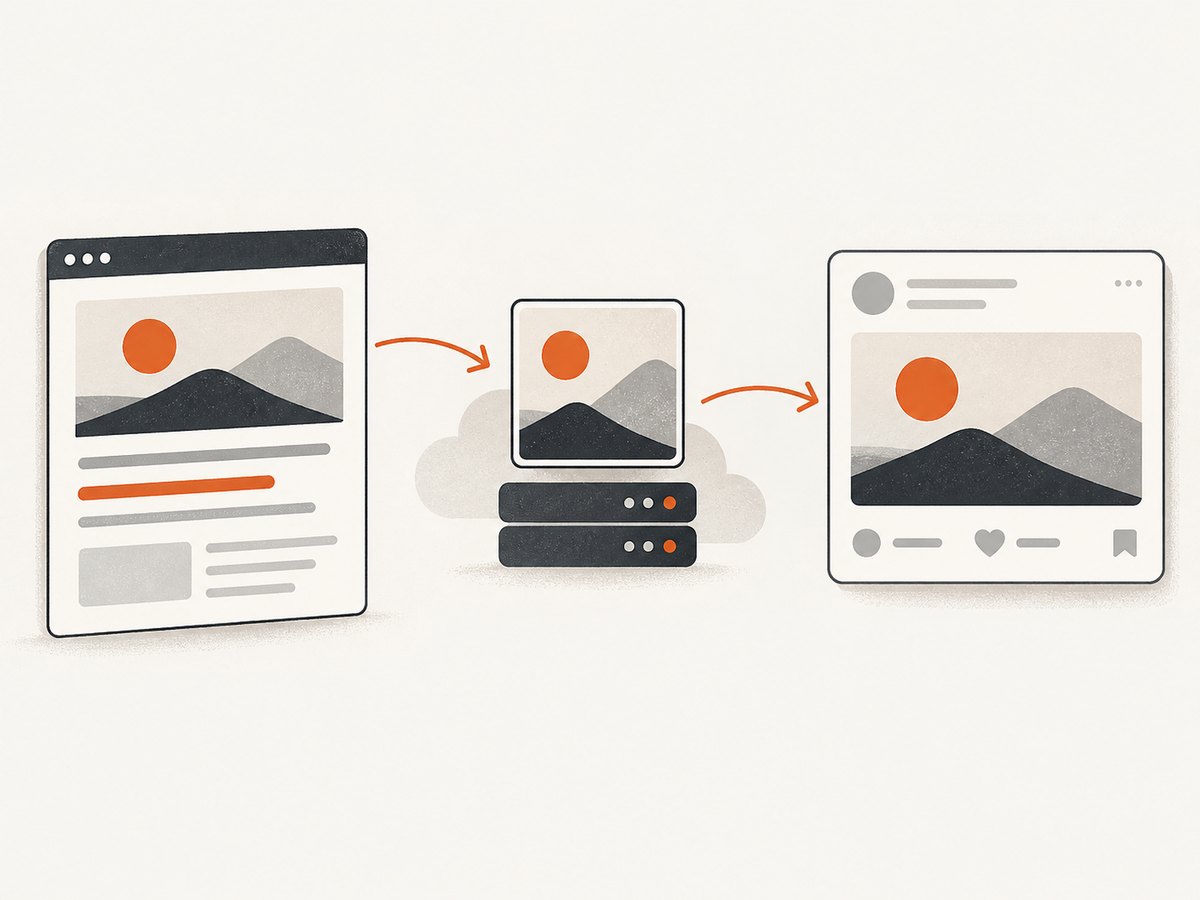
An Open Graph image generator creates the image used as a social preview when a page is shared. The page points to that image using an og:image metadata tag. A browser-based editor typically lets you choose a template, edit text and colors, and download a PNG. A developer-oriented service may instead render an image from a template and data, expose an API, or give you a hosted image URL.
These workflows solve different problems. A PNG you download and host gives you a stable asset with direct control over hosting. A hosted or API-generated card can support many pages without manually exporting a separate file for each one, but it introduces a service dependency and may have account, usage, or paid-plan limits.
2. At a glance: free Open Graph image generators
| Tool | Good fit | Free-plan details from the vendor | Watch for |
|---|---|---|---|
| FreeOGImage | Quick PNG export without signup | 224+ templates; browser rendering; no signup or watermark | Its privacy description is a vendor claim; choose a hosted workflow elsewhere if you need automated per-page rendering |
| OGForge | Large template set and editor workflow | 120 templates, PNG downloads, all listed templates | Email verification is required before generating; free uploads are retained for 24 hours and editor ads appear |
| OGFrame | Visual editing with AI assistance | Editor, core templates, PNG export, monthly AI allowance | Free hosted dynamic images carry a watermark |
| OG:IMAGE | Simple template-based generation | 15 templates, 1200×630 output | Pro removes the watermark and adds API access |
| OGImagen | Automated framework integration | Three free credits; template renders consume no AI credits | Generation is asynchronous; permanent CDN hosting is on paid plans |
| og-image.org | Developers building generation into their own stack | Documentation for client-side, API-first generation and framework approaches | The researched documentation does not publish independent performance statistics |
Features and plan details above come from the vendors’ descriptions. They are not independent measurements of privacy, image quality, or speed.
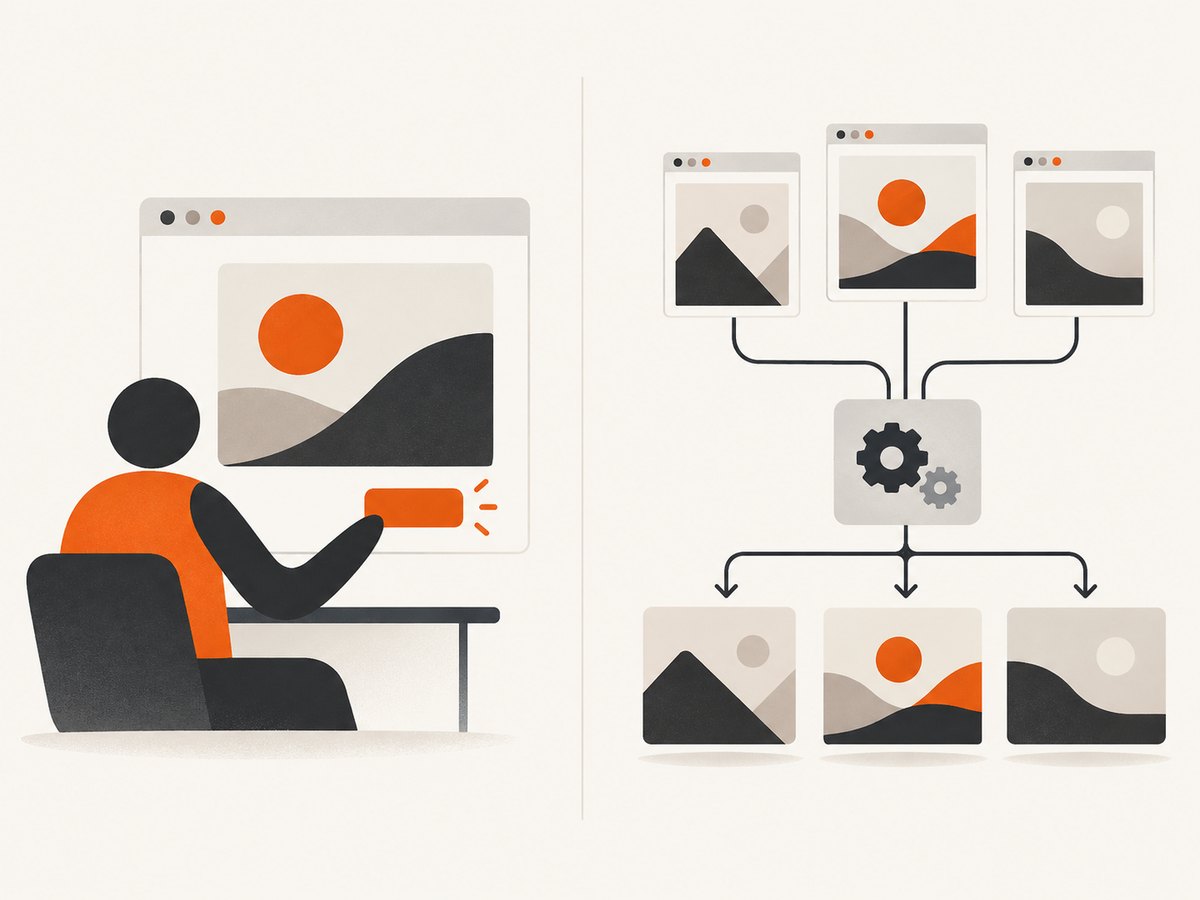
3. Which generator should you choose?
FreeOGImage: private, no-account PNG exports
FreeOGImage is the simplest recommendation for a one-off image when you do not want to create an account. The vendor says, “Every pixel renders in your browser. No uploads. Ever.” It also advertises no signup, no watermark, and pixel-exact PNG exports for Open Graph, X, LinkedIn, Facebook, and square formats. Treat the in-browser rendering and no-upload description as the vendor’s privacy claim, rather than an independently audited guarantee.
Choose it when you want to make a card, download the PNG, and put the file on your own site. The vendor lists 224+ templates. If you need an API, persistent hosted images, or a card rendered from each page’s data, compare the developer-oriented options below.
OGForge: templates and a free editor workflow
OGForge advertises 120 templates and a 1200×630 default. Its free editor includes all listed OG image templates and PNG downloads. The free workflow has tradeoffs: ads appear in the editor, email verification is required before generating, and ephemeral uploads are retained for 24 hours.
OGForge Pro is listed at $19.99 per month. The vendor says it adds a REST API with 1,000 API renders per month, CDN storage, render history, unlimited bandwidth, and analytics. The homepage also lists X output at 1600×900. Consider this path if the free editor is a fit now and you expect to move into API rendering or hosted assets later.
OGFrame: visual editor and AI allowance
OGFrame combines a visual editor with AI-assisted editing. Its free plan includes core templates, PNG export, and a monthly AI allowance. Free hosted dynamic images carry a watermark, so check whether your intended output is a downloaded PNG or an embedded hosted image before committing to the workflow.
The vendor lists Pro at $15 per month, with 200 AI credits, up to 20 saved designs, all templates, PNG export, production meta tags, clean hosted dynamic URLs, and priority support. It is worth comparing when AI-assisted design or saved variants matter to your process.
OG:IMAGE: a small template set with a hosted option
OG:IMAGE advertises 15 free templates and 1200×630 output. Its workflow can provide a downloadable PNG or a generated URL and metadata. The vendor lists a $9-per-month Pro plan that removes the watermark and adds API access, custom backgrounds, and all platform sizes. This is a straightforward option to evaluate if you want a small template set and a route from export to hosted generation.
OGImagen: framework snippets and automated generation
OGImagen targets automation, listing three free credits and framework snippets for Next.js, Astro, Remix, SvelteKit, and plain HTML. Its API documentation describes asynchronous generation and a template-preview endpoint that works without a key or credits. Template renders consume no AI credits, according to the vendor. Permanent CDN hosting is included on paid plans.
The vendor lists a $5 one-time Starter pack, a $15 Growth pack, and a $29-per-month Pro plan. If you are integrating a generator into a build or application, review the asynchronous flow and hosting terms before choosing it. A free preview endpoint can help assess a template without spending a credit.
og-image.org: implementation references for your stack
og-image.org documents a free, API-first, client-side approach, with guides covering Satori, Next.js, React, Vue, X, LinkedIn, and Facebook. It is useful as an implementation reference when you want generation in your own stack. The researched page does not provide independent performance statistics, so do not infer production speed or reliability from the documentation alone.
4. Pick a size and export format
For a general-purpose social card, begin with 1200×630 pixels. OGForge and OG:IMAGE explicitly use or select that size. Other tools expose additional social formats, including square images and a 1600×900 X output in OGForge. If a target platform has a specific requirement for your use case, select that format rather than assuming one size is ideal everywhere.
PNG is a convenient export format supported by the editors in this comparison. Before publishing, check that the downloaded file has the intended dimensions, that its main subject and text remain legible at a small preview size, and that it is reachable at a stable public URL. If you choose a hosted URL, review whether it has a watermark, how long it persists, and whether usage limits apply.
5. Add the image to your page metadata
After downloading the PNG, host it somewhere your page’s share-preview crawler can reach. Put its absolute URL in the page’s head alongside the other Open Graph metadata. Replace the example title, description, page URL, and image URL with values for the page being shared.
<head>
  <title>A useful page title</title>
  <meta property="og:title" content="A useful page title">
  <meta property="og:description" content="A concise summary of this page.">
  <meta property="og:url" content="https://example.com/guides/topic">
  <meta property="og:type" content="website">
  <meta property="og:image" content="https://example.com/images/topic-card.png">
</head>
For a static website, committing the image to your assets directory and deploying it with the site keeps the relationship simple. For many pages, a generated URL or API can reduce manual exports, but then your metadata must point to the correct image for each page and your rendering service must remain available to crawlers.
6. Automate cards with an API or framework
Automation is useful when each route needs its own title, category, product, or other image content. The researched options offer different levels of automation: OGForge lists a REST API on Pro, OG:IMAGE lists API access on Pro, and OGImagen documents asynchronous generation plus framework snippets. OGImagen’s docs cover Next.js, Astro, Remix, SvelteKit, and plain HTML. Check each vendor’s current API documentation for exact parameter names and response handling; the research notes do not provide endpoint paths or request schemas, so they should not be guessed here.
- Choose a template and define which page fields control its content.
- Generate a preview using the vendor’s documented preview or test path, where available.
- Handle asynchronous results by following the documented job or callback flow.
- Store or host the final image at a URL that your metadata can reference reliably.
- Verify the rendered metadata and image URL on a deployed page, including pages with unusual or long titles.
If you prefer to own the rendering pipeline, og-image.org’s documentation points to Satori and framework integrations. That approach gives you control over implementation, while making you responsible for the renderer, deployment, output validation, and image hosting.
7. A practical workflow for choosing and publishing
- Decide whether you need one image or many. For a one-off card, a browser editor and PNG export are usually the shortest path. For many unique pages, inspect API, URL-generation, or in-stack options.
- Choose based on privacy and account needs. FreeOGImage says it renders in the browser without uploads and needs no signup. OGForge’s free workflow requires email verification and retains ephemeral uploads for 24 hours.
- Make a representative card. Test a realistic page title and description, including a long one, rather than only the shortest possible copy.
- Export and host the asset. Use a stable, publicly reachable URL. For a downloaded PNG, your own site or asset hosting gives you direct control of its location.
- Add metadata and validate it. Confirm that the page’s
og:imagepoints to the actual image and that the URL can be fetched without a login. - Revisit the workflow when the site grows. If manual exports become a maintenance task, compare hosted generation and APIs, including usage, watermark, persistence, and plan costs.
8. Or skip the browser setup
If you need the screenshot of a live page as an input to a social card workflow, ScreenshotNeo is a website screenshot API and MCP server. A single GET request returns a PNG, JPEG, WebP, or PDF. See the ScreenshotNeo API documentation for request options.
curl -G "https://api.screenshotneo.com/v1/shot" \
  -d access_key=YOUR_API_KEY \
  --data-urlencode url=https://stripe.com \
  -o shot.webp
With Python:
import requests

r = requests.get(
    "https://api.screenshotneo.com/v1/shot",
    params={"access_key": "YOUR_API_KEY", "url": "https://stripe.com"},
    timeout=90,
)
open("shot.webp", "wb").write(r.content)
With Node.js:
const q = new URLSearchParams({ access_key: 'YOUR_API_KEY', url: 'https://stripe.com' });
const res = await fetch(`https://api.screenshotneo.com/v1/shot?${q}`);
const bytes = new Uint8Array(await res.arrayBuffer());
await import('node:fs/promises').then(fs => fs.writeFile('shot.webp', bytes));
Cookie banners, popups, and chat widgets are removed before the shot. Bot checks, blank pages, and failed loads are never billed, and responses say what happened through X-Page-Verdict and X-Billed headers. Its MCP server lets AI agents take screenshots. The Free plan includes 1,000 screenshots a month with no card; paid plans start at $5 for 3,000. Sign up free for ScreenshotNeo.
9. Troubleshooting and edge cases
| Problem | Likely cause | What to do |
|---|---|---|
| Social preview has no image | The metadata is missing, has a typo, or points to an inaccessible URL | Check the deployed page source for og:image; use an absolute public URL and confirm the file is present. |
| The old image keeps appearing | A platform or intermediary may retain a preview cache | Verify the current page metadata and image URL first. Use the platform’s documented refresh or re-scrape mechanism when available. |
| Text looks cramped or clipped | The chosen template does not fit the title length or content | Preview a long title and reduce copy or adjust layout before export. Do not assume the shortest title represents every page. |
| A downloaded image has a watermark | The selected workflow or plan applies one; OGFrame’s free hosted dynamic images carry one | Distinguish PNG export from hosted output and check the specific plan terms before using the image publicly. |
| Free editor will not generate | OGForge requires email verification before generation | Complete the vendor’s verification step, or choose a no-account workflow such as FreeOGImage. |
| Free hosted image stops being available | Temporary storage or free-plan limits may apply | OGForge says free uploads are retained for 24 hours. Download and host a PNG yourself if you need a stable asset; review retention terms for other services. |
| Automated render is not ready immediately | OGImagen documents asynchronous generation | Implement the documented asynchronous result flow instead of assuming the initial request returns a finished image. |
| Image differs across platforms | Platforms may request or display previews differently, and formats may have different target sizes | Use a broadly suitable 1200×630 card as a starting point; select platform-specific sizes when the target requires them. |
10. Performance, reliability, and cost
For a static site, a local PNG avoids making each share preview depend on a third-party rendering API at request time, though the asset still needs reliable hosting. A hosted dynamic image can simplify updates and per-page variation, but availability, caching, retention, and plan limits become part of the delivery path. The researched vendor pages do not provide independent latency or uptime comparisons, so choose based on workflow and stated terms rather than assumed performance.
FreeOGImage is described by its vendor as browser-rendered, with no uploads, signup, or watermark. OGForge’s free editor has ads, verification, and 24-hour ephemeral upload retention. OGFrame’s free hosted dynamic output has a watermark. OGImagen offers three free credits and paid permanent CDN hosting; template renders do not use AI credits. Those distinctions matter more than a nominally free label when you plan to use images in production.
| Need | Starting point |
|---|---|
| One-off card with no account | FreeOGImage |
| Many designs from a template editor | OGForge free editor; assess its verification and retention terms |
| AI-assisted visual editing | OGFrame; check the monthly AI allowance and hosted-image watermark |
| Framework or API automation | OGImagen or a documented API plan from OGForge or OG:IMAGE |
| Custom in-stack implementation | og-image.org documentation and its referenced framework approaches |
11. FAQ
What is the best free Open Graph image generator?
For a no-account PNG export, FreeOGImage is the strongest fit in this comparison. For automated generation or hosted dynamic images, choose based on API, watermark, and persistence requirements.
Is 1200×630 the right size?
It is a practical general starting point and is explicitly used by OGForge and OG:IMAGE. Use a different platform-specific size when your target calls for one.
Can I generate cards for every page automatically?
Yes, with a documented API, hosted URL workflow, or an implementation in your own stack. OGForge, OG:IMAGE, and OGImagen list automation options with plan or workflow conditions; check their current docs for exact integration details.
Do free tools upload my design?
It depends on the tool. FreeOGImage says its pixels render in your browser and are not uploaded. OGForge says its free tier uses ephemeral uploads retained for 24 hours.
Should I use a screenshot as my social card?
Only when a page screenshot suits the purpose of the share preview. A designed OG card is easier to control for legibility and branding; a screenshot API can help when the page itself is the content you need to capture.


